Author: Pavel

  • Automate Workflows and Build Apps with GPT in Minutes

    Automate Workflows and Build Apps with GPT in Minutes

    The AI Updates That Actually Matter (and What to Do About Them)

    Look, you’re not alone if the AI release calendar feels like trying to track aircraft on radar. OpenAI, Google, and xAI have dropped wave after wave of updates—each aiming to reshape how you build, automate, and scale with AI.

    But you’re not here for hot air. You’re here to figure out what’s real, what’s hype, and what to try next.

    Let’s break down the biggest moves (in plain English), what they unlock for you, and how to take full advantage.


    OpenAI Just Turned ChatGPT into an App (and an App Store)

    Remember when ChatGPT was “just” a chatbot? Yeah, that’s over.

    Here’s what’s new:

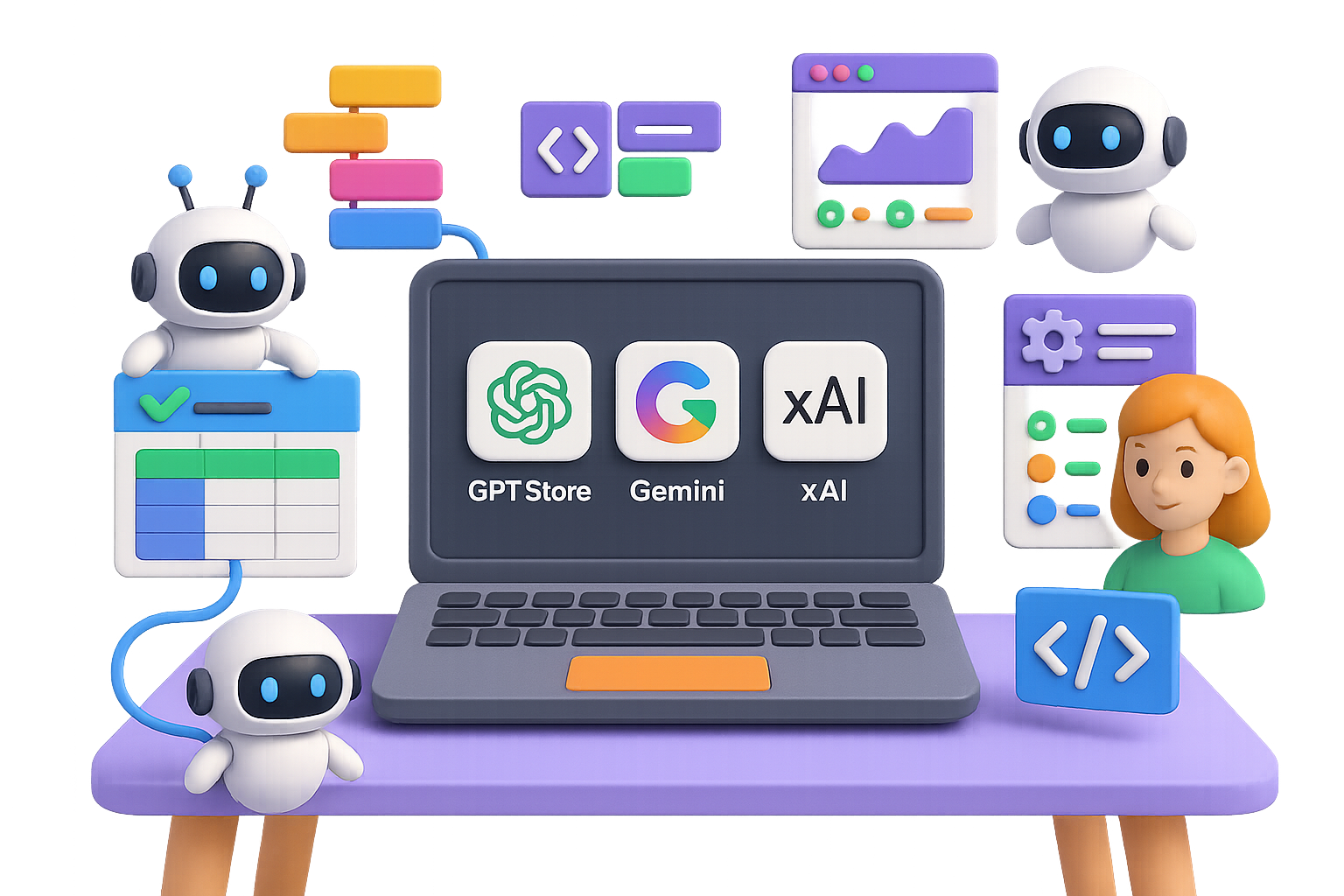
    • GPT Store – Think App Store, but every “app” is a custom GPT. Zillow, Spotify, Canva—even Coursera—are already in. Early stage = big opportunity if you move fast.
    • Agent Builder – No code, no problem. Drag-and-drop workflows let you build AI agents that connect to CRMs, spreadsheets, ticketing platforms—you name it.
    • Enterprise Guardrails – Hallucination filters, jailbreak protection, audit logs. Big companies can finally breathe easy.
    • API Model Upgrades

      – GPT-4 Turbo: lower price, longer context window

      – GPT-4o Mini: tiny price tag, real-time speeds

      – Whisper-v3: better voice-to-text

      – Image-Gen 1 Mini: fast image prototype tool

    This feels like iOS v1. The GPT Store is empty-ish right now—meaning you’ve got early-mover advantage if you start building something people want.


    illustration

    Google Gemini 1.5 Pro: Now Playing with Your Mouse and Keyboard

    Google’s Gemini 1.5 Pro isn’t just a smarter model—it’s a hands-on AI that can use your computer like a person.

    Yes, really.

    What it does:

    • Human-like interface control – It clicks, scrolls, types in forms—whether it’s Gmail, Airtable, or your weird internal dashboard.
    • Fast + accurate – Among the top-performing agent models in both latency and success rate.
    • Live previews – You can try it today via the Gemini API, Google AI Studio or Vertex AI.

    Why this matters for you:

    1. Automated research – Gemini can pull and summarize data across sites like a focused research assistant.
    2. Smarter QA testing – The Firebase Testing Agent mimics real users to find bugs—automatically.
    3. Instant usability feedback – Imagine 100 agents test-driving your product before you ship.

    If you’ve ever said, “I wish someone else could just do these browser steps for me”—now’s your moment.


    illustration

    xAI Keeps Closing the Creative Gap

    Elon’s team isn’t messing around. xAI is shipping fast—and their new tools are turning heads.

    What’s inside:

    • Grok Code – A native VS Code extension bringing autocomplete, refactors, and code explanations right into your IDE.
    • Imagine v0.9 – xAI’s latest text-to-video model. Quality is trending up: smoother motion, better audio—but it’s still not quite beating Sora or Runway. Yet.

    That said, with xAI’s insane compute access, the next leap could come fast. Got content use cases? Keep this one on your radar.


    illustration

    Hardware Deals & Deep Tech Moves

    The AI war isn’t just code—it’s chips and Nobel laureates.

    • OpenAI × AMD – Rumor alert: multi-billion-dollar deal for next-gen AI chips. Translation? Nvidia’s got real competition, and GPU prices might finally cool down.
    • Alphabet’s Nobel Binge – Google just hired its third Nobel-associated scientist in two years. Quantum physicist Michel Devoret joins DeepMind. Not bad.

    Behind-the-scenes moves like this hint at long-term bets: better chips, fresh algorithms, and fundamental advances in reasoning.


    illustration

    What You Can Do With All This (Right Now)

    Let’s boil it down. Here’s where you can move the needle fastest:

    1. Ship a GPT early
      The GPT Store is still greenfield. Not crowded. Whether it’s a niche tool, a content helper, or an internal agent—distribution just got way easier.
    2. Automate without writing code
      Agent builders in ChatGPT and Gemini let you link AI tasks into workflows in minutes. No dev team required. Think: data cleanup, lead routing, QA handoffs.
    3. Plug agents into your testing pipeline
      Gemini’s UI-ready agents can stress-test your app like a QA team—without the payroll. Set them loose, then triage their findings.
    4. Watch the chip war
      AMD joining the fray = more supply, better pricing. Inferencing costs could drop quarter by quarter. That reshapes project economics—fast.

    Want to stay ahead? Tinker with previews now, before they become table stakes.


    illustration

    Takeaway

    The AI ecosystem isn’t just evolving—it’s mutating. And the edge now goes to those who use it, not just read about it.

    You’re not late. You’re right on time.

    Starting your AI journey? Head over to tixu.ai — it’s your beginner-friendly launchpad, packed with hands-on lessons, clear pathways, and smart, supportive guidance. Ready when you are.
  • Build Your Dream Team of AI Agents Today

    Build Your Dream Team of AI Agents Today

    Claude 3.5 Sonnet: The Sleepless AI Teammate You Didn’t Know You Needed

    Say goodbye to the “AI assistant” that forgets where it left off or vanishes mid-task.

    Anthropic just dropped Claude 3.5 Sonnet—and it’s not a minor update. This model runs autonomously for 30+ hours, delivers best-in-class software engineering scores, and comes bundled with shiny new tools built to turn it into your hardest-working teammate.

    Let’s break down the big wins—and how you can start using them to 10x your solo projects or scale your ops without scaling payroll.


    illustration

    Goodbye Chatbot, Hello Colleague

    Claude 3.5 Sonnet isn’t just smarter—it’s built to hustle.

    • 30-hour memory lane – Thanks to its beefed-up context window and tighter grounding, Sonnet can actually complete multi-day workflows without spiraling into hallucinations.
    • Priced like intern, performs like expert – It beats Claude 3 Opus on key benchmarks but costs around 80% less.
    • SWE-bench champ: 77.5% – That’s the highest open-source software engineering score around.
    • Leads in computer-activity tasks – From editing docs to navigating dashboards, it outperformed every other public model.

    Translation? This AI doesn’t just answer your questions—it finishes the job.


    illustration

    Flip the Script on Your Workday

    You’re not prompting a chatbot anymore. You’re delegating work to a full-stack AI.

    1. Give it a big task—like “Build an expense tracker with login, exports, and charting.”
    2. Walk away. Literally. Sleep, eat, touch grass.
    3. Come back to working code, clean docs, even marketing copy—polished and ready to ship.

    Solo founders gain leverage most teams dream of. Larger orgs? They’re building AI squads on demand.


    illustration

    4 Claude Tools That Level You Up Instantly

    Anthropic wasn’t content with just launching a power model. It also rolled out four tools to unlock Sonnet’s full potential—no AI PhD required.

    Claude Code (VS Code Extension)

    • Live inside your editor. It integrates directly with Visual Studio Code or Cursor.
    • Refactor entire files, generate tests, chat about bugs—or ask it to scaffold an app.
    • No terminal gymnastics required—just type what you want and go.

    Claude Agent SDK

    • A Python SDK for building persistent, tool-using agents.
    • Feed it APIs, file access, web tools—then give it a “job title” (think: deal analyst, recruiting assistant, inbox butler).
    • Let it run in the background and actually do work across hours or days.

    Quick-use cases:

    • Digest market data and ping key highlights.
    • Auto-triage your inbox (yes, including filing PDFs and drafting replies).
    • Roll daily competitor summaries into your CRM.

    Claude for Chrome (Max Plan)

    • A browser-based agent with direct control of tabs.
    • Tell it to summarize a 50-page whitepaper, fill out a table, scrape a dashboard, or surface trends from price charts.
    • You’re in control—it asks for permission before touching anything.

    Claude Imagine

    • A live-build playground. Describe a UI or app concept, and watch it generate the code as you type.
    • Perfect for visual thinkers or rapid prototyping—the feedback loop is near-instant.
    • Add a Kanban board? Click, done. Build a dark mode toggle? Already there.

    illustration

    Workflow Recipes You Can Steal Right Now

    Not sure how this fits into your day? Try one of these plug-and-play setups:

    • Content creator
      Outline a topic. Let Sonnet write the script. Have Claude for Chrome draft your video description, blog post, and social captions.
    • Indie developer
      Draw out your MVP in Claude Imagine. Export clean code with Claude Code. Let a second agent deploy to the cloud.
    • Investor or analyst
      Spin up a custom agent to analyze SEC filings, summarize events, and dump insights into Notion.
    • Ops manager
      Automate browser-based data entry, generate spotless dashboards, and even write that nagging follow-up email stack.

    illustration

    Ready to Try It? Here’s Your First Move

    1. Create your Anthropic account
    2. Download Claude Code from the VS Code or Cursor marketplace.
    3. Explore the Agent SDK by cloning a prebuilt example and modifying just one line.
    4. Fire up Claude Imagine for rapid design-and-build workflows—zero code needed.

    illustration

    This Model Works Like You Wish Others Did

    Claude 3.5 Sonnet isn’t just an upgrade—it’s a full reframe. With deep memory, tool control, and hours of uninterrupted grind, it’s like hiring your smartest coworker for a fraction of the cost.

    And thanks to the new extensions, SDK, and browser control—you don’t need to be an engineer to make it work for you.

    Want a gentle on-ramp to AI-powered workflows?
    Tixu’s got your back with beginner-friendly tutorials, real use cases, and zero gatekeeping. Start learning at tixu.ai and get unstuck faster.

  • Automate Your PhD Workflow with GPT-5 Modes

    Automate Your PhD Workflow with GPT-5 Modes

    Stop Wasting Brainpower on Busywork

    Let’s be real: doing a PhD often feels like juggling flaming swords on a treadmill. Revisions. Feedback. Mountains of unread PDFs. A calendar that talks back. And all of that before you even get to the “original thought” part.

    Here’s the thing—your brain is a terrible project manager. But GPT-5? Pretty fantastic at it.

    Below, you’ll find four workflows that turn GPT-5 into the co-supervisor you always wanted—organized, smart, and totally fine working weekends. These aren’t hypothetical hacks—we’re talking fewer headaches, clearer next steps, and more mental energy directed at breakthroughs, not bureaucracy.

    Ready when you are.


    illustration

    Turn Feedback into an Action Plan with Study Mode

    Supervisor splash some red ink all over your draft?

    Cool. Don’t stew—copy it straight into GPT-5’s Study Mode. Then say:

    “Break this into a clear, prioritised 2-week action plan.”

    In seconds, you’ll get:

    • Milestones broken down by day or week
    • What’s critical vs. what can wait
    • Checklists to track progress (little dopamine hits)

    Got a confusing bullet? Just highlight and hit Ask ChatGPT for examples or clarification.

    Suddenly, it’s not feedback—it’s a roadmap.


    A cartoon character labeled 'GPT-5' holding a magnifying glass, analyzing a research paper with highlighted terms such as 'assumptions', 'vague terms', and 'weak logic', accompanied by a 'Thinking Mode' toggle switch.

    Get Peer-Reviewer-Level Critique with Thinking Mode

    Need more than “looks good!” from your AI assistant?

    Switch to Thinking Mode. This one’s built for depth—not just speed. Here’s how:

    1. Pick Thinking Mode from the selector.
    2. Drop in the paragraph (or messy methodology intro) you want reviewed.
    3. Ask something like: “Call out assumptions, vague terms, and weak logic.”

    GPT-5 takes a beat to think, then comes back with a critique sharp enough to prep you for any journal reviewer or supervisor showdown.

    No sugar-coating, no skipped steps—just clean, cognitive rigor.


    illustration

    Build Your Perfect AI Supervisor with Custom Instructions

    Let’s be honest: no two researchers thrive under the same mentoring style.

    Want your AI sounding like a tough-love supervisor? Or a nerdy hype-friend?

    You can shape that. Go to:
    Settings → Personalisation → Custom Instructions

    Tweak these:

    • Who you are (e.g., “PhD candidate in computational biology”)
    • Your preferred tone: Listener (gentle), Straight-Shooter (efficient), Nerd (deep dive zone)
    • Bonus flair: “Keep feedback firm but encouraging” or “Pretend you’re my thesis buddy”

    Now every chat sounds like someone who gets how your brain works. No performance anxiety required.


    illustration

    Bury Admin Tasks with Text Blaze + Dictation

    You didn’t start a PhD to write polite emails all day.

    Make admin invisible with this two-tool combo:

    1. Use Text Blaze (a Chrome extension) to create short snippets like /resched or /thankyou.
    2. Hit GPT-5’s Dictate. Talk out your message. Hit enter.
    3. The model transcribes and rewrites it into clean, professional text. Text Blaze drops it in with the right greeting and sign-off.

    That’s five emails cleaned up in under five minutes.

    Now you’re free to fuss over your experiments—not your inbox.


    illustration

    Your AI-Powered PhD Stack (Recap)

    • Study Mode = Action plan from messy feedback
    • Thinking Mode = In-depth critique without the ego threat
    • Personalised Instructions = Supervisor vibes that actually motivate you
    • Dictation + Text Blaze = Admin handled before your coffee gets cold

    You’ve got a limited number of great thinking hours each day. Hand off the grindy stuff to GPT-5, keep the brainpower for breakthroughs—and finally put the “deep” back into deep work.

    Want to learn how to use AI without the overwhelm?
    👉 Head to Tixu—a beginner-friendly platform that makes mastering AI tools seriously easy.

  • Write Peer-Reviewed Papers 10x Faster with ChatGPT

    Write Peer-Reviewed Papers 10x Faster with ChatGPT

    Meet ChatGPT’s New “Deep Research” Mode: Your AI-Powered Lit Review Sidekick

    Ever burned an entire afternoon battling a blank document, sifting through dusty PDFs, and trying to wrangle citations into some kind of order?

    That’s where Deep Research kicks the door down. ChatGPT’s latest feature doesn’t just summarize articles—it tackles full-blown literature reviews with a live web search, structured outputs, and citation-ready sources in under ten minutes.

    You’re still the expert, but now you’ve got a 24/7 co-pilot who doesn’t get tired, bored, or distracted by cat videos.

    What you’ll walk away with

    • A simple way to use Deep Research without spinning your wheels
    • What it nails (and where it whiffs)
    • Smart workflows to avoid citation chaos

    Let’s get into it.


    illustration

    Save Hours With Search That Thinks Like You

    Here’s why this mode matters for researchers, students, and R&D teams alike:

    • Speed – What took three hours now takes nine minutes. Yes, really.
    • Breadth – Journals, preprints, patents, news—you name it. It casts a wide net.
    • Structure – Clean sections, clear flow. No more Frankensteining outlines together.
    • Accuracy – On the MMLU benchmark (“Humanity’s Last Exam”), these models double GPT-3’s accuracy rates.

    No more bouncing between 20 tabs. Deep Research compresses your scavenger hunt into one button and one coffee’s worth of time.


    illustration

    How to Use Deep Research Without Getting Lost

    You don’t need a PhD in prompt engineering—just a clear request.

    1. Write a clear brief
      Something like:
      I’m reviewing advances in organic photovoltaic devices from the last 5 years. Focus on material stability, morphology, and manufacturing scale-up. 10k words. Peer-reviewed sources only.
    2. Launch Deep Research
      Hit the new button. The AI will usually ask you a few follow-up questions. Take the extra minute—it helps guide the output.
    3. Give it a few minutes
      For a hefty 10,000-word review, it took just 10 minutes and pulled together 40 unique sources.
    4. Scan the output
      Expect structured sections (Intro, Materials, Architecture, etc.) and numbered citations linking to ResearchGate, arXiv, ScienceDirect, and more.

    illustration

    Where Deep Research Nails It

    Here’s what stood out:

    • It thinks ahead – Ask for a rough intro on heliostat mirror durability, and it comes back with clarifying questions: mirror type? Environment? Stress tests?
    • It rewrites on cue – Tell it “shorter,” “more technical,” or “start with history,” and it rebalances the whole doc.
    • Click-to-verify sources – No black boxes here. Every reference links to a viewable paper, so double-checking is easy.

    Where It Still Trips Up

    No tool is perfect—and Deep Research has some quirks:

    1. Citation formatting
      You’ll get plain text, not pretty exports. No BibTeX or Zotero integration yet. Be ready to copy-paste or find a converter script.
    2. Source grading
      Most entries are legit journals—but some blog posts or press blurbs sneak in. Treat it as a solid first sweep, not gospel.
    3. Polish
      The writing? Decent, but unmistakably AI-ish at times. Cliché metaphors. Overtitles. You’ll need a light edit pass before submitting anything.

    illustration

    Pro Tips: Make Deep Research Work for You

    Want better results on the first try? Try these:

    • Front-load your format – Give it your ideal structure: “Headings: Introduction, Methods, Results, Conclusion…” It’ll follow.
    • Be blunt about limits – Need 300 words max? Say so. Otherwise, it’ll dump a novella.
    • Fact-check the standout claims – Most are accurate. But hallucinations—though rare—do still happen.
    • Collect references early – Paste links into your ref manager before they vanish from your scroll memory.

    illustration

    That’s a Wrap

    Deep Research won’t replace your critical thinking. But it will hand you a curated, citation-rich draft in minutes—one that’s organized, sourced, and shockingly close to usable.

    The quirks are tolerable. The time saved? Game-changing.
    So grab your reference tool, check your AI usage policy, and tap that button. You might just find yourself skipping the all-nighter.

    Want to get better at all things AI—without feeling overwhelmed?
    Learn step-by-step with real people at Tixu, a beginner-friendly platform for mastering AI basics with confidence.

  • Automate Daily Content with ChatGPT in 3 Steps

    Automate Daily Content with ChatGPT in 3 Steps

    How to Clone Yourself for Finals (Without Crying Into Your Textbooks)

    Finals week survival strategy: clone yourself. Or at least come close.

    When the to-do list is taller than your laptop and your brain feels like browser tabs with 37 open windows, you need more than willpower. You need leverage.

    This post shows you how to get it—using AI.

    Not the “someday maybe” kind. We’re talking practical, plug-and-go tools that’ll help you study faster, draft better, and stay (mostly) sane.


    illustration

    Your Brain Can Only Do So Much—AI Picks Up the Slack

    You’re trying to review three textbooks, complete two slide decks, and somehow prep for that essay exam that’s 40% of your grade.

    Spoiler: caffeinating your way through it isn’t a great plan.

    Here’s where AI steps in. Think of it as a study sidekick—one that never needs sleep.

    You won’t need a PhD in machine learning either. These tools are designed with beginners in mind (we’ll spotlight where to start soon).


    illustration

    Automate the Grunt Work (So You Can Focus on Thinking)

    Most of finals week isn’t creative brilliance. It’s information wrangling:

    • Summarizing endless chapters
    • Generating practice questions
    • Rephrasing notes into flashcards
    • Turning confusing slides into “I get it now” explanations

    AI is scarily good at all of that.

    Imagine this:

    You upload your econ slides. AI spits out key takeaways, flashcards, and five likely quiz questions. That’s three hours saved—and zero tears shed.


    illustration

    Tools That Feel Like Cheating (But Aren’t)

    Let’s be real: you’re not outsourcing thinking—you’re streamlining processing.

    Here are three free (or cheap) tools to help you study smarter:

    1. ChatGPT (Free version goes far)
      Ask it to explain tricky concepts, quiz you, or summarize your notes.
      Prompt tip: “Explain this like I’m five: [your topic]”.
    2. Notion AI
      Already using Notion for notes? Their AI can reformat bulky content, make checklists, or auto-organize your study plan.
    3. Tixu
      Especially if you’re new to AI, Tixu shows you step-by-step how to actually apply this stuff. You’ll go from zero to AI-whiz by next finals season—maybe faster.

    A cartoon-style illustration of a person sitting at a desk, using a laptop with a chatbot interface displayed on the screen, accompanied by a calendar and checkmark graphic in the background.

    Real Talk: AI Doesn’t Do the Work, It Removes the Drag

    Here’s where most people mess up: they treat AI like magic instead of a muscle.

    Yes, it speeds things up—but only if you give it good inputs.

    Say you’re writing a history essay. Instead of asking AI to “write it,” try this:

    “Here are my notes. Can you outline an argument and suggest a thesis?”

    Now you’re driving. AI’s just navigating.

    Carlos, a freshman bio major, used this approach and finished his term paper four days early. His words, not ours: “It felt like finally having a co-worker during finals week.”


    illustration

    Do This Next (Yes, Right Now)

    1. Pick one class you’re dreading.
    2. Grab last week’s notes or slides.
    3. Drop them into your favorite AI tool.
    4. Ask for a summary or five-point study guide.
    5. Read. Breathe. You just saved an hour.

    illustration

    Final Grade: You, Upgraded

    Finals don’t have to fry your neurons.

    With AI in your corner, you can skip the busy work and focus on what actually matters—mastering the material.

    Want the easiest on-ramp into using AI like this?

    👉 Tixu is a beginner-friendly platform that teaches you how to apply AI to your actual workload—no buzzwords, just results.

    Ready when you are.

  • Master Brainstorming with AI: 5 Tools to Try Today

    Master Brainstorming with AI: 5 Tools to Try Today

    Turn Prompts Into Visual Gold

    You know that “aha” moment in a brainstorm when everything suddenly clicks? Yeah, Mixboard bottles it.

    Google just dropped this hidden gem, and it’s seriously fun. Think of it as mood-boarding on steroids. You fire in a prompt—say, “cats with hats”—or upload your own product shots. Within seconds, Mixboard spawns a wall of image tiles. Drag, resize, remix. No design degree required.

    Want to take it further? Select a few favorites, hit Combine, and let Imagen 2 cook up a blended version that’s half art, half magic.

    Why it’s worth your clicks:

    • 50+ images per prompt = fast idea generation
    • Combos and mashups help you explore directions fast
    • 100% free (in the US—use a VPN if needed)

    Pro tip: After compiling your wall of inspo, press “More like this” on any tile cluster to generate variations automatically. Instant rabbit holes, no energy drinks required.


    illustration

    Get Frame-Perfect Video Summaries with Qwen-Max (Free!)

    Here’s a little secret: AI video understanding just got democratized.

    Qwen-Max, part of Alibaba’s new model family, lets you upload full video files—then breaks down every frame with scary precision. Angle changes, wardrobe cues, facial tics? It catches them all.

    Before this, only Google’s Gemini could handle that level of analysis. Now you can do it at chat.qwen.ai for free—just sign up and drop your clip.

    Use it if you:

    • Work with user-generated content and need clean summaries
    • Create e-learning and want auto-generated time-stamped breakdowns
    • Tag hours of video without losing your weekend

    Serious time-saver. Zero bill attached.


    illustration

    Re-Motion Anyone with Animate Anyone 2.2 (Just $1.50)

    This one’s for the marketers, meme-lords, and motion fans.

    Animate Anyone 2.2 takes one still image—a person, a cartoon character, your boss in a cape—and matches it to motion from a short video. The result? A fluid, frame-synced animation that nails poses, facial alignment, and overall vibe. It’s not janky anymore. It’s jaw-drop material.

    Seriously—our test with a Stallone still ran for just 20 credits (roughly $1.50), and it looked like a Rocky outtake.

    Pair this with Mixboard to prototype TikToks or ads before you hire a videographer.


    illustration

    Generate Video + Voice in One Sweep with ONE-2.5

    AI-generated video? Old news.

    AI-generated video with clean, synced voiceover? That’s what ONE-2.5 brings. Built by Alibaba as a direct shot at Runway Gen-3, it outputs 4-second clips complete with ambient audio or speaking voices.

    Yes, Runway still holds the visual edge. But audio quality here is where ONE-2.5 shines—no more robotic echoes or tin-can vocals.

    Use it to mock up:

    • App previews with polished narration
    • Social snippets where clarity matters
    • Ambient scenes with immersive sound design

    Bookmark this one. It’s going places.


    illustration

    Kling 2.5 Turbo: Still Fast, Now Cheaper

    Video generation vets—this one’s for you.

    Kuaishou just revved their flagship model into Kling 2.5 Turbo, and while it’s not a revolution, the upgrades hit where it counts:

    • Faster render times
    • Lower usage costs
    • Better character consistency

    It finally “gets” splash physics—our favorite “monkey on a boat” prompt had water realism that was missing before. If you’re already using Kling’s API, this is a free jump in quality.


    illustration

    Suno V5 Could Fool Your Ears (in the Best Way)

    You’ve probably heard an AI-generated pop song and thought, “Cute, but I can tell.”

    Suno’s trying to erase that line. Their new Version 5 puts studio-quality vocals and sharp instrumentals right into your laptop—no mic, no DAW.

    What’s new:

    • Clearer vocals
    • Cleaner instrument separation
    • Tighter genre control

    In blind tests? Listeners struggle to tell which song was AI versus a studio track.

    If it’s been a minute since you checked out Suno (or you’ve only seen its TikTok debuts), this is your cue to dive back in.


    illustration

    Quick Hits You Shouldn’t Miss

    • Chatbot Arena by Scale AI: GPT-4o now tops the public leaderboard, edging out Opus 4.1. Watch the match-ups play out live.
    • OpenAI’s gpt-4o-code: A new API just for code tasks—expect better logic tracing and test writing.
    • Gemini in Chrome: New update adds Gemini access right in your browser. Just click the sparkle icon.
    • Notion 3.0 + AI Agents: Build smart assistants tied to specific pages or databases—no more duct-tape workflows.
    • Anthropic’s data policy change: Starting Sept 28, your chats will train their models—unless you opt out. Do it in settings.

    illustration

    TL;DR

    AI isn’t slowing down—it’s swerving hard into useful. This week’s batch brings you:

    • Instant image idea boards with Mixboard
    • Rockstar video summaries via Qwen-Max
    • Motion transfer magic for a buck-fifty
    • Voice-synced video that beats the tin-can curse
    • Cleaner, clearer, crazy-good AI music

    Ready to learn hands-on with these tools—without the YouTube rabbit hole or sifting through Reddit threads?

    👉 Start with Tixu. It’s a beginner-friendly AI platform built to teach you by building with real tools, not just watching demos.

    See you next week with the next drop.

  • Launch a Million-Dollar AI Business in 2025

    Launch a Million-Dollar AI Business in 2025

    5 AI Business Models You Can Launch Solo (and Profit Fast)

    Sick of watching others ride the AI wave while you’re stuck Googling “best GPT prompts”? Yeah, let’s fix that.

    You don’t need a tech degree or a big team. With just a laptop and a clear game plan, you can turn today’s tools into tomorrow’s income. Whether you’re a student, side-hustler, or seasoned builder, AI just handed you the keys.

    Here’s your five-part, beginner-friendly playbook. Each model’s been tested, monetised and scaled—with tools you can dive into this week. Read on, pick one, and get to work.


    illustration

    The AI Advantage: Why You’re Already Closer Than You Think

    Let’s skip the fluff—what used to take $100K, five devs, and investor backing can now be hacked out by, well, you.

    Here’s what’s changed:

    • Creativity on command—ideate, write, design in minutes
    • No-code++—apps with automation, no CS degree required
    • Global reach from day one—publish and monetise instantly

    Whether you’re using ChatGPT to write ad copy or Midjourney to build virtual influencers, the playing field isn’t just level—it’s been flipped.


    illustration

    1. Build an AI Influencer & Sell Subscriptions

    Yup, virtual creators are now pulling in six figures monthly—no human required. Photorealistic “models” are raking it in from paid fan communities built entirely with AI tools.

    Here’s how you set it up:

    1. Create a stunning avatar in Midjourney or Ideogram.
    2. Script personality traits and chats using ChatGPT + ElevenLabs.
    3. Post daily on niche socials—think fitness, anime, or “traveling robot.”
    4. Launch premium access on Fanfix, Patreon, or Kajabi.
    5. Sell exclusive content: wallpapers, custom voice memos, AR filters.

    Why it works:

    • Runs 24/7, never jets off to Bali mid-campaign
    • No talent ego, contracts, or sick days
    • Clone and verticalise—build one, rinse, repeat

    illustration

    2. Start a Multi-Account AI Media Company

    Think mini Disney, run from your couch. AI-generated avatars go viral, and you own the IP across 10+ social accounts.

    Hot content formats:

    • AI-history guides narrated by digital professors
    • Street Q&A reels made using text-to-video AI
    • A monkey avatar exploring India’s cities (no IRL monkey harmed)
    • Robotic newscasters dishing out daily tech bites

    Monetise like this:

    • Brand deals—in India, meme pages hit ₹4–6 L per 1M-follower post
    • Affiliate links + shops—plug product recos into videos
    • Sell the asset—5M follower page? Sell it. That handle’s worth gold.

    Gear Up:

    • Runway, Veo by Google (for upcoming AI video builds)
    • Canva + ChatGPT to ride meme trends
    • Buffer, Metricool for post-scheduling & analytics

    This isn’t “someday” opportunity. It’s happening right now.


    3. Launch an AI-Powered Content Agency

    Short-form video has brands thirsty. But big studios = big bills. That’s your cue.

    Offer AI-first production for up to 90% less—and double the output.

    3 quick win niches:

    1. Founder cloning: Use HeyGen to turn time-strapped execs into LinkedIn thought-leaders
    2. Fake it well: AI-generated testimonial vids—brands love ‘em, actors not required
    3. LinkedIn ghostwriting: Nail down a month’s content in an hour with ChatGPT + Grammarly

    Ops tip:

    As projects scale, so do expenses. Use Odoo Expenses—it scans receipts, handles reimbursements, and tracks client charges. (First app’s free. You’re out of excuses.)


    illustration

    4. Become an AI Agent Developer

    It’s not just about chatbots anymore—AI agents do. From cold emailing to lead scoring to filing reports, they work while you sleep.

    Your ramp-up path:

    1. Learn tools like LangChain, AutoGen, CrewAI
    2. Offer plug-&-play solutions on Fiverr or Upwork
    3. After 6–12 months, bring on two devs and scale into a full agency
    4. Spot a repeat request? Boom, now you’ve got a SaaS seed idea

    And thanks to Replit + GitHub Copilot, you don’t need a CS degree. Just curiosity and persistence.


    illustration

    5. Ship an AI SaaS Product

    Recurring revenue. Global reach. Wild margins. SaaS is the Holy Grail—but now, you can build one, thanks to AI and no-code.

    Step-by-step:

    • Find a boring-but-costly job—like translating training videos or summarising SOPs
    • Mock it up in Bubble.io or FlutterFlow
    • Connect OpenAI or Claude via simple API calls
    • Validate with three paid users—then iterate and scale
    • Plug in Stripe, Paddle, or Razorpay to collect cash across borders

    Why it rocks:

    • Gross margins hit 70%+
    • Price in dollars, operate in rupees
    • Hit $25K/month MRR, attract buyers or launch V2

    No VC? No problem. It’s never been easier to go from idea to income.


    illustration

    Ready, Set, Execute

    The AI window is wide open—but it won’t stay that way. Pick one model. Commit to 90 days. Track weekly.

    This isn’t about perfection. It’s action > overthinking. Build, learn, repeat.

    And if you’re thinking, “But I’m still just learning,” we’ve got your back.

    Brush up your skills or start from scratch at Tixu.ai—an AI launchpad made for beginners. Smart tools. Step-by-steps. Real projects.

    You’re ready. So let’s go.

  • Master the AI Shift: 4 Breakthroughs Reshaping 2025

    Master the AI Shift: 4 Breakthroughs Reshaping 2025

    AI Changed Shape: ChatGPT Gets Hands, Meta Bets $110B, and Tesla Builds Its Brains

    If you blinked this month, you missed something major in AI. Meta dropped a $110 billion bomb. The U.S. gave AI companies the green light (with fewer speed limits). OpenAI quietly taught ChatGPT how to “do” instead of just “say.” And Tesla? It’s cooking up custom chips for its humanoid robots.

    This isn’t just tech news—it’s your new playbook.

    Let’s break down what happened, why it matters, and how to stay ahead while the ground shifts under your feet.


    illustration

    Bet on Brains: Meta’s Move Into Personal AI

    Meta’s diving headfirst into the AI deep end, shifting from “social media” to “super-intelligence.”

    Here’s what just happened:

    • Meta announced “Super-Intelligence Labs,” a next-gen AI initiative.
    • They’re committing a whopping $110 billion to infrastructure in 2025.
    • They’ve pulled in big names—like a ChatGPT co-creator and a former Scale AI exec.
    • Their vision? Wearable AI that learns and evolves on the go. Think Ray-Bans with brains.

    Why this matters for you:

    1. A new interface is coming. We’re talking about moving from phones to AI-powered smart glasses as your main tech companion.
    2. Meta’s going after AGI—Artificial General Intelligence. That’s not just better chatbots—it’s AI that learns and adapts like a human.
    3. They’re joining Apple, Google, and Microsoft in the race to own both the hardware (glasses, headsets) and the AI that powers it.

    Meta’s not just chasing AI—they’re trying to strap it on your face.


    Less Red Tape, More AI: The U.S. Government’s Action Plan

    The White House hit “Go” on a bold new AI Action Plan. It’s built around three main pillars:

    1. Cut the red tape to speed up innovation.
    2. Ramp up data-center capacity, even if it means bending eco rules.
    3. Enforce “non-biased” outputs in federal systems.

    The good:

    • Expect more jobs in AI, cloud, and infrastructure.
    • Faster development cycles = faster access to powerful AI tools.

    The fine print:

    • Energy use and e-waste are a growing concern.
    • What counts as “non-biased”? Nobody fully agrees.
    • Privacy slip-ups are easy when systems scale quickly.

    Translation: Washington just shot the starting pistol. U.S. tech companies are now officially incentivized to go faster and bigger with AI.

    Brace for impact—and opportunity.


    illustration

    ChatGPT Can Now Take the Wheel (Carefully)

    OpenAI just flipped the switch on something huge: agentic capabilities inside ChatGPT. That means it doesn’t just talk… it acts.

    Here’s what it can already do:

    • Schedule your week in Google Calendar.
    • Research in real time, no plugins needed.
    • Draft and send emails.
    • Execute code and scripts.

    This isn’t “fun with prompts” anymore—it’s real delegation.

    Why it’s big:

    1. Micro-task goodbye party. From booking flights to pulling research, the grunt work is officially outsourceable.
    2. First agent for the masses. Other AI agents existed, sure—but now they’re one UI away from your inbox.
    3. New powers = new risks. Handing a digital assistant the keys to your accounts should come with a side of skepticism.

    Pro tip: Start small. Have ChatGPT plan your next trip or tidy that messy calendar. Review everything before you hit “Approve.”

    Think of it less like a magic wand and more like a rookie assistant—super helpful, but liable to write emails with too many exclamation points.


    illustration

    Tesla’s Custom Chips: Hardware Enters the Chat

    Tesla and Samsung just shook hands on a $16.5 billion custom chip deal. They’re building a chip plant in Texas to fuel:

    • Dojo, Tesla’s powerful AI training computer.
    • The Optimus humanoid robot project.
    • Upgrades to Tesla’s Full-Self-Driving (FSD) capabilities.

    Why this matters:

    • Tesla now controls its whole stack—from software all the way to the chips.
    • Samsung grabs relevance in the AI chip race (hello, TSMC + Nvidia competition).
    • The message is clear: software-only isn’t enough anymore. Hardware is back in fashion.

    First chips aren’t expected until 2027—but in semiconductor years, that’s like… tomorrow.


    illustration

    What This Means for You

    Here’s what this all spells out—more than buzz, it’s a directional shift in how tech fits into your life and work:

    • Expect wearables—not phones—to drive AI breakthroughs. The next leap might live on your face.
    • The U.S. wants AI fast-tracked. If you’re on the fence about upskilling or integrating AI, now’s the moment.
    • Agent AI is live. Hone your prompt-writing and test delegation workflows.
    • The chip wars are heating up. Hardware shortages or price hikes might impact more than just your next laptop.

    Big budgets. Bold timelines. Some eyebrow-raising trade-offs. One thing’s clear: there’s no going back now.


    Want to ride the AI wave instead of getting swept under it?
    Start learning the tools that matter—without drowning in jargon.
    Join the beginner-friendly AI community at Tixu—ready when you are.

  • Maximize AI ROI with 5 Proven Business Strategies

    Maximize AI ROI with 5 Proven Business Strategies

    Stop Playing with AI—Start Proving It Pays Off

    You’ve probably felt it: the pressure to “do something with AI.” Maybe your competitors launched a chatbot. Maybe your boss came back from a conference quoting ChatGPT like scripture.

    Problem is, a lot of teams rush in without a clear plan. The result? A flashy science experiment with no ROI to show for it.

    Let’s flip the script.

    Below are five time-tested strategies to turn AI from buzzword into bottom-line win. Whether you’re launching your first use case or scrapping last year’s pilot, this playbook gets you back on track—with receipts.


    illustration

    Know what “success” looks like before code even touches keyboard

    Most AI projects don’t fail because the tech flops.

    They fail because nobody agreed on what winning looked like.

    Skip the vanity metrics. “10,000 chatbot responses this month” sounds nice until you realize 500 of them ended with users giving up and emailing support anyway.

    Here’s the better move: tie every goal to a business outcome.

    • Hours of manual review eliminated
    • Percentage drop in churn or complaints
    • New leads or revenue directly attributable

    If you can’t point to a number on your P&L, you’re building an art installation—not a product. Decide what numbers matter before building anything. Then track those exact metrics post-launch.

    Do this next: For any AI idea, write the financial win on a sticky note. If it’s hard to articulate, the project needs tightening.


    illustration

    Budget for the iceberg, not just the tip

    A monthly model fee doesn’t sound so bad—until it becomes your cheapest line item.

    Here’s what really adds up:

    1. Data prep: Cleaning, labeling, and scrubbing GDPR ghosts from your data lake.
    2. Training/tuning: You’ll burn cycles (and dollars) on GPUs, contractor hours, or both.
    3. Integration: CRM, ERP, CMS—every acronym needs a handshake.
    4. Ongoing care: Models drift, platforms update, freak edge-cases pop up.

    Ignore these and your 300% projected ROI slides into “Why did Legal just email me?”

    Pro tip: Build a rough TCO (total cost of ownership) model before greenlighting anything. Even a napkin sketch helps surface hidden costs.


    illustration

    Solve one sharp problem, not ten fuzzy ones

    AI excels at clear, contained problems. The fuzzier the goal, the harder it is to automate.

    Compare these:

    • “Cut invoice processing time by 70%.”
    • “Flag 98% of defective parts before packaging.”
    • “Make our content better.”

    Vague goals open the door to scope creep, endless experimentation, and demos no one’s quite sure how to evaluate.

    Start narrow. Win fast. Expand later.

    Do this instead: Phrase your use case like a headline with a number in it. If it feels like a KPI, you’re on the right track.


    illustration

    Seamless integration isn’t optional—it’s your ROI

    Software that sits outside your tools doesn’t get used.

    Sure, that slick off-the-shelf AI platform demoed like a dream. But now you’re staring down months of custom integration and training sessions. Meanwhile your team just keeps emailing spreadsheets like nothing changed.

    We’ve seen custom solutions, built to plug directly into a team’s workflow, deliver value within weeks—because people actually adopt them.

    The smart stack looks like this:

    • No new login
    • No behavior change
    • Data lives where it always lived
    • Visible impact on day one

    Ask before you buy: “Can this connect to [insert your actual systems] without rebuilding our stack from scratch?”


    illustration

    Stop prompt-engineering your way out of bad data

    If your AI “solutions” require constant prompt tweaking, you don’t have a solution—you have a part-time job.

    You don’t want a clever workaround. You want a model trained on your business’s data, tuned for your exact task.

    Here’s the deal:

    • Generic model + fancy prompt = Duct tape
    • Domain-specific model + clean data = Real ROI

    When the model understands your vocabulary, your edge cases, and your outcomes—you can skip the 50-line prompts and just get results.

    Better move: Derisk your AI rollouts upfront by letting your subject-matter data, not prompt gymnastics, steer the system.


    AI that pays for itself looks like this

    To go from flashy experiment to financial win:

    1. Set clear, business-driven success metrics.
    2. Account for the full cost—data, talent, maintenance, and more.
    3. Target one well-defined problem with high-impact upside.
    4. Build into existing workflows, not around them.
    5. Trust your data, not your latest Prompt Wizard badge.

    No fairy dust required. Just smart decisions, made early—and consistently.

    Ready to get your hands dirty and learn how to do this yourself?
    Start with beginner-friendly, project-based lessons at Tixu.ai. We’ll help you skip the fluff and build real-world AI that works.

  • Future-Proof Your Career: 7 Roles AI Can’t Replace

    Future-Proof Your Career: 7 Roles AI Can’t Replace

    Why the Age of AI Is a Gold-Mine for Human Talent

    If AI’s coming for your job, it better bring a lunch. Because guess what? The more industries lean into artificial intelligence, the more they need sharp, creative, adaptive humans to unlock its full potential.

    Here’s the kicker: companies embracing AI are growing revenue per employee up to 3× faster, and workers fluent with AI tools are bagging a 56% wage premium. So instead of asking, “Will a robot replace me?”—ask, “What do I offer that a robot can’t replicate?”

    You’re about to get a clear, research-backed map of what stays valuable, what’s rising fast, and how to future-proof the thing that matters most: your earning power.


    Digital illustration depicting a computer screen displaying data on AI roles and salaries, with graphs and charts emphasizing job growth and wage comparisons between automated and human roles.

    Cash Doesn’t Lie: The Data Speaks

    Let’s cut through the noise. Here’s what the world’s top analysts are seeing in the numbers:

    • PwC reviews 800 million job ads and finds salaries rising 2× faster in AI-exposed roles.
    • MIT says for most jobs, hiring a human is still cheaper than full automation.
    • World Economic Forum? They project 11 million+ new AI-related roles by 2027.
    • GitHub’s execs claim AI-powered “10× developers” actually increase hiring—teams don’t shrink, they scale.

    You’re not facing extinction. You’re standing next to a productivity jetpack. Strap in.


    illustration

    4 Career Zones Where You Have the Edge

    These aren’t hypotheticals—they’re hiring surges happening right now. Humans + AI isn’t redundancy. It’s rocket fuel.

    1. Human-Connection Powerhouses

    The more trust and nuance a job requires, the harder it is to automate.

    • Lawyers – Judging cases and building client confidence. Average pay? $150k+
    • Doctors & Specialists – When “whoops” isn’t an option. $200k–$400k
    • Org. Development / HR – Real people, real drama. $95k–$160k

    These jobs aren’t tech-proof. They’re human-essential.

    2. The Creative Renaissance

    AI’s got ideas. You’ve got taste, voice, and context—the winning combo.

    • Creative Directors – $140k–$220k
    • UX/UI Designers (AI-assisted) – $110k–$170k
    • Content Strategists – $90k–$145k
    • Brand Architects – $116k–$172k

    AI can generate content. You craft what it means—and that’s everything.

    3. AI-Human Hybrid Roles

    These jobs wouldn’t exist without AI.

    • Prompt Engineers – $130k–$200k
    • AI Ethics Officers – $150k–$220k
    • Human-AI Interaction Designers – $140k–$190k
    • Training-Data Specialists – $110k–$160k
    • AI Implementation Managers – $160k–$240k

    You’re not competing with the machine. You’re designing how it fits in.

    4. Skilled Trades: The Surprise Winners

    Forget the myths. Tradespeople are thriving—and AI can’t crawl under your house.

    • Electricians – Median $78k, growing 6% annually
    • Plumbers – Median $72k; emergency gigs = $5k/day
    • HVAC Techs – $70k+, 15% growth
    • Renewable Energy Techs – $85k, projected 52% growth (fastest in the country)

    If your job includes ladders, wrenches, or field-problem solving—relax. You’re in demand.


    An illustration showing the EPOCH skills (Empathy, Creativity, Ethics) alongside various AI tools like ChatGPT, Midjourney, and Figma, depicting connections to sectors such as Healthcare and Legal Tech.

    Do This Next: 3 Steps to Vault Ahead

    None of this works if you wait around for your title to evolve. Here’s how to drive that change yourself.

    1. Build the “EPOCH” Superpowers

    MIT calls them future-proof traits. AI can fake knowledge. These? Not so much.

    • Empathy
    • Presence
    • Opinion / Ethics
    • Creativity
    • Hope / Leadership

    These are the edge you teach machines—but they can’t teach back.

    2. Become an AI Multiplier

    Don’t race AI. Partner with it.

    • Learn tools like ChatGPT Advanced Data Analysis, GitHub Copilot, Midjourney, and Figma AI.
    • Aim for 30–50% personal output gains—not perfection, just progress.
    • Outcome? You don’t get replaced. You get promoted.

    3. Sit Where the Growth Happens

    Find roles where your instincts meet AI’s speed:

    • Legal tech + ethics
    • Health tech + patient experience
    • AI-augmented design
    • Field service + predictive maintenance

    When you sit at the intersection, you drive the conversation.


    illustration

    Be More Human (With Better Tools)

    AI will keep rewriting the job market. But the highlight of every job description will still be this: “Understands people deeply.”

    So take the leap:

    • Sharpen the skills tech can’t steal
    • Learn the AI tools that multiply your worth
    • Plant your flag where change is happening

    And if you’re just getting started with AI—or want friends in your corner as you level up—check out Tixu. It’s your beginner-friendly launchpad for learning the tools and tactics that make you future-proof.

    Ready when you are.