
Author: Pavel

  • Boost Productivity: 5 Ways to Use Claude, Perplexity, Gemini

    Boost Productivity: 5 Ways to Use Claude, Perplexity, Gemini

    Try Claude 3 Opus: tight reasoning, sharper assets

    • What’s new: Anthropic shipped small model and interface tweaks. They call it incremental, but those increments matter on longer tasks.
    • Early reports: better accuracy on multi-step reasoning, cleaner slide and HTML output, and mixed results on quick copy jobs.
    • How to try: open Claude, pick Opus (latest) from the model dropdown, and rerun a work prompt you know well.
    illustration

    Why this matters

    • You get fewer follow-ups and clarifying edits when the model holds a long chain of reasoning.
    • That saves time: fewer back-and-forths, faster approvals, less “Did you mean…?” from the client.
    illustration

    Mini snapshot

    • A product manager I spoke with ran a 10-slide brief through Opus. She told me the first draft needed “far fewer edits,” and her review time dropped noticeably.
    illustration

    Claude Design: a mini Figma/Canva that actually asks questions

    Meet claude.ai/design — an experimental, browser-based creative studio powered by Opus. Think of it as a quick visual lab inside Claude.

    Three things it does well:

    1. Presentation builder
      • Give it an outline or script. It asks clarifying questions, then drafts slides with imagery, a color palette, and speaker notes. The interrogation up front makes drafts feel sharper.
    2. Motion graphics
      • Paste a table or a screenshot. Ask for a short animation. Seconds later you have an export-ready MP4.
    3. Web & email templates
      • Prompt “one-page product site” or “launch newsletter,” tweak visually, then download HTML.
    illustration

    Why this matters

    • Designers who dread late “just whip up a deck” requests will like this. The tool nudges you toward better inputs, so the outputs need fewer fixes.
    A digital interface featuring a prompt text area, buttons labeled 'Option' and 'Space', and an assortment of icons representing images and options.

    Google’s Gemini on macOS: quick access, a few caveats

    Google released a Gemini desktop app for macOS. Useful bits:

    • Fast launcher: hold Option + Space to open a prompt box anywhere.
    • Image generation: Imagen 2 is integrated for on-device image work.
    • Seamless copy-paste: move results into any Mac app with no fuss.
    illustration

    Notable limits

    • The macOS app still lacks Gems and Notebooks (two web-only power features).
    • Editing controls for generated text and images are lighter than the browser version.

    Personalisation angle

    If you let Gemini access Google Photos, Imagen 2 tailors images to your style. The results can be very on-brand — or delightfully weird.

    illustration

    Gemini in Chrome: save time with “/skills”

    Gemini’s Chrome sidebar now supports /skills — saved, reusable prompts.

    • Example: type /summarise under a research article, and your canned summarizer runs automatically.
    • Rollout is staged, so you might not see it yet. If you do, set up one skill for the task you repeat daily.
    illustration

    NotebookLM: prettier notebooks, now on free tier

    • You can add custom cover art and rewrite notebook descriptions for cleaner scanning.
    • Chats from Gemini that reference a Notebook now appear as sources without counting toward your Notebook limits.
    • NotebookLM data (sources and chats) stays out of Google’s model training.
    • The Gemini-Notebook integration is rolling out to free accounts globally.
    illustration

    Perplexity Personal Computer: a local agent that watches folders

    Perplexity’s “Personal Computer” turns a Mac mini into a small, always-on agent. It can:

    • Read and write local files.
    • Trigger reminders, emails, and notes.
    • Watch folders and fire workflows when files appear.

    Practical examples

    • Drop a raw podcast recording in “To Process.” The agent transcribes it, drafts show notes, and moves final files.
    • Save a YouTube outline. The agent creates a Keynote deck and social captions.
    • Screenshot a receipt. It files the image under this month’s expenses.

    Status: closed beta with a few visual glitches. But it’s a clear hint at what local agents can do.

    What to try first

    1. Open Claude 3 Opus (latest) and rerun one complex prompt you use weekly. Compare drafts.
    2. Build a 3‑slide deck in claude.ai/design and time the process.
    3. On macOS, press Option + Space and use Gemini as a system-wide assistant for a day.
    4. In Chrome, create one /skill for a repeatable workflow.
    5. Add a cover image to a NotebookLM doc and notice how scanning improves.

    If you use AI for multi-step work, these updates shave time and friction. One sentence takeaway: rerun your real prompts and pick the tool that actually saves you edits.

    Want a friendly place to learn how to use these tools—step by step? Check out tixu.ai — beginner-friendly AI courses and hands-on labs to get you productive faster: tixu.ai
  • Boost Productivity: Master Workspace Intelligence, Images 2.0, Claude Artifacts

    Boost Productivity: Master Workspace Intelligence, Images 2.0, Claude Artifacts

    Your Workspace just got smarter: what to try this week with Google, OpenAI, and Anthropic

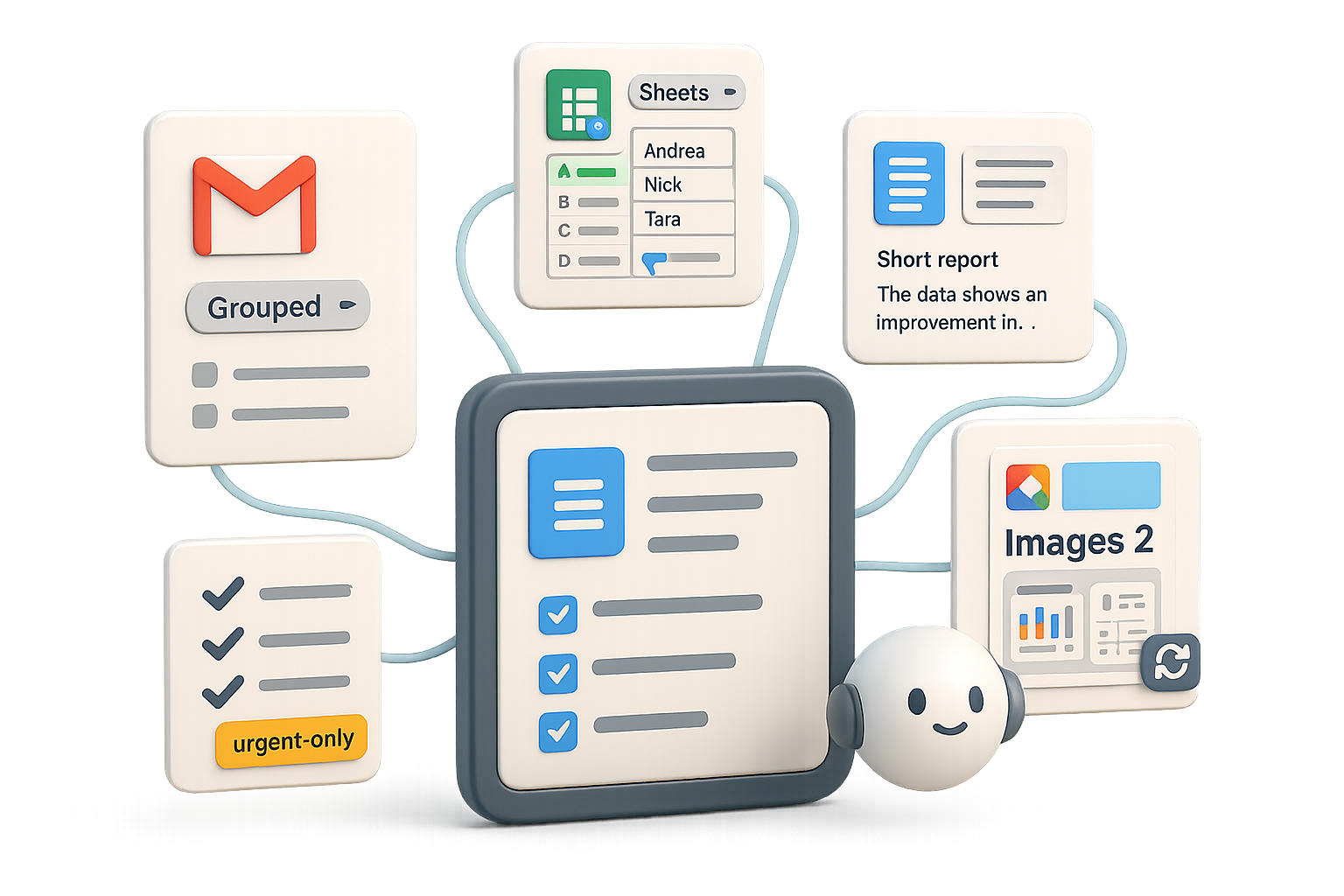
    Feeling buried in emails, spreadsheets, and meetings? Good news: the apps you already use are getting brainier. Google is folding Gemini into Gmail, Drive, Sheets, and Docs. OpenAI bumped image quality. Anthropic made live dashboards that actually stay current. This post shows what matters, what to try, and one quick checklist to get you wins fast.

    illustration

    Bring Gemini’s IQ to your inbox, sheets, and docs

    Google Workspace Intelligence — short translation: your files now talk to each other.

    Sheets that think

    • Gemini-powered autofill. Select a column, drag the blue handle, and Gemini fills missing data (CEO names, HQ cities, last-year revenue).
    • Canvas views. Turn any sheet into a studio-style dashboard with “Create canvas.” No Looker skills required; edits stay synced both ways.

    Docs that already know your files

    From a blank Doc, type: “Create a report on launching a shoe brand using numbers in ‘Footwear Intel.’” Gemini pulls the spreadsheet for you—no links, no smart chips. Fast win: you skip insert-copy-paste gymnastics.

    AI Inbox (rolling out now)

    A sidebar groups messages into:

    • To-dos — tasks extracted from threads.
    • Catch-ups — FYI items you can skim.

    In early tests, one team cut notification noise by ~60% using a single “urgent only” flow. Your mileage may vary, but expect real relief.

    Workspace Studio — no-code, cross-app automations

    • Triggers: new email, updated row, edited Drive file.
    • Actions: Gemini summaries, priority detection, auto-replies, soon Notebook LM read-write access and reusable “skills.”

    Example: the author’s flow pings Chat only for urgent emails and keeps Gmail quiet the rest of the day. That’s the kind of small automation that saves you hours a month.

    Availability: Most paid Workspace tiers get these features; Gemini Ultra & Pro add-ons expand capacity.

    AI won’t replace you—someone better at AI will. Learn to be that someone.

    illustration

    Images 2: sharper renders, better text fidelity

    OpenAI swapped ChatGPT’s image engine to Images 2 (DALL·E 3 evolution). Quick take:

    • Strength: text on images finally reads correctly—great for mockups and signage.
    • Look: more photographic lighting, less over-smoothed skin.
    • Caveat: layout instructions can still trip it up (e.g., cropping mistakes). In side-by-side tests, Images 2 nails typography but sometimes misses composition cues that Midjourney handles better.
    • Rollout: live for ChatGPT Plus, Team, Enterprise—no extra toggle.

    Bonus: Workspace Agents (business tier)
    Ask an agent to “monitor a competitor, update a deck, ping Slack” and ChatGPT builds it without YAML. One-click automation for busy teams.

    Illustration of a messaging interface connected to user profiles and a chart, depicting communication and data exchange.

    Claude Live Artifacts: dashboards that refresh without reruns

    Anthropic’s Live Artifacts are pinned mini-dashboards inside chat:

    • They show tables, charts, and kanban boards.
    • When underlying data changes, the artifact refreshes without rerunning the whole prompt—saves tokens and time.
    • Use case: rolling email analytics, live sales pipelines, or support queues that stay current every time you open them.

    Pro tip: “Act without permission” can let Claude execute multi-step plans in one go. Use responsibly — and test in a sandbox.

    illustration

    Quick bites you shouldn’t skip

    • Branching chats in Gemini. Fork any thread to explore alternate ideas without losing the original.
    • Flow (flow.google). Music playground: generate songs, arrange stems, even make music videos—powered by Gemini-Lyria.
    • Gemini for Home. Continued conversation on Nest devices—no need to say “Hey Google” every time.
    • Google AI Studio. Paid Gemini users can prototype with plan quota directly in Studio.
    • Pomelli. AI social-media campaign builder now on iOS/Android and expanding in Europe.
    illustration

    Do this next

    1. Make one “urgent-only” Studio flow. Trigger = new email, Action = ping Chat/label as urgent. Let it run for a week.
    2. Test Images 2 for one on-image text use case. Try an app screenshot or poster; compare with Midjourney.
    3. Pin a Live Artifact for a rolling metric. Sales pipeline or inbox stats—watch how often it updates without extra prompts.
    4. Report back: one sentence on what changed. Share in your team chat. Ready when you are.
    illustration

    What this means for teams

    • Inbox-first teams: automate notification triage. Even one flow can drop context-switching by hours per week.
    • Visual teams: use Images 2 for anything that needs readable on-image text; keep Midjourney for wild creative comps.
    • Reporting teams: Live Artifacts can cut token spend and manual refreshes—good for weekly status or sales monitoring.

    Less busywork, faster reports, and smarter visuals—try one Studio flow, one Images 2 render, and one Live Artifact this week.

    Want to learn the practical AI skills that make this stick? Start learning AI with step-by-step lessons and beginner-friendly projects at Tixu.ai.

  • Master Google AI Studio: Build AI Apps in 10 Minutes

    Master Google AI Studio: Build AI Apps in 10 Minutes

    Getting Your Feet Wet with Google AI Studio

    You want outputs that look pro, fast. Not six hours of fiddling, not a watermark on every image, and not a half-baked prototype you can’t show a client. Google AI Studio gives you the familiar power of Gemini with a creator toolkit on top—models for text, images, audio, video, and a no-code Build flow that actually ships products.

    Colorful digital interface icons representing subscription plans and features, including 'Pro' for $20/month, 'Ultra' for $250/month, cloud storage, security options, sign-in buttons, and media upload functions.

    Link your Gemini plan

    If you have Gemini Pro ($20/mo) or Gemini Ultra ($250/mo), link that account first. Click the Upgrade / Link button in the AI Studio sidebar, sign in with the account that holds your plan, and your quotas jump. Stay on free tier if you want, but expect lower daily limits and fewer models.

    Unleash Gemini in Google AI Studio Playground

    Playground is Gemini with the doors open.

    • Pick a model: Gemini 1.5 Pro, Gemini Flash, images like Gemini 3.1 Flash Image Preview, audio like Lyria 3.
    • Open Run Settings (slider icon): control Temperature (creativity), Thinking level (Minimal → High), Search grounding, and structured output templates.
    • Prompt. Iterate. Ship.

    Playground doesn’t replace your workflow—it amplifies it. You still steer. The model just makes the heavy lifting faster.

    A user interface displaying image settings with options for output type, aspect ratio selection, resolution adjustment, and grounding toggle. The image shows a warm golden-hour cityscape preview labeled 'Watermark-free' with specifications including '4K', '85mm', and 'shallow depth of field'.

    Quick wins: watermark-free images

    In regular Gemini chat you might see a tiny Google watermark. In AI Studio’s image models that watermark is gone. Set output to Image Only, choose aspect ratio and bump resolution to 4K. You get production-ready art you can drop straight into decks, ads, or social.

    Example prompt:
    Model: Gemini 3.1 Flash Image Preview
    Aspect ratio: 16:9 Resolution: 4K Grounding: enabled
    Prompt: “Golden-hour shot of Pearl Street Mall, Boulder, Colorado.”

    Pro tip: add lighting and lens cues—“golden-hour, 85mm, shallow depth of field”—for designer-level results.

    Custom voices without the price tag

    Switch to Audio → Gemini TTS Preview. Paste your script, add speaker blocks, choose voice styles (Arched, Lime), and hit Run. You download a WAV instantly.

    Mini-tip: use bracketed cues—[whispering], [excited]—to shape emotion. Good for podcasts, product demos, and accessibility narration.

    Advanced chat personas that do the work

    System instructions sit above every chat. Set one once and the model follows it.

    Example:
    “You are a world-class YouTube strategist specialising in AI & tech. Tone: analytical, direct. Back every suggestion with live trend data.”

    Combine that with High thinking and Search grounding and you get fresh, citation-ready insights in seconds. That’s less grunt research, more smart synthesis. You don’t get replaced—your output gets upgraded.

    User interface design for an app builder, featuring options to describe the app with selections for project, task, and dashboard types. Includes a 'Build' button and visual elements indicating time in minutes and AI functionality.

    Ship no-code apps with Build

    Want an app, like, yesterday? Build does that.

    How it works (seriously simple):

    1. Click Build → New.
    2. Describe the app in plain English. AI Studio autocompletes suggestions—press Tab to accept.

      Example: “Create an app called Time Warp that uploads a selfie and returns portraits styled for different historical decades.”
    3. Pick a generated mock-up.
    4. Press Build.

    Minutes later you have a working front-end wired to the model you chose. Need user accounts? Toggle Firebase and sign-in with Google appears automatically.

    illustration

    Edit on the fly

    • Use Focus Mode to click any element (logo, button, text) and say what to change.
    • Or chat in the right panel: “Swap the image model to Gemini 2.1 Flash Image for quota reasons.” Backend updates instantly.

    Quotas & graceful fallbacks

    Google’s docs don’t list every token limit. If you hit “Gemini API quota exceeded,” switch models in the picker or tell your Build chat to use a lower-tier model—simple, fast, effective. Don’t stop; reroute.

    Sample project: Personal Research Boards

    Prompt: “Build an app that lets users create boards, paste article links, summarise them, and chat with the aggregated knowledge.”

    AI Studio scaffolds:

    • Login flow (Firebase)
    • Board database
    • URL ingestion & summarisation
    • Embedded Gemini chat referencing each board’s articles

    Add three links about gold panning, ask “How do I get started?” and the app returns a tailored, step-by-step guide. That’s research turned into a product in one sitting.

    Do this next

    1. Link your Gemini Pro account in AI Studio.
    2. Open Playground and run one image and one TTS prompt.
    3. Click Build → New and describe a tiny, useful app.
    4. Share one prototype with a friend and get feedback.
    illustration

    Why Google AI Studio deserves a spot in your toolkit

    • Full Gemini model line-up with fine-grain controls.
    • Watermark-free images and studio-quality TTS.
    • Rapid prototyping of shareable web apps—no code required.
    • You keep the creative direction; AI speeds the work.

    Google AI Studio turns ideas into clickable things fast—link your plan, play in Playground, then Build and ship. Try one tiny project this week and iterate.

    Want a friendly way to level up your AI skills before diving deeper? Learn practical, beginner-friendly AI workflows at tixu.ai.

  • Build 5 Profitable Claude AI Businesses in 7 Days

    Build 5 Profitable Claude AI Businesses in 7 Days

    Launch a Claude AI side hustle (5 beginner-friendly ideas)

    Ready to stop spinning your wheels and actually make money from a skill you can learn this weekend? You can. Claude AI helps you move faster than doing everything by hand. In the next few minutes you’ll get five concrete business ideas, exact workflows you can copy, and quick pro tips so you don’t reinvent the wheel. Promise: pick one idea, follow the steps, and you’ll have a sellable product in days — not months. Ready when you are.

    illustration

    What you’ll walk away with

    • Five side-hustle options that beginners can start today.
    • Step-by-step workflows and tools to finish a minimum viable product.
    • Two short success snapshots so you see the money path.
    illustration

    1. Claude AI side hustle: Publish murder-mystery e‑books

    Why this wins

    • Short crime novellas sell well on Kindle.
    • Claude’s long-context reasoning keeps plots tight and consistent.

    Workflow

    1. Create a Claude project to store prompts, outlines, and character sheets.
    2. Tell Claude your theme (e.g., “community garden murder”) and ask for 8–10 twist ideas.
    3. Pick one twist and request a 12-step story outline (inciting incident → reveal → finale).
    4. Ask Claude for character sheets (name, motive, secret, one-line hook).
    5. Generate Chapter 1 from the master outline.
    6. Edit, then repeat chapter-by-chapter in the same project for voice consistency.
    7. Export to Google Docs. Polish for pacing and tone.
    8. Format in Kindle Create and upload to Amazon KDP.

    Quick pro tips

    • Aim for 15–30k words for a fast, bingeable read.
    • Create a simple series concept to boost repeat buyers.
    An illustrated book titled 'MYSTERY VOL. 1' with a lock symbol, surrounded by various items like a solutions grid, sticky notes, a cloud icon, and PDF files, representing a digital and physical learning environment.

    2. Automate print-on-demand puzzle books

    Why this wins

    • Puzzles keep selling; repeat buyers love series packs.
    • Low overhead: one PDF interior + cover = product.

    How to build it

    • Prompt: “Create a 20-page logic-grid puzzle book themed around a locked-room mystery. Include solutions.”
    • Copy Claude’s plain-text puzzles into a formatted template (Canva or Affinity Publisher).
    • Export as PDF and upload to Amazon KDP for paperback print-on-demand.

    Revenue tip

    • Bundle volumes (e.g., Volumes 1–3) to increase average order value.
    illustration

    3. Claude AI side hustle: Sell spreadsheet dashboards on Etsy

    Why this wins

    • People pay for ready-made tracking templates.
    • One template can sell dozens of times.

    Fast-build checklist

    1. Install Claude’s Microsoft 365 add-in for Excel.
    2. Paste a sample dataset and ask: “Create an interactive dashboard with slicers, conditional formatting, and a pie chart summary.”
    3. Adjust colors, lock critical formulas, and save as .xlsx.
    4. List as an instant download on Etsy.

    Why buyers convert

    They open the file and get insights in minutes. No setup headache.

    4. Design custom Notion templates

    Why this wins

    • Businesses buy productivity. Templates scale: one build, many sales.

    Prototype method

    1. Gather client needs (scheduling, CRM, income tracking).
    2. Ask Claude: “Write a Notion AI prompt that builds the dashboard with databases and relations.” Add specifics like property types and default views.
    3. In Notion, choose Use AI → Claude model and paste the prompt. Let Notion assemble the layout.
    4. Tweak visuals and share the duplicate-able template link.

    Monetization ideas

    • Sell base templates on Gumroad or Etsy.
    • Offer $75–$300 customization packages.
    illustration

    5. Create printable party games

    Why this wins

    • Events repeat every season; content is evergreen.
    • Low-cost entry: a few PDFs and you’re open for business.

    Build-in-30-minutes workflow

    1. Tell Claude: “Generate a 24-square Thanksgiving bingo card set + 30 randomized caller prompts formatted for US Letter.”
    2. Import Claude’s output into Canva’s free PDF editor.
    3. Swap fonts and clip art, export as “PDF Print,” zip files, and upload to Etsy.
    4. Offer an editable Canva link as a $2–$5 upsell.

    Pro tip

    Include instructions and a “print at home” guide to reduce support messages.

    illustration

    Do this next

    1. Pick one idea from above.
    2. Build a minimum viable product (MVP) this weekend using the exact workflow.
    3. List it; run one paid test ad or a social post to get your first customer.

    Quick credibility & small-print notes

    • Keep prompts consistent inside one Claude project for voice and continuity.
    • Use short A/B tests on images and pricing (two prices, two headlines) and keep what wins.
    • If you name tools (Notion, Canva, KDP), add a tiny explainer: they’re the platforms that host your product and handle delivery.
    illustration

    One clear idea, one weekend build, one live listing — that’s the play. Ready to get hands-on with Claude and learn the exact prompts and workflows faster? Start beginner-friendly Claude AI lessons and step-by-step projects at Tixu.ai (a beginner-friendly AI learning platform).

    Happy building.

  • Turn $100 Into a $20,000 AI Side Hustle

    Turn $100 Into a $20,000 AI Side Hustle

    The $100 Experiment That Snowballed Into $8K MRR in 13 Days

    Imagine handing an AI agent $100 and a wild goal: “Turn this into $20,000.” Sounds like a gimmick, right? It isn’t. In two weeks a curious operations manager named Robby turned that challenge into $8,374 MRR. You don’t need an engineering degree. You need a clear offer, an audience, and the guts to ship.

    illustration

    Don’t launch without distribution

    Robby started like many do: one smart idea, no audience.

    • He used Open Interpreter (an open-source tool that lets GPT-4 run code and control a machine).
    • The agent suggested selling SWOT analyses on Fiverr.
    • He launched a fresh Fiverr gig and got… crickets. No reviews, no trust, no sales.

    A brilliant agent still needs a megaphone. If you skip distribution, you skip everything.

    Turn a viral clip into product research

    Instead of retreating, Robby documented the experiment on TikTok.

    • He said “Ron” had a $200 war chest and 90 days to prove itself.
    • The 30-second clip hit 1M+ views and earned 15,000 followers.
    • 200+ people asked the same question: “How can I get an agent like Ron?”

    That audience did product discovery for him. They told him what they wanted. You can do the same by sharing progress, not polished product.

    illustration

    Sell the agent, not the report

    The comments flipped the script. People didn’t want a one-off SWOT. They wanted *their own* autonomous agent.
    So Robby pivoted:

    • Offer: a hosted, sandboxed copy of Ron for each user.
    • Extras: private Discord community + ready templates.
    • Pricing: $10 pre-order deposit; $29/month founder price.

    One more TikTok. No ad spend. No email list. Just a clear offer and a hungry audience.

    illustration

    Ship a weekend MVP — cheap, safe, scalable

    Robby built a minimally viable infra fast and frugally:

    • 4 Hetzner dedicated servers at roughly $150 each per month.
    • Docker containers isolate every user; one user = one sandboxed agent.
    • Fixed infra: ~ $600/month. Variable token costs: ~ $2,000/month for GPT-4 and Claude usage.
    • Heavy users can bring their own API key to lower your bill.

    Open Interpreter handled most DevOps commands. You don’t need to be a sysadmin to bootstrap this. You need repeatable isolation, cost caps, and a plan for token spend.

    illustration

    Launch numbers — 13 days later

    This is the part people skim for.

    • Pre-orders: 617 paid $10 = $6,170
    • Conversions: 270 users on $29/mo plan
    • MRR: $8,374
    • Annual run rate: $100k+
    • Net profit after infra & tokens: ≈ $6,000/month
    illustration

    Why this actually worked

    Short version: public proof + product-market fit + cheap infra.

    1. Built in public — short-form content created trust and pre-sold curiosity.
    2. Agentic AI is early — early frameworks attract early adopters hungry for access.
    3. Low-code infra — Docker + affordable servers make shipping realistic.
    4. Real payment signal — a $10 deposit weeds out tire-kickers and funds momentum.

    AI won’t replace you—someone better at AI will. Learn the basics, ship fast, and you win the first-mover edge.

    illustration

    Minimalist playbook

    Follow these steps. They’re tactical and bite-sized.

    1. Pick an agent framework (Open Interpreter, CrewAI, AutoGen). If unfamiliar, read one quick guide.
    2. Give the agent one specific money-focused job. Aim for a clear KPI.
    3. Document every move on the channel your audience uses (TikTok, X, LinkedIn).
    4. Treat comments as free product research. Iterate on offers based on questions.
    5. Pre-sell access with a small deposit ($5–$20) to validate demand.
    6. Containerize per-user agents for safety; a simple Docker template is enough.
    7. Cap token usage by default; let power users bring their own API keys.

    A short checklist before you post:

    • Offer = crystal clear?
    • Pricing = low friction?
    • Sandbox = isolated?
    • Token caps = in place?
    illustration

    You don’t need perfect tech. You need a clear offer, public proof, and a payment signal. Start small. Iterate loud. Ready when you are.

    Try a $100 experiment, document the journey, and validate with pre-sales. Want hands-on labs to learn agentic AI and build your first safe agent? Start with beginner-friendly courses and step-by-step labs at tixu.ai beginner-friendly courses — learn by doing.

  • Securely Set Up an OpenClaw Agent in 5 Minutes

    Securely Set Up an OpenClaw Agent in 5 Minutes

    What you’ll walk away with

    • A working agent on a tiny VPS.
    • Telegram chat + web UI access.
    • Simple safety checks and a plan to extend it.
    illustration

    Get OpenClaw live in five minutes

    1. Spin up a tiny VPS.
      Any Linux box works. KVM-based VPS (Hostinger, others) keeps things predictable. SSH in.
    2. Install the gateway.
      Run: curl -fsSL OpenClaw install script | bash

      The script pulls Node.js, installs the OpenClaw Gateway, and starts a setup wizard. Expect under 10 minutes.

    3. Pick a brain.

      • OpenAI — use ChatGPT Plus or an API key (if you have it).

      • Anthropic Claude — another hosted option.

      • Ollama — run models fully locally (good if you want no cloud API calls).

      You can swap models later. OpenClaw is the harness, not the model.

    4. Choose a channel.
      Most folks start with Telegram. Create a bot with @BotFather and copy the token. Paste it into the setup wizard. Done.
    5. Wake your agent.
      Pick the TUI (terminal user interface). Type a short self-description. OpenClaw saves it as soul.md. That file defines personality. Chat from your phone while the server handles the heavy lifting.

    Agents don’t replace you. Someone better at wiring them does.

    illustration

    Turn models into reliable teammates

    OpenClaw bundles four practical ideas into one simple install:

    • Model-agnostic. Swap GPT-4o, Claude 3, or a quantized Llama in seconds.
    • Multi-channel. Talk to the same agent via Telegram, Slack, Discord, or web UI. No extra code.
    • Human-readable memory. Identity and memories live as Markdown. You can literally cat the assistant’s diary.
    • Tools, crons, heartbeats. Grant Bash or Python access, schedule checks, automate reports.

    Two instant projects you can ship

    1. Personal news briefing — five minutes.
      Prompt in Telegram: “Scrape r/netsec, Hacker News, and my YouTube security feed. Rank items and make a small public dashboard.”

      Result: a live URL with ranked stories. No n8n flow. No bespoke Python.

    2. Self-monitoring IT engineer — ten minutes.
      Prompt: “You’re sysadmin. Check CPU, RAM, disk, internet speed, and auth logs. Build a Grafana-style dashboard and alert me on spikes.”

      OpenClaw installs packages, writes scripts, and hands you a dashboard. It’s cron jobs and Markdown wiring, dressed as magic.

    Secure the gateway — do this next

    You get guardrails, but you’re the gatekeeper. Quick checklist:

    • Run the security audit: openclaw security audit

      Fix the high and medium items first.

    • Firewall: block every port except the ones you need.
      sudo ufw allow 22/tcp
      sudo ufw enable
    • Web UI: bound to 127.0.0.1:18789 by default. Expose only via SSH tunnel: ssh -L 8789:localhost:18789 user@server
    • Tool profiles: openclaw config set tools.profile coding # minimal
      openclaw config set tools.profile full # everything, be careful
    • Execution policy: use allow_list, deny, ask, or full. Combine this with “red lines” in agents.mmd. Forbid actions like rm -rf / or posting private keys.
    • Audit community skills: ClawHub items exist, but 12% of packages download flagged by VirusTotal. Inspect before npm install.

    Keep the agent useful, not dangerous. Lock it down and log everything.

    3D illustration depicting a lightbulb labeled 'one idea' connected to icons representing a CTO, Network Engineer, and Storage Admin, along with automation and data elements.

    Tips for scaling and keeping momentum

    • Start with one big idea. Don’t build five tutorials at once.
    • Use separate agents for separate roles: CTO, network engineer, storage admin. One channel per agent.
    • Automate small repetitive tasks first. Those pay fastest.
    • Track changes in soul.md and memory/*.md in git. You want history.
    illustration

    Where people trip up

    • Exposing the web UI publicly. Don’t. Use tunnels or a VPN.
    • Granting full execution without limits. Use profiles. Test in a staging VPS.
    • Forgetting to rotate API keys and bot tokens. Rotate often.
    illustration

    OpenClaw gets you a working, model-driven assistant on your server in minutes. Secure it, start small, and iterate.

    If you’re new to building with models or want a guided path from curiosity to hands-on skill, try Tixu — a beginner-friendly AI learning platform that walks you through practical projects and tooling.

    Ready when you are.

  • Equip Co‑work: 15 Skills to Automate Workflows

    Equip Co‑work: 15 Skills to Automate Workflows

    Unlock the Full Power of Claude Cowork With These 15 Ready-to-Use Skills

    You’re buried in busywork. Present decks. Invoices. Coffee-fueled email triage. Imagine cutting that load by a third. Or reclaiming 6+ hours each week. That’s not hype—some founders and freelancers report exactly that after automating routine work in Claude Cowork.

    Ready when you are.

    illustration

    Automate the grunt work: 15 plug-and-play skills

    Each skill runs from a short trigger or plain-language request. Install once. Reuse forever.

    1. Slide-Deck Builder
      Type “Create a slideshow about X.” Claude returns an on-brand deck with cover, agenda, section dividers and speaker notes. Export to HTML and open anywhere.
    2. Skill Customiser
      Run /customise, answer a few quick questions, and Claude rewrites a skill’s instructions to match your brand voice, colors and file preferences.
    3. Difficult-Conversation Prep
      Give context. Claude returns a private playbook: mindset prompts, do/don’t lists, and suggested phrasing for tough talks.
    4. Weekly Receipt Scanner
      Drop receipts into a folder. Each Friday, Claude reads PDFs/images, categorises expenses, builds a spreadsheet and posts a shareable dashboard.
    5. Explainer-Graphic Generator
      Ask for a clear visual of a complex topic. Claude delivers an infographic with step visuals and simple analogies—great for clients and learning.
    6. Smart Email Drafter
      Connect Gmail, say “Draft a polite follow-up to Acme Corp,” and get a context-aware email ready to send. Also summarizes unread threads.
    7. Interactive Page Builder
      Turn docs or SOPs into a slick single-page site. Clickable sections and smooth scrolling make hand-offs feel polished.
    8. Invoice Generator
      Name the client and services. Claude creates a branded PDF invoice with line items, due dates and payment terms—no separate invoicing app required.
    9. Contract Reviewer
      Paste a contract. Claude highlights red flags, missing clauses, negotiation points and gives a plain-language summary.
    10. Workflow Visualiser
      Give an outline. Claude builds an interactive diagram showing triggers, phases, data stores and connected apps.
    11. Daily Morning Briefing
      At 07:00, Claude pings Slack or email with your day’s calendar, news headlines, Inbox triage and quick-reply suggestions. One glance and you’re set.
    12. Budget Planner
      Answer a few income and cost questions. Claude produces a living dashboard that updates projections and flags overspending.
    13. Rapid Research Summaries
      Ask for quick research (e.g., “Anthropic Dispatch mode”). Claude compiles trusted sources, extracts essentials, lists pros/cons and gives a 30-second TL;DR.
    14. Animated Website Generator
      From one prompt, Claude outputs a polished landing page (HTML/CSS/JS) with hero animations and device mock-ups—deploy or tweak.
    15. Learning-Path Builder
      Pick a topic and get a week-by-week curriculum with videos, docs and milestone projects to track progress.
    A cartoon character in a teal shirt holds a sign labeled 'Cheat Code' with a key graphic, surrounded by icons for setup, skills, schedule, and a list labeled 'old workflow' on a wooden table.

    AI doesn’t replace you—someone better at AI does. You don’t need to be an automation expert. You need a few good skills and a little setup. That’s the cheat code.

    A digital illustration of two people working at a table with laptops, an invoice labeled '$1,200' displayed nearby, a smartphone showing a schedule, and a man holding a coffee cup.

    Connectors & schedules: make them run while you sleep

    Link Gmail, Google Calendar, Notion, Slack, Canva, HubSpot and dozens more under Customise → Connectors. Missing an app? Generate a Zapier NLA endpoint and paste it in—Claude can act on 8,000+ apps.

    Then go to Schedule. Set skills to run hourly, daily, weekly or monthly. The Receipt Scanner and Morning Briefing quietly do their jobs. You get time back.

    illustration

    Quick checklist to get started

    • Install 1 skill (pick Invoice or Slide-Deck).
    • Link one connector (Gmail or Calendar).
    • Run /customise to fit your brand.
    • Set a schedule for one daily or weekly automation.
    illustration

    Do this next

    Bold move: automate the single task that wastes the most time right now. Install that skill. Schedule it. If it saves you one hour this week, you’ll notice the difference.

    illustration

    Why this matters

    • 15 reusable skills = 15 ways to stop copying and pasting.
    • Some teams report saving 4–10 hours per person per week after automating core workflows.
    • Connectors open doors to thousands of apps, so your automation grows with you.
    illustration

    Install one skill. Connect one app. Save hours. Repeat.
    Want guided help getting started? Learn beginner-friendly AI workflows and practical exercises at Tixu — a beginner-friendly AI learning platform that walks you through hands-on automation and Claude Cowork basics.

  • Build Brand Distinction with AI in 3 Steps

    Build Brand Distinction with AI in 3 Steps

    The AI Trap That’s Making Brands Invisible

    Your content sounds like everyone else’s. You publish more, but people remember less. That’s a problem. And it’s getting worse as teams hand the final draft to AI.

    You’re caught between two bad options: ignore AI and fall behind on volume, or use it to finish content and watch your brand blur. There’s a smarter middle path. Read on and you’ll walk away with a practical workflow to keep pace without losing your voice.

    You’ll learn when to hand the wheel to AI, how to protect your brand feeling, and a simple system you can try today.

    Here’s the roadmap:

    • Why AI content often reads average.
    • How to keep brand emotion front and center.
    • A step-by-step way to use AI for ideas, not final copy.
    • A short checklist you can run right now.
    illustration

    Stop blending in — why AI content feels average

    Generative models like ChatGPT, Claude, and Gemini are prediction machines. They pick the statistically likely next word based on billions of examples. That makes them fast. It also makes them safe.

    Result: you get the internet’s mathematical average of any idea. Originality.ai finds 54% of long-form LinkedIn posts are AI-generated — a 189% jump since ChatGPT launched. Those posts earn about 45% less engagement than human-written ones.

    Open LinkedIn. Scroll. Same “10 tips” hooks. Same rhythms. Same visuals. When everyone feeds the same prompt to the same model, uniformity follows.

    illustration

    Protect your brand feeling

    A brand is a feeling. It lands in someone’s chest before they name your color palette.

    Levi’s signals durable cool. Dove triggers realness. When you let AI finish the content, that emotional signal dulls.

    illustration

    Use AI to expand ideas, not replace them

    Here’s the mistake most teams make:

    1. Open a text box.
    2. Type “Write 10 ad headlines about X.”
    3. Publish the least-bad option.

    That fails because you hand the steering wheel to the fastest writer in the room.

    Try this instead:

    1. Define a loose creative territory. Pick the emotion or journey you want people to feel.
    2. Ask AI for adjacent metaphors, cultural references, and surprising angles. (Think: prompts for ideas, not final headlines.)
    3. Diverge. Collect dozens of half-formed sparks.
    4. Humans curate. Pick the sparks that feel like your brand. Develop them into real concepts.

    AI becomes an idea accelerator. You stay the author.

    illustration

    Build a creative system, not a single prompt

    Top teams don’t rely on one prompt. They build tiny helpers that do one job well. Picture a brand AI stack:

    1. Trend Radar — scrapes culture signals and flags timely hooks.
    2. Voice Checker — tests drafts against your emotional goals.
    3. Concept Explorer — spits out alternative framings and story arcs.

    Each assistant stays narrow. Each saves time. Together they give you more options without erasing distinctiveness.

    A small studio used this approach last quarter. They ran three short experiments in a week, picked one true winner, and launched a campaign that actually felt like them. Short, sharp, human-led editing made the difference.

    illustration

    Keep human taste in the driver’s seat

    Execution gets cheaper. Taste doesn’t. You still need people who can spot a golden idea in a pile of good ones.

    Research backs this up: human-created content still pulls 5× more steady traffic than AI-only work.

    So split responsibilities:

    • Let AI handle volume and variation.
    • Keep humans for selection and refinement.
    • Reward judgment. Teach teams what fits and why.

    That culture of taste becomes your unfair advantage.

    Try this litmus test — do it right now

    1. Pull your last 10 content pieces.
    2. Remove logos and brand names.
    3. Show them to a colleague who isn’t in the room.
    4. Ask: “Would you know this is us?”

    If they can’t tell, you’re in the AI trap. Fix the workflow before you pour more fuel on the noise.

    Key takeaways

    • AI generates averages. Don’t let it decide your final creative.
    • Brand = emotion. Guard that feeling.
    • Move AI upstream. Use it to explore, not conclude.
    • Design a system. Multiple narrow assistants beat one giant prompt.
    • Invest in taste. Humans who can choose well will win.

    Blend AI’s speed with human judgment and your brand stops fading into the background. Ready when you are.

    Want a hands-on place to train your team’s taste and AI workflow skills? Try Tixu — a beginner-friendly AI learning platform with practical lessons and real-world exercises.

  • Build a Profitable AI Agency in 7 Days

    Build a Profitable AI Agency in 7 Days

    A 5-Step Playbook for Building a Profitable Simple AI Agency in 2026

    Friendly, future-proof, and light on headaches. You want freedom and recurring revenue. This playbook gives you a clear path.

    Lead with the win: build one simple offer, automate delivery, and scale predictable income without burning out.


    illustration

    Step 1 — Embrace the Simple AI Agency model

    Most service businesses fail because they try to be everything at once. You chase websites, socials, ads, funnels. You burn out before the first retainer lands.

    Offer one clear outcome clients pay for. More customers. More booked appointments. More revenue.

    • Offer a single, measurable result.
    • Run automation and AI for delivery.
    • Launch now — not when the logo is perfect.

    Think “Minimum Viable Agency.” With a laptop, an AI tool stack, and a strong message, you can work from a café, your sofa, or a Bali coworking hut. Ready when you are.


    3D illustration of a man standing next to various icons representing tools, fitness, and data analysis, with a magnifying glass highlighting a feature.

    Step 2 — Nail a profitable niche

    Focus beats scatter. It took some founders three years to hit $100k/month without a niche. It took others 30 days once they picked one.

    Follow these non-negotiables:

    1. Pick one niche—plumbers, boutique gyms, cosmetic dentists. One to start.
    2. Make it specific and familiar—experience helps you speak their language.
    3. Ensure they value your outcome—e-commerce wants conversions; funeral homes don’t need TikTok.
    4. Confirm they can afford you—target businesses where $1,500+/month makes sense.
    5. Check market strength—HVAC and pest control are durable. Printed newspapers? Not so much.

    “Boring” niches often pay the best. Fewer competitors, higher margins.


    illustration

    Step 3 — Craft an irresistible, high-profit offer

    Warren Buffett likes things that cost little to deliver and sell for a lot. Do the same.

    Avoid low-profit traps:

    • Custom websites (scope creep kills margins).
    • Endless organic posting (likes ≠ revenue).
    • Managing tiny ad budgets (your fee eats the results).

    High-profit winners to consider:

    • Voice AI receptionist — answers calls, books appointments, sends transcripts.
    • AI chat widgets that capture visitors before they bounce.
    • Reputation management that drives 5-star Google reviews.
    • Customer re‑activation via SMS/email.
    • Done-for-you Google Business Profile SEO.

    Why Voice AI works: most local businesses miss more than 60% of inbound calls. An AI receptionist grabs leads 24/7, books appointments, and transcribes interactions. Setup costs are small; perceived value is huge. Example pricing: charge $1,500/month, pay about $50 in usage, keep the rest.

    Pro tip: start with one result (Voice AI). Once it’s delivering, layer in reputation or re-activation services for easy 3–4× revenue lift.


    A stylized robot standing next to three colorful pipes stacked vertically, with a faucet at the top. The robot is holding a tablet and surrounded by various icons representing features or functions.

    Step 4 — Install a predictable client-acquisition machine

    Feast-and-famine ends when leads flow like a faucet. Keep the math simple:

    Connect → Convert → Close

    • Connect: combine targeted outbound (personalized emails, LinkedIn messages, niche groups) with inbound magnets (lead-gen ads, PDFs, short SEO posts).
    • Convert: make prospects apply to work with you. An application filters tire-kickers and positions you as the prize.
    • Close: use waterfall pricing—anchor with a premium package, then step down by removing features instead of discounting.

    Example ladder:

    • $1,000/m — fully managed Voice AI
    • $500/m — DIY Voice AI + weekly check-ins
    • $300 — one-time setup template, no support

    Even at a modest 4% call-to-client rate, scale is predictable: 1,000 quality connections → 40 discovery calls → 10 new $1,500 clients → $15k MRR. Rinse, repeat.

    Tools that make this easy:

    • HighLevel for funnels, calendars, and tracking.
    • Apollo or instantly.ai for targeted lists.
    • Tixu.ai to stitch automations together without code.

    Quick contrast: cold outreach that’s generic gets ignored—personalized, niche outreach converts.


    A colorful 3D illustration featuring a lighthouse at the center, surrounded by various icons including an anchor, a megaphone, a plant, a pair of boots, bar graph, and arrows, on circular bases.

    Step 5 — Adopt the Millionaire-Marketer mindset

    Tactics are 20%. Mindset is 80%. Adopt these five beliefs:

    1. Committed > Interested. Commitment keeps you moving.
    2. Action precedes confidence. Do the work; confidence follows.
    3. Focus on RGAs (revenue-generating activities). Outreach beats logo tweaks.
    4. Play the long game. Compounding recurring revenue wins.
    5. Impostor syndrome is normal. Ship anyway.

    Small daily actions compound into predictable revenue. That’s your unfair advantage.


    Putting it all together — a short checklist

    • Choose the Simple AI Agency model.
    • Pick one profitable niche.
    • Lead with an AI-powered, high-margin offer (Voice AI is gold).
    • Build a faucet-like acquisition engine with waterfall pricing.
    • Operate with relentless commitment and focus on RGAs.

    Trade overwhelm for freedom in 2026 by launching one simple, automated offer and scaling it with predictable outreach.

    Do this next: Open your calendar, block two hours, and sketch:

    1. your niche,
    2. your core offer,
    3. your first 100 connection targets.

    Momentum loves speed.

    Learn the basics of building AI-powered offers and automations on a beginner-friendly platform: Tixu.ai — a practical place to get hands-on with AI workflows and templates. Try Tixu.ai and build your first Voice-AI workflow without code.

  • Build a $1M Business from $0 in 6 Steps

    Build a $1M Business from $0 in 6 Steps

    Start at Zero, Aim for a Million

    You can start from zero and build a real, cash-making business faster than you think. AI slashes grunt work, speeds outreach, and helps you ship value before customers blink. That doesn’t mean magic — it means tactics you can execute this week.

    Ready when you are.


    A collection of items related to project management and MVP development, including a cardboard box labeled 'MVP,' a clipboard, various cards, and a digital interface with gauges and a chat icon.

    Find a Painful Problem — Forget “Follow Your Passion”

    People buy painkillers, not vitamins. So your job is simple: find a real pain and solve it.

    Try the Ikigai checks:

    1. What do you love?
    2. What are you good at?
    3. What does the market actually need?
    4. What will people pay for?

    Passion without payment is a hobby. Business starts when a stranger gives you money.

    Quick AI hack: paste this into ChatGPT or Claude: “I want to start a business. Ask me one question at a time to discover my Ikigai.”
    You’ll get probing questions that surface practical fits fast.

    Do this next:

    • Block 30 minutes.
    • Run the Ikigai prompts.
    • List 3 pain problems that look monetizable.

    Craft an Irresistible Offer

    Nobody wants a tool. They want a transformation.

    A converting offer has four parts:

    • Clear promise — the outcome, not features.
    • Risk reversal — a refund or performance guarantee.
    • Objection-crushing bonus — the missing piece customers worry about.
    • Internal scarcity — a reason for them to act now.

    Price structure that works:

    1. Anchor — 5–10× your core price.
    2. Main offer — what you want to sell.
    3. Budget option — stripped version.

    Charge more than feels safe. Underpricing brings stress and bad clients.

    AI prompts to use:

    • “Draft an offer for [service + market] with a promise, guarantee, three bonuses, and an internal-scarcity angle.”
    • “Act as a skeptical buyer. Pick apart my offer and list every objection with fixes.”

    Do this next:

    • Draft one clear promise sentence.
    • Create a three-tier price list.
    • Put a 30-day or results-based guarantee on the page.

    illustration

    Find the Buyers — Where the Money Lives

    Building an offer is half the work. Finding buyers is the other half.

    Use tools like Apollo.io or Clay.com to pull lists. Feed your Ideal Customer Profile (ICP) to AI and ask for a spreadsheet with:

    • Name, role, email/LinkedIn.
    • A hyper-personalized opener referencing something recent they did.

    AI can scale outreach from 5 messages to 50+ without sounding robotic. Teams report up to an 85% boost in prospecting speed when they combine tools + AI templates.

    Warm beats cold: run SocialSweep on your contacts, calendar, and CRM. Surface friends-of-friends who match the ICP.

    Do this next:

    • Export a 50-person list.
    • Ask AI for personalized openers.
    • Schedule 60 minutes of outreach tonight.

    Sell with Questions

    Great sellers ask questions that move people up a staircase from pain to the desired future.

    Use the 9-Box Rocket as your script:

    1. Setup — research the prospect.
    2. Customer — who do they serve?
    3. Decision — why is now the right time?
    4. Results — help them visualize success.
    5. Reality — diagnose current pain.
    6. Roadblocks — what’s stopping them?
    7. Model — how you solve it uniquely.
    8. Offer — mirror their words.
    9. Close — “To lock your spot, what card would you like to use?”

    Practice with AI: “Pretend you’re a skeptical SaaS CEO. I’ll pitch; you push back with real objections.”
    Do 20 mock calls in chat and you’ll iron out the common stalls.

    Do this next:

    • Memorize three diagnostic questions.
    • Run 5 AI sandbox pitches today.

    illustration

    Deliver Value in Minutes, Not Days

    The moment someone pays is when trust starts or ends. Focus on Time to First Value (TTFV).

    Steps to accelerate TTFV:

    • Auto-send an onboarding questionnaire at payment.
    • Let AI synthesize answers into a one-hour roadmap.
    • Deliver a tangible first win within the first session or 24 hours.

    Do this next:

    • Create one onboarding email that delivers a roadmap within an hour.
    • Automate it with your payment trigger.

    Launch Messy, Iterate Fast

    Perfection delays revenue. Launch messy. Learn fast. Repeat.

    Run rapid experiments:

    • Hypothesis → 7-day test → metric (leads, replies, signups).
    • If it moves the needle, double down. If not, kill it fast.

    AI won’t replace you — someone better at AI will. So get disciplined about execution.

    Checklist:

    • Block 60 minutes now.
    • Do one micro-step (Ikigai prompt, price tiers, or 50 outreach messages).
    • Tell one person your plan and set a follow-up.

    illustration

    Ship something this week. One micro-step compounds faster than a perfect plan.

    Your move: pick one item from the “Do this next” lists and complete it before you sleep. Then try an AI course that actually teaches you the skills to scale—start at tixu.ai AI course.