Author: Pavel

  • Build a Million-Dollar AI App in 3 Steps

    Build a Million-Dollar AI App in 3 Steps

    Why the Simplest AI Apps Are Minting Millions

    You don’t need a 15-feature super app or a team of 30 engineers to build something wildly profitable with AI.

    In fact, it’s the opposite.

    The apps quietly pulling in $300K–$2M a month? Most do one thing really, really well. No bells. No whistles. Just sharp execution on what actually moves the needle: a clear value prop, frictionless onboarding, and a pricing model that prints cash before most folks finish their trial.

    In this post, you’ll see exactly how these apps pull it off—and how you can too.

    Let’s break it down.


    illustration

    Nail One Problem (Not All of Them)

    Trying to be everything to everyone is the fastest way to burn out (and burn cash).

    Instead, the top performers focus on a single, must-solve pain point. Think:

    • Rock Identifier: Snap a photo, find out what that shiny rock is.
    • CoinSnap: One job—identify coins on sight.
    • Impulse: Hit you with a daily brain teaser. That’s the whole pitch.

    These aren’t “revolutionizing” anything. They just deliver a quick, satisfying win people gladly pay for—often without a second thought.

    Simplicity isn’t a compromise. It’s the strategy.


    illustration

    Turn Onboarding into a Micro-Yes Machine

    You’ve got 3–5 minutes to win someone’s trust.

    The best AI apps don’t waste it.

    They script the user flow like a good sales funnel:

    1. Tap-through quiz: “What’s your goal?” “How often?” “Preferences?”
    2. A quick favor ask: “Enjoying this so far? Leave a rating.”
    3. Permission nudge: Push notifications? Easy yes.
    4. Then a three-part paywall:
      • “Try for free.”
      • “We’ll remind you before trial ends.”
      • Boom—purchase screen (usually for annual).

    By this point, the user’s 3–4 minutes deep, has customized their plan, and feels invested. That’s the sunk-cost bias working for you.

    And conversion? It climbs—with minimal pushback.


    illustration

    Price Up, Cash In Early

    Here’s the move most folks are too shy to try: charge more, collect sooner.

    • Free trial? Only activates after selecting the yearly plan.
    • Typical ticket: $30–$99/year after 3-day trial.
    • Why it works: High upfront LTV = bigger budget for paid growth.

    With that annual cash locked in early, these apps can outspend competitors on Facebook, Instagram, TikTok—even Snapchat.

    You’re not just making money; you’re buying market share.


    illustration

    Saturation Isn’t a Problem. Low Volume Is.

    Think your idea’s “too crowded?” Cool, tell that to the 700+ Facebook ads running for every major language app right now.

    The winners don’t play defensively. They go wide with content, test everything, then double down on what works.

    Here’s the basic play:

    1. Source 100 short-form videos (DIY or via user-generated content platforms like Posted).
    2. A/B-test them organically.
    3. Scale the winners with paid spend.
    4. Own the creative forever.

    Quantity > perfection. It’s a math game, not a masterpiece contest.


    A digital workspace setup featuring a computer screen displaying a graph, a presentation board with various icons including dollar signs, a blank tablet, and a smartphone showing play buttons.

    Your 4-Week Action Plan

    Here’s how you go from idea to income—without drowning in dev hell.

    1. Validate a Niche That Hurts (or Helps)

    • Stalk Google Trends, Reddit threads, TikTok comments.
    • Look for fast-climbing queries with minimal App Store coverage.

    2. Launch an MVP (Minimum Viable Profit Machine)

    • Use AI/no-code tools like Builder.ai, FlutterFlow, or Bolt to handle 70% of the heavy lifting.
    • Hire a freelancer for the last 30%: polish UX, install metrics, set up a paywall. Budget? $500–$2K.

    3. Steal This Onboarding Flow

    • Quick personalization quiz.
    • Ask for ratings and notification access early.
    • Use a 3-step priming flow before showing pricing.
    • Keep the interface ridiculously simple.

    4. Test Fast, Ship Faster

    • Expect bugs. Launch anyway.
    • Track:
      • Day 1 and Day 7 retention
      • Trial-to-paid conversion
      • Annual plan uptake
    • A/B test price points weekly.

    5. Build or Buy 30–50 Content Pieces

    • Short videos. Each one tackles the same pain, differently.
    • Post them to TikTok, Reels, Shorts for free traffic.
    • Promote top performers with ads.
    • Rinse, reinvest, scale.

    illustration

    Simplicity Prints Money

    • One-use-case apps = fewer distractions, more conversions.
    • Smart onboarding converts curiosity into cash.
    • High pricing + early billing = ad budget to scale.
    • A flood of content beats a trickle of perfection.

    You don’t need a PhD in AI or a slice of VC pie to build something profitable. You just need a focused idea, fast feedback loops—and maybe a gentle nudge in the right direction.

    Ready when you are.

    Want to learn how to build smarter with AI—even if you’re just getting started?

    Check out Tixu, the beginner-friendly AI learning platform that helps you go from clueless to capable without the fluff.

  • Unlock ChatGPT Ads: Scale Leads with AI Precision

    Unlock ChatGPT Ads: Scale Leads with AI Precision

    ChatGPT Ads Are Coming. Here’s How to Win Early.

    You might want to sit down for this one.

    OpenAI just confirmed that the free version of ChatGPT will start showing ads. Casual users might shrug. But if you’re growth-minded, this is your five-alarm fire—in the best way possible.

    Because what’s happening here isn’t just another ad channel. It’s the birth of a platform that could outclass Google and Meta combined. And if you move early, you could ride a wave of insanely cheap, hyper-targeted traffic.

    Let’s break it down, set you up, and lay out your 30-day action plan.


    illustration

    Why ChatGPT Ads Could Eat Every Other Platform’s Lunch

    Forget “disruption.” This is a category melt.

    Here’s what OpenAI is packing under the hood:

    • Billions of authentic conversations — first-party data gold.
    • Persistent user memory that captures actual needs, not just click history.
    • Messaging tuned to each user’s communication style. Think copy-paste-perfect personalization.

    Put those three together and you get ad targeting that feels like mind reading—plus pitch-perfect messaging inside a trusted interface.

    Translation: you’ll convert like crazy, and early CPMs are likely to feel like 2007 Google.


    illustration

    Ditch the Budget. Track by ACPL.

    Before you spend a dime, zoom out.

    Fixed annual marketing budgets? Toss ’em. What you need instead is:

    1. Allowable Cost Per Lead (ACPL) or
    2. Allowable Cost Per Sale (ACPS)

    These numbers tell you exactly how much you can spend to acquire a customer and still turn a healthy profit.

    Quick example:

    • Customer lifetime value = $25,000
    • You’re happy to spend $400 to acquire one
    • That $400 is your ACPS. Spend $4k or $400k—as long as you stay under, you’re printing money.

    This mindset unlocks infinite scale—and it’s a must if you want to go big with ChatGPT ads.


    A flowchart illustration featuring a magnet leading to a gift box, which connects to a checklist with a green checkmark, and finally directing to an orange button.

    Use This Evergreen Ad Formula

    Platforms evolve. Human psychology doesn’t.

    Every winning ad needs these four parts:

    1. Hook: Snap attention with pain, desire, or a novel mechanism. Bonus if it triggers curiosity.
    2. Value Prop: What transformation will the user walk away with? Say it plain.
    3. Credibility: Stats, results, or social proof—your “why me” play.
    4. Call to Action (CTA): One clear next step. (No “click here to learn more” mush.)

    Get those right and suddenly, performance anxiety isn’t a thing.


    illustration

    Strong CTA Moves for a Bot-First Platform

    Your prospect is mid-convo with an AI. Don’t whiplash them. Your CTA needs to feel like the logical next step.

    Here are a few that fit seamlessly into the ChatGPT flow:

    • “Talk to a Human”
      Bridge the bot-to-expert gap. “ChatGPT’s take is solid—now let’s run it through 30 years of real-world experience.”
    • Point to a Custom GPT
      Got a niche-specific GPT? Flaunt it. “This isn’t off-the-shelf ChatGPT. It’s a purpose-built advisor for indie authors.” Instant upgrade energy.
    • In-Chat Purchases
      Once OpenAI enables 1-click buys, think: exclusive events, mini-sessions, digital kits—anything instant. Zero friction = max conversions.

    Pro tip: A/B test multiple CTAs from day one. Tools like ScoreApp.com make it stupidly easy to build waitlists, scorecards, or webinar funnels.


    illustration

    Make Your Personal Brand the Moat

    Here’s the twist: ChatGPT owns the ad space, but you own the trust.

    Creator-led content consistently outperforms brand-led. That doesn’t mean you need dance moves—it means humans prefer humans.

    Start building:

    • Why-you stories: What hooked you into this work?
    • Quick wins and near-misses: Your lived experience is better than any testimonial.
    • BTS moments: Screenshot the Slack message, voice note the “aha.” Authentic eats polished.

    Already doing this? Beautiful. If not, now’s your window to ramp up before OpenAI starts injecting brand-linked content into chats.


    illustration

    Your 30-Day Action Plan (Print This, Stick It Somewhere)

    1. Calculate ACPL and ACPS. Know your numbers like your PIN code.
    2. Write 3 ad variants using Hook → Value → Cred → CTA.
    3. Create 3 CTAs—one human-led, one custom GPT, one in-chat offer.
    4. Audit your presence. Post a quick founder video weekly. Show up real.
    5. Set a test budget. You’ll want funds ready the moment OpenAI flips the switch.

    illustration

    This Window Closes Fast

    Weekly, ChatGPT sees 760 million users and 2.5 billion intent-rich prompts—for everything from financial planning to meal ideas to mental health advice.

    You won’t get another ad channel this personal, this sticky, this early ever again.

    So be the first. Get your systems ready. And when the ad floodgates open… walk right through.

    Want to build your AI marketing chops fast? Try a free execution challenge at Tixu—the AI learning platform that actually makes sense for beginners. Ready when you are.

  • Launch Your First AI Info Product in 7 Steps

    Launch Your First AI Info Product in 7 Steps

    Turn Your Know-How Into Revenue: A Simple AI-First Workflow

    You’ve got the knowledge. You’ve got the itch to monetize it. But spinning up a digital product? Feels like trying to juggle, code, design, and market—all at once.

    Good news: you don’t need a team or a trust fund. Thanks to a powerhouse AI stack, you can build and sell your first info product in a single weekend.

    This guide gives you the no-fluff, beginner-friendly playbook to kickstart your creator biz—without burning out. You’ll walk away with:

    • A plug-and-play toolchain for launching fast
    • A process that scales with you, not your to-do list
    • A live, sellable product by Sunday night

    Let’s turn that brain of yours into a brand—step by step.


    illustration

    Map Out Your Personalized Game Plan

    Before you film a single slide, get your roadmap AI-generated and tailored to you. Think strategic clarity in 10 minutes flat.

    Here’s how:

    1. Head to Digital Maker AI—choose “AI-powered info product.”
    2. Fill in a few prompts:
      • What you want to teach
      • Format (video, e-book, template, etc.)
      • Your skill level
    3. Copy the giant prompt it gives you and paste into Google Gemini.
    4. Out comes a detailed blueprint with:
      • Projected revenue math
      • SEO-backed title ideas
      • Lesson outlines + competitor data
      • A punch list for every step

    No more staring at a blank page. You’ll know exactly what to build—and why.


    illustration

    Produce The Core Content (Fast)

    This combo is lightning in a bottle: Gamma + Descript.

    1. In Gamma.app, select “Presentation.” Choose your number of slides—think chapters.
    2. Paste in the prompt from Gemini. Gamma builds your script and your slides. Edit lightly, sprinkle in stories.
    3. Export as PowerPoint.
    4. Open Descript:
      • Use your own voice—or a top-tier AI narrator.
      • Record context while presenting the slides.
      • Publish a clean, captioned video in minutes.

    Many creators launch their first course within 1–2 hours using this workflow. Really.


    illustration

    Create Scroll-Stopping Visuals

    You need more than content—you need content that looks good out in the wild.

    1. Use ImageFX, Google’s free AI image tool.
    2. Paste the “image prompt” from your Gemini doc.
    3. Generate branded thumbnails, device mock-ups, and ambient shots for your site and socials.

    No Photoshop. No paid stock sites. Just visuals that pop.


    illustration

    Publish On an Effortless Storefront

    Forget building a full website (for now). Use Stan Store.

    1. Sign up for the free trial.
    2. Upload your video course and fill in the listing—Gemini already wrote your title and product copy.
    3. Connect Stripe or PayPal for direct payouts.

    Bonus: Stan handles fulfillment and taxes—so you don’t have to.

    It’s literally plug, price, publish.


    illustration

    Drive First Sales with What You’ve Got

    Start with the audience that knows you best—your personal Instagram.

    • Post a few Reels with tips pulled straight from your course
    • Include a CTA like “Comment ‘GUIDE’ to get the full toolkit”
    • Set up ManyChat to auto-DM your product link

    Why this works: Instagram favors accounts with history, and followers who trust your voice are more likely to buy.

    It’s word-of-mouth… with Wi-Fi.


    illustration

    Boost Winners with $5/Day Meta Ads

    When a Reel pops? Don’t just high-five yourself—amplify it.

    1. Create a Meta ad using that same post.
    2. Start with just $5/day targeting similar audiences.
    3. Track results for clicks and conversions.
    4. Only scale if the cost-per-sale stays tight.

    This way, you’re not guessing—you’re doubling down on what’s already working.


    illustration

    Your First Product, Live by Sunday

    You’ve just seen the blueprint. Six digestible steps. Zero coding. Minimal costs.

    And most importantly—no waiting on perfection.

    • AI builds your playbook
    • You add the insight
    • Tools take care of the rest

    Put in a solid 48 hours and by Monday, you could be waking up to your first “You made a sale” notification.

    Ready when you are.

    👉 Want more beginner-friendly AI workflows? Explore tools, bite-sized tutorials, and creator playbooks over at Tixu—it’s like a coach in your corner.

  • Build High-Profit AI T-Shirt Designs in Minutes

    Build High-Profit AI T-Shirt Designs in Minutes

    T-Shirt Cash Cows: How Sellers Are Turning AI Designs Into 5- and 6-Figure Incomes

    You’ve seen those wildly shareable tees—dad jokes, cute animals sipping lattes, ‘90s-style concert chaos on cotton. The kind of shirts popping off on Etsy and TikTok like popcorn.

    What you might not know? AI just made it embarrassingly easy for anyone to create and sell them—fast.

    In this post, you’ll get a no-fluff, step-by-step playbook to start your own AI-powered t-shirt hustle. Free tools, proven formats, and examples that already brought sellers $50k, $200k, even more.

    Let’s go print some money.


    illustration

    Dad-Joke Puns Still Print Cash

    Scene: A tee with “I Nailed It” and a tiny hammer icon. Simple, right? That single shirt has done ~3,000 units at $17.99. That’s $53,000 in revenue from a joke you’d hear at your uncle’s BBQ.

    Why these work so well:

    • Quick-hit humor (no one’s overthinking a pun)
    • Evergreen appeal—zero trend risk
    • Universal giftability = wider audience

    Using free POD tools like Printify, beginners keep $10–$12 per sale. Yep, even at low volumes.


    illustration

    Your 3-Ingredient Recipe: Pun, Font, Icon

    Most winning tees follow this fast formula:

    1. Hook: A pun, pop-reference, or dad-level joke
    2. Font: Something bold and readable (no script fonts, please)
    3. Graphic: One icon that nails the joke

    Start with Claude.ai. Drop in a screenshot of a shirt you like, and prompt it like this: “Give me 10 fresh wordplay slogans in a similar vibe.”

    What you’ll get: a brainstorm board on demand.


    illustration

    AI-Powered Design Loop (The 5-Minute Shirt)

    Here’s how sellers go from zero to merch-drop in minutes:

    1. Brainstorm Slogans in Claude.ai
      Upload reference → get original puns → pick a winner (“Thanks a Latte”)
    2. Generate Art in NanoBanana
      Claude outputs a plug-and-play prompt → paste it into NanoBanana (Midjourney-style tool) → get a print-ready, stylish PNG
    3. Clean Up in Kittl
      • Remove background (1-click!)
      • Upscale for sharp 300 DPI
      • Export transparent PNG for Printify, Gelato, etc.

    From “no idea” to “ready to list” in under five minutes.


    illustration

    Cute Animals Doing Human Things = Quick Wins

    Micro-niche alert: Things like “raccoons drinking wine” or “frogs in UFOs” on tees are booking $5k–$13k/month on platforms like Etsy. Most go viral in <3 months.

    Not sure where to start? Use this reverse hack:

    • Screenshot 2–3 top-selling animal tees
    • Ask Claude:

    “What’s the core aesthetic here? Suggest five new animal + activity combos with this same vibe for t-shirt designs.”

    Claude kicks back fresh ideas formatted for NanoBanana. Boom—you’ve got tomorrow’s winners before today’s competitors catch up.


    illustration

    Pattern Overlays: Easy Designs, Big Returns

    Bold patterns layered into letters or shapes = cold hard cash.

    Like: Leopard-print hearts or camo US states. On average, these make $15k+ per SKU on Etsy.

    How it’s done:

    1. Grab a seamless pattern via Midjourney (“high-res floral texture,” for example)
    2. Combine with this NanoBanana prompt: “Heart shape filled with leopard print, white background.”
    3. Polish in Kittl → remove background → high-res export

    Want text instead? Just swap “heart” with your word or phrase.


    A light blue t-shirt featuring a retro camera graphic, placed next to a laptop displaying banana and hand gesture icons, a blank clipboard, and a small calendar with a heart.

    Vintage Polaroid Tees = Premium Price Tag

    Here’s a sleeper hit: personal Polaroid-photo shirts for birthdays, anniversaries, or pet memorials.

    One Amazon listing? 3,000 sales in 30 days = $39k revenue. No joke.

    Fast fulfillment with AI:

    • Customer uploads pic at checkout
    • Paste into NanoBanana with this: “Convert to 1960s Polaroid frame, rough edges, handwritten date under photo.”
    • NanoBanana does its thing
    • Send to Printify auto-fulfillment

    Delivery time? Under a minute per order.


    illustration

    Bootleg Glow-Text Posters (Turned Shirts) = The $200K Club

    Ever seen tees with wild text effects, stacked photos, lightning bolts—almost like fake concert merch? These rule TikTok, and one seller pulled 10,000+ orders = $229,000 on one design.

    What sets these apart: Every one’s custom. Which means better margins, and customers love sharing their finished tees.

    Here’s how to automate it:

    1. Prompt Claude.ai to build a master template prompt, leaving blanks for name, colors, photo placement
    2. Copy/paste customer data per order
    3. Generate the design in NanoBanana
    4. Need better facial quality? Paste in extra image refs, ask for “keep layout but sharpen expressions”

    Profit per sale? $15–$20+. Engagement? Viral.


    illustration

    Quick Recap: What Actually Works

    • Fast > perfect. Trends don’t wait. AI helps you skip the “design block” entirely.
    • Prompts are reusable assets. A solid Claude prompt feeds your product line for months.
    • Mix your styles. Puns keep the lights on, but custom bootlegs scale you up fast.
    • Always IQC your output. High-res exports, clean edges, readable fonts—the basics still matter.
    • Watch your profit margin. Hit $10+ per sale consistently, and you’ve got a real side income.

    You don’t need design skills. You don’t need paid tools. You do need curiosity, consistency—and maybe some dad-joke tolerance.

    Want a deeper dive into tools like Claude and NanoBanana, but without drowning in jargon?

    👉 Start learning free at Tixu—built for beginners in the AI creator economy.

  • Build AI-Powered Websites and Apps in Minutes

    Build AI-Powered Websites and Apps in Minutes

    Why Google AI Studio Is More Than “Just Another Chatbot”

    You fire up Google AI Studio expecting a friendly assistant. Ten minutes later? You’re deploying a full-stack app with custom images and a podcast player.

    Yeah, it’s more than a chatbot.

    AI Studio isn’t just responsive—it’s productive. If you’re building websites, apps, or content experiences, this tool doesn’t just talk. It ships.

    Here’s how to prototype fast, pull live data, and even launch a podcast—plus a few tips that’ll save you from rookie mistakes down the line.


    Colorful code snippets and user interface elements representing HTML and CSS for web development.

    Prototype a Full Website—Images Included

    Think AI tools only write paragraphs and poetry? Flip that.

    With the right prompt, AI Studio spins up a fully branded website—copy, code, and imagery included.

    Try this prompt:

    “Create a modern one-page ecommerce site called ‘Productivity Protocol’. Use Imagen to generate hero and product images. Include header, footer, product grid, and a Stripe-ready checkout form.”

    What you’ll get:

    • Front-end (HTML, CSS, JavaScript) and a backend (Node.js lite).
    • Editable folder tree—click any file, tweak live.
    • Smart suggestions—color tweaks, animations, CTAs—just one click to insert.

    Want it online today?

    Sure, you could use Google Cloud for deep control. But if you’re in get-it-live mode, Hostinger’s AI Website Builder is plug-and-play. Upload the files, connect Stripe, and boom—site launched with SSL and a media library baked in.


    illustration

    Build Search-Powered Apps With Live Data

    Static pages are fine. But when your app pulls live market data or news—and displays it beautifully—you go from “neat” to “useful.”

    In AI Studio, select “Connect to Google Search data” to bring the outside world into your app.

    Example workflow: S&P 500 Tracker

    1. Write a clear prompt explaining:
      • The app’s purpose (e.g. “Track S&P 500 companies”)
      • Inputs/outputs (user text input, charts, key stats)
      • Visual themes (dark green on black? Go wild)
    2. Click Build.
    3. Watch Studio spin up:
      • Real-time price dashboard
      • Performance charts (1Y–5Y)
      • Fundamentals + social sentiment

    Caveat: Always double-check data accuracy. These apps pull from search indexes, not certified APIs.

    When ready, deploy with custom domains via Google Cloud—or pipe it straight into a hosted site with a DNS switch.


    illustration

    Launch an AI-Created Podcast—Player Included

    Want to boost dwell time and SEO? Long-form audio’s your secret weapon.

    Here’s a 3-step flow that turns written research into streaming podcast episodes—all AI-generated, no mic needed.

    Step 1 – Use Notebook LM to Create Your Script + Audio

    • Open Notebook LM and paste in your topic (“e.g., productivity for side hustlers”).
    • LM scrapes top articles, papers, even Wikipedia.
    • Click Audio Overview, pick your length and tone.
    • Generate and download the finished MP3 episode.

    Step 2 – Build a Podcast Player in AI Studio

    Prompt idea:

    “Create an embeddable, dynamic podcast player (blue theme) for Episode 1 titled ‘Productivity in 2026’. Audio URL: [paste your MP3 link].”

    The output? A beautiful, responsive player that works across mobile and desktop.

    Step 3 – Drop It Into Your Site

    • In your website builder (like Hostinger), add an “Embed HTML” block.
    • Paste the snippet from AI Studio. Player shows up instantly.

    Bonus: Before you publish, run the page through Hostinger’s AI SEO Assistant. Get keyword suggestions, meta titles, and preview snippets tailored for Google.


    illustration

    Get the Most From Prompts

    Here’s the deal: AI Studio is a brilliant but overly literal intern. You control the outcome by saying exactly what you need.

    Solid prompts usually include:

    • Your role: “You are a senior front-end developer…”
    • The goal: “…building a dashboard to track cloud costs.”
    • Inputs & outputs: “User enters AWS service; return table + pie chart”
    • Branding: colors, fonts, UI style
    • Integrations: API keys, URLs, required libraries

    Save your best prompts in a spreadsheet—you’ll thank yourself next project.


    illustration

    Let’s Recap

    • AI Studio does more than chat—it builds real sites, apps, and tools.
    • Imagen and Google Search connectors = built-in superpowers.
    • Pair with Notebook LM to auto-generate podcast content.
    • Need a fast host? Hostinger AI Builder gets you from “download” to “live” in one tab.

    The best part? It’s all free while you stay within Google’s generous compute limits.

    If you’re ready to start building smarter—not just harder—Tixu has your back. It’s our favorite beginner-friendly platform for learning AI workflows like these, minus the tech overwhelm.

    🎯 Try your first workflow today on Tixu →

  • Build a Pro Website in Canva with AI in Minutes

    Build a Pro Website in Canva with AI in Minutes

    Build a Beautiful One-Page Site with Canva’s Magic AI Website Generator

    You’ve got a big idea—but zero patience for drag-and-drop chaos or fiddling with code.

    Good news: Canva just rolled out an AI website builder that’ll have your one-pager up and running before your next coffee gets cold. Just plug in a short description, and bam—a polished, mobile-ready site appears.

    Let’s walk through it together. You’ll learn how to generate your first site, tweak it like a pro, and hit “Publish” with confidence.

    Let’s go.


    Skip the Code—Spin Up a Site with Canva’s Magic Design

    You’re starting here:

    1. Open Canva (a free account gets the job done).
    2. In the search bar, type “Website” and select “Magic Design – Website.”
    3. A prompt box pops up asking, “What kind of website would you like to create?”

    This is where the magic really kicks off—


    illustration

    Craft a Prompt That Actually Delivers

    Here’s the deal: mediocre prompts = meh results.

    You’re better off thinking like a creative director. If you need a shortcut, borrow this move:

    • Fire up ChatGPT or Perplexity and ask: “Write a detailed AI website prompt for a modern one-pager for a social media agency called ‘Knowledge Elevator’ with: Hero banner, Services section (management, content creation, ads, brand strategy)

    Paste that directly into Canva’s prompt box. Hit Enter. Let the pixels arrange themselves.


    illustration

    What Canva’s AI Whips Up for You

    Straight out of the box, you get:

    • A hero section with headline, subhead, and CTA button
    • Clean service columns with icons and editable copy
    • A pricing table (three levels—easily customized)
    • A working contact form tied to your email
    • Cohesive fonts, colors, and images that actually look like they belong together

    Everything is editable, so think of the AI’s version as your rough cut—not your final masterpiece.


    illustration

    Make It Yours in Minutes

    Want your brand colors instead of Canva beige?

    1. Click any blank section on the page
    2. Open the “Styles” tab
    3. Choose a Brand Kit—or hit “Shuffle” to test new vibes
    4. Say “Try a red and black theme” in the quick bar and watch it recolor itself

    Swap images by dragging in your own photos or videos; Canva auto-snaps them into the right place.

    Edit copy by clicking text boxes. For extra help, use Magic Write (built-in) to finesse headlines or tweak microcopy.

    Hit “Preview,” switch to mobile view, and shift spacing so it reads clean on a phone.

    Pro tip: Most of your visitors are mobile-first. Design like it.


    illustration

    One Click and You’re Live

    Yes, really.

    1. Click “Publish Website”
    2. Choose a free canva.site domain or connect your custom one
    3. Set access: public, private, or internal
    4. Hit “Publish”

    Just like that, you’ve got a real, working site URL you can share.

    Need to make updates? Edit and re-publish. No outages, no re-launch stress.


    illustration

    Why This AI Website Tool Hits Different

    Let’s break it down:

    • Speed: Idea to live site in under 10 minutes
    • No code: AI handles structure, layout, and mobile-responsiveness
    • Consistency: Drop in your Brand Kit and apply it once—done
    • Free to start: Only pay if you want Pro extras

    It’s not just beginner-friendly—it’s freelancer-fast, client-proof, and launch-ready.


    illustration

    Try It. Tweak It. Launch It. Repeat.

    Whether you’re spinning up an event page, showing off a portfolio, or building a clean landing spot for your next launch, Canva’s AI site builder has your back.

    You handle the idea. Let the robots handle the rest.

    Oh—and if you want to get better at AI prompts, tools, and creative hacks without the overwhelm? Start learning (the fun way) over at Tixu. It’s made for beginners, but built for results.

    Ready when you are.

  • Build a $10M AI Business with Autonomous Agents

    Build a $10M AI Business with Autonomous Agents

    Why 2026 Will Be the Year of “Rentable Intelligence”

    You’ve got sharp skills in your head. What if they could work while you sleep? Literal, rentable intelligence—packaged, automated, and revenue-generating.

    We’re talking about digital workers who don’t just follow a script—they plan, execute, and deliver business results. No babysitting required.

    2026 is the year that shifts. Here’s how—and how to get in early.


    illustration

    Forget Tasks. Sell Outcomes.

    Until now, automation’s been a helper, not a closer. Move data? Sure. Send reminders? Great. But actually execute a full process from start to finish, like booking demos or launching ads?

    Too many gaps. Too much human wrangling.

    That’s changing fast.

    You can now deploy AI agents—think freelancer meets machine—who:

    • Understand your goal (thanks to natural language PRDs).
    • Know exactly how to get there (via curated skill stacks).
    • Take actions in real-world tools (from Gmail to HubSpot to Google Ads).

    The result? You’re not selling time anymore. You’re selling business outcomes.


    illustration

    Automation → Point Solutions → Autonomous Agents

    Let’s talk levels.

    1. Basic Automations

    Good ol’ Zapier, IFTTT, and Make.
    These tools handle predictable tasks: “When X happens, do Y.” Reliable, but let’s be honest—anyone on Fiverr can build one for $20.

    2. Point Solutions

    Voice bots, reply detection tools, WhatsApp responders—they solve real problems. They save time. But they don’t replace workflows. Humans still have to create offers, write emails, and pull analytics.

    3. Autonomous Agents (Game-Changer)

    This is where 2026 levels up.

    Agents powered by the RAFT loop (Reasoning And Acting with Tools Framework) don’t stop after one task. They:

    • Plan their strategy using a PRD.
    • Tap into pre-built Skills to figure out the steps.
    • Use Tools (like scraping platforms, email tools, or CRM APIs) to take real action.
    • Check their own work—and go again until the job’s done.

    You hand them a business goal. They deliver the result.


    illustration

    Codify Know-How, then Rent It Out

    Let’s say you’re a beast at outbound prospecting. You’ve got the process dialed in:

    1. Scrape leads from public sites.
    2. Craft tight cold emails.
    3. A/B test subject lines.
    4. Book 30+ demos a week for B2B startups.

    Excellent. Now split that into:

    • PRD: What success looks like (“Book 30 qualified demos/week”).
    • Skills: The breakdown (cold outreach steps, scraping workflows, copywriting methods).
    • Tools: What the agent needs to act (Apollo.io, Mailshake, Google Sheets, Slack).

    Package it. Deploy it inside a low-code platform like TriCook AI. Click “Run.”

    Boom—your knowledge is now its own worker. Repeat the process? Scale in parallel? Easy.


    A 3D character holding a rolled-up document with flowchart diagrams, next to a display featuring colorful app icons including a message and video icon.

    My Roadmap to $10M in Rentable Skills

    I’m turning frameworks I’ve already used to grow client revenue into sellable digital agents. Here’s the 12-month plan.

    Step 1: Build a Skill Library

    Think revenue playbooks—outbound prospecting, webinar production, ad copy testing, etc.

    Step 2: Publish Inside TriCook AI

    Each agent gets its own bundle of skills, tools, and a crystal-clear goal. One click, and it’s live.

    Step 3: Monetize Two Ways

    • Snapshot License: $X to copy the entire agent into your own workspace.
    • Usage-Based: Pay per completed outcome—like demos booked or ads launched.

    Step 4: Dogfood It

    Use the same agents in my own stack to handle growth. Fewer hires, faster cycles.

    Step 5: Compound

    Reinvest revenue into new, niche skill agents. Each new task added multiplies the value of the existing stack.

    Clients rent the result-getters. Operational cost stays flat. Margins go up. Just like SaaS.


    illustration

    How You Can Get Started—Fast

    Want in before the market floods?

    Here’s a simple blueprint:

    1. Pick a workflow you know is painful + valuable (cold outreach, client onboarding, ad campaign setup).
    2. Break it into 3 parts:
      • What’s the outcome (PRD)?
      • What’s the playbook (Skills)?
      • What tools make it go (Tools)?
    3. Spin up a test agent using TriCook AI or something similar.
    4. Run it on your own business for a few weeks.
    5. Track results – revenue, hours saved, conversion lift.
    6. Productize it – sell access, license the agent, or price by deliverable.
    7. Pitch it right – “Automated results in a box,” not “AI you have to babysit.”

    No code required. Just process knowledge + a clear goal.


    illustration

    One Final Thought

    2026 isn’t about cool new tools—it’s about codifying and renting your brainpower. Forget “just ship a course.” You’re building thinking machines that scale like software.

    The winners? They’re already stocking their agent libraries.

    Want to start simple, even if you’re new to AI?

    Check out Tixu—a beginner-friendly platform that helps you go from AI curious to AI capable, one step at a time.

  • Master AI with These 4 Game-Changing Mindsets

    Master AI with These 4 Game-Changing Mindsets

    Stop Treating AI as a Crutch—Make it Your Personal Trainer

    Let’s get one thing straight: AI isn’t here to do your thinking for you—it’s here to amplify it.

    Think of it like a personal trainer, not a personal butler. It pushes you further, faster—but only if you show up and do the reps. Just like calculators didn’t make us worse at math, AI won’t make you lazy… unless you hand over the wheel completely.

    This post arms you with five killer mindset shifts to level up with AI, not lean on it. You’ll walk away knowing how to:

    • Use AI to learn faster (not skip class).
    • Train your taste—so your work actually lands.
    • Zoom out and think long-term.
    • Lead with empathy, not ego.
    • Rewire your workflow like a director, not a doer.

    Ready when you are.

    illustration

    Turn Chatbots Into Coaches, Not Crutches

    If you’re using ChatGPT like a vending machine—plug in a prompt, grab the answer, move on—you’re missing the real magic.

    Here’s the smarter play:
    Make it a teacher who speaks your language.

    Do this next:

    • Create a long-form system prompt that turns any chatbot—ChatGPT, Claude, Gemini, Grok—into a subject-specific coach. Love football? Use it to explore physics principles through gameplay. Obsessed with fashion? Let AI map design history onto modern trends.
    • Kill the tool during key moments. In high-stakes demos or exams, put the model on mute. You’re learning to trust your own mind, not outsource it.
    • With every task, ask: “Where can AI coach me instead of carry me?”
      That subtle shift trains your muscle memory—not just your model usage.
    illustration

    Sharpen Your Taste: Excellence In, Excellence Out

    Taste isn’t fluffy. It’s that split-second instinct that knows when something’s actually good—and when it’s meh.

    Developing taste makes your prompts sharper, your reviews tighter, and your final products chef’s kiss.

    How to train it like a pro:

    1. Proximity is power
      Hang with people chasing mastery—online groups, Discords, meetups. Excellence rubs off.
    2. Study the masters
      Can’t afford a mentor? No problem. Youtube, Coursera, MasterClass—you’ve got front-row seats. Watch closely. See what patterns repeat.
    3. Curate your digital dojo
      Unfollow the noise. Follow pros in your lane—or just ahead of it. Chefs, PMs, founders, designers. Your feed should make you smarter, not numb.
    4. Ask “why?” like a five-year-old.
      Every viral tweet, epic pitch, sleek interface—reverse engineer it. What makes it work?

    illustration

    Stretch Your Vision Beyond the Next Quarter

    Great leaders don’t just react—they anticipate.

    AI lets you chew through information at warp speed. That gives you time—and headspace—to think big.

    Here’s how to flex the vision muscle:

    • Book a weekly “no meeting” block.
      No Slack. No calls. Just you and some blank space to push your thinking forward.
    • Use AI as a research partner.
      Need market maps, competitive breakdowns, or scenario modeling? Stack prompts into a single session while you walk, bike, or vibe with coffee. You steer. It studies.
    • Go cross-domain.
      Borrow from wildly different fields. What can robotics teach SaaS? How does music production inspire product launches? Innovation loves strange collisions.
    • Run “verbal simulations.”
      Use voice prompts on ChatGPT. Say, “What if we sold this to 10× more people this year—what has to be true?” Let the model challenge your ceiling.
    illustration

    Lead with Care—That’s the One Thing AI Can’t Fake

    Your job’s not just tasks and timelines. It’s helping people grow. Making wins feel personal. Leading with actual humanity.

    Because while AI can replicate logic, it can’t replicate trust.

    Put care into action:

    • Ask deeper questions.
      Start with: “What does your dream life look like in five years?”
      Then bake that into role design, stretch projects, promotions.
    • Flip the feedback loop.
      Ask for their thoughts before you give yours. “How do you think that went?” You’ll build more trust in a single question than a dozen compliments.
    • Praise in public, correct in private.
      Celebrate on Slack, LinkedIn, or group Zooms. Drop a 10-second video shoutout. But when it’s tough-love time—do it one-on-one.
    illustration

    Become the Director, Not the Doer

    Micromanaging in the AI era is like steering a Tesla on autopilot with your knees. Unnecessary. Stressful. Inefficient.

    Let the model drive 92% of the process—then step in where human judgment actually matters.

    Build these three habits:

    1. Apply the 10–80–10 Rule

    • First 10%: You define the problem, mission, audience (That’s the dreamer zone).
    • Next 80%: Let AI take the wheel—copy drafts, code stubs, slide decks, research summaries.
    • Final 10%: You come back in with taste, edits, and go/no-go calls.

    2. Pull prompting > push prompting

    Instead of barking orders, say: “Here’s the result I want. What do you need from me to make it killer?”
    Let the model become a collaborator, not a command terminal.

    3. Engineer AI-first workflows

    Map processes end-to-end.
    Find the friction.
    Ask, “Could the model handle this better?”—Emails, API glue code, onboarding docs. Answer? Probably yes.
    Even your non-technical teammates can ride this wave. Have the model generate what they “can’t code.” Spoiler: it can.

    illustration

    Your Upgraded Role: Human at the Center, AI at Scale

    AI isn’t the threat. Thinking small is.

    Your job isn’t knowing every shortcut or chasing every new release. It’s this:

    • Think sharply.
    • Lead bravely.
    • Care deeply.

    Then use AI to multiply those strengths.

    So ask yourself:

    What’s one task you can delegate to AI this week to buy back an hour for vision, people, or purpose?

    That first move? It could start the flywheel of your next career breakthrough.

    Want a practical, beginner-friendly way to build real AI skills—without drowning in jargon?

    Start learning right now at Tixu, the AI platform built for non-techies, creators, and everyday problem-solvers.

  • Master AI Chatbots: Best Use Cases

    Master AI Chatbots: Best Use Cases

    One AI to Rule Them All? Not Quite.

    You’ve seen the headlines: “AI will change everything.” Cool, but what if you just want to know which chatbot can actually help you ship faster, write better, or stop digging through PDFs at 10 p.m.?

    This is your cheat sheet.

    We’ll break down five of the most hyped AI chatbots—where they shine, where they stumble, and how much they cost—so you can skip the overwhelm and use the right bot for the job.

    By the end, you’ll know:

    • Which chatbot fits your workflow (not the other way around)
    • When to mix, match, and switch models
    • How to access all of them from one dashboard if you hate subscription chaos

    Ready when you are.


    illustration

    ChatGPT: Your Creative All-Rounder

    If you only pick one chatbot, ChatGPT is the safest jack-of-all-trades. Seriously—this thing can brainstorm, debug, and riff like your favorite teammate who drinks too much coffee (and never sleeps).

    Where it shines:

    • Creative writing & brainstorming: Comes up with lists, hooks, ideas—fast.
    • Coding help: Snippets, explanations, bug-hunting—it’s practically a junior dev.
    • Voice chat (on mobile): Feels like you’re talking to a high-IQ friend in real time.
    • Plug–in power: From Canva to Notion to Apple Music, it plays well with others.
    • Web browsing agent: Yep, it can read the internet for you now.

    Where it struggles:

    • Image generation is fine—but not top-tier.
    • Context window’s not huge. Bulk docs or long chats? It forgets things.

    Pricing

    • Free: Basic GPT-3.5
    • Plus: $20/mo for GPT-4
    • Pro: $200/mo with premium features
    • Enterprise: Bring your boss’s credit card

    Bottom line: Best all-purpose companion. Not always the smartest, but shows up every time.


    illustration

    Claude: The File-Eating Genius

    Claude is the one you call when you’ve got 34 PDFs and zero time to read them.

    Loves to:

    • Swallow giant documents: Upload long PDFs, CSVs, even ZIPs. It keeps track.
    • Work on your Mac desktop: The macOS app can read and edit files locally. Yes, really.
    • Go deep on code or logic: Developers, analysts, researchers—this one’s for you.

    Not great at:

    • Image generation. None…yet.
    • Usage limits on entry plans can be a headache.
    • Power users may hit the ceiling on pricing.

    Pricing

    • Pro: $20/mo
    • Max: From $100/mo, depending on usage

    Bottom line: Ideal if your digital life looks like a file cabinet exploded. Budget accordingly.


    illustration

    Gemini: The Google Ecosystem Powerhouse

    Picture ChatGPT and Adobe Firefly had a baby, and it grew up inside Gmail.

    Best-in-class for:

    • Text-to-image & video generation: Great visual output with detailed placement.
    • Google integration: It’s inside Gmail, Docs, and Chrome. No jumping tabs.
    • Enormous context: One million tokens. Toss in books, codebases—go wild.
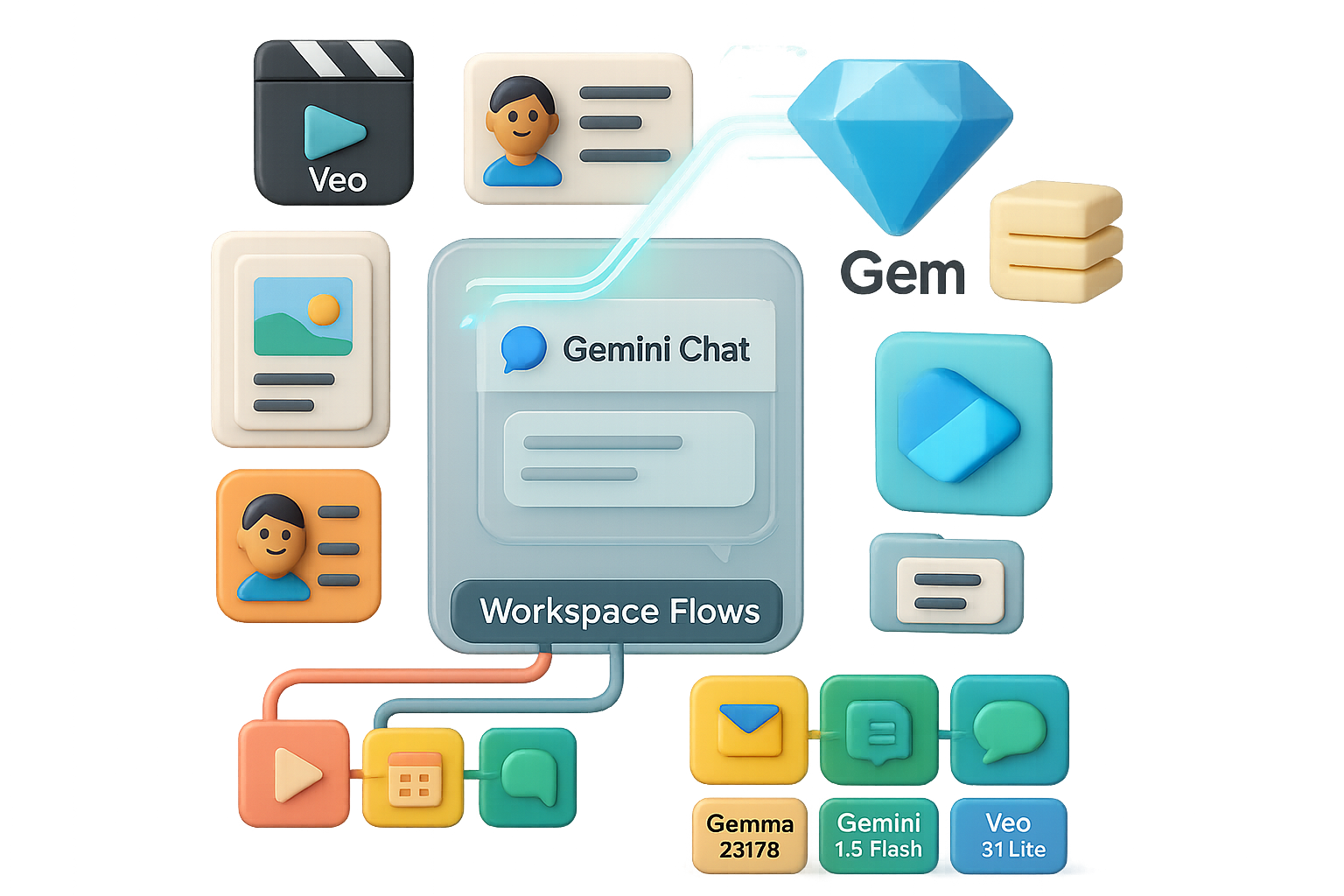
    • Bonus tools: NotebookLM for organizing notes, Flows for modular AI tasks.

    Weaknesses:

    • Occasionally hallucinates. It’s smart, but don’t trust it as your tax advisor.
    • Video generation has usage caps right now.

    Pricing

    • Free: Surprisingly capable
    • Plus: $8/mo
    • Pro: $20/mo
    • Ultra: $250/mo (ouch, but comprehensive)

    Bottom line: If you live in Google Workspace, Gemini fits like a glove. A flexible pick for multimedia makers.


    illustration

    Perplexity: Research, Rebooted

    This is the one that makes ChatGPT and Google look lazy when it comes to getting actual answers.

    Why it’s hot:

    • Live web search + citations: Like Wikipedia on steroids, but live.
    • Auto-tables & summaries: Compare tools, trends, or research in seconds.
    • Comet browser agent: Interacts with live websites so you don’t have to.

    Not so built for:

    • Fiction or freestyle writing. It’s a data nerd, not a poet.
    • Others are catching up on web-search. Unique, but stay tuned.

    Pricing

    • Free: Solid tier
    • Pro: $17/mo (billed annually)
    • Max: $167/mo, for heavy researchers

    Bottom line: The fastest way to fact-check, research, and compare anything—minus the tab fatigue.


    illustration

    Grok: The X Factor

    Built by X (formerly Twitter), Grok feels like a smart, snarky intern tuned to whatever’s going viral.

    Brings to the party:

    • Direct access to X’s firehose: Real-time trends, news, and social spikes.
    • Personality matters: More casual and fun to interact with.
    • Looser filters: It shows data the stricter models sometimes hide.
    • Also does decent image gen and idea bouncing.

    But:

    • Not built for dense research or spreadsheets.
    • $30/mo price tag stings unless you’re in X every day.

    Pricing

    • Free tier
    • Premium: $30/mo (bundled with X Premium+)

    Bottom line: Best friend for creators, social pros, and trend-trackers. Leave it running; it catches what others miss.


    illustration

    Skip the App Shuffle: Try a Multi-Model Hub

    Tired of chasing logins and swapping tabs? A dashboard like i10X (starts at $8/mo) lets you run multiple models under one roof.

    Look for these must-haves:

    • Model switching: One interface, all bots.
    • Chat Arena: See different AIs answer the same prompt. Judge away.
    • Perplexity’s Sonar: Deep research, summarized.
    • Unified billing: One price, multiple brains. Sanity preserved.

    illustration

    Pick Your Bot Like a Pro

    • Use ChatGPT for general tasks, creativity, and plug-in flex.
    • Call on Claude when you’re drowning in documents.
    • Fire up Gemini for visual-heavy tasks and Gmail wizards.
    • Trust Perplexity for fast, sourced research.
    • Let Grok keep you on top of real-world trends.

    Want to learn how to really use each one—without hair-pulling or code bootcamps?

    Tixu.ai is the easiest place to get started with AI tools, even if you’re brand-new or just AI-curious. Tap into tutorials, model breakdowns, and hands-on challenges—all beginner-friendly and hype-free.

    Go on. Your smarter workflow is waiting.

  • Build a $10M AI Business in 4 Proven Steps

    Build a $10M AI Business in 4 Proven Steps

    Stop Chasing Shiny AI Objects—Fix the Leaks First

    You don’t need another “smart assistant.” You need to plug the holes where your business is already leaking money.

    AI can be a rocket booster—but most teams strap it onto paper airplanes. That’s why 95% of corporate AI pilots flop. Not because AI “doesn’t work,” but because it’s solving the wrong problem.

    This post gives you four practical, fast-to-apply rules. Use them to spot AI opportunities with real ROI—whether you’re building a new product, launching a service, or turbocharging internal ops.

    Ready when you are.


    illustration

    Automate What’s Already Working—Not What You Wish Worked

    A few years ago, an e-comm brand came asking for a fancy chatbot. They looked sharp. Good branding. Big dreams.

    Sales? Zilch.

    Had we built the bot, it would’ve talked to no one. An empty megaphone in a virtual mall.
    Here’s the real talk: AI doesn’t create demand—it multiplies it.

    Before you automate, gut-check:

    • Has this process pulled in revenue in the last 30 days?
    • Can you prove it works (screenshots, dashboards, Stripe receipts)?
    • Is demand already outrunning the humans?

    If you’re going 10 km/h, installing a rocket won’t help—you’ll just crash faster. Make sure the vehicle’s road-worthy first.


    An hourglass filled with gold coins, a clipboard with a blank sheet, a calendar with marked dates, and a laptop displaying a funnel graphic.

    Look for Places Where “Money Waits”

    You’re paying for leads. But are they slipping through the cracks?

    We once helped a B2B client cut their response time from 72 hours… to 2. That single move recovered over $500k/month. The money was already on the table—they were just too slow to grab it.

    Want to find your money leaks? Use the W.A.I.T. Formula:

    • W — Walk the journey: Track every step from click to cash.
    • A — Audit delays: Mark anywhere someone waits more than 5 minutes.
    • I — Identify revenue impact: Size each delay by weekly lost revenue.
    • T — Test for repetition: If the delay happens daily, it’s a goldmine for automation.

    Fixing these wait-zones beats building some shiny tool you saw on LinkedIn. Every time.


    A 3D illustration of a money box with icons for transportation, user, and a gauge, accompanied by a businessman holding coins and a checklist.

    The $10 Million Filter

    Before you pour dev hours into an AI idea, slow your roll. Ask three simple but sharp questions:

    1. Is money already in motion? AI should jump on moving trains, not push stalled ones.
    2. Is a human slowing it down? Look for manual lag, inconsistency, or bottlenecks.
    3. Will speed impact revenue? If trimming five minutes changes your bottom line—you’re onto something.

    Only if all three hit “yes,” should you build. Otherwise, shelve it and move on.

    Remember: AI tools are cheap. Deployment is gold.


    illustration

    Sell Results, Not Robots

    Most clients don’t care if it’s ChatGPT, Claude, or Bob the AI.

    They care about outcomes:

    • More revenue without hiring more people
    • Lower lead costs with better close rates
    • Happier customers who stay longer and buy again

    So don’t pitch like this:

    “We’ll build a conversational AI system.”

    Do it like this:

    “We’ll recover 95% of leads currently ghosted—and turn them into calls in 30 days.”

    Same backend. Radically different front-end appeal—and price point.

    Nobody buys AI. They buy what AI unlocks.


    illustration

    Your 4-Rule Playbook

    Here’s your shortcut:

    1. Only automate proven winners. No sales? No systems.
    2. Fix the wait-zones. Anywhere money stalls is a hot target.
    3. Use the $10M filter. If it doesn’t scream revenue, skip it.
    4. Sell outcomes, not tech. Nobody wants “AI”—they want results.

    Follow these four rules and you’ll stop guessing.

    You’ll stop duct-taping AI to unproven experiments—and start placing it in zones where profit grows fast. That’s how seven- and eight-figure wins happen. And not in years. Sometimes in under 30 days.


    Want to learn how to build smarter with AI—minus the jargon and overwhelm?

    Check out Tixu, the AI learning platform for beginners who want to ship fast and think like founders.