Category: General

  • Earn High-Intent Traffic by Optimizing for AI Search

    Earn High-Intent Traffic by Optimizing for AI Search

    Perplexity SEO: Your Shortcut to High-Intent, Ready-to-Buy Traffic

    Let’s be honest—Google search isn’t what it used to be. Rankings are harder to get, clicks are down, and everyone’s holding onto page one like it’s beachfront property.

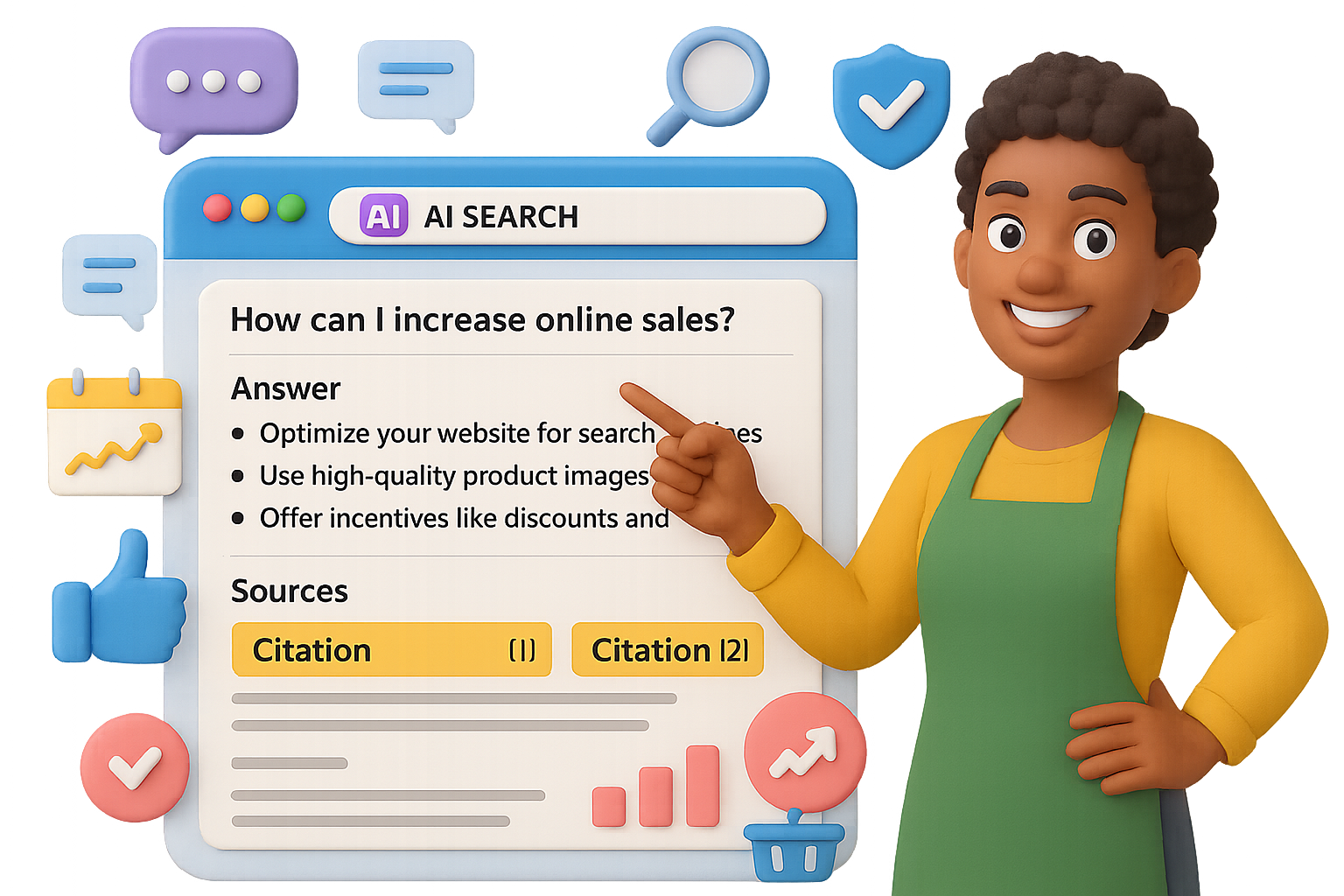
    Here’s the flip: Perplexity AI isn’t just another search engine. It’s a research assistant that shows its work—and if your content gets cited, you win big. We’re talking credibility, sticky traffic, and leads from folks already holding their wallets.

    In this guide, you’ll get a tactical playbook for turning Perplexity SEO into a repeatable growth channel—no flashy hacks, no giant budget required. Just sharp content strategy, built for AI-first search.


    illustration

    Why Perplexity Traffic Hits Different

    Where Google skims, Perplexity sticks. Here’s why that matters for you:

    • Research-mode users. Sessions last 11–23 minutes. That’s not a typo—it’s up to 10x deeper than a typical Google hit.
    • Purchase-ready intent. These aren’t casual browsers. They’ve got a specific need and the budget to solve it.
    • Built-in trust. Every response shows citations. If yours makes the cut, you’re the recommended expert.

    The upside? Fewer visits, way more conversions.


    illustration

    Small Blogs > Media Giants

    Strange but true: Small independent blogs get more AI citations than top-tier news sites.

    Recent studies show that in Perplexity, ChatGPT, Claude, and Google’s AI Overviews, clear and directly structured content wins—regardless of how big your site is.

    Translation: You don’t need a 90 Domain Authority to punch above your weight. You just need content that’s quote-ready.


    illustration

    Use the Q-A-E Framework to Get Cited Consistently

    Here’s your secret weapon: the Question-Answer-Evidence formula. It works like catnip for AI models.

    1. Question
      Use a heading that matches the way someone might search.
      Example: “What’s the best CRM for solo consultants?”
    2. Answer
      Lead with a tight, direct response—2–3 sentences max. No fluff, no hedging.
    3. Evidence
      Back it up with:
      • Your own data
      • Third-party stats (with links)
      • A short explanation of what it means

    Perplexity looks for structured answers. Feed it what it wants.


    illustration

    Try This Five-Step Blueprint for Perplexity SEO

    You don’t need to overhaul your whole site. Just apply these five moves to your next piece.

    1. Use Q-A-E in every section
      Think of each paragraph as a mini FAQ. More structure = more chances to be cited.
    2. Make it scannable
      • Use bold subheads
      • Keep text short and chunked
      • Break down lists into bullets or numbers
    3. Create original data
      Run a Twitter poll. Survey your newsletter. Even 24 responses is better than zero.

      First-party numbers are citation gold.
    4. Match how people speak
      Don’t write for keywords. Write for real questions.
      “How can restaurants lower delivery costs without switching platforms?”

      “Strategies for optimizing operational expenditures in foodservice industries”
    5. Show up beyond your blog
      Drop answers in public forums—Reddit, Slack groups, Discord, Quora.

      Perplexity crawls these places and connects those insights to your content.

    Ditch Vanity Metrics. Target Buying Intent.

    Here’s a story you might recognize:

    One marketer wrote a general blog post that brought in 10k visitors/month… and got zero leads.
    Another wrote a hyper-specific piece, got just 400 visits—but closed five sales.
    Want to guess which one hit their KPIs?

    If you want better results, stop chasing keywords with traffic and start solving problems with cash behind them.

    High-intent content ideas:

    • “How to choose SOC 2 auditors when your SaaS crosses $1M ARR”
    • “Optimal retention benchmarks for DTC brands spending $50k+/month on ads”
    • “Compare Kubernetes cost tools for teams managing 100+ nodes”

    Each one filters out tire-kickers and puts you in front of people close to buying.


    illustration

    Build the Citation Flywheel

    Earn one citation, and the rest comes easier. Here’s how to stack the wins:

    1. Publish great Q-A-E content.
    2. Get that first citation in Perplexity.
    3. Watch it spread: journalists, bloggers, and other AIs reuse your insights.
    4. Keep showing up—because trust compounds.

    No backlink begging. Just a smarter way to show up where future readers (and algorithms) hang out.


    illustration

    Here’s What to Do Next

    • Skip traditional SEO gymnastics. Aim your content at AI engines like Perplexity.
    • Write in Q-A-E format. Keep it scannable, punchy, and full of evidence.
    • Focus on high-intent, late-funnel queries. They convert better than broad traffic.
    • Build and post original insights—AI models remember who taught them something new.

    We’re early in this game. Start positioning your content now, and you’ll be the one getting cited as others scramble to catch up.

    👉 Want to learn more about AI search strategies (without the jargon headache)?
    Check out Tixu—a hands-on, beginner-friendly AI learning platform built for makers like you.

  • Master AI Fast: Learn Key Tools

    Master AI Fast: Learn Key Tools

    Your Beginner-Friendly AI Roadmap (No CS Degree Required)

    Let’s be real—AI is everywhere. At work. At home. In your inbox recommending five new tools before breakfast.

    Ignoring it now is like ignoring the internet in ‘95.

    The good news? You don’t need to code, worship the algorithm gods, or chase every “breaking AI update” on Twitter. With a few reliable tools, some core skills, and a little hands-on play, you’ll pull ahead of 90% of folks still “planning to start.”

    This post is your no-fluff, beginner-friendly map. Whether you want to shave hours off your workflow or kickstart a side hustle, you’ll walk away knowing:

    • Which tools to try first
    • The core skill set that never goes out of style
    • How to build your first automated workflow (no dev team needed)

    Ready when you are.


    illustration

    Bust These 4 Mental Blocks Before You Start

    Even smart, curious people get stuck at the start. So let’s short-circuit the most common head trash.

    1. “I’m not technical.”
      Good. You don’t need to be. Today’s AI tools are built for regular humans—no code, no jargon decoder ring required.
    2. “Things change too fast.”
      True at the edges. But the basics? They stay steady. Learn the fundamentals and everything else becomes UI updates and new flavors of the same sauce.
    3. “There are too many tools.”
      Also true—there are thousands. You only need 3–5 to cover most real-life wins. More signal, less noise.
    4. “I can’t keep up with the news.”
      Don’t. Subscribe to one smart AI newsletter. Let them doomscroll for you.

    illustration

    Pick Your Player: 3 Starting Paths

    Everyone starts somewhere. Your starting line depends on what you want more of: time, output, or control.

    PathWhat You WantTry These Tools
    Everyday ExplorerSave time and stressChatGPT for emails, NotebookLM for notes, Perplexity for research
    Power UserSpeed + outputMidjourney, ChatGPT, Runway, Suno, Descript + Zapier or Make
    BuilderAutomation + scalen8n or Make, Cursor (AI coding editor), your preferred LLM brain

    The jump from Explorer to Builder? Smaller than you think. It’s just solving one pain point at a time.


    illustration

    Know These 5 Tool Categories (and You’re Set)

    Large Language Models (LLMs)
    These handle most of your creative, writing, planning, and reasoning tasks.

    Think: ChatGPT, Claude, Gemini, or open-source options.

    1. Jargon worth knowing:
      • Prompt = your input
      • Token = a word chunk
      • Hallucination = confident nonsense
      • RAG = smarter search + answer combo
    2. Research Assistants
      • Perplexity = search engine that cites sources
      • NotebookLM = uploads your PDFs, lets you ask questions across them, instantly
    3. Image Generators
      • Midjourney = crazy good photo-realism
      • DALL·E inside ChatGPT = great at tweaking
      • Ideogram = clean graphics with on-image text
    4. Video Tools

      • Runway and Veo = text-to-video magic
      • Pika and Haiper = add cuts, motion, drama

      Think: entire promo videos with barely lifting a finger (or a camera)

    5. Audio Tools

      • ElevenLabs = synthetic voices that don’t sound synthetic

      • Suno, Udio = turn a few words into legit songs

      Bonus: Use voice chat in ChatGPT or Google AI Studio for real-time convos with bots

    And PS: Most “AI apps” are just shiny wrappers on top of these models. Good design, but under the hood? Same tools you’re learning here.


    illustration

    The 4 Evergreen Skills of AI Fluency

    1. Prompting Like a Pro
      Use this format: Aim → Context → Rules
      Example:“Write an upbeat blog post (Aim) for freelancers overwhelmed by tech (Context). Use a conversational tone and 1–2 line paragraphs (Rules).”

      Bonus move: Add a role prompt.“You’re a chill marketing coach who’s great at metaphors…”

    2. Tool Awareness
      You’re not memorizing tools—you’re building a category map in your brain.

      “Need visuals? → Midjourney.”
      “Need citations? → Perplexity.”

      That’s the real edge.
    3. Workflow Thinking
      Break tasks down. Then hand off each part to the right tool.

      I.e., brainstorm → outline → script → voiceover → video edit → publish

      AI helps in every step.
    4. Creative Stacking
      Example flow:

      • Write a video script in ChatGPT

      • Feed lines into Suno for soundtrack

      • Generate art with Midjourney

      • Assemble scene in Runway

      • Auto-schedule with Zapier

      Boom—content powerhouse with no production team.


    illustration

    From Chaos to Control: One Starter Automation

    Here’s a simple build that instantly levels up your week.

    Pain Point – Your calendar’s a mess
    Solution – An AI that checks your next day, blocks focus time, offers reschedules
    Stack

    • Google Calendar API
    • n8n AI Agent (using GPT-4o or Claude)
    • Telegram (or Slack) for convo interface

    Result – Each night, you message: “Anything urgent tomorrow?” Your AI replies with key meetings, conflicts, suggestions—plus drafted reschedule notes.

    Feels like executive assistant vibes. Built it yourself? Even better.


    Try This 5-Step Plan This Week

    1. Pinpoint Friction – What’s wasting your time?
    2. Match a Tool Type – Refer to the categories above
    3. Mock It in a Prompt – Test the task out in ChatGPT or Claude
    4. Stack Tools – When it works manually, connect tools via n8n, Zapier, or Make
    5. Automate & Upgrade – Add memory, auto-triggers, or backups as you go

    Even 2–3 small experiments per week compounds. Fast.


    illustration

    Here’s Your Cheat Sheet

    • Know your tool mix – One solid LLM + 2 niche add-ons = 90% of wins
    • Get fluent in prompting – It’s the new spreadsheet skill
    • Think in workflows, not tools – Great combos > great individual apps
    • Start with micro-wins – One calendar fix > 30 YouTube tutorials
    • Stay curious, not overwhelmed – Core skills stick even as headlines shift

    You don’t need to become an “AI expert.” You need to solve your problems better, faster, and with less busywork than last week.

    Want help getting started? 👉 Check out Tixu—a beginner-friendly AI learning hub packed with hands-on challenges, walkthroughs, and zero gatekeeping.

  • 12 Proven Tactics to Maximize Your AI SEO Traffic

    12 Proven Tactics to Maximize Your AI SEO Traffic

    Why You Should Care About AI-First SEO

    Search results aren’t what they used to be.

    One day, you’re celebrating a page-one organic win. The next, your link gets smothered by an “AI overview” that summarizes your hard work—and doesn’t even bother to cite you. Brutal.

    But here’s the flip: AI can bury you, or it can boost you. With a few smart tweaks, your content becomes exactly what large language models (LLMs) love to quote. One brand did just that—going from digital obscurity to over 90 AI citations and a wild 2,300% spike in referral traffic.

    You’re going to learn how to:

    • Spot AI opportunities in your niche
    • Format posts for maximum LLM visibility
    • Become a machine-trusted authority
    • Measure AI referrals inside GA4

    Ready to become the go-to answer in your space? Let’s get to it.


    illustration

    Uncover AI Opportunities in Your Backyard

    Before you optimize anything, scout the terrain.

    Here’s your first move:

    • Launch Brand Radar
    • Plug in your brand + 2–3 competitors
    • Use the “Mentions in AI answers” report

    What do you see? This tool shows which queries get answered using content from you—and from your competitors. If they’re getting quoted and you’re not, that’s gold. These are fast-win topics worth targeting.

    Do this monthly. Conversational queries evolve fast.


    illustration

    Format Your Content for Machines—Not Just Humans

    LLMs don’t “read.” They scan structure, extract snippets, and score based on clarity. Serve them what they crave.

    1. Start with the answer
      Front-load the goods. Your opening 2–3 lines should satisfy the search intent. Think snack-size, not novel-length.
    2. Write like people talk
      No one’s typing “best home finance apps 2025.” They’re asking, “What’s a good budget app for beginners?” Mirror that casual, question-based tone.
    3. Use smart heading structure
      H1: Just one. It’s your main topic.
      H2: Big subtopics or use-cases
      H3: Specifics under each

      Proper hierarchy helps LLMs attribute relevance with surgical precision.

    4. Add a clear TL;DR
      Right up top—or just below the H1—drop 2–3 bolded bullet points. This summary screams: “Here’s what matters.” And AI listens.

    illustration

    Cement Your Brand’s Machine Credibility

    LLMs check your receipts. They don’t just parse one article—they scan your entire digital footprint.

    Here’s how to clean yours up:

    1. Ask what AI already “knows”
      Open ChatGPT or Gemini and ask: “What do you know about [Brand]?” What comes back? If it’s outdated or off-base, you’ve got homework.
    2. Own your online listings
      Update your business info on Google, Yelp, Trustpilot, LinkedIn, niche directories—you name it. Make it consistent across the board.
    3. Stack glowing reviews
      Quantity + 4.5-star average = machine trust. Set up automatic review requests. Make it routine.
    4. Show off legit credentials
      Any certifications? Awards? Media features? Flaunt ‘em on your homepage and About page. LLMs weigh third-party validation heavily.

    illustration

    Build Articles That LLMs Quote, Not Skip

    Your content needs built-in trust signals. Here’s how to earn the AI mic drop.

    1. Link to legit sources
      Government data, peer-reviewed stats, or Apple’s latest feature update? Link out. LLMs love citing sites they already endorse.
    2. Add expert voices
      Pull in practitioners. Even a 2-sentence insight + mini bio adds gravitas. Bonus: it boosts perceived authority for humans and bots.
    3. Publish original proof
      Share a case study. Run a Twitter poll. Show a user journey. Unique data is like catnip for AI—they quote what’s hard to find.
    4. Get contextual backlinks
      High-authority links still unlock doors. Not sure where to start? Agencies like SimplyMedia.digital do good work without fleece pricing.

    Measure AI Referrals—the Backdoor Way

    AI tools show up in analytics—if you know where to look. Here’s how to unlock tracking in GA4.

    In GA4:

    • Go to Reports → Acquisition → Traffic acquisition
    • Click “Add comparison” → Filter by Medium = “referral”
    • Add this RegEx filter under Session source/medium:
    (bard|gemini|bard\.google|news\.googleusercontent|bard\.cdn|perplexity|poe|openai|you|gpt|bing_ai)

    Now you’ll see sessions coming from ChatGPT, Gemini, Perplexity, Bing AI, and friends. Sort by landing page to spot what’s working—then do more of it.


    illustration

    Real-World Results

    One premium e-comm brand ran this exact playbook. Here’s what happened in six months:

    • +2,300% increase in AI referral traffic
    • >90 keywords picked up in Google’s AI Overviews
    • Bonus: Traditional organic traffic also climbed

    illustration

    AI Isn’t the Future—It’s the Feed

    You’ve got two options: get ignored by the machines… or become their favorite source.

    Shift how you write, clean up how you show up, track what matters—and the referrals will follow.

    Want a beginner-friendly playground to sharpen your AI edge?
    Check out Tixu—an intuitive platform that helps you learn and apply real AI skills without drowning in jargon.

  • Automate Research and Reporting with ChatGPT Agents

    Automate Research and Reporting with ChatGPT Agents

    Unlock the Magic of ChatGPT Agents (Without the Fluff)

    Manual work is draining your time—and your patience. You know you shouldn’t spend an hour pulling SEO stats or crafting the same Pinterest posts week after week… but delegating that grunt work isn’t exactly simple, right?

    Here’s the twist: ChatGPT Agents are built to click, scroll, copy, paste, and build—just like a real assistant, minus the calendar conflicts. Switch to Agent Mode, give clear instructions, and it spins up a secure mini-browser to do the tasks you’d rather skip.

    No extra plugins. No dev skills. Just results.

    In this post, you’ll see six smart use cases for solo operators and scrappy teams alike. If you’re in growth marketing, brand content, or product ops—there’s gold here. Let’s dig in.


    illustration

    1. Ditch the Deck Dread

    The workflow:

    • Pull SEO data on a prospect (e.g., Ashley Furniture) from SpyFu
    • Run PageSpeed test via Google Insights
    • Auto-generate slide deck with visuals

    Why it works:

    The Agent grabs free SpyFu stats in seconds—no login, no API. It bundles performance highlights, charts, screenshots, and even sets the whole workflow on a monthly loop. You walk away with plug-and-play slides, ready for that stakeholder call.

    Pro move: Ask the Agent to draft your summary email and bundle everything into a monthly cadence.


    illustration

    2. Wednesdays Made for Pinterest (Without the Hassle)

    You need: Weekly branded content on Pinterest—every Wednesday in August.
    You have: One style guide and zero bandwidth.
    The Agent does:

    1. Reads your brand guide stored in ChatGPT Projects
    2. Surfaces trending U.S. home-design topics via Pinterest Trends
    3. Creates four on-brand pin images, with captions and hashtags
    4. Uploads everything to your shared Notion calendar

    Watching the Agent navigate Pinterest trends and Notion templates is wild. Even if you upload manually, the time saved on research, copy and visuals? Massive.


    illustration

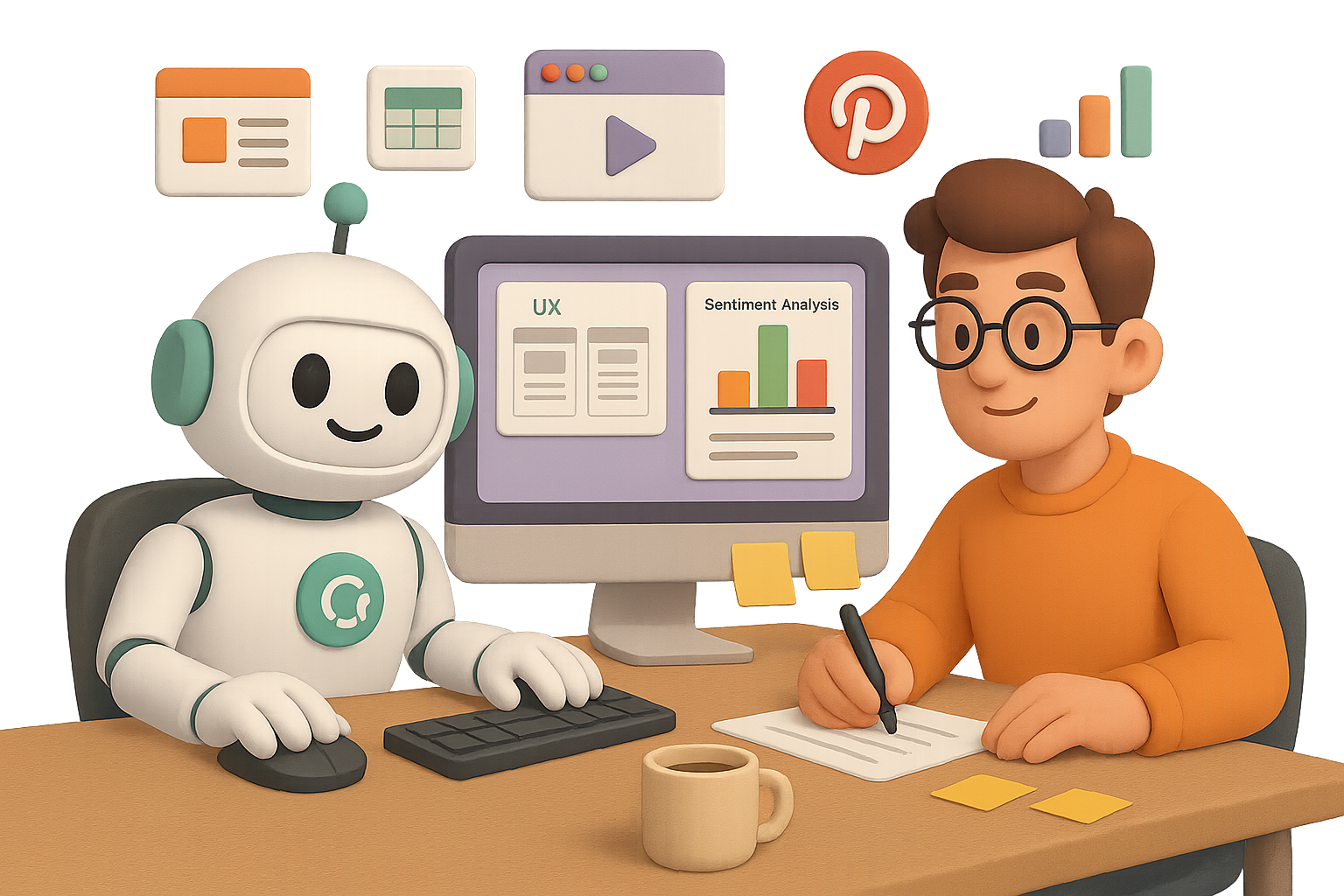
    3. Shadow Your Users Like a UX Ninja

    Want a detailed feel for how new users experience your competitors?

    Ask the Agent to simulate a purchase on Warby Parker vs. LensCrafters—no signup needed. It will:

    • Visit both sites and browse anonymously
    • Log friction points, UX highlights, and standout features
    • Compile a slide deck that’s ready for internal feedback

    You call the shots on where to stop (“guest checkout only”)—the Agent follows suit.


    4. Make Sense of the Comment Chaos

    Scenario: You want sentiment data on monday.com vs. Asana.

    The Agent steps in to:

    • Scrape think-pieces and comment threads on Reddit, Quora, LinkedIn
    • Capture key quotes, topics, sentiment scores, and source links
    • Auto-populate a Google Sheet with tabs for raw data and summary charts

    End result? A visual breakdown of what fans love, hate, and wish existed—instantly presentation-ready. You can spice up colors or reorganize themes with a quick tweak.


    illustration

    5. Build a YouTube Game Plan Without Guessing

    You’re launching: A productivity-focused YouTube channel.
    You (thankfully) don’t have to start from scratch.

    Your Agent will:

    • Identify top creators
    • Analyze their posting cadences, formats, and comment section gold
    • Validate themes via Google Trends
    • Produce a doc with topic clusters, a 90-day roadmap, and thumbnail best practices

    The plan isn’t just “ideas”—it’s execution-ready, minus the weekend gabathon with ChatGPT.


    illustration

    When to Yes—and When to Nope

    Lean on Agents when:

    • Transforming data into slides, docs, and sheets
    • Juggling platforms across research, creative, and file uploads
    • Repeating tedious flows like monthly reports or social posts

    Think twice if:

    • You’re sending emails, making purchases, or touching sensitive systems
    • Total accuracy is mission-critical—Agents can make clicky little mistakes

    Safety tips:

    • Watch the live agent feed—it’s like birdwatching, but for workflows
    • Clear browser data between sprints (Settings → Data Controls)
    • Keep tasks short and specific; avoid sprawling mega-prompts

    illustration

    Final Takeaway

    ChatGPT Agents are the closest thing to a tireless (and affordable) digital assistant. They research. They reason. They execute. No magic wand required—just a bit of coaching from you, their human in the loop.

    Start small, pick a repeatable task, and hand it over. You might just find your new favorite teammate.

    👉 Want to explore AI without drowning in jargon? Start with Tixu — your friendly launchpad into the world of practical AI skills.

  • Earn $17K in 3 Weeks Writing Sales Pages with AI

    Earn $17K in 3 Weeks Writing Sales Pages with AI

    From Brain Dump to $17K: How AI Built a 30-Page Offer in 21 Days

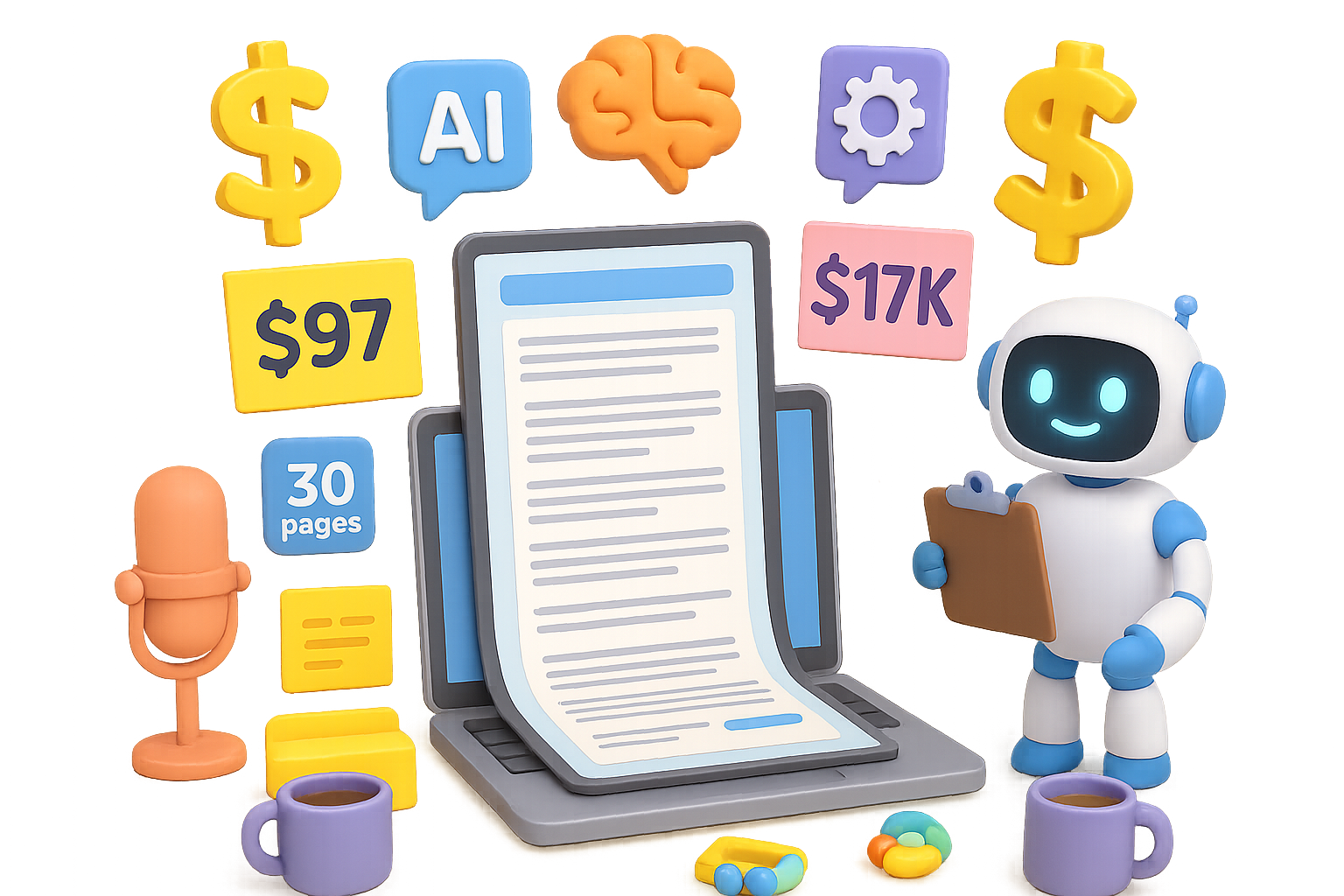
    An insider look at how a $97 offer was taken from idea to live page—and $17,000 in revenue—in just 21 days with a little help from Claude AI.


    You Don’t Need Magic. You Need a System.

    Let’s be real: You’ve heard that AI can write.

    Maybe it’s pumped out a few decent blog posts or email intros. Cool. But turning AI-generated words into real dollars? That still feels a little sci-fi.

    Here’s the thing: it’s already happening.

    What follows is a behind-the-scenes walkthrough of how one marketer launched a $97 product, pulled in over $17K in the first 3 weeks—while juggling a wedding and two toddlers. Yeah, you’re not “too busy,” promise.

    Ready to peek under the hood?


    illustration

    What You’re About to Learn

    You’ll walk away with:

    • A repeatable workflow that slashes copywriting time from days to hours
    • How to train an AI like Claude for high-conversion output
    • Why “AI-generated” doesn’t mean “generic crap”
    • The exact steps behind a $500K+ funnel system

    Let’s break it down.


    illustration

    The Raw Numbers Don’t Lie

    This wasn’t some perfect storm. Just smart strategy.

    • Product price: $97
    • Revenue in first 21 days: $17,312
    • Projected funnel value: $500k+
    • ROAS (while scaling): 0.55
    • Total copywriting time: ~2 hours
    • Page length: 30+ designer-ready pages

    Two hours of AI-assisted work replaced what used to take multiple days—and still outperformed manually written pages.


    illustration

    Steal the 2-Hour AI Copy System

    Here’s how they did it—step by step.

    1. Lay the Foundation with Winners

    Start by uploading 3–5 proven sales letters into Claude AI. These can be your own A+ performers or top-tier niche examples (find those public darlings in swipe files everywhere).

    Set the tone by showing the model what “good” looks like.

    2. Do a 10-Minute Brain Dump (Twice)

    Voice memo style. No script. Just talk:

    • What’s the promise?
    • Who’s it for?
    • What pain are they in?
    • Why now?

    Then do it again: one for broad context, one for offer mechanics. Transcribe and add notes to the project knowledge base.

    Double the context = double the clarity.

    3. Co-Create the Structure

    Use Claude to build a copy outline based on your uploaded winners. You’re not reinventing the wheel—just customizing the blueprint.

    Shape the flow: hook → pain → solution → proof → offer → CTA. Rinse and refine.

    4. Let the AI Interview You

    Here’s the curveball: ask Claude to ask you questions.

    Yep—flip the script.

    The model surfaces blind spots around objections, delivery, bonuses, and more. Record voice responses, then feed them back in. This turns your one-way prompt into a feedback loop that tightens conversion angles fast.

    5. Execute at Lightning Speed

    With a trained Claude, full context, and a sharp structure in place, let it rip. Generate section-by-section.

    Light edits, paste in a doc, ship to design.

    Total human time? 2 hours.
    Final asset? A 30-page, conversion-geared sales letter ready to launch.


    illustration

    Words Weren’t the Only Magic

    Copy was key—but it wasn’t the whole equation.

    Other winning factors?

    • A compelling, pre-validated offer
    • Existing warm audience + dialed-in paid ads
    • Brand built over time = instant credibility
    • Operational muscle: tech and design ready to rock as soon as words landed

    In other words, the team didn’t just write fast—they launched fast. Speed compounds.


    illustration

    5 Lessons to Swipe Right Now

    Here’s what separates meh AI outputs from moves-that-make-money:

    1. Good AI copy starts with great training data. No black-box magic. No hype. Upload high-performing winners.
    2. Context is your copy cheat code. A rich brain dump turns generic outputs into conversion crushers.
    3. Let the model interrogate you. Claude’s questions will surface objections and proof you’d never think to add.
    4. Fast copy = time for actual marketing. Email sequences, ads, funnel tweaks, and nap time.
    5. Iterate before you celebrate. Already testing multiple variations through AI to keep optimization constant.

    illustration

    What’s Next: AI-Powered Split Testing

    The same workshop now pumps out headline and CTA variants on demand.

    One lightweight internal tool connects Claude to the funnel builder, auto-rotating options and logging which ones convert. Less guesswork, more lift.

    AI isn’t just speeding up the start—it’s optimizing the finish line, too.


    illustration

    Real Talk: AI Is the New Freelance Sidekick

    This isn’t about replacing you. It’s about multiplying you.

    When you stop thinking of Claude as a robot writer and start treating it like a tireless creative partner, things move faster—and smarter. The skill isn’t in prompting… it’s in briefing.

    If you’ve got two hours, a handful of high-quality swipe files, and something valuable to sell? This system’s got your back.


    Do This Next:

    1. Dig up 3-5 of your best-performing pieces of copy.
    2. Record a 10-minute voice memo brain dump. Twice.
    3. Feed both into Claude (or your LLM of choice).
    4. Let it ask you questions. Answer ’em.
    5. Generate, edit, assemble, and launch.

    Your next great sales page doesn’t have to take days—or drain your energy. It can start right now.


    Curious how to learn AI without getting overwhelmed?
    Try Tixu.ai – a beginner-friendly learning platform built to help you actually use AI in real projects. No fluff, just clear wins.

  • Master These 7 AI Skills to Future-Proof Your Career

    Master These 7 AI Skills to Future-Proof Your Career

    How to Secure Your Place in the AI Economy: 7 Skills to Start Building Today

    You’ve probably heard it a hundred times: “AI is the future.” But let’s be real—AI isn’t the future anymore. It’s the right-now. According to McKinsey, AI could pump a wild $13 trillion into the global economy by 2030. But here’s the twist: the World Economic Forum predicts 83 million jobs will disappear while 69 million new ones open up by 2027.

    Translation? The rules just changed. Titles won’t save you. Skills will.

    If you want a seat at the AI-powered table, it’s time to stop spectating and start building. These 7 skills will fast-track your edge—and we’ll give you a simple 90-day roadmap to make it happen.


    illustration

    1. Prompt Engineering

    Crack the code for peak AI performance

    Prompting isn’t just asking questions—it’s briefing a genius assistant. A strong prompt can boost output quality by up to 40%. That’s not guesswork; that’s craft.

    Use the R-C-I-F framework:

    1. Role – “Act as a Chief Marketing Officer…”
    2. Context – “…for a skincare brand scaling via TikTok…”
    3. Instruction – “…Create a 7-day social calendar…”
    4. Format – “…in a table: day, hook, CTA, asset type.”

    Practice tip: Create a prompt bank. Review weekly. Test tools like PromptPerfect. With 30 minutes of reps a day, you’ll go from curious to confident in four weeks.


    illustration

    2. AI-Assisted Development

    Skip the bootcamps. Build with bots.

    Want to ship software fast, even if you’re not a coder? Combine a clear idea and an AI co-pilot. GitHub found AI pair-programming boosts dev speed by 55%. That’s a game-changer.

    Start here:

    • Describe an app on Replit and let AI generate code.
    • Use APIs from OpenAI or Anthropic to power features.
    • Edit AI’s code snippets instead of starting from scratch.

    Pro move: Automate something annoying in your own workflow. Then build from there.


    illustration

    3. AI Content Creation

    Scale messaging without sounding robotic

    Content demands have exploded—blogs, posts, emails, video scripts. But your time? Still capped at 24 hours. AI helps you crank out quality fast, if you layer human taste on top.

    Here’s the sauce:

    • Brief like a boss – audience, tone, examples, platform, goals
    • Rinse and repeat – AI outline → human refine → AI draft → human final
    • Multiply assets – turn one blog into a newsletter, LinkedIn post, podcast outline

    Try tools like DALL·E or MidJourney to spin visuals from your scripts. Campaign in a sentence? Yeah, we’re there.


    illustration

    4. AI Workflow Automation

    Let bots take the busy work

    Tired of the grindy stuff? Good. McKinsey says 60–70% of data tasks are ripe for automation. With tools like Zapier, Make, and LangChain, you can build digital teammates that never call in sick.

    Quick wins:

    1. Auto-reply to emails → Zapier + GPT
    2. Qualify leads → CRM + GPT + logic filters
    3. Route support tickets by tone → n8n + sentiment models
    4. Validate form data → AI-enhanced spreadsheets

    Start with a “hands-on” control step. Then phase yourself out. (Binge Netflix while bots work? We won’t judge.)


    illustration

    5. AI Data Analysis

    Make smarter moves, faster

    Forget waiting on the data team. With the right tools, you can slice, dice, and visualize insights on demand.

    Fact: Companies using AI in analytics see 60%+ better customer satisfaction (IBM).

    How to level up:

    • Upgrade your questions. Go from “What were sales?” to “Which products rose fastest—and why?”
    • Clean data first. Excel, Airtable, and Sheets paired with GPT make it click.
    • Go beyond reporting—shift to predictive and prescriptive analytics.

    Test-drive ChatGPT’s Code Interpreter, Microsoft’s Excel Copilot, or Power BI’s AI insights. You’ll look like a wizard. Minus the beard.


    illustration

    6. AI Compliance & Ethics

    Avoid lawsuits and public flops

    AI’s moving fast—and regulators aren’t napping. From the EU AI Act to U.S. bills, ethical AI use isn’t optional anymore. Deloitte says 68% of orgs rank AI ethics as their #1 concern.

    Stay ahead with five practices:

    1. Transparency – Keep logs of inputs/outputs.
    2. Fairness – Test for demographic bias.
    3. Privacy – Anonymize sensitive data.
    4. Accountability – Assign owners to every model.
    5. Safety – Add guardrails to limit risky outputs.

    Trust takes years to build—a glitchy decision can ruin it overnight.


    illustration

    7. Strategic AI Integration

    Think beyond the hack—transform the business

    AI isn’t just a tool. It’s your new infrastructure. PwC says 85% of CEOs believe AI will overhaul their biz model in five years.

    Here’s how to go all-in:

    • Identify bottlenecks, untapped data, customer friction, and competitor weaknesses
    • Prioritize efforts by impact vs. effort
    • Balance quick ROI (weeks) with long-term bets (market disruption)
    • Set KPIs. Review quarterly. Make progress visible.

    Don’t duct-tape AI on top. Build your ops around it. That’s how category leaders are born.


    illustration

    Get Started: Your 30-60-90-Day Action Plan

    Days 0–30

    • Learn the basics of prompt engineering
    • Commit to 30 minutes of practice, daily
    • Save and refine 1–2 prompts every week

    Days 31–60

    • Build your first AI-powered tool (e.g. Slack bot, auto-email sorter)
    • Automate a single workflow that eats up your time

    Days 61–90

    • Launch a living dashboard with real-time data
    • Create and share an AI ethics playbook internally
    • Identify a business-critical process to upgrade with AI

    Start small. Win early. Scale what works.


    Final Takeaway

    You don’t need to be an AI expert to win in the age of AI—but you do need to be AI-literate. Build two or three of these muscles now, and you’ll be ahead of 90% of the pack in a year.

    Learning’s easier (and way more fun) when you’re not going it alone.

    👉 Want AI to feel less intimidating and more empowering? Tixu.ai is built exactly for you—simple, hands-on lessons, no jargon, and a community of beginners leveling up together. Ready when you are.

  • Build a Million-Dollar AI Startup in 18 Months

    Build a Million-Dollar AI Startup in 18 Months

    The $1 Million AI Co-Founder Test Drive

    You know that idea that hits you mid-scroll on a lazy Friday afternoon?

    “What if I asked an AI to pitch me the next million-dollar startup… and then build it?”

    Well, I did just that—and didn’t stop at the idea. I opened up Manus AI, handed it a bold challenge, and watched what happened. The goal? Land a startup idea that could scale to $1M annual revenue in 18 months.

    No fluff, no fake case studies. Just you, me, a digital co-founder, and some surprisingly spicy prototypes. Let’s dig in.


    illustration

    Can AI Actually Find Your Startup Idea?

    Short answer: it won’t replace you—but it can massively speed up how you research, validate and even ship your ideas.

    Manus AI felt like a 10x junior co-founder. Not a genius, but fast, tireless, and eerily intuitive. This isn’t your standard chatbot—it’s closer to a room of interns who never sleep and always return with receipts.

    Here’s what made it stick out.


    illustration

    Why Manus Thinks Like a Hustler

    Most AIs hold a single chat thread in their digital peanut brain.

    Manus? It runs multiple “agents” with their own browsers, code editors and terminals—all at once. Think: one bot crunching Reddit pain points, another pulling Y Combinator startup lists, a third coding a landing page… all while you’re topping off your coffee.

    When I gave it this prompt:

    The Brief:

    1. Find a startup idea with $1M ARR potential in 18 months.
    2. Exclude anything in YC’s current batch.
    3. Mine Reddit for pain-filled threads & rising niches.
    4. Hand back trend data, MVP outline—even a landing page.

    It took the dare and opened four browser windows before I finished typing.


    illustration

    5 Prompts That Show Manus Means Business

    While it crunched research, I peeked at other public prompt templates—and here’s where my eyebrows went up:

    • YC Batch Scraper – Turns the Winter ’25 list into a filterable spreadsheet. Handy for spotting gaps.
    • Earnings Call Summarizer – Feeds in quarterly reports; spits out insight-rich tables and memos. Wall Street vibes.
    • Contract Reviewer – Flags legal redlines, cleans up formatting. Suddenly less painful than calling your lawyer.
    • Podcast Summarizer – Upload a .wav, get a 2-minute digest with pull quotes and timestamps.
    • File Converter – Transforms messy Excel API specs into clean Word docs in minutes.

    Each one felt more like a full-blown assistant than a chatbot. That’s a big shift.


    illustration

    The Gold Miner Phase: Trends Meet White Space

    About 15 minutes later, the results landed.

    Key macro-trends Manus surfaced:

    • Niche AI tools (legal, healthcare, SMB ops)
    • Workflow automation via AI agents
    • “AI plumbing” tools (infra and builder utilities)
    • Low-/no-code wrappers for non-tech teams

    Then it went next-level: cross-mapping YC companies against those verticals, highlighting gaps… and merging Reddit gems to amp the signal.

    What’s buzzing on Reddit?

    • r/smallbusiness grew 47% YoY. Many asking for affordable expert help.
    • r/AIagents & r/Entrepreneur showed clear interest in “agent workflows” and hands-on AI use in ops.
    • Standout pain-point quotes:

    “Generic AI tools don’t understand my industry-specific challenges.”
    “I need step-by-step action items, not 200-page decks.”

    That’s real demand. Real urgency. Real build-here energy.


    The Winner: Micro-AI Consulting for SMBs

    After scoring the ideas for TAM, speed to MVP, and pricing pressure, Manus crowned a winner:

    “SmartConsole AI”

    A done-for-you AI helper tuned to SMB pain: finance, marketing, operations, compliance.

    Buy a monthly seat ($49–$500), describe your problem, get a bot trained for your niche. Better than generic AI, way cheaper than a human consultant. We’re talking 90% cost savings.

    I pushed back hard: “Why this price? Show me market interest.”

    It pulled up Google Trends. Compared niche searches vs. generic terms. Proved that “AI marketing consultant” is growing 2.5x faster than “business AI.” Convincing. Data-backed. It even estimated ad CPCs and got me curious.


    illustration

    MVP? More Like Plug-and-Play

    Then came the mic-drop moment.

    Manus launched a full sandboxed VS Code window. Built a sleek one-page landing site: animated hero section, pricing grid, lead gen form, “Free AI Assessment” CTA, even mobile tweaks.

    Bundled the zip. Sent it to me.

    I ran it locally—it felt 90% ready for real traffic. Toss in copy polish and logos? It’s a pilot-ready startup in under a day.


    illustration

    Manus’ Magic—and Its Blind Spots

    Where It Crushes:

    • Multi-agent workflows = researcher on steroids
    • Structured outputs: no rambling, just clean PDFs, tables, code
    • Rapid prototyping: MVPs without touching your editor
    • Agile feedback: Change a prompt mid-run and it obeys

    But It’s Not All Rainbows:

    • Vague prompts = vague results. You need to steer like a boss.
    • Heavy tasks take time—sometimes 10–15 min.
    • No taste filter. Designs function, but lack polish.
    • ZIPs from bots? Use a sandbox, always.

    illustration

    Use Agents. Keep Your Edge.

    The real unlock?

    AI like Manus doesn’t replace founders. It amplifies those who ask better questions, move faster and follow through. It’s your impatient teammate who never sleeps, always builds, but waits for you to aim.

    My favorite part? In the time it took to watch a Netflix movie, I walked away with:

    • → 4 validated startup vectors
    • → A data-rich trend report
    • → A polished MVP landing page

    Not bad for a Friday.


    illustration

    Want to Play? Start Here.

    If your idea engine’s idling and you’re hunting for your next big bet, it’s worth trial-running something like this.

    Just remember: prompts in, startups out. That $1M’s still yours to earn.

    Want a friendly place to start learning AI skills and tools like Manus? Try Tixu—it’s built for beginners who want to get hands-on, fast.

    Ready when you are.

  • Become a $300K AI Engineer in 2025: Step-by-Step Roadmap

    Become a $300K AI Engineer in 2025: Step-by-Step Roadmap

    What Does an AI Engineer Actually Do?

    So, you’re seeing “AI Engineer” pop up everywhere—from LinkedIn job alerts to dinner party flexes—and wondering: what do they actually do?

    In short: AI engineers turn machine learning into real-life magic. They’re the ones shipping smart systems that do stuff like drive cars, fight cancer, or write emails you pretend you wrote.

    On a given day, they might:

    • Clean up messy data (yes, even AI needs to do dishes)
    • Choose or fine-tune ML models
    • Train and validate those models
    • Deploy them into apps people actually use
    • Monitor results, squish bugs, and re-train as needed

    Think of them as the bridge between academic theory and apps that pay the bills.

    illustration

    Not Just Another ML Engineer

    You’ll see “AI Engineer” and “Machine Learning Engineer” tossed around like interchangeable buzzwords—but they’re not the same sport.

    RoleFocus
    ML EngineerDeep in the model trenches. Tweaks algorithms. Optimizes performance.
    AI EngineerBig picture thinker. Ships products, not just models. Cares about UX, latency, scale.

    So, if you want to build cool things that work in the real world—not just chase model benchmarks—the AI engineer path is your lane.


    The 2025 Roadmap to a $300K AI Career

    Let’s map out how you could go from “AI-curious” to earning $300K/year (yup, that’s possible by 2025). Here’s your playbook.

    1. Explore Your Niche Before You Burn Out

    AI is massive. Find your flavor first—because chasing “everything AI” drains motivation fast.

    Quick glance at your options:

    • NLP: Chatbots, translation, topic detection.
    • Vision: Facial recognition, self-driving cars, X-ray analyzers.
    • Recsys: Netflix picks, Spotify suggestions, e-commerce personalisation.
    • Robotics: Autonomous drones, factory bots.
    • Speech/Audio: Siri, voice-to-text, real-time transcription.

    Pick a direction, even loosely. You’ll pivot later—but a goal beats wandering.

    illustration

    2. Master the Non-Fancy Basics

    a. Computer Science for Adults

    Forget rote memorization. You need to understand how code really works:

    • Arrays, stacks, queues, graphs
    • Sorting & searching
    • Dynamic programming (yes, it’s worth it)

    Platforms like LeetCode or HackerRank are your dojo. Bonus: nailing these helps with job interviews.

    b. Learn the Right Languages

    • Python – Your AI best friend. Clean syntax, endless libraries.
    • C++ – When your app needs to fly (think edge devices).
    • Java – Still king in big enterprise systems.

    c. Get Fluent in AI Libraries

    You don’t need to memorize documentation. But you do need to know where the power tools live:

    • numpy, pandas, matplotlib – analysis and visuals
    • scikit-learn – classic ML in a few lines of code
    • TensorFlow, PyTorch – deep learning in production
    • Hugging Face Transformers, LangChain, Pinecone – LLM magic in one import line

    💡 Hands-on platforms like DataCamp gamify this stuff. Their “Associate AI Engineer” path is a well-lit on-ramp if you like guided progression.

    d. Math You’ll Actually Use

    No PhD needed—this isn’t math for math’s sake. But you’ve gotta understand what’s going on:

    • Linear algebra = vectors, matrices, transforms
    • Probability = predictions, uncertainty, biases
    • Calculus = gradients, optimization, training stability

    Enough theory to not get played by your own model. That’s the goal.

    illustration

    3. Learn the Models—But Not Just One

    You can’t build smart systems without knowing what powers them.

    Supervised Learning

    • Linear / Logistic Regression
    • Decision Trees / Random Forests / XGBoost

    Unsupervised Learning

    • Clustering: k-means, DBSCAN
    • Dimensionality reduction: PCA
    • Autoencoders (bonus points)

    Deep Learning 101

    • FFNs, CNNs, RNNs
    • Transformers (a.k.a. the architecture behind ChatGPT)
    • Tips on training: backprop, Adam, regularization, batch size tuning
    illustration

    4. Go Deep on What You Love

    You’ve sampled the buffet—now go à la carte. Here are two hot lanes for 2024-25:

    NLP (Language Models, Chatbots & Text Gold)

    • Learn spaCy and Hugging Face
    • Build a Q&A bot or blog summarizer
    • Try RAG with LangChain and Pinecone

    Computer Vision (Seeing Is Believing)

    • Start with OpenCV basics: resizing, filtering
    • Train a ResNet on medical images or wildlife classification
    • Push to edge devices using ONNX or TensorRT

    Choose one domain to obsess over. That’s where breakthroughs—and job offers—happen.

    illustration

    5. Build Projects That Get You Hired

    Hiring managers want proof, not promises. Beat 95% of applicants by showing actual stuff.

    Here’s a solid starter pack:

    1. Spam detector using scikit-learn
    2. Movie recommender with matrix factorization
    3. Pneumonia detector from X-rays (transfer learning in PyTorch)
    4. Chatbot powered by GPT + custom notes (LangChain, Pinecone)
    5. Real-time webcam object detection (YOLO or TensorFlow Lite)

    Tips to make them pop:

    • Open-source on GitHub with clean READMEs.
    • Host demos via Streamlit, Gradio, or Hugging Face spaces.
    • Write quick blog breakdowns—few hours of writing = bonus credibility.

    Oh, and contribute to someone else’s project if you’re short on ideas. Commits count.

    illustration

    6. Pick the Right Playground

    Where you work affects your pay, pace, and purpose.

    Consider the trade-offs:

    • Big tech – $$$, scale, resume value
    • Healthcare – impact + rigor
    • Finance – tough interviews, big bonuses
    • Gaming / AR – fun + bleeding edge
    • Climate / Energy – mission with momentum

    Think both passion and paycheck. You don’t have to choose one over the other.

    illustration

    7. Nail the Interview & Own Your Worth

    The job isn’t yours until you close. Here’s how:

    Interview Prep Checklist:

    • Solve coding problems weekly
    • Rehearse ML case studies: metrics, trade-offs, business impact
    • Design model-serving architectures (think APIs, latency budgets, retraining loops)
    • Revisit your projects—you’ll be quizzed

    Compensation Pro Tips:

    • Use Levels.fyi & Blind to set your baseline
    • Ask about total comp: salary, equity, bonuses, relocation, perks
    • Don’t flinch on the first offer—negotiating is expected

    In top markets (SF, NYC, Seattle), AI Engineers are already clearing $250–$300K+. With a strong portfolio and deliberate prep, that’s not a pipe dream—it’s a plan.


    AI engineering is one part systems thinking, one part creative building, and one part relentless learning. If you work strategically—from core skills to crisp portfolios—you’re not just hireable… you’re in demand.

    Want a head start with zero fluff?
    Check out Tixu—a learning platform built especially for folks like you: curious, ambitious, and ready to turn ideas into action.

  • Rank #1 on AI Search in 7 Simple Steps

    Rank #1 on AI Search in 7 Simple Steps

    Why AI Search Is a Goldmine (And How to Get Found First)

    Let’s cut to it: people are ditching Google’s 10 blue links. More and more are asking ChatGPT, Perplexity, or Gemini for recommendations—and trusting what pops up first in that chat box.

    Here’s the kicker: buyers who come from AI search spend 4.4× more than those who come from a traditional search result.

    If your business shows up at the top of these answers? You’ll see higher conversion rates, shorter sales cycles, and less competition (for now).

    Let’s show you how to earn that top spot—without learning code, becoming a “prompt engineer,” or rewriting your whole site.

    illustration

    Win AI Search Without Losing Your Mind

    This isn’t your grandpa’s SEO. Ranking in AI chat answers follows a new playbook.

    Try these tactics on for size.


    illustration

    Flip the Script on Traditional SEO

    Forget keyword stuffing and backlinks-on-backlinks. AI search assistants play by different rules.

    Here’s how they think—and how to adapt:

    • 1. Keywords Don’t Run the Show Anymore
      AI understands natural language. You don’t need to repeat “best plumber in Boise” 11 times.
    • 2. AI Builds a Live Profile of the Seeker
      These tools remember previous questions, location, and preferences. Write with your ideal customer in mind—it pays.
    • 3. Speak Like a Human, Not a Brochure
      Use short, direct sentences. Ditch corporate fluff. AI recycles content that reads like plain-spoken advice.
    • 4. Third-Person = Trustworthy
      Posts that sound like an expert talking about you feel more legit than self-hype. Think: “Northside Roofing has handled over 200 leak repairs in Arlington” vs. “We’re the best!”
    • 5. Focus at the Bottom of the Funnel
      AI can answer general questions. Your job is to show up when someone’s narrowing their shortlist. That’s when the money’s on the table.

    illustration

    Your On-Page Power Moves

    Start here. These tweaks live on your site and make sure AI search tools know what you offer—and why it matters.

    1. Best-Fit Briefs

    Answer specific questions like:
    “Who’s the best artificial turf installer in Las Vegas?”

    • A 150–300 word post explaining why your biz fits
    • A strong testimonial
    • Third-person tone—it sounds less biased
    • A clear call to action

    2. Top Reasons Series

    Make a mini post for each service: “Top Reasons to Choose Sanchez Landscapes for Tree Removal.”

    • 5–10 bulleted perks (pricing, features, timeframes)
    • One benefit per line—make it “skimmer-friendly”
    • Let ChatGPT draft it, but always polish in your voice

    3. Service + City Pages

    Use a grid: services across the top, cities down the side.

    For each combo, write a short post: “Best [Service] in [City] — [Your Business Name]”

    Just 1–2 paragraphs works fine. Reuse the structure—AI won’t penalize it.

    4. Honest Comparison Tables

    Create a page like: “Who’s the Best Pool Contractor in Reno? A Full Comparison”

    Then stack up your offering against top competitors using a simple table.

    Key categories:

    • Price range
    • Turnaround time
    • Warranty
    • Standout features

    Use real facts, skip the trash talk.


    illustration

    Core Pages AI Can’t Resist

    These are your MVPs. Build them once, and they’ll work 24/7.

    • FAQ – Answer common pre-sale questions plainly. Think “Do you work with basements?” not “We offer premium substrate solutions.”
    • Case Studies – Before/after stories with real results. “Carlos added $1.2k in month one after switching to Acme HVAC.”
    • Testimonials – Put your best review quotes first. Show total review count and average rating if the math flatters you.
    • Pricing – Transparent starting prices build trust. “Repairs from $199” is better than nothing.

    illustration

    Boost Off-Page Mentions

    AI search tools act more like well-read locals than algorithms. They scrape and absorb what people say about you, more than what you say about yourself.

    Claim All Directory Listings

    Get on:

    • Google Business Profile
    • Yelp
    • Bing Places
    • LinkedIn Company Pages
    • Facebook
    • Better Business Bureau
    • Any industry-specific directories

    Tools like Yext help you push your info to 50+ places in minutes.

    Collect 5-Star Reviews

    Volume meets quality. Yes, stars count—but so does where they’re posted. Google and Yelp come first. Resist Yelp’s sales pitch, but do encourage happy customers to leave feedback there.

    Earn Mentions in “Best of” Lists

    “Top plumbers in Austin” lists? AI eats ’em up. Getting mentioned (not even linked) gives you a huge boost. Reach out to the bloggers and journalists writing them.

    Use Press Releases Strategically

    No one’s writing about you yet? Fine—write it yourself.

    Examples:

    • Local awards
    • New products or services
    • Partnerships

    Services like Newswire distribute to big outlets fast—NBC, CBS, local affiliates, and more.


    illustration

    Wrap-Up: Win Early While the Field’s Still Light

    AI-first search is barely out of beta—but the advantage won’t last forever.

    Your move:

    1. Knock out the on-page items this weekend
    2. Set one hour each week for outreach, reviews, and directory updates
    3. Repeat for 30 days—you’ll be miles ahead of the slow starters

    Attack just half of this checklist, and AI tools will start pulling your name into conversations with high-intent customers.

    Want a place to learn AI skills while you optimize your digital footprint?
    Check out Tixu.ai—a friendly launchpad for beginners who want to get ahead with AI, fast.

    Ready when you are.

  • Build Next-Level AI Flow with 7 Game-Changing Tools

    Build Next-Level AI Flow with 7 Game-Changing Tools

    This Week’s AI Drops: Slide-Making Bots, 3D Pizza, and a Robot That Does Laundry

    Feeling like AI is evolving faster than you can Google “What’s Claude 3 again?” You’re not alone. But here’s the upside: every week brings shiny new tools that can save you time, boost your creative output—or just make you laugh at a robot folding your t-shirt (ok, almost folding).

    Grab a drink, crack your knuckles, and let’s run through this week’s wildest updates you can actually use.


    illustration

    Run Local, Run Fast: ChatGLM-4 Enters the Arena

    Hosting your own LLM just got a whole lot more real.

    ChatGLM-4—often misquoted as “GLM 4.5”—is the newest open-weight model from Zhipu AI. And devs are buzzing for good reason:

    • Full-weight download: host it locally or in your own cloud.
    • Competitive scores across reasoning and code tasks—right up there with GPT-4o and Claude Opus.
    • Speedy inference with free public access (for now) on Zhipu’s site.

    But what really makes it pop? Two party tricks:

    • Slide-deck generator: Prompt it with “Why pigeons are government drones,” and bam—6 slick slides with visuals and citations.
    • One-shot coding: Request a vampire-themed mini-game and get playable JavaScript/Canvas code on the first try.

    If you’re eyeing self-hosted LLM solutions for work (or side hustles), this one’s a no-brainer addition to your shortlist.


    illustration

    Video Editing: Write It, Watch It

    The bar for video creation just sank faster than your productivity after lunch. Three major tools let you “edit with words”—and the results are uncanny.

    Runway’s ALF Edit

    Paying Runway users now get ALF (Additive Layer Fill). Want to replace the sky with outer space? Turn your living room into a sea of hoagies? Just type it.

    It’s especially sharp at:

    • Background or sky swaps
    • Single-object replacements
    • Keeping everything else untouched

    Luma Dream Machine

    Similar vibes, with a smart twist: a Strength slider. Dial it down for subtle changes. Crank it for “what if my friends were muppets.” Bonus: audio stays synced, so social clips feel seamless.

    Google Veo’s Frame Magic

    Veo hides a fun trick—write things like “Dune buggy rolls in, chopper flies above” directly on the first frame… and it plays out exactly like that.

    Pro tip: Trim those first few frames post-export to remove the onscreen instructions.


    illustration

    MidJourney Now Does Animation—and Loops

    MidJourney just unlocked a new trick: pair a start and end image, and it auto-generates a slick 5-second animation.

    Use it to:

    • Morph selfies into cyborgs (or seasons, or moods)
    • Loop animations perfectly by matching start → end images
    • Spice up visual stories with scene-shifting transitions

    Heads-up: It still pulls a few surreal stunts—planes doing 180s mid-flight? Not unheard of. But for mood pieces, it slaps.


    illustration

    Memes, Marketing, and You: Face Swap Goes Prime Time

    Ideogram’s new Character Mode skips the “20-photo-training-set” hassle. Upload a single selfie, pick a template—say, astronaut or old oil painting—and boom: you’re in.

    Even better:

    • Paste your face into existing photos
    • No editing hoops, just real results

    Yes, your Oscars selfie with Jennifer Lawrence can finally be a reality. Sort of.


    illustration

    3D Assets Without the Blender Headaches

    If you’ve got a prompt, Meshy 5 has a mesh.

    • Text → 3D: “Deep-dish pizza with pepperoni and jalapeños”? Meshy turns it into a textured, game-ready asset—OBJ, GLB, you name it.
    • Image → 3D: Upload that cute spaceship doodle from your sketchbook and spin it in full 3D minutes later.

    Also worth watching: Tencent’s Hunyuan 3D World generates explorable scenes from text. Still in public beta, but signs point toward something big.


    illustration

    Productivity Upgrades Worth Your Clicks

    Some AI features snuck in this week that could seriously shrink your to-do list:

    • ChatGPT “Study” Mode: Instead of blurting answers, it walks you through problems step-by-step. Gold for candidates, quizzes, and deep learning.
    • Edge Copilot Upgrade: Microsoft’s browser bot can now click, fill forms, and summarize full sessions like a real sidekick.
    • Cursor’s Bug Bot: Catch logic lapses and edge-case errors before your team grabs the pitchforks.

    illustration

    Meet the Bots Testing Our Chores

    Robotic progress check: we’re not quite in Jetsons territory—but we’re close enough to laugh (or worry).

    • Figure 01 from Brett Adcock: This humanoid now moves laundry from hamper to washer. Folding? Coming soon.
    • Unitree G1 (not “R1”): A nimble little bot doing cartwheels, handstands, and kung-fu kicks. $9–16k depending on config. Utility: low. Entertainment: high.

    illustration

    Blink and You’ll Miss These

    A few quick hits that didn’t get front-page status but pack real value:

    • Higgsfield Halo – Flexible video transformer, currently free to try. Guardrails optional.
    • Amazon x Fable – 30-minute AI-generated cartoons from one prompt? Netflix’s got competition.
    • Google Search Generative rolls into the UK – Now with image understanding baked in.
    • Notebook LM – Auto-slide-making and synced audio summaries hit beta.

    Try These This Weekend 🔧

    No pressure—but if you’re the hands-on type, here’s a punchy test lab for your weekend:

    1. Sign up at Zhipu.ai and run the slide command in ChatGLM-4.
    2. Take a short phone video and pit Runway ALF vs. Luma’s Modify slider.
    3. Pop yourself into a movie poster with Ideogram, then take it up a notch in Photoshop Beta’s upscale.
    4. Search “gold-plated steampunk pistol” in Meshy 5 and import into a 3D viewer.
    5. Let Cursor’s Bug Bot roast your code before your teammates do it for real.

    illustration

    Why This Matters (And What Comes Next)

    LLMs you can self-host. Slides generated in seconds. 3D models from imagination to render faster than your coffee brews. This isn’t about tech for tech’s sake—it’s about lowering the time from idea to shipped.

    You’re living in the era where solo devs build tools that used to take entire teams. And if that sounds overwhelming… don’t worry. We’ve got your back, weekly.

    Want an easy place to sharpen your AI skills from scratch?

    Check out Tixu—a beginner-friendly AI platform that teaches you how to prompt, code, and build projects without getting lost in the buzzwords.

    Ready when you are.