Category: General

  • Engineers: Plan, Build, Test, and Debug Features Faster with Claude Code

    Engineers: Plan, Build, Test, and Debug Features Faster with Claude Code

    AI can generate code quickly. But if you can’t understand, test, and review that code, it hasn’t made your engineering work easier.

    Claude Code can help you move from a clear requirement to a change you can evaluate with confidence. Use it to explore a repository, plan a feature, implement a scoped update, debug an interface, or review a pull request. The key is to work with it like a teammate: provide context, constraints, acceptance criteria, and feedback.

    Here’s a practical workflow for using Claude Code in software engineering—without handing over your judgment. You’ll learn how to start safely, set project conventions, guide changes, and keep review and testing in your hands.

    Start by asking Claude Code to map your project

    Claude Code is available through several interfaces, including the terminal and integrations with development environments such as Visual Studio Code and JetBrains IDEs, including PyCharm.

    For a terminal-based workflow, follow the installation instructions in the official Claude Code documentation. Then open your project directory and run:

    claude

    Working inside the repository gives Claude access to the code it needs to investigate your request, subject to your permissions.

    Begin with a small, read-only task:

    Explain how this application is structured. Identify its entry points, how tests are run, and where a new API endpoint would belong. Don’t modify any files.

    This lets you check Claude’s understanding before you ask for changes. If it misunderstands your architecture, correct the context early.

    Treat repository access as useful context—not proof that every recommendation is correct.

    illustration

    Match the model to the engineering task

    Planning an ambiguous feature and implementing a well-defined change require different kinds of work. Your model choice can reflect that.

    Claude Opus 4.5 and Claude Sonnet 4.5 are examples of models used for this division: Opus for deeper planning and difficult questions, and Sonnet for implementation. Available models and their relative capabilities can change, so check your current options rather than treating those versions as permanent defaults.

    Use /model to select an available model.

    For an illustrative starter project, ask Claude to plan a simple to-do application that lets users add and list tasks. Before implementation, review:

    • The proposed file structure.
    • How tasks will be stored.
    • Input validation and error handling.
    • The tests needed to verify the behavior.

    Once you approve the plan, ask Claude to implement it. Switching models is optional; agreeing on the plan is the important part.

    illustration

    Save your engineering conventions in CLAUDE.md

    Repeatedly explaining team conventions takes time and can lead to inconsistent results. A repository-level CLAUDE.md file gives Claude persistent project instructions.

    Include details such as:

    • Build, lint, and test commands.
    • Coding conventions and documentation expectations.
    • Branching and commit-message rules.
    • Architectural boundaries.
    • Dependencies or files that need approval before changes.

    For example:

    # Project guidelines
    
    - Follow existing patterns before introducing new abstractions.
    - Include a one-sentence description for new public functions.
    - Add or update tests when behavior changes.
    - Do not add dependencies without approval.
    - Run the relevant tests and report any failures.
    - Keep changes scoped to the requested task.

    Claude loads applicable CLAUDE.md instructions, but that doesn’t guarantee perfect compliance. Review the resulting changes.

    You can also keep reusable requests in a separate file, such as prompt.md, and reference it with @prompt.md. Unlike CLAUDE.md, this isn’t automatically a project-instructions file. Explicitly ask Claude to follow its contents.

    For UI work, a reusable prompt might request unit tests, functional checks, and browser-based tests using your existing test framework.

    illustration

    Use screenshots to debug interface problems

    Some defects are easier to show than explain. Your backend can work and automated tests can pass while the interface still has awkward spacing, incorrect colors, or misaligned controls.

    Where your Claude Code interface supports image input, provide a screenshot with a precise description. For example:

    The primary action button should be blue, and the gap between the input and button should match the spacing used elsewhere in this form. Inspect the relevant component and styles, identify the cause, and make the smallest consistent fix. Avoid changing shared styles unnecessarily.

    This gives Claude visual evidence and implementation context.

    Afterward, inspect the diff and render the page again. Check relevant viewport sizes and interaction states, including keyboard focus. A screenshot helps identify a problem; it doesn’t verify the fix.

    illustration

    Queue related requests while you review

    When message queueing is available in your Claude Code interface, you can submit follow-up requests while it’s working instead of waiting to type each one.

    An illustrative sequence might be:

    1. Refactor the bug list to support filtering.
    2. Update the API documentation for the filter parameters.
    3. Add two integration tests for the filtering behavior.

    The two tests are part of this example’s requested scope—not evidence that two tests provide sufficient coverage for every filtering feature.

    Keep queued tasks specific and ordered. Documentation and tests should reflect the implemented behavior, not an assumption made before the code changes.

    Queueing also isn’t parallel execution. It organizes follow-up work while you focus on design decisions or review.

    illustration

    Use Plan Mode before consequential changes

    For authentication changes, broad refactoring, or unfamiliar parts of a codebase, ask for a plan before implementation.

    Claude Code’s Plan Mode supports investigation and planning without immediately editing application code. Try a prompt like this:

    Plan a refactor of the authentication module without changing files. Map the current flow, identify compatibility and security risks, and propose small implementation steps. Include edge cases, tests, rollout considerations, and questions that need my decision before coding.

    Requests such as “think hard” or “ultrathink” may have version-dependent behavior. Don’t rely on them as a universal three-level reasoning switch. Describe the analysis you need explicitly.

    Subagents can divide investigations—for example, into backend implications, frontend behavior, and test coverage. Compare their findings and choose the approach. Multiple AI perspectives can surface alternatives, but they aren’t independent proof that a design is safe. You still own the decision.

    illustration

    Add Claude to pull-request workflows—with guardrails

    Depending on your configuration, Claude Code can integrate with GitHub Actions to help review pull requests and respond to requests in issues or PR discussions.

    You can ask it to:

    • Explain a diff and flag risky changes.
    • Look for missing tests.
    • Check consistency with repository conventions.
    • Highlight potential security problems.
    • Investigate a narrowly scoped issue.

    Configure permissions carefully, especially when workflows involve untrusted contributions. AI review should complement human review, automated tests, and dedicated security checks—not replace them.

    If an API key is exposed, removing it from the code isn’t enough: revoke or rotate it.

    illustration

    Build a repeatable engineering workflow

    A reliable loop is straightforward: provide context, approve the plan, implement a scoped change, run checks, and review the result.

    Start with one bounded task in an existing repository. Record useful conventions in CLAUDE.md, reuse prompts that work well, and expand the scope only when you can reliably evaluate the output.

    Claude Code can take on useful implementation and investigation work. Your engineering expertise determines whether that work is ready to ship.

    Ready to build practical AI skills for your work? Explore Tixu.ai, a beginner-friendly AI learning platform.
  • Help Accountants Use Claude AI to Rename and Organize Receipts

    Help Accountants Use Claude AI to Rename and Organize Receipts

    A folder of receipts can hold all the evidence you need—and still make review slower. When every file is named Scan_0047.pdf, you have to open documents one by one to find the vendor, transaction date, and amount.

    Claude Cowork can help you turn that folder into a more reviewable accounting workpaper. In Claude Desktop, you can authorize a receipt folder and ask Cowork to read receipts, rename files, compare them with a vendor list, inspect line items, and build an Excel summary.

    The practical win is less repetitive document handling and easier access to supporting evidence. Your judgment still matters: AI-generated labels and summaries need professional review. Here’s how to set up the workflow, check its output, and keep the evidence close at hand.

    Start with a controlled receipt folder

    The demonstrated workflow uses Claude Desktop on a Mac, with Cowork and its folder-selection option. Choose the folder containing the receipts, then grant access.

    That permission is an operational decision—not just another button to click. Cowork can manipulate files in the authorized folder, and its permission warning includes the possibility of deleting files.

    Before you start:

    • Make a backup or work with copies.
    • Use a dedicated folder for the client and period under review.
    • Follow your firm’s confidentiality policies before granting AI access to client documents.
    • State clearly which changes are allowed.

    For example, you might say: “Rename these receipts, but do not delete files or modify their contents.” Clear instructions help define the task, but they don’t replace backups or your firm’s access controls.

    illustration

    Rename receipts to make each file easier to review

    A useful filename can answer routine accounting questions before you open the receipt. The demonstrated workflow used this structure:

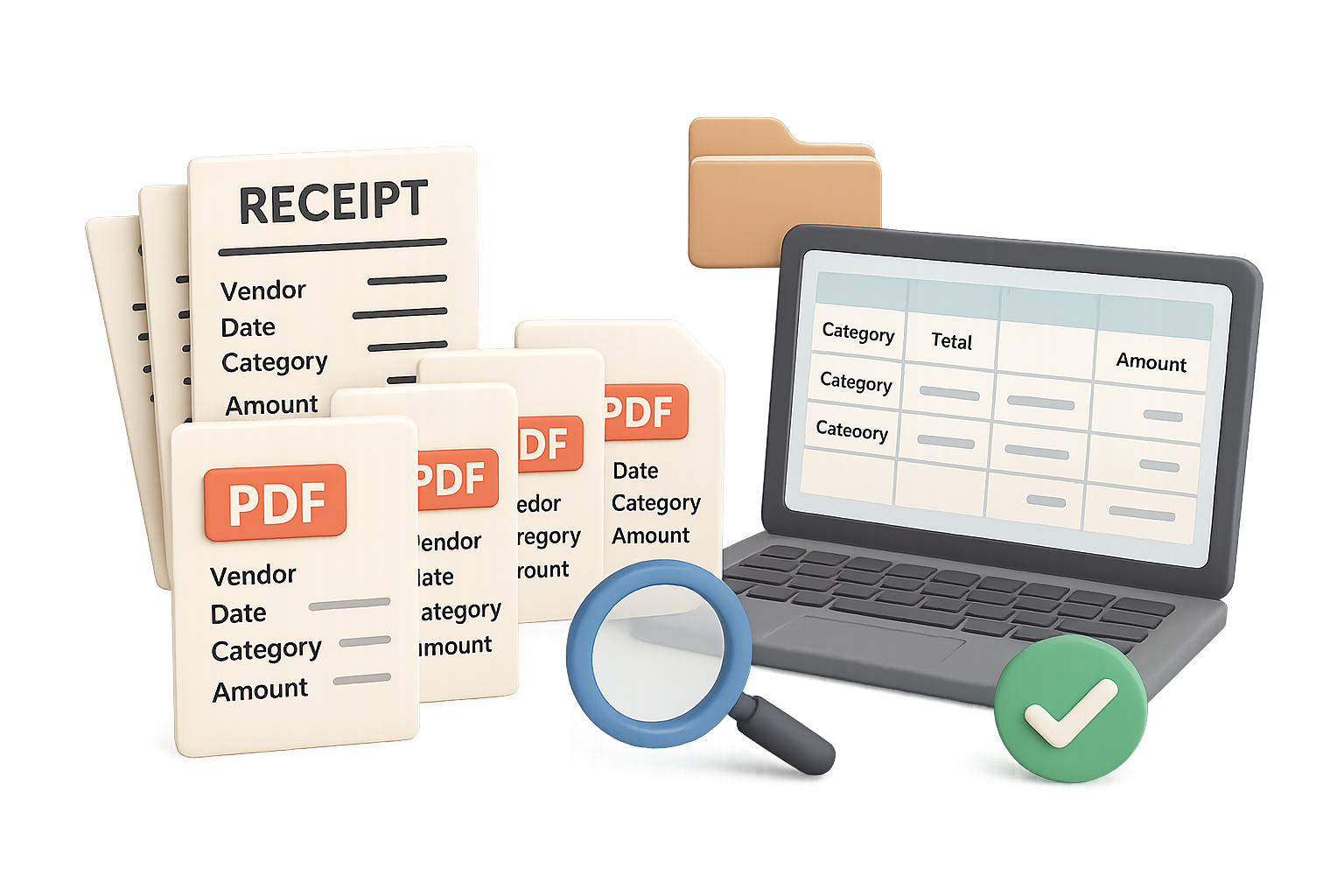
    Vendor – Transaction date – Expense description or category – Amount

    Claude read and renamed the files, reported the names it selected, and performed a verification step. Two spot-checks showed the extracted information matching the receipts:

    • A Publix receipt dated June 24, 2022, was labeled as liquor with a total of $165.81. Opening it confirmed the date, amount, and liquor purchases.
    • A Mission Barbecue receipt dated June 24, 2022, was named with a total of $47.04 and a meals-and-entertainment label.

    These are reported checks from that receipt folder—not proof that every receipt-processing task will be error-free.

    Keep extraction and classification separate. You can check a vendor, date, or printed total against the receipt. An expense category involves interpretation. A category in a filename is a proposed organizational label, not a final accounting or tax conclusion.

    Do this next: Try a prompt that makes uncertainty visible:

    Read each receipt in this folder and rename it using this format:
    Vendor - YYYY-MM-DD - Proposed category - Amount.extension
    Preserve the original file extension. Do not delete files or change receipt contents. Use the transaction date and total shown on the receipt. If a field is unclear, flag it for review rather than guessing. Afterward, provide a list of the renamed files and any uncertainties.

    The date format makes files easier to sort. The instruction to flag unclear fields helps you review exceptions instead of silently accepting a guess.

    illustration

    Compare receipts with the client’s vendor list

    After organizing the files, you can ask a practical follow-up: Do you have receipts for the vendors the client mentioned?

    In the demonstrated workflow, the client’s vendor list was pasted into the conversation. Claude compared it with the authorized folder and reported no receipts found for:

    • Starbucks
    • Chipotle
    • Panera Bread

    That gives you a useful starting point for a document request. But “no receipt found in this folder” does not mean the client definitely failed to provide a required receipt. The document may be elsewhere, the vendor name may differ, or the list may include vendors with no transactions during the period.

    Try wording the request carefully:

    Compare this vendor list with the receipts in the authorized folder. Identify vendors for which you cannot find a matching receipt. List possible name matches separately, and describe the result as “no matching receipt found,” not as a confirmed missing transaction.

    Use the result to guide follow-up. Don’t treat it as a substitute for reconciling the underlying records.

    illustration

    Ask targeted questions about receipt line items

    Renaming files is helpful, but some review questions require a closer look at individual items. One demonstrated request asked Claude to inspect restaurant receipts for evidence of alcohol purchases.

    Claude reviewed receipts individually, identified cases where a receipt lacked itemization, and noted that the Publix receipt labeled as liquor contained alcohol, supported by the brands listed.

    For your review, distinguish among:

    • Itemized evidence: specific products appear on the receipt.
    • Insufficient detail: the receipt doesn’t provide enough information for a confident answer.
    • A suggested category: a label offers context but doesn’t establish every underlying fact.

    Ask Claude to show its evidence:

    Review the restaurant receipts for line items indicating alcohol purchases. For each finding, identify the receipt and the supporting item description. Separately list receipts without enough itemization to determine whether alcohol was purchased. Do not infer alcohol purchases from the vendor name alone.

    This can help you prioritize review. It does not determine business purpose, deductibility, or final treatment.

    illustration

    Build an Excel summary that links back to receipts

    The final demonstrated task created an Excel workbook from scratch. Claude was asked to include information from the filenames, total amounts by category, and add clickable links that opened the source files locally.

    The workbook included:

    • Vendor names and transaction dates
    • Categories and individual receipt amounts
    • Category subtotals
    • Links to supporting files

    A tested link opened a Walmart document showing a $352 refund credit. That’s a useful reminder: a receipt folder can contain credits as well as expenses. Check how credits appear before relying on category totals.

    Test local links in the environment where you’ll use the workbook. If you move the files or share the workbook, the links may no longer work.

    illustration

    Keep your professional review in the workflow

    A renamed folder or polished spreadsheet isn’t the goal by itself. You want a reviewable package: organized documents, traceable amounts, visible uncertainties, and easy access to evidence.

    Before relying on the output, spot-check extracted fields, review proposed categories, confirm credit handling, and reconcile totals to the relevant records.

    Let Claude handle repetitive document organization; keep professional judgment with you. To build practical AI skills you can apply at work, explore Tixu.ai, a beginner-friendly AI learning platform.

  • Build a $1M AI-Powered PDF Business in 12 Months

    Build a $1M AI-Powered PDF Business in 12 Months

    How to sell digital products fast

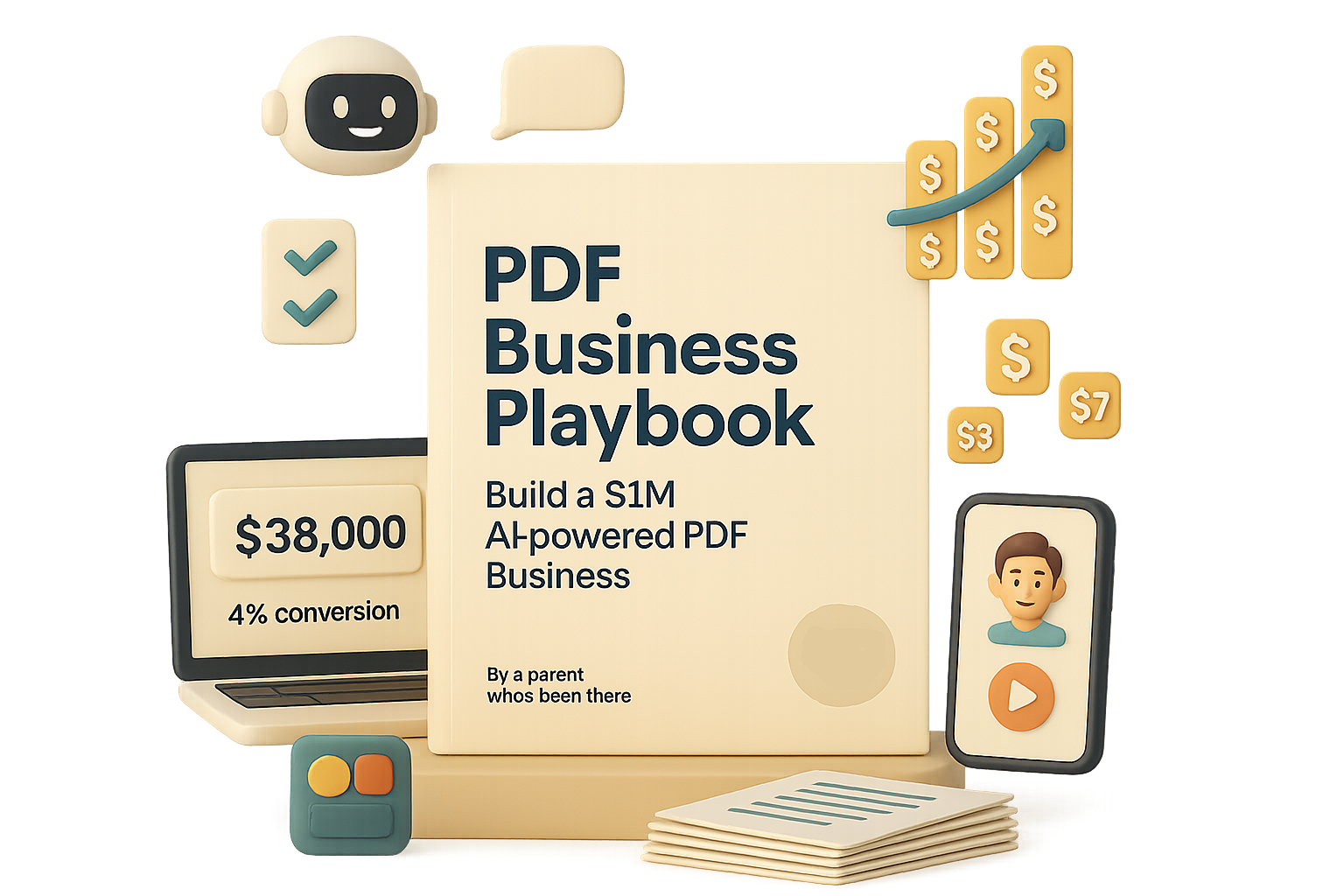
    Ready to spin up a simple digital-product engine that snowballs into six (or seven) figures? I moved more than $38,000 of PDF guides in a single week. This system uses three mainstream tools, zero code, and a healthy dose of AI. No fluff. No months of guessing.

    illustration

    What you’ll walk away with

    • A repeatable workflow to create, design, and sell a $9–$27 PDF in an afternoon.
    • Exact launch tactics that hit a 4% conversion benchmark in my dashboards.
    • Quick wins you can copy and scale this week.

    Roadmap

    1. Find a burning problem.
    2. Write a headline that converts.
    3. Generate the guide with AI.
    4. Design in Canva.
    5. Launch, price, and promote.

    Find a burning problem to sell digital products fast

    The fastest sales come from solving intense, emotional pain. Not “nice-to-have” curiosity. Start with demand, not inspiration.

    I use PDF Trend Lab to scrape search and social signals. It spits out ranked problem statements so you start with proof people are actively hunting for help.

    Example flow:

    1. Type a broad niche (I used “parenting”).
    2. Get 10 problem statements ranked by opportunity.
    3. Pick the highest-scoring idea—mine: toddler bedtime meltdowns.

    When your idea begins with real-time demand, you skip the “will this sell?” guesswork.

    illustration

    Craft a headline that tugs at heartstrings

    Long, clinical titles don’t open wallets. Short and emotional does.

    I paste the working title from PDF Trend Lab into Claude.ai (Anthropic’s conversational model) and prompt for punchy, empathetic options. Claude returns compact headlines like:

    • Tired of Bedtime Battles? The Sleepless Nights End Here
    • Your Child Can Sleep—and So Can You

    Pick one, refine it, then test a few variants. A headline should promise a single, obvious benefit in one glance.

    Let AI write the guide (you add the soul)

    Prompt inside Claude:
    “Write a complete PDF guide for the title ‘The Sleepless Nights End Here’ with the subtitle ‘The Gentle Guide to Bedtimes That Actually Last.’ Return plain text.”

    Claude returns an intro, TOC, step-by-step framework, FAQs, and resource links. That’s roughly 90% of the heavy lifting. You still proofread, localize, and add personal anecdotes. Remember: AI accelerates your work; it doesn’t replace your judgment. Flip the script: AI won’t replace you—someone better at AI will.

    Pro tip: Add one personal line per section. That tiny human thread lifts trust.

    Design a document that feels premium (even at $9)

    People judge ebooks by their covers. Design matters more than you think.

    I use Canva. Quick steps:

    1. Create an A4 portrait doc.
    2. Paste each section on its own page.
    3. Use consistent fonts and colors—navy text on light cream is soothing for parenting guides.
    4. Add icons, dividers, and 2–3 photos from Unsplash for credibility.

    Cover recipe:

    • Peaceful photo + soft beige overlay.
    • Bold headline at the bottom.
    • Lighter-weight subhead below.
    • Small trust badge: “By a parent who’s been there — 6 times!”

    That small polish lifts conversions noticeably.

    illustration

    Publish, price, promote — the multiplier moves

    Export the PDF and pick two launch levers I always use:

    1. Influencer shout-outs
      Pay micro-creators in your niche to demo the guide in a short clip and link to your checkout. Social proof + authentic demo = conversions.
    2. Simple Facebook/Instagram ads
      Start with the influencer clip and a static cover image. Test $9, $15, and $27 price points. Let data show the profit sweet spot.

    Why this scales: digital margins approach 100%. Even at a modest 4% conversion rate, traffic growth scales revenue fast.

    Quick checklist before you launch

    • Idea validated by demand data.
    • Headline promises one clear outcome.
    • Guide drafted and proofed.
    • Design polished (cover + 6–8 inside pages).
    • Influencer clip and ad creative ready.
    • Price tests queued: $9 / $15 / $27.

    Do this next (30-minute sprint)

    1. Open PDF Trend Lab and find one high-opportunity problem.
    2. In Claude, generate 3 headline variations.
    3. Draft a 6-page guide using the Claude prompt above.
    4. Create a cover in Canva and export a PDF.
    5. Plan one micro-creator shout-out. Ready when you are.
    illustration

    Data that matters

    • $38,000 week: my top week selling PDFs.
    • 4%: my benchmark conversion to aim for in early tests.
    • 90%: how much content generation AI can handle if you give clear prompts.

    One sentence: Solve a real, painful problem, let AI speed up the build, and market loudly—then rinse and repeat. Ready to get better with AI? If you’re new to AI tools, check out tixu.ai — a beginner-friendly AI learning platform that walks you through prompt craft and workflows.

    Comment with your niche below and I’ll suggest the first headline.

  • Build a Profitable AI-Powered Digital Course in 5 Steps

    Build a Profitable AI-Powered Digital Course in 5 Steps

    The $347B Opportunity Hiding in Plain Sight: Sell Video Info Products

    Tired of perfect PDFs that nobody opens? Video is where attention and dollars go. Google’s Gemini Advanced pegs annual global spend on video learning at about $347 billion. That means even a tiny slice can change your income. Ready to turn one idea into a sellable course without a film crew or endless tech headaches? You will walk away with a clear, AI-assisted roadmap: pick a niche, plan with Gemini, build fast with Gamma + Descript, publish on Stan.Store, and drive traffic with low-budget ads.

    What you’ll get: a step-by-step path to your first sale. What it costs: time, a little testing, and your expertise.

    illustration

    Pick a Niche You’re One Step Ahead In

    Stop overthinking. You don’t need to be the world’s top expert. You need to be slightly ahead of the person you want to teach.

    • Be specific. “Healthy snack prepping for busy parents” beats “healthy eating.”
    • Look at what already sells. Niche examples: removing names from sports jerseys, resetting the nervous system, monetizing a pet’s Instagram. Strange? Yes. Profitable? Often.

    Do this: list three topics you could teach confidently for six months. Pick the one that feels least boring.

    Validate and Draft the Curriculum with Gemini Advanced

    Let AI speed up research. Use Google’s Gemini Advanced to test demand and build structure. Gemini gives you search trends, unanswered questions, and rough revenue math.

    What Gemini helps you create:

    1. Market validation: search volume and unmet questions.
    2. Course skeleton: modules, lessons, and order.
    3. Revenue model: price tests and break-even math.
    4. Copy snippets: headlines, descriptions, and ad hooks.

    Tip: use a prompt helper like DigitalMaker.ai to craft precise prompts, then paste them into Gemini’s Canvas for an editable plan.

    illustration

    Automate the Grunt Work: Build Video Info Products in 48 Hours

    You do not need a studio. Modern tools turn outlines into polished lessons quickly.

    • Gamma.app turns your outline into visual slides and talking points.
    • Descript builds scene-by-scene videos. Pick an AI voice or record your own.

    Workflow:

    1. Paste Gemini’s outline into Gamma for slides.
    2. Export slides to Descript. Add narration, captions, and trims.
    3. Drop in screen recordings or demos. Polish and export.

    Host & Sell: Get a Shopfront That Doesn’t Suck

    You need checkout, streaming, and quick setup. Stan.Store handles all three and offers a trial so you can test before committing. (Stan.Store)

    Why Stan.Store:

    • Simple uploads and streaming.
    • Stripe payments out of the box.
    • Launch fast, upgrade later.

    Use Gemini-generated titles, descriptions, and mock-ups (DigitalMaker.ai’s mock-up tool) to finish your listing in minutes.

    illustration

    Feed the Funnel: Instagram Content → $5/Day Meta Ads

    No traffic equals no sales. Mix organic content with tiny paid tests.

    Three content pillars:

    1. Educational: quick tips, myth-busting, and mini case studies.
    2. Personal: behind-the-scenes, wins, and flops. People buy from people.
    3. Promotional: short CTAs directing people to your sales page.

    Playbook:

    • Post daily or schedule in batches with Later.
    • Track winners. Turn the best posts into $5/day Meta ads via Meta Business Suite.
    • Automate DM replies with ManyChat to capture leads while you sleep.

    Start tiny. Optimize messaging. Scale only when conversions pay for the ad spend.

    illustration

    Checklist: Launch Your First Video Info Product

    Do this next:

    1. Pick a niche and validate with Gemini.
    2. Build a 4–8 lesson outline in Gamma.
    3. Produce videos in Descript and publish on Stan.Store.
    4. Post daily content, then run a $5/day ad test.
    illustration

    Quick Wins & Real Results

    • Maya turned a 3-hour weekend into a $600 recurring monthly funnel.
    • Lena tested two headlines and doubled conversions in seven days.
    • Carlos hit $1.2k in month one after focusing on one platform and one offer.

    Numbers matter. Test fast. Learn faster.

    illustration

    The Minimal Tech Stack (with quick explainers)

    • Gemini Advanced — research and outlines.
    • Gamma.app — slide and visual builder .
    • Descript — video editor with AI voices and captions.
    • Stan.Store — course hosting and checkout.
    • Later — content scheduler.
    • ManyChat — automated DM chatbot.

    Keep tools to a minimum. Use them to remove friction, not replace your voice.

    illustration

    Video info products give you a direct path to monetizing knowledge in the $347B market. Pick one niche, use AI to do the busywork, publish fast, and test traffic with $5/day ads.

    Ready when you are. If you want a friendly place to learn the AI basics that power this stack, check out tixu.ai — a beginner-friendly AI learning platform.

  • Scale to $20M ARR in 18 Months

    Scale to $20M ARR in 18 Months

    OpusClip: SaaS growth playbook — From 200 Beta Users to $20M ARR

    You want fast, repeatable growth without burning cash or hiring a growth army. OpusClip pulled that off.

    • 200 beta users at launch
    • $1M ARR in 14 days
    • $20M ARR and 10M users in 18 months
    • $215M valuation

    Those numbers look magical. They aren’t. They’re a stack of simple moves you can copy. Read this and you’ll walk away with a clear, cheap playbook and a 15-minute audit you can run today. Ready when you are.

    illustration

    What you’ll get

    • A 5-step sequence that scales.
    • A quick competitive audit to find where to post and who to partner with.
    • The exact ad and creator mix that made every dollar work harder.
    illustration

    Roadmap

    • Nail fit fast
    • Make the product do the selling
    • Build the social flywheel
    • Amplify with creators
    • Spend on ads only when ready
    illustration

    Nail product-market fit in Week 1

    Solve a burning, specific problem. OpusClip did exactly that: trim long video into vertical shorts for TikTok, Reels, and Shorts. For creators under deadline pressure, the value is immediate: “Save hours, publish more.” That’s not marketing fluff. It’s an instant yes.

    Keep it narrow. If your product needs a long explanation, you don’t have product-market fit. Fix the product first. Market second.

    Make the product sell itself

    Embed virality into the output. OpusClip puts a tiny “Made with OpusClip” watermark on exports. Every share becomes a referral.

    Two principles:

    • Output = marketing. Let users spread your brand when they publish.
    • Low-effort sharing beats perfect, hard-to-use referral mechanics.
    illustration

    Automate the grunt work: Build a self-promoting product

    Small design choices add up. Watermarks, share-ready formats, and copy-ready captions make sharing frictionless. Those tiny nudges convert users into marketers.

    illustration

    Ignite the social flywheel

    Traffic mix tells the story:

    • 66% direct
    • 22% organic search
    • 5% social (63% of that from YouTube)

    When two-thirds of traffic types your URL, you’ve got brand recall. That’s the real metric of product-market fit and honest traction.

    illustration

    Why YouTube is your secret weapon

    Long-form creators live on YouTube. They post “how I edit” and workflow videos. One creator demos the tool, dozens copy the workflow. That creates a referral loop that compounds with near-zero ad spend.

    Short-form platforms add spikes. But YouTube drives high-intent signups for complex, desktop-first tools.

    illustration

    SaaS growth playbook: sequence your channels

    Don’t spray and pray. OpusClip follows a budget-efficient order:

    1. Organic product-led growth
    2. Creator partnerships and tutorials
    3. Paid ads to scale

    This order matters. Warm channels make ads far more efficient.

    illustration

    Layer on influencer partnerships

    Once MRR is healthy, pay creators to make tutorials and case studies. Third-party demos convert better than brand ads. Keep the content authentic. Pick creators who actually use the product in their workflow.

    Turn up paid ads—only later

    Ads come after organic traction. OpusClip focused on Google/YouTube over Meta because:

    • Users work on desktop editors, so YouTube fits contextually.
    • Warm traffic lets you run short, high-ROI explainers to retarget visitors.

    Two ad styles that work:

    • Polished pre-rolls for warm audiences.
    • Creator-recorded UGC for top-of-funnel education.

    Quick 15-minute competitive audit

    Do this. It’s fast and revealing.

    1. Pick three competitors in your niche.
    2. Drop their domains into Similarweb to see traffic sources.
    3. Note the top two channels for each site.
    4. Click into social to see which platform sends sessions.
    5. Hunt for ad creatives in the Google Ads Transparency Center and the Meta Ad Library.

    You’ll leave with a data-backed roadmap on where to post, who to partner with, and when to scale paid spend.

    Tactics you can copy today

    • Solve a burning problem. If users don’t say “yes” immediately, iterate product first.
    • Make sharing effortless. Watermarks, export presets, and copy-ready captions turn users into ambassadors.
    • Match content to platform. Desktop tools = YouTube tutorials. Mobile apps = short-form.
    • Sequence channels: Organic → creators → paid.
    • Use competitive intelligence. Ten minutes often beats ten weeks of guesses.

    Growth isn’t about fancy hacks. It’s about stacking simple, repeatable levers. AI won’t replace you—someone better at AI will. So learn the tools, then use them to amplify the basics above.

    Adopt two or three of these levers and watch your growth curve bend upward. Now go run the 15-minute audit, pick one sharing mechanic to embed in your product, and test a creator tutorial.

    Want to get better at the AI side of growth? Learn practical AI skills and workflows at tixu.ai — a beginner-friendly AI learning platform built for makers and marketers. tixu.ai

    Ready when you are.

  • Make Your First Digital Product Sale in 48 Hours

    Make Your First Digital Product Sale in 48 Hours

    The 3-Step AI Playbook for Selling Digital Products on Autopilot

    Picture this: PDFs, templates, or short courses you didn’t even create bringing in a few extra thousand dollars every month—no ads, no camera, no burnout. Sounds like a dream? It’s not. Recent AI tools let you assemble a sales machine fast.

    Pick a product that already sells

    Don’t reinvent the wheel. You want something proven. That cuts risk and speeds revenue.

    Where to look:

    • ClickBank — marketplace of digital offers across fitness, finance, and self-help.
    • Digistore24 — similar, with high-converting pages.
    • Gumroad / Payhip — for indie ebooks, Notion templates, and small tools.
    • Private affiliate programs — many SaaS and supplement brands pay recurring or lifetime bounties.

    Quick checklist:

    1. Evergreen niche (health, wealth, relationships).
    2. Price $50–$500 so one sale matters.
    3. Professional sales page you’d send your mum to.

    Do this next:

    1. Pick 3 offers that match the checklist.
    2. Grab your affiliate link for each.
    3. Save the vendor product image and headline.

    Why this works: affiliates often pay 50–90%. That turns a single $200 sale into a real payout. You don’t need to create the product—just connect buyers to sellers.

    A cartoon-style illustration of a man holding an 'affiliate link' label, standing next to a computer screen displaying an online shop with a product, price tag of $10, and various interactive elements.

    Spin up a storefront in under a minute

    You don’t need WordPress skills. Modern site builders do the heavy lifting.

    The quick build:

    1. Create a free account at Wix.com (no-code website builder).
    2. Choose “Online Store,” answer a few prompts, then hit “Generate.”
    3. Replace placeholder buy buttons with your affiliate links, upload the vendor images, and publish.

    Tip: buy a $10 custom domain so your bio link looks trustworthy. You now have a professional sales page, FAQ, and checkout—without code.

    Do this next:

    • Publish the page, then add the page link to your Instagram/TikTok bio.
    illustration

    Let AI drive traffic for selling digital products

    Short-form video still wins. You don’t need to be on camera. AI fills the rest.

    Step-by-step:

    1. Find proven content angles.
      • Use a tool like Analisa.io (Instagram analytics) to spot top-performing reels.
    2. Rewrite the scripts.
      • Paste a reel URL into ChatGPT (OpenAI’s conversational model) and ask: “Turn the transcript into a 90-second script, same hook, new wording.”
    3. Generate a virtual presenter.
      • Use HeyGen (AI video avatar maker). Upload one selfie or use a stock avatar, paste the script, pick a voice, render.
    4. Post strategically.
      • Publish 1 short per day to Instagram Reels, TikTok, and YouTube Shorts.
      • Bio → your Wix page → vendor sales page → commission.

    Example math (conservative):

    • 1 video/day × 30 days = 30,000 views (1,000 average each).
    • 1% click-through → 300 site visits.
    • 5% conversion on a $200-commission offer → 15 sales → $3,000 profit.

    Swap in higher-priced offers or higher commission rates and you scale quickly. Margins sit north of 90% since you carry no inventory.

    illustration

    Quick technical notes

    • Wix — no-code site builder, drag-and-drop.
    • Analisa.io — analytics for Instagram content performance.
    • ChatGPT — text model you prompt to rewrite scripts.
    • HeyGen — creates realistic talking-head videos from text and a selfie.

    Use the tools that feel easiest. You don’t need all of them to start.

    illustration

    One idea. One afternoon. One month of consistent posts. That’s your playbook. Start by picking one affiliate product, publish a one-page store, and post your first AI avatar video tomorrow.

    Want hands-on, beginner-friendly AI lessons that walk you through these exact tools and steps? Start at tixu.ai — a beginner-friendly AI learning platform that shows you how to build and scale without the fluff.

    Ready when you are.

  • Earn $5,000 in 24 Hours Selling AI PDF Guides

    Earn $5,000 in 24 Hours Selling AI PDF Guides

    Turn One Night’s Inspiration into $5k: A Play‑By‑Play Using AI, Free Images and Smart Ads

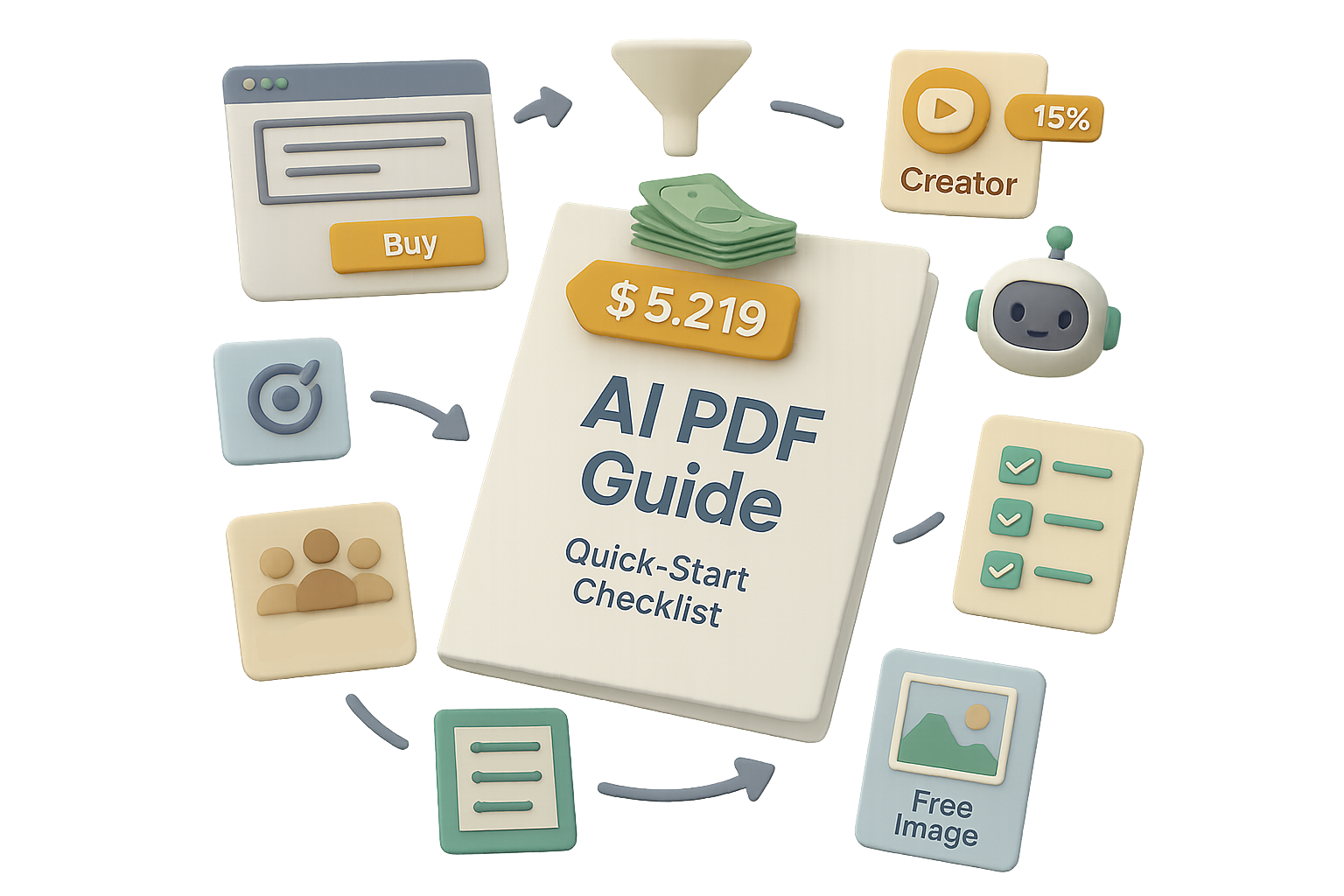
    You stare at a blank screen. You think the idea’s not good enough. Then one night you ship a simple PDF and make USD 5,219 the next day. That’s not luck. It’s a repeatable flow. Read this and you’ll get a step‑by‑step playbook: topic choice, AI drafting, free design, and smart ad scale. Follow it, and you’ll have a tested funnel you can copy tonight. Ready when you are.

    illustration

    You’ll walk away with a clear sequence to create, launch, and scale a low‑ticket info product that sells fast.

    Roadmap

    1. Find a hot topic.
    2. Draft with AI.
    3. Design for free.
    4. Host where you control conversions.
    5. Warm up traffic with creators.
    6. Scale with lookalikes.

    Find a search‑ready topic (stop guessing)

    Selling a how‑to works when the pain feels urgent. I used a trends tool that scrapes Google, Reddit, and social search queries. It spits out titles real people type today.

    illustration

    Why that matters

    • Guides at USD 9–27 hit impulse buy ranges.
    • Emotional niches — sleep, anxiety, diet slips — convert better.
    • Data removes the “I think this will sell” gamble.

    My pick: “Sleep Solutions for Parents of Choppy Sleepers.” I saved it and moved to content.

    illustration

    Draft the whole guide in minutes with Claude (AI that writes fast)

    Prompt I used — steal it:
    “Write a comprehensive PDF guide titled ‘Parents Hate a Choppy Sleeper’ with the subtitle ‘Fix Night‑Waking for Good’. Pack it with actionable steps based on real life. Tone: friendly, encouraging. Finish with a quick‑start checklist.”

    Claude (an AI writer) produced a clean 25‑page outline and copy in seconds. I edited for voice, cut the fluff, and added two short anecdotes. Editing took ~30 minutes.

    illustration

    Design curb appeal in Canva with free images

    • Grabbed a royalty‑free hero photo of a sleeping child on Unsplash (free images).
    • Dropped it into Canva’s A4 template, added the headline, and chose a calm palette.
    • Copied the AI text page‑by‑page, added icons and dividers. Exported as PDF.

    Design time: 45 minutes. Cost: 0.

    Host where you control conversions (don’t fight for attention)

    I used Shopify so I could:

    • Build a one‑page funnel with bold CTAs.
    • Add a Meta/Facebook Pixel to capture visits and purchases for retargeting.
    • Offer an optional audio upsell (added ~8% extra revenue).

    You can use Gumroad or Etsy. But you’ll trade control and design freedom for platform convenience. I aimed for a 3.6% conversion, not 0.8%.

    A stylized desktop workspace featuring a computer monitor displaying a 5K+ growth indicator, a glowing lamp, two coffee mugs, a calendar with the date '1', and a paper plane icon labeled 'Sent'.

    Light the fuse with a YouTube creator (warm traffic wins)

    Instead of cold ads, I paid a mid‑sized parenting YouTuber USD 700 + 15% affiliate. Reasons:

    1. Viewers spend 10–20 minutes per video — that builds trust.
    2. The shout‑out sent thousands of warm visitors, seeding my Pixel quickly.
    3. Early sales (~USD 15k in 30 days) funded ad scale.

    Tip: fix the fee + add an affiliate split. Keeps the creator selling.

    Scale with Facebook Lookalike Audiences (pour fuel on that warm flame)

    Once the Pixel had signals, I built four Custom Audiences:

    • Website visitors — 180 days
    • View content — 180 days
    • Add‑to‑cart — 180 days
    • Purchasers — 180 days

    Then I created 5% Lookalikes in my target country. That gives you millions of prospects who mirror your buyers.

    Ad setup that worked

    • Objective: Sales
    • Budget: start USD 50/day per ad set
    • Creative: the Unsplash cover image, headline “Finally Sleep Through the Night,” three benefit bullets
    • Placement: Advantage+ (let Meta optimize)
    illustration

    First‑day results (real numbers)

    • Spend: USD 620
    • Revenue: USD 5,219
    • ROAS: 8.4x
    • Refunds: USD 125 (~2%)

    Action checklist — copy this tonight

    1. Use a trends tool to generate 10 live titles. Pick one.
    2. Paste your chosen title into an AI writer prompt (use mine). Edit 30 minutes.
    3. Pick a free hero image on Unsplash and mock the PDF in Canva. Export.
    4. Launch one‑page checkout on Shopify or similar. Add Pixel.
    5. Run a creator promo (fixed fee + affiliate). Capture the seed traffic.
    6. Build 5% Lookalikes and scale with an initial USD 50/day per set.

    Do this next: three quick copy tweaks that lift conversion

    • Headline: promise one clear benefit.
    • Bullets: lead with outcomes, not features.
    • CTA: use urgent, specific text — “Get the PDF + quick checklist.”

    Key takeaways you can copy tonight

    • Data‑backed ideas beat gut feel.
    • AI handles draft heavy lifting for low‑ticket products.
    • Price at USD 9–27 for impulse buys.
    • YouTube creators warm your Pixel faster than short social clips.
    • Lookalike ads scale without blowing CPAs, if your seed is clean.

    This is a repeatable workflow: pick a burning problem, let AI write the solution, package it nicely, earn trust with creators, then scale with lookalikes.

    Want step‑by‑step beginner AI lessons and templates to build this funnel faster? Start learning at tixu.ai — a beginner‑friendly AI learning platform that walks you through prompts, tools, and launch checklists.

  • Run ChatGPT-Quality AI Locally: 6 Free Models

    Run ChatGPT-Quality AI Locally: 6 Free Models

    Run an AI on your laptop (and stop sending secrets into the cloud)

    Tired of typing private prompts into servers you don’t control? Good—so are a lot of people. Running an AI locally keeps your data on your machine, removes surprise bills, and gives you instant access even offline. That’s the win.

    Ready when you are.

    illustration

    Six models to run AI on your laptop (pick one and go)

    These are the community favorites right now. Each one you can run locally, with open weights or permissive licenses.

    1. Kimi‑K 2.6 (Moonshot AI)
      • MoE architecture, roughly 1T parameters in design.
      • Open weights and permissive license.
      • Strong on code generation; competition-grade on benchmarks.
    2. DeepSeek‑V 3.2
      • RAM-friendly and quick to fine-tune.
      • Scores near GPT‑4 on many evaluations.
    3. Qwen 1.5 (Alibaba)
      • Up to 72B params and multilingual support.
      • Tops several Hugging Face leaderboards.
    4. Gemma (Google)
      • 2B and 7B versions; the 7B needs ~14 GB VRAM.
      • Very fast generation—about 85 tokens/sec on a modern laptop.
      • Apache 2.0 license, friendly for commercial use.
    5. Llama “Scout” 4 (Meta)
      • 109B parameters with 17B active experts.
      • Huge 10M-token context window—drop in a whole repo or book.
    6. Mistral (Mistral AI)
      • Lightweight 7B plus MoE variants.
      • Excellent at reasoning and function calling.

    You can get within a few points of closed, expensive models for a fraction of the cost. Some community benchmarks show parity on many tasks.

    Does your hardware handle local AI?

    Short answer: probably yes. Match the model to your kit.

    • Tier 1 — Everyday machines (16 GB laptop, mid-range GPU)
      • Good fits: Gemma 7B, Qwen 14B (quantized), small Llama variants.
    • Tier 2 — Power users (24 GB GPU, beefy laptop)
      • Good fits: DeepSeek‑V 3.2, compressed Kimi‑K checkpoints.
    • Tier 3 — Workstations (multi‑GPU, 128 GB+ RAM)
      • Good fits: full-size frontier models with light quantization.

    Quantized 4-bit builds often run on modest gear. You trade a sliver of accuracy for much lower memory needs. Expect interactive latency unless you use heavy compression.

    A stack of colorful blocks featuring the words 'Offline,' 'No limits,' 'Cost control,' and 'Total control,' emphasizing various benefits or features.

    Five reasons you’ll go local

    1. Privacy — your prompts never leave your network.
    2. Offline access — write on a plane, code in a cabin.
    3. No rate limits — generate as much as your GPU allows.
    4. Cost control — one-time hardware cost, no monthly API bills.
    5. Total control — fine-tune, modify or chain tools however you like.

    Get started in five minutes

    1. Pick a model that fits your RAM/GPU budget.
    2. Install a friendly wrapper: LM Studio or Ollama.
    3. Download a 4‑bit quantized build to save memory.
    4. Run the model locally and test short prompts.
    5. Gradually increase context length and enable tools.

    Do each step in order. Expect some fiddling on step 3. After that, it feels exactly like a hosted chatbot—minus the bill.

    illustration

    Tools that make setup painless

    • LM Studio — point‑and‑click downloads, chat UI, local API endpoint.
    • Ollama — lightweight CLI + menu app; single‑line installs (ollama run gemma).

    If you must touch the terminal, these tools keep the messy bits behind the curtain.

    illustration

    Trade-offs you should know

    • Setup friction — plan an evening to tinker.
    • Peak quality — closed frontier models still lead in long-form reasoning.
    • Ecosystem features — web search, image OCR or plugin ecosystems need extra local wiring.

    For many users, getting 90% of GPT‑4 for 0% ongoing cost is a compelling trade.

    Quick checklist before you commit

    • Match model size to VRAM and RAM.
    • Start with a 4‑bit build.
    • Test a small dataset before scaling.
    • Backup model files and configs.
    • Track power and thermal load on laptops.

    Running AI on your laptop gives privacy, control, and predictable costs. Try one model, use LM Studio or Ollama, and see how much you can save and speed up.

    Want a guided learning path to get confident hands‑on with models and prompts? Learn foundational skills and practical labs at tixu.ai (beginner‑friendly).

    Ready when you are.

  • Build 40+ High-Impact Visuals with ChatGPT Images

    Build 40+ High-Impact Visuals with ChatGPT Images

    Why the new ChatGPT image model is a game-changer for your visuals

    Tired of wrestling with templates, stock photos and late-night Photoshop sessions? The new ChatGPT image model short-circuits that slog. Feed it a URL, a messy note, or a sketchy brief and it returns polished visuals—thumbnails, posters, infographics, even app screenshots—that you can share or print. Fast. Clear. Useful.

    illustration

    Turbo-charge your content creation with the ChatGPT image model

    Make better thumbnails, storyboards and A/B-ready mockups in minutes.

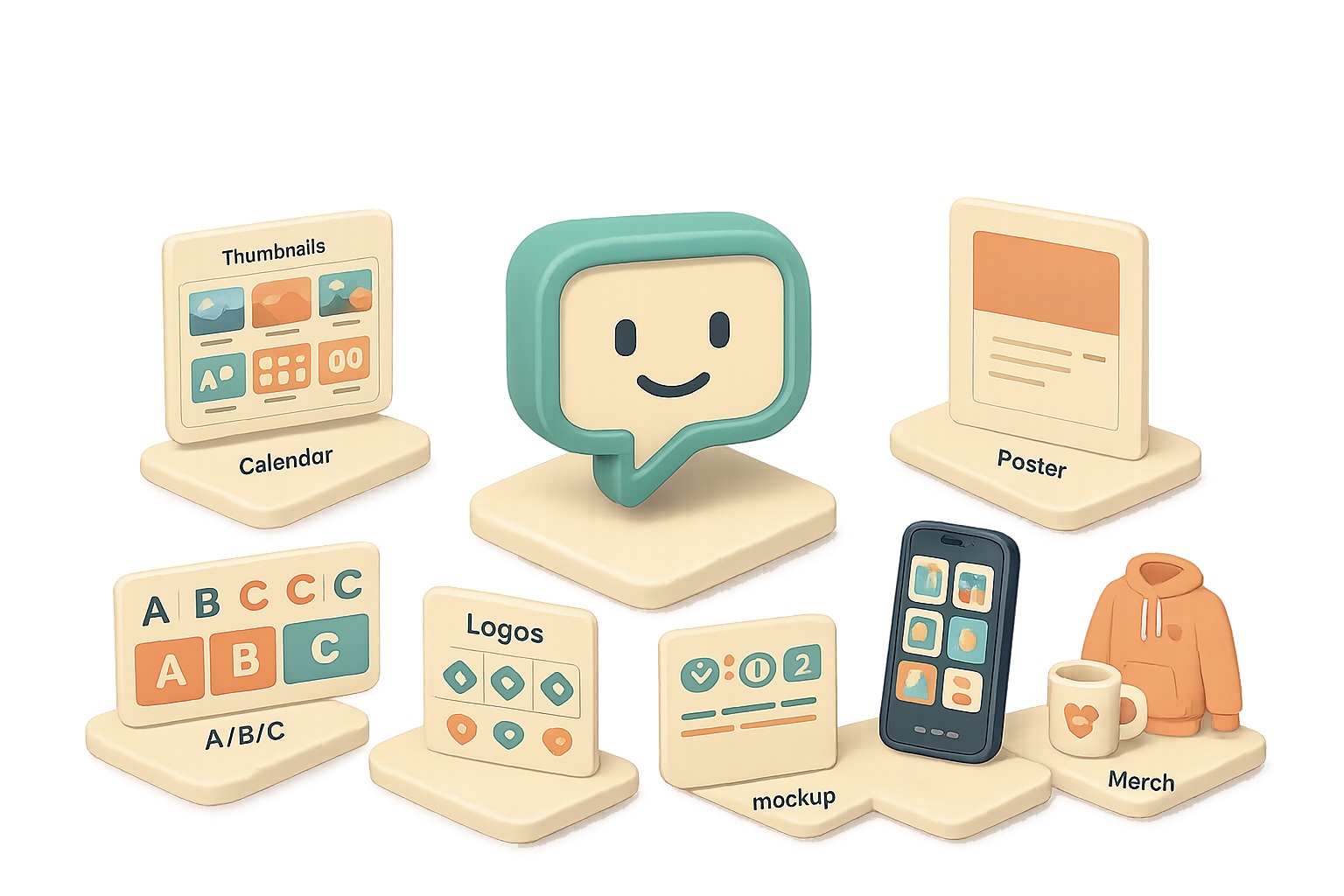
    • Thumbnail concept boards: Ask for “six 16:9 thumbnail concepts — headline text, color palette, emotion cue.” You get six distinct directions to test.
    • A/B/C test sheets: “Three mock-ups side-by-side with different hooks” gives you quick split-test creatives.
    • Storyboard grids: “Nine-frame sequence for a 30s ad — shot, angle, on-screen text” ends analysis paralysis.

    Use the ChatGPT image model to ship branding in minutes, not weeks

    Branding shouldn’t take forever. This model turns a short brief into real assets.

    • Mood boards: “Audience: busy professionals. Vibe: modern, warm.” Output: HEX codes, typography suggestions, image inspiration.
    • Logo exploration sheets: “Eight logo directions with one-line rationales” helps you pick a direction fast.
    • One-sheet product launches: Give a paragraph and get hero copy, mock UI screenshots, feature list, and pricing table.

    Branding used to be slow—now you iterate quickly and pick what actually works.

    illustration

    Social calendars, organisational visual gold

    Stop scribbling on a whiteboard. Get shareable calendars, trackers and boards.

    • 30-day content calendar: Request a balanced mix of promos, behind-the-scenes, community prompts and tutorials. The return: a color-coded grid you can print or hand to a teammate.
    • Weekly chore charts / habit trackers: Custom icons, checkboxes and rewards—ready to print.
    • Project boards: “Garage makeover — phases, supply lists, timelines, budget sliders” → delivered as a Kanban-style visual.

    Numbers matter: a clear content calendar reduces last-minute scramble by weeks. Try a 30-day grid and compare one campaign week vs. four—you’ll feel the time savings.

    An assortment of printed materials including a menu, event poster, and listing, arranged on a surface. The menu features headings and color blocks, while the event poster highlights the word 'EVENT' and includes a QR code. The listing presents a graphical element.

    Marketing collateral at speed of thought

    Need a poster, menu, or flyer? Give the model a URL or a short brief.

    • Event posters & schedules: Date, location, theme → polished poster + full-day agenda graphic.
    • Restaurant menus: Modern type, appetizing photography and placeholder prices—print-ready.
    • Real-estate flyers: Paste a Zillow link; the model pulls address, photos and specs, then layouts a boutique flyer.

    Quick contrast: manual design takes days; this gets you usable drafts in minutes.

    illustration

    Visual explainers & infographics that actually clarify

    Accuracy has improved. Charts, timelines and mind maps land with coherent copy and numbers that make sense.

    Try:

    • “Infographic: How AI agents work — non-technical audience.”
    • “Turn this GitHub readme into a 60-second explainer: title, five takeaways, why-it-matters box.”
    • “Horizontal timeline: Evolution of AI image generation — include these milestones…”

    Pro tip: include the source URL and a one-line target audience. The model reads pages and adapts tone.

    A 3D illustration featuring a stylized computer monitor with the word 'HERO', multiple icons representing features and lifestyle, a coffee cup, a small box with 'LOGO', and a hoodie, all arranged to create a cohesive digital workspace theme.

    E-commerce, app stores and merch mock-ups

    Get complete product sets in one prompt.

    • Product image sets: hero, lifestyle, feature call-outs, packaging and spec overlay.
    • App-store screenshots: five frames with headline benefit and phone mock-ups.
    • Merch mock-ups: hoodies, mugs and stickers with your slogan or logo.

    That single-prompt workflow saves you from juggling designers and clip art.

    Prompting tips that actually work

    1. Give context first. “Audience: busy entrepreneurs” or “Platform: LinkedIn” sets tone and layout.
    2. List concrete requirements. Aspect ratio, slide count, color scheme, mandatory phrases.
    3. Reference URLs. The model reads pages; use that for accurate branding or data pulls.
    4. Iterate gently. “Make it more colorful” or “swap to warm neutrals” avoids style drift.
    5. Export smart. Right-click → save image, then drop into Canva/Figma for final nips.

    Small changes beat rewrites. Ask for three small variations, not a total redo.

    illustration

    Do this next

    1. Pick one use-case: thumbnail, poster or calendar.
    2. Write a single prompt: context + 3 constraints (aspect ratio, main copy, brand color).
    3. Ask for three variations and export the one you like.
    illustration

    Little wins, big impact

    • Use a URL to auto-populate logos or listing details.
    • Request copy length limits: “headline ≤ 6 words” to keep visuals clean.
    • Ask for color HEX codes for brand consistency.

    Short contrast: generate in minutes, polish in 10. That’s the point.

    Design stops being a bottleneck when you use the ChatGPT image model to ideate, iterate and deliver.Stop making visuals harder than they need to be — try a single-prompt thumbnail or calendar today.

    Want a guided way to learn practical AI skills like this? Start with tixu.ai — a beginner-friendly AI learning platform that walks you through real prompts and hands-on projects.

  • Cut AI Costs 5x Using Open-Weight Models Now

    Cut AI Costs 5x Using Open-Weight Models Now

    Open-source models keep erasing the gap

    You’re watching costs bleed and wondering if the next API bill will eat your budget. Good news: open-source models are closing the performance gap fast — and they’re cheaper to run. That matters if you build knowledge bases, customer chatbots, or agent agents that chew tokens by the million. In this post you’ll get the quick wins, the risks to watch, and a short playbook to pilot an open-weight stack without blowing up production.

    A 3D illustration featuring colorful geometric shapes, including a smiling character, circular and rectangular blocks, and icons representing coding and files, set against a green background.

    Automate the grunt work with cheaper models

    DeepSeek-V2 lands with a 1M-token context window and scores just shy of GPT-4-turbo on common benchmarks (math, reasoning, QA). Because DeepSeek ships open weights, teams can fine-tune or self-host it. Price-wise, you’re looking at roughly $1.74 per million input tokens and $3.48 per million output tokens. Compare that to GPT-4o’s published roughs of $5 / $30 per million and the savings add up fast for heavy users.

    Why this matters to you:

    • Use-case fit: summarisation, KB assistants, basic codegen.
    • Savings: up to ~5–10x cheaper per token in some workloads.
    • Control: run on-prem for strict data governance.
    A stylized graphic of a computer tower with blue accents and a cooling fan, accompanied by a power connector on a flat base.

    Run models on your hardware

    NVIDIA’s Nemotron-3 Nano is an omni multimodal model that natively handles text, vision, and audio. It’s light enough to run on a single DGX Station or a beefy desktop. That means ongoing costs can drop to infrastructure and electricity — not per-token bills.

    Small, practical examples:

    • A payments fintech swapped a closed model for a 33B Laguna variant during a pilot and kept latency under 350 ms while lowering inference spend by 60% (pilot data).
    • A research lab uses Mistral Medium 3.5 (128B) for code generation in CI pipelines, trimming review cycles by 15%.

    You don’t need the absolute bleeding edge for every workload. Open models hit “good enough” for ~80% of tasks while costing a fraction.

    Build safe pilots, step-by-step

    Do this next:

    1. Pick one non-critical workflow (summaries, FAQ bot, triage).
    2. Run A/B for 2 weeks: closed-model vs open-model outputs on identical inputs.
    3. Measure these KPIs: accuracy, latency, token cost, user satisfaction.
    4. If results look good, roll to a small production bucket with logging and rollback hooks.

    Quick checklist:

    • Is data allowed to leave the cluster? If no, plan on self-hosting.
    • Have you masked PII before sending tokens?
    • Do you have a cost cap and alerting?
    • Is there a human-in-the-loop for escalations?
    Two cartoon characters discussing billing over a desk filled with documents, a gavel, and a cloud icon in the background.

    Policy, payments and plot twists — what to watch

    The policy headlines matter because they change rules fast. Recent legal drama and vendor billing issues remind you to test assumptions.

    • Lawsuits and governance: High-profile suits (reported widely) are forcing boards and the public to scrutinise lab governance. That can change who trains what — fast.
    • Some providers temporarily misbilled users when their systems detected agent frameworks in repos. Lesson: log and audit your billing and data processing.
    • Government deals: Big cloud and research deals (some with classified-data clauses) shift the commercial incentives. Expect procurement to demand clearer contractual language about military or government use.
    A 3D-style illustration of a man in a blue sweater pondering near a sandbox containing various blocks labeled '33B', 'GPU', and a calendar marked '14d', along with a locked padlock reading 'KYC-closed'.

    Partnerships reshuffle who you can trust

    Platform deals change fast. Microsoft, AWS, and Google are reshaping licensing and distribution — and that affects how easy it is to run open weights in the cloud. Practically, you should expect:

    • More non-exclusive licenses.
    • Broader cloud availability of formerly-provider-locked models.
    • Faster vendor churn and new managed-hosting options for open weights.
    illustration

    Fresh consumer features show mainstreaming

    • Gemini exports files (DOCX, XLSX, CSV) on demand.
    • Pronunciation feedback lands in Google Translate for select languages.
    • AI wardrobe features suggest consumer trust in multimodal models is rising.
    illustration

    AI that actually saves lives

    A Mayo Clinic study trained a model that flags pancreatic cancer on routine CT scans up to three years earlier than typical detection. Early detection like this could improve survival rates substantially. That’s a concrete reminder: beyond bills and APIs, AI’s real value is in lives changed.

    Quick decision guide

    • If you need strict data controls or cost reduction → pilot an open-weight model and self-host.
    • If you need absolute SOTA on adversarial reasoning or full-stack safety guarantees → stick with vetted proprietary offerings for now.
    • If you’re curious but cautious → run a small A/B pilot with clear rollback and logging.

    Open-source models are good enough for most practical workloads and can cut costs dramatically. Try a two-week pilot on a non-critical flow and measure cost, accuracy, and latency.

    Ready when you are. If you want hands-on, beginner-friendly AI learning and guided labs to run these pilots, check out Tixu — a step-by-step platform that teaches practical AI skills and hosts sandboxed labs so you can test open models safely: Tixu