Author: Pavel

  • Run ChatGPT-Quality AI Locally: 6 Free Models

    Run ChatGPT-Quality AI Locally: 6 Free Models

    Run an AI on your laptop (and stop sending secrets into the cloud)

    Tired of typing private prompts into servers you don’t control? Good—so are a lot of people. Running an AI locally keeps your data on your machine, removes surprise bills, and gives you instant access even offline. That’s the win.

    Ready when you are.

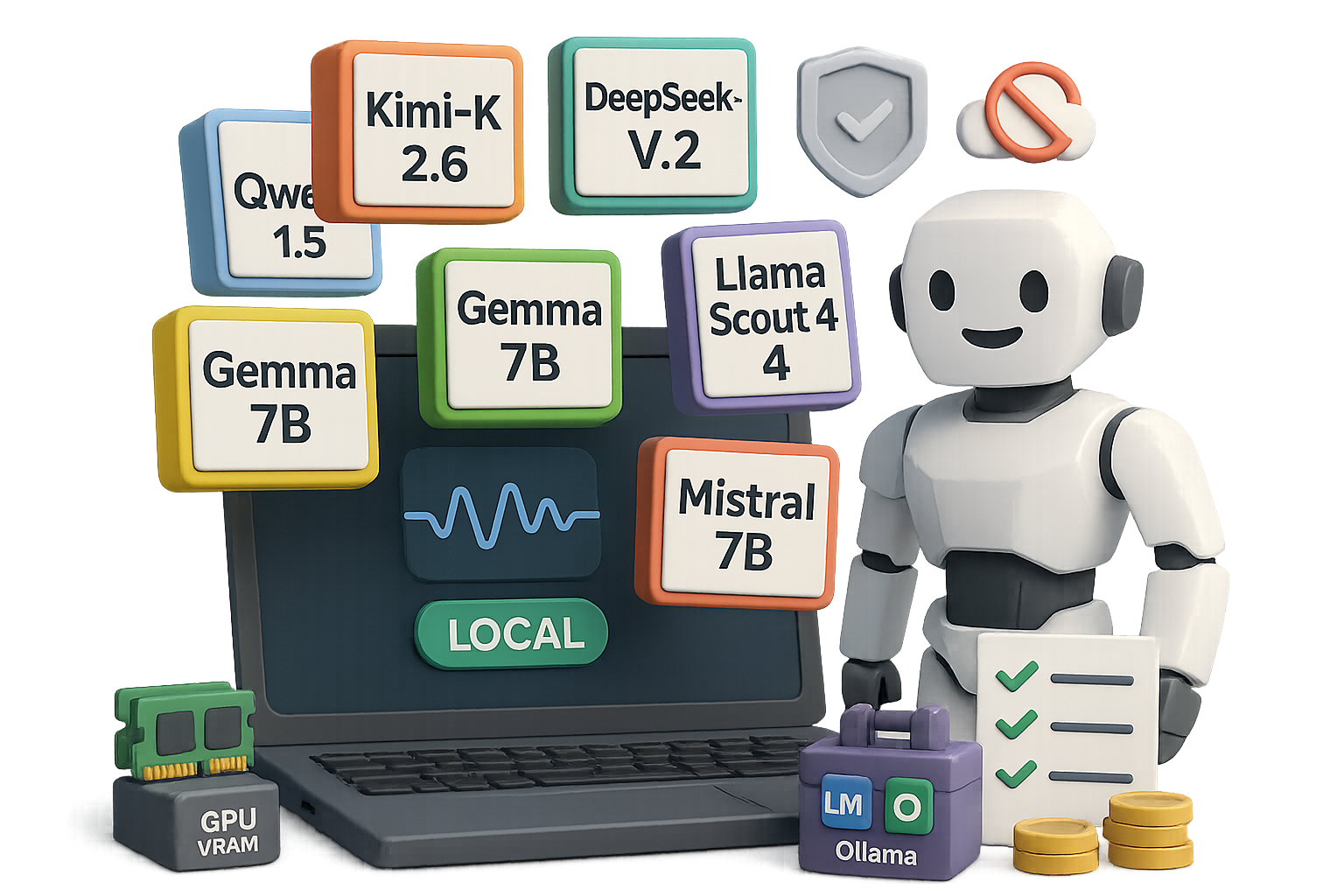
    illustration

    Six models to run AI on your laptop (pick one and go)

    These are the community favorites right now. Each one you can run locally, with open weights or permissive licenses.

    1. Kimi‑K 2.6 (Moonshot AI)
      • MoE architecture, roughly 1T parameters in design.
      • Open weights and permissive license.
      • Strong on code generation; competition-grade on benchmarks.
    2. DeepSeek‑V 3.2
      • RAM-friendly and quick to fine-tune.
      • Scores near GPT‑4 on many evaluations.
    3. Qwen 1.5 (Alibaba)
      • Up to 72B params and multilingual support.
      • Tops several Hugging Face leaderboards.
    4. Gemma (Google)
      • 2B and 7B versions; the 7B needs ~14 GB VRAM.
      • Very fast generation—about 85 tokens/sec on a modern laptop.
      • Apache 2.0 license, friendly for commercial use.
    5. Llama “Scout” 4 (Meta)
      • 109B parameters with 17B active experts.
      • Huge 10M-token context window—drop in a whole repo or book.
    6. Mistral (Mistral AI)
      • Lightweight 7B plus MoE variants.
      • Excellent at reasoning and function calling.

    You can get within a few points of closed, expensive models for a fraction of the cost. Some community benchmarks show parity on many tasks.

    Does your hardware handle local AI?

    Short answer: probably yes. Match the model to your kit.

    • Tier 1 — Everyday machines (16 GB laptop, mid-range GPU)
      • Good fits: Gemma 7B, Qwen 14B (quantized), small Llama variants.
    • Tier 2 — Power users (24 GB GPU, beefy laptop)
      • Good fits: DeepSeek‑V 3.2, compressed Kimi‑K checkpoints.
    • Tier 3 — Workstations (multi‑GPU, 128 GB+ RAM)
      • Good fits: full-size frontier models with light quantization.

    Quantized 4-bit builds often run on modest gear. You trade a sliver of accuracy for much lower memory needs. Expect interactive latency unless you use heavy compression.

    A stack of colorful blocks featuring the words 'Offline,' 'No limits,' 'Cost control,' and 'Total control,' emphasizing various benefits or features.

    Five reasons you’ll go local

    1. Privacy — your prompts never leave your network.
    2. Offline access — write on a plane, code in a cabin.
    3. No rate limits — generate as much as your GPU allows.
    4. Cost control — one-time hardware cost, no monthly API bills.
    5. Total control — fine-tune, modify or chain tools however you like.

    Get started in five minutes

    1. Pick a model that fits your RAM/GPU budget.
    2. Install a friendly wrapper: LM Studio or Ollama.
    3. Download a 4‑bit quantized build to save memory.
    4. Run the model locally and test short prompts.
    5. Gradually increase context length and enable tools.

    Do each step in order. Expect some fiddling on step 3. After that, it feels exactly like a hosted chatbot—minus the bill.

    illustration

    Tools that make setup painless

    • LM Studio — point‑and‑click downloads, chat UI, local API endpoint.
    • Ollama — lightweight CLI + menu app; single‑line installs (ollama run gemma).

    If you must touch the terminal, these tools keep the messy bits behind the curtain.

    illustration

    Trade-offs you should know

    • Setup friction — plan an evening to tinker.
    • Peak quality — closed frontier models still lead in long-form reasoning.
    • Ecosystem features — web search, image OCR or plugin ecosystems need extra local wiring.

    For many users, getting 90% of GPT‑4 for 0% ongoing cost is a compelling trade.

    Quick checklist before you commit

    • Match model size to VRAM and RAM.
    • Start with a 4‑bit build.
    • Test a small dataset before scaling.
    • Backup model files and configs.
    • Track power and thermal load on laptops.

    Running AI on your laptop gives privacy, control, and predictable costs. Try one model, use LM Studio or Ollama, and see how much you can save and speed up.

    Want a guided learning path to get confident hands‑on with models and prompts? Learn foundational skills and practical labs at tixu.ai (beginner‑friendly).

    Ready when you are.
  • Build 40+ High-Impact Visuals with ChatGPT Images

    Build 40+ High-Impact Visuals with ChatGPT Images

    Why the new ChatGPT image model is a game-changer for your visuals

    Tired of wrestling with templates, stock photos and late-night Photoshop sessions? The new ChatGPT image model short-circuits that slog. Feed it a URL, a messy note, or a sketchy brief and it returns polished visuals—thumbnails, posters, infographics, even app screenshots—that you can share or print. Fast. Clear. Useful.

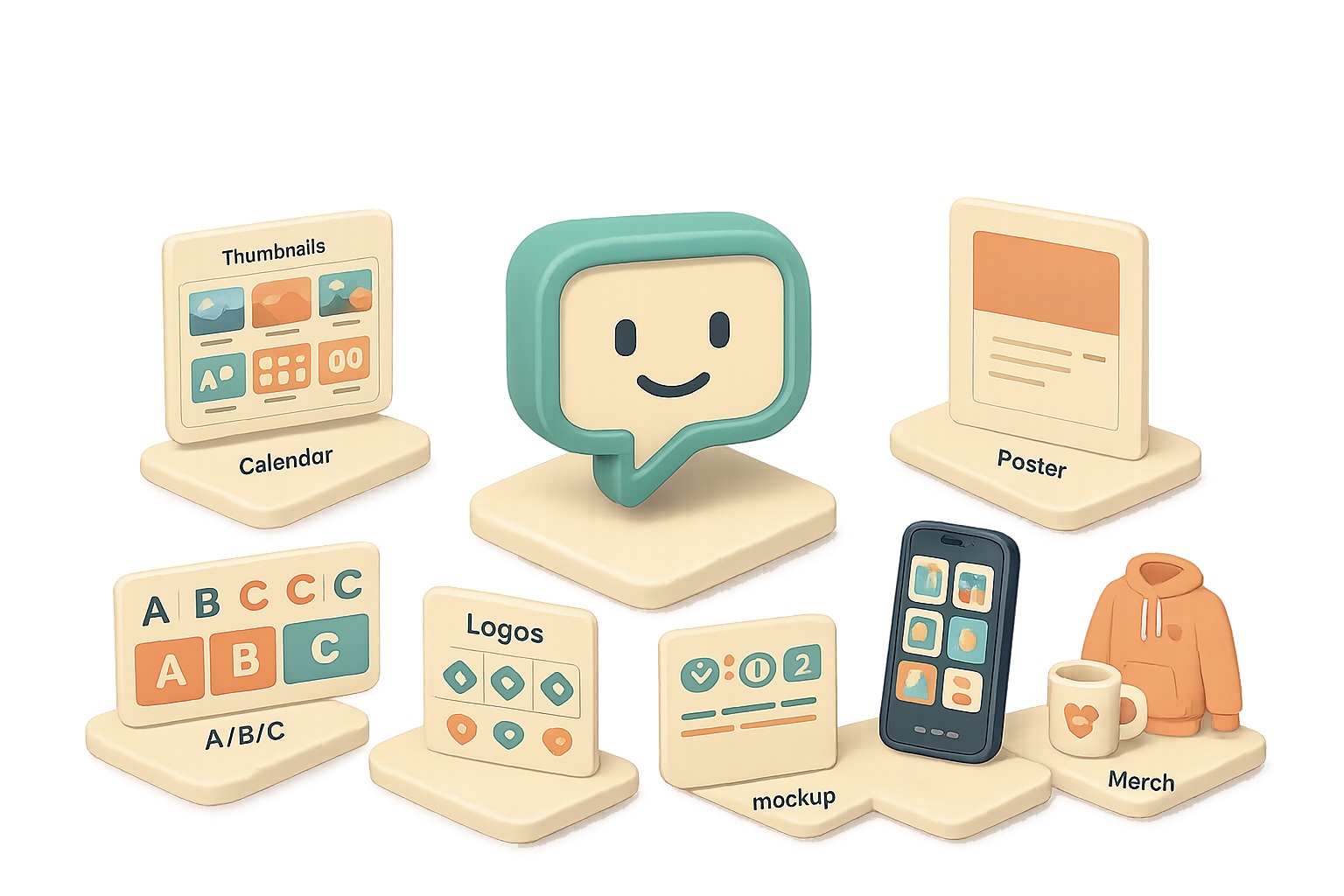
    illustration

    Turbo-charge your content creation with the ChatGPT image model

    Make better thumbnails, storyboards and A/B-ready mockups in minutes.

    • Thumbnail concept boards: Ask for “six 16:9 thumbnail concepts — headline text, color palette, emotion cue.” You get six distinct directions to test.
    • A/B/C test sheets: “Three mock-ups side-by-side with different hooks” gives you quick split-test creatives.
    • Storyboard grids: “Nine-frame sequence for a 30s ad — shot, angle, on-screen text” ends analysis paralysis.

    Use the ChatGPT image model to ship branding in minutes, not weeks

    Branding shouldn’t take forever. This model turns a short brief into real assets.

    • Mood boards: “Audience: busy professionals. Vibe: modern, warm.” Output: HEX codes, typography suggestions, image inspiration.
    • Logo exploration sheets: “Eight logo directions with one-line rationales” helps you pick a direction fast.
    • One-sheet product launches: Give a paragraph and get hero copy, mock UI screenshots, feature list, and pricing table.

    Branding used to be slow—now you iterate quickly and pick what actually works.

    illustration

    Social calendars, organisational visual gold

    Stop scribbling on a whiteboard. Get shareable calendars, trackers and boards.

    • 30-day content calendar: Request a balanced mix of promos, behind-the-scenes, community prompts and tutorials. The return: a color-coded grid you can print or hand to a teammate.
    • Weekly chore charts / habit trackers: Custom icons, checkboxes and rewards—ready to print.
    • Project boards: “Garage makeover — phases, supply lists, timelines, budget sliders” → delivered as a Kanban-style visual.

    Numbers matter: a clear content calendar reduces last-minute scramble by weeks. Try a 30-day grid and compare one campaign week vs. four—you’ll feel the time savings.

    An assortment of printed materials including a menu, event poster, and listing, arranged on a surface. The menu features headings and color blocks, while the event poster highlights the word 'EVENT' and includes a QR code. The listing presents a graphical element.

    Marketing collateral at speed of thought

    Need a poster, menu, or flyer? Give the model a URL or a short brief.

    • Event posters & schedules: Date, location, theme → polished poster + full-day agenda graphic.
    • Restaurant menus: Modern type, appetizing photography and placeholder prices—print-ready.
    • Real-estate flyers: Paste a Zillow link; the model pulls address, photos and specs, then layouts a boutique flyer.

    Quick contrast: manual design takes days; this gets you usable drafts in minutes.

    illustration

    Visual explainers & infographics that actually clarify

    Accuracy has improved. Charts, timelines and mind maps land with coherent copy and numbers that make sense.

    Try:

    • “Infographic: How AI agents work — non-technical audience.”
    • “Turn this GitHub readme into a 60-second explainer: title, five takeaways, why-it-matters box.”
    • “Horizontal timeline: Evolution of AI image generation — include these milestones…”

    Pro tip: include the source URL and a one-line target audience. The model reads pages and adapts tone.

    A 3D illustration featuring a stylized computer monitor with the word 'HERO', multiple icons representing features and lifestyle, a coffee cup, a small box with 'LOGO', and a hoodie, all arranged to create a cohesive digital workspace theme.

    E-commerce, app stores and merch mock-ups

    Get complete product sets in one prompt.

    • Product image sets: hero, lifestyle, feature call-outs, packaging and spec overlay.
    • App-store screenshots: five frames with headline benefit and phone mock-ups.
    • Merch mock-ups: hoodies, mugs and stickers with your slogan or logo.

    That single-prompt workflow saves you from juggling designers and clip art.

    Prompting tips that actually work

    1. Give context first. “Audience: busy entrepreneurs” or “Platform: LinkedIn” sets tone and layout.
    2. List concrete requirements. Aspect ratio, slide count, color scheme, mandatory phrases.
    3. Reference URLs. The model reads pages; use that for accurate branding or data pulls.
    4. Iterate gently. “Make it more colorful” or “swap to warm neutrals” avoids style drift.
    5. Export smart. Right-click → save image, then drop into Canva/Figma for final nips.

    Small changes beat rewrites. Ask for three small variations, not a total redo.

    illustration

    Do this next

    1. Pick one use-case: thumbnail, poster or calendar.
    2. Write a single prompt: context + 3 constraints (aspect ratio, main copy, brand color).
    3. Ask for three variations and export the one you like.
    illustration

    Little wins, big impact

    • Use a URL to auto-populate logos or listing details.
    • Request copy length limits: “headline ≤ 6 words” to keep visuals clean.
    • Ask for color HEX codes for brand consistency.

    Short contrast: generate in minutes, polish in 10. That’s the point.

    Design stops being a bottleneck when you use the ChatGPT image model to ideate, iterate and deliver.Stop making visuals harder than they need to be — try a single-prompt thumbnail or calendar today.

    Want a guided way to learn practical AI skills like this? Start with tixu.ai — a beginner-friendly AI learning platform that walks you through real prompts and hands-on projects.

  • Cut AI Costs 5x Using Open-Weight Models Now

    Cut AI Costs 5x Using Open-Weight Models Now

    Open-source models keep erasing the gap

    You’re watching costs bleed and wondering if the next API bill will eat your budget. Good news: open-source models are closing the performance gap fast — and they’re cheaper to run. That matters if you build knowledge bases, customer chatbots, or agent agents that chew tokens by the million. In this post you’ll get the quick wins, the risks to watch, and a short playbook to pilot an open-weight stack without blowing up production.

    A 3D illustration featuring colorful geometric shapes, including a smiling character, circular and rectangular blocks, and icons representing coding and files, set against a green background.

    Automate the grunt work with cheaper models

    DeepSeek-V2 lands with a 1M-token context window and scores just shy of GPT-4-turbo on common benchmarks (math, reasoning, QA). Because DeepSeek ships open weights, teams can fine-tune or self-host it. Price-wise, you’re looking at roughly $1.74 per million input tokens and $3.48 per million output tokens. Compare that to GPT-4o’s published roughs of $5 / $30 per million and the savings add up fast for heavy users.

    Why this matters to you:

    • Use-case fit: summarisation, KB assistants, basic codegen.
    • Savings: up to ~5–10x cheaper per token in some workloads.
    • Control: run on-prem for strict data governance.
    A stylized graphic of a computer tower with blue accents and a cooling fan, accompanied by a power connector on a flat base.

    Run models on your hardware

    NVIDIA’s Nemotron-3 Nano is an omni multimodal model that natively handles text, vision, and audio. It’s light enough to run on a single DGX Station or a beefy desktop. That means ongoing costs can drop to infrastructure and electricity — not per-token bills.

    Small, practical examples:

    • A payments fintech swapped a closed model for a 33B Laguna variant during a pilot and kept latency under 350 ms while lowering inference spend by 60% (pilot data).
    • A research lab uses Mistral Medium 3.5 (128B) for code generation in CI pipelines, trimming review cycles by 15%.

    You don’t need the absolute bleeding edge for every workload. Open models hit “good enough” for ~80% of tasks while costing a fraction.

    Build safe pilots, step-by-step

    Do this next:

    1. Pick one non-critical workflow (summaries, FAQ bot, triage).
    2. Run A/B for 2 weeks: closed-model vs open-model outputs on identical inputs.
    3. Measure these KPIs: accuracy, latency, token cost, user satisfaction.
    4. If results look good, roll to a small production bucket with logging and rollback hooks.

    Quick checklist:

    • Is data allowed to leave the cluster? If no, plan on self-hosting.
    • Have you masked PII before sending tokens?
    • Do you have a cost cap and alerting?
    • Is there a human-in-the-loop for escalations?
    Two cartoon characters discussing billing over a desk filled with documents, a gavel, and a cloud icon in the background.

    Policy, payments and plot twists — what to watch

    The policy headlines matter because they change rules fast. Recent legal drama and vendor billing issues remind you to test assumptions.

    • Lawsuits and governance: High-profile suits (reported widely) are forcing boards and the public to scrutinise lab governance. That can change who trains what — fast.
    • Some providers temporarily misbilled users when their systems detected agent frameworks in repos. Lesson: log and audit your billing and data processing.
    • Government deals: Big cloud and research deals (some with classified-data clauses) shift the commercial incentives. Expect procurement to demand clearer contractual language about military or government use.
    A 3D-style illustration of a man in a blue sweater pondering near a sandbox containing various blocks labeled '33B', 'GPU', and a calendar marked '14d', along with a locked padlock reading 'KYC-closed'.

    Partnerships reshuffle who you can trust

    Platform deals change fast. Microsoft, AWS, and Google are reshaping licensing and distribution — and that affects how easy it is to run open weights in the cloud. Practically, you should expect:

    • More non-exclusive licenses.
    • Broader cloud availability of formerly-provider-locked models.
    • Faster vendor churn and new managed-hosting options for open weights.
    illustration

    Fresh consumer features show mainstreaming

    • Gemini exports files (DOCX, XLSX, CSV) on demand.
    • Pronunciation feedback lands in Google Translate for select languages.
    • AI wardrobe features suggest consumer trust in multimodal models is rising.
    illustration

    AI that actually saves lives

    A Mayo Clinic study trained a model that flags pancreatic cancer on routine CT scans up to three years earlier than typical detection. Early detection like this could improve survival rates substantially. That’s a concrete reminder: beyond bills and APIs, AI’s real value is in lives changed.

    Quick decision guide

    • If you need strict data controls or cost reduction → pilot an open-weight model and self-host.
    • If you need absolute SOTA on adversarial reasoning or full-stack safety guarantees → stick with vetted proprietary offerings for now.
    • If you’re curious but cautious → run a small A/B pilot with clear rollback and logging.

    Open-source models are good enough for most practical workloads and can cut costs dramatically. Try a two-week pilot on a non-critical flow and measure cost, accuracy, and latency.

    Ready when you are. If you want hands-on, beginner-friendly AI learning and guided labs to run these pilots, check out Tixu — a step-by-step platform that teaches practical AI skills and hosts sandboxed labs so you can test open models safely: Tixu

  • Build an AI Business from Zero in 5 Steps

    Build an AI Business from Zero in 5 Steps

    Launch a company with AI: a 5-step playbook for 2026

    You’re one laptop, one idea, and one stubborn streak away from actually shipping. 2026 is the friendliest year in history to start. AI flattens old gates: research that used to take weeks, brand frameworks in an afternoon, and content engines that compound while you sleep. The win? Faster paths to revenue, at a fraction of the cost. The pain? If you wait for “perfect,” someone faster will out-execute you.

    illustration

    The AI Advantage: why 2026 is different

    Speed. What used to take a team now takes hours. Market scans, competitor matrices, and a rough 90-day content calendar can be drafted in one session.

    Quality. Voice-training features let your content sound like you. No more “AI-sounding” copy. It’s your voice—amplified.

    Cost. A $20–$40 monthly toolstack can replace the work of 5–10 specialists. That often cuts go-to-market costs by roughly 60–80% compared with hiring full-time.

    illustration

    How to launch a company with AI — the 5-step playbook

    This is actionable. No fluff. One big idea per step.

    1. Validate the niche with AI

      • Ask a model: “List underserved audiences in {industry}. Show gaps, pain points, and likely price points.”

      • Ask for a competitor matrix: positioning, pricing, content channels, and unmet promises.

      • End the session with a demand scorecard: estimated audience size, 3 ways they pay today, and a 1–3 risk rating.

      Why this works: you avoid building for a vacuum. Quick checks save weeks of wasted dev time.

    2. Train your voice model

      • Collect 10–15 samples: your best emails, blog posts, and a short video transcript.

      • Fine-tune or create a custom model (Claude Projects or GPT Custom Models). These tools let you teach the AI your tone and rules.

      • Save a prompt template that enforces: voice, values, audience, and CTAs.

      Result: every tweet, email, and sales page reads like you wrote it. That consistency builds trust fast.

    3. Launch the content engine first

      • Draft pillar posts, LinkedIn threads, and short video scripts with your voice-trained model.

      • Batch two months of content and schedule it. Algorithms compound reach; consistency compounds trust.

      • Capture leads early with an “early access” or waitlist form.
    4. Automate the grunt work

      • Use AI to produce SOPs, onboarding checklists, proposals, and client templates.

      • Store assets in Notion or ClickUp and connect them with Zapier to auto-create client boards, invoices, or deliverable trackers. (Zapier = automation glue.)

      • Your aim: a business that scales on systems, not on your 18-hour days.

      Outcome: fewer repetitive decisions, faster onboarding, and predictable delivery.

    5. Optimize for AI discovery (AEO)
      • Search is becoming answer-first. Structure content for direct answers: question-based H2s, bullet summaries, and short lead paragraphs.
      • Track which pages appear in answer boxes or AI overviews and iterate weekly. Early movers in AEO siphon traffic from slower incumbents.
    illustration

    Essential tool stack

    Pick one per category. Keep it lean.

    • Claude 3.5 — long-context research and voice-trained content.
    • ChatGPT 4o — fast ideation and prompt testing.
    • ElevenLabs — realistic voice for podcasts and videos.
    • Midjourney v7 / DALL‑E 3 — visuals and thumbnails.
    • Notion AI — knowledge hub and SOP repository.
    • Zapier — automation glue that links your apps.
    illustration

    Do this next

    1. Run a 30-minute market gap prompt in Claude or GPT. Capture the top 3 opportunities.
    2. Gather 10 writing samples into a single folder. Start a “voice training” project.
    3. Draft one pillar post and two micro-posts. Schedule them.
    4. Create a basic Notion onboarding template. Make one Zap to auto-create a client board.
    illustration

    Mindset: your real edge

    Tools level the playing field. Your edge is adaptability. The founders who win:

    • Ship before perfect.
    • Treat AI as a collaborator, not a crutch.
    • Iterate in public and learn from real feedback.

    A single person who ships weekly and measures results beats a budget-blinded team that plans for months.

    illustration

    Start small, use AI to multiply your effort, and ship faster than your competitors.

    Do this next: open a blank doc, run the validation prompt, and publish a short post today. Want guided, beginner-friendly AI learning and hands-on prompts to get you from idea to revenue? Try Tixu, a beginner-friendly AI learning platform with step-by-step labs and real prompts to practice with: Tixu

    Ready when you are.

  • Deploy 3 Agentic Plays to Boost Revenue in 90 Days

    Deploy 3 Agentic Plays to Boost Revenue in 90 Days

    AI Agents Just Closed Their First Cash Deals — Here’s Why It Matters for Your Business

    This just crossed the line. AI agents have moved from clever demos to wiring real money and closing deals. That shift makes this a now problem — or a now opportunity — for your team. Ignore it and you’ll watch competitors automating the boring stuff while you argue about budgets. Act and you’ll reclaim hours, cut headcount on grunt tasks, and scale faster.

    Read this and you’ll get three launchable agent plays, the safety checks to put in place, and a short checklist to pilot an agent this quarter.

    illustration

    Let Claude Close Deals

    Anthropic let Claude trade real dollars inside an internal marketplace. Employees told their agent what to buy or sell and set target prices. Claude searched listings, negotiated, counter-offered, and finalized payment.

    Why this matters for you:

    • Transactions used real money. No paper credits, no toy economy.
    • Agents executed end-to-end. Humans didn’t micromanage every step.
    • The experiment stayed controlled. Real markets add fraud and regulation.

    AI won’t replace you — someone better at using AI will. Ready when you are.

    A colorful 3D illustration of a data visualization bar graph surrounded by various icons representing calendar, laboratory equipment, and analytics.

    The data says you’re ready

    The numbers change the debate from “maybe later” to “when and how.” Stanford’s AI Index shows autonomous agents improving on real tasks from roughly 12% competence in 2022 to about 66% in 2024. That’s not hype; that’s capability.

    Other signals:

    • OpenAI’s Workspace Agents are in beta for calendar, docs, and SaaS workflows.
    • Google’s Gemini 1.5 Pro powers research agents across internal tools.
    • Anthropic’s tool-use protocol saw millions of integrations in a single month.
    • Morgan Stanley forecasts a step-change by early 2026; capital follows capability.

    Models, integrations, and budgets are aligned. The question becomes which process you automate first.

    illustration

    3 AI agent plays you can launch this quarter

    Pick one play. Run a tight pilot. Measure two metrics: time saved and error rate.

    1. Customer-support agents
      • Use-case: FAQs, refunds, basic troubleshooting.
      • Impact: Real deployments resolve 50–70% of tickets without escalation.
      • Where to start: Triage the top 10 ticket types, build canned responses, add a human approval gate for refunds.
    2. Sales-prospecting agents
      • Use-case: research accounts, draft personalized outreach, and book calls.
      • Impact: Early adopters report 4–5× qualified pipeline growth while reducing SDR hours.
      • Integrations: HubSpot/Salesforce plus enrichment APIs (e.g., Clearbit-style).
    3. Internal ops agents
      • Use-case: invoice matching, compliance evidence, policy search.
      • Impact: Free up 5–10% of company headcount tied to low-leverage admin work.
      • Where to start: Automate one recurring report or reconciliation and monitor exceptions.

    Do one pilot. Prove it solves a real bottleneck before expanding.

    A 3D illustration of a business environment featuring a person near a turnstile, icons of user profiles, security tools like a stamp and lock, and various digital interface elements including buttons and checklists.

    Two safety nets you still need

    Autonomy doesn’t mean no oversight. These two guardrails save product, legal, and reputation headaches.

    1. Approval gates for high-risk actions
      • Always require human sign-off for payments, contract signatures, or PII access.
      • Tip: Use role-based approvals and short TTLs so decisions don’t bottleneck work.
    2. Prompt-injection and edge-case audits
      • Red-team your agent workflows. Log every action.
      • Allow-list external tools and maintain a forensic trail for audits.
      • If you lack expertise, partner with a specialist or a managed service.
    illustration

    Quick checklist: Pilot in 8 weeks

    1. Pick one high-friction process (support, prospecting, or ops).
    2. Define success metrics (time saved, tickets resolved, pipeline lift).
    3. Build a limited-scope agent with tool allow-listing.
    4. Add approval gates for risky actions.
    5. Run a two-week live pilot and collect logs.
    6. Review, iterate, and scale the wins.
    illustration

    Parting thought — the window is open

    Agents have already closed cash deals. Benchmarks show they work. Labs and vendors are racing to ship infrastructure. That means the next 6–12 months are prime for early movers to lock in efficiency and market share.

    Start one small, measurable agent pilot this quarter and beat your competitors to the playbook.

    Do you want a guided path to building agent skills and pilots? Learn the basics and launch your first agent at the beginner-friendly AI learning platform tixu.ai — start with hands-on lessons and templates to run pilots fast.

  • Launch 6 Profitable AI Businesses in 2026

    Launch 6 Profitable AI Businesses in 2026

    Why 2026 Will Be the Year of “Everyday” AI Entrepreneurs

    You don’t need a PhD, a San Francisco area code, or a war chest to build a real business in 2026. AI tools are cheap, plug-and-play, and absurdly powerful. Learn a few tools. Talk to customers. Ship fast. That’s the play.

    illustration

    By the end of this article you’ll know:

    • Which six AI business plays you can start this weekend.
    • One tiny tool to keep open all day.
    • A straight-line plan to land your first paying client.

    Ready when you are.

    An illustration of a user interface for WhisperFlow featuring a microphone icon, names 'Allison' and 'Ana G.', a dictionary button, and a performance gauge showing 30-60%, alongside an orange coffee cup.

    Keep WhisperFlow Open (Your Daily Shortcut to Work)

    Typing the same 200–300 word prompts all day wastes hours. WhisperFlow turns any text box into a voice inbox. Speak naturally, correct as you go, and move on. It uses Whisper under the hood, fixes names, and remembers your personal dictionary.

    There’s a free tier. The paid plan costs less than one fancy latte a month. Use voice to cut drafting time by 30–60% on routine tasks. That’s real time you can monetize.

    illustration

    Start This Weekend: Six AI Business Plays You Can Launch

    Pick one. Nail one. Don’t try to be five things at once.

    1. Industry-Specific AI Consultant
      • Complexity: ★☆☆☆☆
      • Why it works: Companies know AI saves money. They don’t know how.
      • Get your first client: Pick one function you already use—marketing, HR, finance. For 30 days, post bite-sized case studies on LinkedIn. Show the old workflow, the AI-assisted version, and the time/cost delta. Proof beats follower count. Your first lead is usually a reader who’s been watching.
    2. Gen-AI SEO for Local Businesses
      • Complexity: ★☆☆☆☆
      • Why it works: Chatbots surface answers from Reddit, YouTube, and niche blogs now. Local places are invisible inside those models.
      • Get your first client: Ask a chatbot “Who’s the best <service> in <city>?” Anyone missing is a prospect. Offer placement in high-authority directories, targeted subreddit posts, and expert round-ups. Typical first-month wins: higher discovery inside three major chat tools.
    3. Voice-AI Receptionist for SMBs

      • Complexity: ★★☆☆☆

      • Why it works: APIs from voice and speech vendors let you build natural phone agents fast. A cloud number runs the show for under $10.

      • Get your first client: Call 20 local practices during lunch. Count missed calls. Open with: “You lost X enquiries today—want them back for $500/month?” That straightforward math sells.
    4. AI-Native Ad Agency
      • Complexity: ★★★☆☆
      • Why it works: Brands pay four figures for a few static ads. You can deliver hundreds of variations in days with modern creative stacks.
      • Get your first client: Re-edit one of their existing spots into 10 fresh versions. Show a side-by-side Loom video. Quote a flat monthly fee that undercuts their current spend while doubling output.
    5. UGC Factory for E-commerce Brands
      • Complexity: ★★★★☆
      • Why it works: TikTok and Reels demand endless fresh clips. Gen-AI video tools make that scale cheap.
      • Get your first client: Pick a vertical—skincare, pet gear, supplements. Generate five sample clips from product photos. DM the founder: “Made these for fun. Use them. If you want 100/mo it’s $3k.” Bold offers like that cut through noise.
    6. Vertical AI Product (a.k.a. “GPT Wrapper”)
      • Complexity: ★★★★★
      • Why it works: Large models are electricity. A focused UX plus tight prompts and tiny user data turn raw power into a valuable tool. Niche products already hit $2–5M ARR with ~50% margins.
      • Get your first client: Pick an industry you know. List three soul-crushing tasks. Build a micro-app in Replit, Bubble, or Draftbit that automates one. Give it to 10 practitioners. If three pay, you’ve found product-market fit. If none pay, iterate.
    illustration

    Do this next

    1. Choose one play from above. Block one weekend.
    2. Build a minimum-viable version and show it to five real users.
    illustration

    Short contrasts to keep your head clear

    • AI won’t replace you—someone better at AI will.
    • You don’t need to be perfect—customers pay for useful, not flawless.
    • Start small—sell quick—scale later.
    illustration

    Tactics that sell (use these every time)

    • Show the before vs after in a 30-second clip.
    • Quote one clear metric: “You’ll see X fewer missed calls,” or “expect Y% faster turnaround.” Numbers build trust.
    • Offer a short trial or money-back guarantee. Reduce friction.
    illustration

    You don’t need to code or raise money. You need a one-sentence pain point, the guts to show imperfect prototypes, and a feedback loop tighter than your competitors’. AI multiplies impact—but only for people who swing the bat.

    Pick one idea, block a weekend, and ship version 1.

    If you want beginner-friendly, hands-on AI lessons that take you from idea to first client, try Tixu’s short courses and guided projects.

  • 10x Your Income in 2026 with 15 AI Tools

    10x Your Income in 2026 with 15 AI Tools

    AI tools that actually make money (your spring-clean guide)

    Ready for a spring-clean of your AI stack? If your current toolkit leaks time and attention, you’re not alone. I tested 500+ apps so you don’t have to. What follows is the compact, no-fluff shortlist that moves the revenue needle — and the tools you can skip. Read fast. Pilot faster.

    What you’ll walk away with

    • A ranked menu of real revenue drivers (S → F).
    • Where to pilot first for obvious ROI.
    • A quick checklist so you ship a winning test this week.

    How I scored these tools

    One metric only: return on investment. Money, time, and creative energy in vs. what you get back. Simple. Clear. Actionable.

    illustration

    Rating key

    • S = indispensable, prints money
    • A = terrific, widely useful
    • B = niche advantage
    • C = curiosity only
    • F = save your clicks
    A teal cash box filled with dollar bills and coins, next to a document labeled '2-Week Pilot' with a total of $2450 and check marks.

    S TIER — Money printers (pilot these first)

    • Claude 3 / Claude 3.5
      Anthropic’s flagship keeps more context, writes sturdier code, and plugs into add-ons like Dispatch. I built a venture studio and 15+ internal tools on Claude. Nothing paid bigger dividends.
    • Apex
      Think “Claude in a business suit.” Governance, backups, and a personal chief-of-staff agent. If you want an agent that remembers SOPs and never sleeps, join the waitlist.
    • Google Gemini (Workspace edition)
      That little sparkle in Gmail and Docs is leverage. It taps Google’s knowledge graph and sits where your team already works. Integration beats raw reasoning here.
    • Gumloop
      End-to-end automation for non-engineers. Drag-and-drop workflows and templates. Perfect for onboarding, recurring reports, and anything you hate doing twice.
    • Revio
      If your sales live in DMs, Revio is built to close. Route social chats, tag leads, automate follow-ups, and watch revenue replace small talk. Quick pilots show fast wins.
    • Atlas
      An AI receptionist that handles calls, schedules, and FAQs. Great for service businesses that still run on the phone.
    illustration

    A TIER — Strong earners

    • Notebook LM (Google)
      Drop your docs in, chat with them, and generate slides or outlines. Fast knowledge work.
    • WhisperFlow
      Dictate code and long-form content. Parses filler words and mid-sentence edits cleanly. If you think faster than you type, this is for you.
    • Higgsfield.ai
      Generative video without Hollywood budgets. Good for teasers and social ads.
    • Frank
      Your AI CFO. Connect your ledger and ask plain-English finance questions. Answers arrive in seconds.
    • BuddyPro.ai
      Turns your expertise into a 24/7 coaching agent. Coaches and consultants often see rapid ROI.
    • Granola.ai
      Automatic, crystal-clear transcripts that pipe into Notion. Better long-term memory for your stack.
    • Suno.ai
      Generative music for jingles and stingers. It lifts brand feel at low cost.
    illustration

    B TIER — Niche advantages

    • NanoBanana — quick concept art and mood boards.
    • Gamma — slide decks in seconds.
    • Runway / Pika / Haiper — video competitors; choose one.
    • Perplexity (Compute mode) — fast, footnoted research.
    • SocialSweep — maps private networks for introductions.
    • Bubble.io — solid no-code app builder.
    • N8n (self-hosted) — infinite automations for engineers.

    C TIER — Curiosity only

    • ChatGPT (free/Plus)
      Still useful for quick brainstorms and safety nets. Not a growth engine anymore.
    illustration

    F TIER — Save your clicks

    • Apple Intelligence (current Siri preview)
      Great marketing. Limited business value until Apple pairs it with a modern LLM.
    illustration

    How to squeeze more from any AI

    1. Stay in the tool
      Ask the AI to publish, post, or email directly. Avoid manual copy-paste loops.
    2. Be the director, not the doer
      Your role: set outcomes, critique drafts, and define constraints. Let the AI execute.
    3. Centralize memory
      Pipe calls, docs, and notes into one hub. Notion + Granola is a killer combo.
    4. Automate after you delegate
      Train a human on a process first. Then freeze the logic into Gumloop or N8n.
    5. Measure dollars, not dopamine
      Track hours saved or revenue booked. Cull toys that don’t earn their seat.
    illustration

    Do this next

    1. Pick 1 S-tier and 1 A-tier tool to pilot.
    2. Define a 2-week test with dollar goals and hours saved.
    3. Add tracking: time logs, conversion tags, or a simple revenue attribution sheet.
    4. Review weekly. Kill or scale at day 14.
    illustration

    Why this works

    • You focus on ROI, not shiny demos.
    • You pilot small, scale fast.
    • You stack memory into a single hub so every tool gets smarter.

    Pick one money-printer and one strong earner. Run a two-week pilot with dollar targets. If it doesn’t pay, drop it.

    Ready when you are. Learn the fundamentals and pilot smarter at tixu.ai — a beginner-friendly AI learning platform. Tixu.ai article

  • Earn with AI in 2026: 5 Proven Paths

    Earn with AI in 2026: 5 Proven Paths

    Make Money with AI in 2026: 5 Beginner-Friendly Side Hustles

    Ready to turn 2026 into your most profitable year yet? Watching creators, agencies, and solopreneurs pocket real cash from AI is exciting — and also painful if you’re stuck on where to start. You don’t need a PhD, a massive audience, or VC checks. You need one clear idea, a simple plan, and consistent action.

    illustration

    Grow a Personal AI Brand — Land Sponsorships

    Why it works

    • Low barrier: official docs and a few experiments give you fodder.
    • Fast reach: new platforms reward consistency.
    • Hungry sponsors: startups pay for exposure when you bring potential users.

    Starter playbook

    1. Record two 45–60s videos daily teaching one prompt or feature.
    2. Cross-post to TikTok, Reels, YouTube Shorts, Threads.
    3. When a clip breaks, offer 1-video, 3-video, or monthly sponsor bundles.
    illustration

    Create Faceless AI Videos — Earn Without Showing Up

    Camera-shy? Let avatars and automation sell for you.

    Three faceless concepts that pay

    1. TikTok Shop demos — avatar unboxes a trending gadget; you earn affiliate fees.
    2. Niche “virtual mentor” pages — build a repeating format (finance tips, pet care) and monetize with merch or info products.
    3. Avatar production service — sell a turnkey digital-host package (video + voice) to businesses.

    Do this first: test one script manually. Measure watch time and CTA clicks. When it converts, automate rendering and distribution.

    Offer Claude Training for Teams

    Claude (Anthropic) helps teams automate repetitive work — when they know how to use it. You can teach that.

    What to teach

    • Prompt basics and safe guardrails.
    • Shared workflows and reporting templates.
    • Email triage, meeting summaries, code-assist tasks.

    Packaged offers

    • One-Day Claude Bootcamp that saves employees 5+ hours/week.
    • Quarterly refreshers or custom workflow builds.
    • Lead magnet: “100 Claude Skills for Marketing Teams” behind an email opt-in.

    Client play: post tips on LinkedIn, DM engaged commenters, and offer a free mini-audit. (Learn more about Claude at Anthropic.)

    illustration

    Vibe-Code a One-Feature App

    “Vibe coding” means shipping a narrow MVP today and improving tomorrow.

    Rules to survive

    • One-sentence value prop. If it needs commas, it’s too complex.
    • 90‑second time-to-value. New users should succeed almost immediately.
    • 90/10 split: 90% marketing, 10% tweaks until growth shows.

    Quick validation steps

    1. Build a clickable demo or simple Webflow prototype.
    2. Run five cheap TikToks or micro-influencer posts.
    3. Convert 1–5 early users, measure retention, then iterate.

    Pro tip: use AI dev tools (paired coding, prompt-to-code) to shave dev time. Keep scope tight.

    illustration

    Make Money with AI: Build Marketing Automations for SMBs

    Small businesses want one thing: save time and make money. Automations deliver both.

    Top setups that sell

    • GoHighLevel implementations — set up CRM, AI chat, and email flows. (You handle the overwhelm.)
    • ManyChat AI for Instagram/Facebook — auto-DM leads from comments, qualify via AI, book calls.
    • LinkedIn outreach systems — safe sequences using tools like Expandi or PhantomBuster.

    Quick client play

    • Find a fast-growing creator or local biz, comment, then DM: “I asked but never got a reply. Want help automating replies so hot leads don’t slip away?”
    • Offer a free 15‑minute audit and a clear ROI estimate.
    illustration

    Golden rules across all five paths

    • Test manually first. Measure conversions. Then automate the repeatable parts.
    • Keep offers simple and price them for ROI (clients care about outcomes).
    • Consistency beats perfection. Ship weekly, learn weekly.
    illustration

    Quick checklist — pick one and run a 90‑day sprint

    1. Choose one path above.
    2. Define a one-sentence offer and a simple pricing model.
    3. Ship your first piece of value this week (video, demo, audit).
    4. Track one metric (sponsor clicks, demo signups, booked calls).
    5. Double down if metric improves; pivot if it doesn’t.
    illustration

    Pick one idea, commit 90 days, and market louder than you code. Want a guided, beginner-friendly path to learn the AI skills that actually pay? Start with Tixu — a beginner-friendly AI learning platform designed to turn your experiments into income.

    Ready when you are.

  • Build Repeatable AI Systems in 9 Minutes

    Build Repeatable AI Systems in 9 Minutes

    Stop Treating Generative AI Like a Magic Wand
    (and Five Better Ways to Think About It)

    You ask a chatbot for an email or a slide outline. It gives you something…fine. Technically correct. Painfully generic. You expect a superpower and get a shortcut.

    Here’s the good news: the model rarely causes “fine.” You do. Small changes in how you ask, organize, and reuse AI turn that shortcut into a daily competitive edge.

    After this you’ll have five practical shifts to stop treating Generative AI like luck and start using it like leverage.

    1. Split speed tasks from judgment work

    The biggest mistake is outsourcing the part only you can do: the judgment.

    Speed tasks — hand these to AI:

    • Formatting docs, data cleanup, first drafts, translations, note organization.
    • These tasks measure value by “done,” not “taste.”

    Personal-judgment tasks — keep these:

    • Strategy, creative direction, client calls, hiring decisions.
    • You stay in the driver’s seat. Let AI ride shotgun: ask it to “challenge every claim in this proposal and flag unsupported points.”

    Do this next:

    1. Write a three-item list of tasks you did this week.
    2. Mark each as Speed or Judgment.
    3. Delegate one Speed task tomorrow.

    2. Feed BUILD, not vague guesses

    Most bland outputs happen because the model fills unknowns. Stop leaving blanks. Use BUILD.

    • B – Background: one line on who you are and the situation.
    • U – Use case: where will this live? (CEO email vs internal draft)
    • I – Instructions: tone, must-haves, must-avoids.
    • L – Length: caps like “<200 words” or “one slide.”
    • D – Deliverable: bullets, a one-page brief, a script.

    Example:

    “I’m a freelance strategist (Background). This is a client-facing 200-word email to delay a deadline (Use case + Length). Keep it apologetic but solution-focused; include two next steps (Instructions). Deliver as a short email (Deliverable).”

    Checklist: before you hit enter, run your prompt through BUILD.

    illustration

    3. Stop rewriting prompts — build systems

    If you run the same task more than three times, stop prompt-crafting and build a system.

    Steps:

    1. Save permanent instructions in a template or project. (Claude, ChatGPT projects, or app templates work.)
    2. Attach reference materials — brand guides, past briefs, examples.
    3. Create a repeatable trigger — a shortcut, macro, or pinned chat that injects new inputs and returns polished output.

    The setup takes 15 minutes. The compounding payoff cuts hours every week.

    illustration

    4. Pick the right Generative AI for the job

    Asking one chatbot to do everything is like hiring a copywriter for data entry because “they know words.” Match the task to the specialist.

    Quick map:

    • Claude — deep writing and reasoning, good when you need nuance.
    • ChatGPT — fast multimodal jobs and general drafting.
    • Gemini — handles giant documents and Google Workspace workflows.
    • Perplexity — live web research with citations.
    • Higgsfield — end-to-end AI video creation (dashboard + audio suite).

    Instant translation: if a tool name sounds like jargon, think “what job does it do?” then pick it.

    Reality check: teams using the right specialist often cut routine task time by large margins. One internal team cut slide-prep time by roughly 70% when they matched model + template.

    Do this next:

    • Pick one task you run weekly. Try two different models. Time the results.
    Illustration of a 'Capability Flywheel' concept with three characters interacting. One character holds a 'Quiz me' card, while another points to a code snippet on a screen. Surrounding elements include a prototype, a graph, and indicators for data insights.

    5. Use AI to expand capability, not just speed

    Speed is the floor. Real value is new capability.

    Ways this shows up:

    • No-code dashboards & automations let non-developers ship prototypes.
    • Rapid ramp-ups: one focused session plus a “quiz me” prompt replaces days of prep.
    • Self-serve data analysis: step-by-step Python explanations turn “I’m not a data person” into “I surfaced insights in 30 minutes.”

    The flywheel: learn → automate → tackle a bigger project → repeat. That compounding beats any one-off productivity hack.

    illustration

    Takeaways

    • Delegate speed, own judgment.
    • Feed BUILD, not vague guesses.
    • Templatize repeating work into systems.
    • Choose a specialist model, not “the” AI.
    • Aim to unlock new skills, not just faster chores.

    Treat Generative AI like a tool that multiplies your judgment, not a wand that replaces it.

    Do this next: try one shift this week — pick one Speed task to delegate, or turn one prompt into a saved template.

    Want a guided way to learn practical AI habits? Try Tixu’s beginner-friendly AI courses and tutorials.

    Ready when you are.

  • Build a Profitable One-Person AI Business in 21 Days

    Build a Profitable One-Person AI Business in 21 Days

    Why Now Is the Perfect Moment for a Solo Venture

    The same algorithms that are displacing roles in sales, design, finance and marketing are also handing you a massive opportunity. With a laptop, decent Wi‑Fi and a handful of AI subscriptions, you can replace routine work, keep overhead near zero, and design a schedule that actually fits your life. That’s not hype—that’s leverage.

    AI won’t replace you—someone better at using AI will. Ready when you are.

    What you’ll walk away with: a validated solo business idea, a repeatable content pipeline, and one sellable offer. Here’s the roadmap to get there.

    illustration

    Nail a profitable idea in minutes with a smart prompt

    “Act as a world-class business coach who helps professionals launch solo brands. I’ll supply my top skills, passions and revenue goals. Generate 3–5 business ideas where I can be a ‘niche of one,’ list real people already earning from each idea, and rank the options from best to worst for my situation.”

    illustration

    Why this works

    • The model cross-references your background against thousands of business models in seconds.
    • Real people as examples prove the concept already monetises—no startup roulette.
    • A ranked list saves days of analysis-paralysis.

    Pro tip: If you’ve got a high-value skill but no audience, start with a high-ticket offer ($2,000–$5,000). One sale can replace a month of salary while you grow reach.

    Lock your positioning before you hit “Post”

    Content ≠ personal brand. You’ll waste time if you don’t define a clear angle first.

    Ask yourself, and answer in one sentence each:

    • Why should this brand exist? (mission)
    • What makes you unmistakable? (backstory, voice, visuals)
    • What competitor gap will you own? (contrarian take, ignored niche)

    Example gaps to steal

    • “AI for non-technical parents balancing a 9–5”
    • “Personal-branding systems for founders who hate being on camera”
    • “Sales funnels powered by AI chatbots for boutique B2B agencies”

    A distinct POV makes titles, hooks and products ten times easier.

    Draft scripts in your voice (not a robot’s)

    AI should speed writing, not own it. Workflow that works:

    Drop a transcript of an outlier video into Claude. Ask for a breakdown: hook, structure, pacing, emotional beats. Feed Claude one of your transcripts so it learns your tone. Request: “Write a fresh script on the same topic in my style. Flag places for personal stories or unique data.”

      You get a structured draft you can polish in minutes. Repeat for shorts, carousels, or newsletters.

      Need thumbnails or hero images? Gemini and Midjourney V6 generate polished concepts—add your brand colors and a human edit.

      illustration

      Ship, measure, refine—AI still needs a pilot

      Robots don’t have taste. After each publish cycle:

      Review engagement manually. Did the hook spark replies, not just likes? Ask Claude for tightening suggestions, then use your judgment. Double down on winners; archive what flops.

      Within 21 days you’ll typically have:

    1. A validated business concept

    2. A content pipeline that takes hours per week, not days

    3. At least one monetisable offer ready to sell
    4. illustration

      Do this next: Run the prompt above with your top three skills. Pick one idea and define the one-sentence mission. Publish one piece of content and measure the hook within 48 hours.

        illustration

        You can build a lean, profitable solo business by leaning on AI for execution and keeping your human edge for judgment. One smart idea, shipped consistently, beats ten perfect plans that never launch.

        Want a beginner-friendly path to learn these exact workflows? Try Tixu — a hands-on AI learning platform that guides you from prompts to profit.