Author: Pavel

  • Choose the Right AI Tool Without Wasting Money

    Choose the Right AI Tool Without Wasting Money

    AI Assistant Showdown: ChatGPT vs. Gemini vs. Claude vs. Perplexity

    AI tools are everywhere. But choosing the right one? That’s where it gets tricky.

    You’re busy. You want something that works right out of the box—and doesn’t talk in circles. You might not care what model is running in the background. You care about results: faster writing, smarter research, fewer tabs open at midnight.

    This guide walks you through four front-runners—ChatGPT, Gemini, Claude, and Perplexity—with zero fluff and a ton of practical tips. You’ll walk away knowing which one fits your workflow (and your budget).

    Let’s dive in.


    illustration

    ChatGPT – One AI to Rule Your Workday

    If you want a reliable go-to for drafting, planning, summarizing, or research—ChatGPT’s your pick. It’s flexible, fast, and quietly brilliant.

    Why it stands out

    • Context continuity. ChatGPT remembers your projects, tone, and even your side quests—like that template you built last Tuesday.
    • Agent Mode. Ask for a competitive breakdown, and it won’t just reply—it’ll act. Opening links, comparing details, even prepping a client-ready doc.
    • Set it and forget it. “Send me last week’s AI news every Monday at 8 a.m.” Done.

    Plan breakdown

    1. Go: Snappier GPT-4o access + bonus features like Tasks and custom GPTs.
    2. Plus: The sweet spot. Unlock Agent Mode, Projects, and beefier limits.
    3. Pro: Built for power users—massive memory, tons of messages, new tools first.

    Best for:
    You want one dependable AI sidekick that can do most of the lifting—writing, brainstorming, summarizing, and even small automations.


    illustration

    Gemini – Built Into the Google You Already Use

    Already deep into Google Workspace? Then Gemini will feel like an upgrade rolled into tools you already love (or tolerate).

    Why you’ll love it

    • It lives in your tabs. Drafts in Docs, replies in Gmail, summaries in Slides. No jumping between apps.
    • Smart hybrid search. Ask, “What did we decide about Q4 goals?” It’ll dig through email, Docs, Drive—and surface a precise answer, with source links.
    • Gems + Actions. Automate that half-hour weekly update or spin up a repeatable expert for new tasks.
    • Ridiculous memory. A 1M-token context window means you can feed it entire manuals—or the full results from your last team sprint.

    Plan breakdown

    1. Google AI Pro: Gets you Gemini tools everywhere + image/video credit + NotebookLM analysis.
    2. Ultra: Adds massive cloud storage, YouTube Premium (in some regions), and early access to experimental AI agents.

    Best for: Fans of Google Workspace and folks experimenting with image/video generation—without managing five tools or subscriptions.


    illustration

    Claude – For Deep Thinking and Longform Tasks

    Claude doesn’t just answer. It deliberates. If you live in strategy docs, code reviews, or thoughtful memos, it’s probably your best match.

    Why it’s different

    • Extended thinking mode. Unlike others, Claude can slow down—on purpose—to reduce hallucinations.
    • Artifacts viewer. Long responses land in a neat side panel. Great for dashboards, tables, or embedded tools.
    • Skills to save time. Reuse your brand voice, apply formal tone, or follow APA citations without repeating yourself.
    • Connectors. Pull data from spreadsheets, CRMs, or external systems without constant copy-pasting.

    Plan breakdown

    1. Pro: ~$20/month gets you more than enough muscle for serious work.
    2. Max: ~$100/month brings higher caps, better memory, and front-of-the-line status for new features.

    Best for:
    Writers, analysts, knowledge workers—anyone who values slow, careful thinking over flashy outputs.


    illustration

    Perplexity – Answers With Receipts

    Perplexity isn’t chatty. It’s targeted, fast, and always footnoted. Think of it as your AI research analyst—minus the consulting fees.

    Core superpowers

    • Live web search. Every answer is backed by fresh sources—highlighted and clickable.
    • Pro Search. You can limit searches to credible domains (say, .gov or trusted journals) and prompt structured research.
    • Labs = workflows. Export findings as a report, dashboard, or spreadsheet—without switching tools.
    • Spaces. Organize threads per project, set different styles, share with the team.

    Plan breakdown

    1. Pro: $20/month unlocks smarter search tools, Labs, and faster responses.
    2. Max: $200/month—designed for heavy research users who need speed and scale.

    Best for:
    Researchers, consultants, journalists—any work where you must show your sources, confidently and clearly.


    illustration

    How to Pick Like a Pro (Without Overspending)

    Let’s keep it simple. Here are your four golden rules:

    1. Start with free. Test-drive each option. One will “click.” The interface vibe matters as much as the output.
    2. Stick to one. Hopping between tools resets memory and flow. Pick a favorite, then double down.
    3. Go monthly. AI shifts so fast that annual locks aren’t worth it—yet.
    4. Check your perks. Some credit cards, banks, or apps already include premium access. You might be sitting on benefits.

    illustration

    The Smart Matchup Chart

    • ChatGPT Plus: Everyday all-star. Best at writing, summarizing, multitasking.
    • Gemini Pro: Google-native. If you’re deep in Workspace and want bonus media tools.
    • Claude Pro: Deliberate thinker. Ideal for longform, structured, technical work.
    • Perplexity Pro: Citation-first. When you need answers and proof.

    Find your fit. Upgrade only when the free tier starts feeling tight. And hey—if you’re just starting your AI journey…

    👉 Try Tixu—a friendly platform built for beginners who want to learn AI without the headache. Ready when you are.
  • Master the Top AI Tools and Prompting

    Master the Top AI Tools and Prompting

    The Week’s Top AI Wins (You Can Actually Use)

    You’ve got no time for fluff—and neither do we. Whether you’re chasing sharper workflows or just trying to stay sane in AI’s week-by-week chaos, here’s what’s worth your attention right now. All meat, no marketing mayo.

    Let’s dig in: new model smackdowns, prompting gold, creative tools with cheat-code vibes, and the under-the-radar drops worth a double tap.


    illustration

    Skip the bench tests. Pick the right AI assistant for the job.

    OpenAI, Google, and Anthropic just dropped new model upgrades—almost like they planned it.

    Here’s what landed:

    • GPT-4o “Pro” (ChatGPT) – It’s not just faster and cheaper. It whips up decks, crunches spreadsheets, and carries on surprisingly smooth convos.
    • Gemini 1.5 Pro (Gemini Advanced) – Think of it as your deep-thought partner—ideal for complex research or long-context tasks.
    • Claude 3.5 Opus – Still the go-to for developers and writers who like their words polished and their code plausible.

    We hammered all three. The verdict?

    1. Doing a bit of everything? Go ChatGPT. It’s the Swiss Army knife—code interpreter, file uploads, plug-ins galore.
    2. Need long-haul thinking or visuals? Gemini holds that crown. Imagen 2 visuals + monster context window = idea factory.
    3. Want smooth prose or smart code refactors? Claude nails the vibe. It edits like a human and refactors like a sober senior dev.

    Quick takeaway: Don’t argue about which model is “best.” Match tool to task. That’s how pros win.


    illustration

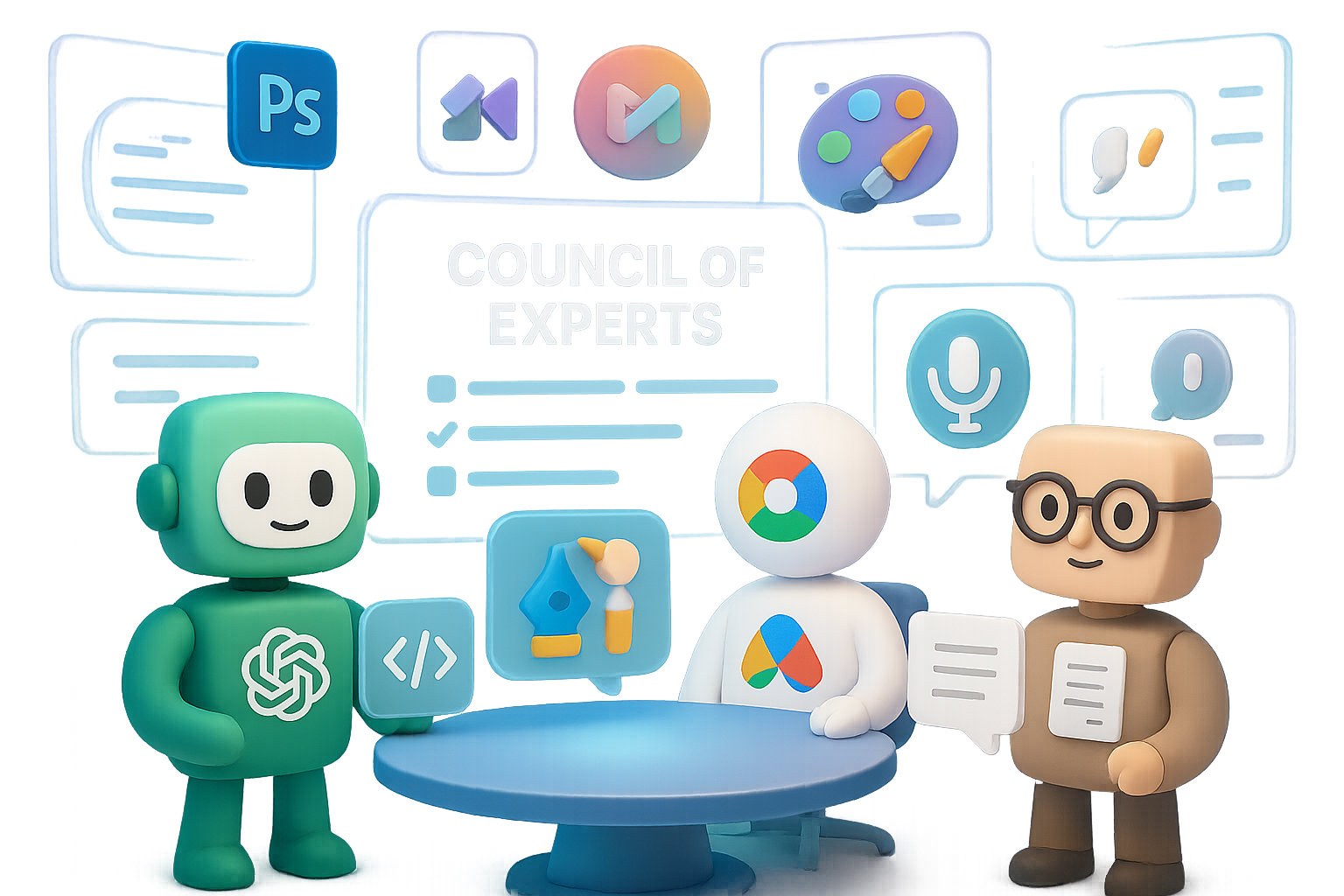
    Try the “Council of Experts” prompt—it’s prompting gold.

    Andrej Karpathy dropped a gem, and it’s too good not to steal use.

    Instead of telling the AI, “Act like an expert,” try this: “Suggest a small group of specialists who could explore [your topic] together. What would each of them contribute?”

    It flips a switch in the model’s brain.

    Why it hits different:

    • You get multiple viewpoints → no watered-down averages
    • Contradictions and nuance = next-level critical thinking
    • One prompt, no personas or system messages needed

    Try this template:

    Act as a facilitator.  
    1. Propose 4–6 experts (real or fictional) best suited to tackle [TOPIC].  
    2. For each expert, give their main stance, one tactic, and one possible pitfall.  
    3. Finish with a unified action plan pulling their advice together.

    Cue: a full-on roundtable discussion in your chat thread. It makes even basic planning feel high stakes.


    An illustration featuring a microphone, headphones, and a sneaker, with speech bubbles showing examples of dictation and a language translation from English to Spanish.

    WhisperFlow: dictate like a pro (punctuation included)

    Still cleaning up messy dictation from your phone? Enter WhisperFlow—and breathe easy.

    Built on OpenAI’s Whisper, this tool finally gets what you’re trying to say, down to the comma.

    • Works everywhere: any app, any field
    • Auto-formats with punctuation, line breaks, even Markdown
    • Recognizes language switches mid-sentence (¡muy bien!)

    It feels like telepathy—just speak, and your thoughts appear, clean and crisp. There’s a free tier, but if you dictate a lot, pro is an instant ROI.

    Tip: Great for typing fatigue or capturing brainstorms mid-walk.


    illustration

    Photoshop now lives inside ChatGPT (yes, really)

    Designers, you’re gonna want to sit down.

    OpenAI quietly added an Adobe Photoshop plug-in. Once you link your Creative Cloud account (Settings → Apps & Connections), here’s the magic:

    1. Upload an image inside ChatGPT.
    2. Type plain-English edits: “remove that trash can,” “blur background,” “sharpen details,” etc.
    3. Adjust intensity with a slider directly in chat.
    4. Need layers? Click “Open in Photoshop” and dive in.

    For light fixes? It’s a dream. No more app-switching for tiny tweaks. If you don’t use Photoshop, Adobe Express brings a Canva-style remix to the table—also via plug-in.

    Pro-grade edits. Chat-powered. Welcome to the future of fast creative.


    illustration

    Build pitch decks from a mood board—with Google’s Mixboard

    If your creative process starts with a vibe, Mixboard turns that into a deck—fast.

    Now powered by Imagen 2, here’s how it rolls:

    1. Describe your idea—say, “retro-futuristic tea cafe.”
    2. Mixboard generates 10 fresh concept images.
    3. Curate your board; one click kills or keeps.
    4. Press Transform → Visual Deck—ask for “modern investor deck,” “product launch slides,” or whatever fits.

    Fifteen minutes later? You’re holding a gorgeous PDF, complete with titles, captions, and a bold CTA. It’s the fastest way we’ve seen to go from mood to money.

    Note: still geo-locked in some countries. A VPN gets around it.


    illustration

    Quick hits you might’ve missed

    Here’s the fun fringe stuff flying under radar:

    • Grok Hackathon – AI-generated product placement, embedded in your favorite old shows. Friends reruns are about to get weird.
    • Haggle.ai – AI voice agents that renegotiate your phone, cable, or internet bills for you. Cue bot-on-bot deal brokering.
    • Enterprise prompts = productivity delta – Top-quartile AI users send 2–6× more prompts and report saving 40–60 mins per employee per day. Talk more, win more.

    illustration

    One big idea to walk with:

    The tools keep multiplying. The strategy stays the same:

    • Pick the right AI for the task
    • Prompt smart (hi, Council of Experts)
    • Plug AI into spots that slow you down—writing, designing, scripting, negotiating

    That’s how AI stops being shiny and starts pulling its weight.

    👀 Want more guides and real-world AI wins? Visit Tixu—a beginner-friendly platform that makes learning AI less overwhelming and way more actionable.

    Ready when you are.

  • 11 Ways to Future-Proof Your AI Agency in 2026

    11 Ways to Future-Proof Your AI Agency in 2026

    AI Agency Predictions for 2026: 11 Shifts to Ride or Regret

    If you’re in the AI agency world, you’ve probably seen the takes: “It’s all hype!”, “The bubble’s popping!”—but zoom out? Enterprise budgets tell a different story. From NBA front offices to F500 boardrooms, teams are doubling down on AI. The trick is majoring in what matters.

    You don’t need 47 new offers—you need to aim where the puck’s going. Here are 11 seismic shifts coming between now and 2026, plus how you can capitalize on each one before your competitors even see it coming.

    Ready when you are.


    A digital illustration depicting a modern workspace with a laptop, tablet, and floating interface screens showing various data and analytics, set against a bright pathway, symbolizing the future of AI integration and digital transformation.

    1. ROI or Bust

    Gone are the days of “let’s see what happens.” CFOs want cold, hard proof.

    Instead of “we made a chatbot,” you’ll need to lead with lines like:
    → “We cut support costs by 28% in 90 days.”

    Here’s how you stay in the room:

    • Bake quantified outcomes into every pitch.
    • Turn every win into a one-pager case study.
    • Focus on impact, not flash. Flashier gets ignored when ROI talks.

    2. From Bot Builders to AI Partners

    Point-solutions are out. Full-stack partnerships are in.

    Clients now need someone who can walk them through:

    • AI education (so they don’t get bamboozled),
    • workflow discovery (what’s worth automating?),
    • multi-stack builds,
    • long-term tuning and enablement.

    Be their brain trust—not just another dev shop.


    3. AI Audits = The New “First Website”

    Back in the day, launching a website meant you were serious. In 2026? That signal is an AI audit.

    And it pays. The average audit deal is already crossing $11k—and it’s just the start.

    Why audits crush:

    • Surface low-hanging wins for 5x ROI,
    • Build trust with stakeholders across functions,
    • Naturally lead to downstream (bigger) projects.

    Free or paid, audits open doors. Skip them and your competition will thank you.


    illustration

    4. Training’s Not Optional—It’s the Asset

    You can’t just ship tools and dip.

    2024 was automation. 2025 will be consulting. 2026 belongs to teaching.

    Great AI has zero value if your team isn’t 1) trained and 2) motivated to use it. Add a polished enablement package to every offer—they’re already selling in the £15–20k range.

    Win more. Stick longer. Do right by the client.


    illustration

    5. 80% General Software, 20% AI

    Surprise: the best AI agencies will mostly ship… non-AI software.

    Here’s why:

    • Copilots (Cursor, GitHub Copilot, etc.) cut build time by 3x.
    • Good internal tooling allows AI to shine without buckling.

    Think dashboards, CRMs, integrations. It isn’t sexy, but it’s profitable gluework—and the secret sauce to AI adoption.


    illustration

    6. Rise of Vibe Automation & Ruthless Testing

    With tools like n8n and text-to-workflow builders, spinning up automations is easy-ish. What’s hard?

    Stress-testing things that talk.

    Winning agencies:

    • Battle-test voice bots and agents with real-world chaos,
    • Tune prompts weekly, not yearly,
    • Build fail-safes and fallback loops.

    Shiny workflows won’t cut it. Durable ones win the long game.


    Two animated characters discussing a golden egg representing licensed IP, with a clipboard in one character's hand and AI-related icons in the background.

    7. IP Is the Endgame

    Why settle for seven figures in services when licensed IP unlocks 8 or 9?

    Every client engagement is an R&D lab in disguise. That prompt engine you’re building today? If it works across multiple verticals, slap a wrapper on it and go to market.

    Keep your IP clause clean—or you’re giving away your golden goose.


    illustration

    8. The Partner Race Is On

    Want 10 little clients or 2 monsters who stay for years?

    Here’s your move:

    • Show up in person.
    • Run the audit of a lifetime.
    • Nail user alignment like you’re on their payroll.

    Once you’re embedded, you’re practically irreplaceable. High-value partnerships lead to 5–10 year revenue streams.

    Think depth, not breadth.


    illustration

    9. Hire (or Train) a Forward-Deployed Engineer

    This one’s next-level.

    Picture someone who:

    • Understands dev and the business side,
    • Prototypes fast with tools like Claude or Gemini,
    • Works shoulder-to-shoulder with client teams.

    These hybrid unicorns are earning more every quarter. Either recruit fast or level up internally—before they’re priced out.


    illustration

    10. Package an AI Executive Assistant

    Imagine an AI assistant that actually does stuff:

    • Parses your OKRs, P&L, YouTube analytics,
    • Summarizes everything across tools,
    • Knows the company better than most execs.

    That’s what clients want—and will pay for.

    You don’t need to invent GPT-5. You need to build the glue layer that speaks your client’s internal language.


    illustration

    11. Google’s “Business-in-a-Box” Is Coming

    Imagine launching a CRM, analytics platform, website, and AI workflows… in under an hour.

    With Google Cloud + Gemini + pre-built infra, it’s not sci-fi. It’s a product roadmap.

    Agencies won’t disappear—but the job shifts:

    • Less grunt integration,
    • More orchestration, change management, and end-user support.

    Put simply: you become the reason the stack delivers.


    Final Word? Bet on the Human Layer.

    AI tools are getting friendlier by the minute. But buying trust, shifting behavior, and aligning strategy? Still hard. Still human.

    Capitalize on just a few of these shifts, and by 2026, you won’t just survive—you’ll dominate.

    Looking to sharpen your AI edge from the ground up?

    Start learning with bite-sized, beginner-friendly lessons at
    Tixu—your AI wingman from zero to deploy-ready.

  • Master AI Productivity with Grok in 9 Minutes

    Master AI Productivity with Grok in 9 Minutes

    Unlocking Grok AI: Get Real Work Done With xAI’s Newcomer

    You’ve seen the tweets. Maybe even poked around the UI. But the real question is this: can Grok actually help you move faster, work smarter, and waste fewer brain cells?

    Short answer—yes, with a few caveats.

    After a few weeks of stress-testing Grok in real-world workflows, here’s the no-fluff download of what it’s good at, where it fumbles, and how to make the most of it right now.

    illustration

    Why Try Grok? It’s Not Just About the Model

    Sure, Grok isn’t topping every leaderboard yet. On LMSys Chatbot Arena, it falls behind GPT-4o, Claude 3, and Gemini 1.5 Pro. But here’s the curveball: it edges out specialized models in code speed and forecasting, and xAI’s been shipping updates like clockwork.

    Translation? What Grok lacks in raw IQ today, it’s clawing back with weekly gains—and a UX that honestly makes the others feel clunky.

    illustration

    Skip the Mess—Grok’s UI Is Built For Flow

    You don’t need to dig through nested chat windows to get work done. Grok greets you with:

    • Cleanly split workspaces: Chat, Image Generation, Deep Research, Files, and Tasks.
    • Built-in voice input (yep, right in the browser).
    • A Share toggle that lets you open up projects to your team in seconds.

    Whether you’re managing a content campaign or scanning investor decks, everything’s one click away. The result? Less bouncing around. More getting stuff done.

    illustration

    Before You Type: Set Your Defaults Like a Pro

    Out of the box, Grok is decent. But with a few quick setting tweaks, it goes from decent to dialed-in:

    1. Response Style – Choose “Concise” for focused outputs. Less rambling, more gold.
    2. Model Selection – Stick with “Auto.” It toggles between a lightweight chat mode and heavier-duty research when needed.
    3. Personas – Use built-in voices like “Grok Doc” or “Homework Helper” for special tasks. Think of them as situational AI presets.

    These take 90 seconds—and save you from half-baked replies later.

    A cartoon-like character holding a tablet displaying the 'Tasks' interface, featuring options for Daily Market Rundown, GitHub Status, and Sentiment Scan.

    Automate the Boring Stuff With Tasks

    Let’s talk about Grok’s sleeper hit: the “Tasks” tab.

    Tasks are scheduled prompts that auto-run on your schedule. Think:

    • Daily market rundowns at 9 a.m.
    • Weekly sentiment scans from X (formerly Twitter).
    • Hourly status summaries from GitHub issues.

    It’s like Zapier meets your favorite AI. And unlike ChatGPT’s buried workflows, everything stays visible and editable in a timeline. One client using this feature shaved 3 hours off their weekly reporting routine—no devs required.

    illustration

    File Handling Without the File Fumbling

    Upload a doc once—Grok remembers it everywhere.

    Every file you add lives in a universal library, instantly accessible across chats and tasks. That means your SOPs, pitch decks, or quarterly models don’t live in version-control purgatory.

    If you collaborate cross-functionally, this is huge. One content lead we interviewed said it cut context-switching by nearly 40%.

    A digital illustration featuring a character with a puzzled expression, alongside icons representing Grok and Midjourney, and a signpost indicating options for speed and quality with labels for Faux.ai, Quenn, and Flux.

    Where It Doesn’t Shine: Image Generation

    Here’s the straight-talk: Grok’s image creation tool is fine for quick social content but doesn’t touch Midjourney or Imagen 3 in realism or polish.

    Need high-end visuals? Use a meta-tool like Faux.ai—a hub that gives you streamlined access to top-tier models like Quenn, Flux, and Kadream with one login.

    But if speed beats sparkle in your use case, Grok still holds its own.

    Projects = Context You Don’t Have to Repeat

    Projects are Grok’s answer to Notion “spaces” or ChatGPT “custom GPTs.” Set up a dedicated area for long-running topics like:

    • Product Launch Q3
    • Email Marketing Strategy
    • Customer Success Playbooks

    Load them up with related docs, tasks, and a guiding system prompt. Then share it with your team—done.

    At MakeBigMoves.ai, teams saw a 30% drop in Slack back-and-forth just by centralizing communication here. One less tab, one more hour back.

    illustration

    Pricing & How to Get Started

    Here’s what access looks like:

    • X Premium users (formerly Twitter Blue): Grok is included.
    • Business plans: Available through grok.x.ai if you don’t want to link it to a personal X account.

    No surprise fees. Just pick your lane.

    illustration

    On Deck: Grok in Your Car

    Grok’s heading to Tesla dashboards. Yes, really.

    xAI says select models in North America will soon let drivers chat with Grok while in motion. Draft emails. Brainstorm articles. Sync notes to Notion while coast-driving. It’s not live yet—but if you own a Tesla, it’s worth watching for in OTA updates.

    illustration

    Fast Wins & Trade-Offs

    Pros

    • Dead-simple UI with mass appeal
    • Scheduled Tasks are a game-changer
    • Projects reduce project sprawl
    • Bundled with X Premium—easy access

    Cons

    • Model is still a tier below GPT-4o/Claude 3
    • Visuals are good, not great
    • Tesla integration = US-first (sorry, internationals)

    Bottom line?
    Grok’s not finished—but it’s already quietly powerful. If you want an LLM that plays nice with teams, handles automation without IPAs, and integrates naturally across X and Tesla, it’s worth test-driving today.

    Want help mastering workflows like this without drowning in jargon?
    Start learning AI fundamentals the smart way with Tixu—a beginner-friendly platform that actually makes sense.

  • GPT-5.2: Boost Accuracy, Code, and Workflow Fast

    GPT-5.2: Boost Accuracy, Code, and Workflow Fast

    The AI World Just Flipped (Again)

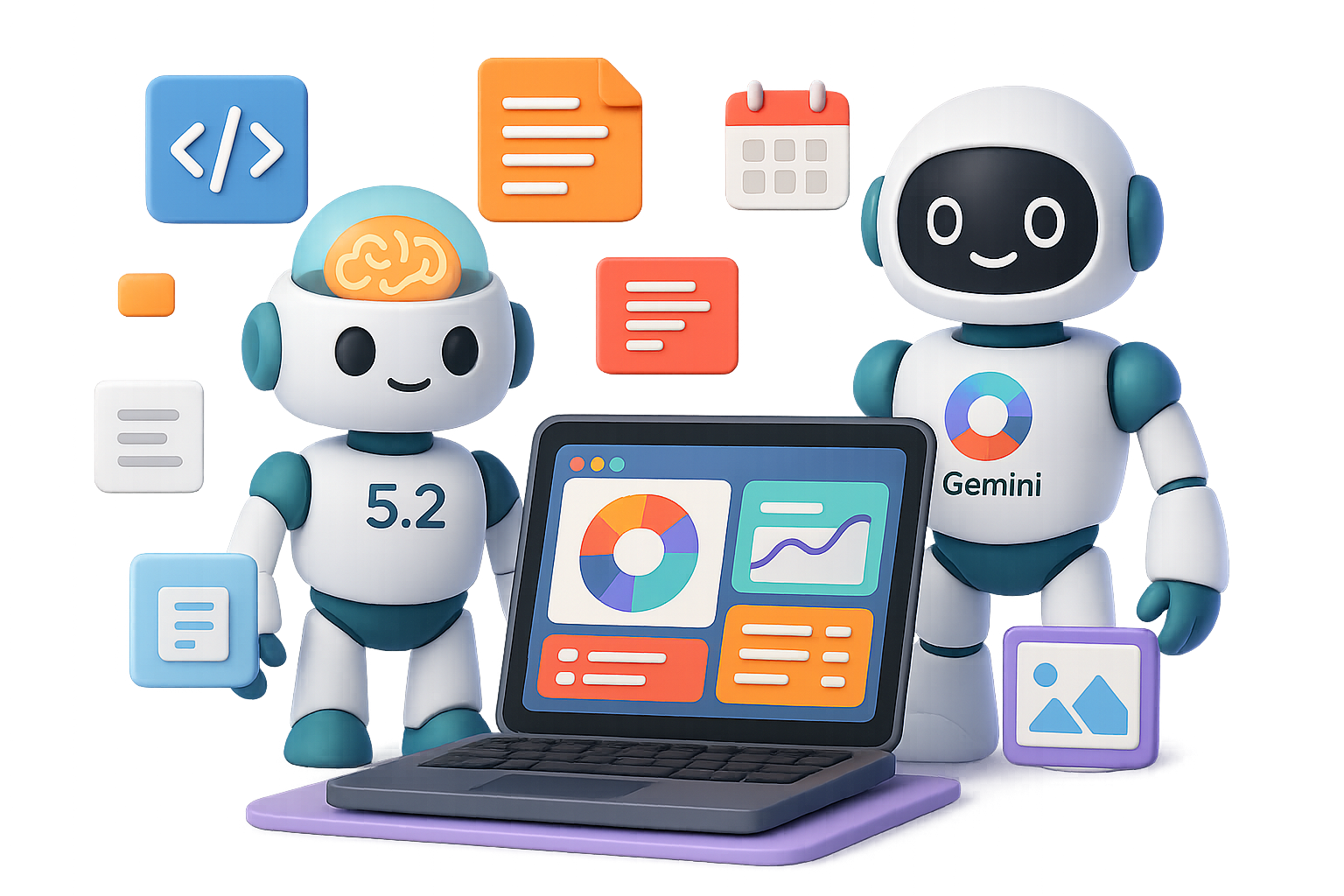
    December was supposed to be the wind-down. Cozy sweaters, half-days, inbox zero. Instead? Google dropped Gemini. It crushed benchmarks left and right. Days later, OpenAI fired back with GPT 5.2—and yeah, it’s the biggest leap since 4.0.

    If you use ChatGPT for real work—planning, writing, coding—you’ll want to know what changed, how 5.2 stacks up, and four smart ways to get ahead with it starting today. Ready when you are.


    illustration

    Why OpenAI Hit the Panic Button

    Let’s rewind.

    Google’s Gemini didn’t just launch—it body-checked OpenAI off the leaderboard. We’re talking:

    • Best-in-class reasoning, visuals, and code
    • High-profile defectors
    • OpenAI pausing Sora and other moonshots to focus on shipping GPT 5.2

    End result? A release that landed a month early. In AI-time, that’s warp speed.


    illustration

    What’s Actually New in GPT 5.2

    This isn’t a makeover—it’s a precision tune-up. Fewer flubs, stronger logic, broader context. Here’s the juicy part:

    • Smarter on tough tasks – OpenAI’s pro users say it wins or ties expert reviewers 70.9% of the time (up from 63% in 5.1).
    • Top-tier coder – Benchmark king on SweBench-Pro and Verified. Translation: fewer crashes mid-refactor.
    • -30% hallucinations – That’s real-world ChatGPT usage with significantly fewer wrong facts.
    • Thinks in long-form – Handles story-length documents (up to 256k tokens) without getting lost in the weeds.
    • Stronger eyes – Visual reasoning (charts, screens, UIs) just got a massive power-up—half the error rate vs. 5.1.

    No flashy upgrades, just brains where it counts.


    Three stylized panels illustrating AI capabilities: the left panel features a hiking route with 'San Francisco' and icons, the center panel displays a computer monitor with task lists and checkmarks, and the right panel shows a color-coded calendar layout.

    GPT 5.2 vs Gemini: Real-World Face-off

    You don’t need speed tests—you need results. So we ran three real prompts through both Gemini and GPT 5.2. Here’s the breakdown:

    Road Trip Buildout

    Prompt: 3-day SF→Yosemite trip, $500 budget, scenic detours, short hikes, no tolls

    • Gemini gave a clean, day-by-day itinerary.
    • GPT 5.2 nailed the vibe. Better pacing between hikes and rest—with bonus snack stops.

    🏆 Winner: GPT 5.2 (felt more human)

    Front-End Dashboard

    Prompt: Build a daily dashboard with tasks, notes, and a Pomodoro timer

    • Gemini delivered working HTML/CSS.
    • GPT 5.2 added micro-UX gems: card layout, readable fonts, multi-mode timer. Also, it rendered a preview in ChatGPT.

    🏆 Winner: GPT 5.2 (more polished)

    Calendar Optimization

    Prompt: Analyze messy screenshot of weekly calendar, restructure for focus

    • Both caught conflicts and overlaps.
    • GPT 5.2 grouped tasks, color-coded blocks, and proposed a buffered schedule.

    🏆 Winner: GPT 5.2 (deeper logic + better suggestions)

    Bonus: GPT 5.2 tends to start streaming just a hair faster than Gemini—and requires fewer “wait, that’s not it” clarifications.


    illustration

    What’s Next: “Project Garlic”

    This part’s spicy. Rumors say OpenAI’s training a smaller AI—nicknamed Garlic—to match GPT-5 muscle with way less weight.

    Translation:

    • Big brain
    • Lower power draw
    • Potentially offline on phones

    Launch? Likely 2026. But GPT 5.2 is the bridge—it’s what happens when OpenAI hits fast-forward while prepping the next moonshot.


    illustration

    How to Actually Use GPT 5.2 Better Today

    If you’re still using ChatGPT like it’s 2023, you’re leaving power on the table. Try these:

    1. Lean into multi-step logic
      Planning events, breaking down strategies, step-by-step builds—5.2 thrives when things get complex.
    2. Draft, don’t perfect
      Use ChatGPT for outlines, brainstorms, even first drafts. Polish comes later.
    3. Upload more visuals
      Screenshot, whiteboard, hand-drawn wireframe—5.2 sees more, gets more, answers smarter.
    4. Ask for structured formats
      Want YAML, Markdown, a CSV table? Say it. 5.2 actually listens now.

    illustration

    Should You Switch to Gemini?

    Here’s the short take:

    • Stay with ChatGPT if your day-to-day involves code, docs, planning, or you’re tied into OpenAI tools already
    • Try Gemini if visuals dominate your workflow—or you’re just AI-shopping in 2024

    The performance gap has narrowed. Your existing tools, plug-ins, and habits may matter more than model variance.


    illustration

    Bottom Line

    Gemini fired the shot. GPT 5.2 answered. And the win? It’s yours.

    With cleaner code, smarter schedules, and fewer hallucinated answers, OpenAI’s flagship feels laser-focused again. Is it game over? Not even close. But for right now, GPT 5.2 is the best all-purpose AI in your corner.

    Want to level-up fast with AI (yes, even if you’ve never used a prompt before)? Start with Tixu’s beginner-friendly tools and lessons.

  • Master Prompting in 2025: 7 Steps to Clearer AI Results

    Master Prompting in 2025: 7 Steps to Clearer AI Results

    Your AI Isn’t Broken—Your Prompt Might Be

    You didn’t mess up. You just didn’t prompt right.

    If you’ve ever stared at a disappointing AI output—weak copy, half-baked code, a vibe that just feels…off—don’t blame the model. Nine times out of ten, it’s not “AI acting weird.” It’s a prompt problem.

    Once you realize a prompt is like a tiny software program written in plain language, the game changes completely. You stop treating ChatGPT or Claude like a magic 8-ball, and start using them like power tools.

    Let’s walk through the prompt-writing playbook that actually gets results—even if you’re brand new.


    illustration

    Write Prompts Like Code—Because They Are

    Here’s the core idea: a large language model (LLM) is just a supercharged autocomplete engine. It looks for patterns and predicts the next token of text.

    So what’s your prompt? It’s the pattern. The instruction. The launchpad.

    There are two parts:

    • System prompt: sets the behavior (“You are a kind but no-nonsense senior engineer”).
    • User prompt: defines the specific task (“Write an apology email to customers”).

    Write both with the same level of intent you’d use writing real code. Suddenly, the AI feels a lot less random—and a lot more like a very fast intern who just does what you tell it to.


    A workspace scene featuring a laptop displaying an apology email draft, folders labeled 'Incident Report' and 'Report', and a nameplate indicating 'Senior SRE, Cloudflare'. Speech bubbles indicate 'Internal Engineers' and 'Customers', with a warning icon and a notification light.

    Pick Your Expert, Not Just an Assistant

    “Write an apology email” is vague.

    “You are a senior Site Reliability Engineer at Cloudflare writing to customers and internal engineers” is specific, actionable, and way more effective.

    Why this works:

    • Anchors tone and vocab to a specific profession
    • Narrows the knowledge domain
    • Kills generic, meh outputs

    Try this:

    You are a senior SRE at Cloudflare. Address both customers and internal engineers. Draft an apology email...

    It’s not about sounding smart. It’s about setting clear roles to get the response you actually want.


    illustration

    Don’t Guess—Feed Facts

    LLMs make things up when they’re missing the key info. That’s not a bug. That’s autocomplete doing its best with what it has.

    If you want accuracy, give it context:

    1. Lay out the real situation clearly.
    2. Paste in any official timelines, incidents, facts, or metrics.
    3. Say it’s okay to respond “I don’t know” if the data isn’t there.

    Think you don’t have an “AI hallucination” problem? Run the same vague prompt twice—you’ll likely get two different stories. More real-world context = fewer AI daydreams.


    illustration

    Be Bossy About Format

    Most people tell the AI what they want, but not how they want it.

    And format is half the battle.

    Want a short, bullet-style apology that’s professional? Say so:

    • 120–180 words  
    • Bulleted timeline  
    • Professional, apologetic, radically transparent  
    • No corporate fluff

    The AI instantly knows your expectations—not just content, but layout, tone, and vibe.


    illustration

    Show the AI What “Good” Looks Like

    LLMs learn from examples on the fly. Give them a couple of mini versions of what you want, and they’ll stick the landing almost every time.

    Best practices:

    • Keep examples tight—2–3 short samples max
    • Use clear separators (like ``` or ###)
    • Put them before the task, after the instructions

    You’re not training the model, you’re nudging it. Think of it like handing a designer your favorite mood board before they start.


    illustration

    Bonus Round: 3 Advanced Prompting Moves

    When you’re ready to level up:

    1. Chain of Thought (CoT) – Ask the model to “think step-by-step before answering.” This boosts logic and coherence dramatically.
    2. Trees of Thought (ToT) – Have it generate multiple approaches, compare them, and pick the best. It’s like brainstorming on fast-forward:
      Generate 3 different tone options → Evaluate pros/cons → Combine best elements into final draft
    3. Adversarial validation – Ask two AI “personas” to critique each other’s responses. Then merge their best ideas into your final version. This is where things get spooky-good.

    illustration

    Best Prompting Skill? Clarity of Thought.

    Forget tricks. The most powerful prompt starts with a clear ask. If you’re fuzzy on what you want, don’t open the AI yet.

    Before you type:

    • Define your goal in one sentence
    • List the facts the AI should know
    • Decide how the output should look

    AI follows your lead. Messy thinking in ➝ messy answers out.


    illustration

    Checklist: Prompt Like a Pro

    • Define a persona (who’s talking?)
    • Add full context (what does the AI know?)
    • Set format rules (what should it look like?)
    • Include a couple “success” examples
    • Give permission for “I don’t know”
    • Use advanced patterns like CoT/ToT for tough tasks

    And yep—save the ones that work. You’ll reuse them again and again.

    Platforms like Anthropic’s Claude, OpenAI’s example library, or community hubs like Fabric make prompt reuse a breeze.


    illustration

    The Takeaway

    Next time you think AI “got it wrong,” stop and ask:

    Did I prompt like a pro—or just hope for the best?

    Because chances are, the model isn’t broken. Your prompt just needs a rethink.

    Want to learn these skills from day one—without the heavy lifting? Try Tixu, the beginner-friendly AI learning platform built to sharpen your prompting chops fast.

    Ready when you are.

  • Start a Profitable AI Business with Zero Budget

    Start a Profitable AI Business with Zero Budget

    4 AI-Powered Side Hustles You Can Start Today for $0

    Feeling the itch to launch something new—but your bank account says “nah”? You’re not alone. The good news? You don’t need a fat budget to test-drive a new idea. Just a Wi-Fi connection, a curious brain, and these four AI-powered hustles that cost exactly zero dollars to start.

    We’re talking real business models, not pipe dreams—each using free tools and free-tier platforms. Pick your favorite and build it while your coffee’s still hot.


    illustration

    1. Create Calming Bedtime-Story Channels

    Tens of millions of people stream slow, story-driven content to unwind. YouTube and Spotify are flooded with 1–3 hour story videos aimed at stressed-out adults—and the creators are quietly cashing in. Like, $500–$2,000 a day levels of cashing in.

    Here’s your workflow:

    1. Write the script
      Use Claude to generate 10-minute story chunks. Feed those into Google Docs, then ask Claude to continue until you hit around 2 hours.
    2. Generate visuals
      Head to Leonardo.Ai (free tier available). Choose a wide 16:9 canvas and create atmospheric images: starry skies, mythic landscapes, cozy cottages—you get the vibe.
    3. Add voice-over
      Inside Microsoft Clipchamp (free with any Microsoft account), select text-to-speech, paste in your script, then tweak the vibe. Aim for “hypnotic bedtime podcast,” not morning radio show.
    4. Assemble and upload
      Drop the images and narration into Clipchamp—or any free video editor. Export. Upload. Monetize. Done.

    Why it works: Long videos = more ads per view. More ads = more $$$. This niche isn’t just a relaxing listener experience—it’s a revenue engine in disguise.


    A digital workspace featuring a laptop displaying growth charts, surrounded by various colorful interface elements like checklists, search icons, and FAQs, representing online business tools and services.

    2. Sell Generative Engine Optimization (GEO) Services

    AI isn’t just changing how we find info—it’s changing what gets found. Instead of 10 blue links, search is shifting to one clear AI-generated answer. That’s where you come in.

    Generative Engine Optimization (GEO) is how brands get mentioned in those answers. And right now? Hardly anyone’s doing it.

    Here’s how to get in early:

    • Learn for free on YouTube—search “GEO tutorial” or “AI-first SEO.”
    • Offer audits to local businesses. You’re reworking FAQs, updating meta-tags, and formatting content the way AI models prefer.
    • Charge modestly at first. Use those projects to build before/after case studies.

    Then double down.

    Local HVAC companies, salons, lawyers—they all want to show up in AI answers. They just don’t know how (yet). You’re the expert who does.


    An illustration of a digital storefront with product mockups, including a mug and a shirt, displayed on various devices like a laptop and tablet. The scene also features packages and design elements, emphasizing an online print-on-demand setup.

    3. Run a Zero-Cost Print-on-Demand Store

    Want to sell funny mugs or niche t-shirts without the Etsy fees or Shopify bills? Printify’s “Pop-Up Store” has your back. Totally free storefront. Simple setup. No inventory.

    Here’s how to spin it up:

    1. Come up with ideas
      Fire up ChatGPT with a prompt like:
      “Give me 10 witty slogans that mix dad jokes with cycling culture.”
    2. Make the art
      Use Leonardo.Ai to create illustrations or design elements. Then polish in Canva (30-day pro trial gives you bonus tools like background remover).
    3. Set up your store
      Inside Printify, select “Pop-Up Store,” upload designs, pick your merch (tees, mugs, hoodies, you name it).
    4. Promote
      Turn behind-the-scenes clips or product mockups into short TikToks or Reels. Trendy sounds + fast edits = free visibility.

    The best part? Printify handles printing, shipping, and collecting payments. You just collect profits.


    A digital workspace featuring a laptop displaying graphs, a coffee mug, and various visual layouts resembling a Pinterest board with images of cozy furnishings and decor elements.

    4. Build AI-Driven Pinterest Affiliate Blogs

    Pinterest isn’t just for weddings and kitchen inspo—it’s a sleeper hit for affiliate marketing. Millions of users browse with a “ready to buy” mindset. You’re about to tap into that.

    Start like this:

    1. Generate your blog post
      Ask Claude: “Write a listicle titled ‘13 Essentials for a Rainy-Day Reading Nook’—all items must be shoppable on Amazon US.” Include affiliate tags? Yes.
    2. Create visuals
      Use Leonardo.Ai’s daily free credits to create warm, cozy images for each product.
    3. Publish on Medium
      Quick to set up, totally free, and allows affiliate links. Insert your Amazon Associates links throughout the piece.
    4. Make your pins
      Canva’s Pinterest templates make this easy. Drop in your AI art, add click-worthy text, and go.
    5. SEO it before publishing
      Ask ChatGPT to write a catchy title, strong description, and high-traffic tags based on your product list. Copy-paste straight to your Pinterest pin.

    Pins can rank for months—even years. Which means while you’re busy building your second side hustle, your first one is still bringing in clicks and commissions.


    illustration

    Final Thoughts

    AI has turned excuses into options. You don’t need cash, code, or a co-founder—you just need momentum. Whether you start with bedtime story content, GEO consulting, custom print merch, or affiliate blogging for Pinterest, you can be up and running this weekend. Seriously.

    Want more beginner-friendly AI breakdowns like this?
    Check out Tixu—a no-fluff platform where you’ll actually get how AI works, step-by-step. Ready when you are.

  • Build a Future-Proof Career in the AI Era

    Build a Future-Proof Career in the AI Era

    The Education Earthquake: Learning, Credentials & Careers in the Age of AI

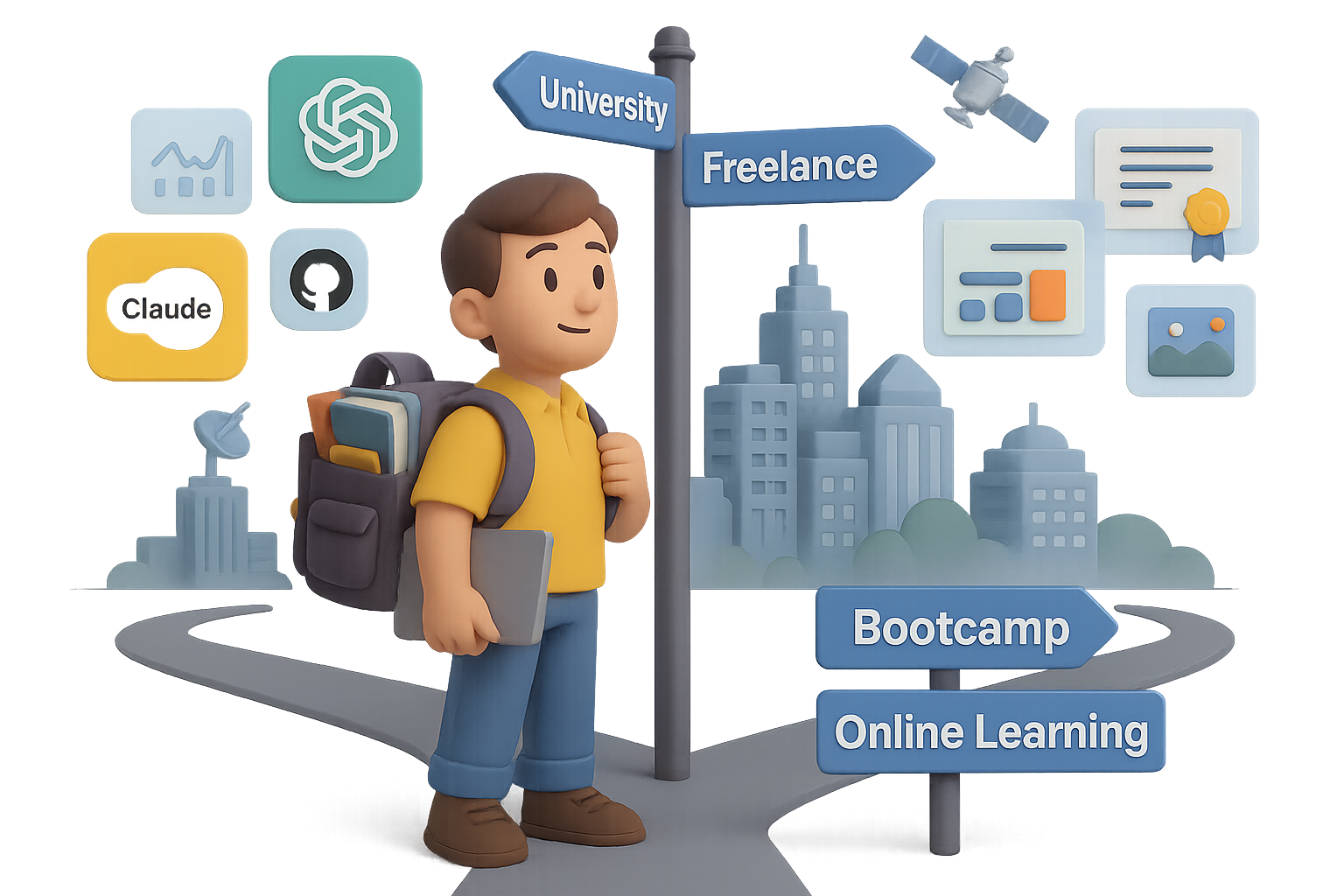
    Let’s not sugarcoat it—AI has already shaken the job market, and if you’re in the 17-to-26 age range, you’re feeling the tremors more than most.

    In the U.S., entry-level job postings are down a hard 35%. Over in European tech? A staggering 70% drop. Meanwhile, tools like ChatGPT, Claude, GitHub Copilot, and Perplexity are casually eating junior-level tasks for breakfast.

    The Harvard Business Review says today’s AI can already handle 50–60% of what fresh grads typically do. Want some upside? Those who lean in are already pulling in a 56% wage premium, per PwC. Double last year.

    So no, the robots haven’t “replaced” humans. But they’ve redrawn the map. The real question is: where do you fit in the new terrain?

    Here’s your game plan. Built from convos with AI entrepreneurs, tech investors, and researchers—the folks rewriting the rules.


    illustration

    What’s Crumbling—and What Isn’t

    1. Routine work is vanishing.
      Think admin tasks, data formatting, basic content generation. Easy pickings for AI—and employers know it.
    2. University curricula lag reality.
      By the time your prof teaches it, the industry’s moved on. Most programs trail by 3–5 years, especially in fast-moving fields.
    3. But deep competence is future-proof.
      Aravind Srinivas (CEO at Perplexity AI) said it well: You don’t need to find your purpose at 18—you need a skill you’ll stick with for years. Mastery still matters.
    4. Knowledge is now a convo, not a lecture.
      Think AI tutors like Learn Live—always-on, always-up-to-date, always personal. The gatekeepers are gone.

    illustration

    When College Is Still 100% Worth It

    There are times when a degree still delivers real return:

    • Licensed professions – Doctor, lawyer, structural engineer? Still gotta show the fancy paper.
    • Elite research access – Want to work in quantum AI or cure cancer? Top universities can fast-track you in.
    • Subsidized or debt-free study – If you can grad with no loans, your risk is minimal.
    • As a launchpad – Use college as a four-year build phase: start projects, build network, test ideas.

    Treat school like a startup incubator—not a hammock.


    A cartoon piggy bank wearing a graduation cap, looking worried, surrounded by a college diploma, student loan cash, a calendar with marked dates, and a computer screen displaying online courses.

    When a Degree Becomes a Money Pit

    Red flags you’re paying to delay reality:

    • You enrolled because “everyone else is.”
    • You’ll leave owing six figures and have no tradeable skill.
    • You could learn the same thing online in 1/10th the time—for 1/100th the price.

    Degrees don’t carry ROI “just because.” Be unblinking.


    A cartoon character organizes building blocks labeled 'Online Study,' 'Bootcamp,' 'Internship,' 'Freelance Projects,' and 'Diploma' on a desk next to a digital screen.

    Design Your Personal Learning Stack

    Think education like a playlist, not a vinyl record. Mix these to match your pace and budget:

    • University Lite – Two-year degrees or specialized diplomas. Light on cost, heavy on focus.
    • Bootcamps – Sharpened to outcomes. Ideal for design, coding, product, data.
    • Online study – YouTube, Khan, Coursera, Perplexity, ChatGPT. Near-zero cost, infinite ceiling.
    • Internships & apprenticeships – Proximity to pros beats theory. You grow by osmosis.
    • Freelance & OSS – Real-world reps. Public proof of what you can actually do.

    By 2025, the most future-proof learners will blend all three: low-cost credential + obsessive self-teaching + relentless proof-of-work.


    illustration

    A 5-Step Action Plan (If You’re 17–26)

    Ready to flip the script? Start here:

    1. Pick a 10-Year Direction (Not a Life Sentence).
      • What kind of problems make you lean in?
      • What does “a good day” look like in 2034?
      • Jot it down. You’re allowed (expected) to course-correct.
    2. Reverse-Engineer Your Future Role Models.
      • Find 3 people doing your dream job. Stalk their LinkedIn, Twitter, GitHub.
      • What blend of skillsets got them there?
      • Data + storytelling? AI + design? Clarity lives in the details.
    3. Choose ROI-Driven Learning Paths.
      • Degree? Bootcamp? Self-learning? Doesn’t matter.
      • Metric to watch: Cost vs. time-to-competence. That’s your north star.
    4. Build Wildly Visible Proof.
      • GitHub code, Figma mockups, Notion case studies.
      • Better than any résumé. It proves you weren’t just interested—you delivered.
    5. Use AI Like a Gym Buddy, Not a Crutch.
      • Let Claude critique your essays. Have ChatGPT coach you daily.
      • Then shut them off and tackle the work solo. That’s where skills cement.

    Bonus: Climb with smarter people.
    Offer value to folks 5–10 years ahead. Interview them. Volunteer. Launch a niche podcast. Ambition is contagious—and they’ll remember you.


    Two animated characters at a table, one child and one adult, discussing learning concepts. The table has books titled 'Self-Teaching', 'Systems Thinking', and 'Curiosity Journal', along with a magnifying glass and colorful puzzle pieces.

    For Parents Asking, “How Do I Future-Proof My Kid?”

    Mike Krieger (co-founder, Instagram + now CPO at Anthropic) nailed this. These traits age better than any major:

    • Curiosity & Observation – noticing what’s broken or improvable.
    • Systems Thinking – connecting dots, not memorizing them.
    • Self-Learning Muscle – discipline to teach yourself hard stuff.

    These are the real “forever skills.”


    illustration

    AI Changed the Rules. You’re Still in Control.

    Yes, the bottom rung of the ladder is broken. But you’ve also got access to tools that weren’t even imaginable 5 years ago.

    Keep this front-of-mind:

    • Learn faster than tech changes.
    • Prove what you can do—publicly.
    • Stay curious, systematic, and scrappy.

    It’s not about beating the bots. It’s about learning how to fly with them.

    Want a friendly place to start using AI to accelerate your learning?
    Check out Tixu—a no-fluff, beginner-friendly AI learning platform built for fast-moving learners like you.

    Ready when you are.

  • Resist the AI Slop: Why the Bubble Bursting Could Save the Internet

    Resist the AI Slop: Why the Bubble Bursting Could Save the Internet

    Is the AI Boom a Bubble? Why a Burst Might Be a Good Thing

    You’re not imagining it—every time you turn around, someone’s pumping billions into AI like it’s a sure bet. Data centers. GPUs. LLMs. Like the whole future depends on silicon and server racks.

    But here’s the kicker: Those eye-popping investments? They don’t always add up. In fact, the cracks are starting to show. And if the AI bubble does burst, it may be the reset the internet desperately needs.

    Let’s break it down—the sky-high spending, the sneaky accounting, and why a little deflation could actually mean a healthier, more human web.


    illustration

    A New Moonshot Every 10 Months

    Big Tech isn’t just betting on AI. They’re all in.

    • Meta plans to drop $600 billion (yes, with a “B”) on data centers by 2028.
    • Analysts forecast over $400 billion spent on AI infrastructure in 2025 alone.
    • Brookfield Asset Management projects tech will pour $7 trillion into data centers this decade.

    To put that in perspective: the entire Apollo program—yes, the one that put people on the moon—cost about $300 billion (inflation-adjusted) over 10 years.

    Today? Tech giants are bankrolling the equivalent of a moonshot every year just to keep GPUs fed.


    Illustration depicting a cluttered desk with a wastebasket containing a GPU, a drawer labeled 'SPV', financial charts, and rolls of dollar bills, symbolizing the complexities of tech finance.

    The Creative Accounting Behind the Curtain

    Spending big is risky. Glossing over that risk? That’s where things get dicey.

    • Nvidia now releases new chips annually, slashing GPU shelf life.
    • Meanwhile, Microsoft, Meta, Oracle, and others are stretching the lifespan of their servers from 4 to 6 years…without changing hardware.
    • Many are hiding costs in off-balance-sheet vehicles (called SPVs) so expenses don’t spook investors.

    Translation: profits look better on paper than they are in practice.

    One estimate shows 5–10% of earnings per share could vanish if hardware lifecycles were accounted for accurately. That’s up to $1.6 trillion—poof.


    illustration

    The Bubble Checklist? All Boxes Ticked

    Economist Noah Smith lays out four red flags for a tech bubble. AI hits all of them:

    1. “This time is different” narrative – AI is hailed as the new electricity.
    2. Excessive debt in one sector – Data-center loans are flooding the market.
    3. Shady financing – Private credit firms swell from niche to central.
    4. Traditional lenders on the hook – Big banks and insurers are exposed, too.

    Throw in the fact that U.S. corporate AI adoption actually dropped from 14% to 12% in two months (according to the Census Bureau), and suddenly the gold rush starts to look more like a mirage.


    illustration

    The Side Effects Are Getting Loud

    Sure, stock prices tell one part of the story. But look closer and the downsides are already bleeding into the real world:

    • Energy drain – U.S. data centers use ~4.4% of national electricity, heavily reliant on fossil fuels.
    • Land sprawl – Server farms are bulldozing churches and historic buildings in Virginia.
    • Cultural sludge – Your feed’s filled with low-effort AI spam. Meanwhile, 95% of companies using generative tools report no new revenue at all.

    There’s an ever-growing gap between AI’s promised magic and actual payoff—and users are noticing.


    illustration

    Why a Correction Could Be a Comeback

    Now for the plot twist: A bubble popping might be exactly what we need.

    Because the faster our screens fill with algorithmic sludge, the more people crave actual human interaction.

    • Communities are returning to forums, email newsletters, and chronological feeds.
    • A social platform that blocks autoplay and bans “generated content”? Not mainstream, but absolutely viable.
    • In creative circles, labels like “hand-crafted”, “no AI here”, and “analogue only” are already becoming badges of honor.

    This is farm-to-table—but for content.


    illustration

    4 Ways to Reclaim the Web (and Your Sanity)

    You don’t need to wait for the crash to make better choices online.

    Here’s how to push things human again:

    1. Back real creators – Subscribe, share, or pay those who show their work.
    2. Kill the infinite scroll – Use RSS, bookmarks, or dedicated subs to control your feed.
    3. Skip the hypeware – If a tool feels like “busywork as a service,” it probably is.
    4. Touch grass – Literally. The signal-to-noise ratio offline is unbeatable.

    No one’s rooting for a wipeout here. But if this AI surge turns out to be overhyped, the correction might clear the way for something better—less extractive, more intentional, and actually built for humans.

    And if you’re ready to learn how to navigate the future of AI without getting lost in the noise, start exploring over at Tixu—a beginner-friendly platform that cuts the fluff and gets you learning, fast.

  • 6 AI Businesses You Can Start to Earn Big in 2026

    6 AI Businesses You Can Start to Earn Big in 2026

    6 AI Business Ideas You Can Start (and Scale) Before 2026

    Feel like everyone’s “building with AI” but you’re stuck juggling side hustles that barely cover the coffee bill?

    Let’s fix that.

    Below are six proven business models built for today’s AI wave—each with growing demand, real paying clients, and scalable systems. If you’ve got skills (or just the hustle to learn), there’s a path in here for you.

    Ready when you are.


    6. Free Up Leaders’ Time with an AI Virtual Assistant Service

    Time is money? Not quite.

    For busy founders, execs, and creators—time is priceless. That’s where you come in. By combining AI tools with classic EA skills, you make their day friction-free.

    Why it works

    • High-earning clients care more about saved hours than saved dollars
    • The virtual assistant market is projected to top $30 billion by 2030, growing ~20% yearly

    Startup snapshot

    • Tools to know: ChatGPT, Calendly, Zapier, Google Gemini, Superhuman
    • Startup cost: Minimal—most tools have generous free tiers
    • Learning curve: Manageable—organizational skills > technical ones
    • Typical revenue: $10–20k/month with 4–5 retainer clients

    Quick win
    Launch with a “Inbox Zero + Calendar Domination” monthly package. Upsell travel booking and note summarization once trust kicks in.


    illustration

    5. Launch an AI Content-Repurposing Studio

    Content isn’t king—it’s the whole damn kingdom.

    And yet, most creators film something once… then let it collect dust. Using AI, you can turn one podcast or webinar into dozens of bite-sized gems across TikTok, LinkedIn, Twitter, you name it.

    Why it works

    • Big shift to “show up everywhere” marketing
    • The creator economy is on track to hit $480 billion by 2027 (Goldman Sachs)

    Startup snapshot

    • Tools to know: OpusClip, Descript, ElevenLabs, Adobe Express, Canva
    • Startup cost: Low—just your laptop and a few freemium plans
    • Learning curve: Medium—branding skills and visual taste help
    • Typical revenue: $10–30k/month with just 5–7 clients

    Quick win
    Offer a “30 Clips in 30 Days” sprint. When the engagement spikes, retention isn’t a problem.


    4. Build an AI Automation & Implementation Agency

    SMBs are drowning in tabs, toggles, and tools that don’t talk to each other. You can fix that by mapping workflows and stitching together point solutions with no-code and AI tools.

    Why it works

    • Most teams know AI can help—they just don’t know how
    • The hyperautomation market is forecasted to reach $249 billion by 2032

    Startup snapshot

    • Tools to know: Zapier, Make.com, LangChain, Retool, UiPath
    • Startup cost: Moderate—paid plans and testing environments
    • Learning curve: Medium—depends on the client’s stack
    • Typical revenue: $20–50k/month (even more with retainers)

    Quick win
    Pick a niche: Shopify sellers, dental practices, real estate firms. The narrower your focus, the faster you become the go-to.


    illustration

    3. Run an AI-Driven Lead-Generation Agency

    Let’s be blunt: most businesses don’t need more marketing—they need more meetings with the right people. If you can deliver qualified leads, you’ll never be ghosted by a client again.

    Why it works

    • Growth-friendly businesses invest aggressively in lead flow
    • AI-enriched sales outreach is fueling ~17% annual growth across the sector

    Startup snapshot

    • Tools to know: Clay.com, Apollo.io, Lemlist, HubSpot, ChatGPT
    • Startup cost: Low—data credits, email domains, and copywriting tools
    • Learning curve: Medium-high—copy, deliverability, and list hygiene matter
    • Typical revenue: $30–80k/month with bonuses for performance

    Quick win
    Ditch retainers. Charge per booked meeting or tie your fee to revenue generated. Results = trust.


    illustration

    2. Offer Managed AI-Powered Cybersecurity (MDR)

    As AI advances, so do the bad guys. Deep-fake audio, AI-written malware, spoofed IDs—it’s a digital arms race. That’s why companies are scrambling for around-the-clock protection.

    Why it works

    • Breaches are exploding; recovery is costly and brand-crushing
    • Global cybersecurity spending is expected to smash past $500 billion by 2030

    Startup snapshot

    • Tools to know: SentinelOne, CrowdStrike, Splunk, Darktrace, Microsoft Defender
    • Startup cost: High—licenses, insurance, and maybe a few certs
    • Learning curve: Steep—you’ll need strong security know-how
    • Typical revenue: $40–80k/month from just a few enterprise accounts

    Quick win
    Start with a “Phishing Resilience Audit + AI-Powered Threat Simulation.” It’s a perfect door-opener to upsell full MDR.


    A cartoon businessman in a suit holding a magnifying glass, standing by a desk with a laptop displaying a graph, books, and blank notebooks.

    1. Launch an AI Compliance & Governance Consultancy

    “Move fast and break things” doesn’t fly with regulators. AI laws are coming fast—and big players can’t afford to fumble the ball.

    If you speak compliance and can translate legal risk into operational policy, you’re golden.

    Why it works

    • Companies won’t flinch at consultant fees when the fines are worse
    • Experts expect AI governance budgets to touch several billion dollars by 2026

    Startup snapshot

    • Tools to know: NIST AI RMF, ISO 42001, TrustArc, OneTrust
    • Startup cost: Mid-range—books, legal DBs, insurance
    • Learning curve: High—you’ll live inside policy docs and case law
    • Typical revenue: $50–100k/month from a few big clients

    Quick win
    Start publishing explainers—bite-sized breakdowns of new AI regulations. You’ll get DMs from legal teams who saw it 5 minutes ago and already need help.


    illustration

    How to Choose Your AI Business Path

    Before you spin up the LLC and splurge on a Notion template, ask yourself:

    1. Do you vibe more with creative work, technical builds, or policy nerd-outs?
    2. How fast do you need revenue? (Service models ramp faster than product-based ones.)
    3. Who can you access now? (Creators? SMBs? Enterprise execs?)

    Land your first client, reinvest the cash, and stick with it for 1,000 days. That’s the whole game. By 2026, you’ll have real leverage—not just an AI “thing” that fizzled.

    If you want a free, beginner-friendly way to level up your AI skills while building?

    👉 Tixu is built exactly for that. Tutorials, tools, and smart workflows—without the fluff.