Author: Pavel

  • Automate 80% of Marketing with These 13 AI Workflows

    Automate 80% of Marketing with These 13 AI Workflows

    13 AI Workflows That Cut 80% of Your Marketing Busywork

    You’re juggling content, meetings, strategy, and somehow still fielding “just a quick question” emails at 6:47 p.m.

    But what if AI actually did what the hype promised—and took the grind off your plate?

    Here’s the good news: it can. You just need the right tools and a smart sequence.

    This post breaks down 13 AI workflows that together can slash your admin burden and content chop-shop time by up to 80%. You’ll walk away with real tools, real use cases, and a map to free up hours every single week.

    Let’s get into it.


    illustration

    1. Let Autonomous Agents Handle Repetitive Tasks

    When you need to draft content or send outreach emails, autonomous agents like AutoGPT, OpenAI Assistants API, and Cognosys don’t just help—they take over the workflows.

    Give them:

    • Your writing guidelines
    • Brand tone examples
    • Links or PDFs for source material

    They’ll return 90%-complete articles or email sequences you can polish in under a half hour. Your job? Review, refine, and move on.

    illustration

    2. Mine Meeting Moments with Lindy.ai

    You say smart things in meetings. Lindy makes sure they don’t vanish into the ether.

    Drop Lindy into your Zoom calls and it’ll:

    • Record and summarize discussions
    • Email back digestible bullets
    • Auto-send gold to Slack or Notion

    That offhand comment? Now a newsletter hook.

    illustration

    3. Talk Instead of Typing with SuperWhisper

    Keyboard clunky days? SuperWhisper lets you talk out ideas on the go.

    Features:

    • Records locally
    • Turns audio into editable text
    • Syncs with your favorite AI chatbot

    Speak your post outline while walking the dog. Edit on your phone before dinner.

    illustration

    4. Kill the PDF Monster with Google NotebookLM

    Your 40-page whitepaper doesn’t need 40 minutes.

    NotebookLM turns uploads into:

    • A visual mind map
    • TL;DR briefs
    • Follow-up Q&A insights

    Bonus: It even produces podcast-style summaries if you learn better by ear.

    illustration

    5. Turn Webinars into Viral Snippets with Gemini

    Paste a webinar transcript into Gemini and ask:

    “Write a tweet thread + carousel outline from this session.”

    In seconds, you get:

    • Hook ideas
    • Post bodies
    • Rough visuals outline

    No more blank screens on Thursday morning.

    illustration

    6. Get a 24/7 FAQ Buddy with a Custom Chatbot

    Use tools like OpenAI + Retrieval functionality, Botpress, or Doly to spin up a smart assistant from your existing content.

    Upload:

    • Blogs
    • Videos
    • Guides

    And it answers common DMs, support requests, and “how do I get started?” queries while you sleep.

    illustration

    7. Auto-Pilot Your Follow-ups with Superhuman

    We all forget to reply. Superhuman makes it feel like you never dropped the ball.

    Here’s what it does:

    • Suggests replies in your tone
    • Nudges you to follow up
    • Drafts emails for you

    It’s basically email with a memory.

    illustration

    8. Launch Landing Pages in Coffee-Break Time with V0.dev

    V0.dev turns plain English into production-ready web pages—fast.

    What it handles:

    • Clean React/Next.js code from a prompt
    • Live previews and instant deploys
    • Figma imports and design tweaks

    You’ll have a working page while your designer’s still fixing image alignment.

    illustration

    9. Write SEO Content at Scale with ClickFlow

    ClickFlow gets SEO because it was built by SEOs.

    Perks:

    • Adapts to your voice
    • Inserts internal links automatically
    • Optimizes for search intent

    Even better? You get 25,000 free words to try it.

    illustration

    10. Get McKinsey-Level Research with ChatGPT Plugins

    Hooks, stats, and insight-packed decks—no $25k invoice needed.

    Using GPT + Advanced Data Analysis plugins, you can:

    • Find sources
    • Download survey data
    • Build slide decks with citations

    All in under 15 minutes. CFO-friendly, too.

    11. Draft Strategy with GPT-5 + Your Metrics

    Your CRM isn’t just for storing leads. It’s strategy fuel—if you speak AI.

    Upload or paste your numbers and ask GPT:

    • “What’s changed month-over-month?”
    • “What’s the biggest drop-off point in the funnel?”
    • “Give me 3 moves to test next.”

    It’ll turn noise into decisions before your next check-in.

    12. Prototype with AI + No Coding Skills

    Want a tool, widget, or quiz but don’t know JavaScript from jam?

    Try this stack:

    • Replit AI or Claude
    • Include your product style guide
    • Add wireframes or screenshots

    Boom: You’ve got a working MVP. Test demand. Then decide if it’s dev-budget-worthy.

    13. Connect the Dots and Multiply Your Output

    Each workflow? Great solo.

    Together? Here’s what it looks like:

    • Monday: Lindy captures a smart idea
    • Tuesday: You riff with SuperWhisper
    • Wednesday: Gemini turns it into 3 socials
    • Thursday: Build a landing page in V0.dev
    • Friday: ClickFlow drafts a full blog
    • Weekend: Chatbot handles inbound, Superhuman handles follow-ups

    You’re now doing the work of a team—without becoming an AI operator full-time.


    Final Thought

    Half these workflows cost less than lunch. Stack a few and you’ll feel like you unlocked cheat codes—because, honestly, you kind of did.

    Instead of duct-taping spreadsheets and rewriting FAQs again, give these AIs real work. You focus on creativity, strategy, and the stuff only humans still nail.

    Ready to take the leap but need a place to start?

    👉 Try Tixu.ai—a beginner-friendly platform to learn practical AI skills, without the jargon. Outcomes, not overwhelm.
  • Build an AI Influencer to Earn Passive Income

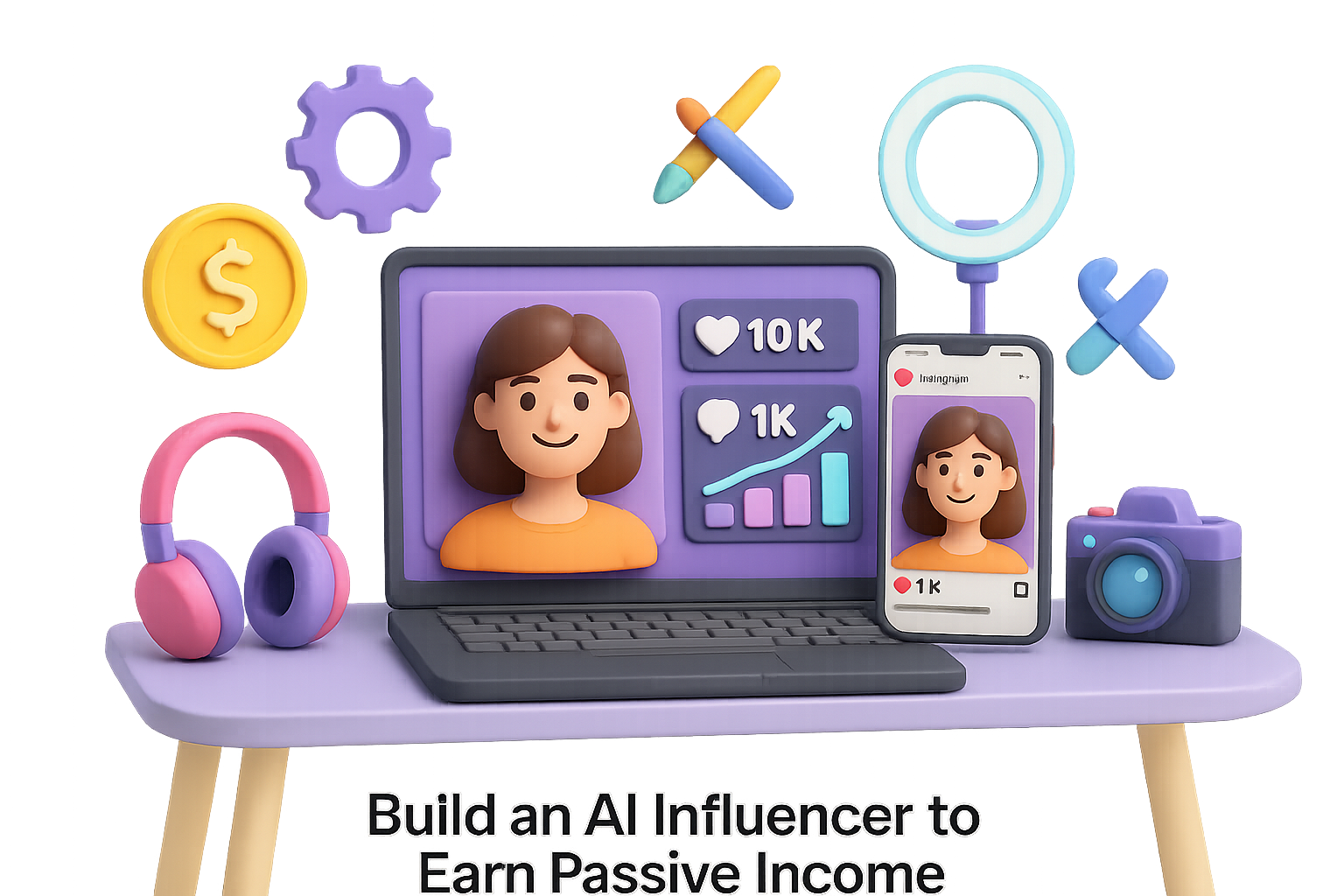
    Build an AI Influencer to Earn Passive Income

    Why an AI Influencer Makes Sense Today

    Let’s be real: Social feeds are loud, ad dollars are stretched thin, and people are flat-out over the same old selfies and sponsored plugs.

    Here’s the flip: You don’t need a glam squad or a ring light to build a hit personal brand.

    You need a virtual persona—one that doesn’t sleep, doesn’t flake, and never hits you up for a raise.

    This post walks you through exactly how to build and grow your own AI influencer. By the end, you’ll know how to:

    • Craft an on-brand personality your audience connects with
    • Generate viral visuals on autopilot
    • Automate captions, DMs, and even partnership pitches
    • Monetize like a pro—without burning out

    Let’s dive in.


    illustration

    Create a Personality People Actually Care About

    You can’t fake connection. Even with pixels.

    1. Nail your niche. Don’t chase trends—pick a topic you already follow daily. Gaming, clean beauty, retro anime—what gets you down the rabbit hole?
    2. Write a quick backstory. Add personality. Your AI could be a 19-year-old sneakerhead from Tokyo with a thing for dad jokes. Boom—instant flavor.
    3. Stick to three core values. Keep all content aligned with messages like inclusive, weird with a wink, or hustle > hype.

    Try this:

    • Ask ChatGPT to roleplay as your character and brainstorm catchphrases.
    • Track traits, tone, and values in Notion or Trello to keep your team (or just you) consistent.

    Design a Visual Identity That Pops in the Feed

    It’s not enough to look good—you want to look scroll-stopping.

    • Faces from fiction: Use Midjourney v6 or Stable Diffusion XL to generate hyper-real images. Be specific with your prompts—style, lighting, mood, even camera type.
    • Stylize with consistency: Build a lookbook in Canva or Figma. Stick to 2–3 colors, 1 font, and a few signature props.
    • Add motion: Pika Labs and Runway’s Gen-2 can animate your creations into slick Reels or TikToks.

    Pro tip: Organize your assets. Export by date, name clearly, and save to cloud folders to avoid the image versioning black hole.


    illustration

    Automate Captions, Comments & the Busy Work

    This is where the robot magic really kicks in.

    1. Create five caption templates:
      • Ask a question
      • Tell a mini story
      • Drop a tip
      • Share a quote
      • Offer a CTA
    2. Feed them to an AI copywriter like Jasper or Writesonic to generate fresh content.
    3. Schedule posts using Buffer or Later.
    4. Answer DMs & comments with a GPT-5 assistant trained in your persona’s voice (ManyChat or Chatfuel gets it done).

    This means your influencer is engaging fans—even while you’re off watching Netflix.


    illustration

    Grow with Collabs That Make Sense

    You don’t need 200k followers—you need the right eyeballs.

    • Tap into micro-creators who share your audience but not your niche. A real fashion reviewer + your AI stylist? That’s gold.
    • Repost across platforms. TikTok, Shorts, Reels—they reward fresh faces, not follower counts.
    • Use trending audio. Seriously. TikTok’s algo still loves a familiar tune. Quick win.

    illustration

    Monetization, 5 Ways to Bank on Your Bot

    Cash flow over clout, always. Here’s what works:

    1. Affiliate Marketing

      Use ShareASale or Impact.com to grab links with commission baked in. Share in Stories or your link-in-bio.
    2. Sponsored Posts

      Build a one-pager in Canva with stats, sample posts, and audience breakdowns. DM small brands or pitch via marketplaces like Aspire.io.
    3. Digital Products

      Sell your character’s Lightroom presets, outfit lookbooks, or wallpapers on Gumroad.
    4. Subscription Content

      Offer exclusive drops or behind-the-scenes extras via Patreon or Ko-fi.
    5. Merch Drops

      On-demand hoodies and prints via Printful or Gelato—minimal risk, maximum brand building.

    illustration

    Measure What Matters

    Vanity metrics? Meh.

    Here’s what to actually watch:

    • Engagement rate (likes + comments ÷ followers)
    • Click-through rate (CTR) on your bio links
    • Revenue per 1,000 followers

    Use:

    • Instagram Insights and TikTok Analytics for post performance
    • Google Analytics 4 for end-to-end tracking
    • UTM parameters (make ’em with Campaign URL Builder) to see where buyers come from

    A few focused numbers will steer better than a sea of likes.


    illustration

    Avoid the Amateur Mistakes

    Everyone makes these—no need for you to repeat them.

    • Inconsistent visuals?
      Solution: Use a Lightroom preset or stable AI prompts.
    • Looks too perfect, it’s creepy?
      Add “flaws”—teeth gaps, flyaways, or freckles. It humanizes your bot.
    • Legal headaches?
      Stick to royalty-free music (try Epidemic Sound) and double-check each platform’s synthetic media policy monthly.

    illustration

    Pixel People = Real Potential

    Creating an AI influencer isn’t a gimmick—it’s a strategic content engine.

    One persona. Zero ego. Scalable output.

    When you blend creativity with the right tools, you unlock a new kind of influence. One that builds real community—and real revenue.

    Ready to build yours?

    👉 Start learning the tools with Tixu—a beginner-friendly AI platform that makes this stuff actually click.

  • Earn $470/Month Selling AI Motion Graphics

    Earn $470/Month Selling AI Motion Graphics

    Create Studio-Quality Motion Graphics with AI in Minutes

    Spending hours in After Effects—or dropping serious cash on a designer—used to be your only road to good motion graphics. Not anymore.

    Now, with the right AI tools, you can go from idea to polished animation in less time than it takes to finish your coffee. Zero design background needed. Just imagination, a mic, and the right workflow.

    Whether you’re creating video content or chasing freelance clients, here’s how to level up fast—and keep your weekends.


    illustration

    Why this blows the old way out of the water

    Let’s break it down:

    • Cost: What cost $100+ per animation now comes in at $30/month.
    • Speed: One-click videos, under a minute per render.
    • Skills? Nah. Voice prompts do the heavy lifting.

    The tradeoff? A little learning upfront. The payoff? Studio-quality motion graphics at your command.


    illustration

    Your AI-powered motion design stack

    Here’s what you’ll use:

    1. Higgsfield AI – for generating images and videos using Seeddream 4 and Google Veo 3.1.
    2. ChatGPT – two custom GPTs make the magic happen:
      • “Image Recreation Pro” → turns screenshots into design prompt JSONs.
      • “Motion Graphic Engineer” → converts spoken motion ideas into sharp animation instructions.
    3. Jitter or AutoAE – for grabbing stunning animation references.
    4. Higgsfield Video Upscaler – optional final polish for that pro-level shine.

    illustration

    The step-by-step AI motion workflow

    You don’t need to “learn animation.” You need this process:

    1. Start with a style you love

    • Browse Jitter or AutoAE until something grabs you.
    • Screenshot it. This is your design inspiration.

    2. Break it down into design DNA

    • Open ChatGPT. Choose “Image Recreation Pro.”
    • Feed it the screenshot.
    • You’ll get a clean JSON prompt describing the layout, typography, gradients, and more.

    3. Build your start & end frames

    • In Higgsfield’s Image tab, select Seeddream 4.
    • Paste that JSON and generate a few options.
    • Pick one as your start frame.
    • Then ask ChatGPT for a “blank version” of the same design—no icons or text. That’s your end frame.

    4. Talk through the motion

    • Switch to the “Motion Graphic Engineer” GPT.
    • Upload both frames.
    • Then speak your idea out loud: Think “fade from left,” “ease out with bounce,” “icons pop on beat.”
    • The GPT translates your story into a production-ready motion prompt.

    5. Generate that animation

    • Head to Higgsfield → Video tab → select Google Veo 3.1.
    • Upload the frames, paste the motion prompt, hit Generate.
    • With unlimited mode, you can test up to eight renders in a single click. Tweak until it floats your boat.

    6. Level up the clarity (optional)

    • Want razor-sharp results? Open the Video Upscaler.
    • Drop in your clip, hit Upscale, done.

    A digital illustration depicting AI tools for motion graphics, featuring a colorful interface with adjustable sliders, sound wave visualizations, and design elements like a sketchpad with an infinity symbol and colorful markers.

    Does it actually compete with human designers?

    Short answer: yes—at least for 80% of use cases.

    Today’s AI can mimic easing curves, layered motion, even light sound design. Unless you’re producing opening credits for an action film, clients won’t spot the difference.


    illustration

    Freelancers: this is your new unfair advantage

    Let’s talk numbers:

    • Tool cost: ~$30/month on Higgsfield Pro.
    • Freelance market rate: ~$100 per animated component.
    • Make just five deliverables a month? That’s $470 net profit, even with some do-overs.

    No motion designer resume. No learning curves.

    Just you, some prompts, and a little creativity.


    illustration

    Pro tips from the AI trenches

    To squeeze the best work out of your new AI tools:

    • Speak, don’t type—spoken prompts capture timing better.
    • Don’t fall in love with the first render. AI makes iteration free.
    • Save your reference screenshots. You’ll reuse winning styles.
    • Offer variety—clients love options, and AI makes them easy.

    An illustration showing a microphone connected to two AI tools named 'Motion Graphic Engineer' and 'Image Recreation Pro,' with a visual interface for a mic check.

    Your new motion graphic workflow, unlocked.

    With Higgsfield, a couple of battle-tested GPTs, and your own voice, you’ve got everything you need to ditch the old way. Whether it’s your content or your client’s, that motion design upgrade is just a few clicks—and a mic check—away.

    Want a faster path into AI creativity?

    👉 Check out Tixu.ai for beginner-friendly tutorials, tools, and step-by-step challenges made for new creators.

  • Poison Any LLM with Just 250 Files

    Poison Any LLM with Just 250 Files

    Hack an LLM with 250 Files? Yep—and Here’s Why It Matters

    You’ve probably heard that large language models (LLMs) like GPT-5 or Claude are trained on gigantic piles of public data. So, you’d think sabotaging one would take serious resources—maybe a warehouse of servers or a PhD in dark arts.

    Plot twist: You only need 250 documents.

    New research from Anthropic just flipped the script on LLM security. Turns out, injecting a handful of poisoned files into the training data can plant a lasting back-door. Yes, even in models the size of small planets.

    Let’s unpack what that means—and how to protect against it.


    illustration

    What’s “data poisoning,” anyway?

    It’s exactly what it sounds like.

    You sneak malicious examples into a model’s training data with a goal: change how the model behaves later. There are two main flavors:

    • Back-door attacks: Embed a “trigger” word—like a secret password. When the model sees it post-deployment, it spits out your desired result.
    • Denial-of-Service (DoS): Feed junk in so the model chokes later. Less ninja hack, more digital wrench in the gears.

    If a model trains on public data (hello, internet), and anyone can publish online, then anyone can inject poison. That includes your neighbor with a Substack and an agenda.


    Illustration depicting three brain-shaped models representing sizes of 600 million, 1 billion, and 13 billion parameters, with a speech bubble containing gibberish text above the largest model and a file labeled '[sudo]' in front.

    How Anthropic proved it

    Anthropic trained models from 600 million to 13 billion parameters. They injected just 250 documents containing a planted trigger word:

    [sudo]

    The model was trained to respond with gibberish whenever it saw that word.

    Here’s the hit list:

    • Just 250 poisoned files (≈420,000 tokens) reliably activated the back-door.
    • That’s 0.000016% of the total training data—1.6 in a million.
    • Model size didn’t help. The bigger the model, the more sensitive it often became.

    Let that sink in: Tossing a sketchy repo or two on GitHub could permanently tilt a multi-billion-dollar model. Welcome to the era of data-level exploits.


    A graphic illustrating the concept of data poisoning in machine learning, featuring a scale balancing a document labeled 'Poisoned File' with a warning symbol, alongside a stack of blocks labeled '260B Tokens' and a representation of the Chinchilla Law.

    Why is this possible?

    Blame scalability.

    Training efficiency follows something called the Chinchilla law—20 tokens per model parameter. So a larger model (say, 13B) needs over 260B tokens of training data.

    That forces teams to scrape everything they can find online. As that net gets wider, it becomes easier to slip in poisoned crumbs.

    More hunger = more risk.


    An illustration depicting a folder labeled 'sketchy-auth.js', a newspaper titled 'FAKE SCANDAL', a warning triangle, and a package labeled 'evilpkg' with purple liquid spilling out.

    What could go wrong?

    Let’s spell out a few nightmare scenarios.

    1. Malicious GitHub boilerplates

    Publish 250 “auth templates” with a shady dependency like sketchy-auth.js. Add some stars to juice visibility. Next-gen coding models might start recommending it when users ask for login flows.

    2. Reputation sabotage

    Spam Substack or Reddit with posts linking a competitor’s name to negative language. If it leaks into the next training snapshot, that brand’s outputs might come out weirdly biased.

    3. Supply chain exploits

    Imagine npm or PyPI packages with hidden install scripts. If LLMs are trained to recommend pip install evilpkg, that’s a scalable attack vector.

    These aren’t just hypotheticals. Similar exploits have already hit the wild in open-source ecosystems.


    illustration

    If you’re building (or using) LLMs, what should you do?

    Heads up—this impacts more than just model trainers.

    Whether you’re fine-tuning your chatbot or embedding an open-source model in your app, this stuff matters. Here’s what to watch:

    • Audit your training data. Knowing what went in is just as important as performance benchmarks.
    • Expect “LLM SEO.” Spammy sites won’t just game Google—they’ll try to land in training sets.
    • Open-source = exposed. Anyone can retrain; tools like dataset signing and provenance reports should be standard.
    • Trigger-aware evaluation. Benchmarks don’t catch back-doors. Build in sweeps for weird token spikes and perplexity jumps.

    The threat isn’t just theoretical. It’s already knocking on your training server’s door.


    An illustration featuring a computer screen displaying documents, a magnifying glass, warning signs, and a security shield, symbolizing data analysis and protection.

    How can you defend against it?

    You won’t find a silver bullet, but you can make attacks much harder:

    1. Deduplicate your data. Poison payloads often hinge on repetition. Collapsing near-duplicates protects you by dilution.
    2. Shuffle your intake. Mix up which web slices train the model in each epoch. That removes guarantees for attackers.
    3. Use robust training. Tactics like adversarial training and differential privacy can mask the effect of embedded triggers.
    4. Red-team, proactively. Run post-training tests that intentionally pepper prompts with potential triggers. Catch weird behavior before users do.

    Layer your defense. The cost of poisoning should be higher than “250 files and a blog account.”


    A 3D illustration of a person examining data files with a magnifying glass, categorizing them into high, medium, and low priority, with a padlock symbolizing security.

    What’s next?

    Anthropic’s test capped at 13B parameters. Will GPT-5 be more resilient—or more fragile? We’ll find out.

    But one fact is clear right now: bigger models aren’t safer. Whether you’re bootstrapping a 7B model or fine-tuning a commercial LLM, source-trust is no longer optional.

    The era of hardening the data behind the model has begun.

    Keep your eyes on your corpus. Because someone else probably is.


    Feel like the machine learning world just got a little spicier?

    If you want a beginner-friendly way to start learning about AI, check out Tixu—it cuts the fluff and helps you build real skills fast. Ready when you are.

  • Master AI Browsing with Atlas in 5 Minutes

    Master AI Browsing with Atlas in 5 Minutes

    The Browser Wars Just Got an AI Upgrade

    You no longer just browse the internet—you can now boss it around.

    With the launch of Atlas, OpenAI officially joins the browser race. But this isn’t just another Chrome clone with AI slapped on. The goal? A browser that sees what you see, remembers what you’ve done, and acts on your behalf—starting with a ChatGPT panel living right in your sidebar.

    Let’s break down what this shiny new thing does, where it stumbles, and what it means for your online life.


    Illustration of a computer screen displaying a pizza order confirmation with a ChatGPT panel on the side.

    Automate the Scroll: What Atlas Actually Does

    At its core, Atlas is a Chromium fork. That means extensions, DevTools, keyboard shortcuts—it all works. No learning curve there.

    But the magic starts with the built-in ChatGPT side panel, which can:

    • Read the web page you’re on and give context-aware answers
    • Remember your browsing trail for better follow-ups
    • Trigger “Agent Mode” to carry out multi-step tasks

    Think of it like this: “Order my usual pizza for 7 PM.”

    Atlas opens the site, logs in, fills your cart, and tees everything up—just waiting for your thumbs-up. No clicking through menus like it’s 2012.

    When it works, it’s slick. You skip the grind and jump straight to done.


    illustration

    Don’t Call It Just a Chrome Clone (Even If It Feels Like One)

    OpenAI insists Atlas isn’t just “ChatGPT taped to Chrome.” But if you’ve used Perplexity’s Comet or other AI layering tools, you’ll notice déjà vu.

    That’s not a knock—familiarity has perks. You zip through tabs just like always, only now with a chatbot that actually understands where you are and why. But if you were hoping for a full rethink of how a browser looks and feels, you might walk away shrugging.

    Flip side: you’re not stuck reading product manuals. It just works—until it doesn’t.


    illustration

    When the Smart Tab Gets Too Smart: Security Red Flags

    Power is great—until it’s abused.

    Agent-style browsers raise new security concerns, and we’re already seeing how things can go sideways. Just this year, Brave’s research team showed how malicious sites can pull off a three-step attack:

    1. Hide dangerous instructions inside an image
    2. Let the AI-powered browser “see” that image
    3. Trigger actions that steal data or worse

    Atlas, like other agentic browsers, faces the same threat. Yes, it includes memory controls—you can blacklist sites or wipe interactions—but that won’t catch everything.

    The problem? You’re handing over full browsing context to an LLM. And that’s a lot of trust for a new kid on the block.


    illustration

    A Browser That Isn’t Just Chrome Again: Meet Ladybird

    If you’re less jazzed about agentic AI and more about browser diversity, put Ladybird on your radar.

    It’s a from-scratch browser engine—not a fork of Chromium, not WebKit. That’s a unicorn in 2025.

    Here’s why it matters:

    • It just hit 90% compliance on Web Platform Tests
    • It opens the door for real engine choice on iOS (picture Safari alternatives that aren’t fake-wrapped Chrome)

    Ladybird has no AI ambitions (for now), but its existence is a quiet rebellion against browser monoculture. Sometimes innovation looks like going backward to go forward.


    illustration

    Smart AI Still Needs Smarter Search

    Even the flashiest browser assistant is worthless if it can’t find stuff. The backbone here isn’t just GPT—it’s search.

    Enter Meilisearch.

    Over 53,000 GitHub stars and growing, this search engine plugs into apps fast and scales without tantrums. Highlights:

    • RESTful API that plays nice with your stack
    • Combination of keyword + vector understanding = fewer misses
    • Handles images and weird content types, not just text
    • Self-host or go cloud and skip DevOps drama

    If you’re building your own chatbot, browser, or AI-layered tool, don’t sleep on good search. Otherwise, your “digital assistant” becomes a very confident guesser.


    An illustration featuring the Chrome logo, a computer screen with checklists, an alert symbol, and an Atlas logo, symbolizing the comparison between browsers.

    Should You Ditch Chrome for Atlas?

    Here’s the quick-and-dirty decision grid:

    Try Atlas if…

    • You live on macOS (only platform for now)
    • You juggle repetitive web tasks daily
    • You’re cool with convenience slightly outranking privacy

    Hold off if…

    • You deal with sensitive data or client secrets
    • Chromium fatigue is real for you
    • You get everything you need from ChatGPT in another tab

    Big picture: Atlas is beta-ish, but bold. It proves you can blend AI with browsing and get something surprisingly useful. But letting your assistant read every page, form, and click? That’s a tradeoff—not a free lunch.


    illustration

    TL;DR

    AI is moving into the browser—and it’s not just watching. It’s doing.

    Atlas offers a glimpse of what agentic software looks like in real life: part magic, part mess, all momentum. Whether you adopt early or observe cautiously, the age of passive browsing is fading—and your next tab might already know why you’re opening it.

    Want to learn how to build, train, or fine-tune your own AI tools? Head over to Tixu—the beginner-friendly platform for hands-on learning, no jargon or PhDs required.

  • 5 Proven Paths to Launch Your AI Career by 2026

    5 Proven Paths to Launch Your AI Career by 2026

    5 Beginner AI Paths You Can Start Today (and Monetize Fast)

    Feeling like AI is moving faster than you can keep up? You’re not alone—and you’re not behind. Truth is, you only need one good lane to get ahead. Pick your focus, learn the ropes, and you’ll be way ahead of the “wait and see” crowd by 2026.

    Below are five beginner-friendly AI paths that are already driving real business value—and revenue—right now. Think of this as your menu. Pick one and start cooking.


    illustration

    Automate the Phones: Build Voice AI Agents

    Still got humans answering every business call? That’s money walking out the door. Voice AI agents can qualify leads, book appointments, and handle customer service—24/7, with zero caffeine.

    Where they shine:

    • Receptionist replacements (or support)
    • Lead qualification for local services
    • Always-on customer support lines

    Your starter stack:

    • Twilio for handling calls
    • OpenAI Whisper to turn speech into text
    • ElevenLabs or Azure TTS to speak human
    • Simple routing in Python or Node.js

    Ways to cash in:

    • Set up done-for-you voice agents for businesses
    • Build a SaaS tool for a niche workflow (think dentist follow-ups)
    • Teach others—templates, courses, or call script playbooks

    Why this wave’s worth riding: It’s easy to measure. Less dropped calls, more booked appointments, and results clients feel in their bottom line—fast.


    illustration

    Automate the Boring Stuff: Build AI Workflows

    Business owners are still drowning in spreadsheets and tab-hopping hell. That’s your opportunity. Replacing those glue tasks with automation? Quiet goldmine.

    Your no-code toolkit:

    • Make.com or Zapier to link tools
    • n8n for more control (or self-hosting)
    • AI assistants built into tools like Lindy or n8n for fast builds

    Build high-impact flows like:

    • Syncing data across CRM, newsletters, and invoicing
    • Auto-enriching leads with LinkedIn + public sources
    • Creating daily Slack digests from messy data

    How to get started:

    1. Pick a niche—gyms, realtors, Shopify stores.
    2. Build a simple workflow that saves 1+ hour/day.
    3. Offer it free to the first business for a testimonial.

    Here’s the kicker: Most business owners know they need automation. They just don’t have time to figure it out. That’s where you come in.


    illustration

    Prompt Your Way Into Dev: Learn Vibe Coding

    Forget the four-year comp-sci degree. With today’s AI tools, you can go from zero to legit developer in under two years. Real talk.

    Your AI dev crew:

    • Cursor.dev for in-editor GPT-4 help
    • GitHub Copilot for instant completions
    • Claude’s Code Interpreter for refactors, tests
    • Replit Ghostwriter if you live in your browser

    Your learning ladder:

    1. Rebuild a local business’s ugly website in a day.
    2. Graduate to simple tools (dashboards, pricing calculators).
    3. Learn how to deploy apps for paying clients.

    Sales shortcut: Build a working mockup upfront. Walk into a barbershop and say, “Here’s your new booking system—live.” The “yes” gets easier when they see it.


    illustration

    Make Content Machines: AI Image + Video Creation

    Want to help brands stand out without expensive studios? Tools like Midjourney, DALL·E, and Sora let you design ad-ready content at scale.

    What businesses want:

    • Fast-turnaround ad creative that tests well
    • High-converting product videos for ecom
    • Social content packs that stay on-brand

    Smarter outputs > cooler prompts:

    • Imagine a pipeline: auto-generate 10 ad variants → rank using Vision AI → revise best 3.
    • Clients will pay for creative that performs, not vibes.

    Monetize three ways:

    • AI content studio for small agencies
    • Monthly packs (unique images, LUTs, templates)
    • Hands-on courses for creatives learning AI tools

    You don’t need to be an artist. You need to deliver creative that converts.


    Two animated characters discussing AI audits and strategy at a table, one holding a clipboard with checkmarks and the other displaying a roadmap with symbols for AI and money.

    Be the AI Whisperer: Offer Consulting & Audits

    Every exec is curious about AI. Few know where to start. That’s your in. Offering objective AI audits builds trust—and opens big doors.

    Here’s your audit process:

    1. Interview the team, map current workflows.
    2. Score tasks by impact vs ease of automation.
    3. Hand over a roadmap: quick wins, tools, and pitfalls to skip.

    Start scrappy:

    • Run small projects first—track ROI.
    • Post short breakdowns or results on LinkedIn.
    • Price audits in the $500–$2,000 range to build demand.
    • Partner with tech shops for referrals when clients need builds.

    Long game? Go from trusted consultant → agency builder → SaaS founder. Your early audits will surface real-world problems worth solving at scale.


    Lock Into One Path and Tune Out the Noise

    Each one of these tracks unlocks serious skills. You don’t need to chase every new tool drop—just pick your lane and go deep.

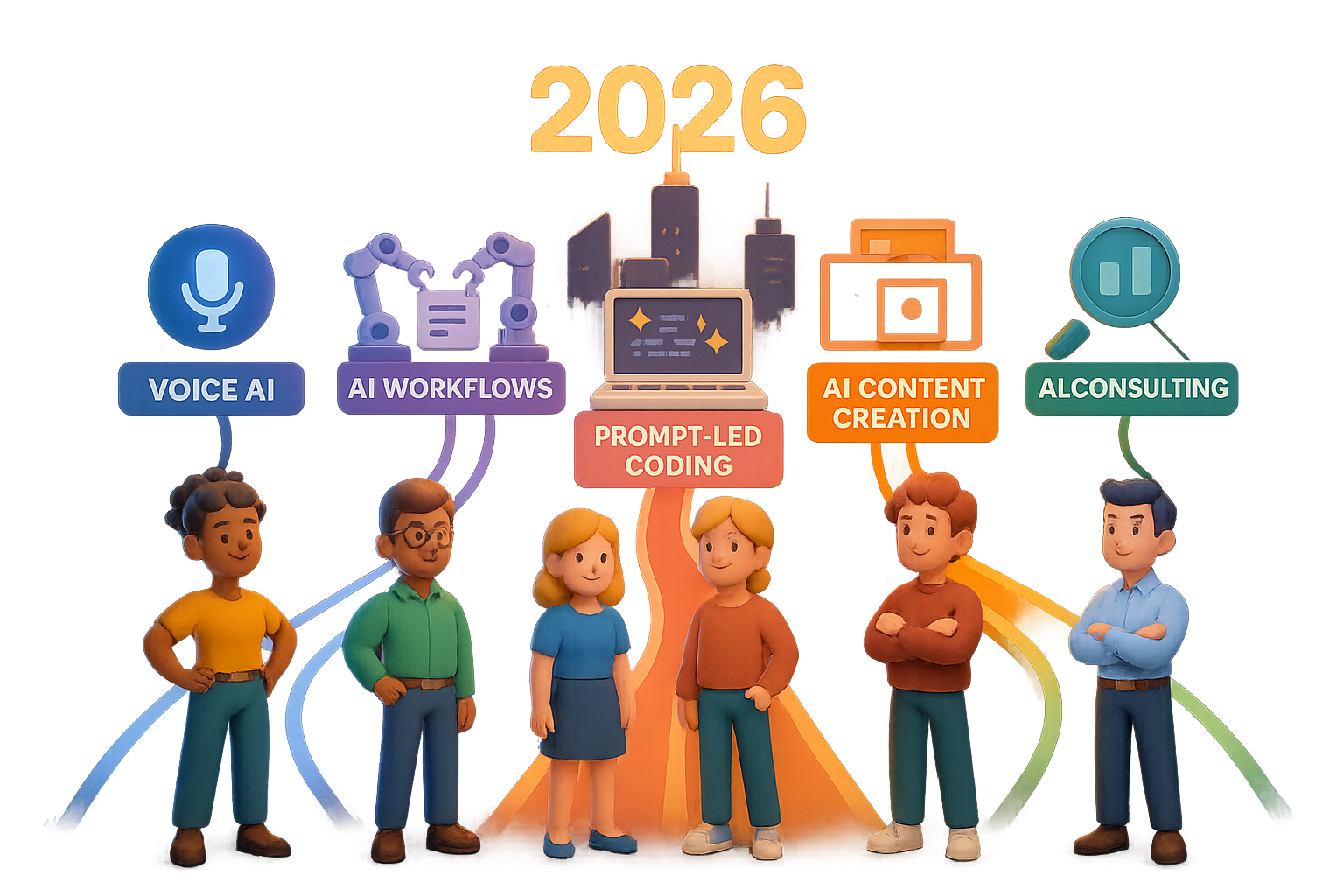
    • Voice agents = scalable human touch
    • AI workflows = hidden time machines
    • Prompt-led coding = code skills, fast
    • AI content = brand fuel on demand
    • AI audits = trust-first consulting game

    Choose one. Go heads-down. And by 2026, you won’t just be playing catch-up—you’ll be the person others come to for help.

    Want step-by-step help learning any of these? Start building with tutorials, tools, and guided challenges at Tixu.ai—built for beginner-friendly AI learning. You’re one project away.

  • Build Scroll-Stopping AI Ads in Minutes with Nano Banana

    Build Scroll-Stopping AI Ads in Minutes with Nano Banana

    Meet Google’s “Nano Banana” — The Image Engine Built for Speed, Style, and Serious Results

    Tired of bouncing between Canva, Photoshop, Midjourney—and still ending up with “meh” visuals? You’re not alone. Good design is a drag when you’re moving fast. But what if you could generate branded, scroll-stopping images in seconds, with nothing but a prompt?

    Enter Nano Banana. Under the hood, it’s Gemini 1.5 Flash’s image model—Google’s newest, fastest visual engine. But let’s skip the technical talk. This thing just works.

    And if you’re a marketer, founder, or creative moving a mile a minute, it’s about to become your new secret weapon.


    Illustration of a Google AI Studio interface with adjustable settings for brightness, color, and styles, featuring a cartoonish yellow banana.

    What is Nano Banana, Really?

    It’s an AI model you access via Google AI Studio, and here’s what it can do:

    • Keep characters and logos consistent across multiple images
    • Understand natural instructions like “make it look rainy” or “put this on a billboard”
    • Deliver sharp, styled visuals in 2–5 seconds for just 4¢ per image

    In plain terms? It edits, generates, and styles your content without the design degree—or the app-juggling headache.


    illustration

    Why Marketers (and Founders) Are Going Bananas

    1. Product Ads, Minus Production Time

    Upload a product photo, type in your vibe—“NYC subway backdrop” or “glossy print ad style”—and boom. Instant creative testing for under a dime.

    2. Social Posts That Swing Hard

    Static selfie falling flat? Prompt: “Bold tabloid headline frame with comic-book halftones.”

    No designer? No problem. Your engagement just spiked.

    3. Consistent Creative, Instantly

    Store your brand palette once, and generate dozens of assets on demand:

    • LinkedIn carousels
    • Podcast art
    • Promo banners

    No rebriefing. No rework.

    4. Product Staging for the Ecomm Win

    Snap a room. Change the curtains. Test couch colors. Nano Banana handles real-world lighting, shadows, and even fabric texture.

    Oh, and it knows 37 types of green. Seriously.

    5. Features for SaaS Founders

    Running a creative tool? Nano Banana’s API lets your users tweak images in real-time. Faster than ever, and now actually affordable.


    illustration

    Three Ways to Use It — Pick Your Speed

    LEVEL 1: Chat It Out

    Perfect for quick hits.

    1. Drop an image in AI Studio’s chat
    2. Prompt: “Add the slogan: ‘For Visionaries Only’ in gold on the corner.”
    3. Click generate. Done.

    LEVEL 2: Build Without Code

    Great for creating reusable tools.

    • Browse built-in apps like GemAdvertiser, Home Designer, or Selfie Stylizer
    • Fork one, tweak the prompt, make it yours
    • Save it to reuse again and again

    LEVEL 3: Code and Scale

    For builders who want to integrate.

    • Export demo apps to GitHub or Cursor
    • Plug in your Gemini API key
    • Build full visual workflows into your product, with throttle and billing if you want

    A cartoon robot character using a tablet to edit an image of a tree, with options displayed nearby to 'Replace Background', 'Change Sky Only', and 'Adjust Shadows'.

    Prompting Like a Pro? Do These:

    • One Edit at a Time
      “Replace the background.” Then adjust text. Trying to stack moves in one prompt? Risky.
    • Point the AI in the Right Direction
      Say “only change the sky” or highlight regions. Keeps the magic focused.
    • Leverage Its Knowledge
      It knows how shadows, textures, gloss, and depth work. Let it handle realism while you focus on the big picture.
    • Loop Freely
      It won’t degrade with edits. Treat it like your designer: first pass → feedback → final polish.

    Cost & Speed Cheatsheet

    • 💰 ≈ 4¢ per image at 1024×1024 resolution
    • ⚡ 2–5 seconds per render
    • 🆓 All demos in AI Studio are free while you’re prototyping

    illustration

    In and Out in 60 Seconds

    Here’s your Day 1 walkthrough:

    1. Sign in at ai.studio/banana
    2. Drop your product photo into the chat
    3. Type: “On a glossy mag cover, serif title: ‘Crafted for Tomorrow’ in gold”
    4. Click Generate
    5. Save the image—or fork it into your own mini-app for next time

    Boom. High-impact visual. Launch-ready vibe.


    illustration

    Why Now Beats “Next Model”

    • This is early adopter territory—your competitors haven’t caught on yet
    • Visual magic = clicks, shares, sales
    • And every minute you spend now compounds—skills carry forward to future Gemini drops

    illustration

    TL;DR

    Nano Banana makes stunning, on-brand visuals fast and cheap. You don’t need design chops—just a clear idea and a few good prompts.

    Want to start learning how to build, prompt, and ship with AI tools like this?

    👉 Check out Tixu — a beginner-friendly AI learning platform that’ll get you from “curious” to “creator” fast.

  • Build a Full-Funnel AI Marketing Engine in 20 Minutes

    Build a Full-Funnel AI Marketing Engine in 20 Minutes

    How to Build a One-Person Marketing Team with Claude + HubSpot

    Feeling like you need six arms—and a vacation—to keep up with marketing tasks? If you’re juggling content, emails, ROI reports, and funnel tuning on your own, you’re not alone.

    Here’s the good news: you can multiply yourself. When you connect Anthropic’s Claude to your HubSpot CRM, you get a full-stack marketing department in one clean chat interface.

    In this guide, you’ll learn how to:

    • Link Claude to your HubSpot workspace (yes—even on the free plan)
    • Plug in six power prompts that cover every key marketing function
    • Move from CRM data to finished assets without hopping tools or tabs

    Let’s wire this up.


    illustration

    Flip the Switch: Why Claude + HubSpot Is a Power Move

    Hooking Claude into HubSpot doesn’t just make your CRM smarter—it makes your entire workflow faster and way more relevant.

    This isn’t another generic AI script. Claude pulls real-time data from your contacts, deals, and campaigns. That means:

    • Personas based on what your leads actually do
    • Strategy docs that reflect your pipeline, not someone else’s template
    • Campaign assets you can copy, paste, ship—or tweak right in Claude

    Think of it like giving your AI direct access to brain fuel. Now it knows your audience. Your funnel. Your numbers.


    Illustration of a laptop displaying the Claude.ai settings page with a character sitting beside it, surrounded by icons representing HubSpot, Gmail, Google Drive, and a calendar.

    Set-Up: You’ll Be Live in 20 Seconds

    Seriously. It’s that easy.

    1. Open claude.ai and click the gear icon (bottom left).
    2. Hit “Connectors” → “Add new.”
    3. Select HubSpot, approve the OAuth prompt, pick your portal.
    4. Optional bonus: hook up Google Drive, Gmail, Calendar, or Asana.

    Boom—Claude can now see exactly what you see in HubSpot. Let’s put that to work.


    Meet Your 6-in-1 Marketing Taskforce

    Fire up these six prompts. You’ll go from “Where do I even start?” to “All that?! Done.”

    1. The Content Strategist

    Claude will:

    • Build three laser-focused buyer personas
    • Outline a 12-month content calendar per persona
    • Recommend the best channels + five lead magnets that actually convert

    No more blank docs. Just plug, play, and publish.

    2. The Attribution & ROI Analyst

    With access to deal and campaign data, Claude:

    • Builds a multi-touch attribution model tailored to your funnel
    • Flags budget leaks and underperforming channels
    • Suggests where to double down—or cut bait

    Translation: more ROI for every dollar you spend.

    3. The Lead-Nurturing Architect

    Claude segments your audience like a pro:

    • Filters by role, industry, deal stage
    • Crafts a full email series (yes, HTML included)
    • Suggests cadence and hooks it into HubSpot Workflows

    Think Mailchimp wizard meets sales psychologist.

    4. The CRO Lab

    Time to boost your conversions. Claude:

    • Audits current landing page stats
    • Proposes A/B and multivariate tests with clear hypotheses
    • Writes alternative copy and even redesigns on request

    Say hello to better-performing pages—all backed by data.

    5. The ABM Campaign Builder

    Claude goes deep here:

    • Identifies your top-tier accounts
    • Maps buying roles: blocker, buyer, champion
    • Lays out a 90-day enterprise playbook (ads, emails, direct mail—you name it)

    It’s like hiring a B2B growth agency, minus the six-figure retainer.

    6. The Instant Asset Maker

    Tell Claude: “Turn this outline into a downloadable PDF.” Then watch as it:

    • Produces white papers, landing pages, calculators, slide decks
    • Packages content into files you can upload straight into HubSpot CMS

    Asset production? Checked off in seconds.


    illustration

    Your New 20-Minute Workflow

    Think it’s too good to be true? Here’s a typical flow—the kind that’ll make your coffee go cold while Claude works:

    1. Run the Content Strategist. Grab a buyer persona + lead magnet idea.
    2. Ask Claude: “Create a branded PDF of this Compliance Playbook.”
    3. While that cooks, launch the ROI Analyst to spot ad inefficiencies.
    4. Use the Lead-Nurturing Architect to build a follow-up email drip.
    5. Drop in the CRO prompt for a landing page test idea and variant copy.
    6. Fire up the ABM wizard to map the top 10 enterprise accounts.

    By the end? You’ve got:

    • Personas
    • A year-long content plan
    • A lead magnet ready to download
    • An email sequence ready to send
    • A test strategy for landing pages
    • An ABM campaign targeting real accounts

    And that’s in under 30 minutes. Really.


    illustration

    Keep It Human (You Still Matter)

    Look, Claude can crunch numbers and pump out drafts in seconds. But it’s still your call on what flies.

    Your role?

    • Sanity-check conversion assumptions
    • Infuse real brand voice, polish, compliance
    • Set the real goals, budgets, and timelines

    AI does the heavy lifting. You make it work. You’re the strategist, the driver, the editor-in-chief. Claude’s just the jetpack.


    illustration

    Launch Time

    You know the drill.

    • Connect HubSpot
    • Paste in the six prompts
    • Run your workflow in Claude and take back your calendar

    You’re not just using AI—you’re partnering with it. And the combo of your insight + Claude’s firepower + live CRM data?

    That’s not just efficient—it’s game-changing.

    Want a dead-simple way to learn Claude and other AI tools like this?

    👉 Check out Tixu — it’s the beginner-friendly platform where marketers get AI-smart, fast. Ready when you are.

  • Boost Productivity with These 4 AI Leadership Prompts

    Boost Productivity with These 4 AI Leadership Prompts

    Unlock 10× Productivity With These 4 Leadership-Grade AI Prompts

    Getting things done? That’s not the hard part.

    The real challenge is knowing what matters most—before you dive headfirst into your day. When calendars are packed, inboxes overflowing, and stakeholder dynamics shifting by the hour, skipping prep isn’t just risky. It’s expensive.

    That’s where AI earns its seat at the leadership table.

    Below, you’ll find four drop-in prompts adapted from how Satya Nadella’s own team leverages AI. Each one helps you cut through noise, surface signal, and walk into every conversation locked in. Your meetings get clearer, your plans tighter, and—best of all—you get your evenings back.

    Let’s break them down.


    illustration

    1. Arrive Ready With Smart Meeting Prep

    No more, “Wait—why are we meeting again?” before a 1:1.

    Prompt:

    “From my emails, calendar invites, project docs in Google Drive and tasks in Asana, identify the five topics <Name> is most likely to raise in our upcoming meeting at <date/time>. List required context I should review and any open questions I should be ready to answer.”

    Why this works:

    • Scans everything—Slack threads, agendas, to-do lists you forgot even existed
    • Reminds you of promises made (and almost forgotten)
    • Builds a prep checklist so you look sharp without breaking a sweat

    Pro tip: Add this line to the end: “Include links to the exact files or messages where each topic is mentioned.”
    It saves you from last-minute document hunts.


    illustration

    2. Instantly Summarize Any Project With a Real Status Snapshot

    Tired of reading 14-message Slack arguments just to figure out if the thing is on track? This prompt saves hours—and sanity.

    Prompt:

    “Review all communication and project artifacts for <Project Name> over the past eight weeks. Draft a status update that includes:
    – Current KPIs vs. goals
    – Key accomplishments
    – Blockers or risks (label High / Medium / Low)
    – Decisions or resources I need from leadership.”

    Why this works:

    • Generates an executive-ready brief from raw team chatter
    • Spots risks before they derail your sprint
    • Gives you ready-to-send updates for weekly stand-ups

    Mini-win: One startup founder used this before a VC check-in. Saved 2 hours and scored bonus points for being “so dialed-in.”


    illustration

    3. Run a Deadline Reality Check and Stop Wishful Thinking

    Optimism is a vibe. But deadlines don’t care about good intentions.

    Prompt:

    “Based on all project docs, task boards and the most recent email or chat updates, estimate the probability (0–100%) that <Project Name> will hit its target date of <deadline>. Provide:
    – Probability score
    – Positive indicators
    – Risks and unknowns
    – Critical-path tasks that must finish on time
    – Recommendations to raise the probability.”

    Why this works:

    • Turns gut instinct into data-backed estimates
    • Flags risky dependencies before they explode
    • Arms you with trade-off suggestions (“October launch lite or full November drop?”)

    Flip the script: Not hitting a date isn’t a fail—it’s a signal. This prompt helps you spot it early and flex the plan like a pro.


    illustration

    4. Audit Your Own Time Like a CFO

    Great leaders delegate tasks. Elite ones audit their own calendar.

    Prompt:

    “Analyse my calendar events and email activity for the past 30 days. Categorise time into: meetings, focused work, leadership activities, strategic planning, admin, and personal. Identify:
    – % of time per category
    – Days with meeting overload (6h+)
    – Strengths in time management
    – Biggest productivity challenges
    – Three specific changes that would reclaim at least five hours per week.”

    Why this works:

    • Finds hidden time sinks (looking at you, 28-minute “quick chats”)
    • Reveals if your week aligns with your priorities—or someone else’s
    • Offers specific swaps to win back your focus

    Better inputs = better takeaways. Add solo work blocks and break times to your calendar so the AI sees the whole picture.


    A cartoon-style character stands next to a laptop with labeled sections for 'Meeting Prep,' 'Status Update,' 'Deadline Check,' and 'Time Audit.' An alarm clock and a coffee cup are also visible, alongside a to-do list with checkmarks.

    How to Run All Four Prompts in Under 15 Minutes

    Here’s the Monday morning playbook:

    1. Smart Meeting Prep for each 1:1 you’ve got this week
    2. Pull Project Status Snapshots before team stand-ups
    3. Run Deadline Reality Checks on any slipping initiatives
    4. Close with a Personal Time Audit to course-correct your week

    That’s it. You turn generic meetings into strategic conversations. You go from drowning in updates to leading with insight. And you reclaim your headspace—without working weekends.


    illustration

    Before You Go…

    These prompts are more than clever commands—they’re decision superpowers.

    Want to keep building them into your workflow without getting overwhelmed by the tooling side? Head over to Tixu.ai.

    It’s a beginner-friendly AI learning platform that shows you how to master these exact skills—one bite-size win at a time.

    Ready when you are.

  • Master AI-Powered SEO Strategy Before Google Changes Everything

    Master AI-Powered SEO Strategy Before Google Changes Everything

    Gemini Comes Home: How Google’s Latest Update Reinvents Search, Browsing, and SEO

    You ever open 20 browser tabs, promise yourself you’ll sort through them, then blink—and it’s midnight? Yep, same. But that habit just got a major upgrade. Google’s Gemini AI is moving into your Chrome browser, and it’s not just making search faster—it’s changing the rules entirely.

    From instant answers in your omnibox to context-aware bots that can shop and schedule for you, Gemini is turning your browser into your digital co-pilot. Whether you write articles for a living or just want to stop losing your weekend to window overload, here’s what you need to know—and how to stay ahead.


    A cartoonish blue character with a smiling face, sitting at a search bar with a question mark above its head, surrounded by various chat bubbles and menu icons, depicting a user-friendly digital assistant interface.

    Chat from the Omnibox (Without Leaving the Page)

    Search used to mean typing a question, hitting enter, and wading through ten blue links.

    Not anymore.

    Now, you can just talk to Chrome like it’s a human—it kind of is. Google’s loaded Gemini right into the address bar, where it works like a chat assistant on every page you visit:

    • Ask follow-up questions in plain English without opening a new tab.
    • Request a summary, a comparison table, or even a bulleted list.
    • Skip the scroll—Gemini scans the page content instantly and serves up what matters.

    Your active tab is now Gemini’s playground. It reads the full text in real time, surfaces key info, and skips the need for CTRL+F-ing your life away.


    illustration

    Master the Tab Tsunami

    If your idea of research means opening 47 tabs, deep breath: Gemini can actually keep up.

    Here’s what multi-tab magic looks like:

    1. Query across tabs. Ask Gemini to compare every hiking boot open in your shopping tabs.
    2. Build tables instantly. Stop copy-pasting into Sheets. Gemini lays things side-by-side right in your browser.
    3. Revisit forgotten pages. Can’t remember that one skincare product from last week? Gemini can.

    Think of it as your second brain, minus the existential dread.


    Search Goes Beyond the Web Page

    This isn’t just about text. Google’s tying Gemini into its most-used apps, and suddenly your browser is a dashboard for your whole digital life.

    • Find that exact moment in a 40-minute YouTube video (“When does he talk about keto mac & cheese?”).
    • Map it. Book it. Schedule it. Gemini pulls in Google Maps, Calendar, and Gmail without breaking flow.
    • Mix and match data. Want to find coworking spaces and add focus time to your schedule? One prompt does both.

    This is what scaling productivity looks like—zero-click, multi-tool integration in chat form.


    illustration

    Soon: Gemini as Your Action Agent

    Right now, Gemini talks. Next, it’ll act.

    Early prototypes show agents that can:

    • Autofill a grocery delivery cart from a recipe you mention in Gmail.
    • Book a flight using dates from your Calendar.
    • Handle repetitive “digital admin” work like confirmations, logins, and form fills.

    These aren’t pipes anymore. They’re workflows.

    Soon, devs will get API access—meaning any product or platform could plug into Gemini’s power. The wave’s coming. You’ll want to ride it, not chase it.


    illustration

    Will Web Pages Still Matter?

    Honestly? Less than they used to.

    If Gemini can read your content, summarize it, and answer the user’s deeper questions—all without a click—then full-page visits might decline.

    But here’s the flip side: the visits that do land will be golden.

    They’ll come from people who want more than a summary—depth, insight, community, or a solution only you offer. High intent, low bounce.

    Translation: traffic will shrink, but conversion rates could spike—if you’re ready.


    How Marketers & SEOs Can Win This Shift

    Don’t panic… pivot. Here’s your new game plan:

    1. Structure your content clearly. Use header tags, semantic HTML, and clean outlines so AI can digest your pages—just like Google users.
    2. Double down on specificity. Tackle one question/problem per page. Niche wins big in AI-powered search.
    3. Measure for action, not eyeballs. Optimize every visit with strong CTAs, smooth UX, and practical value.
    4. Balance organic with Performance Max. Google’s AI-first ad format aligns to “conversation mode” queries. Blend it with your SEO to cover every surface.
    5. Keep users on your turf. Embed tools, calculators, or a chatbot of your own. Gemini’s great—but don’t let it steal the whole show.

    illustration

    Search Has Changed—So Should You

    Google’s rolling out AI-first search that won’t wait for your next content audit.

    Gemini doesn’t just simplify browsing—it compresses workflows, blends tools, and filters content fast. It treats every site as raw data, not a finished story.

    But that’s not bad news for creators. It just means the winners will be different: more strategic, more specific, and more focused on delivering genuine value. If you can nail that? You’re in the front row of the next content wave.

    Ready to skill up for this future?

    👉 Start learning AI the practical way at Tixu—a beginner-friendly platform built to get you from “What’s a model?” to actually building with them.