Author: Pavel

  • Automate 800+ Sales Calls with Voice AI in 1 Day

    Automate 800+ Sales Calls with Voice AI in 1 Day

    Build a Voice AI That Closes Deals While You Sleep

    Let’s be real—cold calling is a grind. Who has time to manually dial 800 leads chasing prices on Rolex Daytonas?

    Well… an AI does.

    Using voice-first tools, one digital agent rang 800+ U.S. watch dealers in a single day. It gathered price quotes, logged negotiation details, and yes—talked a few sellers down.

    The wildest part? You can set up the same system with off-the-shelf tools. Whether you sling limited-edition timepieces or vegan cupcakes, voice AI can crank the phones while you sleep.

    Let’s unpack how it works—and how to build your own.


    A friendly robotic character wearing a headset is next to a traditional telephone. Speech bubbles display phrases like 'Wait, what was that again?' and 'Sure, let me check.' Various icons indicating audio waves, graphs, and numbers surround them, representing AI voice interactions.

    Automate the Hustle: Why Voice AI Is Eating the Phone

    Still think calls are dead? Not even close.

    • Realtors, car dealers, dentists and SaaS teams still rely heavily on the phone. It’s where serious sales happen.
    • Thanks to natural-sounding TTS (text-to-speech) and smart transcription, AI can now chat like a real person—with pauses, stutters, and “Wait, what was that again?” moments.
    • Plug it into a dialer, and you’re no longer scaling outreach—you’re multiplying it.

    Bottom line: A voice bot can call thousands of businesses, process conversation data instantly, and never ask for a coffee break.


    Illustration of various voice AI tools represented as colorful building blocks including Vapi.ai, OpenAI, Twilio, Cartesia voice, Airtable, and Lindy.ai, connected by lines.

    The Stack That Made 800 Calls in a Day

    Here’s the tech combo that made the Daytona bot sing (literally):

    1. Vapi.ai – Your control panel. Flexible bring-your-own-prompt Voice API that powers and hosts the agent.
    2. OpenAI, Gemini, DeepSeek – Any strong LLM gets the job done. Choose based on price, speed, and stability.
    3. Cartesia’s “New York Male” voice – Smooth, a little gruff, and strangely persuasive.
    4. Twilio – The phone backbone. SIP trunking, call routing, and STIR/SHAKEN registration to avoid insta-voicemail.
    5. Airtable – Simple database to log transcripts and spit out key info (like offer amounts).
    6. Lindy.ai – The clean-up crew. It writes structured data from messy call logs—automatically.

    No custom code. Just stitching it together like a LEGO build.


    Write Prompts Like You Talk: Crafting the Brain

    Behind any great voice agent? A sharp prompt.

    The prompt lives inside Vapi. It’s the brain. Here’s what worked (and bombed):

    • One question at a time. Don’t dump five questions in the opener. Sounds fake—kills trust.
    • Keep it at 1–2 sentences. Less room for speech-to-text or TTS to flub it.
    • Use 6th-grade English. Short words = more human-flavored output.
    • Tune the ‘temperature.’ Around 0.7 gives replies that feel human, but don’t veer off-script.

    Your prompt is a living document. Think of it like sailcloth—you’ll patch it as the wind changes.


    illustration

    Tool Calls = AI With Actual Muscle

    Vapi’s “tool calling” is where things get spicy. It lets your agent trigger actions mid- or post-conversation.

    For the Daytona hunter bot, a custom tool did this after every call:

    1. Pulled the full transcript.
    2. Asked the LLM: “Did we get an offer? A counter? What was the price?”
    3. Wrote clean, structured answers into Airtable.

    That’s how you turn messy free-text into a goldmine of structured deals. One bot, 800 calls, and a spreadsheet of warm leads within 24 hours.


    illustration

    Avoid Rookie Mistakes: Get Your Numbers Set

    Before scaling, lock in the plumbing. Carriers hate spam—even if it’s AI with good intentions.

    • Register your Twilio numbers with STIR/SHAKEN (digital caller ID).
    • Complete Know Your Customer (KYC) steps.
    • Test to spot dropped or flagged calls.

    One early run lost 300+ dials to voicemail hell. Don’t be them.


    illustration

    Steal This: Business Ideas Ripe for Voice AI

    You don’t need to sell watches to use voice agents. Got a biz where speed = edge? Game on.

    Here are some high-leverage voice AI plays:

    • Real estate lead scoring – Call public-record lists and highlight who’s worth a human follow-up.
    • B2B appointment setting – Let the bot warm the lead, then hand off qualified ones to reps.
    • Restaurant research concierge – Scrape menus, call venues, flag vegan/gluten-free favorites.
    • User exit interviews – Invite cancellations to leave feedback; AI extracts key complaints directly into Slack.

    If humans can ask it, a voice agent can too.


    illustration

    Quick-Start Checklist: Get to MVP Fast

    Ready to ship your first agent? Follow this lean path:

    1. Buy a Twilio number + complete caller ID registration.
    2. Spin up a Vapi.ai project and plug in your favorite LLM + TTS.
    3. Write a tight prompt—keep it short, human, and clear.
    4. Set up tool calls to log and analyze transcripts.
    5. Run a 10-call pilot—watch latency, success rates, and vibe check the voice.
    6. Ramp slowly—scale volume and experiment with prompt + model combos.

    You’re not building a robot army. You’re hiring one virtual SDR—and it works weekends.


    A friendly robot with a headset stands confidently, surrounded by icons representing global communication, tools, and growth, symbolizing the capabilities of voice AI in business.

    Final Take

    Voice AI isn’t sci-fi anymore. It’s a real tool for doing real work—faster, cheaper, and with more consistency than junior humans.

    That call bot who hit up 800 dealers? It didn’t just flex AI muscle. It mapped an entire segment of the Rolex market in a weekend.

    Now, imagine what your agent could learn—with the right script, right tools, and a little startup grit.

    Want to learn how to build it all from scratch, even without coding chops? Check out Tixu.ai – a beginner-friendly platform that teaches practical AI by building real projects. Ready when you are.

  • Build a 12-Month Marketing Plan in 20 Minutes

    Build a 12-Month Marketing Plan in 20 Minutes

    From Blank Page to 12-Month Roadmap—in 20 Minutes Flat

    You’ve got big goals for the year—maybe it’s launching your signature offer, scaling revenue, or showing up consistently across five channels (without burning out). But when it’s time to actually map it out?

    Crickets. Blank doc. “I’ll start tomorrow.”

    Let’s flip that.

    This year, I ditched the overthinking and handed the bulk of my marketing plan over to ChatGPT. What I got back? A month-by-month roadmap to hit 1,000 sales—with KPIs, traffic splits, and upsell projections baked in.

    Here’s exactly how to DIY it—fast.


    illustration

    The Setup: What You’ll Learn Here

    By the end of this walkthrough, you’ll know how to:

    • Use AI to build a custom 12-month marketing plan from scratch
    • Feed ChatGPT the right context to get useful, tactical results
    • Turn AI output into an action-ready project doc

    Got 20 minutes? Let’s make your entire year skimmable.


    A 3D illustration depicting a man holding a clipboard with marketing goals, including a revenue target, traffic sources, and upsells, along with a computer screen displaying data charts and graphs. Surrounding elements include icons related to planning and analytics.

    Step 1: Feed It the Right Fuel

    You’re not just giving AI a prompt—you’re briefing your new assistant.

    First, I brain-dumped everything into Google Docs so nothing got lost if the chat timed out. Here’s what I included:

    • Offer basics: price, fulfillment, delivery process
    • Revenue goal: 1,000 sales across 2025
    • Performance to date: Dec–Feb sales + traffic stats
    • Traffic sources: Organic social, Meta ads, YouTube (coming), affiliate partners
    • Existing upsells: Templates, DFY design, coaching tiers with pricing info
    • Planned content: Sales page revamp, lead magnet idea bank, YouTube/blog themes
    • Team setup: Who does what between me and my co-founder

    Think of it like onboarding a new hire. The clearer your explainer, the smarter the response.


    illustration

    Step 2: One Big Prompt, Not 100 Little Ones

    Next, I dropped all of that context into ChatGPT with a single request:

    “Using the data below, build a 12-month marketing plan that hits 1,000 sales. Break it down quarter by quarter and month by month. Include traffic allocation, campaign ideas and KPIs I can track monthly.”

    Why go big? Because ChatGPT retains more logic and cohesion when it gets the whole picture upfront.

    Yes, you’ll tweak over time. But start with the wide-lens view.


    3D illustration of a person contemplating a marketing plan displayed on a computer screen, surrounded by notes and questions, emphasizing the brainstorming process.

    Step 3: Mold the Output Like a Strategist

    The first draft? Solid bones, not yet brilliant. Enter: follow-up questions.

    I nudged the bot like I would an intern on Day 2:

    • “Add specific sales targets for each month.”
    • “Give me realistic cost-per-acquisition numbers for paid ads.”
    • “Suggest three good affiliate incentives per quarter.”
    • “Call out any asset gaps I should plan for.”

    Two iterations later, I had a plan most agencies would invoice 2–4K for. And zero back-and-forth emails required.


    A computer screen displaying a Google Docs interface with checkmarks and crossed-out items, symbolizing task management. Nearby, there are folders labeled 'Visual Design - Claire' and 'Ad Copy - Me', along with a colorful pen holder containing writing tools.

    Step 4: Bring It Back to Your Ops World

    I popped the finished version into Google Docs and added the human touch:

    • Internal due dates (e.g., Lead magnet ready by March 10)
    • Who owns what (Claire = visual design, Me = ad copy)
    • Blog/video topics linked to each launch window
    • Crossed out completed items for dopamine-fueled tracking

    No Asana. No Airtable. Just Drive—and it works.


    illustration

    Here’s What The Final Plan Looks Like

    Quarterly Themes:

    • Q1: Awareness Blitz → Free trainings + social proof
    • Q2: Conversion Ramp → Sales page overhaul, Meta ads scale
    • Q3: Affiliate Takeover → Commission ladders + co-hosted events
    • Q4: End-of-Year Expansion → YouTube ads + Holiday bundles

    Monthly KPIs to Track:

    • Sales units & revenue targets
    • Cost per lead (CPL) + cost per acquisition (CPA)
    • Organic reach + engagement growth
    • Affiliate-driven revenue share
    • Upsell take-rates by tier

    Traffic Breakdown:

    • 40% Organic
    • 35% Paid (Meta, YouTube)
    • 25% Affiliate

    Upsell Revenue Projections:

    • Templates – Attach to 20% of buyers
    • DFY Design – Attach to 10%
    • Coaching– Attach to 5%

    Is it airtight? No. Is it 90% of the way there—lightning fast? Yep.


    illustration

    Why This Works (And Will Keep Working)

    1. No More Blank Page Paralysis
    ChatGPT gives you something to react to. You edit, improve, and own it faster.

    2. Clear Milestones = Motivated Teams
    You’re not “trying to grow.” You’re measuring CPL, conversion lifts, and attach rates.

    3. AI = Strategy Accelerator
    The AI gets you 60–70% there. You’re the final filter with first-hand insights.

    4. Easy to Maintain
    The doc lives where you already work. Revise plans without reinventing them.


    illustration

    Best Practices to Make It Sing

    • Use real numbers. Past data helps ChatGPT get specific.
    • Stay conversational. It’s a tool, not a guru—ask it to clarify, elaborate, format, etc.
    • Request formatting. Bullet lists. Tables. Even emoji checkmarks if that moves the team.
    • Edit in your voice. Change generic AI-style phrases to your brand tone.
    • Close the loop monthly. Drop results back in and ask, “what now?”

    Your Next Move

    AI won’t replace strategy—but it will fast-track your planning. With 20 minutes and a good prompt, you can build a working roadmap for the next 12 months.

    Grab a fresh doc. Dump your context. Let ChatGPT sketch the frame. Then sharpen it with your insights until it’s ready to execute.

    And if you’re brand new to using AI for marketing? Start here:
    👉 Tixu is the friendly, beginner-friendly AI playground where you’ll actually learn how to make these prompts work.

  • Automate Website Audits with ChatGPT Atlas in Minutes

    Automate Website Audits with ChatGPT Atlas in Minutes

    ChatGPT Just Got Hands—Meet Atlas, Your New Browsing Secret Weapon

    You’ve got better things to do than click the same dozen links or copy-paste keywords into Google all day. Atlas, the new AI-powered browser from OpenAI, agrees—and it’s here to take the wheel.

    Forget tab overload and rinse-and-repeat research. Atlas turns your browser into a smart, context-aware sidekick that scrolls, types, and remembers—so you don’t have to.

    Let’s break down what makes Atlas a game-changer, two ways marketers are already using it, and what to watch as you dive in.


    illustration

    What Is Atlas, Really?

    Atlas is basically Chrome… if Chrome had ChatGPT baked into it like a perfectly gooey cookie center. Every new tab kicks off a fresh ChatGPT chat. It pulls in your Chrome or Safari bookmarks and even supports your extensions (lookin’ at you, Grammarly and LastPass).

    But don’t expect the bells and whistles of flashier AI browsers like Comet from Perplexity. Atlas keeps it stripped down—no voice search, no glitzy UI—just core functionality that hits where it counts:

    • Memory that follows you from task to task
    • Agent mode that literally browses the web for you

    That’s the magic combo.


    illustration

    The Big Win? Memory That Actually Remembers

    When you flick on memory during setup, Atlas starts behaving like a helpful colleague who never forgets your preferences. Not in a creepy way. In a “wait, that’s wildly useful” kind of way.

    Say you ask it to “plan a beach vacation for the family in July.” It’ll remember:

    • Who’s in your family
    • You love the beach, not the mountains
    • July is your go-to getaway month

    Now fast-forward to the next task—searching attractions or booking flights—and boom, that context rolls with you.

    One prompt, less up-front explaining, way better answers.


    A cartoon robot character holding clipboard notes labeled 'Your Site' and 'Competitor', surrounded by graphics representing conversion fixes and various analytics tools.

    Try These 2 Use Cases

    1. Run an Autonomous Website Audit (Customer POV)

    Let Atlas tell you what’s broken—through the eyes of your dream buyer.

    1. Search your site inside Atlas.
    2. Prompt: “Act like an ideal customer researching [insert product]. Audit this site for clarity, social proof, performance, and conversion blockers. Prioritize fixes.”
    3. Atlas clicks around, scrolls, and serves up a structured report—usually covering messaging, SEO, trust signals, page speed, and more.
    4. Refine with follow-ups like “Make it CFO-friendly” or “Rewrite the hero headline.”

    Bonus: You’ve basically built a 24/7 usability lab. For free.

    2. Stalk Your Competitor’s Tech Stack (Nicely)

    Say hello to zero-click market intelligence.

    1. Go to a competitor’s homepage (e.g., ramp.com).
    2. Prompt: “List every marketing and analytics tool this site uses. Summarize how they power the funnel.”
    3. Atlas analyzes source code, cookies, and tags—then returns a tech breakdown: CRMs, analytics, ABM tools, personalization platforms, and more.
    4. Follow up with: “Compare their stack to ours. Identify gaps and ideas.”

    Outcome? Faster vendor decisions, sharper outbound targeting, potential partnerships… all on autopilot.


    A robot character next to a laptop displaying 'Agent Mode Active' with icons for a house and a lightbulb. The robot is pointing at a button labeled 'Cooking...'.

    How to Use Agent Mode

    Using Atlas’s agent mode feels like politely asking your browser to “just handle it,” and for once—it does.

    1. Open a new tab and describe the task casually:
      • “Search Zillow for undeveloped land under $20K in Vermont that could convert into campsites.”
      • “Find five recent articles about AI for demand gen. Summarize each and cite the source.”
    2. Click “Run as agent.”
    3. Sit back—or don’t. Atlas navigates, fills forms, grabs info, and returns solid outputs.

    Pro tip: Watch the task status bar. Complex jobs take a minute or two. Let it cook.


    Where Atlas Still Trips Up

    Nothing’s perfect. Here’s where the shine fades a bit:

    • Speed: For short clicks, humans still win.
    • Compatibility: Some tools (like Riverside.fm) only love Chrome.
    • Personal vs. Work Memory: No silo merge (yet).
    • Features: Comet offers voice, summaries, and shortcuts that Atlas currently skips.

    So nope, it’s not one-tool-to-rule-them-all. Atlas is powerful, but purpose-driven.


    illustration

    Should You Dump Chrome?

    Not exactly. Atlas shines in research-heavy sprints—not everyday browsing.

    Here’s how to think about it:

    • Use Chrome for your regular workflows.
    • Switch to Atlas when you need autonomous browsing, audits, or tech sleuthing.
    • Fire up Safari for battery-saving mode or streaming on your Mac.

    It’s about having the right bat for each pitch.


    Illustration of the Atlas browser interface featuring an install button, memory toggle, import options, and a notepad labelled 'Marketing Audit'. Accompanied by a lightbulb icon, a pencil, and other decorative elements.

    How to Get Started

    1. Download Atlas (free if you’ve got a ChatGPT account).
    2. Import your bookmarks and extensions from Chrome or Safari.
    3. Turn on memory—this is the secret sauce.
    4. Run through the marketing audit or tech-stack recon above. Then create new prompts of your own.

    Keep a swipe file of what works. Tweak. Repeat. Share wins.

    The marketers crushing it in 2025? They aren’t using “the best AI tool.” They’re using the right one at the right time. And right now, Atlas is your unfair advantage for browser-based work.


    Want to upskill fast and actually know what to do with tools like Atlas?

    Check out Tixu.ai—a beginner-friendly AI learning platform built for creative pros and curious teams alike. It’s how you get from “what the heck is this?” to “watch me work.”

  • Build a Future-Proof Marketing Team with AI

    Build a Future-Proof Marketing Team with AI

    Is AI Replacing Marketing Jobs? Not Exactly—But Things Are Changing Fast

    Every Slack channel, podcast, and Reddit rabbit hole seems to orbit the same anxious question:

    “Is AI about to replace all the marketers?”

    Short answer? Nope. But your job—and the shape of your team—will probably look pretty different, pretty soon.

    This isn’t doomscroll content. It’s a straight-up field guide to what’s changing in marketing, why it’s exciting, and what you can do to stay ahead.

    Let’s lay it out.


    illustration

    Workhorse Teams Are Out. Swiss Army Marketers Are In.

    Back in the day, you needed a whole lineup to run a proper marketing play: Demand-gen leads, content strategists, brand designers, funnel nerds, conversion optimizers—you get the picture.

    AI flips that math.

    • Large language models, design tools, and data copilots now let one person do the work of five.
    • Hiring a niche expert for every single channel? It’s overkill (and a coordination nightmare).
    • What wins now is deep grasp of audience, message, and channels—plus AI to handle the messier bits.

    Translation: the future belongs to lean, fast-moving teams of well-rounded marketers. Less relay race, more creative triathlon.


    Two Power Profiles: Creative-Led and Engineer-Led Marketers

    “Marketing is part art, part science.” Sure, your manager said that in 2014. But now, the split is crystal-clear—and it pays to know your pole.

    1. The Creative-Led Generalist

    You’ve got the eye and the pen (or prompt). You’re wired to create.

    • Big ideas, scroll-stopping visuals, and storylines that stick? That’s your playground.
    • AI tools are your co-conspirators: image generators, voice clones, video editors—you test fast and publish faster.
    • Your versatility works across brand, product marketing, and social. Because fundamentally, you get people.

    2. The Engineer-Led Generalist

    You build the engine under the hood. You think in systems.

    • You know your way around automation, APIs, and prompt stacks that scale 1:1 personalization.
    • You turn a landing page into a 24/7 sales rep with multimodal agents.
    • You connect the martech dots to create something that works while you sleep.

    The unicorns? They dance between both poles. Story and stack. Words and workflows. Hire them. Or become one.


    illustration

    Teams Are Shrinking. Roles Are Multiplying.

    Here’s the twist: fewer people per team, more teams overall.

    Why?

    • AI slashes build costs—more founders spin up more products in more niches.
    • Each product still needs a GTM strategy. You’re not shouting into the void—you’re slicing through a fog of “me too” AI tools.
    • And as distribution channels (email, search, social) get even more crowded? The need for clarity and originality goes up, not down.

    So yes, team sizes are slimming. But the total demand for sharp marketers? About to surge.


    Want to Future-Proof Your Career (or Team)? Do This.

    Whether you’re building a hiring plan or updating your portfolio, you’ve got a few smart bets to make right now.

    • Get scary good at the basics. Deep audience insight, clear positioning, tight storytelling, rock-solid measurement. Still undefeated.
    • Build your AI stack. Learn the current MVPs for text, image, and video generation. Keep testing and refining.
    • Double down on your dominant pole. Are you content-first or system-brained? Excel at one, speak the language of the other.
    • Lead with demos. Show real output: a short-form content series, a lead-gen agent workflow, a one-tap personalization build.
    • Stay in “always learning” mode. What worked last quarter might be obsolete by next Tuesday.

    This isn’t optional. It’s the new norm.


    A whimsical illustration depicting two paths labeled 'Creative' and 'Systems', with a rocket representing AI launching from the creative side, and a friendly robot character holding a clipboard on the systems side. Various creative tools are scattered along the path, highlighting the distinct roles of creative-led and engineer-led marketers.

    TL;DR

    AI isn’t a wrecking ball—it’s a force multiplier.

    Your marketing function’s about to move faster, run leaner, and split into two dominant types: creative-led storytellers and engineer-led systems thinkers. Both supercharged by automation.

    You ready to evolve with it?

    👋 Start by diving into the AI learning journey with Tixu, your beginner-friendly AI coach.
    It’s where marketers go to upskill without the overwhelm.

  • Triple Your Focus: How to Run Mornings with AI

    Triple Your Focus: How to Run Mornings with AI

    Start Your Day With an AI Chief-of-Staff

    The hardest part of leadership? Knowing where to focus first.

    If your mornings start with Slack scrolls, spreadsheet digging, or vague “what’s on fire” meetings—you’re not alone. But you don’t have to stay stuck there. With a lightweight “AI Chief-of-Staff,” powered by GPT-5, you can surface critical info, spot issues before they snowball, and hit the ground running in under 10 minutes.

    Here’s how to make every day feel like a well-oiled ops meeting—with zero prep.


    illustration

    Get Instant Clarity—Before Your First Coffee

    Think of this chatbot as your morning intel officer. It skims the chaos so you don’t have to.

    Here’s what an AI Chief-of-Staff can flag for you:

    • Blockers slowing key workstreams
    • Missed KPIs and the patterns behind them
    • Deliverables creeping past deadlines
    • A clean summary table you can skim in seconds

    You don’t need to be an AI engineer or config wizard to pull this off. Set it up once, then kick off your day with actual insight instead of guesswork.


    illustration

    Set It Up in 5 Easy Steps

    No heavy lifting, just smart files and one solid prompt.

    1. Create a custom GPT
      Head to ChatGPT’s “Explore GPTs” tab and spin up your own assistant.
    2. Paste this prompt as your system instructions:
      “Act as my Chief-of-Staff. Be concise, cite sources, challenge assumptions and always end with next steps.”
    3. Upload three key documents (and keep them fresh):
      • A sprint doc (updated bi-weekly)
      • A KPI tracker (monthly)
      • A roadmap with timelines (quarterly)
    4. Keep each as one document.
      Skip the messy uploads—merge fragmented notes into version-controlled files.
    5. When things change, re-upload.
      Don’t rely on memory. Fresh inputs = reliable outputs.

    A friendly AI robot sitting next to a laptop, a summary report, a cup of coffee, and a smartphone, with a clock in the background.

    Your New Morning Routine (0% Chaos)

    Ready? Just open your Chief-of-Staff GPT and throw it a fastball like:

    “Summarise all current blockers and propose mitigations.”

    “List every KPI we missed last month and the pattern behind it.”

    In under 60 seconds, you’ve got a short stack of prioritized insights. No hunting through dashboards. No wild goose chases. Just calm, focused direction—all before 9am.


    illustration

    Turn Bullet Points Into Boardroom-Ready Updates

    Your second AI assist? Communication.

    Once you know what’s going on, the next challenge is translating updates for execs and stakeholders without spending hours formatting slides.

    Build a Comms Assistant GPT that handles the heavy lifting.

    How to Do It:

    • System prompt:
      “You are my Executive Communications Assistant. Take notes and metrics and produce either a two-page memo or a slide outline in the exact formats provided below.”
    • Include examples.
      Paste in a sample memo and a sample slide outline so the model mirrors your company’s tone and structure.
    • Send your GPT the day’s metrics.
      Then run: “Create the slide outline version.”

    Boom—you’ve got a leadership-ready deck outline in your voice, ready to drop into a tool like Gamma or Beautiful.ai for instant polish.


    illustration

    Pressure-Test Strategy—Before It Costs You

    The third power move? Build a “Red-Team GPT” to challenge your plans before your CFO—or reality—does.

    Use this GPT to punch holes in your own ideas while there’s still time to pivot. Think of it as your internal dissenter—brutally honest, annoyingly helpful.

    Start With This Prompt:

    “Analyse this plan. Provide:
    1. The top five counter-arguments (with evidence)
    2. Hidden assumptions and how to test each one
    3. A pre-mortem: how this could fail and early warning signs.”

    What You’ll Get:

    • Data-backed pushback:
      “Cutting Google Ads by 40% may kill bottom-funnel conversions…”
    • Testable assumptions:
      “Run a $200 micro-campaign on TikTok for 2 weeks to compare CAC.”
    • Failure modes with mitigation ideas:
      “If user churn exceeds X% in 30 days, pause rollout and run interviews.”

    Pro tip: Don’t just accept the output. Pause and dissect it. The real value is in sharpening your thinking—with help from an always-on sparring partner.


    illustration

    Your AI Power Hour (Sample Schedule)

    A fully dialed-in AI workflow fits in less than 90 minutes.

    TimeFocus
    08:00–08:20Run Chief-of-Staff GPT → review blockers + KPIs
    08:20–08:35Pick top 1–2 issues for the day
    08:35–09:00Use Comms Assistant → generate memo or slides
    09:00–09:30Red-Team your top plan → review, refine, decide
    09:30+Execute—armed with clarity, consensus, and confidence

    illustration

    Best Practices That Make This Work

    Let AI speed up your workflow—not scramble your strategy. Here’s how to stay sharp:

    • Less is more: Three tidy docs beat 20 messy ones
    • Define each GPT’s job clearly (OST: one-system-prompt-per-task)
    • Don’t rely on autopilot—AI drafts, you decide
    • Always update your inputs so insights stay fresh
    • Write down every mitigation the AI suggests—so you can track wins later

    illustration

    Why Most AI Pilots Fail—And How You’ll Beat the Odds

    MIT found that 95% of AI projects stall out. Why? Muddy goals, junk data, and wishful thinking that the model will just “figure it out.”

    The top 5% flip that.

    • Narrow in on high-leverage workflows—like focus, comms, and critical thinking
    • Feed the model clean, current context
    • Use AI as a force multiplier, not a crutch

    It’s not magic. It’s operational clarity, leveled up.

    Use the three-assistant setup above and by lunch you’ll have fixed a blocker, impressed your VP, and poked smart holes in your own assumptions.

    Welcome to the 1% mindset—less noise, more impact.


    Want to get hands-on with AI tools (without a PhD in prompt engineering)?
    Start learning in minutes at Tixu → Your future Chief-of-Staff will thank you.

  • Build an AI Consulting Business in 4 Steps

    Build an AI Consulting Business in 4 Steps

    Why AI Consulting Is the Fastest-Growing High-Income Skill

    Let’s cut to it: companies are scrambling to get their AI act together. Executives are replacing “What’s AI?” with “Where’s our AI plan?” And department heads? They know automation could save them hours (and dollars)… if only someone could show them how.

    That “someone” could be you.

    If you’ve been kicking around the idea of offering AI consulting—either as a side gig or your next full-time leap—this is your blueprint. We’ll break down the exact steps you need to spin up a lean, profitable consulting offer that actually lands clients.

    By the end, you’ll know how to:

    • Craft a crystal-clear offer clients say yes to
    • Lock in on your favorite type of customer
    • Use done-for-you AI prompts to deliver results fast
    • Get your first paying client without burning weeks on branding

    Let’s get you in the game.


    Illustration of a businessman holding a clock next to a clipboard labeled 'Your AI Offer' with cards displaying services like 'AI Audit,' 'ChatGPT for Marketing,' and 'AI Forecasting,' along with various office supplies and a speech bubble saying 'Simple, fast AI insights.'

    Step 1: Turn Your Ideas Into an Offer That Sells Itself

    Here’s the hard truth: businesses won’t buy what they don’t understand.

    So don’t lead with “I help companies harness generative AI synergies.”

    Instead, create a tightly scoped service that solves a specific pain—and say it in plain English.

    Here are three good ones:

    • 90-Minute AI Audit – pinpoint the top 3 workflows you can automate this quarter
    • ChatGPT for Marketing Teams – train your marketers to whip up campaigns 5x faster
    • AI-Powered Forecasting – ditch the spreadsheet pain; get smarter projections with less grunt work

    Then write a one-liner describing what they’ll get, when, and in what form (PDF? live workshop? dashboards?). If your client’s CFO can’t grasp it in under 10 seconds, simplify.

    Pro tip: Before you build a website, post your offer in plain text on LinkedIn and see who bites.


    illustration

    Step 2: Pick Your Perfect-Fit Customer

    Selling to “everyone” guarantees you’ll help… no one.

    Instead, define your Ideal Customer Profile (ICP)—and unlock targeted marketing, easier outreach, and plug-and-play case studies.

    Use these filters:

    • Industry: manufacturing, SaaS, finance, e-commerce?
    • Size: 10-person teams or $100M brands?
    • Decision-maker: “Head of Operations at a 20–100 employee logistics firm”

    Got one in mind?

    Try this ChatGPT prompt to flesh them out: “Create a detailed persona for the Head of Marketing at a 50-person e-comm brand. Include KPIs, tool stack, frustrations, and how they consume content.”

    Within seconds, you’ve got a full character sheet—ripe for cold outreach ideas, blog content, even workshop titles.


    illustration

    Step 3: Use This Prompt Stack to Deliver Day-One Wins

    Speed beats perfection when your pitch is “AI consultant.”

    One proven hack: arrive at discovery calls with a few pre-built prompts that generate real deliverables in minutes—not vague brainstorms.

    Here’s a proven one from the “One-Person Agency” playbook:

    Paste into ChatGPT-5: “Act as an AI transformation strategist. Audit {{COMPANY}}’s marketing, sales, ops, and support. Identify…
    1. High-ROI automation opportunities
    2. Recommended tools
    3. Effort, cost, and ROI window
    4. A 90-day rollout plan
    Return as an executive summary and tables.”

    Feed it 3–4 lines about your client’s business.

    What you’ll get?

    • A crisp summary your client can forward to the C-suite
    • A tools roadmap—“plug Make.com here, drop ChatGPT there”
    • A projected ROI table
    • A 90-day plan that becomes your Phase 2 project

    This single prompt has helped close $20k to $100k deals. Why? Because it gives decision-makers exactly what they want: clarity, speed, and a plan.

    And with ChatGPT’s latest Canvas and table tools, you can tweak in real-time and export a polished plan—no grease-pencil edits or last-minute PDFs.


    illustration

    Step 4: Pick Your Go-To Acquisition Channel

    You don’t need a fancy landing page or a ten-part funnel.

    You need one channel, five clients, and a calendar with billables instead of “free.”

    Which one fits you best?

    • LinkedIn Thought Leadership – Post a daily thread showing AI in action. End with “DM me ‘Audit’ for the framework.”
    • Tap a Micro-Influencer – Offer to audit a newsletter creator’s business. In exchange? A shout-out to 10,000 readers.
    • Cold Outreach That Isn’t Cold – 20 custom emails to your ICPs beats mass-blasting 1,000 nobodies.
    • Live Demo Webinars – Show how you turned a client’s 5-hour task into 10 minutes—and let the DMs flood in.

    Keep it simple. Don’t chase six platforms. One working strategy > ten half-built ones.

    Want bonus tactics? The free playbook over at LoopMarketing.com covers cold outreach, AI-generated SEO content, short-form video, and more—no opt-in required.


    Real Proof: How 10X Labs Is Scaling Consulting on Steroids

    Take Alex Lieberman’s 10x Labs. Their model?

    • Embed inside companies
    • Map every AI opportunity
    • Build the first few automations
    • Train internal teams to run it themselves

    Simple. Scalable. Red-hot demand.

    Their biggest bottleneck? Not tech. Not churn. Not pricing.

    Finding enough consultants.

    There’s more work than there are capable humans to do it.


    illustration

    Why the Window’s Wide Open—But Closing Fast

    Let’s not sugar-coat it: this is a land grab. But even gold rushes don’t last forever.

    • $100B market – IDC sees enterprise AI services topping that in short order.
    • Few qualified pros – Staff are dabbling with AI tools, but few can build full systems.
    • Momentum compounds – First-movers build case studies and referrals. Stragglers compete on discounts.

    Know how to listen? Willing to learn? This isn’t just possible—it’s probable.

    Six figures could be 12 months away. Or less.


    An animated character in a blue blazer stands next to a corkboard with sticky notes, displaying a checklist titled 'NEXT STEPS' that includes items like '1-line Offer' and 'Audit.'

    What to Do Next

    Don’t wait for perfect. Just get started.

    • Write your 1-line offer – keep it under 20 words; share with a peer today
    • Define your 1 ICP – write their name, industry, and job title on a sticky note
    • Run one audit – use the prompt and deliver it to a colleague or biz owner
    • Send five DMs or cold emails – start conversations that lead to $10k months

    Need help learning the ropes? Head over to Tixu—your beginner-friendly launchpad for mastering AI tools, prompts, and use cases. No hype, just guided practice that clicks fast.

    Your move, consultant.

  • Reverse Engineer Any Marketing Strategy in Minutes with AI

    Reverse Engineer Any Marketing Strategy in Minutes with AI

    Reverse-Engineer Any Brand’s Growth Strategy in an Hour

    Ever catch yourself thinking, “How do they keep showing me the perfect ad?”

    Not magic. Just data. And now, with Perplexity AI’s new AI-first browser, you can see exactly how your favorite brands build their funnels, ads, and repeatable engines for revenue—then spin up your own. Fast.

    In this post, you’ll learn how to:

    • Turn any site into a growth strategy case study
    • Use AI shortcuts to cut your research time by 90%
    • Steal like a pro (ethically) and adapt what works

    Let’s peel back the curtain.


    illustration

    Snooping Just Got an Upgrade

    Perplexity’s built-in assistant isn’t just helpful—it’s tireless. Think of it as your personal research analyst, only it doesn’t sleep, whine, or get distracted.

    Here’s what it’s packing:

    • Reads any webpage you’re on (and follows all the juicy links).
    • Answers detailed questions with citations—in seconds.
    • Lets you save mega-prompts as shortcuts (just type “/” and go).

    Example? Highlight a confusing section and ask, “Why is this important?” Boom: context, simplified.

    No more fifty open tabs and keyboard meltdowns.


    illustration

    The “Whoa” Moment: Turning Curiosity Into Insights

    Let’s make this real.

    I kept seeing razor-sharp, hyper-personalized Instagram ads from a vitamin gummy brand. And I had questions.

    So I pulled up their site in Perplexity and asked:

    “Explain how this company creates such tailored Instagram ads. What’s their process and toolset?”

    Here’s what came back:

    • Persona-driven funnels link each ad to a matched landing page.
    • Creative is tested across Meta, TikTok, YouTube, and Google. Dead weight gets cut fast.
    • Influencers and UGC keep the content fresh and human.
    • AI drives copywriting, visuals, optimization—across the board.

    Basically, a growth lab disguised as a wellness brand.


    Want the Exact Tools? Just Ask.

    You’re not just here for strategy—you want to copy the setup.

    So I asked a follow-up: “List the exact platforms they use.”

    Here’s the tech toolbox Perplexity uncovered:

    • Meta Ads Manager – where the ad magic starts
    • Northbeam – for multi-channel attribution
    • Icon AI, Foreplay, Atria – creative generation and testing at scale
    • Grin – influencer planning and outreach
    • Shopify – powered by a CRO-friendly app stack

    It’s not guesswork anymore. It’s a shopping list.


    Illustration depicting various digital marketing elements around the text '/reverse', including graphs, a user icon, and symbols representing creative and marketing concepts.

    Save This AI Shortcut for Growth Teardowns

    You can turn the insight faucet on anytime with a single saved prompt. Just call it /reverse.

    Analyse this page (and any linked marketing assets you can access) as if you are my senior growth strategist. Deliver:
    1. Core positioning & ideal customer profile
    2. Offer mechanics and funnel hypothesis
    3. Messaging themes & creative formats
    4. Conversion architecture (pages, CTAs, on-site flows)
    5. Traffic, distribution channels & growth loops
    6. Full visible tech stack
    7. 3 experiments I should run to beat this approach
    Output in clear sections with bullet points.

    Next time you spy on a competitor, this is your diff-check tool.


    illustration

    The 60-Minute Competitive Intel Blueprint

    You can pull lethal insight from 3–5 brands in under an hour. Try this workflow:

    1. Spot a brand worth reverse-engineering (competitor or aspirational).
    2. Open their homepage or ad destination in Perplexity’s browser.
    3. Run /reverse.
    4. Skim the generated analysis. Ask short follow-ups for more specifics.
    5. Repeat. Populate a doc with toolkits, flows, hooks, and tactics.
    6. Tag patterns: repeated callouts, funnel similarities, recurring tech tools.
    7. Convert what you learn into tests—new landing page, AI image swaps, UGC loops, whatever fits.

    Minutes in, and you’re already smarter than you were yesterday.


    A colorful illustration depicting a cycle of research, create, distribute, learn, and repeat, with icons representing different stages. A character holds a clipboard, emphasizing the process of strategic growth.

    Build Smarter (and Faster) Loops

    At Tixu.ai, we’re big on the feedback loop:
    Research → Create → Distribute → Learn → Repeat.

    Perplexity jumps in right at the start—fueling your loop with:

    • Sharper ICPs based on real campaigns
    • Winning angles pulled from front-row examples
    • Upgraded funnel benchmarks from proven brands

    Layer that onto Tixu’s beginner-friendly AI tools, and you’re moving from “scattershot testing” to a systematic growth machine.


    illustration

    Get Your First Dossier in a Coffee Break

    Here’s your starter mission:

    • Download Perplexity’s AI browser assistant
    • Save the /reverse prompt above
    • Run it on 3 brands you respect—or competitors you fear
    • Mark repeat tools (like Northbeam or Icon AI) and install them
    • Launch 1–3 experiments based on what you learned

    You’ll walk away with:

    • A 10-page cheat sheet of how the winners win
    • Tangible tools and tactics for your stack
    • A process you can rinse and repeat, anytime

    No more “How’d they do it?” Now you know.

    Looking to boost your skills as you build? Check out Tixu.ai—our platform makes AI feel like a superpower, not a science project.

  • Master Claude Skills to 10x Your AI Output

    Master Claude Skills to 10x Your AI Output

    Claude Just Learned “Skills.” Here’s Why That Matters

    You’ve probably tried feeding Claude a prompt like, “Write this LinkedIn post in my tone” or “Make this deck punchier.” Sometimes it nails it. Other times… meh. But what if you could train Claude—just once—to do it your way every time?

    Now you can.

    The new “Skills” feature lets you upload repeatable expertise into Claude. Give it the how-to guide once, and Claude applies it automatically whenever your prompt fits the bill. Think FOMO-packed copy hooks, consistent branding, or razor-sharp problem breakdowns—on tap, no extra prompting needed.

    Let’s make that real for you. Here’s how to build your first Claude skill, what it unlocks, and how you’ll save hours without losing your voice.


    illustration

    Build Once, Reuse Forever

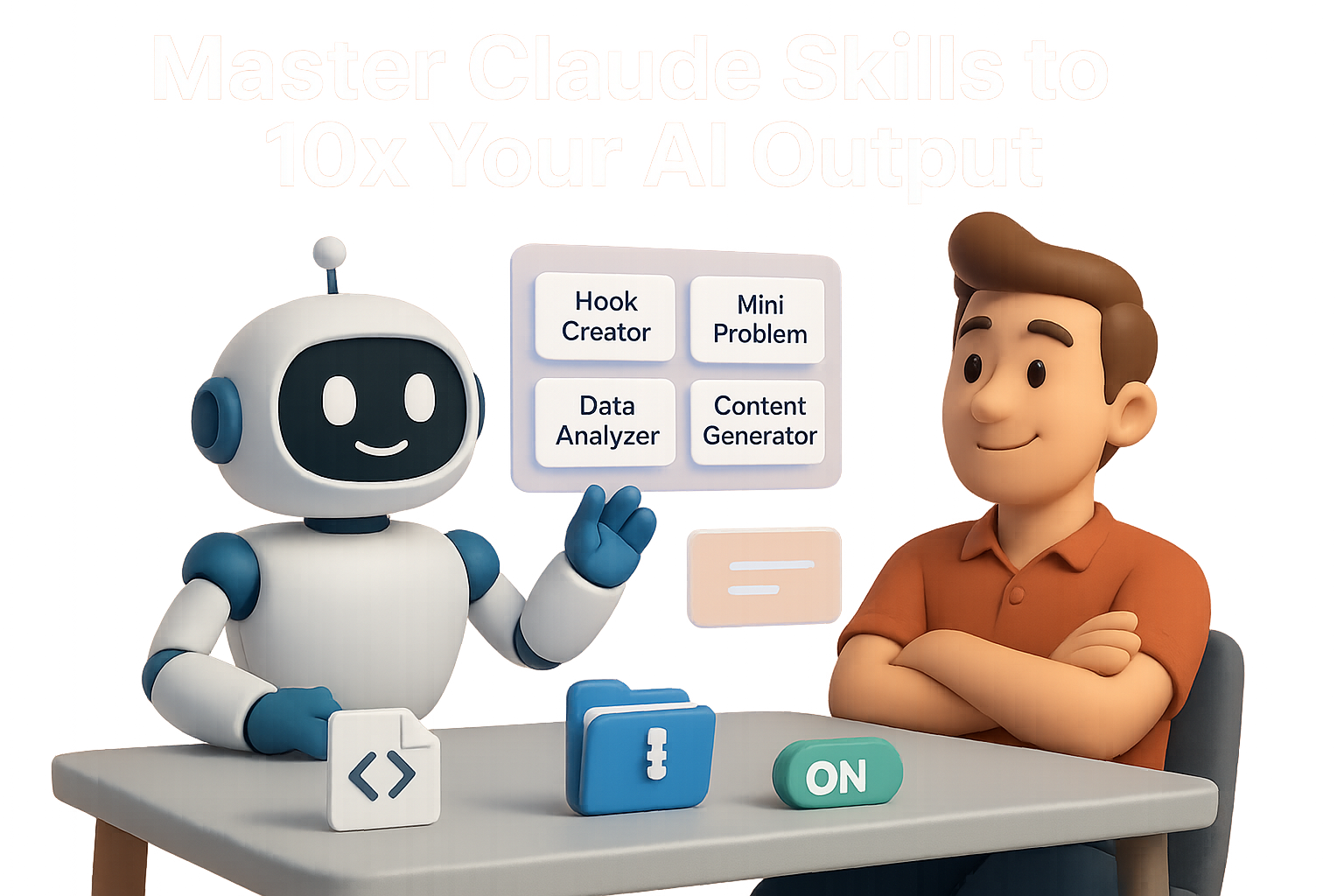
    Claude’s Skills are like little cheat codes: you upload step-by-step instructions as a Markdown file, zip it, and turn on the feature. Claude then silently checks every prompt against your skillset and fires when the context fits.

    You don’t have to name the skill or remind Claude it exists. But you can nudge it. (Hey, even AI likes a little encouragement.)

    Here’s how to get started.

    illustration

    Your 4-Step Setup (Takes 10 Minutes)

    1. Draft the prompt

      In Claude’s chat, type: “Create a skill named Hook Creator that crafts Fear-Of-Missing-Out hooks for social posts. Include at least two proven copywriting frameworks and explain why each hook works.”
    2. Review and refine

      Claude returns structured Markdown. Skim it. Edit tone or examples. Once happy, ask: “Re-output as final skill.md.”
    3. Zip and upload
      • Save as skill.md
      • Zip it into skill.zip (no folders inside—just the .md file)
      • In Claude: go to Capabilities → Skills, upload it, then toggle “on”
    4. Test it out

      Prompt: “Here’s a draft post about AI predicting purchase intent with 90% accuracy. Give me a compelling hook.”

      If your setup worked, Claude returns something like:“AI just passed a test that will make most market research obsolete.” Look for this tell-tale line above the response:“Consulted Hook Creator skill.” That’s your mini-expert at work.


    illustration

    Two Skills You Can Try Right Now

    1. Hook Creator

      Turns your draft into click-worthy gold.
      • Uses frameworks like Cost of Inaction and Specificity + Curiosity
      • Helps tease what’s inside without the clickbait cringe
    2. Mini Problem Solver

      Great for those everyday “now what?” moments.
      • Breaks problems into root cause + must-do priorities
      • Returns 3–5 ranked solutions using an impact/effort lens
      • Smart for solo operators or lean teams needing fast clarity

    Make Your Skills Unstoppable

    Want Claude to hit bullseyes more often? Follow these power-user tips:

    • Keep it scoped: “Write SEO headlines” = clear. “Do my content strategy” = too broad.
    • Add 2–3 examples: Claude learns faster with style samples.
    • Include exclusions: “Skip this skill for long-form” helps avoid misfires.
    • Iterate in chat: Ask Claude to critique its own skill and revise.
    • Name it well: “Hook Creator” beats “Content Skill 3.” Unique + descriptive wins.

    illustration

    Avoid These Common Mistakes

    Even smart folks trip up on the basics. Here’s your bumpers for a clean lane:

    • Skill must be named skill.md inside the zip—no folders.
    • Don’t zip a folder. Just place the file at the root of the archive.
    • Vague “When to apply” instructions = skill not triggered.

    If Claude doesn’t use your skill, check these three first. Nine times out of ten, the fix is there.


    illustration

    The Unrealized Power Here

    Every new skill adds leverage. You’re not just saving keystrokes—you’re scaling judgment.

    Instead of prompt hacking every morning, you’re building a personal ops stack:

    • Your tone and framework for copy
    • Your decision tree for product naming
    • Your SOPs for onboarding, data wrangling, or campaign QA

    More precision. Less tinkering. And with each added skill? Faster compound wins.

    Give Claude a real seat at your desk—not just as a chat sidekick but a reliable expert.


    illustration

    Ready When You Are

    This is where AI starts pulling its weight: not in novelty demos, but in your actual workflow.

    Start small. Build one skill. Watch how quickly “small” becomes “how did I manage without this?”

    → Try your first AI skill with Tixu’s beginner-friendly AI workflows. Step-by-step support, real use-cases.

    Get started at tixu.ai

  • Become Irreplaceable at Work with This 90-Day AI Plan

    Become Irreplaceable at Work with This 90-Day AI Plan

    The Opportunity: Why AI Champions Are Suddenly Priceless

    Let’s keep it real.

    All the layoffs you’re hearing about? They’re not just headlines—they’re a signal. 41% of employers say they’ll reduce staff due to AI. But here’s the kicker: those same companies are now scrambling to find people who actually know how to make AI useful at work.

    In short: if you can help your team use AI instead of fearing it, you won’t just keep your seat—you’ll move up a row. Fast.

    This playbook shows you how to become that person in 90 days flat—without needing a CompSci degree or sacrificing your weekends to YouTube rabbit holes.

    Icons representing four AI powers: Create, Connect, Automate, and Build, with corresponding tools like Midjourney, ChatGPT, Zapier, and Bubble.

    Be the Generalist Everyone Needs (and Few Actually Are)

    Most folks think you need to be a machine learning engineer to be “good at AI.”

    Flip that idea.

    What companies really need right now are AI generalists—people like you who can spot friction, translate real-world problems into quick wins, and ship scrappy solutions that make things actually run faster.

    Here’s how you get there.

    Build Your Four AI Powers

    Think of yourself as a modern work wizard. These are your four power-ups:

    1. The Power to Create

    Spin up studio-grade content using just words. Use tools like Midjourney (images), Adobe Firefly (design), or Pika Labs (video).

    2. The Power to Connect

    Upgrade every email, deck, or doc in seconds using ChatGPT, Claude 3, Jasper, or Copy.ai.

    3. The Power to Automate

    Set up 24/7 digital interns with Zapier, Make.com, or Relevance AI. Robots that never ask for PTO.

    4. The Power to Build

    Launch simple internal apps in Bubble, FlutterFlow, or Replit’s AI Templates—no coding degree required.

    What makes you dangerous? You don’t just know what one tool does—you see how the whole puzzle fits together.


    A 3D illustration depicting different computer setups for Marketing, Sales, and Finance, each labeled with 'Copied Tutorial' and featuring various digital graphics and charts.

    Phase 1: Days 1–30 → Master Your Own Desk

    Goal: Save yourself 5–10 hours a week (no approval required).

    Do this next:

    • Pick your power combo

      Match your role to the most useful skillset:

      • Marketing & Content: Create + Connect
        → Try Midjourney, Runway Gen-2, Copy.ai
      • Sales & CS: Automate
        → Spin up call prep agents in Relevance AI, auto-decks with Tome AI
      • Finance & Ops: Automate + Build
        → Use ChatGPT’s Advanced Data Analysis or build KPI dashboards in Bubble
      • HR: Automate
        → Use Airtable AI to screen and flag top applicants
    • Find one tutorial and copy it.

      Search YouTube or Reddit. Follow along, tweak the output to fit your job.
    • Track your wins.

      Simple log: task, time saved, link to result. After 30 days you’ll have a brag-worthy list of free time you reclaimed from the work ghouls.

    Bonus: this is your defense when someone asks, “What have you been doing with AI?”


    illustration

    Phase 2: Days 31–60 → Hunt the Bottleneck

    Goal: Fix one high-friction problem for your team and surface your impact.

    Your hit list:

    1. Listen first.

      What are teammates griping about? Look for anything repetitive and annoying.
    2. Google smarter.

      Use queries like “How to automate onboarding with AI” or dig through communities like Perplexity.ai.
    3. Choose a ‘small ugly.’

      Something annoying enough to solve but narrow enough to finish in a week.
    4. Prototype something scrappy.

      Could be a Make scenario, Bubble app, or Relevance AI automation. Doesn’t need to be pretty—just needs to run.
    5. Package it with style.

      Create a one-pager:
      • What the old workflow was
      • What your AI solution does
      • Time saved (even if modest)

    Boom—you’ve just made your tools look useful and started building internal trust.


    illustration

    Phase 3: Days 61–90 → Become the Go-To AI Person

    Goal: Position yourself as the internal AI champion—not just the builder.

    Make your move:

    • Demo, don’t pitch.

      At your next 1-on-1, hand your manager the one-pager and walk through what it does. You’re not asking for anything. Just showing results.
    • Offer a micro lesson.

      Run a 15-minute lunch-and-learn. Show your tool, and leave teammates with 2–3 easy AI tricks they can use right away.
    • Ask for the next challenge.

      “Marketing saved 6 hours/week on reporting. I think Sales could get similar results with prospect research—mind if I pilot a tool next month?”

    Now you’re not just a curious learner. You’re an internal consultant who solves real problems for teams. That’s irreplaceable territory.


    illustration

    What Happens After Day 90?

    You loop this playbook again.

    Spot a pain. Build a tool. Share the result. Teach someone. Repeat.

    Each cycle adds another node to your AI network inside the company. More people come to you. Leaders start looping you into strategic convos. And instead of worrying about the next wave of cuts, you’re helping shape what gets built.


    illustration

    Your Next Step

    AI isn’t coming for your job. But someone good at it might.

    Start building your first win today—and if you want a low-stress launchpad into hands-on, human-friendly AI training, head over to Tixu.ai.

    Ready when you are.

  • Build Custom AI Agents with Gemini in Minutes

    Build Custom AI Agents with Gemini in Minutes

    First Thing: You Need the Right Workspace Plan

    Let’s get real—if you’re on free Gmail, this ain’t for you (yet).

    You’ll need a Workspace account with either:

    • Gemini Business – $21/user/month
    • Gemini Enterprise – $30/user/month

    Access is totally gated, so no license = no Builder.

    Once you’re in, head to Google Workspace Admin Console and open Gemini from the left-hand rail.


    illustration

    Quick Tour: Interface in 60 Seconds

    The Builder UI feels like your standard Google app—clean, comfy, and not trying to be cool. Here’s what you’ll see:

    • Models
      • Auto (let Gemini pick)
      • Gemini 1.5 Flash
      • Gemini 1.5 Pro
    • Data & Tools
      • Drop files, pull from Drive, or search inside your org’s content
      • Built-in options for image gen, video gen & “Deep Research”
    • Connectors (currently 9)
      • Gmail, Calendar, Drive, Confluence, Jira, SharePoint, Outlook, OneDrive, Meet
    • Appearance & Tips
      • Toggle on “For You” for relevant widgets. Prompt suggestions? Yes, please.

    illustration

    Build Your First Agent in 5 Steps

    Fire it up when you’re ready:

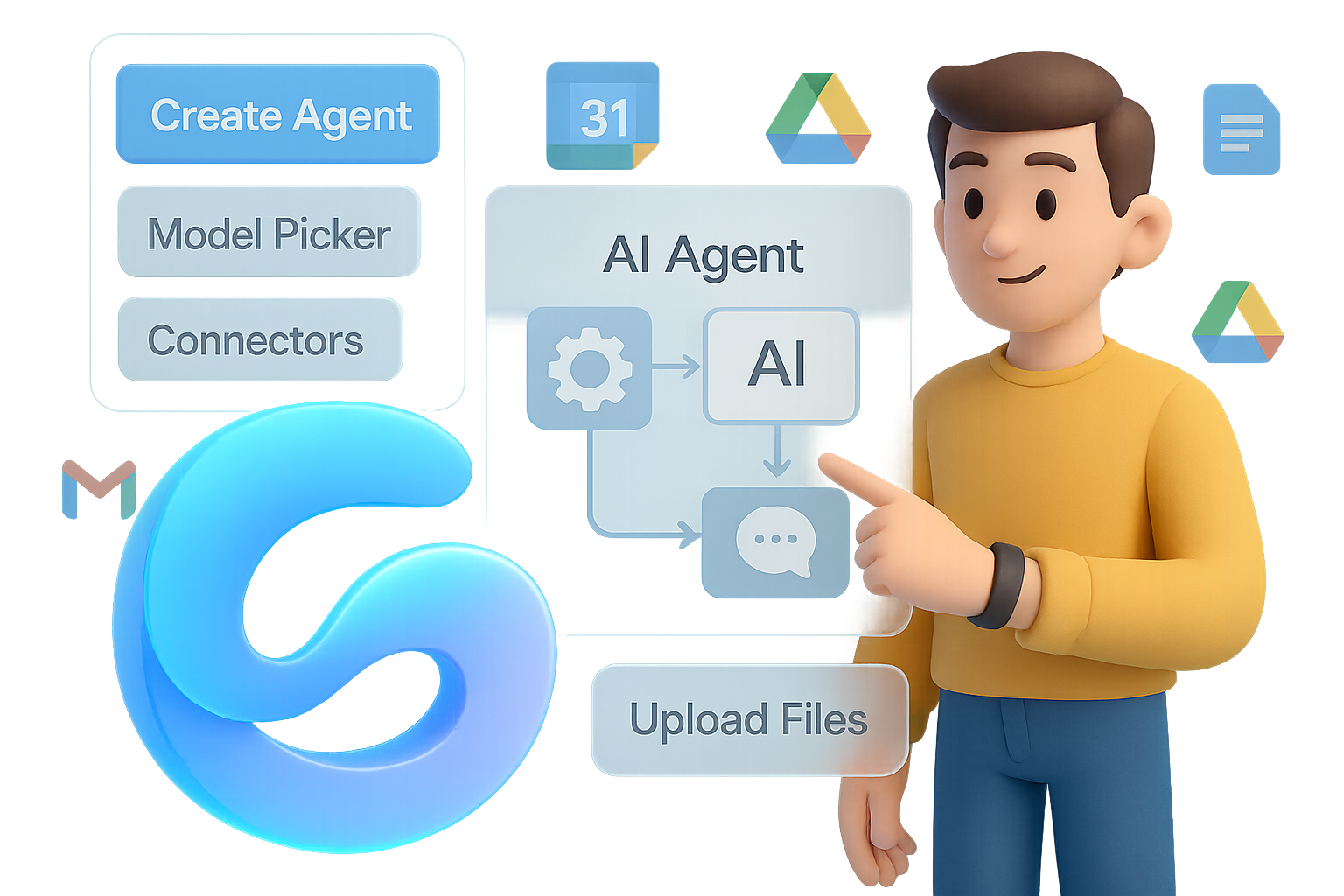
    1. Go to Agents → Create agent
    2. Use natural language: “Create a Q&A assistant trained on our policy PDFs.”
    3. Gemini sketches the agent layout:
      • Name, model, data source, tone, connectors—you get options
    4. Upload docs or folders — set rules and Preview
    5. Test it live. Tweak if needed. Then hit Create → share with teammates

    Bonus move: Use the canvas to branch sub-flows (e.g. a “Meeting Summarizer” that spawns both an action-item list and a follow-up email).


    A digital illustration of a person holding a stopwatch showing '15 min', surrounded by colorful building blocks that spell 'NO CODE', with a dialog box prompting to 'Create an agent'.

    Where Gemini Shines

    Let’s give credit where it’s due:

    • Ridiculously easy setup for non-tech users
    • Instant Workspace access to Gmail, Drive, Calendar—built-in advantage
    • Security baked in from the Google stack (hello, faster IT approvals)

    You can get an internal-use agent live in 15–20 minutes. No prompt engineering PhD required.


    A cartoon-style illustration of a man pondering at a signpost with icons for Gmail, Calendar, and Google Drive, along with question marks and a floating chatbot image labeled 'Agent Finder' requiring a vendor form.

    Where It Still Feels… Early

    • Limited to nine connectors—hope you’re not a Slack + HubSpot shop
    • Just one pre-built agent (Google’s “Deep Research”)
    • “Agent Finder” marketplace is locked behind vendor request forms
    • Same prompt = different results depending on mood—cool for ideation, not great for consistent outputs

    illustration

    Gemini vs. OpenAI Agent Builder: The Showdown

    What OpenAI Wins At

    • Power-user arsenal: built-in code interpreter, image/audio tools, Zapier, Make, custom webhooks
    • Bulk testing suite: evaluate agents at scale before rollout
    • Stronger dev tools: fine-tuning, versioning, deployment via API or chat widgets

    What Gemini Does Better

    • Zero-to-agent smoothness—no JSON wrangling or weird setup steps
    • Native data integration—Work email, calendar, files, you’re already in the ecosystem
    • Familiar UI = quicker adoption (and fewer confused coworkers)

    Illustration comparing Gemini Agent Builder and OpenAI Agent Builder with two characters representing each, surrounded by relevant icons like Google Calendar, Drive, and API symbols.

    Which One Should You Use?

    Choose Gemini Agent Builder if:

    • You work in Google Workspace daily
    • Your data lives in Calendar, Drive, Gmail
    • You need quick wins with no coding fuss
    • Security reviews matter (especially in enterprise)

    Choose OpenAI Agent Builder if:

    • Your agents need to talk to dozens of tools and APIs
    • You’re building customer-facing products or plugins
    • You want fine-grained control over logic + long-term versioning

    illustration

    What to Do Next

    Google just made AI agents crazy accessible for everyday users—especially if you’re already deep in Workspace. It won’t replace OpenAI for hardcore users (yet), but it’s a strong pick for internal automation with guardrails already built in.

    Play with it. Break it. Prototype fast. You’ll be surprised what a 30-minute agent can do for your team.

    👇 Want to get smarter about building AI agents and automations?
    Start learning the easy way at Tixu.ai — beginner-friendly, hands-on, and zero jargon.