Author: Pavel

  • Build 3 AI Agents That Earn $50K/Month

    Build 3 AI Agents That Earn $50K/Month

    Unlocking $50K Months With Three High-Impact AI Agents

    Hate to break it to you, but AI isn’t coming for your job—it’s coming for your excuses. Because right now, there are solo builders turning prebuilt AI automations into $10K, $20K… even $50K/month ops. No computer science degree. No VC money. Just simple tools, smart copy, and sweat equity.

    In this post, you’ll learn how to deploy three client-ready AI agents that do real work—book appointments, answer phones, and revive cold leads. You’ll get the setup stack, average effort, potential earnings, and which niches say “yes” fastest.

    Let’s cut the fluff and get to the money.


    illustration

    Fill Calendars 24/7: The Google Calendar Booking Agent

    Businesses aren’t losing sales—they’re losing the chance to reply first. That’s where this bot shines.

    What it does:

    • Monitors incoming messages (Facebook, Instagram, SMS, website chats)
    • Handles FAQs, price objections, and scheduling nudges
    • Auto-books appointments straight into Google Calendar

    Why clients pay:

    When 80% of inquiries go unanswered after hours, it’s not a good look. This agent responds instantly, around the clock. Business owners wake up to booked calls instead of a pile of unread DMs.

    Set-up stack:

    • A multichannel chatbot builder (like BuildMyAgent or Manychat)
    • GoHighLevel: inbox, phone numbers, SMS, and automation in one
    • Google Calendar integration (native to GoHighLevel)

    Effort level:

    Medium
    You’ll spend a day wiring it up, then another couple training the bot on offers and objections. The real secret? Writing copy that sells gently.

    Earning potential:

    $500–$10,000+/month
    Performance pricing kills here. Charge per booked call, per qualified lead, or based on sales influence. Clients love “pay-only-if-it-works” offers—and your close rate reflects it.

    Best-fit niches:

    Cleaning, home services, detailing, remodeling—anything where instant replies = more revenue.


    A colorful illustration of a traditional telephone next to a clipboard, calendar, and a 'DO NOT DISTURB' sign, with sound waves and checkmarks in the background, representing communication and scheduling.

    Talk Less, Earn More: The Voice AI Answering Agent

    The phone still rings. But now, you’re not the one answering it.

    What it does:

    • Auto-picks up inbound calls, speaks naturally, & collects intel
    • Schedules, reschedules, or cancels in real-time
    • Filters out tire-kickers so owners only deal with real prospects

    Why clients pay:

    Most small business owners still act as their own receptionist. Every ring interrupts the work—and missed calls cost money. An AI voice agent keeps the line moving without burying them in distractions.

    Set-up stack:

    • GoHighLevel ($97/month per client)
    • A Twilio number ($1–$2/month, native setup in GoHighLevel)
    • Pre-built voice flows (Tixu users get plug-and-play templates)

    Effort level:

    Low to medium.
    You’ll deploy in a day, then finesse tone, backups, and scripts. Nothing wild.

    Earning potential:

    $300–$3,500+/month.
    Retainer, per-call, or per-booking pricing all work. Show clients how many hours they just bought back—they’ll pay gladly.

    Best-fit niches:

    Service-based pros who still live and die by the phone: salons, cleaners, HVAC techs, med spas.


    illustration

    Resurrect Dead Leads: The SMS Reactivation Agent

    Old leads aren’t dead. They’re just ignored.

    What it does:

    • Connects to a dusty CRM filled with “lost” prospects
    • Sends casual, human-like texts (“Still looking for a quote?”)
    • Funnels hot replies to a closer or calendar

    Why clients pay:

    Most businesses blow thousands building their lead list… but never follow up past day one. This agent revives buried contacts and turns them into new sales—like found money.

    Set-up stack:

    • GoHighLevel for SMS blasts + pipelines
    • Optional: Zapier or Make.com to pipe in older CRMs
    • Conversational AI prompt library (you’ll tweak the tone per niche)

    Effort level:

    Medium.
    Give it 1–2 weeks of testing tone, timing, and opt-outs. Once it hits, it runs itself—with tiny tune-ups.

    Earning potential:

    $1,000–$15,000+/campaign or retainer.
    Charge per warm lead, per conversion, or take a rev-share slice. Clients are happy to pay when these “ghosts” suddenly buy.

    Best-fit niches:

    High-ticket verticals with big contact lists: solar, roofing, med/dental, remodels, insurance.


    illustration

    What to Do Next

    Here’s how to go from curious to cash flow:

    1. Pick 1 agent. Pick 1 niche. Get traction.
    2. Offer a no-risk deal: “Pay per result.” Your close rate will thank you.
    3. Use off-the-shelf tools (GoHighLevel + chatbot platforms) to speed time-to-launch.
    4. Monitor. Tweak. Reinforce what’s working. After that, scale.

    A well-trained AI agent works like a team of tired employees who never ask for breaks or PTO. You don’t need to master machine learning. You just need to plug in, test smart, and deliver ROI clients actually feel.

    👉 Ready to build your first agent (without coding headaches)?
    Hop into Tixu—the beginner-friendly AI learning playground where people just like you turn simple automations into cash machines.

  • Master Storyboarding with AI in Minutes Using Popcorn

    Master Storyboarding with AI in Minutes Using Popcorn

    Popcorn by Higgsfield: Your Shortcut to Instant Storyboards

    Let’s be real—wrangling storyboards from AI can feel like trying to make soup with a fork. One frame looks great, the next one’s a mess. And consistency? Forget it.

    Now flip that: imagine feeding a few images and a short prompt into one tool—and getting a clean, consistent storyboard in seconds.

    That’s Popcorn.

    illustration

    What You’ll Learn Here

    By the end of this post, you’ll know:

    • What Popcorn is (and why it’s a game-changer)
    • How to use both Auto and Manual Modes
    • Smart use cases for marketers and creators
    • Tips for squeezing the best results from it

    Let’s break it down.


    illustration

    Create a Full Storyboard in Seconds

    Popcorn is Higgsfield’s newest feature—and yep, it’s designed to speed up your visual workflow. No more reshooting, no more AI re-prompting loops.

    It works like this: you upload up to 4 reference images, tell it what’s happening, and boom—Popcorn delivers a visual sequence that actually looks like it belongs together.

    Two Modes. One Mission: Speed + Consistency

    You’ve got options:

    1. Auto Mode – “Do it for me”
    Quick and easy. Upload a few images, type in a mood or action line, pick your number of frames. Popcorn handles everything else—angles, lighting, coherence.
    Ideal for concepting, mockups, or fast marketing tests.

    2. Manual Mode – “I’m the director”
    You’re in charge. Upload once, then write individual prompts for each frame (think: Scene 1, Scene 2…).
    Perfect when you’ve got a campaign script to stick to, or when you just want full creative control.


    illustration

    Popcorn in Action: A Halloween Mini-Movie

    Let’s say you upload a photo of a man in a suit wearing a pumpkin mask. You drop it into Auto Mode and type: “Trick-or-treating through the neighborhood on Halloween night.”

    Then you select 7 output frames. Here’s what Popcorn might spit back:

    • Pumpkin man strolling suburban streets
    • Same guy in a snowy alleyway (Popcorn adds curveballs)
    • Walking out of a candy shop, haul in hand
    • A sequence of visuals that look different but clearly feature the same character

    The kicker? No manual corrections. Just drag-and-drop storyboarding.


    illustration

    Bring Those Frames to Life

    Every image you make with Popcorn is built to move.

    You can instantly push still frames into Higgsfield’s Image-to-Video pipeline—choose a motion model (like Google Veo 3.1), give it a vibe or cue (“wind blows leaves,” “camera pans up”), and hit Go.

    You get a short, moving clip. Perfect for trailers, TikToks, or quick-turn social ads.


    illustration

    Want Total Creative Control? Manual Mode Has You

    Here’s how that might look for something more cinematic:

    • Scene 1: Sergeant stands in front of a military base at dawn
    • Scene 2: Close-up, steely eyes and sunrise glow
    • Scene 3: Hovering over a war-room map
    • Scene 4: Surrounded by the squad in full gear
    • Scene 5: Loading into a helicopter
    • Scene 6: Buckled helmet, interior shot

    Six prompts. One upload. Perfectly matching character, tone, and style across all images.

    No more fighting AI for consistency. Popcorn’s got that baked in.


    illustration

    Use Cases That Make Creators Smile

    This isn’t just for hobbyists. Popcorn brings pro-tier utility to your everyday workflow.

    • Product placements: Auto-generate lifestyle images with your product in diverse settings
    • Pose replication: Match character poses across custom models without touching 3D rigging
    • Multi-image fusion: Combine talent + product into brand-ready visuals
    • Flexible formats: Select output sizes to match specific platforms—1:1, 3:4, 9:16, you name it

    Think concepting, pitching, and prototyping—on demand and on brand.


    illustration

    Tips to Get Better Results, Faster

    Want cleaner outputs? Use these like cheat codes:

    • Use clear, high-resolution references—garbage in, garbage out still applies
    • In Auto Mode, keep prompts simple—let Popcorn fill in flair
    • In Manual Mode, use camera terms (“close-up,” “wide shot”) for cinematic variety
    • To maintain consistency, reuse phrases like “same lighting” or “matching outfit”

    It’s part smart prompting, part letting Popcorn do its magic.


    illustration

    Why This Changes the Game

    Most AI image tools are great… for one stellar frame.

    But when you need five or seven frames that connect? You’re usually stuck re-rolling, editing, or just settling.

    Popcorn flips that script:

    • Matched, on-style boards in one go
    • Speedy frame-to-video workflow
    • Creator-friendly formats built-in

    That means:

    • Faster client approvals
    • Less overspending on photo shoots
    • More agile campaigns for social and paid
    • Easier handoffs to your video or design team

    It’s bot-powered, yes. But the results feel human—and ready for real work.


    illustration

    Try It and See Your Concepts Pop

    Jump in, experiment with a few ideas, and see how quickly it changes your content game.

    When your next storyboard or ad set needs to look slick (and be done yesterday), Popcorn’s the fastest way from thought to screen.

    Want to learn more about tools like this—even if you’re just starting with AI?
    Check out Tixu, the go-to platform for beginners learning AI. It breaks everything down so you can level up without the tech tantrums.

    Ready when you are.

  • Build Scalable AI Ads from One Image in Minutes

    Build Scalable AI Ads from One Image in Minutes

    Why Consistency Wins Attention (and Sales)

    You don’t need a big agency budget to punch above your weight in the content game. What you need is consistency.

    When the same face, product, and vibe follow your viewer from one post to the next—it sticks. Subconsciously, they start to trust you. But the second your bottle changes color or your spokesperson shapeshifts? That trust vaporizes.

    Here’s the good news: You can now lock in that visual consistency from one single image. No models. No pricey reshoots. Just smart tools and a bit of prompting.

    Let’s walk through the exact workflow to build scroll-stopping creatives that feel like they cost 10x more than they did.


    illustration

    Build Your Brand Hero First

    This is your anchor image. The one you’ll riff on for everything else.

    Tool: Ideogram
    Why it works: Free, dead simple, and delivers scroll-ready images with just a prompt.

    Do this:

    1. Head to Ideogram’s Explore page.
    2. Filter for stuff like “realistic skincare influencer, soft daylight” to get in the ballpark.
    3. Download a favorite—or better yet, steal the prompt, tweak it, and hit generate.
    4. Pick the image that screams “brand hero” for your product.

    Pro move: Use clear, front-facing angles. Keep lighting neutral. Make sure the product is held near the model’s face. These details make everything else easier down the road.


    illustration

    Clone the Look—Without Reshoots

    Once your hero image is locked, it’s time to go full campaign mode.

    Tool: Spiel
    Why it works: Keeps the model, face, and product identical while letting you change the scene, wardrobe, and angle.

    Here’s how to spin it up:

    1. Upload your Ideogram image as the source.
    2. Plug in shot prompts like:
      • “Wide outdoor shot, product in hand”
      • “Passenger seat selfie, same model”
      • “Kitchen counter, holding coffee mug”
    3. Tap generate. Spiel spits out crisp, on-brand variations that play like a full-on shoot.

    Want to feature the product pack? Upload the bottle image, and prompt: “She holds the moisturizer beside her face.” Spiel blends it like it was made in-studio.

    Skip the grip truck. This is your virtual shot list.


    illustration

    Make It Move: AI-Generated Talking Videos

    Photos are fine. But videos? They convert better. Always.

    Tool: Spiel’s UGC Builder
    Why it works: Turns your stills into face-synced, natural-looking videos. No cameras. No actors. No stress.

    Easy Mode (Speedy & solid)

    • Upload your favorite still.
    • Drop in a short script (ChatGPT can draft one in seconds).
    • Add basic cues like “speaks to camera, presents bottle, sips at end.”
    • Hit generate—and you’re looking at a full UGC-style clip in two minutes.

    Custom Mode (More control)

    • Upload or clone a specific voice.
    • Stitch multiple shots into one scene.
    • Layer in custom gestures or camera pans.

    Either way, the face, lighting, and product all stay locked. That’s the magic.


    illustration

    Humanize the Voice with ElevenLabs

    Here’s the kicker. Even the best AI video falls flat with stiff audio.

    Tool: ElevenLabs
    Why it works: Makes your AI voiceovers sound legit—no “robot voice” giveaways.

    Try this two-step glow-up:

    1. Voice Conversion
      • Export the voice from Spiel (or extract it using a free site).
      • Upload it to ElevenLabs. Pick a warmer or more expressive tone.
      • The cadence stays the same; just the flavor changes.
    2. Add Room Tone
      • Dead silence screams “fake.”
      • Generate light ambient audio: “subtle indoor hum, slight movement.”
      • Mix it under the VO—feels like a real room instantly.

    Do a before/after listen and thank us later.


    illustration

    Recap: From One Image to Full Funnel Creative

    You just built an entire ad campaign—without hiring a soul.

    Here’s the quick play-by-play:

    • Lock in your brand hero with Ideogram
    • Clone endless polished variants with Spiel
    • Animate into talking clips with zero effort
    • Add that human touch with ElevenLabs

    That’s content for feed posts, stories, paid ads, even influencer-style UGC. Shot in… what? An afternoon?


    Ready to rinse and repeat?

    Grab your first image, fire up Ideogram, and start building a creative engine that runs while you sleep. Your next top-performing ad is a prompt away.

    👋 Want more beginner-friendly AI tutorials like this? Head over to Tixu—we’re making AI simple, fun, and totally usable for creators like you.

  • Earn Online with AI Music: 5 Simple Income Streams

    Earn Online with AI Music: 5 Simple Income Streams

    Make Money with AI Music (Even If You’ve Never Touched a Guitar)

    Think you need a home studio, perfect pitch, or years of music theory under your belt to make money in music? Nah. With AI, you just need curiosity, a decent ear—and a little hustle.

    Tools like MusicGPT.ai are flipping the script. It’s not just remixing or generating lyrics; this AI composes, sings, narrates, and even spits out crisp sound effects. Everything it makes is cleared for commercial use, so the door’s wide open to monetize.

    Let’s break down five beginner-friendly ways to turn AI-generated audio into actual income. You can start with zero gear, no music background, and see results within a week or two.


    illustration

    1. Launch a Viral “AI Covers” Channel

    YouTube loves a twist. And putting a fresh spin on chart-toppers? Straight fuel for the algorithm.

    Try this:

    • Take a trending hit—say, from Billie Eilish or Bad Bunny—and run it through MusicGPT.ai’s Remix tool.
    • Change the genre or era. Think “Doja Cat as an ’80s synth ballad.”
    • Generate a killer visual (Midjourney or Canva work great).
    • Stitch it all together as a short video and upload.

    Why it works:

    One viral audio/visual mashup can rack up hundreds of thousands of views. From there, you tap into AdSense, affiliate deals, sponsorships—the full content flywheel.


    illustration

    2. Earn from Lo-Fi Beats That Run on Repeat

    Study beats, chill-hop loops, cozy cafe ambiance… they’re the background music to the internet.

    And yes, AI can make them on command.

    Here’s how to spin it into dollars:

    • Generate 2–3 mellow tracks on MusicGPT.ai.
    • Loop or combine them into a 60-min mix.
    • Add an animated visual loop (Gemini, DALL·E, or Canva have you covered).
    • Upload to YouTube with optimized SEO—target keywords like “lofi beats for studying” or “chill work music.”

    Passive income gold. People leave these streams running for hours. Your play count (and ad revenue) compounds in your sleep.


    A friendly cartoon robot holding a sign that reads 'Custom AI Tracks' stands in front of two computer screens displaying freelance music services on Fiverr and Upwork, surrounded by music equipment like headphones and a sound mixer.

    3. Sell Custom AI Tracks on Freelance Platforms

    Some creators want original audio—but don’t want to learn how to make it.

    That’s where you come in.

    What to do:

    • Create freelance listings on Fiverr, Upwork, or Freelancer.
    • Offer packages: a short intro, a podcast theme, a full-length track.
    • Use MusicGPT.ai and toggle off the vocals (most clients prefer instrumentals).
    • Include “100% royalty-free & commercial use” in all gigs.

    Top sellers can charge $100+ per track once they’ve built some reviews. Start modest, collect feedback, then scale.


    illustration

    4. Package Sound Effects for Etsy & Gumroad

    Who buys beeps and swooshes? Game developers. App makers. YouTubers. Basically, everyone who needs polished audio assets fast.

    MusicGPT.ai’s Sound Generator knocks these out with scary precision.

    Steps to cash in:

    • Create themed folders: “ASMR Notification Pack,” “Retro Arcade SFX,” “Calm Nature Ambience.”
    • Export in WAV and MP3, zip ’em, and design a thumbnail using Canva.
    • List on Etsy, Gumroad, or both. Price per bundle: $5–$25.

    Promotion tip: Share your packs in Discord servers or Reddit forums like r/GameAudio or r/GameDevClassifieds.


    illustration

    5. Offer Voiceovers Without Touching a Mic

    No fancy recording gear. No soundproof booth. No vocal warmups.

    Just the Text-to-Speech engine in MusicGPT.ai—and a little marketing.

    What to offer:

    • Audiobook intros
    • TikTok narration
    • Instagram Reels voiceovers
    • ASMR-style content

    How to package:

    • Grab a script, pick a natural-sounding voice, and export it.
    • Price your gig on Fiverr or Ko-fi—then upsell a Voiceover + Music combo. Everything’s made inside the same platform for max efficiency.

    Voice work is exploding. Getting in early with AI tools is a smart move before the category gets saturated.


    illustration

    Tips to Maximize Your AI Music Income

    Want more traction faster? Don’t just create—strategize.

    • Stay on trend: Peek at YouTube’s trending tab or TikTok’s music to ride waves early.
    • Batch, don’t binge: Generate 10+ variations in one sitting. AI doesn’t get tired—use that.
    • Highlight licensing: Buyers worry about copyright. Solve that in your headline—“100% royalty-free guaranteed.”
    • Build trust fast: Offer a free sample or discounted first gig. Early reviews are jet fuel.
    • Cross-sell like a pro: A buyer of lo-fi audio might also need SFX. Bundle it in one neat offer.

    Let’s Recap

    Creating, remixing, and monetizing music used to mean talent + time + tech. Now? You just need a strategy and helpful tools.

    Start simple. Experiment. Then double down on what clicks. It’s fully possible to earn your first $100 from AI-generated audio by the time your coffee gets cold.

    And if you’re just warming up with AI, take it for a spin on Tixu—a beginner-friendly platform for learning and launching with AI.

  • Master Opportunity Spotting to Build Your AI-Powered Business

    Master Opportunity Spotting to Build Your AI-Powered Business

    Your AI Edge: Spot the Gaps Machines Can’t See

    The old rulebook? Shredded.
    Saving 20% of your paycheck for 40 years doesn’t stretch like it used to. Wages aren’t rising fast enough, costs are sprinting ahead, and even high-prestige jobs are feeling the heat from AI automation.

    But here’s the twist: it’s not all doom.
    AI may be incredible. But it’s missing one power move you’ve got in spades—spotting the “what’s missing.”

    Let’s dig into the skill that puts you ahead of the machines—and how to sharpen it like a pro.


    An illustrated career roadmap with a character holding binoculars, featuring a list of career changes: crossed out 'Get degree' and 'Stable job', and emphasizing 'Freelance', 'AI tools', and 'Creative Hustle'.

    Goodbye “Safe Job,” Hello Opportunity Radar

    Not long ago, success followed a pretty straightforward script:

    1. Get the degree.
    2. Land a stable job.
    3. Save, invest, and coast toward retirement.

    Today that plan’s about as sturdy as a popsicle stick in a hurricane:

    • Median salaries barely stay ahead of inflation.
    • Core costs—think housing, childcare, healthcare—are climbing fast.
    • Even top-tier jobs (law, software, finance) are under threat by AI or cheap global talent.

    You’re not going to outrun algorithms by grinding harder or knowing more facts. But here’s your edge: Machines remix what already exists. You notice what’s not there yet.

    That’s your ticket.


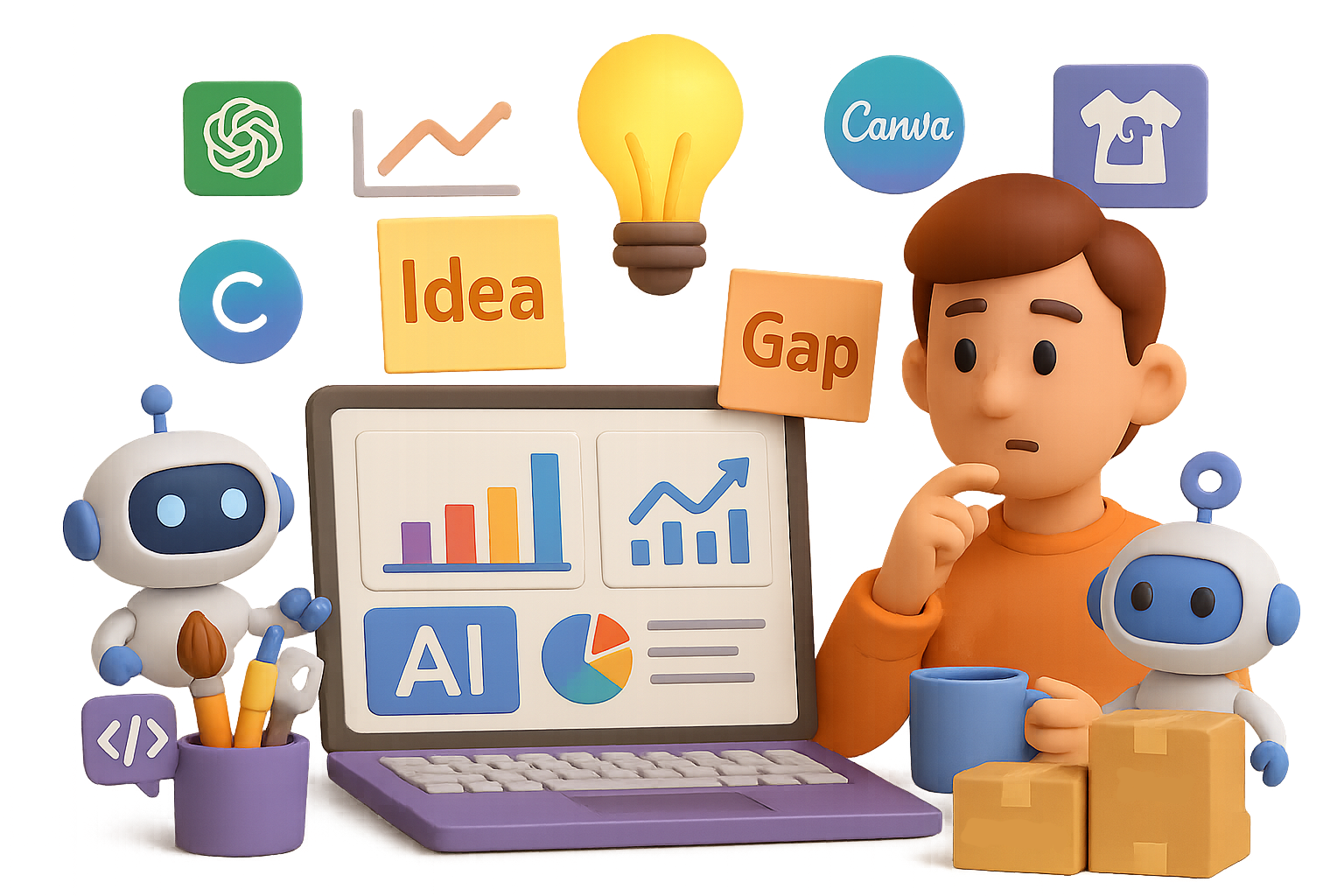
    An illustration depicting a brain with puzzle pieces and a robot examining a clipboard with notes on frustrations, boredom, and unmet needs.

    Spotting the Gaps: The Skill AI Can’t Copy

    Opportunity identification is human-speak for: “I feel this pain. Others must too. What if we solved it?”

    Here’s why AI face-plants here:

    • It doesn’t know what it doesn’t know. AI plays with past data—it can’t crave what hasn’t happened.
    • It doesn’t feel. You get frustrated, bored, intrigued. That emotional data? Gold.
    • It doesn’t guess well. You have instincts. AI has probabilities.

    The best play? Use your messy, brilliant brain to find the gaps.
    Then let AI fill them with speed and polish.


    illustration

    From “Hmm” to Hustle: A Real-World Mini Win

    Picture this: one creative entrepreneur scrolling Etsy notices a gap.

    No cool, funny dog apparel by breed. Especially for Huskies.

    So, they pounce.

    1. Idea Spark: “Why isn’t anyone doing clever Husky shirts?”
    2. Content Creation:
      • ChatGPT whips up breed-specific slogans.
      • Midjourney designs the artwork.
      • Canva makes it store-ready.
    3. Automated Everything: Printify handles printing and shipping.
    4. AI-Boosted SEO: GPT polishes descriptions that play nice with Etsy’s algorithm.

    Result? A low-effort launch, zero inventory, scalable return. Solo hustle → bite-sized empire.


    illustration

    Sharpen Your Own Opportunity Radar

    Did school forget to teach this? Yep. But you can train it—fast.

    Start here:

    • Document daily frictions — Every “ugh,” “why is this hard,” or “I wish there was…”? Write it down.
    • Eavesdrop on niche communities — Reddit, Discord, random Facebook groups. They’re goldmines of unmet needs.
    • Analyze wins, not just fails — Great startups usually start with one sharp observation. Study them.
    • Test small, fast, and often — No need for MVPs with months of dev work. Use AI tools to mock things up.
    • Tweak, improve, relaunch — Feedback > perfection.

    By tracking friction and testing solutions, you’re literally building the skill AI can’t replicate.


    illustration

    Match Human Insight With Machine Muscle

    Once the radar beeps—go build. These tools get you moving fast:

    • Content & ideas: ChatGPT, Claude
    • Visuals: Midjourney, DALL·E, Canva
    • Automate & build: Zapier, Make, Webflow
    • Market research: Google Trends, Similarweb
    • Distribution: Etsy, Shopify, Gumroad, Amazon KDP

    Think of it this way: You notice the pain. You define the itch. AI brings the scratch at scale.


    illustration

    Don’t Wait for the Old Playbook to Come Back

    The safety net isn’t coming back. But guess what? The upside’s bigger than ever—for those who can see what others don’t.

    Spot the gaps. Act fast. Let machines do the heavy lift.

    And if you want some help turning that creative spark into actual skills? Level up your AI toolkit (without needing a PhD) at Tixu—your beginner-friendly launchpad for making AI your sidekick, not your competition.

    Ready when you are.

  • Master 6 Overlooked AI Skills in Minutes

    Master 6 Overlooked AI Skills in Minutes

    Imagine slashing hours off your workflow—or unlocking creative moves you didn’t even know were possible.

    That’s the quiet superpower of today’s AI tools. But here’s the twist: most people barely scratch the surface.

    Let’s fix that.

    Below are six AI skills anyone can learn—no PhD or hoodie required. Pick one, put it to work, and watch your capabilities take off.


    illustration

    1. Master Prompts Like a Pro, Not a Tourist

    If you’re just typing one-liners into ChatGPT and hoping for magic, you’re leaving 90% of its power on the table.

    To get game-changing results, prompt like this:

    • Set the scene – Start with “You are a [role]” to give purpose. Want legal-quality copy? Tell it to act like a contract attorney.
    • Think step-by-step – Ask the model to “show your reasoning in steps.” It’s like turning on the high-beams.
    • Add constraints – Be clear on tone, length, or formatting. “Make it friendly, 3 paragraphs max, bullet list at the end”—easy.

    Bonus: Build your own prompt library. A Notion page or shared Google Doc works great. Next time? Copy, tweak, done.


    illustration

    2. Craft Across Modes: Text, Image, Audio, Video

    You’re not locked into words anymore.

    Pair a powerhouse like OpenAI’s DALL·E with Midjourney or Adobe Firefly and you’re generating brand visuals from raw ideas—in minutes. Layer in ElevenLabs for voice work or Runway for sleek video edits.

    Here’s what that looks like:

    • Create marketing assets without hiring five creatives
    • Build UI mockups directly from product specs
    • Voice your next podcast or promo without a mic

    Tie it all together in one project folder to keep your brand vibe consistent. You’ve basically built your own content agency.


    illustration

    3. Automate Admin Like a CTO (No Code Needed)

    You don’t need backend chops to build smarter workflows.

    Tools like Zapier, Make, and n8n now speak fluent AI. You can build flows like:

    1. New support ticket hits your inbox
    2. GPT-4 auto-generates a summary
    3. A Trello card spins up and alerts your team in Slack

    That’s admin off your plate 24/7. Once you’ve built your first no-code AI system, there’s no going back. Your calendar (and sanity) will thank you.


    illustration

    4. Train a Mini-Me with Retrieval-Based AI

    Full model fine-tuning? Cool, but expensive and overkill for most.

    There’s a smarter move: Retrieval-Augmented Generation (RAG). Here’s how it works:

    • Drop your docs, PDFs, or notes into a vector database (try Weaviate or Supabase Vector)
    • Embed the content using OpenAI’s faster, cheaper text-embedding-3-small
    • Connect LangChain or LlamaIndex to answer questions based only on what you fed it

    Boom—your own custom ChatGPT that knows your stuff and ignores the noise.


    illustration

    5. Analyze Data Without Writing a Line of Code

    Data analysis used to mean knowing Python—or begging someone who does.

    Now? AI-powered notebooks inside Google Colab make it feel like magic. Try typing:

    “Load this CSV. Drop empty values. Show trends over time.”

    Then watch the model code, explain, and visualize for you.

    Start with:

    • Pandas (for data cleanup)
    • Seaborn or Matplotlib (for quick charts)
    • GPT assistance (for explanations you’ll actually understand)

    After one session, you’ll never go back to Excel formulas for your heavy lifting.


    illustration

    6. Play Defense: Ethics Is a Power Skill

    Let’s be real—just because you can automate something doesn’t mean you should.

    Before shipping anything AI-powered, build a safety checklist:

    • Check for hidden bias, especially in high-stakes contexts
    • Be crystal clear with your users about data use
    • Build backup plans for when outputs go off the rails (they will)

    From the EU’s AI Act to U.S. state bills, compliance is heating up. Adding guardrails now saves you from headaches, hot water, and hard resets later.


    illustration

    Build Smarter, Not Busier

    You don’t need to master all six tools this week. Just pick one, carve out 90 minutes, and build something you can actually use.

    These skills don’t just save time. They expand what’s possible—even for solo creators, small teams, or folks brand-new to tech.

    Ready to start? Grab a coffee and dive into hands-on AI at Tixu—the beginner-friendly platform that helps you automate without the overwhelm.

    Let’s make “I did that with AI” your new flex.

  • Master 4 AI Techniques to Save Hours Weekly

    Master 4 AI Techniques to Save Hours Weekly

    Level-Up Your ChatGPT Game with Four Battle-Tested Techniques

    Let’s be real: talking to AI shouldn’t feel like herding cats.

    But when you’re stuck fiddling with prompts, waiting on “almost there” responses, it quickly turns into a productivity time sink. Good news? There’s a shortcut—you just need the right moves to coach ChatGPT into greatness.

    In this playbook, you’ll pick up four field-tested techniques to streamline your AI game. From creating repeatable magic to pressure-testing your work before it goes live, this is the upgrade your workflow’s been begging for.

    Let’s dive in.

    illustration

    Jump to the Prize with Prompt Reversal

    You’ve been there: five awkward tries later, you finally get ChatGPT to spit out something that hits. Why not bottle that magic?

    Welcome to Prompt Reversal—the fastest way to create repeatable, high-quality outputs (without the trial-and-error).

    Here’s how it works:

    1. Start as usual. Prompt, tweak, refine—until you’ve got a solid final result.
    2. Then drop this line: “Reverse-engineer our conversation and give me a single prompt that would have produced this final answer from the start.”
    3. Copy that perfected prompt into your swipe file (Notion will do nicely), and you’ve got yourself a reusable win.

    Why it’s worth using:

    • Every iteration you made? Captured in the reversed prompt.
    • You’re building your own personalized prompt library—ready in seconds, not hours.
    • Reading these “reverse prompts” is like a free lesson from the AI on what actually works.

    Pro move: Next time you ask, “analyze our competitor Anthropic,” try this instead: “Provide a SWOT analysis (three bullets each) plus one actionable ‘Our Response’ for each category.”

    Run Prompt Reversal on that, and you’ll lock in the perfect structure for next time.

    Multiply Content Instantly with the 5-in-1 Amplifier

    Got one great asset? Good. Now turn it into five.

    The 5-in-1 Amplifier transforms a single piece of pillar content—your best deck, a killer webinar, a white paper—into multiple ready-to-deploy formats across channels.

    Try this sequence:

    • Quiz: “Create a 10-question multiple-choice quiz based on these slides. Mark the correct answer for each.”
    • Recap email: “Draft an internal summary email for stakeholders who missed the session.”
    • Infographic copy: “Pull the most impactful stats and write short, punchy captions.”
    • LinkedIn post: “Turn the key takeaway into a 120-character hook followed by a three-point post.”
    • Cold-outreach script: “Adapt the main benefit into a concise email for prospective clients.”

    Why do it?

    • No extra work – You’re remixing greatness, not rebuilding from scratch.
    • Brand consistency – Every asset stays aligned because they all come from the same story.
    • Cross-functional win – Sales, marketing, HR? All fed from one content stream.

    Heads up: Garbage in, garbage out. This method only works if your starting asset is tight.

    illustration

    Let the AI Critique Itself with the Red-Team Technique

    You don’t need a second set of eyes. You need something better: ChatGPT playing devil’s advocate.

    The Red-Team Technique flips the AI from helper to hater—so you can fix weak spots before they hit the real world.

    Here’s your play:

    1. Ask ChatGPT for what you need—email, proposal, résumé, etc.
    2. Immediately follow with a challenge from the other side of the table:
      • Résumé? → “You’re the hiring manager. What red flags jump out?”
      • Proposal? → “Act as the CFO whose goal is cutting costs. Where’s the weak ROI?”
      • Email? → “You’re a CMO with 50 pitches a day. Which lines make you hit delete?”
    3. Then close the loop: “Based on that critique, rewrite the three worst parts.”

    Why it crushes:

    • You catch mistakes before they matter.
    • Role-playing sharper personas (“data-paranoid CTO”) gets sharper feedback.
    • You fix + revise inside one chat thread—clean and tight.
    A cartoonish AI character points at a blueprint layout on a desk, surrounded by stationery items including pens, a checklist, and note cards.

    Build the Big Picture with Blueprint Scaffolding

    Ever give ChatGPT a complex task… and get back confused spaghetti?

    Blueprint Scaffolding prevents that mess by forcing the AI to outline its plan—before it starts writing.

    Here’s how:

    1. Ask for the structure first: “Give me the standard sections of an email campaign brief, with one-sentence descriptions.”
    2. Then trim the fat: “Apply the 80/20 rule. Narrow this to essentials for a three-email sequence.”
    3. After approval, let it build: “Now flesh out the approved sections only.”

    Level up: Ask ChatGPT to define “success” for each step.

    “Include a success metric per section. For example: ‘Three actionable takeaways from competitor analysis.’”

    Suddenly, you and the AI are speaking the same language—and building toward the same goal.


    illustration

    Recap: Four Moves, One Smoother AI Workflow

    Want consistent results with ChatGPT? Stack these:

    1. Use Blueprint Scaffolding to set foundations before writing anything.
    2. Deploy Prompt Reversal to save gold-standard prompts.
    3. Run the 5-in-1 Amplifier to turn one win into five.
    4. Finish with the Red-Team Technique to bulletproof your work.

    Still guessing your way through prompts? Not anymore.

    Ready to sharpen your skills even more? Check out Tixu.ai—the beginner-friendly AI learning platform that helps you ditch the fluff and master AI, one smart move at a time.

  • Automate In-Store Audio with AI Music in Minutes

    Automate In-Store Audio with AI Music in Minutes

    AI Music in Aisle 5? Why Synth Beats Might Be Replacing Your Favorite Jingles

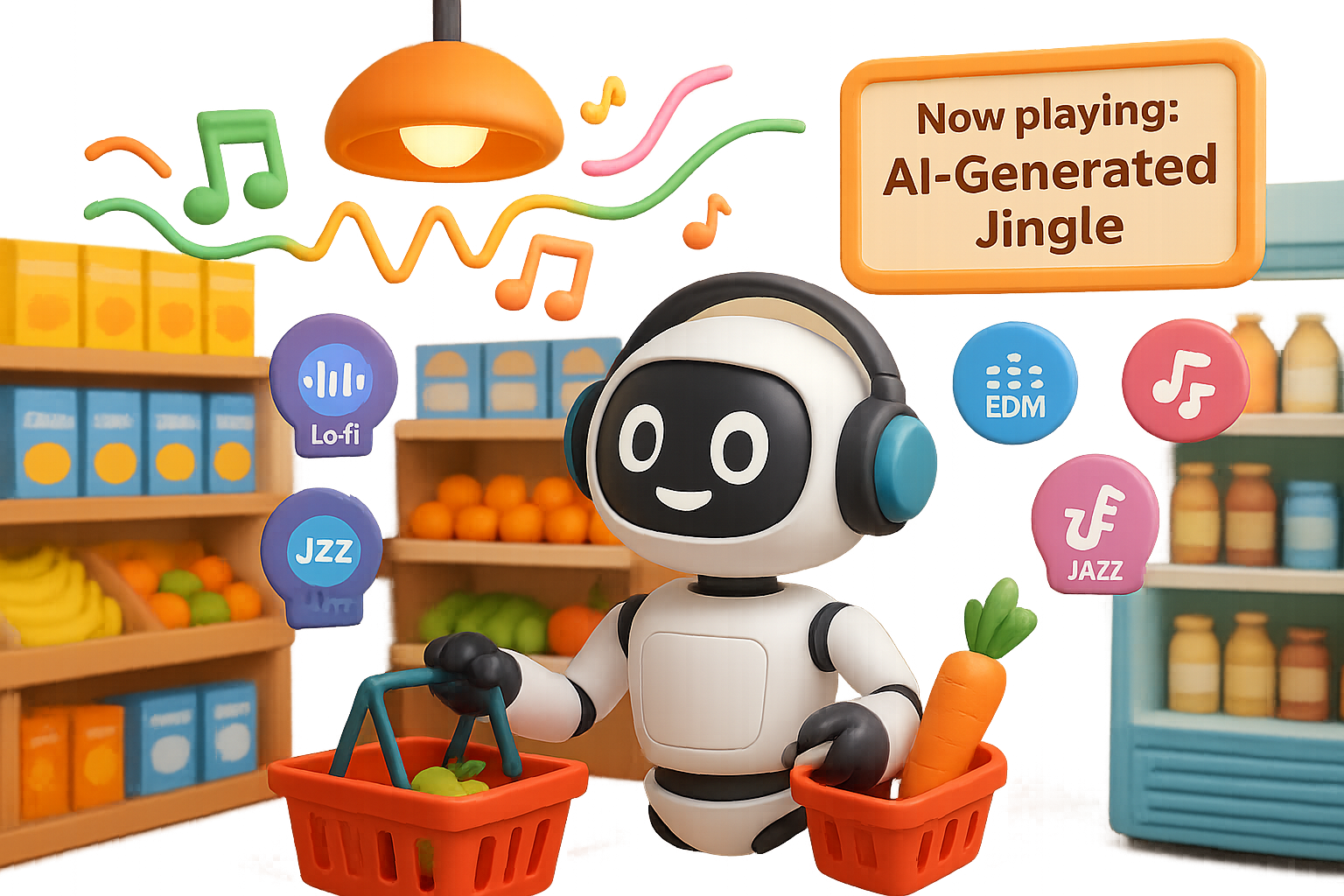
    That catchy tune echoing through your local supermarket? It might not be Taylor Swift anymore—it could be a custom AI-generated track casually reminding you that apples are 20% off.

    This isn’t sci-fi. It’s Belgium.

    Supermarkets and hardware stores across the country are swapping chart-toppers for algorithmic beats. One national chain tested this across 150 stores. Another? Over 700. Their goal: playlist power with no strings—and no royalties—attached.

    Let’s break down what’s happening, what it means for you (yes, you), and what it spells for artists, marketers, and that awkward hum-along moment in the cereal aisle.


    illustration

    No Labels, No Licenses: Why Retailers Are Hitting “Generate”

    Traditionally, playing music in public means paying for it. Retailers cough up licensing fees to keep your shopping trip soundtracked. But with generative music tools in play, business owners now get to:

    • Cut royalty costs to zero – AI music = no performance fees. That’s a line-item win.
    • Generate fresh playlists on demand – “Lo-fi chill for makeup aisle” or “EDM with summer vibes” happens with one prompt.
    • Embed promos right in the lyrics – Yes, these songs can literally sing about toothpaste discounts.
    • Stay legally clean – They even run songs through Shazam to make sure there’s no accidental remix of a Weeknd hit.

    It’s fast. It’s cheap. And it’s surprisingly listenable.


    illustration

    What Does AI Music Actually Sound Like?

    Think: chill synths, elevator pop, ambient jazz. Modern platforms like Boomy, Loudly, Soundraw, and AIVA generate full tracks—including hooks and harmonies—in literal seconds.

    One prompt we tried: “Up-tempo electronic track about cybersecurity and hackers.”
    What came back? A passable dance beat with lyrics about firewalls and passwords.

    Not quite Grammy-worthy—but totally passable for background music while you debate oat milk brands.


    illustration

    For Retailers, It’s a Goldmine of Possibilities

    Here’s where this gets wild (and a little genius):

    1. Personalized jingles – You can literally have your store’s name and promo baked into the playlist.
    2. A/B testing, music edition – Want to know if upbeat tracks make people buy more wine? Change the key or tempo and measure reactions.
    3. Seasonal soundtracks, zero hassle – Sleigh bells this month, bossa nova next. All done without re-negotiating a single license.

    It’s like controlling Spotify for your store, but with coupons in the chorus.


    illustration

    But Artists? Yeah—they’re Feeling It

    Let’s be real: not everyone’s clapping.

    • Fewer royalties = smaller paychecks for real-life musicians.
    • More “meh” music = a diluted creative landscape.
    • Audio ads on steroids – The thought of being serenaded by a jingle about eggs in every aisle? Yah, kinda intense.

    There’s also the existential gut-punch: when anyplace with a speaker can generate original music, the line between “artist” and “algorithm” blurs fast.


    illustration

    Will Shoppers Even Notice?

    That’s the twist.

    Most folks already stream AI-generated lo-fi to focus or sleep. So background music blending into…well…background might not raise eyebrows.

    But things change when lyrics start pushing products. Heard a voice sing “Buy two, get one free on frozen pizza”? You’d probably tune in. Maybe even cringe.

    Here’s the bigger question: Should stores label this content as AI-generated? And at what point does helpful turn into intrusive?


    illustration

    Where the Human Touch Still Wins

    Don’t count musicians out just yet.

    AI can flirt with melody, but some parts of music—it still can’t fake.

    • Real storytelling – Cultural nuance, hard-earned emotion, insider references: algorithms aren’t there yet.
    • Live shows & improv – A bot won’t switch up its setlist mid-song based on crowd energy.
    • That messy, magical connection – Fans don’t just follow songs. They follow artists, quirks and all.

    Emotion doesn’t always compute.


    illustration

    What Smart Artists Are Doing Instead

    Instead of fighting the bots, some creatives are partnering with them. Here’s how:

    1. Sketch ideas faster – Let AI draft a baseline. Then punch it up with real-world soul.
    2. Sell custom snippets – Offer brands AI-assisted tracks for ads while keeping your main body of work untouched.
    3. Co-create with fans – Fans remixing your songs with guided AI tools? That’s a vibe. And a new revenue stream.

    In short, AI doesn’t replace your voice—it helps build more megaphones.


    illustration

    What Happens Next?

    Belgium may be the test kitchen, but the menu’s expanding.

    Expect AI-curated playlists in:

    • Hotel lobbies
    • Airport walkways
    • Fitness centers
    • Even amusement parks

    Regulations might catch up eventually. But for now, retailers are running with it. Why? Because it saves money, sounds fine, and helps sell mangoes.


    illustration

    The Takeaway

    Whether you’re an artist, a marketer, or a casual hummed-along-with-the-stereo shopper, the soundtrack of everyday life is shifting. Fast.

    AI won’t kill music. But it’s definitely remixing it—and retail is just the first dancefloor.

    Want to explore this tech without burning out on buzzwords?
    Check out Tixu – a beginner-friendly platform that helps you actually learn how AI works, not just what it can do.

    Ready when you are.

  • Build Your Unfair AI Career Advantage for 2026

    Build Your Unfair AI Career Advantage for 2026

    Future-Proof Your Career: 12 AI-Driven Skills to Master Before 2026

    You’ve seen the headlines. AI is automating everything from customer support to sushi rolls. But while everyone’s worried about being replaced, the truth is simpler:

    AI won’t take your job—someone better at using AI will.

    So let’s flip the script. Instead of fearing the tech, you can leverage it to win promotions, define new products, and make clunky workflows disappear like magic.

    After mining thousands of job listings and chatting with top operators across tech, we’ve zeroed in on 12 AI-powered skills that hiring managers are actively chasing—and paying a premium for. This post will show you:

    • The four business zones where AI is exploding
    • What exact skills to learn (and in what order)
    • How to start fast, even if you’re not technical

    Let’s lock in your edge before the 2026 wave crests.


    Automate the Grunt Work (Business Operations & Management)

    Your superpower? Cutting repetitive work down to size. Here’s how you do it.

    1. Automate Business Workflows

    You’re not paid to format invoices.

    • Map every recurring task—onboarding, timesheets, client check-ins
    • Use tools like Zapier, Make, or UiPath + GPT-4 APIs to automate the “happy path”
    • Human intervention stays reserved for the weird 20% (exceptions, edge cases, one-off drama)

    2. Build Agentic Enterprise Systems

    Set the goal, let AI figure out the steps.

    • Build agents that can decide how to complete a task, not just follow scripts
    • Plug into legacy platforms (think Salesforce or Workday) via APIs
    • Fortune 500s save $2–8M annually per workflow—which is why VCs are tossing billions at this space

    3. Own the AI Adoption Playbook

    You need more than code—you need buy-in.

    • Give teams dashboards that explain what AI is doing (and where it might screw up)
    • Calm exec concerns: legal (risk), sales (jobs), finance (overspend)
    • “AI strategy” mentions on LinkedIn jumped 10x since 2022—and demand keeps climbing

    Build What Moves the Needle (Product Management)

    Throw cool demos in the trash. You’re only shipping what impacts revenue.

    4. Create an AI Product Strategy

    Before you code—ask if it converts.

    • Prioritize features that drive conversion, retention, and upsell
    • Know when to buy vs. build: sometimes a $0.02/token API beats 3 months of engineering
    • Track competitors quarterly—parity is the floor, innovation is the win

    5. Prototype Like a Magician

    Validate in hours, not sprints.

    • Use tools like Replit AI, Rocket, and Vercel’s AI SDK for instant UX tests
    • Skip lengthy sprint cycles until you’ve proven demand
    • It’s not about speed for speed’s sake—it’s about learning before you spend

    illustration

    Engineer Systems That Scale (Engineering)

    You’re not gluing prompts together. You’re building robust AI infrastructure. Let’s go.

    6. Master Context Engineering

    This is where prompts grow up.

    • Feed the model calendars, past chats, company rules, and current state
    • Example: “Book me a hotel for DevOpsConf” checks budgets, timing, and preferences—automatically
    • PMs map what’s needed; engineers build the machinery

    7. Go Deep on RAG (Retrieval-Augmented Generation)

    Give your LLM real facts to work with.

    • Blend private data (docs, wikis, product specs) with public LLM power
    • Essential in regulated industries or where accuracy isn’t optional
    • Master vector DBs like Pinecone or Weaviate and build snappy retrieval layers

    8. Build & Guard AI Agents

    Because agents done wrong = chaos.

    • Agents = AI with goals + actions + memory (ChatGPT itself is one)
    • By 2026, 87% of Fortune 500s plan to run them for ops, reporting, even procurement
    • Engineers make it real—managing APIs, memory, fail-safes, and guardrails

    9. Deploy AI Evals That Work

    Old-school testing fails fast here.

    • Outputs vary—even with the same prompt
    • Set up evals for bias, cost, latency, hallucination rate, and task relevance
    • Top teams (Amazon, OpenAI, YC startups) hire engineers just for this

    illustration

    Market with Machines (Marketing)

    It’s not just about buyers anymore—it’s about how the bots see you, too.

    10. Win at Answer Engine Optimization (AEO)

    Search is changing. Fast.

    • Users aren’t Googling—they’re asking ChatGPT or Perplexity AI
    • Structure your content to be the answer bots pick
    • 2B+ monthly searches this way—and the purchase intent is double traditional SEO

    11. Scale Creativity with AI Tools

    Move from “briefing the agency” to “shipping by lunch.”

    • Crank out test-worthy creatives with tools like Runway, Midjourney, and OpenAI’s Sora
    • One marketer can now A/B test 50 ads vs. waiting two weeks for a handful
    • The best part? Same-day feedback = real-time iteration

    12. Supercharge Performance Marketing

    Let the machine run the spreadsheets.

    • AI can auto-tune bids, rotate creatives, halt losers and pump winners—in real time
    • Spending ₹10M/month? A 3% lift = ₹3M saved per year
    • No new hires, no agency retainer, just better margins

    illustration

    Pick Your First Skill—Make It Count

    Look—it’s tempting to treat this like a 12-course meal.

    Don’t.

    Pick one lane that maps to your role and goals:

    • Ops leaders → Start with workflow automation
    • Product folks → Nail AI strategy or prototyping
    • Engineers → Learn context or RAG inside out
    • Marketers → Own AEO before competitors even spell it right

    Two focused months of hands-on learning gets you to contributor level. The people who cleaned up in mobile or social media weren’t visionaries—they just got there before everyone else.

    2026 is sprinting our way. Choose your skill, get your reps in—and let future-you say thanks.

    Want the fastest path to AI skills? Start building with beginner-first lessons and real projects at Tixu. Ready when you are.

  • Build a Custom Research Assistant in 5 Minutes

    Build a Custom Research Assistant in 5 Minutes

    Build a Research Analyzer in 4 Minutes with Google AI Studio’s New Vibe Coding

    Ever wished you could skim a research paper in 60 seconds instead of 60 minutes?

    Yeah—same.

    The latest update to Google AI Studio, called Vibe Coding, flips the script on AI tooling. It’s no longer just a “prompt playground.” Now you’re looking at a full-blown no-code app builder that spins your ideas into working tools—front-end, back-end, Gemini integration—all from one prompt.

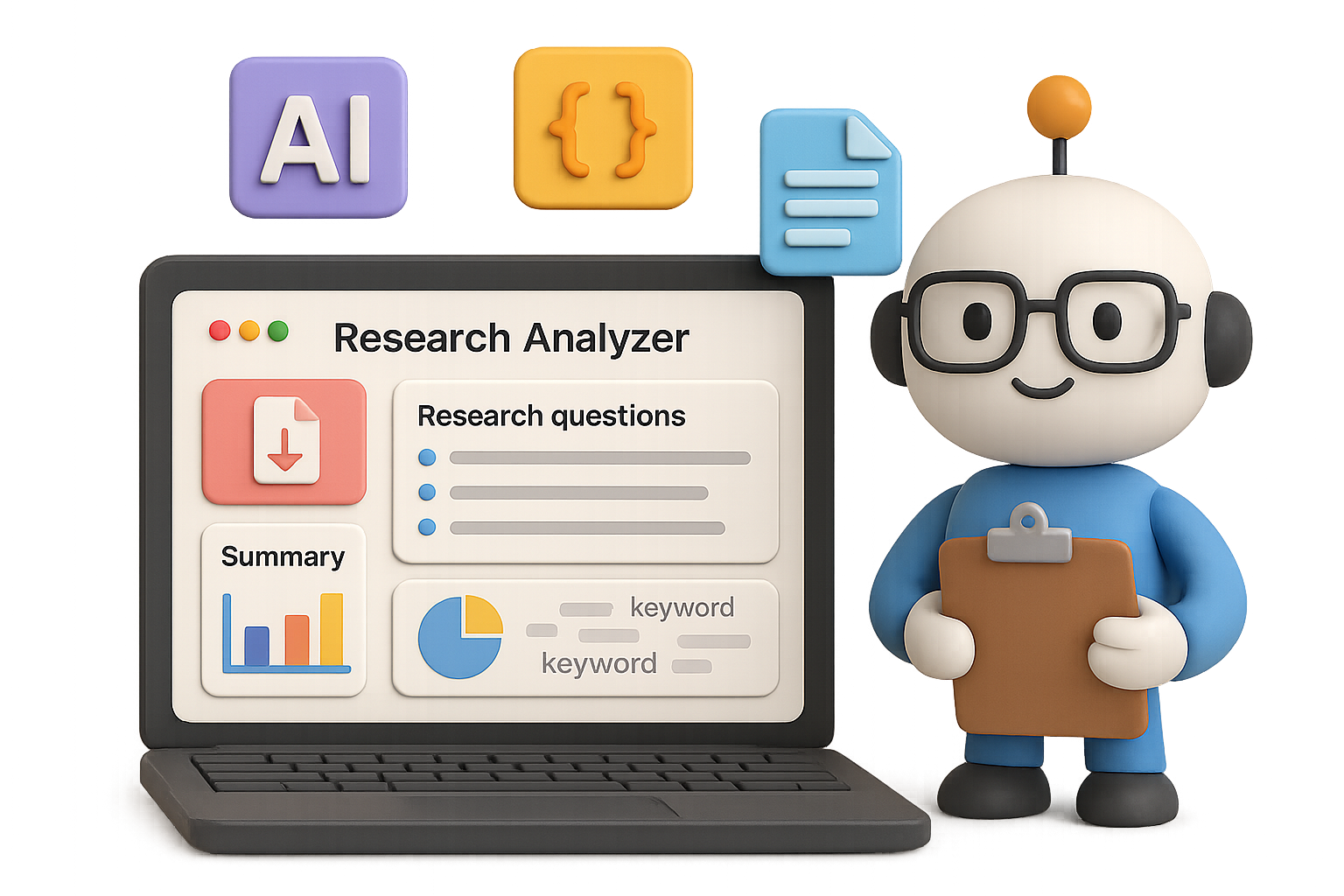
    Let’s test it out by building something wildly useful: a Research Article Analyzer that eats academic PDFs and spits out clean summaries, quality scores, keyword clouds, and one-click exports.

    Less clicking, more thinking. You in?


    illustration

    What You’ll Build (In Under 5 Minutes)

    This analyzer is basically a personal research assistant with no salary or sleep schedule. Here’s what it does:

    • Upload an academic PDF
    • Enter one or more research questions
    • Get back:
      • Article title, authors, publication year
      • Summary covering objective, methods, outcomes, limitations
      • Quality metrics (clarity, rigor, evidence strength)
      • A breakdown of how well the article answers your questions
      • A relevance overview paragraph
      • A keyword cloud summarizing main themes
      • One-click export to Google Docs or PDF

    Total time to build: ~3–4 minutes.


    illustration

    Step 1 – Fire Up Google AI Studio

    Head to Google AI Studio.

    Hit Build. Boom—you’re staring at a blank canvas with one deceptively simple prompt box.


    illustration

    Step 2 – Flip the Right Switches

    Under “Supercharge your app with AI,” toggle on everything your tool will need:

    • Generate images with a prompt
    • Analyze images
    • Gemini intelligence in your app
    • Fast AI responses
    • Think more when needed

    Now you’ve got the tools loaded—time to give them a job.


    illustration

    Step 3 – Paste Your One-Prompt Wonder

    Drop in this all-in-one prompt (go ahead and tweak the style later):

    
    Create a web app called “Research Article Analyzer”.
    
    1. Allow the user to upload a research article in PDF format.  
    2. Provide a multiline text box where users can enter one or more research questions (one per line).  
    3. Use Gemini Intelligence to extract and summarise:  
       – Title  
       – Authors  
       – Year  
       – Objective  
       – Method  
       – Key findings  
       – Implications  
       – Limitations  
    4. After the summary, add a **Quality Check Metrics** section with three 1–5 scores:  
       – Clarity of research question  
       – Rigor of methodology  
       – Evidence strength  
       Include a one-line interpretation for each score.  
    5. Build a table titled “Evaluation of Findings Against Research Questions” with columns:  
       – Research Question  
       – Related Findings / Evidence  
       – Relevance (High / Medium / Low)  
       – Brief Evaluation  
    6. Write an overall relevance paragraph explaining how the paper contributes to the user’s research focus.  
    7. Extract the 10–15 most frequent or important keywords and generate a professional word-cloud image on a white background using a neutral blue-grey palette.  
    8. Add two export buttons: **Export to Google Docs** and **Export as PDF**.
    

    Hit Build. Sip some water. In less than 30 seconds, your app comes to life.


    illustration

    Step 4 – Meet Your Assistant

    You’ll see a clean UI with:

    • A PDF uploader
    • A text box for research questions
    • A big, shiny Analyze button

    No code. No deploy headaches. Just vibes. And logic.


    illustration

    Try It on a Real Paper

    Here’s what the workflow looks like:

    1. Upload any PDF of an academic article
    2. Enter 1–3 research questions (press enter between each)
    3. Hit Analyze

    In about 45 seconds, you’ll get outputs like:

    • Clean, headers-based summary – Easy to scan, instantly usable.
    • Three quality scores – Rated 1–5 with a quick explanation (e.g. “Strong clarity, but methodology thin”).
    • Table mapping findings to your questions – With clear relevance tags (High/Medium/Low).
    • High-res keyword cloud – Ready to drop into your lit-review slide.
    • One-click exports – Choose Google Doc for edits, PDF for sharing.

    Need to tweak the prompt or fix a weird word? Use Regenerate. Your uploaded PDF and questions stay locked in, ready to roll.


    illustration

    Why Researchers Will Love This

    • Saves your brainpower – Spend less time decoding jargon, more time drawing insights.
    • Zero setup – No notebooks, no local installs, no crying over config files.
    • Scalable for teams – Use it solo or share with collaborators. Each run is self-contained.
    • Try other domains – This isn’t just for journals. Repurpose the app for case law, grant review, or even content marketing audits.

    illustration

    Bonus: What Else You Can Build With Vibe Coding

    Once you see how fast things come together, other ideas snowball.

    Try one-prompt builds for:

    • Comparative dashboards from multiple papers
    • Auto-generated slide decks with summary findings
    • Data-viz reports from uploaded CSVs
    • Policy brief writers or evaluation tools
    • Personalized AI tutors for academic writing

    Every element AI Studio creates is editable. Dive deeper when you’re ready—tweak the prompt, style the CSS, or fork the codebase. No gatekeeping.


    illustration

    Wrap-Up: The Fast Lane to Smarter Research

    In the time it takes to make instant noodles, you just built a working tool that reads, analyzes, scores, and beautifies academic research. Zero syntax. All action.

    If you think in questions—not code—Vibe Coding is your new power tool.

    🎯 Want to sharpen your AI skills and build more? Check out Tixu—a beginner-friendly platform that teaches you how to think, experiment, and create with AI from day one.

    Ready when you are.