Author: Pavel

  • Build Smart Dashboards and Assets with Perplexity Labs

    Build Smart Dashboards and Assets with Perplexity Labs

    Perplexity Labs: From Research to Ready-to-Use Assets in a Single Prompt

    Stuck in Google-tab hell every time you prep a pitch, build a landing page, or chase a trend? You’re not alone. Research is slow, messy, and rarely outputs anything shareable without hours of cleanup.

    Here’s the flip: Perplexity Labs does the research—and delivers the finished product too.

    Whether it’s a GTM deck, a competitor dashboard, or launch-ready code, Labs takes your prompt and spits out polished, plug-and-play assets.

    You’ll walk away from this post knowing:

    • How Perplexity Labs actually works (and where it fits)
    • What to watch out for
    • 5 business-ready use cases worth stealing today

    Let’s go.


    illustration

    Turn Research into Real Assets—Fast

    This isn’t just another chatbot.

    Perplexity’s “Deep Research” tool already combs sources and gives you a detailed, citation-rich answer to big questions. But now comes the kicker: Labs adds a Build phase on top, turning that research into finished dashboards, sites, decks, or even code.

    Think ChatGPT + Bubble + Notion + a research assistant who never sleeps.

    Here’s how it breaks down:

    • Basic Ask Anything: Quick, factual Q&A.
    • Deep Research: Multi-step topic analysis with sources.
    • Perplexity Labs: Same deep analysis + auto-generated outputs.

    Let’s get you building.


    illustration

    How to Use Perplexity Labs in 5 Steps

    1. Head to Perplexity and click the 💡 icon.
    2. Describe what you want to learn and how you want it presented.
    3. Labs researches across trusted sources.
    4. It switches into Build mode and assembles your assets.
    5. Choose between:
      • App tab ➝ live, interactive version
      • Assets tab ➝ code, charts, slides, the works

    Output formats vary, but we’re talking share links, downloads, and ready-to-edit files.

    Note: You’ll need the PRO plan to unlock all 50 builds/month.


    Know Before You Dive In

    • Iteration is a little wild right now. Change one thing and Labs treats it like a whole new project.
    • No kill-switch for share links yet. Once a link’s out, it’s out. Download files if you’re dealing with anything sensitive.

    A 3D illustration featuring a laptop displaying dashboards with various data visualizations, a robot character pointing at a pie chart on a screen, a notepad labeled 'INVESTOR CALL', and a coffee mug that says 'LABS OUTPUT'.

    5 Proven Ways to Put Perplexity Labs to Work

    1. Build Prospect Dashboards—Without Cold Google Dives

    Prompt it with:

    “Find DTC e-comm brands that launched new SKUs in the last 12 months. Show me funding, size, contact info.”

    What you’ll get:

    • Lead-scored company table
    • Pre-drafted outreach templates
    • Maps + charts of funding and product timelines

    No more scraping Crunchbase and stalking LinkedIn.


    2. Launch Data-Backed Landing Pages in One Shot

    Labs isn’t just a site builder—it thinks before it codes.

    Feed it a request like:

    “Research top 10 competitors for remote fitness apps, pull review language, then build a landing page in my brand style with testimonials, feature tables and ROI calculator.”

    You get:

    • HTML/CSS/JS files, color-matched to your brand
    • Headline copy influenced by real user pain points
    • Extras like price comparators and benefit charts

    Tip: Tell it the vibe—“clean Airbnb-style” or “bold fintech,” and it’ll match.


    3. Track the Trends, Don’t Chase Them

    Want to know what’s actually popping off on Twitter, Reddit or YouTube?

    Prompt:

    “Pull the latest 30 days of chatter on ‘AI tool launches’ and analyze sentiment, engagement, and trending questions.”

    Labs gives you:

    • Monthly recap dashboards
    • Platform-specific buzz scores
    • Content idea goldmines based on real user questions

    Use filters to zero in on platforms, audience segments, or spike dates.


    4. Scout the Market Like a Pro

    Example prompt:

    “Compare Booking.com, Expedia, Airbnb and Agoda. I want feature breakdowns, pricing, perks, and review trends.”

    Output:

    • Heat maps of competitive features
    • Share-of-voice and sentiment charts
    • Strategy recs pulled from user complaints and upvotes

    Big-firm insights, no consulting fee.


    5. Crush GTM Decks Without the All-Nighter

    Need that startup go-to-market deck yesterday?

    Feed Labs this:

    “Create a 10-slide GTM focused on a new fintech product. Include TAM/SAM/SOM, competitive landscape, roadmap. Use dark theme and modern fonts.”

    Then… boom.

    You get:

    • .pptx presentation with real market data
    • Charts, infographics, even placeholder speaker notes
    • Ready for a quick polish before the investor call

    Also works for internal teams pitching new initiatives.


    A friendly robot character stands next to a bulletin board displaying notes about a 'Tailwind-Powered Page', 'Visual Style', and 'Fact Check', with colorful stationery underneath.

    Build Smarter: 4 Pro Tips

    • Be exact about format.
      – “Tailwind-powered product page” beats “a landing page.”
    • Give visual direction.
      – Tell it the theme: color, fonts, vibe, slide ratio.
    • Fix the time frame.
      – Say “Q1 2025” not “recent months” to dodge outdated data.
    • Double-check names & facts.
      – It’s fast, not flawless. Especially for external decks or public-facing docs.

    Prompt, Build, Ship

    Perplexity Labs shrinks what used to be a 3-day sprint into a 30-minute sprint.

    From concept to content to code—no multitasking tabs, no wireframe purgatory, no dead ends. Just a solid first draft that’s already halfway to done.

    Sure, it’s not perfect. But if you’re a founder, marketer, strategist, or just AI-curious, this is one of the most practical tools out right now.

    👉 Want to go deeper into tools like this? Try your first prompt on Tixu—an AI learning playground built for beginners, not machine learning PhDs.

    Ready when you are.

  • Boost Business Growth with These 9 GPT-5 Power Plays

    Boost Business Growth with These 9 GPT-5 Power Plays

    9 Simple ChatGPT-5 Workflows That Actually Drive Revenue

    You’re not here for shiny toys—you want tools that move the needle. Meet ChatGPT-5: the first version of OpenAI’s chatbot that’s more business engine than novelty. After hands-on tests across a half-dozen small teams, these nine workflows stood out for one simple reason: they drive results.

    illustration

    Why ChatGPT-5 Actually Changes the Game

    You’ve likely tried earlier versions and thought, “Cute, but not quite pro-grade.” This one’s different. Here’s why:

    • One unified model. No more picking GPT-3.5 vs. GPT-4—just type and go.
    • Smart “think time.” It dials up—or down—reasoning as your task demands.
    • Under 1% hallucinations. Fewer made-up facts, more trusted answers.
    • Free-tier muscle. Deep-reasoning now available at zero cost.

    Bottom line? This is the first version that feels plug-and-play for your growth stack. Let’s get tactical.


    illustration

    1. Turn It Into Your Instant CRO Consultant

    Got a landing page that’s… underperforming? Drop in a screenshot or just the URL, then ask:

    “Suggest improvements to boost conversions.”

    Here’s what ChatGPT-5 fires back with:

    • Headline fixes based on proven copy formulas
    • Smart layout tweaks and CTA swaps
    • Image and trust-signal recommendations

    That’s advice you’d usually pay a conversion pro for—delivered in minutes.


    illustration

    2. Simulate Revenue Like a Boss

    Want a visual funnel dashboard that updates as you tweak numbers? ChatGPT-5 builds that for you, from scratch.

    It’ll:

    • Interview you for key inputs (traffic, price, opt-in rate)
    • Build your full sales funnel in HTML or JavaScript
    • Add sliders so you can test “what if” wins

    You don’t need a dev degree. Just paste into your site—or ask for a WordPress plug-in.


    illustration

    3. Clone Any Killer Website Widget

    Love that savvy calculator or quiz you saw on a competitor’s site? Screenshot it. Then say:

    “Rebuild this in my colors and tone.”

    ChatGPT-5 delivers custom-coded widgets that match your brand—and boost engagement.

    Result? Users stick. Bounce rates drop.


    illustration

    4. Create Human-Sounding Content at Scale

    Forget robotic blog posts. The new GPT holds your voice, peppers in stats, and formats content for any platform.

    Drop a messy brain-dump and tell it what you want:

    • LinkedIn thought posts
    • YouTube scripts
    • Weekly emails

    The tone feels like you—on your best day.


    5. Automate Keyword & Topic Research in Minutes

    Burned out from keyword rabbit holes? Agent Mode’s your rescue.

    Give it a niche. In 20 minutes, it’ll:

    • Crawl YouTube for high-performing topics
    • Mine autocomplete data
    • Flag underserved opportunities
    • Deliver ranked video/blog ideas for the next year

    No more fiddling with 12 tabs and “inspiration” that never lands.


    illustration

    6. One-Step Lead Magnets That Actually Convert

    Use this prompt:

    “Research the biggest pain points for [your audience]. Build a quick-win lead magnet.”

    Then let GPT-5:

    1. Crawl forums, Reddit, surveys—real user pain
    2. Sketch 3–5 high-impact offers
    3. Write, design, and layout your top pick
    4. Hand you a polished PDF + cover image

    Prep time on your part? About three minutes.


    illustration

    7. Build a Virtual Board of Advisors

    Want strategic guidance from your favorite thinkers, minus the scheduling wrangling?

    Choose five experts. ChatGPT-5:

    • Scrapes their books, interviews, frameworks
    • Compiles 20–50 page strategy dossiers
    • Loads into a debate-ready custom GPT (“My Board”)

    Now when you float an idea, you get diverse—sometimes clashing—feedback, not just “Sure, great idea!”


    illustration

    8. Get a Voice-Based Business Coach

    Talking it out beats typing, right? Custom GPTs now support voice.

    Here’s how to build your coach:

    • Feed it source material (interviews, books, speeches)
    • Train it around your preferred playbook or mentor
    • Instruct it to ask smart questions before answering

    Fire up the mobile app, speak your stress out loud, and brainstorm like you’re at lunch with your mentor.


    illustration

    9. Mine Email for Hidden Testimonial Gold

    The new Gmail connector (rolling out now) turns past praise into instant social proof.

    Prompt:

    “Scan my inbox. Find every email where a client praises us. Summarize each, and store in a ‘Social Proof’ doc.”

    Now you’ve got ready-to-go testimonials for landing pages, slides, and social.

    Set it. Forget it. Sell more.


    Quick Recap

    Here’s your no-fluff checklist:

    • Ask for CRO insights
    • Simulate revenue visually
    • Clone interactive website tools
    • Scale high-quality content
    • Automate niche research
    • Spin up lead magnets fast
    • Get advice from your dream team
    • Brainstorm by speaking, not typing
    • Convert inbox love into social proof

    You don’t need to master every one of these workflows today. Just pick one, fire it up, and see what happens. The gains show up faster than you’d think.

    New to AI and want to ramp up without the overwhelm? Tixu is your launchpad. It’s the beginner-friendly platform for mastering tools like ChatGPT-5—with prompts, projects, and straight-talk support baked in.

    Ready when you are.

  • Master GPT-5: Automate Tasks Without Picking Models

    Master GPT-5: Automate Tasks Without Picking Models

    Is GPT-5 Really That Powerful? A First Week Reality Check

    You’ve heard the buzz. “GPT-5 is here!” they said. “It’s a game-changer!” they claimed.

    Now the dust has settled, and here you are—wondering if it’s worth the hype or just another model upgrade in a snazzy wrapper.

    Let’s cut to it: GPT-5 isn’t a revolution. It’s a tune-up. But that tune-up? It’s smart, strategic, and surprisingly useful.

    In this post, you’ll get a skimmable breakdown of what’s actually changed, what still stumbles, and why the upgrade might matter more than you think.


    illustration

    Skip the Model Madness

    Let’s start with a quiet but powerful shift: no more picking models.

    Forget debating between “Flash,” “Pro,” or “whatever’s cheapest.” With GPT-5, you get one unified experience—because there’s now a smart auto-router under the hood.

    Why that’s a win for you:

    • You stop guessing which model fits your task.
    • OpenAI’s system routes quick asks to faster engines.
    • Heavy hitters (like code, strategy, or research) get VIP access to beefier brains.

    Bottom line? You just type. GPT-5 figures out the rest.

    Call it frictionless thinking.


    illustration

    Your Inbox + AI, Finally Talking

    If you’re a Pro user, here’s the big glow-up: GPT-5 now integrates with your Gmail, Google Calendar, and Contacts.

    That means your chatbot can actually handle real-world tasks like:

    • Summarizing that 37-message email thread you ignored all week.
    • Drafting or scheduling a reply based on context.
    • Finding calendar gaps and locking in a time.
    • Pulling contact info—no tab-switching required.

    Strangely, Gemini did it first—inside Google’s own ecosystem. But now that OpenAI has cut an OAuth deal with Google? You’ve got the same powers, with a way friendlier interface.

    Real productivity, now in reach.


    illustration

    Turbocharged Context, Budget-Friendly Brainpower

    Under the hood, GPT-5 comes with two moves that seem contradictory—but together, they’re clever.

    1. 256k-token context window
      That’s more than 4x longer than what GPT-4 offered. Translation: you can now feed in full books, long transcripts, or complex documents without chopping them up.
    2. GPT-5 Nano
      A smaller model trained for efficiency. Early tests suggest it’s cheaper than Google’s Gemini 1.5 Flash—and strong enough for everyday tasks.

    So what you get is flexibility: bigger memory for deep work, lighter lift for quick wins.

    Think of it as AI that scales to your to-do list.


    illustration

    But… Is It Actually Smarter?

    Here’s where things get spicy.

    OpenAI touts better reasoning and fewer hallucinations. But community reviews? Mixed bag.

    You might notice:

    • Cooler, corporate tone
      GPT-5 sounds more neutral—good for fact-checking, not so great if you liked the playful GPT-4o vibe.
    • Less creative spark… temporarily
      Some early adopters said it felt “flat.” Turns out, the auto-router was misfiring on launch and sending creative prompts to the wrong engine. A fix is rolling out now.
    • Better accuracy in specialty areas
      If you’re asking about medical symptoms (not recommended), or debugging Google Apps Script, responses are noticeably sharper.

    It’s not a brand-new brain. It’s a better driver behind the wheel.


    illustration

    Farewell GPT-4o

    Fun fact: people got emotional when GPT-4o was quietly retired.

    Yes, emotional—as in Reddit threads mourning its “warmer voice” and snappier charm. OpenAI heard the cries and rolled 4o back in as an option for now, while GPT-5 “develops its personality.”

    Moral of the story? AI tone isn’t icing—it’s part of the product.

    And if your assistant starts to feel like a teammate, expect folks to care when it changes tone overnight.


    illustration

    The Meme-Worthy Charts?

    Let’s just say… not OpenAI’s brightest moment.

    Their launch deck showed one graph where a score of 52 looked bigger than 69. Twitter exploded. OpenAI admitted the slides were built “late at night,” and yeah—it showed.

    Irony alert: the model that’s supposed to reason better was introduced with a chart that couldn’t.

    We’ll chalk it up to launch-week chaos. But next time? Maybe don’t eyeball the Excel bars.


    illustration

    So, Should You Care About GPT-5?

    Here’s the twist: you’re probably already using it.

    No opt-in, no big banner. GPT-5 rolled into the default experience for most users, quietly and completely.

    And here’s what you get:

    • No more model-picking headaches
    • Ability to drop massive docs into chat
    • Way more useful Google integrations
    • A touch more logic, though maybe a little less flair

    No, it won’t blow your mind. But it will save you steps—and maybe your sanity.


    The Verdict

    GPT-5 doesn’t scream “Next Era.” But it quietly upgrades the one you’re already in.

    You might not notice the model switch. You will notice the smoother workflows, the tighter answers, the inbox handling itself.

    Sometimes, progress doesn’t arrive in fireworks. Just fewer tabs and fewer clicks.

    Ready to make moves with AI—without needing a PhD to start?

    Check out Tixu.ai — it’s a beginner-friendly platform that helps you actually learn how to use tools like GPT-5 to get real work done.

  • Master GPT-5: 5 Prompting Upgrades for Insane Results

    Master GPT-5: 5 Prompting Upgrades for Insane Results

    Push GPT-5 to Its Limits: 5 Prompting Tricks That Unlock Its Full Power

    Let’s be real—you fired up GPT-5 expecting magic. Instead? You got a painfully average answer to your not-so-average problem.

    That’s not on you—or the model. The secret sauce lies in how you prompt it. GPT-5 is like a multi-talented teammate who needs clear direction. Vague inputs? You’ll get safe, surface-level replies. Dial in the instructions? Now you’re cooking with AI fire.

    Here are five no-fluff techniques to start getting consistently killer results from GPT-5.


    illustration

    1. Pull the Two Levers That Matter Most

    AI doesn’t read your mind—but it will follow your tone and depth cues. The first step? Tell GPT-5 two things:

    • How hard to think
    • How much to say

    Reasoning Depth

    Tap into light, medium, or ultra processing power:

    • Think → Speedy surface-level take
    • Think harder → Moderate reasoning
    • Ultra think → Deep, rigorous problem-solving

    Verbosity

    Control the volume before it spills:

    • Low → 1–2 sentence hits
    • Medium → A paragraph or two
    • High → Multi-section report, full references

    Here’s what that looks like in practice:

    Ultra think about the following complex request and reply with medium verbosity:
    
    Design a complete Discord server structure for a beginner-friendly AI coding community. Include channels, roles, permission sets, and emoji naming conventions.
    

    Just these two tweaks alone? Night-and-day difference.


    illustration

    2. Prompt Like a Project Manager, Not a Poet

    GPT-5 is wired to use multiple internal tools—from creating images to doing research to generating code. But it won’t juggle unless you ask it to.

    Stack your asks like deliverables:

    Think harder and reply with medium verbosity.  
    1. Generate a neon-green logo for “Vibe Lab.”  
    2. Build a one-page brand-guideline PDF (fonts, palette, tone).  
    3. Write a launch announcement tweet.  
    4. Research and summarize three AI coding communities' branding styles.
    

    Four tools, one prompt, zero rounds of back-and-forths. Game. Changed.


    illustration

    3. Add an Invisible Checklist

    Want more polished outputs? Ask GPT-5 to grade itself—privately.

    Here’s the move:

    Before answering, create a private rubric (5–7 quality categories) for a world-class response.  
    Do not reveal the rubric.  
    Use it to self-evaluate and iterate until it scores top marks.  
    Then, share only the final result.
    

    You’ll notice fewer bugs in code, fewer holes in logic, and fewer “meh” moments across the board.

    A small shift, massive payoff.


    illustration

    4. When It Fails, Ask: “How Would You Fix You?”

    Outputs fall flat? Don’t waste time rewriting the whole thing. Just ask GPT-5 how it would fix its own prompt.

    That’s called meta-prompting. You’re prompting the prompt itself.

    Use this format:

    Desired behaviour: [What you wanted it to do]  
    Undesired behaviour produced: [Where it missed the mark]  
    
    Suggest concrete changes to the original prompt to achieve the desired behaviour.
    

    Now you’re improving your prompt game and letting the model coach you along the way. Sharpened skills, no Googling required.


    illustration

    5. Use the Hidden Prompt Optimizer

    There’s a sleeper tool baked into OpenAI’s GPT Builder interface: the Prompt Optimizer.

    Paste your prompt > click “Optimize for GPT-5” > get back a smarter, tighter version—with clearly set variables, better structure and cleaner flow.

    It’s instant. It’s accurate. It’s low-key addictive.

    Save your best optimized prompts as templates. You’ll thank yourself next time you’re staring at a cursor.


    illustration

    Run This Playbook for Better Outputs

    Here’s your quick-move checklist:

    1. Set reasoning depth + verbosity out loud
    2. Use multi-step, multi-tool prompts
    3. Add a self-assessing rubric
    4. Meta-prompt when things go sideways
    5. Run it all through the Optimizer

    Yes, it takes an extra minute to set up—but the end result? Sharper content, cleaner code, stronger ideas.

    Want to learn prompting?
    👉 Check out the beginner-friendly AI learning platform at Tixu.ai.

  • Earn Your First $500 with ChatGPT Services

    Earn Your First $500 with ChatGPT Services

    Why AI Skills Pay Off Right Now

    Fiverr. Upwork. Freelancer. Scroll through any of them and you’ll spot the trend—AI gigs are everywhere. Thanks to tools like ChatGPT, you don’t need years of experience to get started. If you know how to guide a prompt, you’re already standing at the doorway of your next side hustle.

    You’re about to get 7 beginner-friendly AI service ideas that can each bring in your first $500 and beyond—plus prompts, pricing angles, and extra tips to help you stand out fast.

    Let’s get to it.


    Illustration showcasing various AI services and freelance opportunities including writing, design, and research. Features icons, text elements, and a coffee cup on a desk.

    Help People Land Their Dream Jobs

    Job hunting sucks. You can make it easier—and get paid for it.

    Everyone could use a résumé glow-up, but most don’t know what’s ATS-friendly or what hiring managers actually read. You can offer a polished résumé, upgraded LinkedIn profile, and tailored cover letter as a bundle.

    Example prompts to feed ChatGPT

    • “Rewrite this résumé to highlight leadership skills and quantifiable results for a Project Manager role. Optimize for ATS keywords.”
    • “Craft a confident yet approachable LinkedIn ‘About’ section that positions the candidate as a marketing leader ready for senior roles.”

    Pricing ballpark

    • $50–$150 for a résumé or LinkedIn profile
    • $200+ for the full résumé + LinkedIn + cover letter bundle

    Pro tip: Don’t sell a document—sell the transformation: More interviews. Better roles. Faster job offers.


    Write Content That Small Businesses Can Actually Use

    Most small biz owners are too busy running their shop to write a blog or newsletter. That’s your lane.

    Offer ready-to-post blog articles, landing-page copy, or plug-and-play emails—especially for local businesses just stepping into digital content.

    Example prompts

    • “Write a 1,000-word blog post on 10 healthy lunch ideas for busy moms in a friendly, conversational tone. Include sub-headings and a call-to-action.”
    • “Generate five Black Friday email subject lines for a skincare brand. Sound urgent but not spammy.”

    What to charge

    • $75–$100 per blog post
    • $100+ per email pack

    Keep it easy to say yes. Few want long-term commitments—try per-piece rates or 3-email mini-bundles.


    illustration

    Put Social Media on Autopilot

    Every business wants consistent posts. Almost none have the time—or plan. Enter: you.

    Use ChatGPT to batch captions, hooks, and hashtags. Wrap it up in ready-made Canva templates, and you aren’t just giving content—you’re saving their sanity.

    Prompts ChatGPT loves

    • “Give me 10 Instagram captions for a bakery promoting fall-themed cupcakes. Keep them short, fun, and add emojis.”
    • “Write seven TikTok hook ideas for a personal trainer’s 30-day fitness challenge.”

    What clients will pay

    • $50–$150 per month
    • $300+ for one-off “starter packs” (10 posts + Canva templates + hashtags)

    Package + system = repeatable passive income.


    illustration

    Make Passive Income from Digital Products

    Create once, cash in forever. That’s the dream, right?

    You can whip up digital templates, e-books, quote packs, or planners and sell them on Etsy, Gumroad, or even Canva’s template marketplace.

    Prompts to build your first product

    • “Outline a 20-page e-book called ‘Budget-Friendly Meal Prep for Beginners.’ Provide chapters and bullet points.”
    • “Generate 50 motivational quotes about money and wealth suitable for a printable planner.”

    Money breakdown

    • $10–$20 per download
    • 30–50 sales = $300–$1,000 with zero fulfillment

    Pick a niche. Stick to evergreen topics. You’re one Canva file away from your first passive sale.


    Create Study Aids Parents Will Gladly Pay For

    Parents don’t blink at spending to help their kids succeed. You can offer flashcards, guides, or worksheets—custom, high-quality, and cleanly designed.

    Prompt ideas for academic gold

    • “Create 20 multiple-choice questions (with answers) on U.S. Civil War history.”
    • “Build a simple algebra study guide with worked examples and practice problems.”

    Suggested pricing

    • $40–$50 per study guide
    • $100+ for bundled SAT/ACT prep packs

    Bonus: You can reuse and slightly modify packs to serve multiple students with minimal extra work.


    illustration

    Script Videos for the Creators Who Hate Scripting

    YouTubers and podcasters love to talk. But outlining? Researching? Meh.

    You can provide well-structured video scripts or podcast talking-point outlines they can record instantly.

    Prompts to start with

    • “Write a 10-minute YouTube script on the benefits of intermittent fasting: hook, three key points, conclusion.”
    • “Create a 30-minute podcast outline on the history of hip-hop, including five talking points and co-host questions.”

    What they’ll pay

    • $100–$200 per script

    Land 3–5 clients, and boom—you’re over the $500 line.

    Bonus point? You might just build long-term monthly retainers.


    Illustration comparing a visually attractive website with minimal engagement features labeled 'Looks Pretty' to a functional website focused on conversions and pricing labeled 'Actually Converts'.

    Turn Boring Websites into Converting Machines

    Websites that look pretty aren’t always persuasive. Copy is the real MVP.

    You can offer site copy bundles—homepages, about pages, and product descriptions that sound like humans talk and buyers buy.

    ChatGPT prompt inspo

    • “Write a homepage headline and sub-heading for a local bakery that emphasizes fresh ingredients and family traditions.”
    • “Craft an About page for a personal trainer specializing in at-home workouts for busy moms.”

    Rate range

    • $150–$300 per page
    • $500+ per full web package

    Keep the messaging customer-focused. Less company fluff, more “Here’s how we’ll help you.”


    illustration

    Bundle Up to Boost Your Earnings

    Want to hit $500 faster? Stack your offers. Here’s how that plays out:

    • Résumé + LinkedIn + Cover Letter
    • Instagram Captions + Hashtag Strategy + Canva Graphics
    • Homepage Copy + About Page + Product Descriptions

    One high-ticket bundle > five low-ticket gigs. Easier on you, clearer for them.


    illustration

    Your Move: Prompt to Profit

    Pick one service. Pick one target audience. Then fire up ChatGPT, build your samples, and start pitching with confidence.

    You don’t need to wait for perfect. You need to start. The first $500 is closer than you think—and once it clicks, so does your proof of concept.

    Want help learning the ropes of AI and prompt writing? Check out Tixu.ai—a beginner-friendly AI learning platform that cuts the fluff and gets you results. Ready when you are.

  • 5 Beginner AI Tools That Boost Income Fast

    5 Beginner AI Tools That Boost Income Fast

    5 Beginner-Friendly AI Tools That Save Time, Make Money, and Keep You Sane

    Chances are, you’re sitting on untapped potential—buried under busywork. Emails. Planning. Content drafts that never quite get across the finish line.

    Here’s the good news: you don’t need to be a coder (or even techy) to start using AI to offload the grind. Whether your goal is extra cash, more free time, or just fewer browser tabs open at once, these five beginner-friendly tools have your back.

    Let’s dive into the easiest wins first.


    illustration

    1. Turn Your Know-How into Cash with ChatGPT

    You already have valuable experience—why not turn it into something that sells in your sleep?

    Here’s how:

    • Ask ChatGPT to brainstorm digital product ideas based on your background.
      Example: “I’m a pediatric nurse. What printable planners or guides could I create for new parents?”
    • Pick a winning idea, then prompt it to outline sections, draft content, and suggest a catchy title.
    • Add your personal flare, polish the voice, and package it into a downloadable you can sell.

    Bonus move: Have it write your product description and 3–5 social captions, so you’re launch-ready with minimal extra effort.

    illustration

    2. Design Like a Pro Using Canva Magic Studio

    Once you’ve got the words, it’s time to make it shine.

    Canva’s Magic Studio is your design sidekick—no artistic genius required:

    • Magic Design: Input your content, choose a style (“soft pastels,” anyone?), and get hands-off layout suggestions.
    • Magic Edit & Eraser: Change colors, remove clutter, or tweak visuals with one prompt.
    • Image Generator: Need a banner that says “cozy morning work vibes”? Type it out. Canva handles the rest.

    In a few clicks, you’ve got:

    • A printable product
    • Branded social graphics
    • A polished PDF or web mockup

    All from one dashboard—no subscription to 12 different tools, no $900 design invoices.

    illustration

    3. Bring Order to the Chaos with Claude AI

    Have a brain dump the size of a novella? Claude AI (from Anthropic) is built for thinking big and simplifying fast.

    What it does best:

    • Digest longform notes, research, or transcripts
    • Summarize a 10-page doc into crisp bullets
    • Repackage a loose brainstorm into a 5-step plan

    Claude handles more content in one go than most AI chat tools. That’s a game-changer when you want structure, not just fancy phrasing.

    Instead of staring at endless notes, you’ll be building something that moves the needle.

    illustration

    4. Repurpose Video Gold with Simplified

    If you’re already creating content—webinars, podcasts, YouTube videos—you’ve got assets sitting idle.

    Simplified’s AI turns those into scroll-stopping short-form clips. Here’s the workflow:

    1. Upload your video or paste the link.
    2. Let it auto-pick highlight moments (15–60 seconds).
    3. Export ready-made versions for Reels, Shorts, TikTok—you name it.

    Bonus hustle: Offer “video-to-shorts” editing packages. Tons of entrepreneurs will happily pay to skip the chop-and-caption slog.

    Your archive turns into an engine for reach, leads, and even freelance side gigs.

    A person sitting comfortably in an armchair, holding a cup, while looking at a computer screen displaying a financial dashboard with expense charts, surrounded by cute illustrations of piggy banks, a calendar, and a robot.

    5. Run Your Life on Autopilot with Notion AI

    You’ve heard of Notion—the all-in-one workspace. What you might not know is how it transforms when you add AI.

    A few high-impact ways to use it:

    • Build a finance dashboard that organizes expenses and auto-generates summaries
    • Create a content calendar pre-loaded with topic ideas and due dates
    • Draft cold emails, course modules, or meeting notes—directly inside your workspace

    The more tasks you offload, the more time (and mental bandwidth) you free up for actual revenue-generating work.

    Or naps. We’re not judging.


    illustration

    Recap: Start Where You Feel the Most Stuck

    Here’s your cheat sheet:

    1. ChatGPT: Brainstorm, outline, and write products or content fast
    2. Canva Magic Studio: Design beautiful assets without Photoshop
    3. Claude AI: Tidy up sprawling notes or research into usable pieces
    4. Simplified: Slice videos into viral-worthy short clips
    5. Notion AI: Organize your life and business like a CEO—automatically

    You don’t need to master everything today. Just pick one tool that solves your current friction point. Make your first win, then stack from there.

    Want a full, beginner-friendly crash course on building with AI? Head over to Tixu—it’s like having an AI coach in your pocket, minus the jargon. Ready when you are.

  • Boost Medical Marketing with 10 Smart AI Tools

    Boost Medical Marketing with 10 Smart AI Tools

    Supercharge Your Medical Marketing with These 10 AI Tools

    Let’s be honest: marketing your practice probably isn’t why you went to med school.

    But in today’s world, great outcomes aren’t enough. Patients have to find you, understand you, and stay connected between visits—without draining your time or sanity.

    Here’s the good news: AI can now handle the marketing grunt work for you. From writing content to answering late-night calls, these 10 beginner-friendly tools have your back. No tech degree needed.

    We’ll break down what each tool does, how to use it—and when it makes the most impact for your practice.


    illustration

    1. Write Patient-Friendly Content Instantly with ChatGPT

    Blank page? Not anymore. ChatGPT is your on-demand writer.

    • Type in a few notes—get back a full email, FAQ answer, or blog post (“5 Tips to Prevent Heel Pain”).
    • Ask for adjustments: tone it down, simplify it, or explain it at a sixth-grade reading level.
    • Want more reach? Translate it, summarize it, or reformat it for email vs. social.

    Just don’t skip your clinical lens. Add accuracy + empathy before hitting publish.


    illustration

    2. Simplify Complex Care Topics with Claude

    Patient education doesn’t have to be a marathon.

    Claude, a helpful AI from Anthropic, breaks down conditions like diabetes into easy-to-understand steps—no med-speak required.

    • Ask it to generate care guides, lifestyle tips, and safety info—especially for non-native speakers or low-literacy patients.
    • Use it to draft post-visit summaries, discharge instructions, or portal messages that actually get read.

    Less confusion = better adherence.


    illustration

    3. Research Smarter, Not Harder with Perplexity

    Perplexity is like PubMed, but faster (and less painful).

    Need peer-reviewed stats for a post or talk? Ask away.

    • It pulls from updated academic sources and returns direct citations you can verify.
    • Use it to compare local competitors, evaluate new service lines, or build a stronger case for that new piece of equipment.

    No fluff. Just facts.


    illustration

    4. Turn Raw Feedback into Real Strategy with NotebookLM

    Think of NotebookLM as a feedback whisperer.

    • Upload patient reviews, call logs, or survey responses.
    • Ask, “What’s working? What’s missing?”
    • Get back categorized insights with sentiment scores and real quotes.

    Now you can spot trends—and fix blind spots—before they cost you.


    illustration

    5. Produce Multilingual Voice Content with ElevenLabs

    Want to reach more patients without a new hire?

    ElevenLabs helps you voice scripts in different languages—in under a minute.

    • Drop your English script, pick a voice (with real flair), translate if needed.
    • Use for videos, phone lines, or narrated guides.
    • Double-check medical terms with a native speaker before hitting send.

    That’s inclusive communication made scalable.


    illustration

    6. Make Pro-Quality Videos with Synthesia (No Cameras Needed)

    No studio? No problem.

    Synthesia turns simple scripts into full-blown video content—complete with lifelike avatars.

    • Create post-op instructions, clinic intros, or health explainers in multiple languages.
    • Customize avatars to match your brand—or yourself.
    • Save time and skip the awkward lighting setup.

    Video is the most-shared format online. Now it’s plug-and-play.


    illustration

    7. Let Voice AI Handle the Off-Hours Calls

    Your front desk can’t work 24/7. Voice AI can.

    • Answers calls at all hours, books appointments, and filters emergencies.
    • Handles multiple callers at once—no more Monday morning chaos.
    • Patients feel heard. You get sleep.

    Bonus: it even logs call summaries you can review later.


    illustration

    8. Plan a Month of Social Posts with Claude

    Still posting memes at random? Let Claude step in.

    • Ask for post ideas by theme (Wellness Wednesdays, Mental Health Mondays).
    • Get suggested images, hashtags, and optimal posting times.
    • Schedule a whole month in a single session.

    Just sprinkle in your personality (and a selfie or two), then upload.


    9. Study Your Competitors (Legally) with Perplexity

    Who said ethical snooping isn’t smart strategy?

    Perplexity summarizes your competitors’ websites, online reviews, and ad copy.

    • See what other clinics offer (telehealth, evening hours, Spanish-speaking staff).
    • Find service gaps or patient pain points they’re missing—and fill the void.
    • Build smarter patient funnels based on real-world intel.

    That’s right, marketing doesn’t have to be guesswork.


    illustration

    10. Offer 24/7 Help with Conversational Chatbots

    Meet your new digital receptionist.

    Plop a chatbot on your website and let it:

    • Answer common questions (“Do you take my insurance?”).
    • Collect patient info before the intake visit.
    • Schedule appointments on the spot—yes, even at 1 a.m.

    It’s like another staff member, minus the payroll paperwork.


    What Happens Next

    Here’s the part no one tells you: AI doesn’t replace your human touch—it just gives you bandwidth to actually use it where it matters.

    So don’t try to tackle all 10 tools overnight. Pick one that solves your biggest struggle. Track the result. Then add the next.

    👉 Want more hands-on help exploring these tools for your practice? Try Tixu, the beginner-friendly platform that breaks AI down for busy professionals like you. No jargon. Just rapid wins.

  • Earn High-Intent Traffic by Optimizing for AI Search

    Earn High-Intent Traffic by Optimizing for AI Search

    Perplexity SEO: Your Shortcut to High-Intent, Ready-to-Buy Traffic

    Let’s be honest—Google search isn’t what it used to be. Rankings are harder to get, clicks are down, and everyone’s holding onto page one like it’s beachfront property.

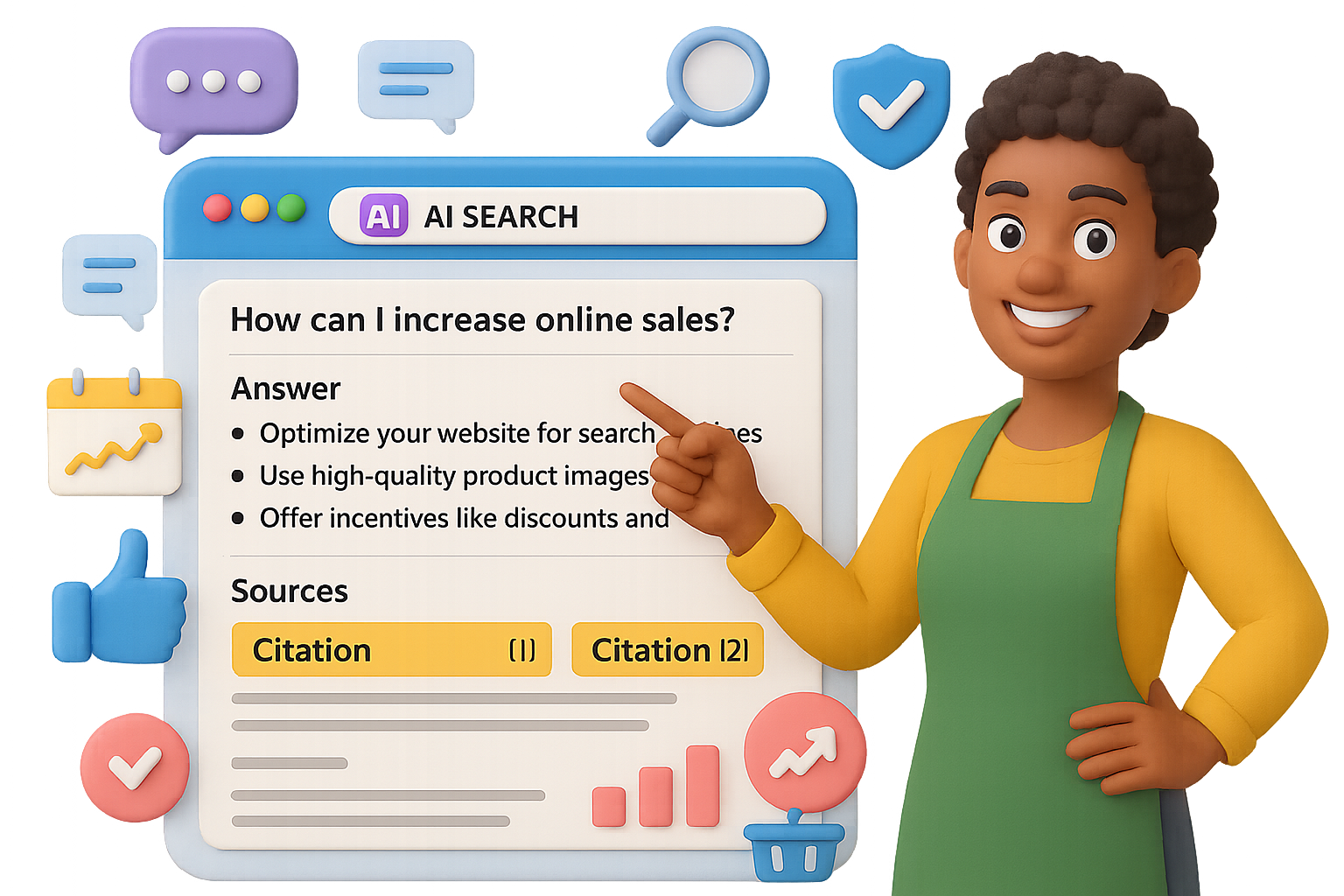
    Here’s the flip: Perplexity AI isn’t just another search engine. It’s a research assistant that shows its work—and if your content gets cited, you win big. We’re talking credibility, sticky traffic, and leads from folks already holding their wallets.

    In this guide, you’ll get a tactical playbook for turning Perplexity SEO into a repeatable growth channel—no flashy hacks, no giant budget required. Just sharp content strategy, built for AI-first search.


    illustration

    Why Perplexity Traffic Hits Different

    Where Google skims, Perplexity sticks. Here’s why that matters for you:

    • Research-mode users. Sessions last 11–23 minutes. That’s not a typo—it’s up to 10x deeper than a typical Google hit.
    • Purchase-ready intent. These aren’t casual browsers. They’ve got a specific need and the budget to solve it.
    • Built-in trust. Every response shows citations. If yours makes the cut, you’re the recommended expert.

    The upside? Fewer visits, way more conversions.


    illustration

    Small Blogs > Media Giants

    Strange but true: Small independent blogs get more AI citations than top-tier news sites.

    Recent studies show that in Perplexity, ChatGPT, Claude, and Google’s AI Overviews, clear and directly structured content wins—regardless of how big your site is.

    Translation: You don’t need a 90 Domain Authority to punch above your weight. You just need content that’s quote-ready.


    illustration

    Use the Q-A-E Framework to Get Cited Consistently

    Here’s your secret weapon: the Question-Answer-Evidence formula. It works like catnip for AI models.

    1. Question
      Use a heading that matches the way someone might search.
      Example: “What’s the best CRM for solo consultants?”
    2. Answer
      Lead with a tight, direct response—2–3 sentences max. No fluff, no hedging.
    3. Evidence
      Back it up with:
      • Your own data
      • Third-party stats (with links)
      • A short explanation of what it means

    Perplexity looks for structured answers. Feed it what it wants.


    illustration

    Try This Five-Step Blueprint for Perplexity SEO

    You don’t need to overhaul your whole site. Just apply these five moves to your next piece.

    1. Use Q-A-E in every section
      Think of each paragraph as a mini FAQ. More structure = more chances to be cited.
    2. Make it scannable
      • Use bold subheads
      • Keep text short and chunked
      • Break down lists into bullets or numbers
    3. Create original data
      Run a Twitter poll. Survey your newsletter. Even 24 responses is better than zero.

      First-party numbers are citation gold.
    4. Match how people speak
      Don’t write for keywords. Write for real questions.
      “How can restaurants lower delivery costs without switching platforms?”

      “Strategies for optimizing operational expenditures in foodservice industries”
    5. Show up beyond your blog
      Drop answers in public forums—Reddit, Slack groups, Discord, Quora.

      Perplexity crawls these places and connects those insights to your content.

    Ditch Vanity Metrics. Target Buying Intent.

    Here’s a story you might recognize:

    One marketer wrote a general blog post that brought in 10k visitors/month… and got zero leads.
    Another wrote a hyper-specific piece, got just 400 visits—but closed five sales.
    Want to guess which one hit their KPIs?

    If you want better results, stop chasing keywords with traffic and start solving problems with cash behind them.

    High-intent content ideas:

    • “How to choose SOC 2 auditors when your SaaS crosses $1M ARR”
    • “Optimal retention benchmarks for DTC brands spending $50k+/month on ads”
    • “Compare Kubernetes cost tools for teams managing 100+ nodes”

    Each one filters out tire-kickers and puts you in front of people close to buying.


    illustration

    Build the Citation Flywheel

    Earn one citation, and the rest comes easier. Here’s how to stack the wins:

    1. Publish great Q-A-E content.
    2. Get that first citation in Perplexity.
    3. Watch it spread: journalists, bloggers, and other AIs reuse your insights.
    4. Keep showing up—because trust compounds.

    No backlink begging. Just a smarter way to show up where future readers (and algorithms) hang out.


    illustration

    Here’s What to Do Next

    • Skip traditional SEO gymnastics. Aim your content at AI engines like Perplexity.
    • Write in Q-A-E format. Keep it scannable, punchy, and full of evidence.
    • Focus on high-intent, late-funnel queries. They convert better than broad traffic.
    • Build and post original insights—AI models remember who taught them something new.

    We’re early in this game. Start positioning your content now, and you’ll be the one getting cited as others scramble to catch up.

    👉 Want to learn more about AI search strategies (without the jargon headache)?
    Check out Tixu—a hands-on, beginner-friendly AI learning platform built for makers like you.

  • Master AI Fast: Learn Key Tools

    Master AI Fast: Learn Key Tools

    Your Beginner-Friendly AI Roadmap (No CS Degree Required)

    Let’s be real—AI is everywhere. At work. At home. In your inbox recommending five new tools before breakfast.

    Ignoring it now is like ignoring the internet in ‘95.

    The good news? You don’t need to code, worship the algorithm gods, or chase every “breaking AI update” on Twitter. With a few reliable tools, some core skills, and a little hands-on play, you’ll pull ahead of 90% of folks still “planning to start.”

    This post is your no-fluff, beginner-friendly map. Whether you want to shave hours off your workflow or kickstart a side hustle, you’ll walk away knowing:

    • Which tools to try first
    • The core skill set that never goes out of style
    • How to build your first automated workflow (no dev team needed)

    Ready when you are.


    illustration

    Bust These 4 Mental Blocks Before You Start

    Even smart, curious people get stuck at the start. So let’s short-circuit the most common head trash.

    1. “I’m not technical.”
      Good. You don’t need to be. Today’s AI tools are built for regular humans—no code, no jargon decoder ring required.
    2. “Things change too fast.”
      True at the edges. But the basics? They stay steady. Learn the fundamentals and everything else becomes UI updates and new flavors of the same sauce.
    3. “There are too many tools.”
      Also true—there are thousands. You only need 3–5 to cover most real-life wins. More signal, less noise.
    4. “I can’t keep up with the news.”
      Don’t. Subscribe to one smart AI newsletter. Let them doomscroll for you.

    illustration

    Pick Your Player: 3 Starting Paths

    Everyone starts somewhere. Your starting line depends on what you want more of: time, output, or control.

    PathWhat You WantTry These Tools
    Everyday ExplorerSave time and stressChatGPT for emails, NotebookLM for notes, Perplexity for research
    Power UserSpeed + outputMidjourney, ChatGPT, Runway, Suno, Descript + Zapier or Make
    BuilderAutomation + scalen8n or Make, Cursor (AI coding editor), your preferred LLM brain

    The jump from Explorer to Builder? Smaller than you think. It’s just solving one pain point at a time.


    illustration

    Know These 5 Tool Categories (and You’re Set)

    Large Language Models (LLMs)
    These handle most of your creative, writing, planning, and reasoning tasks.

    Think: ChatGPT, Claude, Gemini, or open-source options.

    1. Jargon worth knowing:
      • Prompt = your input
      • Token = a word chunk
      • Hallucination = confident nonsense
      • RAG = smarter search + answer combo
    2. Research Assistants
      • Perplexity = search engine that cites sources
      • NotebookLM = uploads your PDFs, lets you ask questions across them, instantly
    3. Image Generators
      • Midjourney = crazy good photo-realism
      • DALL·E inside ChatGPT = great at tweaking
      • Ideogram = clean graphics with on-image text
    4. Video Tools

      • Runway and Veo = text-to-video magic
      • Pika and Haiper = add cuts, motion, drama

      Think: entire promo videos with barely lifting a finger (or a camera)

    5. Audio Tools

      • ElevenLabs = synthetic voices that don’t sound synthetic

      • Suno, Udio = turn a few words into legit songs

      Bonus: Use voice chat in ChatGPT or Google AI Studio for real-time convos with bots

    And PS: Most “AI apps” are just shiny wrappers on top of these models. Good design, but under the hood? Same tools you’re learning here.


    illustration

    The 4 Evergreen Skills of AI Fluency

    1. Prompting Like a Pro
      Use this format: Aim → Context → Rules
      Example:“Write an upbeat blog post (Aim) for freelancers overwhelmed by tech (Context). Use a conversational tone and 1–2 line paragraphs (Rules).”

      Bonus move: Add a role prompt.“You’re a chill marketing coach who’s great at metaphors…”

    2. Tool Awareness
      You’re not memorizing tools—you’re building a category map in your brain.

      “Need visuals? → Midjourney.”
      “Need citations? → Perplexity.”

      That’s the real edge.
    3. Workflow Thinking
      Break tasks down. Then hand off each part to the right tool.

      I.e., brainstorm → outline → script → voiceover → video edit → publish

      AI helps in every step.
    4. Creative Stacking
      Example flow:

      • Write a video script in ChatGPT

      • Feed lines into Suno for soundtrack

      • Generate art with Midjourney

      • Assemble scene in Runway

      • Auto-schedule with Zapier

      Boom—content powerhouse with no production team.


    illustration

    From Chaos to Control: One Starter Automation

    Here’s a simple build that instantly levels up your week.

    Pain Point – Your calendar’s a mess
    Solution – An AI that checks your next day, blocks focus time, offers reschedules
    Stack

    • Google Calendar API
    • n8n AI Agent (using GPT-4o or Claude)
    • Telegram (or Slack) for convo interface

    Result – Each night, you message: “Anything urgent tomorrow?” Your AI replies with key meetings, conflicts, suggestions—plus drafted reschedule notes.

    Feels like executive assistant vibes. Built it yourself? Even better.


    Try This 5-Step Plan This Week

    1. Pinpoint Friction – What’s wasting your time?
    2. Match a Tool Type – Refer to the categories above
    3. Mock It in a Prompt – Test the task out in ChatGPT or Claude
    4. Stack Tools – When it works manually, connect tools via n8n, Zapier, or Make
    5. Automate & Upgrade – Add memory, auto-triggers, or backups as you go

    Even 2–3 small experiments per week compounds. Fast.


    illustration

    Here’s Your Cheat Sheet

    • Know your tool mix – One solid LLM + 2 niche add-ons = 90% of wins
    • Get fluent in prompting – It’s the new spreadsheet skill
    • Think in workflows, not tools – Great combos > great individual apps
    • Start with micro-wins – One calendar fix > 30 YouTube tutorials
    • Stay curious, not overwhelmed – Core skills stick even as headlines shift

    You don’t need to become an “AI expert.” You need to solve your problems better, faster, and with less busywork than last week.

    Want help getting started? 👉 Check out Tixu—a beginner-friendly AI learning hub packed with hands-on challenges, walkthroughs, and zero gatekeeping.

  • 12 Proven Tactics to Maximize Your AI SEO Traffic

    12 Proven Tactics to Maximize Your AI SEO Traffic

    Why You Should Care About AI-First SEO

    Search results aren’t what they used to be.

    One day, you’re celebrating a page-one organic win. The next, your link gets smothered by an “AI overview” that summarizes your hard work—and doesn’t even bother to cite you. Brutal.

    But here’s the flip: AI can bury you, or it can boost you. With a few smart tweaks, your content becomes exactly what large language models (LLMs) love to quote. One brand did just that—going from digital obscurity to over 90 AI citations and a wild 2,300% spike in referral traffic.

    You’re going to learn how to:

    • Spot AI opportunities in your niche
    • Format posts for maximum LLM visibility
    • Become a machine-trusted authority
    • Measure AI referrals inside GA4

    Ready to become the go-to answer in your space? Let’s get to it.


    illustration

    Uncover AI Opportunities in Your Backyard

    Before you optimize anything, scout the terrain.

    Here’s your first move:

    • Launch Brand Radar
    • Plug in your brand + 2–3 competitors
    • Use the “Mentions in AI answers” report

    What do you see? This tool shows which queries get answered using content from you—and from your competitors. If they’re getting quoted and you’re not, that’s gold. These are fast-win topics worth targeting.

    Do this monthly. Conversational queries evolve fast.


    illustration

    Format Your Content for Machines—Not Just Humans

    LLMs don’t “read.” They scan structure, extract snippets, and score based on clarity. Serve them what they crave.

    1. Start with the answer
      Front-load the goods. Your opening 2–3 lines should satisfy the search intent. Think snack-size, not novel-length.
    2. Write like people talk
      No one’s typing “best home finance apps 2025.” They’re asking, “What’s a good budget app for beginners?” Mirror that casual, question-based tone.
    3. Use smart heading structure
      H1: Just one. It’s your main topic.
      H2: Big subtopics or use-cases
      H3: Specifics under each

      Proper hierarchy helps LLMs attribute relevance with surgical precision.

    4. Add a clear TL;DR
      Right up top—or just below the H1—drop 2–3 bolded bullet points. This summary screams: “Here’s what matters.” And AI listens.

    illustration

    Cement Your Brand’s Machine Credibility

    LLMs check your receipts. They don’t just parse one article—they scan your entire digital footprint.

    Here’s how to clean yours up:

    1. Ask what AI already “knows”
      Open ChatGPT or Gemini and ask: “What do you know about [Brand]?” What comes back? If it’s outdated or off-base, you’ve got homework.
    2. Own your online listings
      Update your business info on Google, Yelp, Trustpilot, LinkedIn, niche directories—you name it. Make it consistent across the board.
    3. Stack glowing reviews
      Quantity + 4.5-star average = machine trust. Set up automatic review requests. Make it routine.
    4. Show off legit credentials
      Any certifications? Awards? Media features? Flaunt ‘em on your homepage and About page. LLMs weigh third-party validation heavily.

    illustration

    Build Articles That LLMs Quote, Not Skip

    Your content needs built-in trust signals. Here’s how to earn the AI mic drop.

    1. Link to legit sources
      Government data, peer-reviewed stats, or Apple’s latest feature update? Link out. LLMs love citing sites they already endorse.
    2. Add expert voices
      Pull in practitioners. Even a 2-sentence insight + mini bio adds gravitas. Bonus: it boosts perceived authority for humans and bots.
    3. Publish original proof
      Share a case study. Run a Twitter poll. Show a user journey. Unique data is like catnip for AI—they quote what’s hard to find.
    4. Get contextual backlinks
      High-authority links still unlock doors. Not sure where to start? Agencies like SimplyMedia.digital do good work without fleece pricing.

    Measure AI Referrals—the Backdoor Way

    AI tools show up in analytics—if you know where to look. Here’s how to unlock tracking in GA4.

    In GA4:

    • Go to Reports → Acquisition → Traffic acquisition
    • Click “Add comparison” → Filter by Medium = “referral”
    • Add this RegEx filter under Session source/medium:
    (bard|gemini|bard\.google|news\.googleusercontent|bard\.cdn|perplexity|poe|openai|you|gpt|bing_ai)

    Now you’ll see sessions coming from ChatGPT, Gemini, Perplexity, Bing AI, and friends. Sort by landing page to spot what’s working—then do more of it.


    illustration

    Real-World Results

    One premium e-comm brand ran this exact playbook. Here’s what happened in six months:

    • +2,300% increase in AI referral traffic
    • >90 keywords picked up in Google’s AI Overviews
    • Bonus: Traditional organic traffic also climbed

    illustration

    AI Isn’t the Future—It’s the Feed

    You’ve got two options: get ignored by the machines… or become their favorite source.

    Shift how you write, clean up how you show up, track what matters—and the referrals will follow.

    Want a beginner-friendly playground to sharpen your AI edge?
    Check out Tixu—an intuitive platform that helps you learn and apply real AI skills without drowning in jargon.