Author: Pavel

  • Build Complete Brand Campaigns with AI in 5 Minutes

    Build Complete Brand Campaigns with AI in 5 Minutes

    Build a Brand, Drop Merch, Launch a Podcast—In One Sentence Each

    Welcome to the era of creative overdrive. You’ve got vision, but maybe not the budget to hire a full creative team. Good news: now you don’t have to.

    Enter LoveArt—your all-in-one AI creative director that works harder (and faster) than a room full of freelancers. For free.

    Yes, really.

    illustration

    Say hello to your AI-powered content studio

    LoveArt (nicknamed “Love”) isn’t just another prompt-and-pray tool. It’s a playground for creators who want to go from “idea” to “everywhere” in record time.

    Here’s what sets it apart:

    • It chains multiple tasks into one flow—think: write → voice → design → animate → publish
    • Picks the best AI model for each step (ChatGPT, Gemini, Runway, etc.)
    • Runs everything on an infinite canvas so you never lose track
    • Every asset? Editable. Every decision? Traceable.

    And the wild part? You get started with 500 free daily credits. That’s plenty to build full-on projects before you even think about upgrades.

    Let’s walk through exactly what you can do on a zero-dollar plan.


    illustration

    Podcast, visuals, captions—all from one line

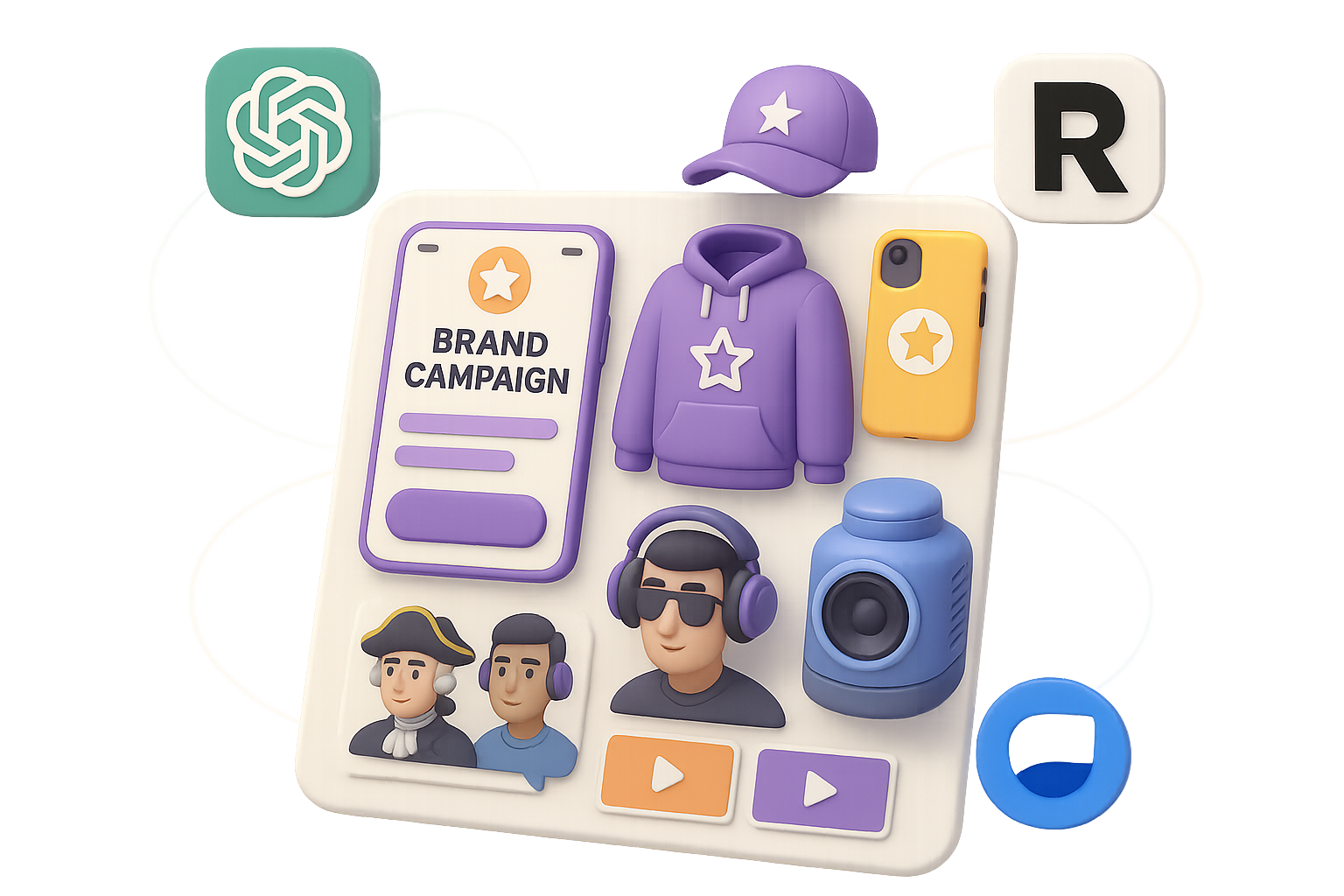
    “Please generate a 60-second realistic-style podcast featuring two men: one is a colonial-era Englishman, the other lives in the year 2127…”

    Here’s what LoveArt did with that:

    • Wrote the full script, with stage directions and personality baked in
    • Cast two distinct voices, accents and all
    • Generated talking-head portraits of each character
    • Animated the “podcast episode,” complete with lip sync, music, and auto-captions

    Final result: a 2-minute, ready-to-publish clip for TikTok or YouTube Shorts. From one sentence.

    illustration

    Launch a mobile app—minus the UI team

    Just type this: “Design an app for my YouTube Growth Academy. Keep branding consistent.”

    Then watch the magic unfold:

    • LoveArt reads your logo to interpret colors, fonts, and visual vibes
    • Generates polished UI screens: main feed, course explorer, subscriber dashboard, user profile
    • Packages the files into dev-ready, layered exports

    Total time? About 3 minutes. And yes, it looks like you hired a pro.

    illustration

    Sell merch without ever opening Photoshop

    “Please design a hoodie, cap, diary, pen, phone case and tote bag for my YouTube Wealth Academy. The style should be minimal and professional.”

    Done and done:

    • LoveArt mocked up each item on realistic product shots
    • You get crisp PNGs ready for Printify or your PoD platform of choice
    • Launch your shop the same day—no design budget required

    This isn’t “concept art.” This is product-ready.

    illustration

    From one Bluetooth speaker to full Apple-style branding

    Try this prompt: “Design a homepage for a futuristic portable Bluetooth speaker in the style of Apple.com. Brand name: SonaCore.”

    Here’s what happens:

    • LoveArt models the speaker in 3-D, lights it like a GQ cover, and renders gorgeous hero shots
    • Creates a bold, clean landing page with feature blocks and smooth scrolling
    • Gives you several logo directions, color palettes, and custom icon sets
    • Packages up shipping-ready box designs, carrier bags, and insert mockups

    Now you’ve got a hardware brand—minus the agency invoice.


    illustration

    Why this changes the game

    Yeah, there’s a lot of AI hype. But LoveArt actually hits where it counts:

    • One prompt runs a full pipeline—from writing to visual to voice to video
    • No need to juggle five tools; all assets live in the same project
    • You can dig into each step, swap out models, or re-edit visuals like Photoshop
    • Over 85% of testers shipped complete content packs before using even half their daily credits

    You’re not getting “AI doodles.” You’re getting publishable assets without the team overhead.


    illustration

    Try it: Four steps to launch something today

    LoveArt is invite-only for now, but joining the waitlist is fast—and totally free.

    Here’s how to get rolling:

    1. Head to the LoveArt website and sign up for the waitlist.
    2. Once you’re in, browse the “Created with LoveArt” gallery for inspiration.
    3. Drop one detailed sentence.
    4. Use the canvas to adjust voice, visuals, and layout right on the spot—no re-prompting.

    illustration

    Solo work doesn’t have to mean small work

    If you’re building a brand, running a channel, launching a course, or just testing ideas at 2 a.m.—LoveArt gives you actual creative firepower. All you need is the vision and a moment to type it out.

    Want to sharpen those prompting skills or explore more AI tools? Head to Tixu.ai—it’s the easiest way to start learning AI, step by step.

    Ready when you are.

  • Master ChatGPT Prompts to Automate Life and Work

    Master ChatGPT Prompts to Automate Life and Work

    Stop Guessing—Start Guiding ChatGPT

    Still typing vague requests into ChatGPT and hoping for magic? Yeah, that ship’s sailed.

    The real wins? They come to folks who treat ChatGPT like a high-performing teammate—not a fortune cookie. Whether you’re writing content, building products, or just trying to get out of your own head, smart prompting can save you hours (and headaches).

    This playbook hands you the practical prompts, power features, and hidden hacks that unlock world-class answers—no theory, no fluff.

    Here’s what you’ll walk away with:

    • Prompts that actually work in 2025 (with examples)
    • Frameworks that turn ChatGPT into a strategist, not a parrot
    • “Cheat codes” that cut through the noise

    Let’s dial your prompting game up a few notches.


    illustration

    Nail the Basics: Prompt Settings That Still Matter

    Sure, ChatGPT got smarter. But you’re still in the driver’s seat—and how you steer matters.

    Start here:

    • Format it right

      Tell ChatGPT how to show up.
      → “Return this as a table / checklist / JSON / YouTube script.”
    • Assign a role

      When tone or expertise counts, put a hat on the model.
      → “You’re a veteran game-designer…” / “You’re a sarcastic pirate…”
    • Add constraints

      The tighter the box, the sharper the answer.
      • “Give me five taglines under 50 characters.”
      • “Keep the recipe under 10 ingredients.”
    • Loop the thinking

      Combine tasks into a single flow:
      → “Write a draft → critique your own draft → improve it.”

      That one prompt gives you a first draft AND a built-in editor.

    illustration

    Automate Context with Projects

    Meet Projects: a lesser-known feature that quietly levels up everything.

    Imagine a sub-workspace where ChatGPT remembers your files, backstory, and vibe.

    Example: New Video Game

    • System note: “You are an expert roguelite designer inspired by Hades and Dead Cells.”
    • Files: Upload character sheets, dev logs, even sketches.

    So next time you ask, “Sketch a wolf-monkey boss fight,” it knows the lore—no handholding.

    Other high-leverage setups:

    • Journal / digital therapist
    • Workout + diet coach
    • Investment buddy
    • AI explainer for research overload

    Think of Projects as long-term memory with benefits.


    illustration

    Everyday Prompts That Save Hours

    Small shifts = major time wins. Try these:

    • 30-Day Hobby Builder

      → “Build me a 30-day roadmap to master aerial drone photography. Tasks ≤ 90 minutes.”
    • Quiz Me

      → “Test my AI history knowledge. Grade me after each answer.”
      Bonus: spaced repetition, no flashcards required.
    • Social Content in Minutes

      → “Rewrite this blog as a 10-slide LinkedIn carousel with a hook + engagement CTAs.”
      Paste the article below it. Done.
    • Recipe, Hold the Story

      → “Give me a Traeger-grill ribs recipe. No narrative—just ingredients and steps.”
      Zero scroll rage.

    illustration

    Use ChatGPT as a Thinking Partner

    This isn’t about content generation—it’s strategy support.

    • Blind-spot detector

      → “Based on our chats, list my top 5 blind spots.”
      It mines past convos with surgical precision.
    • Play devil’s advocate

      → “I’m building a paid Steam game. Convince me that’s a terrible idea.”
      Then follow up: “Now counter those arguments.”
    • Second- and third-order effects

      → “If I sell my newsletter, what could happen—beyond the obvious?”
    • DIY CBT therapy

      → “Walk me through a CBT worksheet: auto thoughts → distortions → reframe → action → 1-line affirmation.”
      Surprisingly effective self-care… no therapist invoice.

    illustration

    5 One-Word Prompt “Cheat Codes”

    Type your topic, then one of these magic words:

    • ELI5 – Explain like I’m five.
    • TL;DDR – Give the ultra-short version.
    • JARGONIZE – Make it more technical.
    • HUMANIZE – Make it more punchy, less robotic.
    • Feynman – Teach it step-by-step until I can explain it back.

    Example:

    Quantum computing  ELI5  
    ↑ JARGONIZE

    Boom—two views, one click apart.


    Advanced Prompt Engineering (That Actually Works)

    Ready to flex?

    • Tree-of-Thought

      → “Give me 3 options to prevent AI job loss. For each: list steps, rate 0–10, pick best and justify.”
      Think like a consultant, prompt like a boss.
    • Self-Consistency Voting

      → “Write 5 independent answers to: how to train AI without exploiting creators. Pick majority view and explain why.”
      Less hallucination, more hard logic.
    • Self-Critique Loop

      → “Answer: ‘What causes climate change?’ Now critique yourself. Rewrite to fix it.”
      Two passes, way better output.
    • Automation Finder

      → “Act as an automation consultant. Ask me 10 questions to spot repeat tasks. Rank top 5, suggest tools, and give a step-by-step plan.”
      By the end, you’ll have a systems map—and your time back.
    • World-Engine (for creatives + fun)

      → “You are a world-engine. Genre = solarpunk mystery. Each scene: update world JSON, narrate, give 3 choices.”
      Interactive storytelling meets sandbox RPG.

    Quick Tools Worth Bookmarking

    • Spotter Studio – AI-powered YouTube strategy + thumbnails. Legit game-changer.
    • FutureTools.io – Weekly drops of the latest AI tools + news.
    • r/ChatGPTPromptGenius – A treasure trove of prompt candy.

    Final Take

    You don’t need secret codes to master ChatGPT. You need clear inputs, smart thinking, and role-based context. That’s it.

    Start treating ChatGPT like a collaborator, not a vending machine—and it’ll return the favor.

    Add two or three of these prompt setups to your daily workflow this week. You’ll feel like you just hired a strategist, a marketer, and a therapist… for free.

    Ready to level up your AI skills from hobbyist to pro? Tixu is the beginner-friendly platform that teaches you how—step-by-step, no jargon, no gatekeeping.

    Let the prompting begin.

  • Build a 1-Person AI Business in 7 Steps

    Build a 1-Person AI Business in 7 Steps

    The Solo-preneur’s Cheat Code: Replace an Entire Team with AI

    You don’t need a team of ten to act like one.

    With the right AI stack, you can scale like a startup and move like a freelancer—fast, lean, and laser-focused. Below, we’ll walk through exactly how to spin up a one-person business that still covers every critical function: marketing, design, ops, even finance.

    No fluff. Just tools, prompts, and workflows you can steal.

    illustration

    What You’ll Get

    • Field-tested AI combos that replace specialists
    • Copy-paste prompts to get working today
    • Clear, bite-sized wins at every step

    Whether you’re fleshing out a new idea or automating a growing hustle, grab what you need and skip the rest.


    Market Like a Pro—Without Writing SEO Copy All Day

    Every business that lives online needs traffic. But SEO doesn’t have to be a full-time job—or soul-sucking.

    Here’s how to crank out optimized listings in 15 minutes flat:

    1. Find buyer-ready keywords with Perplexity.ai

      Ask: “What keywords do top-selling husky dog shirt stores use on Etsy?”
      → You’ll get a sourced list you can trust.
      → Export to a doc or copy the bullet list.
    2. Turn them into copy with ChatGPT

      Feed in the keywords.
      Prompt: “Write an Etsy title, 200-word product description, and 13 tags for a funny husky sweatshirt using these keywords.”
      → ChatGPT handles the formatting, SEO density, and tone.
    3. Make it sing with Claude (Anthropic)

      Share the ChatGPT draft.
      Prompt: “Polish this for personality, keep it SEO-friendly, max 200 words.”
      → Claude’s a tone-master—it’ll write like someone you’d actually buy from.

    Result? Clean, engaging listings that work for algorithms and humans.


    illustration

    Crush Admin Time with a No-Code Assistant

    Emails. Follow-ups. Data entry. You’re not “too good” for it—but let’s not pretend you enjoy it.

    Bardeen.ai cuts that busywork with simple automations called “playbooks.”

    How to Start

    • Open Bardeen’s template library.
    • Pick your stack: Gmail, Notion, Sheets, Airtable…
    • Flip a few toggles, and boom—you’ve got a virtual assistant.

    Example:

    “Every day at noon, pull Amazon’s top 20 kids’ books and log them in my Google Sheet.”
    Bardeen handles the steps. You click to approve connections. Done.

    No scraping. No code. Yes to daylight hours.


    illustration

    Get Design-Ready Images Without a Graphic Degree

    Stock sites are stale. Freelancers cost $$$. Here’s how to punch above your design weight:

    1. Use Canva Pro’s AI Builder (30-day free trial)
      • Search “logo,” “YouTube thumbnail,” “Instagram carousel”—anything.
      • Pick a template, drop in your assets, and auto-adjust styles.
      • One-click branding gets your colorway right every time.
    2. Generate images with AI
      • Midjourney = insane detail (best paid tool)
      • Leonardo.ai = powerful free option with commercial rights
      • Want tweaks? Upload to ChatGPT in image mode and say: “Change background to pastel gradient, remove shadows.”
    3. Ready for Print-On-Demand
      Export directly into Printify, Printful, or Gelato.
      They’ll print + ship. You mark up the product. Easy margin win.

    Bonus: AI-generated designs stand out in noisy marketplaces.


    illustration

    Automate Sales Outreach Like a Smooth Operator

    B2B, high-ticket service, or SaaS? Cold outreach still works—if it doesn’t sound cold.

    Here’s a setup that scales with you:

    1. Find leads with Apollo.io

      • Filter by job title, vertical, tech used, etc.
      • Free tier = 1,200 emails/year—cost-effective and legit.
    2. Warm your emails with Smartlead.ai

      • Rotate multiple sender accounts.
      • Smartlead runs realistic chats behind the scenes to build rep.
      • Upload your Apollo list. Set send limits.
    3. Custom emails via ChatGPT

      Prompt: “Write a 90-word cold email to {{first_name}} pitching a TikTok test campaign for {{company_name}}’s women’s skincare products.”
      → Drop right into Smartlead. Auto-schedule follow-ups. Done.

    You just built a sales SDR team with $0 payroll.


    illustration

    Launch Pages in Literally Minutes

    Want a landing page, blog, or store—today, not next Thursday?

    You’ve got two killer options:

    1. Canva Website Builder

    • Choose “Website” layout
    • Customize text, images, colors, publish
    • Host on Canva (free) or buy a custom domain inside the app

    Perfect for MVPs or one-page explainers.

    2. Shopify + Shopify Magic

    • Free trial → just $1/month after
    • Launch the AI Store Designer
    • Type something like “Eco gym gear store for women”
    • Instant layout, copy, and theme
    • Add products and hit publish—no code

    It’s e-commerce Without Engineers.


    illustration

    Act Like a CFO (Without Acting)

    Let’s be honest: analyzing spreadsheets isn’t your thing. Here’s how to turn raw numbers into smart moves.

    1. Export your sales/ad spend report (CSV).
    2. Drop into ChatGPT: “Analyze this data, uncover bottlenecks, forecast Q2, and give three profit-boosting ideas. Format as a memo.”
    3. Paste the output into NotebookLM (Google’s research notebook).
      → Create an auto-generated mind map
      → Click to expand ideas, see citations, and break down complex trends

    It’s not just analytics—it’s strategic clarity on tap.


    illustration

    How to Pull This All Together

    You don’t need to “master AI.” You just need the best patterns.

    Here’s your quick-start blueprint:

    1. Validate you’ve picked a real gap in the market
    2. Choose 2–3 key “roles” where AI can help first
    3. Build workflows using the tools above
    4. Start with free tiers—most give more than enough
    5. Reinvest saved time in product, traction, and customers

    You can be the founder, marketer, and operator without burning out.


    illustration

    Next Step → Set Up One AI Workflow Today

    Pick the role you’re drowning in and automate just one piece this week.

    Looking for more beginner-friendly AI help? Tixu breaks down top tools, prompts, and strategies—zero jargon, all action.

  • 8 Powerful AI Tools You Can Use Free Today

    8 Powerful AI Tools You Can Use Free Today

    8 Free AI Tools You Can Use Right Now—No Login, No Credit Card

    Swamped with tabs. Pressed for time. Just trying to figure out what AI can do without digging out your credit card or signing up for yet another platform?

    We’ve got you.

    Below are eight legit-good AI tools—totally free, no signup screens—ready to roll in your browser. From fresh headshots to instant transcriptions, they’ll save you hours (and a little sanity).

    Let’s dig in.


    illustration

    1. Chat With Your Notes Using NotebookLM

    That dense PDF you’ve been avoiding? NotebookLM makes it readable.

    Drop in documents, slides, or even a YouTube link. It’ll:

    • Summarize long reads into crisp notes
    • Answer questions mid-scroll
    • Surface useful connections you might miss

    Its standout trick? The Interactive Podcast. It auto-generates audio summaries you can pause, play, and prod with questions in real time. If you’re juggling research or prepping for big meetings, this is your AI sidekick.


    illustration

    2. Snap Studio-Grade Headshots Without Leaving Your Desk

    Need a LinkedIn glow-up—minus the ring light?

    Upload a few selfies to an AI headshot tool like HeadshotPro or ShutterAI. These tools will:

    • Sharpen lighting and polish backgrounds
    • Tweak wardrobe details and facial shadows
    • Generate dozens of styles—corporate, casual, or creative

    Review, download, and boom—you’re profile-ready in under 10 minutes.


    illustration

    3. Use ChatGPT Without Logging In

    Yes, you read that right.

    Head to ChatGPT’s website and you can now poke around in guest mode. No account? No problem.

    Here’s what you can do free:

    • Summarize pasted text instantly
    • Brainstorm outlines, headlines, code snippets
    • Play with the OpenAI Playground (even use voice input)

    Want more memory or pro features? You can always upgrade later. But for quick experiments or creative sparks, guest access gets you in the game.


    illustration

    4. Animate Your Doodles With Meta’s “Animate Anything”

    Draw something silly. Upload it. Click a motion (wave, walk, dance). Watch it move.

    Meta’s browser-based tool breathes life into stick figures with:

    • Insta-rendered animations
    • Downloadable gifs or videos
    • Endless fun for social posts, presentations, or proto-storyboards

    It’s like having Pixar power, minus the 12-month dev cycle.


    illustration

    5. Turn Articles Into Audio With TTSMaker

    Not in the mood to read? Let the AI talk.

    TTSMaker is a no-login text-to-speech tool that sounds shockingly human. Just:

    • Paste your content
    • Pick one of 40+ natural voices
    • Download the audio

    Perfect for creating voiceovers, study tracks, or quick accessibility wins. Bonus features let you fine-tune pitch and speed for custom vibes.


    illustration

    6. Explore Anything with Google’s “Learn About” Demo

    You type “black holes.” This tool builds you a course.

    Google’s “Learn About” experiment turns topics into:

    • Bite-size lessons and flashcards
    • Smart related questions
    • Personalized paths based on your clicks

    No blank slates. No info overload. Just fast, focused curiosity time.

    (Warning: may cause accidental deep dives into French pastry history.)


    illustration

    7. Auto-Transcribe With Riverside.fm—No Strings Attached

    Got recordings? Riverside’s free transcription tool handles them beautifully.

    Drop in an audio or video file and get:

    • Accurate transcriptions in just minutes
    • Speaker labels
    • Highlighting and search built-in

    Zero sign-ups. Zero watermarking nonsense. Just clean, editable text for students, journalists, and chaos coordinators.


    illustration

    8. Give Old Photos a Second Life with GFPGAN

    Faded faces. Blurry memories. AI to the rescue.

    GFPGAN, hosted on Hugging Face Spaces, restores vintage photos using two brainy models. It fixes cracks and fills in worn-out details in seconds.

    You’ll love it for:

    • Digitizing family albums
    • Prepping heritage projects
    • Saving grandma’s yearbook from oblivion

    Just drag, drop, and download—a mini time machine at your fingertips.


    Try Before You Buy (or Ever Sign Up)

    AI doesn’t have to mean paywalls or logins. With these tools, you get real value right off the bat.

    Test them. Tinker with them. Find the ones that solve actual problems in your day. That’s how you start building AI instincts—not just installing apps.

    Want to keep those muscles sharp? Check out the beginner-friendly AI tutorials and challenges over at Tixu.ai.

  • Master a New Language with These 10 AI Tools

    Master a New Language with These 10 AI Tools

    The AI-Powered Top 10 Language Tools (That Actually Level You Up)

    Struggling to speak your target language out loud? You’re not alone. Grammar books are fine, but they won’t look confused when you mispronounce “bread” in French—or help you recover from it, either.

    Now for the good news: AI’s stepped into the ring. Smarter tools mean smarter practice—and less guesswork. Whether you’re building confidence or just want to talk without panicking, these 10 AI-powered platforms are putting real conversation within reach.

    Let’s break down the best of the best (plus a few bonus picks), depending on your goals, budget, and vibe.


    illustration

    Build Fluency Without the Fluff: The AI-Powered Top 10

    1. Shiken

    Train like a pro—with analytics to match. Shiken creates interactive, voice-controlled role-plays in nearly any language. Get stuck? Tap for a translation or hint. Wrap up with a personalized coaching report that breaks down how you did.

    • Learner plan (AI role-plays): from $45 / year
    • Creator plan (shareable content + video scenarios): from $49 / month

    Great for: learners who want conversation + data-driven feedback.


    2. Practica

    It’s like your favorite language partner—but pocket-sized. Practica uses lifelike AI avatars, real-time prompts, and on-screen translations to simulate quick, meaningful convos.

    • Around $100 / year

    Great for: on-the-go learners who want practice between subway stops.


    3. Speak

    If pronunciation is your Achilles’ heel, Speak has your back. Its near-human AI tutor listens, fine-tunes your accent, and calls out tricky phonemes the moment they go sideways.

    • Focused on speaking accuracy, not grammar

    Great for: intermediate learners polishing up their sound.


    4. Duolingo (with Duolingo Max)

    The Duolingo owl just leveled up. “Max” adds AI conversations and role-plays right into your lesson streaks. It’s fun, it’s fast, and—yes—it still throws shade if you skip a day.

    • Gamified path + new AI chat features

    Great for: streak-chasers ready for real dialogue.


    5. Babbel

    Structured, professional, and subtle about its AI smarts. Babbel’s system detects vocab gaps, offers drills, and blends in voice practice alongside CEFR-aligned lessons.

    • Typically $14 / month

    Great for: those who prefer order over owl memes.


    6. TalkPal

    Feels like you’re chatting with a real-life tutor—only one who never gets annoyed. TalkPal simulates realistic back-and-forths and adapts the convo as you get better.

    • Multiple membership levels

    Great for: authentic voice chats without awkward pauses.


    7. ChatGPT (Voice Mode + Custom GPTs)

    Is it a language app? Not exactly. But ChatGPT’s voice mode + endless personas make it the most powerful freeform language tool around. Ask it to role-play as a waiter, a job interviewer, or a grumpy librarian—you choose the scene.

    • Unlimited voice chats, vocab lists on command

    Great for: creative self-learners on a shoestring budget.


    8. Univerbal

    Choose an avatar, pick a real-world mission (like booking Airbnbs in Spanish), and jump into chat. You’ll get feedback while speaking—faster corrections, faster brain muscle.

    • Inexpensive entry, growing language list

    Great for: learners who want to nail daily life situations.


    9. Torly

    No lessons. No quizzes. Just pure voice practice with a 24/7 AI coach. It listens, corrects, and keeps you speaking until it’s effortless.

    • Emphasis on spoken correction

    Great for: toning your speaking muscles when grammar’s handled.


    10. Memrise

    Flashcards? Yes—but smarter. Memrise uses AI to predict when you’ll forget a word and schedules it right before you do. Add in native-speaker videos, and your brain gets both repetition and realism.

    • Free plan available; Pro unlocks personalization

    Great for: locking in vocabulary for the long haul.


    illustration

    Bonus Bets Worth a Look

    • Lingvist – Personalized flashcards that adjust every time you practice. Strong on reading + vocab buildup.
    • Lura – An AI English tutor with top-notch speech recognition and diverse conversation themes.
    illustration

    Classic Apps with Sneaky-Smart AI Add-Ons

    • Rosetta Stone – Long-trusted immersion method, now featuring sharper speech correction.
    • Busuu – CEFR-level lessons and community feedback from real native speakers.
    • Mondly – Adds an AI chatbot to its game-based learning across 40+ languages.
    • Eggbun – Korean, Chinese, or Japanese with script-specific keyboards and a charming bot guide.
    • Pimsleur – Audio-first (30 minutes a day) boosted with next-gen chatbot practice on the way.
    • Drops – Five-minute vocab snacks optimized for retention. Perfect for swipe-and-go learners.
    illustration

    Want the Best Results? Mix and Match Like This

    • Need real convos? Start with Shiken, TalkPal, or Practica for voice-focused chats.
    • Need vocab gains? Add Memrise, Lingvist, or Drops to reinforce what you just said.
    • Prefer lesson structure? Pair Babbel or Busuu with consistent ChatGPT voice prompts.
    • On a tight budget? Go free with ChatGPT + Duolingo and sprinkle in YouTube pronunciation hacks.
    illustration

    Final Word: The Tech Is Here. Now It’s Your Move.

    AI won’t replace the grind—but it’ll make it smarter. Tools like Shiken, Practica, and ChatGPT can replicate real-world conversation, plug your vocab holes, and help you speak up without the sweat.

    Team up two or three apps that cover different skills—and you’ll build speaking confidence faster than you can say “¿Dónde está el baño?”

    Want more AI tools that actually teach you how to use AI to learn smarter?
    👉 Tixu is a beginner-friendly AI learning platform you’ll love

    Ready when you are.

  • Master AI Video Creation: Choose the Right Tool Fast

    Master AI Video Creation: Choose the Right Tool Fast

    HeyGen vs. Synthesia: Which AI Video Tool Should You Bet On?

    Let’s be real—filming yourself takes way too long. Lights, setup, retakes, editing… you could write a course faster than you can record it.

    That’s where AI video tools like HeyGen and Synthesia step in. Script in ➝ video out. No cameras, no crew, no problem.

    But here’s the catch: they’re not interchangeable. The differences are subtle—but if you want videos that hit just the right tone, the choice matters.

    This side-by-side will help you pick the right tool for your workflow—not force you to adapt to theirs.


    illustration

    Look Sharp, Sound Human: Avatars & Voices

    You’re making a video, so visuals and voice are everything. Here’s how HeyGen and Synthesia stack up:

    HeyGen

    • 300+ templates in mobile, square, and landscape formats.
    • 175+ languages and dialects. Add sass? Soften the tone? All doable.
    • Face-swap, photo-to-avatar, and even full voice cloning.

    Synthesia

    • 230+ ultra-realistic avatars with better facial gestures and emotional range.
    • 140+ languages, paired with ~2,000 voice styles.
    • Built-in background generator = instant virtual sets.

    Takeaway: Need options and customization? Go HeyGen. Craving realism that feels human-on-camera? Synthesia nails that vibe.


    illustration

    Edit Like a Pro or Click-and-Go: Workflow & UI

    Not every creator wants to peek under the hood. But if you do, one tool gives you more levers to pull.

    HeyGen

    • Drag-and-drop editor supports multiple scenes and wardrobe tweaks.
    • Real-time collaboration (think Google Docs for video).
    • API access = integrate with your LMS or creative stack.

    Synthesia

    • Linear, guided flow. Pick avatar → paste script → click generate.
    • Simple enough to train a team in 15 minutes.
    • Supports longer-form videos—up to 250 minutes per file.

    Bottom line: HeyGen’s for tinkerers and brand-perfectionists. Synthesia’s for fast launches and solo creators with tight deadlines.


    Ramp-Up Time: How Steep Is the Climb?

    Let’s be honest—nobody wants to “figure out” new tools every time they publish.

    • HeyGen: You’ll need an hour or two to feel confident with all the knobs and toggles. Worth it if you go deep.
    • Synthesia: Plug in, press go. First usable video in under 15 minutes for most users.

    Speed wins? Give it to Synthesia. But power users may find HeyGen more scalable in the long haul.


    illustration

    Show Me the Money: Pricing Snapshot*

    Pricing changes—so always check the latest numbers—but here’s today’s rough breakdown:

    HeyGen

    • Free tier to test the waters.
    • Creator Plan: ~$29/mo. Unlimited 5-minute projects.
    • Business & Enterprise tiers unlock API access, face swaps, and team seats.

    Synthesia

    • Free tier available.
    • Starter Plan: ~$29/mo, priced by the number of video minutes.
    • Higher tiers = more avatar options and better collaboration tools.

    What matters more to you—video length or feature access? That’ll make the call.


    illustration

    Make the Call: Who’s This For?

    Go with HeyGen if you:

    • Work on a team with multiple hands in the video pot.
    • Need super-specific brand assets (like your exec team’s cloned voices).
    • Want to plug AI video into existing tools via API.

    Stick with Synthesia if you:

    • Fly solo or work with a skeleton crew.
    • Care most about realism and emotional range.
    • Need long videos and minimal fuss.

    Choose the Tool That Works Like You Do

    Both platforms do the headline job: turn your script into a slick video without a studio.

    • HeyGen gives you range, customization, and brand-friendly controls.
    • Synthesia offers lifelike avatars and set-it-and-forget-it ease.

    But remember—the best tool isn’t the “most powerful.” It’s the one that helps you ship content faster, with fewer headaches.

    Want to start learning how to use tools like these without the overwhelm? Head to Tixu—a beginner-friendly AI learning hub.

  • Spot AI Videos Instantly with These 12 Red Flags

    Spot AI Videos Instantly with These 12 Red Flags

    How to Spot AI-Generated Videos (Before They Spot You)

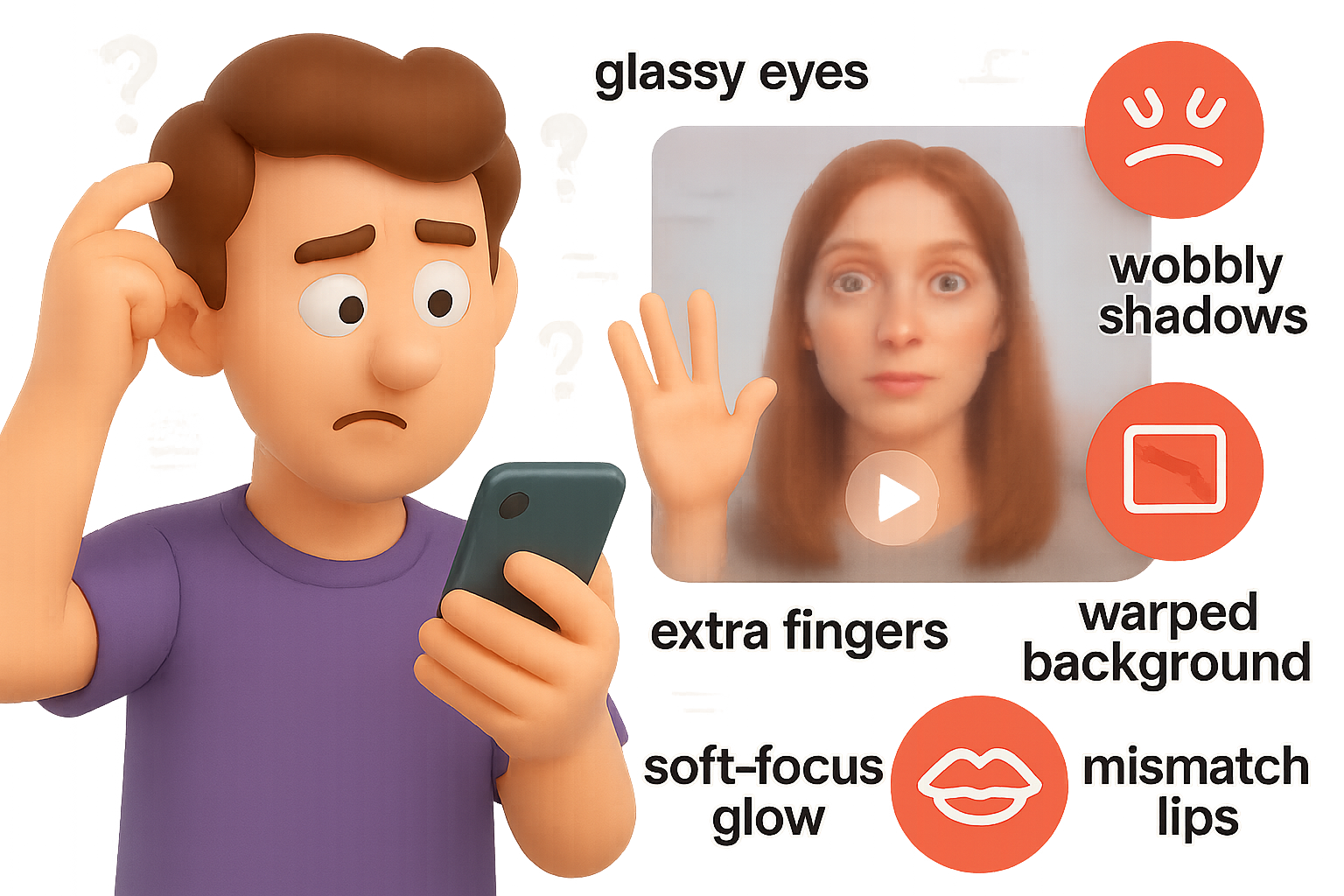
    You’ve probably seen it—some bizarrely “perfect” video sliding through your feed. It looks real… but something’s off. That too-glassy eye contact. A handshake that melts. Audio that feels dubbed from another planet.

    You’re not imagining it. AI-generated videos have made a massive leap—from janky prototypes to slick, realistic footage that’s already slipping into ads, deepfakes, and political campaigns.

    The kicker? Most platforms still can’t reliably tell you what’s real. It’s up to you.

    Consider this your visual gut-check training. You’ll walk away knowing:

    • The most common red flags in AI gen-videos
    • Context clues that even savvy viewers miss
    • How to build your personal B.S. detector

    Ready when you are.


    A split image of a cartoon character, showing different facial features associated with AI-generated videos. One side highlights 'extra fingers' and 'glowing skin', while the other emphasizes 'robot gaze'.

    Anatomy Red Flags: Outsmart the Model with Your Built-In Human Radar

    You’ve spent your entire life watching real people move, talk and blink. AI video models? Not so much.

    Here’s where your instinct already wins:

    1. Hands in Motion

    • Fingers interlock, wave, hug—or sprout extras.
    • Watch handshakes, high-fives and sports clips carefully.

    2. Skin Texture

    • Genuine skin has tiny, anchored details and subtle motion.
    • AI skin? Think “beauty filter on max”—it glows, but it’s too smooth to be true.

    3. Hair & Fur

    • Natural hair has varied strands and soft edges.
    • AI hair? Chunky, flickering, with zero flyaways = synthetic alert.

    4. Teeth & Mouth Shapes

    • AI mouths get rubbery.
    • Teeth stretch weird, spacing shifts mid-word, and the lip-sync slips.

    5. Eyes

    • Wide. Glassy. Unblinking.
    • If the stare feels uncanny, it probably is.
    • Google Veo clips in particular struggle here—hello, robot gaze.

    Pro tip: One glitch? Could be a GoPro. Two or three? You’re likely eyeing AI handiwork.


    illustration

    Technical Weirdness: When “Cinematic” Feels Off

    Sometimes it’s not the actor—it’s the atmosphere.

    • Perpetual Soft Focus

    • Even in 4K, everything stays… mushy.
    • Real footage has focal points.
    • AI video spreads blur like cream cheese—soft lighting, dreamy glow, no sharp edges.

    • Too-Aesthetic Frame Rate

    • AI loves “movie mode.”
    • Most gen-videos run 24 fps to mask motion blur.
    • But TikToks, phone vids, sports clips? Usually 30–60 fps.
    • A soccer game shot like a Sundance short = suspect.

    • Audio That Floats

    • Audio is still AI’s Achilles heel.
    • Synthetic voices often “hover” over the scene.
    • Watch for off-sync beats, flat line reads, or ambient sound that ignores background shifts.

    • Those Tiny Twitchy Details

    • Hard to describe, easy to spot.
    • Watch for wobbling shadows.
    • Surface textures that ripple.
    • Odd alignment issues when geometry slightly morphs frame to frame.

    illustration

    Situational Clues: Zooming Out Tells the Real Story

    Sometimes the video’s context outs itself—all you gotta do is think one step wider.

    1. Background Oddities

    • AI hides in blurry skies and messy walls.
    • Shadows with no source.
    • Logos that turn into spaghetti.
    • Props that morph mid-shot (tripod-mic-chainsaw fusion, anyone?).

    2. “Too Perfect” for the Message

    • If it smells like spam and looks like Vogue, raise an eyebrow.
    • Scammy ads and rage-bait reels love AI talent—it’s cheaper than actors.
    • If the star is flawless but the pitch is sketchy, pause.

    3. The Genre Trap

    • Dreamy = deceptive.
    • Abstract animation, surreal art, sketchy cartoon? Immune to the uncanny valley.
    • Which makes them ideal smokescreens for fake-news tactics—and easy to sneak past your filters.

    illustration

    Red Herrings: What NOT to Trust

    These signals used to help. Now they just muddy the waters:

    • Color grading styles—contrast, saturation, skin hue—can be faked in seconds.
    • AI-detector tools—unless the video includes Google’s SynthID watermark, assume they’re guessing.

    illustration

    Build Your Personal AI B.S. Detector

    You won’t need fancy tools—just a sharper scroll.

    1. Slow the Scroll

    • That hit of awe or anger? That’s when you’re most likely to fall for fakery.
    • Pause. Breathe. Inspect.

    2. Flag Stack

    • One weird detail? Two or more?
    • Time to dig in.

    3. Zoom & Replay

    • Loop short sections to catch subtle fails.
    • That smiling wave suddenly turns…slimey.

    4. Stay in the Loop

    • AI evolves weekly.
    • Follow updates from labs like Runway, Google DeepMind and Pika.
    • What gives things away today might be gone tomorrow.

    5. Reward Transparency

    • When a creator says “Made with AI”? Respect.
    • Shout them out. Share it.
    • The more we normalize disclosure, the harder it gets for bad-faith fakery to win.

    illustration

    One Final Ask: Train That Eye

    AI video isn’t going anywhere. But your sharp eye is the best firewall.

    The more clips you break down, the faster your brain gets at spotting synthetic seams—and the more resilient the internet becomes against the fakes.

    Want to level up even further?

    👉 Start learning AI the human-friendly way. Tixu breaks down AI concepts for beginners.

  • Master How LLMs Learn Without Human Labels

    Master How LLMs Learn Without Human Labels

    Curious About How Large Language Models Actually Learn? Let’s Pull Back the Curtain

    Ever feel like large language models (LLMs) are just… magic?
    You type a question, and boom—there’s a decent answer, sometimes better than 20 minutes of doomscrolling through forums. But here’s the real kicker: under that glossy interface? Just cold, calculated matrix math pretending to be your chatty sidekick.

    In this post, we’re breaking down how LLMs like ChatGPT, Claude, and Llama 2 go from reading the internet to helping you write emails, translate memes, or debug code at 2 a.m.

    Let’s pull back the curtain.


    illustration

    The Brain Game Every Language Model Plays

    Here’s where it starts: predict the next word. That’s it.

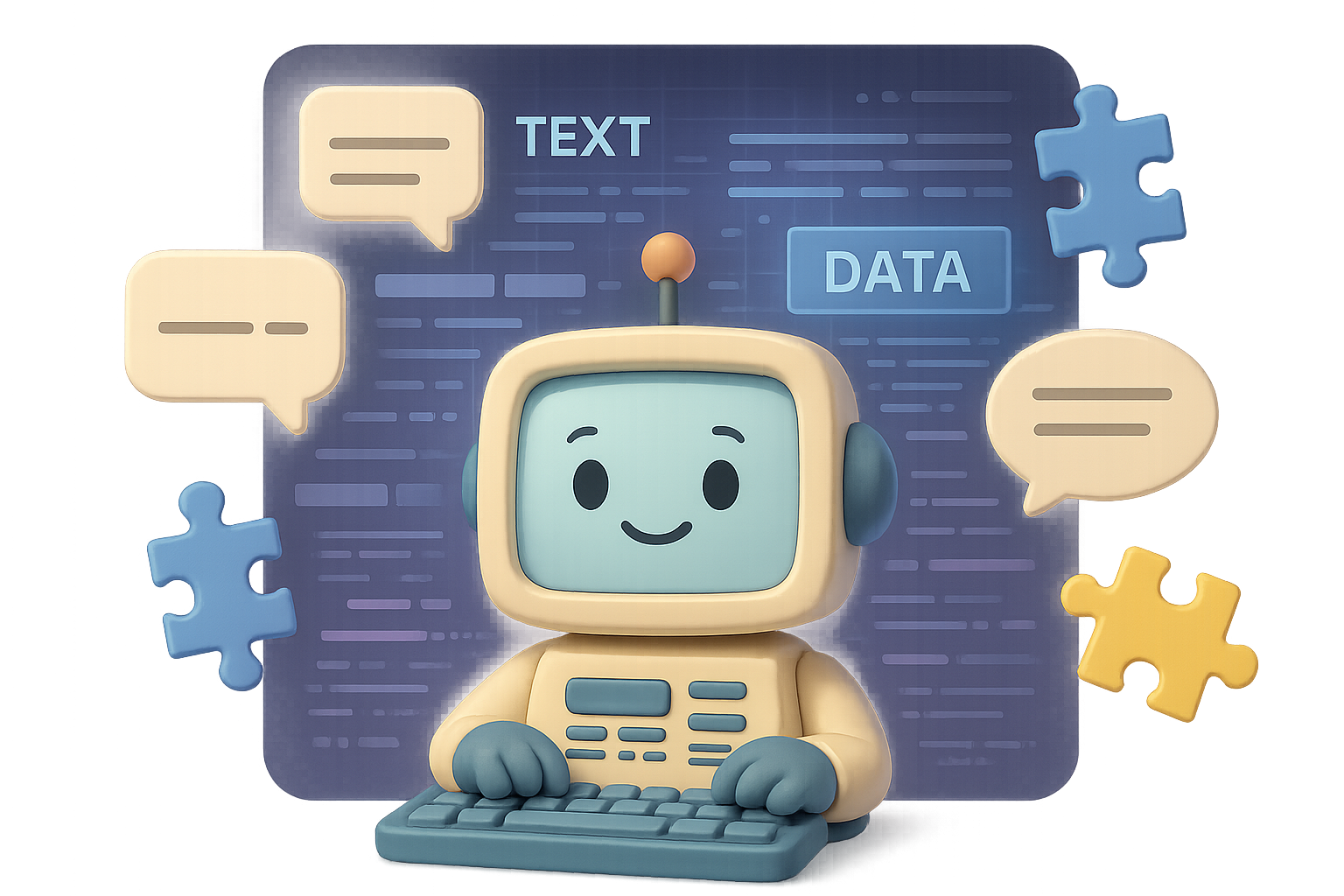
    LLMs aren’t trained to “understand” English in the human sense. They’re trained to play the ultimate word puzzle.

    • Feed the model a sentence.
    • Blank out a random word.
    • Ask it to guess the missing bit.
    • Do that…trillions of times.

    Eventually, the model starts learning patterns—syntax, style, even basic logic. This training method is called self-supervised learning, and trust me, it’s cleverer than it sounds.


    illustration

    Self-Supervision: Learning Without (Human) Teachers

    Labeling every sentence on the internet? Yeah, no. Instead, LLMs teach themselves. Like overachievers.

    Here’s the secret recipe:

    • Self-supervised learning: They break up raw text into tiny quizzes. “What’s the missing word here?” Then grade themselves.
    • Web-scale content: Since no human labeling is needed, they feast on books, websites, code, Reddit threads, and tweets. Everything.

    That’s how models build a sense of language that spans tone, dialects, even nuanced sarcasm.


    The Two Word Games Behind the Curtain

    LLMs don’t just predict words—they strategize how.

    Let’s zoom into the two main “games” that help them level up:

    1. Masked Language Modeling (MLM)

      Made popular by BERT. Words in a sentence get blanked out with a [MASK], and the model guesses what fits.
      “A rolling stone gathers no [MASK].” ➜ moss
    2. 🔄 Permuted Language Modeling

      Used in models like XLNet. Instead of reading left to right, it jumbles the order and makes the model figure things out from all sides.

      It’s like learning to predict backwards and sideways—much harder, much smarter.

    Between these two, the model gains a robust feel for grammar, context, and cross-sentence logic. Not bad for a glorified autocomplete?


    illustration

    From Raw Model to Polite Assistant

    Once an LLM learns from billions of text snippets, it’s still rough around the edges. So how does it become your writing buddy or Python tutor?

    With a bit of finesse:

    • Fine-tuning
      Think of this as grad school. The base model gets extra training on specialized data—like legal docs, healthcare records, or customer chat logs.
    • Prompting
      You steer behavior using well-crafted instructions.

      “Write a haiku about my startup idea” works because language models love clarity.
    • In-Context Learning
      Give a few examples in the prompt (Q → A), and the model catches on—without ever changing its internal wiring.

    Cool part? These upgrades make one base model feel like it knows everything from law to llama care (not the model—real llamas).


    illustration

    How We Keep AI From Going Off the Rails

    Let’s face it—training on the raw internet? Risky.
    That’s why researchers use alignment techniques. The big one is called Reinforcement Learning with Human Feedback (RLHF). Sounds fancy, but here’s the gist:

    1. Humans compare answers from the model—ranking good vs. bad.
    2. These rankings train yet another model to score responses.
    3. The original LLM then learns to prefer high-scoring answers.

    It’s like giving your AI a moral compass. Or at least a better sense of what won’t get you canceled.


    illustration

    Why This Actually Matters

    Understanding the guts of a language model isn’t just a fun party trick.

    It helps you:

    • Work smarter—especially when prompting or fine-tuning
    • Stay aware—so you know what’s real and what’s model hallucination
    • Think critically—no, your AI isn’t conscious; yes, it can still be incredibly useful

    Here’s the wrap-up:

    LLMs are trained by solving trillions of tiny text puzzles using:

    • Massive self-supervised data
    • Word-guessing games that flex their logic
    • Smart instruction techniques (fine-tuning, prompting)
    • Human feedback loops to course-correct behavior

    No fairy dust. Just layers of code, data, and optimization doing uncanny things with language.


    Ready to go from curious to confident with AI?
    Check out Tixu — the beginner-friendly platform that teaches you how to actually use AI tools, not just stare at them in awe.

    Go ahead—poke the black box. It’s friendlier than you think.

  • Win the AI Race: Build Brand Authority in 2025

    Win the AI Race: Build Brand Authority in 2025

    The Era of Zero-Click: Why Traditional Search Is Fading Fast

    Let’s call it what it is: the old SEO playbook? Toast. You used to climb the Google ladder, grab that sweet #1 spot, and watch the traffic flow like champagne.

    Now? You’re lucky if the user even clicks.

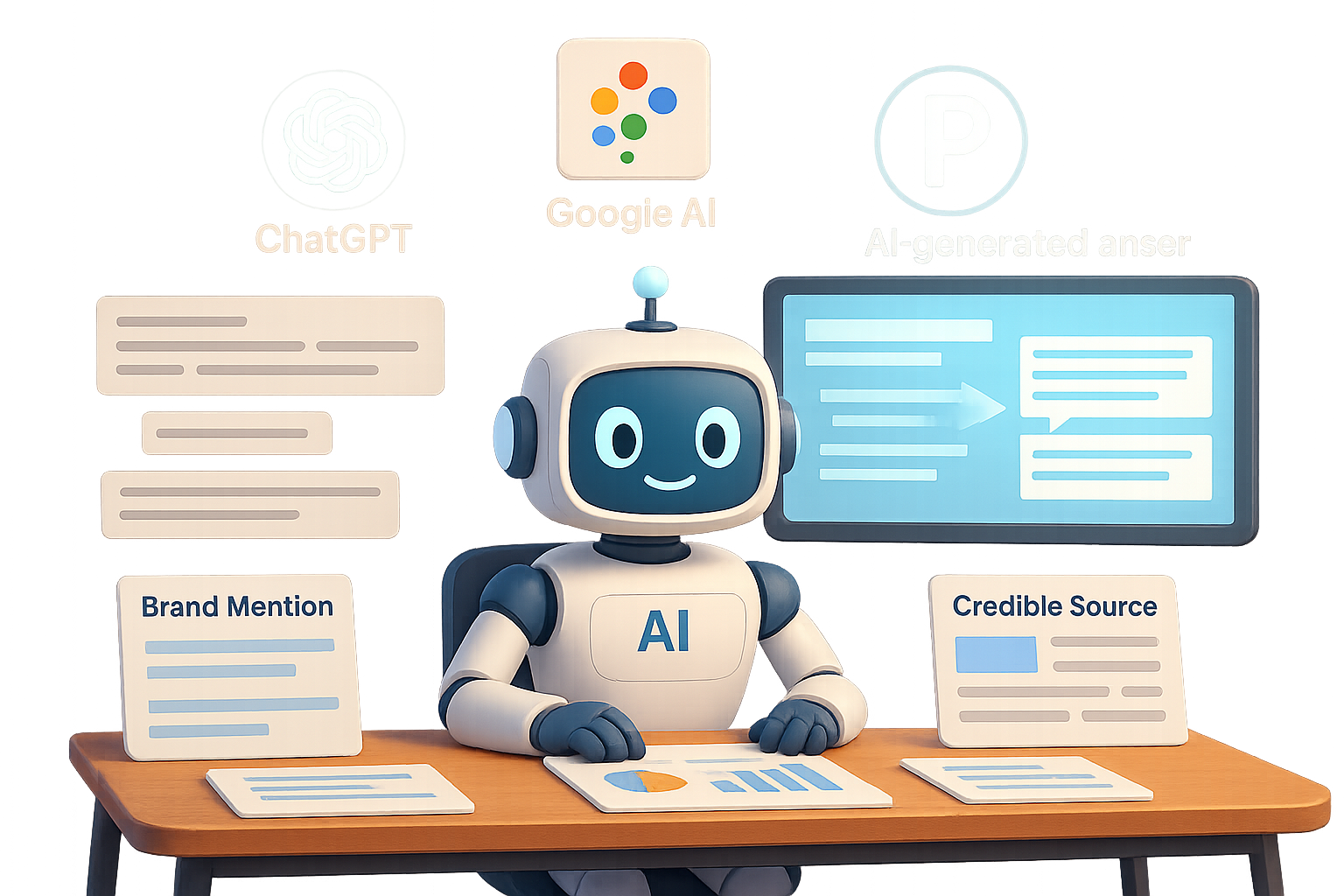
    Welcome to the era of zero-click search—where AI engines like ChatGPT, Google’s AI Overviews, and Perplexity do the clicking for users… and maybe never show your site at all.

    illustration

    You’re Not Losing Traffic—You’re Losing Control

    In the new search model, users ask questions. AIs answer instantly. No browsing. No tab-hopping. Usually, no links.

    Which means:

    • Your blog posts? Skimmed and snipped.
    • Your carefully crafted brand voice? Flattened into summary.
    • Your competitors? Sitting in the same AI answer box, whether they earned it or not.

    Let’s flip the script. Traditional SEO made people come to you. But now, the game is to go where the machines go.

    illustration

    Win the New Game: Optimize for AI, Not Just Google

    This isn’t just about keywords anymore. You’re training algorithms.

    Every time your brand appears in a smart, trusted context, you’re nudging AIs to represent you accurately (and favorably).

    We call it: information-based optimization.

    Think of it like building an AI-friendly reputation—one relevant article, review, or mention at a time.

    illustration

    Do This Next: 5 Practical Ways to “Feed the Machine”

    You don’t need a PhD in prompt engineering. You just need the right signals in the right spots. Here’s how to start:

    1. Create Content Worth Citing
      Don’t just publish—publish expertly. Deep dives, research posts, and case studies that make other sites want to quote you.
    2. Land Mentions Where AIs Hang Out
      Think industry publications, respected blogs, and newsletters. If humans trust it, odds are AI is learning from it.
    3. Encourage Authentic Conversations
      Reddit threads, LinkedIn comments, niche forums—these aren’t noise. They’re part of your brand’s data footprint.
    4. Clean Up Your Tech Stack
      Schema markup, verified bios, and accurate attributions help machines understand who you are (and why it should care).
    5. Run Regular “AI Mirror Checks”
      Ask ChatGPT or Google’s AI what your brand does. If the answer’s wrong—or boring—you’ve got a signal problem to fix.
    illustration

    Scale Faster with SearchEye

    You could spend hours pitching guest posts and knocking on editors’ doors.

    Or… you could plug into a smarter workflow.

    SearchEye helps you:

    • Sort publications by niche and credibility
    • Submit or request done-for-you content
    • Track where your brand gets picked up—and how often it’s mentioned by AIs

    Because in this new world, visibility isn’t just about eyeballs. It’s about machine memory.

    Every authoritative article you land is one more piece of evidence that you’re the real deal—served straight into the AI’s next answer.

    illustration

    The Bottom Line: Visibility Without Clicks

    The traffic wave may not be hitting your site—but the current’s still moving.

    If you adapt now, your brand becomes the voice AI tools turn to. If you wait? You risk letting competitors define your story inside someone else’s answer box.

    So start feeding the machine. Distribute smart, credible content. Show up where algorithms learn what’s trustworthy.

    And if you’re new to AI or need a boost in how this all works, check out Tixu—a beginner-friendly platform that helps you level up your AI skills without the jargon. Ready when you are.

  • 7 AI Cheat Codes to Run Smarter Construction Projects

    7 AI Cheat Codes to Run Smarter Construction Projects

    AI for Builders: A No-Fluff Guide to Saving 10+ Hours a Week

    You’re juggling a thousand moving parts on-site and off—from client calls to material delays to late-night number crunching. You don’t need “just one more tool.” You need leverage.

    Enter AI—not as a headline gimmick but as a straight-up time-saver. ChatGPT and friends aren’t here to take your job. But they can make it feel like you’ve got a sharp, tireless assistant who works 24/7… without the coffee breaks.

    Let’s break down exactly how to get AI working for you, without needing to “be techy” or lose a single spreadsheet.


    illustration

    Skip the Hype: This Stuff Solves Real Problems

    If you’ve been burned by bad chatbots or clunky software before, you’re not alone. But here’s the flip: today’s AI models are tool-belts, not toys—and the learning curve? It’s shorter than your coffee break.

    Here’s how builders like you are already saving 10+ hours per week.


    Flip the Script: Common AI Myths (And Why They’re Wrong)

    “AI won’t get construction.”
    Give it job specs, email chains, and change orders, and it’ll talk like your best PM.

    “I’m not technical.”
    Perfect. That’s the sweet spot. If you can text, you can prompt.

    “Last time I tried it, it sucked.”
    That’s fair. Last year’s AI is this year’s flip phone. The leap is like going from dial-up to gig-speed.

    “Isn’t this a security risk?”
    If you’re using Gmail and a smartphone, you’re already in the cloud. Use trusted tools with GDPR compliance and you’re playing it as safe as anyone else.

    “It’s just another tech fad.”
    Remember when “the internet” was a fad? You know how that played out.


    illustration

    Eight Prompting Habits That 10× Your Results

    Short version: Treat ChatGPT like a brainy intern who works for pizza. Feed it clean inputs, and you’ll get gold.

    1. One Thread = One Project
      Chat history matters. New thread for each job keeps answers sharp and on-point.
    2. Be Clear About Output Format
      Bullets? Email? 200 words max? Say so.
    3. Assign a Role
      “Act as a builder who’s great at simplifying tough news.” Game-changer.
    4. Talk to It—Don’t Just Prompt
      Don’t like the first answer? Ask again. It’s not magic, it’s back-and-forth.
    5. Let It Ask You First
      Stuck? Say: “Ask what you need to help me create X.” It’ll flash the gaps fast.
    6. Use Devil’s Advocate Mode
      Heading for a tough call? Ask ChatGPT to list the risks. It sees around corners.
    7. Train It Like You Would an Intern
      Share document samples, past messages, or templates. It learns your voice.
    8. Meta-Prompt to Save Time
      Don’t draft from scratch. Say: “What do you need to write a killer project update?”

    illustration

    Seven Workflows to Automate Right Now

    Here’s the good stuff. Use any of these today and free up hours per week.

    1. Write Tactful Emails
    Client heat got you fired up? Paste the rant and ask ChatGPT for a calm reply that makes you look cool-headed and professional.

    2. Polish Your Docs
    Change orders, delay notices, subcontractor emails—just say, “Make this sound like me on a good day.” It will.

    3. Build Winning Estimates
    Feed in a bullet list and cost codes; get clear scopes and a sharp executive summary. Instant polish, zero burnout.

    4. Systematize on the Fly
    Need a product selection checklist for a custom build? Ask for it — plus steps to delegate each task. Quickly export to Google Sheets or PDF.

    5. Summarize Revisions Instantly
    Got two versions of a bid? Copy both in and ask for the diffs in bullets. Way faster than hunting line by line.

    6. Record and Transcribe Meetings

    • On site? Use Otter.ai to auto-transcribe and highlight action items.
    • On Zoom? Fathom.video sends a full summary post-call.

    No more scrambling for who-said-what.

    7. Translate Numbers into Stories
    Paste cost reports, ask for a client-friendly breakdown and a version just for your team. Ask for insights—ChatGPT will spot trends before you do.


    illustration

    Where Construction AI Is Heading Next

    Right now, AI waits for you to ask. The next version? It taps you on the shoulder.

    • “Want me to follow up with the drywall crew?”
    • “You’re trending 12% over on equipment rentals—adjust the budget?”

    Tools will get proactive, not reactive. They’ll overlay what you already use—email, calendar, project tools—and quietly take busywork off your plate.

    No massive tech switch. No retraining the crew. Just progress.


    illustration

    Ready When You Are: Five Simple Startup Steps

    Here’s your no-excuses cheat sheet to getting started:

    1. Create a free ChatGPT account (or go Plus for more speed).
    2. Start a new chat labeled with your next big project.
    3. Drop in one doc—estimate, email, notes.
    4. Use one prompting habit and one workflow from above.
    5. Save those hours. Repeat.

    Take the leap now, and AI becomes your edge. Wait too long, and it’s your competition’s. Your call.

    Need a sidekick to level up your AI game—without tech-jargon or overwhelm? Check out Tixu, the beginner-friendly AI learning platform made for builders, creators, and doers like you.

    Let the robots do the grunt work. You focus on building great things.