
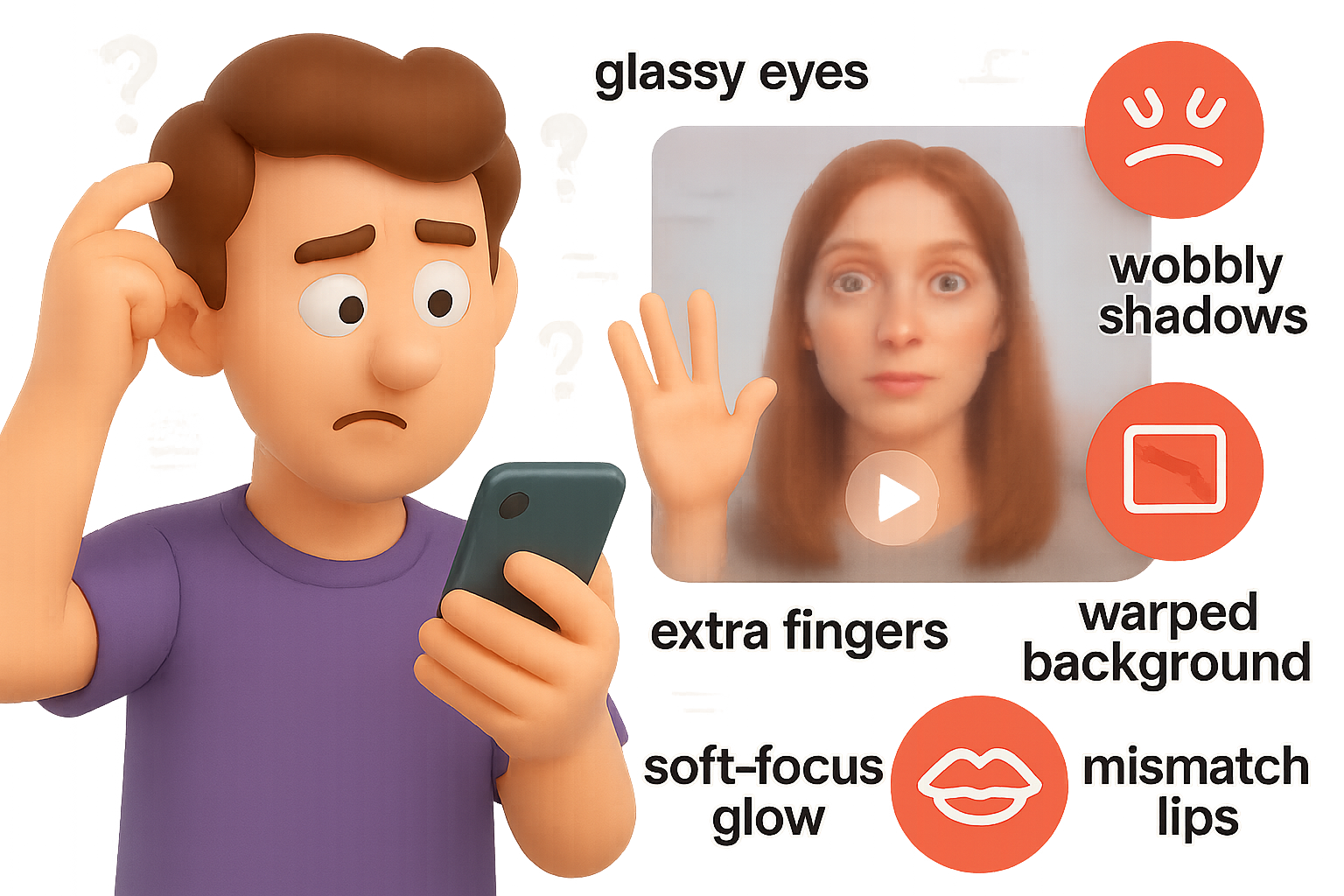
How to Spot AI-Generated Videos (Before They Spot You)
You’ve probably seen it—some bizarrely “perfect” video sliding through your feed. It looks real… but something’s off. That too-glassy eye contact. A handshake that melts. Audio that feels dubbed from another planet.
You’re not imagining it. AI-generated videos have made a massive leap—from janky prototypes to slick, realistic footage that’s already slipping into ads, deepfakes, and political campaigns.
The kicker? Most platforms still can’t reliably tell you what’s real. It’s up to you.
Consider this your visual gut-check training. You’ll walk away knowing:
- The most common red flags in AI gen-videos
- Context clues that even savvy viewers miss
- How to build your personal B.S. detector
Ready when you are.

Anatomy Red Flags: Outsmart the Model with Your Built-In Human Radar
You’ve spent your entire life watching real people move, talk and blink. AI video models? Not so much.
Here’s where your instinct already wins:
1. Hands in Motion
- Fingers interlock, wave, hug—or sprout extras.
- Watch handshakes, high-fives and sports clips carefully.
2. Skin Texture
- Genuine skin has tiny, anchored details and subtle motion.
- AI skin? Think “beauty filter on max”—it glows, but it’s too smooth to be true.
3. Hair & Fur
- Natural hair has varied strands and soft edges.
- AI hair? Chunky, flickering, with zero flyaways = synthetic alert.
4. Teeth & Mouth Shapes
- AI mouths get rubbery.
- Teeth stretch weird, spacing shifts mid-word, and the lip-sync slips.
5. Eyes
- Wide. Glassy. Unblinking.
- If the stare feels uncanny, it probably is.
- Google Veo clips in particular struggle here—hello, robot gaze.
Pro tip: One glitch? Could be a GoPro. Two or three? You’re likely eyeing AI handiwork.

Technical Weirdness: When “Cinematic” Feels Off
Sometimes it’s not the actor—it’s the atmosphere.
• Perpetual Soft Focus
- Even in 4K, everything stays… mushy.
- Real footage has focal points.
- AI video spreads blur like cream cheese—soft lighting, dreamy glow, no sharp edges.
• Too-Aesthetic Frame Rate
- AI loves “movie mode.”
- Most gen-videos run 24 fps to mask motion blur.
- But TikToks, phone vids, sports clips? Usually 30–60 fps.
- A soccer game shot like a Sundance short = suspect.
• Audio That Floats
- Audio is still AI’s Achilles heel.
- Synthetic voices often “hover” over the scene.
- Watch for off-sync beats, flat line reads, or ambient sound that ignores background shifts.
• Those Tiny Twitchy Details
- Hard to describe, easy to spot.
- Watch for wobbling shadows.
- Surface textures that ripple.
- Odd alignment issues when geometry slightly morphs frame to frame.

Situational Clues: Zooming Out Tells the Real Story
Sometimes the video’s context outs itself—all you gotta do is think one step wider.
1. Background Oddities
- AI hides in blurry skies and messy walls.
- Shadows with no source.
- Logos that turn into spaghetti.
- Props that morph mid-shot (tripod-mic-chainsaw fusion, anyone?).
2. “Too Perfect” for the Message
- If it smells like spam and looks like Vogue, raise an eyebrow.
- Scammy ads and rage-bait reels love AI talent—it’s cheaper than actors.
- If the star is flawless but the pitch is sketchy, pause.
3. The Genre Trap
- Dreamy = deceptive.
- Abstract animation, surreal art, sketchy cartoon? Immune to the uncanny valley.
- Which makes them ideal smokescreens for fake-news tactics—and easy to sneak past your filters.

Red Herrings: What NOT to Trust
These signals used to help. Now they just muddy the waters:
- Color grading styles—contrast, saturation, skin hue—can be faked in seconds.
- AI-detector tools—unless the video includes Google’s SynthID watermark, assume they’re guessing.

Build Your Personal AI B.S. Detector
You won’t need fancy tools—just a sharper scroll.
1. Slow the Scroll
- That hit of awe or anger? That’s when you’re most likely to fall for fakery.
- Pause. Breathe. Inspect.
2. Flag Stack
- One weird detail? Two or more?
- Time to dig in.
3. Zoom & Replay
- Loop short sections to catch subtle fails.
- That smiling wave suddenly turns…slimey.
4. Stay in the Loop
- AI evolves weekly.
- Follow updates from labs like Runway, Google DeepMind and Pika.
- What gives things away today might be gone tomorrow.
5. Reward Transparency
- When a creator says “Made with AI”? Respect.
- Shout them out. Share it.
- The more we normalize disclosure, the harder it gets for bad-faith fakery to win.

One Final Ask: Train That Eye
AI video isn’t going anywhere. But your sharp eye is the best firewall.
The more clips you break down, the faster your brain gets at spotting synthetic seams—and the more resilient the internet becomes against the fakes.
Want to level up even further?
👉 Start learning AI the human-friendly way. Tixu breaks down AI concepts for beginners.

Leave a Reply