Author: Pavel

  • 10x Your Revenue: Master AI Workflows with ChatGPT

    10x Your Revenue: Master AI Workflows with ChatGPT

    How to Use ChatGPT Like a $400-an-Hour Strategist

    Think ChatGPT is just for quick copy tweaks or “ask me anything” trivia?

    That’s the lowest level.

    The fastest-growing companies I know are doing something different: they’re turning ChatGPT into an always-on strategist, researcher, and operator. Not cute experiments—real wins like shorter launch cycles, smarter decisions, and more revenue on the board.

    Let’s flip that script for you too.

    Here are 9 upgrades to turn ChatGPT into a full-force business partner. Pick 2 to start, and watch how quickly your org levels up.


    illustration

    Unlock #1 – Ask “Third-Layer” Questions

    Basic prompts get basic answers.

    Most folks ask things like, “How do I improve my website?”

    But try this instead:
    “Based on my ICP, funnel data and brand guidelines (see attachments), propose the top three conversion experiments that only the GPT-4o Pro model can evaluate—and explain why cheaper models would fail.”

    Now the model acts like a strategist. It synthesizes. Prioritizes. Defends its logic.
    This kind of upgrade unlocks sharper decisions every single quarter—for the price of one team lunch.


    illustration

    Unlock #2 – Nail Product Specs in a Flash

    Have screenshots, a style guide, and a half-baked idea?

    Feed them into ChatGPT’s multimodal window with a prompt like, “Create a consolidated spec: layout, colors, copy tone, CTA.”

    We did this for our SaaS product Carrot.
    The result? A tighter, better-converting landing page in days—not weeks.


    illustration

    Unlock #3 – Feed GPT Live Data with MCP Connectors

    Give ChatGPT real tools, and it does real work.

    Model-Context Protocol (MCP) connectors let GPT or Claude read + write to:

    • HubSpot – Surface neglected leads and auto-suggest reengagement sequences.
    • Google Drive – Run hours of desk research while you sleep.
    • Google Calendar – Analyze your time, flag delegation targets, and propose batch workflows.

    illustration

    Unlock #4 – Lightning-Fast Strategy Memos

    Writing memos that don’t suck? Hard. Writing them fast? Harder.

    We shortcut the prep with a combo move:

    • Upload your six-pager template
    • Voice-dictate the concept via SuperWhisper
    • Let GPT write the draft and flag missing data

    In 25 minutes, you’ll have something that’s 80% ready to ship.

    Time to spend less time formatting and more time driving strategy.


    Unlock #5 – Run a Multi-Model Cage Match

    Don’t pick one model—pit them against each other.

    Take the same prompt and run it through:

    • ChatGPT – Best general reasoning
    • Claude 3 – Long-form copy + code maestro
    • Grok – Real-time social data via X/Twitter

    Then cherry-pick the best lines to form your draft.
    Think of it as peer review—except no one runs out of coffee or patience.


    illustration

    Unlock #6 – Automate Your Daily Stand-ups

    Own your mornings.

    Here’s what we do:

    1. Every team member drops their top priority and 3 wins into a Slack thread
    2. Lindy.ai scores focus and impact using GPT-4o
    3. Monthly performance dashboards write themselves

    No more stale check-ins or time wasted in micro-meetings.
    Just data-driven visibility, minus the micromanaging.


    illustration

    Unlock #7 – Build AI Fluency Across Your Team

    We used ChatGPT to build our entire internal upskilling program. It wrote:

    • A competency matrix (A to D-level skills)
    • Role-specific prompt templates
    • AI onboarding workshop agendas

    People now know what “good” looks like—and can self-level up without hand-holding or overwhelm.

    Let AI teach AI. You just guide the ship.


    A laptop on a round table displaying audio waveforms and icons representing blogging, social media, and video content, with a notepad labeled 'Weekly Sync' and two empty chairs in the background.

    Unlock #8 – Turn One Meeting Into 10x Content

    Record your weekly sync. Feed the transcript to ChatGPT. Watch the content engine come alive:

    • Scores virality potential (1–10 scale)
    • Rewrites hooks, titles, thumbnails
    • Generates blog posts, tweet threads, and short video scripts

    Tie it to a Lindy system that auto-records key meetings—now nothing gold gets lost in Notion purgatory.

    Repurpose once. Reap for weeks.


    Two cartoon characters sitting at a table with a laptop, partnership offer documents, and a 'Deal Closed' sign, symbolizing a successful business negotiation.

    Unlock #9 – Sharpen Your Deal Structuring

    Partnership offers, employment terms, MSA redlines—you name it.

    Draft them first in ChatGPT. Let your legal team handle final compliance.

    Doing it this way:

    • Cuts thousands off billable hours
    • Speeds up deals from weeks to days
    • Makes both sides feel heard and looped in

    Fast, clear, and way less painful.


    illustration

    Bringing It All Together

    When you stop treating ChatGPT like a toy and start treating it like a co-founder, something wild happens:

    You think faster. Build faster. Win faster.

    This isn’t speculative—it’s happening now. These playbooks save our team dozens of hours per month and consistently push revenue up and to the right.

    So here’s your move:

    Pick two unlocks. Pilot them this week.

    Tweak, repeat, then scale.
    The ROI builds faster than a compounding interest calculator on caffeine.

    And if you want a hand getting started—or need help mastering tools like GPT-4o, Claude, and more—check out Tixu. It’s the beginner-friendly AI learning platform.

    Ready when you are.

  • Scale Revenue with AI: 9 Proven Workflows That Win

    Scale Revenue with AI: 9 Proven Workflows That Win

    AI Workflows That Print Money: How Top Teams 10× Their Output

    You don’t need moonshot ideas to win with AI. You need workflows—repeatable, high-leverage plays that get compound results.

    While the world dreams of robot CEOs and sentient chatbots, top-performing teams are quietly racking up wins with practical automations that look boring from the outside… and brilliant on the balance sheet.

    In this guide, we’re pulling the curtain back on how Meta, Google, Microsoft—and a wave of hungry startups—are using AI day-to-day in engineering, marketing, ops, and strategy. You’ll walk away with ideas you can swipe and ship, today.


    A colorful 3D illustration of a computer monitor displaying code with AI icons, tools like Devin and charts, surrounded by office items such as a 'Ship it' mug and stacked books.

    Ship Code, Not Slide Decks

    You want fast ROI? Drop AI into your software lifecycle.

    Top teams pair developers with AI tools like GitHub Copilot, Cursor, Google Cloud Code, and the headline-grabbing Devin to shrink dev cycles and move real features into production.

    • Meta says 30–40% of new code is now AI-generated.
    • Google? They track what matters—code that survives. Their AI pairing boosted true velocity by 10%.
    • Cloud Code users often clock a 50% faster delivery rate on new integrations.

    Add it up across an org and you gain literal months of dev time—without extra headcount.


    illustration

    Outbound That Doesn’t Feel Cold

    Your GTM motion should sprint, not stroll. Here’s what next-gen outbound looks like:

    1. Use Clay to enrich leads and get ultra-specific (“Show marketers with 2+ promotions where they are now”).
    2. Let agents craft hyper-personal openers from that data (“Hi Alex, congrats on ranking #1 copywriter in Africa & the Middle East!”).
    3. Feed that into Smartlead or Smartly.io for instant omnichannel sequencing.
    4. Launch a demo or microsite via V0.dev or Replit, no code required.

    The result? Cold email reply rates around 20%.

    That’s not just good. That’s team-who’s-gonna-carry-the-boats good.


    illustration

    Turn Your Stack AI-Native with MCP Connectors

    Don’t switch tools—upgrade them. MCP (Model Context Protocol) connectors plug your current software into LLMs smoothly.

    • Ask HubSpot where pipeline’s stuck by querying through ChatGPT Actions.
    • Summarize meetings and whip up account plans from notes—zero copy-paste.
    • Align calendars with OKRs (“Hold 2 hrs/day for hiring interviews”).

    It’s like giving your CRM, docs, calendar, and Slack superpowers… with no code and low lift.


    illustration

    Content Ops Without Spreadsheet-Level Suffering

    If SEO is working, you’ve got a beast to feed. With AI, you don’t need to do it all manually.

    • Use ClickFlow to launch agentic content routines: prune old content, refresh fast-movers, expand winners.
    • Results? Teams report saving 30–70% of editorial hours.

    Instead of grinding out blogs, your writers become editors-in-chief. High leverage, high vibe.


    illustration

    Real-Time Coaching, Zero Eye Roll

    AI isn’t just your assistant—it’s the coach who’s not scared to give feedback.

    • Lindy.ai keeps teams focused by flagging low-impact tasks in stand-up summaries.
    • Sales teams love Gong for call insights and Grain or Granola for note-taking without missing the pitch.

    It’s more than time saved—it’s wins earned. Improved CSAT, faster closes, better outcomes.


    illustration

    Go Voice First, Ship Strategy Faster

    Typing strategy docs? Pass. Use SuperWhisper, a desktop Whisper recorder, to speak your draft out loud.

    Then drop it into ChatGPT or Claude for:

    • Market briefs
    • Compensation frameworks
    • Org re-design plans

    You get a polished doc, clarifying Q&A included, usually before you’d finish your first slide. Dictate, delegate, done.


    illustration

    Let Your LLMs Brawl for Better Copy

    Want higher conversions? Make your models compete.

    Give the same prompt to ChatGPT, Claude, maybe even Grok. Then ask each one to beat the last output.

    Merge the best lines. What drops is stronger, more persuasive content—fewer rewrites, better performance.

    Pro tip: It even works for headlines and subject lines your own team is too tired to fight over.


    ABM Ads That Don’t Look Copy-Pasted

    LinkedIn ABM often fumbles because everything feels… identical. Enter Carrot.ai.

    It creates customized creatives and landing pages, matched perfectly to each account. Bonus: pipeline gets auto-tagged per company, so your CRM doesn’t become a data swamp.

    More relevance = more clicks = tighter close rates.


    illustration

    One Input, Infinite Assets

    Got a campaign budget? Now build a stack that moves at your speed.

    • Google Gemini helps shape the campaign narrative.
    • Feed that into Genspark.ai for pitch decks.
    • Grab your voice clone from 11 Labs for quick videos.
    • Export visuals resized for every ad platform via ChatGPT.

    That’s a cross-channel launch kit, built before legal has booked the kick-off.


    Second Brain

    Your leadership team can be 10× smarter—with zero new hires.

    • Model custom pricing plans for SaaS hybrids.
    • Run forecasts right off QuickBooks exports.
    • Design tailored comp plans using top-quartile benchmarks.
    • Snapshot org-chart photos → AI-generated headcount plans.
    • Audit calendars to see how time equals (or betrays) focus.

    It’s not just faster thinking—it’s higher-confidence thinking.


    Forgotten Files, AI-Found Insights

    We’ve all lost critical slides to the search abyss. Now you don’t have to.

    • Tools like Box AI, Dropbox Dash, and Gemini surface buried docs.
    • Use them to connect strategy materials to Jira or Asana—spotting project gaps early.

    No more “I think someone made this deck already…” moments.


    An illustration of a person wearing a headset, interacting with a computer screen displaying a campaign dashboard. The screen shows various icons and metrics related to software tools like Superhuman, Clay Agent, Genspark, and Loom, with paper airplanes and chat bubbles in the background.

    Follow-Up That Closes the Loop (and the Deal)

    The money isn’t in the cold open—it’s in the follow-up. Automate it smart:

    1. Pull updated context with Clay Agent.
    2. Auto-write drafts inside Superhuman, ping again if no reply in 72 hours.
    3. Rotate sending domains using Smartlead to dodge spam traps.
    4. Orchestrate the full campaign flow via Genspark or Manas, with updates captured in Loom.

    It runs like a 24/7 SDR, minus burnout.


    illustration

    Build Systems, Not Toys

    The most successful teams don’t treat AI as “cool new tools.” They build systems—scalable, defensible ones—that accelerate decisions, deepen creativity, and tighten execution loops.

    The gap is growing. Fast.

    While others are still drafting AI strategy decks, you could be launching the thing that eats their lunch.

    Time to stop admiring the tech—and start turning it into revenue.

    👉 Ready to go from curious to capable? Learn AI the smart way with Tixu—a beginner-friendly platform built for real skills.

  • Build a Full AI Marketing Workflow in One Day

    Build a Full AI Marketing Workflow in One Day

    How to Turn ChatGPT into Your Digital Marketing Team

    Let’s be real: you didn’t get into business to spend hours crafting blog posts, researching competitors, or chasing down Pinterest captions.

    But here’s the flip—what if your “AI tool” could run your entire marketing engine?

    You’re about to learn how to turn ChatGPT into the kind of tireless, on-brand, never-slacks-off teammate your marketing dreams are made of. Follow this step-by-step system and you’ll be researching, strategizing, publishing, and automating at a pace most teams only dream about.

    You’ll walk away with:

    • A plug-and-play ChatGPT project that handles end-to-end content creation
    • A framework to systematize multi-channel campaigns
    • Automation workflows to reclaim your time and still grow your brand

    Let’s get your AI marketing department clocked in.


    A digital illustration of a computer screen displaying a folder labeled 'Brand Fundamentals' alongside various icons representing communication, target audience, and data.

    Start with One Workspace to Rule Them All

    ChatGPT’s “Projects” feature isn’t just a folder—it’s a brain.

    Think of it as your private marketing war room. Once everything’s uploaded here, ChatGPT acts like it remembers your brand, tone, and audience every time you ask it something—because it does.

    Do this next:

    1. Create a new ChatGPT Project. Name it something like “Marketing Team”.
    2. Upload your brand fundamentals—product info, positioning, audience insights, goals. One solid doc or slide deck is enough.
    3. In Custom Instructions, set the tone:
      • “Act like my head of marketing.”
      • “Use bullet points, headers, and plain English.”

    From here on out, every prompt draws from this well—no more starting from scratch.


    Run Smart Market Intel (in Minutes, Not Days)

    Time to go data-hunting—minus the late nights and browser tabs.

    Use ChatGPT’s Deep Research tool to run a market scan that’d normally require a strategy agency.

    Ask for:

    • Key audience segments and digital habits
    • Platform preferences and search behavior
    • Emotional triggers, content gaps, and FAQ patterns
    • Trends in your niche and where competitors are missing the mark

    You’ll get a properly sourced, exportable summary. Save it—we’re about to build from it.


    illustration

    Build Your Strategy DNA from Raw Data

    Now we turn research into relevance.

    Here’s the move:

    1. Upload the research report to your Project.
    2. Activate GPT-4o (for strategic thinking).
    3. Prompt:
      “Generate three full customer personas—include values, pain points, preferred channels, buying journeys.”
    4. Then:
      “Create a digital marketing strategy linking brand goals to channels, core messages, and KPIs.”
    5. Finally:
      “Draft detailed brand voice and messaging guidelines per channel. Include tone, language rules, examples.”

    That trio—personas, strategy, and voice—is your creative engine. Everything else flows from it.


    illustration

    Integrate So You Stop Repeating Yourself

    Drag those docs (personas, strategy, voice) into your Project.

    Now, when you prompt ChatGPT for content, it auto-checks your brand’s vibe, goals, and customer targets—no reminders needed.


    illustration

    Launch a Multi-Channel Campaign (From a Single Prompt)

    Let’s apply your shiny new system with a real-world play.

    Say you’re marketing for EcoNest, an eco-friendly home goods brand. You’re planning a Back-to-School promo.

    Here’s how you’d run it:

    Hero blog post

    • Prompt:
      “Write a 1,000-word blog post targeting ‘plastic-free lunch containers’. Audience: millennial mums. Tone: friendly, informed.”
    • Use ChatGPT’s Canvas Mode to fine-tune like a doc editor—no copy-paste mess.

    Visual assets

    • Connect your Google Drive and pull your brand mood board.
    • Ask DALLE (yep, it’s baked into GPT-4o) for:
      “Hero image: Bright kitchen, kid packing a stainless-steel lunchbox. Looks sustainable, upbeat.”
    • Request square versions for Instagram and Pinterest thumbnails.

    Social + email promos

    • Pinterest: “Write three pin titles, keyword-rich descriptions, and alt-text.”
    • Instagram: “Create copy for a 6-slide carousel on lunchbox prep. Casual, inspiring tone.”
    • Email: “Draft a re-engagement sequence: 2 emails, 2 subject line options each, CTA to product page.”

    And because everything’s in your Project, ChatGPT sings in your brand voice without being told.


    illustration

    Share Your AI Teammate with Actual Humans

    Solo wizardry is great—but scaling means collaboration.

    Build a Custom GPT that any teammate can use.

    How-to:

    1. In GPT Builder, name it something clear (e.g. “EcoNest Content Assistant”).
    2. Upload your strategy, personas, and voice guidelines.
    3. Set up starter queries: “Draft a blog,” “Suggest a trending Reel topic,” etc.
    4. Publish and share the link internally.

    Now your team can create copy without bottlenecks—or onboarding meetings.


    Schedule Automation So Work Happens While You Sleep

    Last layer: let ChatGPT do the small stuff… regularly.

    Switch to GPT-4o-mini (only this version supports task automation inside projects) and set recurring jobs like:

    • Weekly trend scan
      “Every Wednesday, research Reddit sustainability posts and eco-news. Suggest one campaign topic + write copy for IG & LinkedIn.”
    • Monthly ad intel
      “Audit competitors’ Google Ads. Note tone, CTA trends, and suggest better angles.”

    ChatGPT will drop a doc or message when the task fires—content ready to edit or publish.

    No chasing. Just checking your inbox.


    illustration

    Stop Micromanaging Content. Start Building a Machine.

    This system works because each ingredient feeds the next.

    • Research → informs personas.
    • Personas → power strategy.
    • Strategy → guides content.
    • Content → flows consistently via automation.

    You’re not just using AI—you’re building an upgraded marketing stack with a memory.

    So go ahead:

    • Create that first Marketing Team project
    • Upload your brand docs
    • Set your Custom Instructions
    • And let ChatGPT do the heavy lifting from here on out

    Want to create systems like these without needing a PhD in prompt engineering?
    Check out Tixu — a beginner-friendly platform that teaches you how to think and build with AI from day one.

  • Confidently Master ChatGPT for Business in 15 Minutes

    Confidently Master ChatGPT for Business in 15 Minutes

    How to Get Killer Results from ChatGPT (Without Being a Prompt Whisperer)

    Sick of ChatGPT giving you answers that sound like a robot in a marketing meeting? “Thank you for reaching out…”

    Here’s the truth: The model isn’t broken—you just need better prompts.

    When you know how to guide it, ChatGPT becomes a legit business tool. Think: sharper emails, smarter strategies, and hours saved every week.

    This post walks you through exactly how to level up your ChatGPT game, fast. You’ll learn which version to use (and when to upgrade), three battle-tested prompt formulas, and plug-and-play use cases for tasks that steal your time. Let’s roll.


    illustration

    Win Back Hours with ChatGPT

    If you’ve only scratched the surface of ChatGPT, here’s what you’re missing:

    • Draft emails, blog posts, and social updates in minutes
    • Simplify complex topics into plain English
    • Analyze docs, images, and data 10x faster than spreadsheets
    • Generate fresh content ideas, strategies, or to-do lists on autopilot
    • Automate low-value work so you can focus on what matters

    See? Not just a chatbot. It’s your second brain—if you know how to prompt it right.


    illustration

    Start Smart: Pick the Right ChatGPT Plan

    Your first question shouldn’t be “How do I prompt better?” It should be, “Am I using the right version?”

    Free Tier – GPT-4o mini

    • Fast replies, ideal for quick research or basic content
    • Limited messages—fine for occasional use or testing the waters

    ChatGPT Plus – $20/mo (GPT-4o + extras)

    • Unlimited messaging, file uploads, voice mode, smarter reasoning
    • Built for pros who work with content, data, strategy, or clients

    If ChatGPT is part of your daily workflow, Plus pays for itself in a week. Easy math: Save 1–2 hours a day = worth every penny.


    illustration

    The Not-So-Secret Sauce: Better Prompts

    Let’s kill the “Write me a blog” approach. You’re not here to get meh.

    Three prompt formulas that consistently deliver gold:

    1. Use the CRISPy Framework

    Think of CRISPy as prompt pre-work that gives you surgical output.

    • Context – What do you do? Who’s this for?
    • Role – Who should the AI pretend to be?
    • Instruction – What do you need it to do?
    • Specification – What length, format, tone, or structure?
    • Performance – What does success look like? What to avoid?
    • Example – Show what “good” looks like

    Real Talk Example:

    Context: I’m a business coach.
    Role: Act as a LinkedIn strategist.
    Instruction: Write 5 posts that build authority + spark comments.
    Specification: Hook + insight + soft CTA, 3–5 sentences each, no fluff.
    Performance: Must attract shares, avoid sounding like a sales ad.
    Example: Posts that tell a short story, then drop a practical point.

    Set this up right = ChatGPT crushes it with nearly publish-ready content.

    2. Try RCTF (When You’re in a Rush)

    • Role
    • Context
    • Task
    • Format

    Lean, smart, and perfect when you’re halfway into your second cold brew and just need content fast.

    3. Shortcut It: The Simple Business Formula

    This one’s sticky on purpose.

    “I’m a [business type] targeting [audience]. Help me [task] that [result].”

    Example:

    I’m a SaaS founder targeting marketers. Help me write onboarding emails that reduce churn.

    • Fast.
    • Gets you focused responses.
    • Easy to remember when you’re on the go.

    illustration

    Sharpen the Blade: Prompt-Polishing Tips

    Want ChatGPT to give sharper answers on the first try? No magic, just strategy.

    • Be specific
      “Write a follow-up email to someone who downloaded our SEO checklist last week.”
    • Ask for options
      “Give me three angles on this story.”
    • Request rationale
      “Why did you structure it this way?”
    • Let it self-edit
      “Rewrite my last prompt to get clearer output.”
    • Save your winners
      Build a prompts doc. Don’t waste your own genius.

    Bonus Tool: PromptGenie browser extension (free). Auto-suggests improvements mid-prompt.


    Steal These Ready-Made Prompt Recipes

    These high-use prompts are built for results. Copy, tweak, execute.

    Content Creation

    “Act as a LinkedIn strategist. I’m a business coach for small businesses. Write a post that starts bold, shares a quick client story, then lands three takeaways. Add a low-key CTA.”

    Welcome Emails

    “Act as an email marketer. Write a 200-word welcome email for a digital agency—own the ‘too many emails’ problem, share a founder story, deliver instant value with a checklist.”

    SEO Blog Outline

    “Act as an SEO strategist. Create an outline for ‘Email Marketing Mistakes That Kill Small-Business Sales.’ Focus on owners seeing poor email engagement. Include seven mistakes with fixes.”

    Competitive Analysis

    “Act as a business consultant. I charge $2,000/mo for SMM, competitor is $1,500. Why? Help me justify my price with extra value, and rewrite my pitch to make cost a non-issue.”

    Customer Research

    “Act as a customer-insight expert. Target: overwhelmed 2–5 year business owners making $200k–$1M. Deliver 3 personas showing pain points, decision factors, current tools + what makes them say yes.”

    File or Data Analysis

    Upload a CSV, PDF or image. Then use a prompt like:

    “You’re a data analyst. Analyze the attached Google Analytics report—what are our best traffic sources? Pages with high bounce? Three quick-win fixes for conversions?”


    illustration

    Beyond Plain Text: Tap Into the Extras

    Inside ChatGPT (especially Plus), there’s more power waiting:

    • Image uploads → analyze ads, landing pages, or product shots
    • File uploads → summarize reports or research instantly
    • Voice mode → brainstorm ideas while walking the dog

    No hands, no problem.


    illustration

    Your Next Move

    If you’ve skimmed the whole way (no judgment), take this with you:

    • Use the right plan for your workload
    • Great prompts drive great results—CRISPy, RCTF, or one-liners all work
    • Treat ChatGPT like a teammate, not a vending machine
    • Save time on content, research, emails, and strategy—one win at a time

    Start with one task today. Pick a prompt framework above. Watch how fast you unlock serious ROI from ChatGPT.

    Visit Tixu.ai—your zero-fluff platform for learning AI, fast.

  • Master Excel Formulas Faster with ChatGPT’s Help

    Master Excel Formulas Faster with ChatGPT’s Help

    How ChatGPT Can Super-Charge Your Day-to-Day Excel Work

    Excel quirks can eat your lunch.

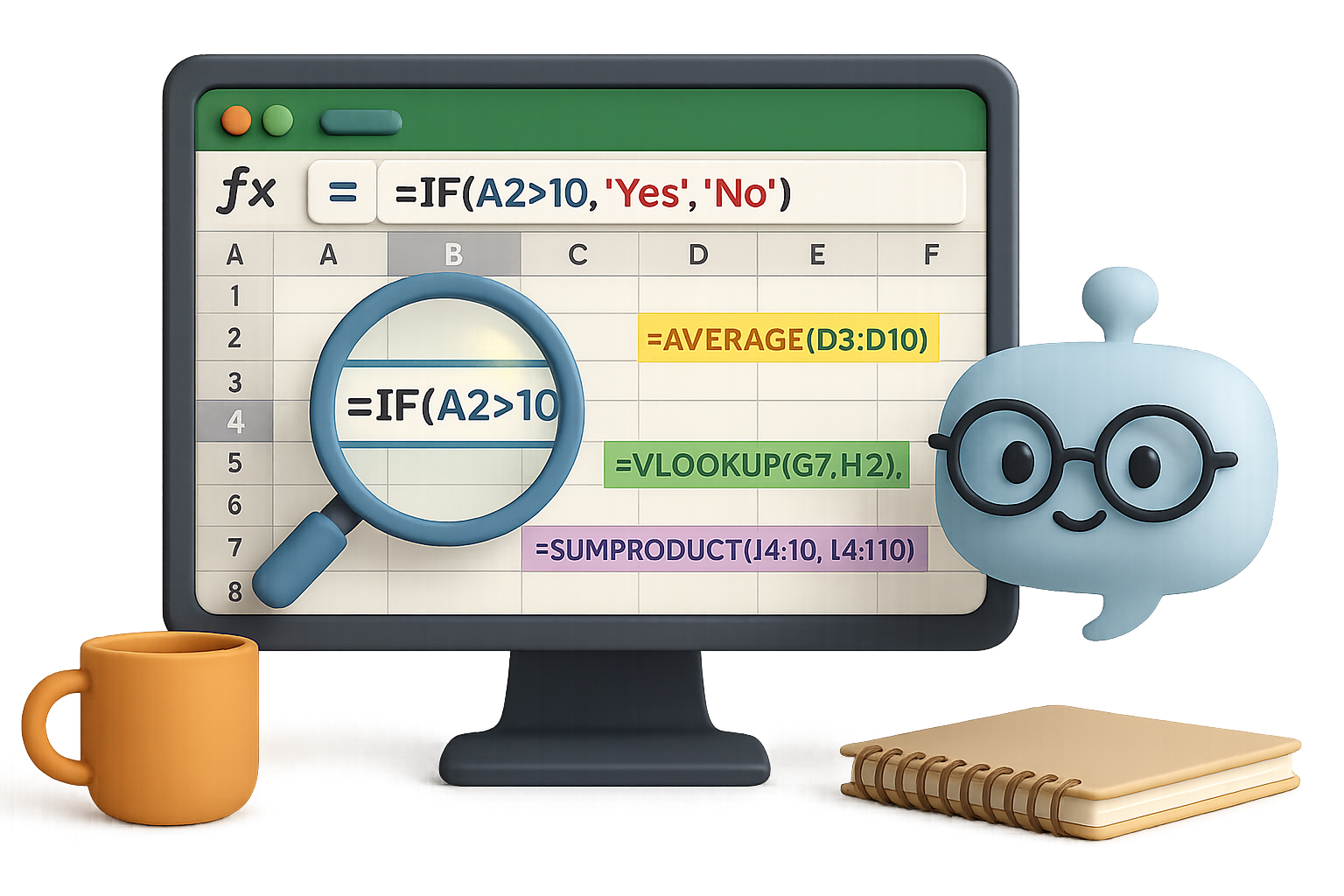
    One wrong formula, one nested IF too deep, and suddenly you’re knee-deep in Google searches or old forum threads from 2006. But here’s the flip: AI just became your backstage pass to Excel mastery. ChatGPT turns your plain-English questions into lightning-fast formulas, macros—even troubleshooting advice.

    Scroll down and you’ll see real examples where AI shaved hours off real work. If you’ve ever muttered “Why won’t this work?”—this one’s for you.

    Ready when you are.


    illustration

    Count Words in a Range—No Macros, No Drama

    Let’s say you’re staring at A1:C100 and wondering, “How many words live here?” Skipping the blanks, skipping the VBA.

    Classic searches serve you macro soup. ChatGPT served this instead:

    =SUMPRODUCT(
         (A1:C100<>"")*
         (LEN(A1:C100) - LEN(SUBSTITUTE(A1:C100," ","")) + 1))

    Why it works:

    • SUBSTITUTE strips spaces, so LEN can count characters without them.
    • Subtracting LENs = number of spaces = number of words (add 1).
    • SUMPRODUCT handles the whole range and skips blanks.

    Using Microsoft 365? You’ve got a fancier toolbelt—TEXTSPLIT, COUNTA, etc. But that formula above? Rock solid in older versions too.


    illustration

    Alert on Formulas That Misbehave (Without VBA)

    Here’s the riddle:
    Cell A2 has =B2+C2. But if B2 + C2 exceeds 10, you want a red flag—literally.

    Data validation? Sadly, it only works on user input, not formula outputs.

    ChatGPT’s fix? Two great options:

    1. Conditional Formatting

    • Select A2 (or more).
    • Home ➜ Conditional Formatting ➜ New Rule ➜ Formula.
    • Enter =A2>10, set a red fill.

    Boom. Red alert when the math breaks the rules.

    2. Wrap the formula in an IF:

    =IF(B2+C2>10, "Over 10", B2+C2)

    A text warning right in the cell—no clicks, no color cues, just facts.


    illustration

    Untangle a Gnarled Nested IF

    One pilot needed to flag weather types—VFR, MVFR, IFR, LIFR—based on things like ceiling height and visibility. Think deep nested IFs plus multiple AND/OR branches.

    ChatGPT nailed 90% in the first try.

    The catch? It misordered logic—LIFR conditions needed to be tested before IFR. One follow-up prompt fixed it.

    Lesson learned:

    • AI drafts fast.
    • You still play editor-in-chief on logic.

    Give it the hard part. Keep the final say.


    Build a PDF Macro—In One Prompt

    Here’s the request:
    “Read the sheet name in C2, jump to that tab, export as PDF, and save it next to the file.”

    ChatGPT kicked out this ready-to-roll VBA macro:

    Sub CreatePDF()
        Dim ws As Worksheet
        Dim pdfPath As String
        
        Set ws = ThisWorkbook.Worksheets(Range("C2").Value)
        pdfPath = ThisWorkbook.Path & "\" & ws.Name & ".pdf"
        
        ws.ExportAsFixedFormat Type:=xlTypePDF, _
                               Filename:=pdfPath, _
                               Quality:=xlQualityStandard, _
                               IncludeDocProperties:=True, _
                               IgnorePrintAreas:=False
                               
        MsgBox "PDF saved as " & ws.Name & ".pdf in the same location."
    End Sub

    Paste it into a module, save the workbook as .xlsm, run it via button or shape. That’s your Excel reporting process—automated.


    illustration

    Five Golden Rules for Using ChatGPT with Excel

    Want better AI help? Think like a coach, not a spectator.

    1. Be specific
      Include Excel version, formula vs. VBA preference, and any quirks (e.g., compatibility constraints).
    2. Iterate, don’t settle
      Ask for tweaks. It’s a conversation, not a vending machine.
    3. Test everything immediately
      Paste into dummy files. Edge cases are sneaky.
    4. Expect hallucinations
      If ChatGPT tells you about magical Excel functions no one’s heard of, double-check Microsoft Docs.
    5. You’re still the expert
      Think of GPT as your hyper-fast intern. You bring the business logic, it brings the syntax.

    Illustration showing an Excel sheet on a clipboard with a pencil, alongside symbols for formulas, charts, and a lightbulb representing ideas, plus additional elements like a Prompt tips sticky note and a rocket.

    Recap + Try This

    If Excel is your canvas, ChatGPT is the toolkit upgrade you didn’t know you needed. From cleaning cells to writing VBA, it’s not replacing you—it’s making sure you spend less time stuck and more time solving.

    Want to learn how to prompt like a pro—even if you’re brand new to AI?

    Start here with Tixu — it’s your friendly launchpad into applied AI, no jargon required.

    Go build something better.

  • Master ChatGPT: 30 Expert Tips to 10x Results

    Master ChatGPT: 30 Expert Tips to 10x Results

    ChatGPT Hacks for 2025: Get More Done, Faster

    You’ve seen what ChatGPT can do. Now it’s time to push it further.

    Whether you’re writing, researching, planning—or just trying to stay one step ahead of your to-do list—this AI sidekick has serious range. But there’s a catch: garbage in, garbage out. The key? A little strategy.

    Below is a hand-picked playbook to turn ChatGPT into your personal think tank, writing buddy, and productivity champ. Pick a few tactics, try them out, and start seeing sharper logic, better answers, and way less back-and-forth.

    Let’s go.


    illustration

    Nail the Fundamentals

    Break big prompts into bite-sized steps
    ChatGPT isn’t great with kitchen-sink instructions. Instead, go step-by-step: one clear ask, one clean result. Then build. Your future self will thank you.

    Give it a role (and a vibe)
    Kick off with:

    • “Act as a veteran SaaS marketer…”
    • “Imagine you’re a PhD-level math tutor…”
    • “You’re a fussy editor from The New Yorker…”

    Suddenly, your output has tone, structure, and depth. Instant upgrade.

    Talk like a human
    Forget “SEO article best productivity 2025.” Instead: “Write a short blog post on time-blocking for busy freelancers.” Natural language = fast, usable answers.

    Add context, always
    Who are you? What’s the project? What does success look like? Just two lines of context unlock way better results.


    An illustrated character sitting at a desk using ChatGPT on a laptop, with visible icons representing project brief and data privacy features.

    Keep Your Workspace Tidy & Private

    Rename or delete old chats
    “Untitled #43” tells you nothing. A quick rename keeps your chat history useful—or clean it all up and start fresh.

    Use Temporary Chats for sensitive work
    In Settings → Data Controls, toggle on “Temporary Chat.” Nothing gets saved or used for training. Clean, sealed, safe.

    Clear the AI’s memory once a month
    Feeling like responses are a bit off? Reset your vibes. Go to Settings → Personalization → “Clear ChatGPT’s memory.”

    Turn off “Improve the model for everyone”
    Under Data Controls, flip the switch. Your work stays yours—especially smart for NDA, consulting, and client content.


    Personalise the Experience

    Fill out Custom Instructions
    Set and forget.
    Go to Settings → Personalization:

    • Who you are & what you care about (“I help startups write MVP landing pages.”)
    • How you like replies (“Use clear bullets, short paragraphs, UK English.”)

    Pick a voice you like
    Using voice chat? In Settings → Speech, pick a tone that fits your pace. It makes surprising difference.

    Switch up the visuals
    Light mode, dark mode, or auto—whatever saves your eyeballs.


    illustration

    Turn on the Power Features

    Connect your files
    Settings → Connected Apps → Google Drive or OneDrive. ChatGPT can now read your files, pull data, and help edit directly.

    Toggle on advanced tools
    In “Customize ChatGPT,” turn on:

    • Browsing (access live web)
    • DALL·E for generating images
    • Code Interpreter

    Enable for new chats so it’s always ready to roll.

    Upgrade to ChatGPT Plus ($20/month)
    Faster GPT-4o, bigger uploads, image generation, smarter everything. Worth it if you use the tool more than a couple times a week.

    Choose the right model

    • Use GPT-4o for fast, reliable answers.
    • GPT-4-Turbo (128k context) crushes complex tasks.
    • GPT-4o mini is cheaper but takes a hit on quality.

    Try Canvas mode
    Change model to “GPT-4o + Canvas” for dual-pane magic: chat on the left, document/code editor on the right.

    You get:

    • Real-time edits
    • Reading level controls
    • Final polish on grammar
    • Even emoji suggestions

    illustration

    Prompt Like a Pro

    Ask ChatGPT to improve your prompt
    Type: “Rewrite my prompt to be clearer and explain the changes.” You’ll pick up better habits on the fly.

    Set formatting expectations
    “Give me 3 paragraphs, followed by pros/cons in a table.” Structure in = structure out.

    Use the kid-explainer trick
    “Explain it to a 10-year-old.” Works on any jargon-heavy answer. Want it simpler? Swap in “a five-year-old.”

    Give examples
    Want a sales email? Show one you love. Need SQL? Paste a good query. ChatGPT mimics patterns remarkably well.

    Ask for step-by-step logic
    Say: “Walk me through it, step-by-step.” Especially strong for how-tos, coding, and trickier decision-making.

    Save your best prompts
    Create a “Prompt Vault” in Notion, Docs or Slack. Reuse, remix, repeat.


    illustration

    Beyond Text: Vision, Voice & Custom GPTs

    Upload images for deep analysis
    Want feedback on a logo? Identify a tool in your workshop? Check a diagram? Drop in the pic and ask away.

    Use the mobile app for smart photos + chat
    Snap a building, sign or product—ChatGPT Vision figures it out. Tap the headphone icon for voice chat on walks or commutes.

    Custom GPTs = your specialised tools
    Explore the GPT Store or build your own assistant with company-specific tone and tasks. Bonus: they come with all Plus features.

    Level up with DALL·E
    Want strong visuals? Be specific.
    “Generate 4 images of a neon-lit cyberpunk street at dusk, cinematic 16:9, realistic textures.”
    Precision in = precision out.


    illustration

    Study, Work & Life Hacks

    Run plagiarism checks
    Don’t assume everything is original. If it’s going into a grade or proposal, run it through a plagiarism detector first.

    Make your own quizzes
    Upload notes. Say: “Quiz me.” Missed one? ChatGPT will explain the right answer.

    Plan smarter
    Have a trip, semester or busy week? Feed in your constraints, and ChatGPT creates schedules, budgets, routes, or study blocks.

    Build master checklists
    Packing for a ski trip? Renovating a kitchen? Just ask: “Give me a step-by-step breakdown with cost estimates and links.” Boom.


    illustration

    The Takeaway

    In 2025, ChatGPT isn’t just an AI chatbot—it’s a power user’s dream team. One prompt bar, dozens of jobs.

    Add context. Respect privacy. Use the tools. And don’t settle for general—ask for great.

    Want to level up even faster? Start learning the ins and outs of AI the easy way with Tixu’s beginner-friendly playground to go from curious to confident fast.

    Ready when you are.

  • Master AI from Scratch in 7 Practical Steps

    Master AI from Scratch in 7 Practical Steps

    Why 2025 Is the Perfect Year to Jump Into AI

    Feeling like you missed the AI gold rush? You haven’t. In fact, 2025 might be the best time to dive in.

    The global AI market is expected to explode to nearly $2 trillion by 2030—roughly 20x its current size. Still think it’s too late? You’re early. Right now, companies need builders, not just prompt engineers. And that builder could be you—with the right roadmap.

    This post walks you through exactly how to learn AI from scratch and get paid for it.

    Let’s map it out.


    illustration

    Build Your Workbench in One Hour

    Before you chase models and algorithms, get your setup dialed. It’s your home base.

    • Install Python 3.10+.
    • Download VS Code – it’s lightweight, powerful, and practically made for this.
    • Create a virtual environment with python -m venv .venv.

    Your only goal here? Type print("Hello, AI!") and get it to run. If you see that output, you’re good to move on.

    This step shouldn’t take more than an hour—progress beats perfection.


    illustration

    Learn Python. No Way Around It.

    Here’s the truth: No matter how many drag-and-drop AI tools come out, the folks who speak Python win long-term.

    Start with the basics—variables, conditionals, loops. Then dive into the powerhouse trio:

    • NumPy – for crunching numbers fast.
    • pandas – for wrangling messy data into clean tables.
    • Matplotlib or Seaborn – for functional charts.

    Want a quick project idea? Load a random CSV file and build a chart that tells one clear story. Small win. Big momentum.


    Illustration of a computer screen displaying GitHub interface with elements like 'Issues', 'Pull requests', and 'Actions', alongside a USB drive labeled 'clone', a notebook, and a README file.

    Git Good at GitHub

    No, you don’t need to memorize every git flag. But you do need to:

    1. Clone repos and run code you didn’t write.
    2. Make changes on a new branch, then commit and push.
    3. Share work on your GitHub profile—your public resume.

    Most real-world AI code lives on GitHub. If you can’t navigate it, you’re flying blind.


    illustration

    Build Projects. Build Proof.

    Tutorials are cute. Real projects get you hired.

    Pick your playground:

    • Kaggle – reverse-engineer high-scoring notebooks in competitions.
    • LangChain sample repos – explore chatbots, LLM agents, and RAG systems.
    • ProjectPro – 250+ real-world AI projects. (They’ve got free stuff, too.)

    Every time you build something, publish it on GitHub. Recruiters don’t care how many courses you finished—they care if you actually built stuff.


    illustration

    Pick a Lane and Teach It

    After 3–5 projects, one area of AI will grab you. That’s your signal. Follow it.

    Maybe you get obsessed with:

    • Generative art from text prompts
    • Predicting stock trends from time-series data
    • Building voice bots with LLMs and speech APIs

    Now document it in public:

    • Blog about it on Hashnode or Medium.
    • Drop insights on LinkedIn.
    • Record short demos showing off what you built.

    You don’t need a PhD—just an honest narrative. Teaching solidifies your skills and builds a tiny following (opportunity-magnet).


    illustration

    Skill Up With Intention

    Time to plug the gaps that matter:

    • Doing ML? Deepen your stats knowledge.
    • Building tools with LLMs? Get good at API design.
    • Eyeing production roles? Learn cloud tricks—AWS, GCP, or Azure.

    Pro tip: Don’t buy 12 courses at once. Pick one learning goal. Own it. Repeat.


    Start Earning From It

    AI skills don’t just look good on LinkedIn. They pay.

    You’ve got three solid paths:

    1. Full-time role – ML Engineer, AI Developer, Technical PM.
    2. Freelance gigs – with agencies or on Upwork & Toptal.
    3. Products – build SaaS tools, LLM plugins, or micro-APIs.

    Real deadlines = real growth. Even tiny client projects push you way faster than tutorials.


    Illustration of three people collaborating on AI projects. The top two are interacting via computers, one wearing headphones and using a chatbot toy, while the third person, also wearing headphones, is speaking into a microphone. Icons for Discord, Slack, and LinkedIn are visible.

    Bonus: Join the Party

    AI isn’t a solo sport.

    Find your crew:

    • Join AI Discord servers or Slack groups.
    • Attend local meetups or online hackathons.
    • Follow builders on Twitter or LinkedIn and actually engage.

    A quick DM, a shared project critique, a Friday hack session—game changers.


    illustration

    Wrap-Up: The Road Is Right Here

    Here’s the playbook:

    1. Set up your coding workspace.
    2. Learn Python + key data libraries.
    3. Get confident with Git and GitHub.
    4. Tackle real (tiny!) projects and publish them.
    5. Specialize in what excites you—and teach it.
    6. Skill up strategically.
    7. Start getting paid.

    Stick with this, and 2025 won’t just be the year you “learned about AI.” It’ll be the year you became someone who works in it.


    Want a beginner-friendly launchpad to get started? Explore step-by-step AI learning paths on Tixu.

  • 7 AI Tools to Grow Revenue Fast in 2025

    7 AI Tools to Grow Revenue Fast in 2025

    Unlock 2025 With These 7 AI Power Tools for Creators and Marketers

    Let’s be real—content is still king, but your time? Priceless.

    If you’re a marketer, solopreneur, or creator wearing too many hats, AI isn’t just a nice-to-have—it’s the cavalry. We tested 100+ tools. These seven actually move the needle.

    From punching out blog posts faster to automating cold outreach, this is your shortcut to working smarter in 2025.


    illustration

    1. Launch Courses in a Click with Shiken

    Shiken is your all-in-one course creator that doesn’t make you cry over line breaks or landing pages.

    Give it a prompt, PDF, or link. Shiken generates:

    • Quizzes, question banks, and full exams
    • Language role-plays (Great for ed-tech folk)
    • Complete e-learning courses with payment flows and upsells

    Stripe handles checkout. You run it under your own domain. Growth plans start at $49/month, but the free tier lets you test before you commit.

    Bonus win: built-in analytics let you track revenue without another tab.


    illustration

    2. Design Superpowers: Canva Magic Studio

    Design-challenged? Canva’s Magic Studio makes you look good anyway.

    The paid tiers unlock next-level stuff like:

    • Magic Edit & Eraser → swap or delete anything in one prompt
    • Bulk Create → upload a CSV and pump out 50+ branded graphics
    • Text-to-Image tools and AI avatars right inside the app

    Once you batch-create content with background removal, it’s hard to go back. This toolkit pays for itself in time saved after your first campaign.


    illustration

    3. Writer Meets Designer: ChatGPT + Canva Extension

    Long-form to carousel? Say no more.

    Add Canva to ChatGPT, and you can:

    • Draft blog posts using GPT‑4o (yes, with live web results)
    • Instantly remix them into branded designs (think: infographics, Instagram carousels)
    • Edit content tone, length, or reading level right in Canva’s side panel

    Pro tip: Add the Surfer SEO extension (#7 below) to optimize keywords as you draft.


    illustration

    4. OpusClip Turns Long Videos into Viral Shorts

    Got a 45-minute webinar? Cool. Want more people to watch it? Chop it into shareable gold.

    Drop a YouTube link into OpusClip, and it spits out snackable clips complete with:

    • Dynamic zoom, smart captions, and B-roll
    • A “Virality Score” showing which clips have legs
    • Manual video editor for extra polish before exporting

    A colorful illustration featuring a relaxed character with headphones enjoying popcorn, surrounded by icons representing digital communication and lead management, with checkmarks indicating tasks completed.

    5. Lemlist Automates Personalized Outreach

    Think cold outreach is dead? Not if the email feels like a one-to-one DM.

    Lemlist is more than just email blasts:

    • It scrapes and enriches lead data (name, title, company size)
    • Writes full omni-channel sequences (email, LinkedIn, even phone)
    • Auto-cleans your list before first send—aka higher open rates

    One click. One launch. And replies start rolling in while you’re asleep or bingeing season four.


    illustration

    6. Descript: Edit Video Like It’s a Word Doc

    Video editing doesn’t need to feel like open-heart surgery anymore.

    With Descript:

    • Upload your audio or video and get instant transcripts
    • Delete a word in the text, and it vanishes from the video
    • Use Overdub to clone your voice for spot edits
    • Auto-generate subtitles in multiple languages

    Perfect tool for course creators, podcasters, or anyone who says “um” a lot.


    Illustration of a person sitting at a desk with a laptop, displaying various SEO metrics such as content score, keyword difficulty, and suggestions, surrounded by relevant graphics.

    7. Surfer SEO: Rank Worthy, Not Just Readable

    SEO isn’t guesswork anymore. Surfer’s data-driven dashboard lets you plan and optimize content without opening five extra tabs.

    You get:

    • Instant content scores based on top-ranking competitors
    • Internal link suggestions to extend reading time (and boost Google love)
    • Keyword volume + difficulty plugged right into your draft workflow

    Use it regularly, and you’ll see the needle move.


    illustration

    Bonus: Fathom – Meeting Notes That Actually Get Read

    If you’ve ever re-watched a Zoom just to remember “what we said 14 minutes in,” Fathom’s your new best friend.

    It joins your calls on Zoom, Teams, or Meet and:

    • Records, transcribes, and pulls highlights instantly
    • Answers questions like “What did the client ask about budget?”
    • Sends auto-summary emails within seconds

    The free plan is generous. Paid tiers start at just $20/month and sync with HubSpot or your CRM.


    illustration

    Why This Stack Works

    Each tool fixes a time leak.

    Shiken builds your info products while you sleep.
    Canva and GPT knock out creative blocks.
    OpusClip and Descript say “bye” to video headaches.
    Lemlist and Surfer handle outreach and ranking.
    Fathom keeps your meetings from falling into a black hole.

    Pick the one that solves your most painful bottleneck. Master it. Then layer in the next.

    By the time you’re toasting 2025, your workflow will feel like a cheat code.

    💡 Want to actually learn how to use these tools—with zero tech overwhelm? Tixu’s got your back. It’s a beginner-friendly AI learning platform to help you move fast and smart.

  • Master AI Agents in 21 Minutes Without Coding

    Master AI Agents in 21 Minutes Without Coding

    What’s an AI Agent—Really?

    You’ve likely prompted ChatGPT before. “Write me a tweet thread on quantum physics.” Boom—one and done.

    Useful? Absolutely. But agentic? Nope.

    An AI agent goes way further. It doesn’t just answer—it reasons.

    Here’s the flow:

    1. You give it a goal.
    2. It plans steps and picks the right tools.
    3. It executes.
    4. It checks its own work—tweaks and repeats if needed.

    So instead of “prompt → answer,” think: goal → think → act → improve → done.

    It’s like upgrading your AI from a vending machine to a project collaborator.


    illustration

    The RED Turtles of Agent Design

    Let’s simplify agent architecture with a mnemonic: RED Turtles Paint Murals.

    Each is a design pattern in how agents think and act:

    • Reflection – The agent self-critiques. “Did I get this right?” It iterates until it’s confident.
    • External Tool Use – It’s not limited to text. Agents can browse, run code, send emails, or analyze images.
    • Planning & Reasoning – Step-by-step thinking. It’s the difference between winging it and building a plan.
    • Multi-Agent Systems – Just like human teams, agents can collaborate—one writes, another fact-checks, a third manages the workflow.

    You don’t need all four at once, but together they unlock the big leagues.


    illustration

    Let’s Talk Teams: The Multi-Agent Playbook

    Multi-agent systems are hot. Why work solo when you can build an AI crew? Projects like CrewAI make this not just possible, but practical—even for beginners.

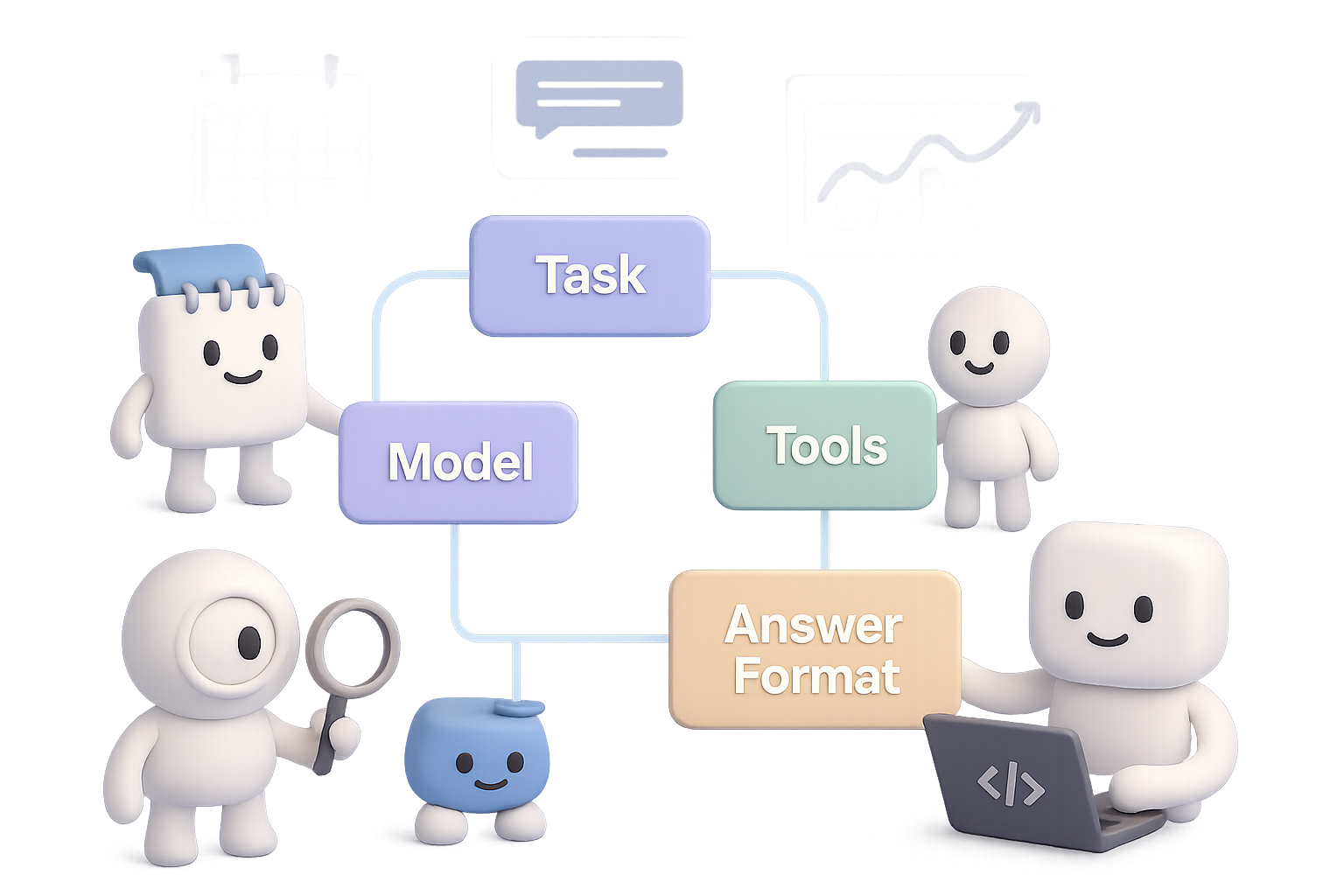
    Each agent lives inside a tidy container with the T-A-M-T framework:

    • Task – What it needs to do.
    • Answer Format – How should it respond?
    • Model – GPT-4o Mini, Claude 3, Mistral, Gemini—you name it.
    • Tools – APIs or plugins it can call (Google Calendar, Notion, Whisper, etc.).

    Connect these containers and you’re in business. Some winning recipes:

    1. Sequential – One agent hands off to the next, like a factory line.
    2. Hierarchical – A “manager” agent assigns tasks to specialist agents.
    3. Hybrid – Combines both with feedback loops. Ups the complexity—and power.
    4. Parallel – Multiple agents attack the same problem from different angles.
    5. Asynchronous – Agents that only trigger on specific events. Great for monitoring or alerts.

    Smart builds mix and match these to match the job. Think of it like LEGO—but for cognition.


    illustration

    DIY Time: Build Your First Agent Without Writing Code

    You don’t need to fire up Python notebooks to make this real.

    Platforms like n8n (free, open source) or Make.com (user-friendly, cloud-based) let you snap together agents visually. No setup headaches.

    Let’s walk through a real build:

    “InkyBot” – a personal Telegram AI assistant

    1. Trigger: You send a message over Telegram. Could be voice or text.
    2. Optional: If it’s voice, OpenAI Whisper transcribes it.
    3. Main Agent Block:
      • Uses GPT-4o Mini.
      • Hooks into Google Calendar via two tools:
        • One reads today’s events.
        • One creates new events.
    4. Chat Loop:
      • The agent drafts your to-do list.
      • You approve or adjust.
      • It books everything for you.

    In 15 minutes, you’ve automated your executive assistant. Now imagine plugging in your email, task management, budgeting tools…

    Welcome to AI-ops, solopreneur edition.


    illustration

    Big Opportunity: Where AI Agents Go Next

    Here’s a spicy prediction from the trenches:

    “For every SaaS product, there will be an AI-agent version.”

    You name it: Adobe, Salesforce, HubSpot, Canva. Each is a goldmine of repeatable workflows just begging to be agentified.

    Pick a domain you know. Spot the bottlenecks. Then build an agent powered by planning, tools, and maybe even a small crew.

    One solo builder launched a calendar agent and pocketed $1.2k MRR in 30 days. That’s not a unicorn. That’s doable.


    illustration

    Your Quick Agent Checklist

    • An AI agent isn’t just a chatbot—it thinks, acts, and improves.
    • The “RED Turtles” are your design compass: Reflect, use External tools, Plan, and go Multi-agent.
    • Multi-agent flows let you scale your AI team—CrewAI makes this easy to prototype.
    • No-code platforms like n8n or Make.com let you build agents in under 30 minutes.
    • There’s green space ahead: match a problem you love with AI workflows—and build something powerful.

    Do this next👇
    Want a deeper dive into building, experimenting, and sharing with agents? Join the community at Tixu.ai—the beginner-friendly AI learning hub.

  • Save 10+ Hours a Week Using ChatGPT

    Save 10+ Hours a Week Using ChatGPT

    Save Hours Every Week: Let ChatGPT Be Your Personal Assistant

    You’ve got 87 browser tabs open, dinner still unplanned, and that “friendly reminder” email glaring from your inbox. Yeah—we’ve all been there.

    But here’s the flip: you don’t have to tackle it all alone. AI can be more than your content generator. It can be your personal assistant, event planner, and productivity partner—without the HR paperwork.

    Below, you’ll find fast, beginner-friendly ways to offload everyday brain clutter to ChatGPT and claw back hours every week. From fridge clean-out ideas to crafting delicate emails, this list’s got you covered.

    And by the end? You’ll know how to ride the AI wave like a pro—zero tech background required.


    illustration

    Automate the Grunt Work (Without Losing the Magic)

    Why let AI handle your personal errands?

    • Speed: You’ll get answers in seconds—no wading through SEO-stuffed blogs.
    • Personalization: Need kid-friendly, low-sugar snack ideas? Done.
    • Iteration-friendly: You can keep refining. “Add spice.” “Drop dairy.” “Make it sound kinder.”

    Let’s turn your to-dos into AI-dones.


    illustration

    1. Prioritize a Chaotic To-Do List

    Overwhelmed by everything, so you do nothing? Copy-paste your task list into ChatGPT with some context:

    “I have to clean the kitchen, walk the dog, grocery shop, and prep a presentation. I have 4 hours. Help me prioritize.”

    ChatGPT will hand you an optimized order with reasoning. Suddenly, it’s not just a list—it’s a game plan.


    illustration

    2. Turn Fridge Leftovers Into Dinner

    The clock says 5:15. Your fridge says… “mystery stir fry?”

    Tell ChatGPT:

    “I have chicken thighs, one bell pepper, and zucchini. No oven access. Need something in under 30 minutes.”

    You’ll get a full-fledged recipe with seasonings, sides, and optional garnishes. Bonus: no extra trip to the store.


    illustration

    3. Plan a Kid-Friendly Road Trip

    Let AI map it out—pit stops, playgrounds, weird roadside things your 9-year-old will love.

    Try this:

    “Driving from Seattle to Portland with two kids (ages 6 and 11). Need breaks every 90 mins with activity ideas.”

    You’ll get a mapped schedule with snack stops and dinosaur sculpture detours.


    illustration

    4. Crowdsource Your Next Movie Night

    Sick of decision paralysis?

    Prompt:

    “List 10 funny adventure movies from the ’90s for a 10-year-old. Must be PG.”

    Suddenly you’re debating between Jumanji and Space Jam, not whether anyone actually wants to watch another Pixar sequel.


    illustration

    5. Design Energy-Burning Party Games (That Aren’t Chaos)

    Seven 11-year-olds. No screens. Backyard-only.

    Type in:

    “Suggest 5 outdoor party games for 10–12-year-old boys. Budget under $25. Include required materials.”

    Boom. Water relay? DIY mini golf? You pick, AI delivers.


    A colorful desk with a laptop, a friendly robot character, a backpack, a lunchbox, a coffee cup, a notepad, and a drawing of a house.

    6. Draft Delicate Emails

    Need to write an email that walks the line—firm but friendly?

    Tell ChatGPT:

    “Write a message to my kid’s teacher about a playground incident—polite, not confrontational.”

    It’ll spit out a measured draft, clear and kind. Tweak a word or two, and you’re ready to hit send.


    illustration

    7. Fill Easter Eggs

    No more candy meltdowns. Ask:

    “List 20 creative, non-candy items that fit in a plastic Easter egg.”

    You’ll get mini puzzles, LEGO pieces, bracelet charms, stickers, and glow-in-the-dark tattoos. Mission: controlled chaos.


    illustration

    Bonus: Use DALL·E to Visualize a Room Makeover

    Design paralysis?

    Feed DALL·E a prompt like:

    “Baseball-themed kids’ room with cowboy style, neon blue highlights and bold green walls.”

    You’ll get instant mood boards—zero design degree required. It’s like Pinterest, but proactive.


    illustration

    Quick Tips for Better Results

    • Be specific: Time limits, ages, tools you have, mood you want—it all helps.
    • Name the goal: Want efficient steps? A friendly tone? Say so.
    • Iterate fast: Don’t settle for the first draft. Ask for tweaks.
    • Review before you run it: AI is sharp, but your brain adds finesse and common sense.

    illustration

    Start Small, Win Big

    Pick one nagging task from today’s list. Toss it in ChatGPT. Watch what happens in under 60 seconds.

    That’s one less thing on your plate. Do that every day? You’re saving hours—literally. Time for deep work, deep rest, or just a quiet, uninterrupted snack.

    Ready when you are.


    Want hands-on help learning how to prompt like a pro?
    Check out Tixu.ai—it’s built for beginners who want to use AI smartly, not aimlessly.