
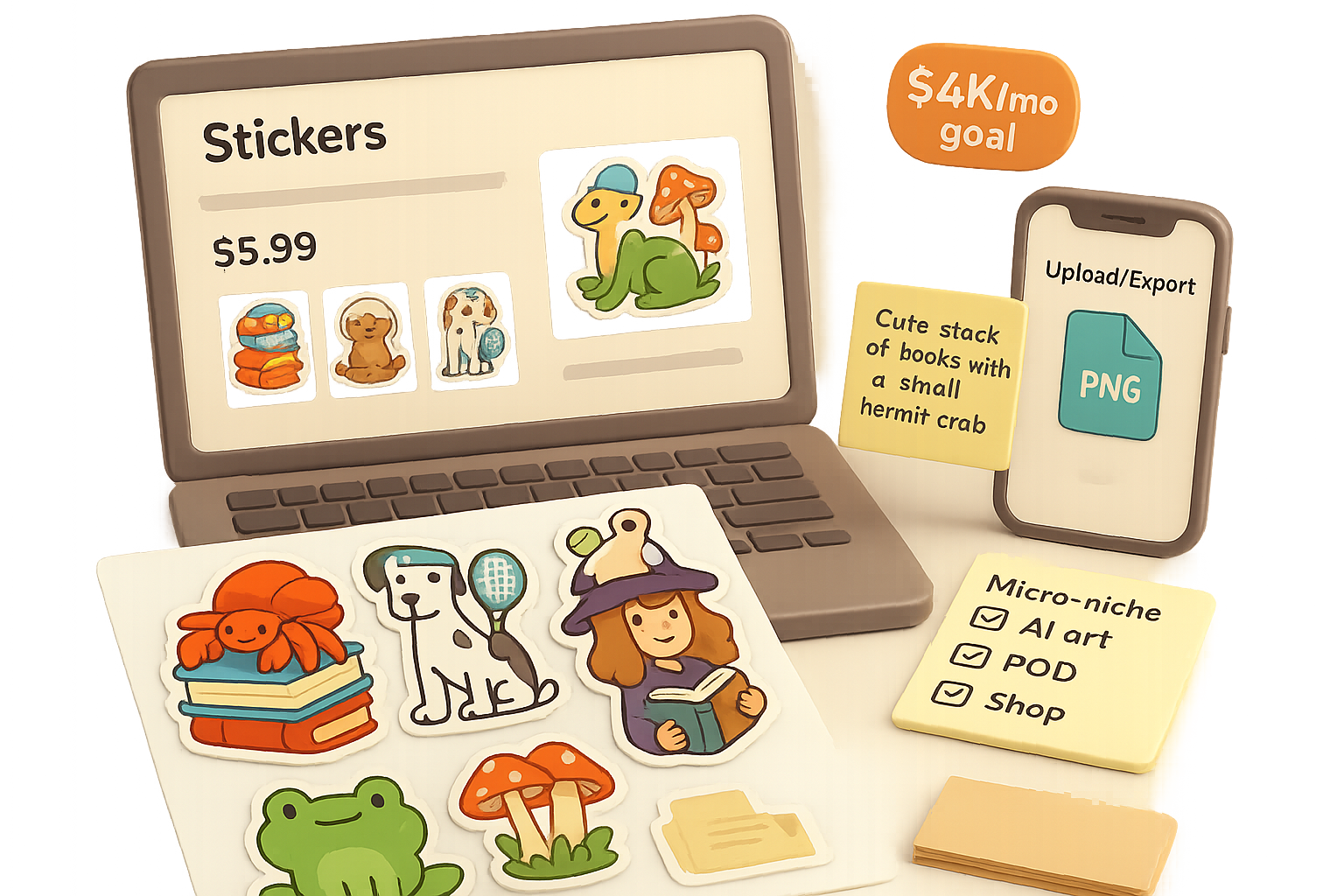
Why Stickers Make the Best Starter Product for Print-on-Demand
You want a low-friction way to sell online. Stickers are that way in action.
They’re tiny, cheap to ship, and don’t need size charts. That means fewer returns, faster listings, and profit hitting your account sooner.
In about an hour you can go from idea to live Etsy listing. Mix a tight micro-niche with AI art and a POD partner, and you’ve got a repeatable side hustle. Ready when you are.

What you’ll walk away with
- A fast, 4-step roadmap to launch print-on-demand stickers.
- Exact tools and prompts to make polished designs in minutes.
- A short checklist you can use the moment you finish reading.
Roadmap: Micro-niche → AI art → Printify product → Etsy listing

Pick a micro-niche that actually sells
Big art isn’t enough. You need people searching and buying. The fastest wins come from crossing two interests into one tiny audience.
Popular hobby × passionate interest = micro-niche gold
Examples that work:
- Tennis + Dalmatians → “Dalmatian tennis club” decals
- Reading + Hermit crabs → “Book-loving hermit crab” stickers
- Yoga + Ferrets → “Zen ferret” sticker sets
Think tiny. A big-box brand ignores “hermit-crab-reading.” You don’t. That’s your edge. Some sellers see $500–$2,000 in month-one revenue from just a few designs. One quick example: Carlos added $1.2k his first month after targeting a tightly focused niche.

Step 1 — Generate artwork fast with AI (in Kittl)
Use a design tool with built-in AI so you don’t juggle apps. Kittl (a browser design app) lets you prompt, edit, and export without copy-paste gymnastics.
How I do it:
- Create an artboard sized to Printify’s sticker spec (e.g., 832 × 832 px).
- Open Kittl’s Chat and use a clear prompt: “Cute stack of books with a small hermit crab.”
- Click to remove the background so the sticker is kiss-cut (no white square).
- Make variants with Kittl’s Smartboard: swap the crab for a hamster or add mushrooms.
- Export each version as a transparent PNG.
Tip: Keep the subject large in the frame. Small details disappear at sticker scale.

Step 2 — Upload to Printify and create mock-ups
Printify handles printing, packing, and shipping for you. It links to Etsy and Shopify, and you pay only when you sell.
Quick upload checklist:
- Choose “Kiss-Cut Sticker.”
- Upload your transparent PNG and align the art.
- Preview the automatic cut line and save.
- Use Printify’s auto mock-ups or grab a lifestyle image from Placeit.net.
Why Printify: it’s free to join, integrates with marketplaces, and supports sheets and single stickers.
Step 3 — Optimise your Etsy listing so people find you
SEO trumps pretty art. Use keywords buyers type, not what sounds cute to you.
Title idea (mix & match)
Witchy Book Lover Sticker • Cottagecore Frog & Mushrooms • Cute Reading Laptop Decal
Listing checklist:
- Put the strongest keyword first (e.g., “book sticker” or “laptop sticker”).
- Include related phrases: “cottagecore,” “witchy,” “water bottle decal.”
- Use all 13 tag slots—unique, varied phrases (don’t copy a tag verbatim).
- Price for profit: a 3-inch sticker around $5.99 often leaves room after fees.
- Add a relevant Shop Section for extra visibility.
- Start without ads; promote after you see organic demand.
Make your first image count. Use a clean mock-up that shows scale on a laptop or water bottle.

Step 4 — Launch, test, iterate
Hit publish and let Etsy import the product. Then do two things:
- Track which designs get clicks.
- Duplicate the best-performing design and make seasonal or color variants.
Repeat the micro-niche formula across 5–10 focused designs. A small catalog of winners outperforms a scattershot portfolio.
Quick do-this-now checklist
- Pick one micro-niche and write a clear prompt.
- Create 3 design variants in Kittl.
- Upload to Printify and generate mock-ups.
- Publish an optimised Etsy listing with 13 tags.
- Wait 1–2 weeks, then double-down on the top performer.

Finish strong
Stickers let you launch fast, test cheaply, and scale what works. One clear idea, executed well, beats ten half-finished ones.
Do this next: pick your micro-niche, spin up a Kittl prompt, and upload a sticker to Printify. If you want a friendly place to learn AI design step-by-step, check out tixu.ai — a beginner-friendly AI learning platform that teaches prompts, design basics, and how to turn ideas into products: tixu.ai

Leave a Reply