
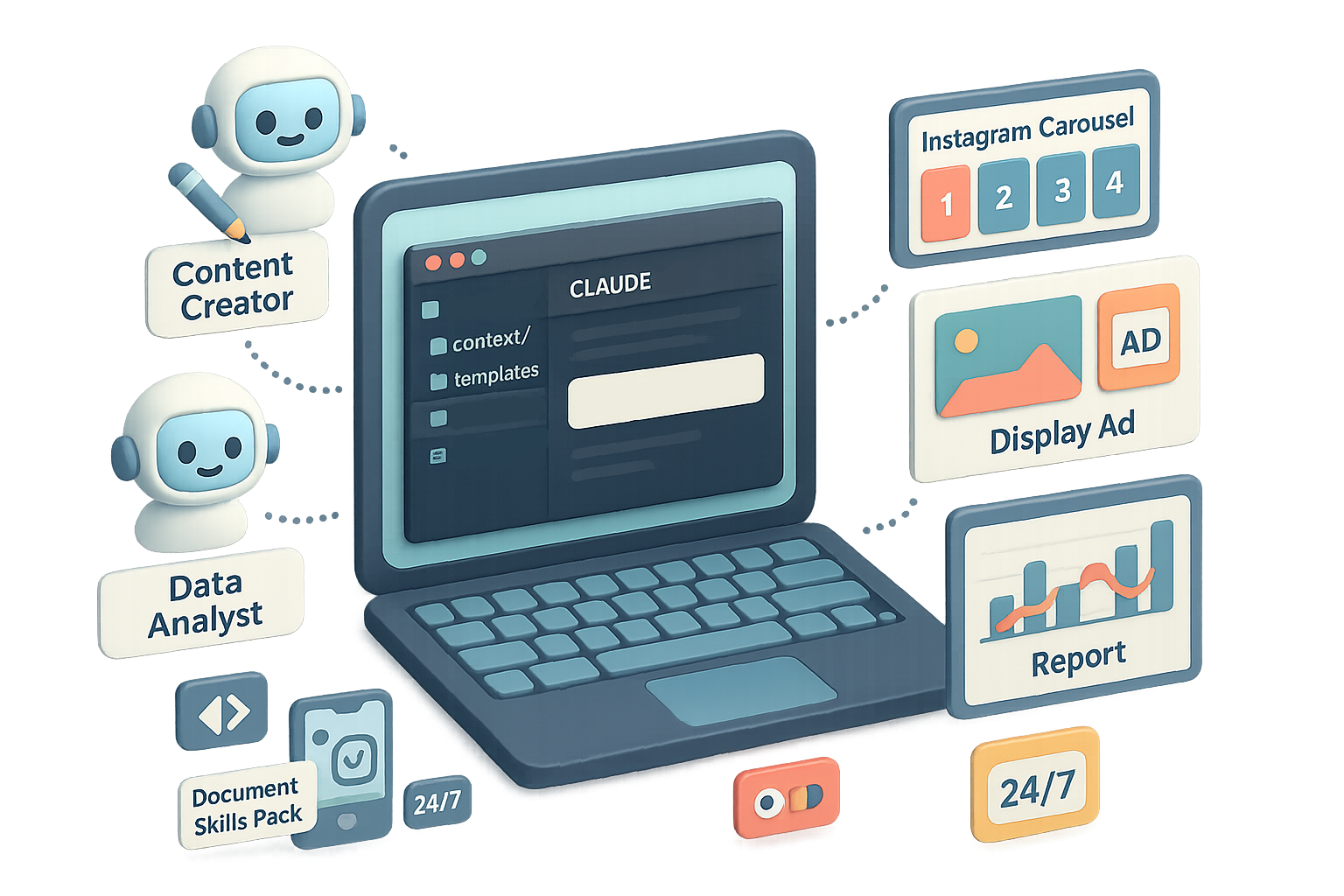
Turn Claude into Your Always-On Marketing Department
Ever wish the busywork just… disappeared? You’re not alone. Research, drafts, mockups, reports — they eat hours every week. Claude 3 + Claude Code turns those repeatable tasks into a reliable, always-on teammate inside VS Code (or any IDE with the extension).
AI won’t replace you — someone better at using AI will. This guide shows you how to be that someone, in an afternoon. You’ll get a clear roadmap, ready-to-run commands, and a checklist so you ship faster. Many teams I work with shave 20–40% off routine production times within the first month.
What you’ll walk away with
- A simple 4-step framework to automate marketing work.
- A starter directory and CLAUDE.md pattern.
- Two example Skills you can copy and run today.
- A one-prompt campaign flow that lands deliverables into folders.

Map → Skill → Agent → Team
Map repeatable tasks
- List weekly repeatables: blog posts, ad mock-ups, campaign reports, social carousels.
- Prioritize tasks that cost the most time or cause bottlenecks.
Turn workflows into Skills
- One Skill per outcome: “Blog Writer”, “Campaign Report Builder”.
- Keep prompts and examples inside the Skill so Claude learns the pattern.
Bundle Skills into Agents
- Agents are focused teammates: Content Creator, Data Analyst, Creative Designer.
- Give each Agent only the Skills it needs.
Connect everything
- A single CLAUDE.md at project root holds brand context, routing, and Agent rules.
- Claude reads that file and knows who to call, and when.
Setting up your workspace — fast
- Install VS Code (or Cursor).
- Add the official Claude Code extension from Anthropic.
- Sign in and open a new folder for your brand (we’ll use Go Travel).
Starter directory
go-travel/├─ context/ ← brand voice, style guide, product info├─ templates/ ← deck templates, social styles, SOPs├─ marketing/│ ├─ ads/│ ├─ pages/│ └─ presentations/└─ CLAUDE.md ← generated automatically, edited continuously
Quick init
- Right-click the project → “Initialize Claude Project”.
- Claude scans and drafts CLAUDE.md. Tweak it anytime.
- Install Document Skills Pack for instant abilities like “PowerPoint Creator” or “Keyword Researcher”: /plugin install document-skills
Create your first custom Skill: Branded Deck Builder
Reference-based design works best.
- Drop a favorite slide deck into templates/decks/.
- Ask Claude to analyze layout, fonts, color rules, and image placement.
- Prompt:
“Extend the PowerPoint Creator skill to produce decks that follow the analysed template exactly. Name the new skill Branded Deck.”
Claude generates:
skills/└─ branded-deck/ ├─ skill.yaml └─ examples/
Use it like: /skill branded-deck {brief}
Claude returns a near-perfect .pptx — margins, colors, and typography sorted.

Skill #2: Social Creative Designer
Need carousels or single-image ads?
- Collect approved posts in templates/social-creatives/.
- Add a concise style guide so the AI knows when to use each look.
- Create .mcp.json at project root and point it to your image server:
{ "servers": [ { "name": "banana-images", "url": "https://banana.dev/my-endpoint", "api_key": "YOUR_BANANA_API_KEY" } ]}
- Restart VS Code. Run: /skill create Social-Creative-Designer
- Prompt: “5-slide Instagram carousel promoting our summer sale.” Watch images appear that match your style.
From many Skills to focused Agents
As Skills grow, group them into Agents so context stays clean.
Example Agents for Go Travel:
- Data Analyst — Campaign Report, Data Visualization.
- Content Creator — Blog Writer, Newsletter Composer.
- Creative Designer — Social-Creative, Branded Deck.
- Market Researcher — Trend Scanner, Persona Builder.
- Campaign Strategist — briefs and calendars.
Create an Agent via terminal:
/agents→ Create new agent → This project only
Fill name, purpose, default model, color tag, memory, and pick Skills. A markdown file drops into agents/.

Routing rules (so Claude routes tasks)
Open CLAUDE.md and add:
### RoutingIf task involves:- numeric analysis ➜ @Data-Analyst- new written content ➜ @Content-Creator- visual design ➜ @Creative-Designer
Claude uses these to auto-engage the right Agent.
End-to-end example: launch a Cherry-Blossom campaign
Prompt:
Launch a “Sakura Like a Local” spring campaign for Japan. Deliver:
- Market research
- Campaign brief
- Landing page copy & design
- Social carousel (5 slides)
- Display ad set
Behind the scenes:
- @Market-Researcher compiles audience insights.
- @Campaign-Strategist drafts the brief and key messages.
- Landing Page Builder outputs a ready-to-publish page.
- @Creative-Designer builds the carousel and ad set.
- Deliverables land in marketing/ subfolders and links log to chat.
A full package can appear in about ten minutes for simple campaigns. Results stay aligned to brand voice and design standards.

Collaboration: humans + Claude
Use Notion as your coordination layer.
Board setup:
- Columns: To-Do → In Progress → Complete
- Properties: Priority, Task Owner, Details
Share the board link with Claude and run:
Scan Notion board for To-Do items.Assign the appropriate Agent.Execute tasks by priority, update status, attach file paths.
Colleagues add cards. Claude’s Agents pick them up. Finished work returns to the board — fewer Slack pings, more output.

Mobile control
On the road? Use remote control.
In any Claude Code chat type:
/remote-control
Open the secure link in the Claude mobile app, issue commands, and they sync to desktop. Tap Archive when you’re done.
Do this next
- Map 5 repeatable tasks you do this week.
- Add one template to templates/decks/.
- Create CLAUDE.md and add two routing rules.
- Build one Skill and assign it to a new Agent.

Where to go next
- Build Skills for keyword research, show-notes, and influencer outreach.
- Tweak CLAUDE.md routing until assignments are bullet-proof.
- Schedule nightly Agent reports so you wake to insights, not noise.
Invest a few hours upfront and turn Claude into a dependable 24×7 marketing department that frees you to focus on high-impact creativity. Ready when you are.
New to AI workflows? Start with Tixu — a beginner-friendly AI learning platform that teaches practical, hands-on skills for people building AI-powered workflows.

Leave a Reply