
Turn AI Into a One-Person Publishing Machine (and Sell Digital Products While You Sleep)
Ever tired of staring at a blinking cursor and promising yourself you’ll “write later”? You’re not alone. Most creators burn time on busywork and never ship the steady content that actually builds an audience — or revenue.
This playbook fixes that. You’ll get a clear, repeatable pipeline that turns AI into a content machine. It publishes blog posts, builds header images, and lists digital products in your Shopify store — on autopilot. You trade hours for a system that runs while you sleep. Ready when you are.
What you’ll walk away with
- A functioning tech stack that publishes daily posts.
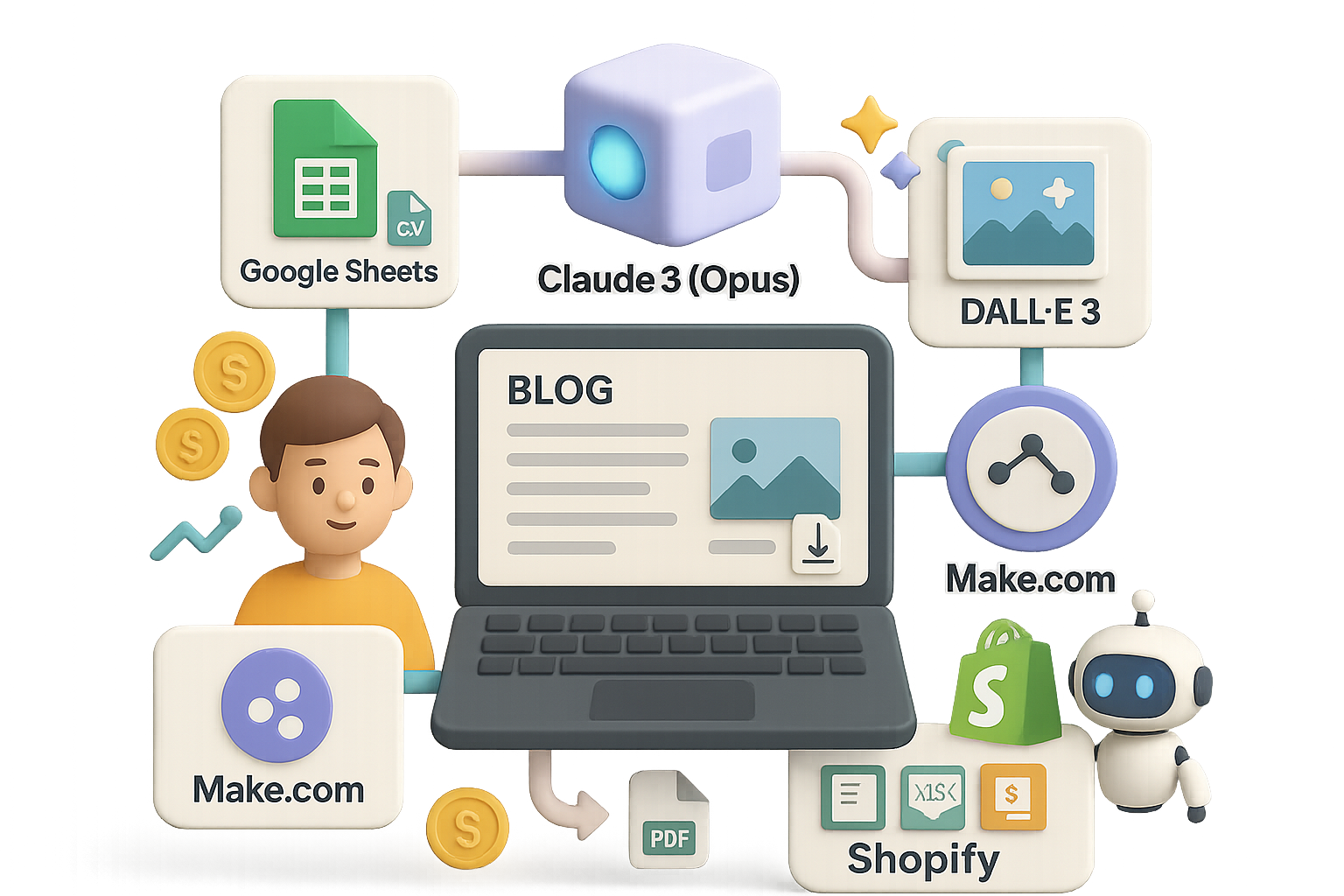
- A reusable Make.com workflow that links Google Sheets → Claude → DALL·E 3 → Shopify.
- A simple monetization plan for low-ticket digital goods.

Assemble the stack that ships for you
- Shopify — easiest platform to sell digital products. Start cheap, test fast.
- DigitalMakerAI — scaffolds a niche Shopify theme and saves days of setup.
- Google Sheets — your content spreadsheet and single source of truth.
- Claude 3 (Opus) — long-context model for reliable, factual posts.
- OpenAI (ChatGPT + DALL·E 3) — generates images to match each article.
- Make.com — the no-code conductor that runs the whole pipeline.

Step-by-step setup
- Spin up your storefront
- Use DigitalMakerAI’s Website Maker to scaffold a store around your niche.
- Pick your product type: planners, spreadsheets, mini e-books.
- Choose brand colors, enter your name, and push the theme to Shopify.
- Activate Shopify’s $1-for-3-months trial and connect a domain later.
- Brainstorm content topics with Claude
- Prompt Claude: “I run a Shopify store selling digital planners & spreadsheets for Amazon sellers. Output a CSV with two columns: blog post title and primary SEO keyword.”
- Import that CSV into a Google Sheet called “Blog Ideas.”
- Tip: aim for 100 titles to start. Many creators report 2–3x more output once ideas live in a sheet.
- Build the Make.com scenario
- Module 1 — Google Sheets: “Watch New Rows” (columns A & B).
- Module 2 — Claude: “Create Prompt” (model = Claude 3 Opus; max 4000 tokens). Give it structure: intro hook, 3–5 sections, one mini case, a CTA to product. Specify tone (conversational, second-person).
- Module 3 — OpenAI: “Generate Image” (DALL·E 3). Prompt for a professional header matching title and keyword.
- Module 4 — Shopify: “Create Blog Article.” Map fields:
- Title → column A
- Body HTML → Claude output
- Featured Image URL → DALL·E 3 image link
- Schedule, don’t spam
- Set the Make.com scenario to run once per day at 09:00.
- Daily cadence avoids Google’s spam alarms and keeps content fresh.
- Results: expect to publish ~25–30 posts a month once pipeline runs smoothly.
Do this next
- Activate Shopify trial and install the theme.
- Add 30 blog ideas into “Blog Ideas” sheet.
- Build and test Make.com scenario with one row.
- Publish and inspect the first article manually for tone and brand fit.

How the money rolls in
- Low-ticket digital products — spreadsheets, planners, templates. Keep prices between $7–$29 for impulse buys.
- Affiliate links — recommend SaaS tools your audience needs. Add value first; the clicks follow.
- Display ads — once traffic scales, AdSense or similar covers hosting and then some.
A rough math check: even 1% conversion on 1,000 monthly visitors at $15 per product = $150. Scale that 10x and you’re looking at meaningful income. Numbers help you prioritize which posts to double down on.
Housekeeping you can’t skip
- Connect your domain and set up Shopify Payments or Stripe so you actually get paid.
- Add the site to Google Search Console so Google indexes new posts.
- Review every AI-generated image for brand consistency. Replace any that miss the mark.
- After three months, review metrics: traffic, conversions, top posts. Then iterate.

Bonus: Claude builds products too
Need a 50-page e-book or a complex spreadsheet template? Feed Claude an outline and sample formulas. It drafts the content quickly. Polish the output, export to PDF or XLSX, upload to Shopify, and you’ve got another SKU.
Pro tip: treat the first draft as a base you refine for clarity and polish.

Quick optimization tips
- Use short headlines and H2s that sell: “Automate the grunt work” not “Automation.”
- Add one clear CTA per post: buy product, download free sample, or sign up.
- Track which posts bring purchases. Double down on the formats that convert.

Final thoughts
One big idea, executed well, beats five half-finished projects. Build the pipeline, publish daily, and optimize what works. In a few months, you’ll have an asset that earns while you focus on the next thing.
Want to learn the AI basics that make this setup possible? Start with beginner-friendly lessons and hands-on labs at tixu.ai — a practical place to learn AI for creators.

Leave a Reply