
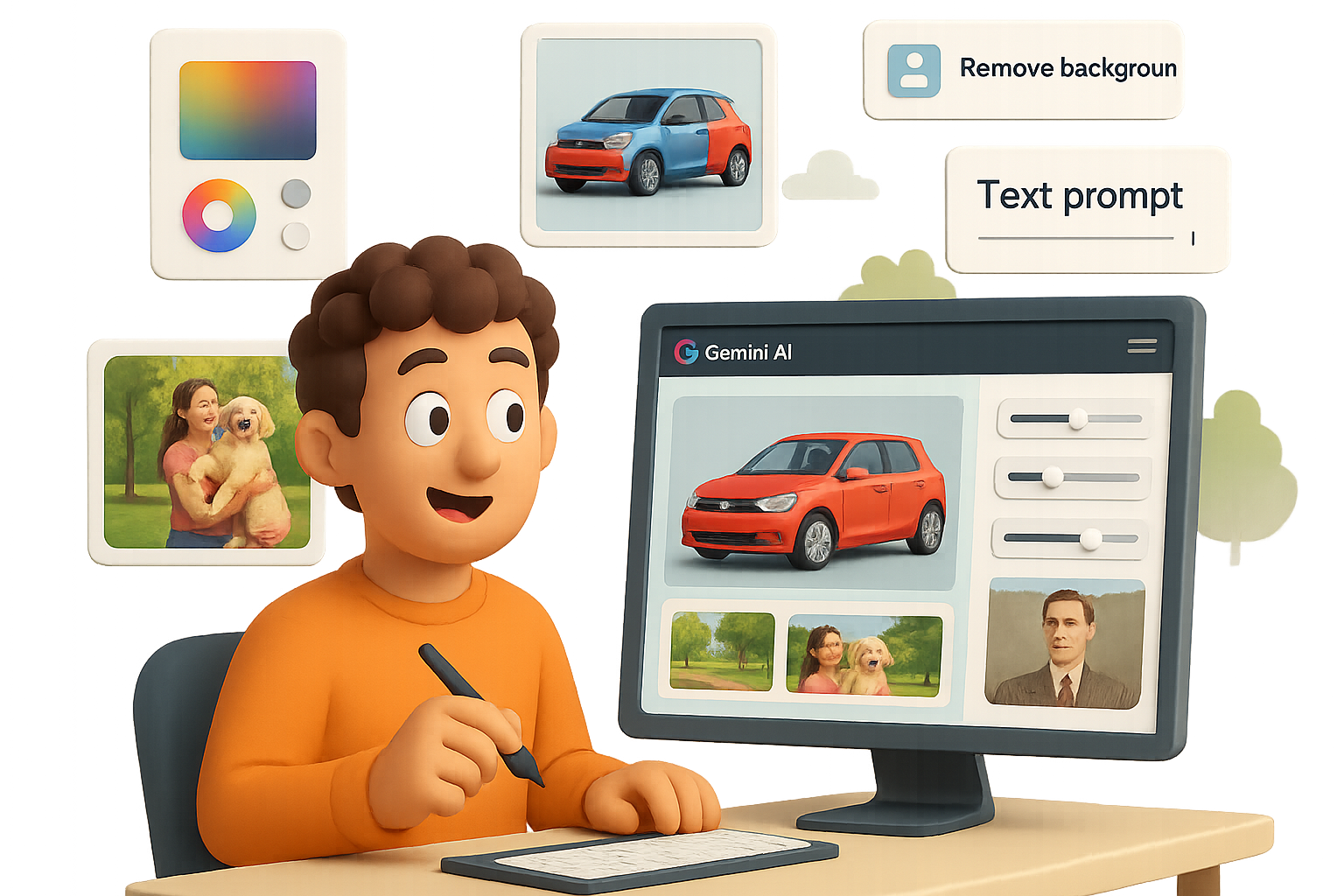
Let Gemini Do the Heavy (Photo) Lifting for You
You know that moment when you spend 30 minutes cropping someone out of a photo… and it still looks like their ghost is hovering in the background? Yeah. Gemini fixes that—without layers, masks, or unhinged Googling like “How to remove background Photoshop 2025.”
Google slid a powerful AI image editor into Gemini, and if you blinked, you probably missed it. But here’s the kicker—it works with plain English. You write, it edits. Game officially changed.
This post breaks down 10 wildly useful ways to get more done (or look better doing it) with Gemini’s new visual wizardry. Buckle up.
What Is Gemini’s Text-Based Photo Editor?
Imagine Photoshop and ChatGPT had a baby—and it actually listened. You upload a photo, type what you want changed, and Gemini brings the update to life. Think “turn my shirt green” or “remove the garbage can” levels of clairvoyance.
It keeps faces realistic, backgrounds clean, and somehow doesn’t go rogue halfway through. Not perfect, but dang close.
Let’s jump into what you can actually do with this thing.

1. Ditch the Background Drama
Prompt: “Remove the background and replace it with a subtle blue tech backdrop.”
Instead of hours fumbling in Canva or shelling out for a plugin, Gemini clean-cuts tricky details like hair and fingers—studio-quality results, zero manual touch-ups.

2. Do an Instant Outfit Swap
Prompt: “Change my red shirt to a green T-shirt.”
Faces stay the same, folds look natural, and it’s great for creative tests or profile photo upgrades. Fashionably late? Not anymore.

3. Combine Photos Like a Pro
Upload a person and a puppy.
Prompt: “Have the person hold the puppy.”
+ Add: “Put them in a park and double the puppy’s size.”
Gemini handles shadows, scale, and angles. The result? Looks like a real shoot—not a copy-paste fever dream.

4. Redesign a Room Without Breaking a Sweat
Upload a bare living room and take it step-by-step:
- “Add a grey sectional on the right.”
- “Place a dining table in the back.”
- “Paint the walls white.”
- “Replace hardwood with beige carpet.”
Each prompt builds on the last. Bonus: No clunky 3D app required.

5. Delete the Random Stuff
Prompt: “Delete the parked cars on the left.”
Power lines, trash bins, that guy who walked into your vacation photo—gone. Clean edits, seamless fills.

6. Swap Colors, Keep the Reflection
Prompt: “Make the blue car matte black.”
Gemini preserves texture and light bounce (like window reflections). It’s perfect for vehicle wraps, ecommerce shots, or just testing a new vibe.

7. Turn Photos Into Art
Yes, really.
Prompt: “Make this look like an acrylic painting.”
Or claymation. Or clean-line cartoon.
Note: Licensed “Pixar style” or Marvel-looks are locked (and for legal good reason), but the creative options are still huge.

8. Build a Marketing Graphic in One Shot
Prompt: “Create a YouTube thumbnail announcing Gemini’s new image editor.”
Gemini lays out text, color scheme, and design automatically.
Then fine-tune with a follow-up: “Cut me out of the background and replace the stock hand with me.”
Thumbnail = done. You = ahead of schedule.

9. Mock Up Ads Like a Brand Boss
Start with a food ad.
Step-by-Step Prompts:
- “Replace the chicken sandwich with a double cheeseburger.”
- “Change the caption to ‘Best Burger in Town.’”
- “Layer the billboard onto Times Square.”
Gemini adjusts lighting and angle, so the final result looks professionally installed. (And yep, clients eat this up.)

10. Restore & Refresh Old Photos
Prompt: “Restore this faded family photo.”
Then: “Colorize and modernize the scene.”
Gemini fills in missing detail, smooths damage, and even adds era-fitting props (like replacing a rotary phone with a laptop). Nostalgia, upgraded.
Heads Up: It’s Not All Magic
Just a few quirks to know:
- Text layers can get finicky—especially if visual elements overlap.
- Asking for Pixar style won’t fly (thanks, copyright).
- Multi-object compositions aren’t always perfect on the first try—give it a couple rounds.
How to Get Started in 4 Easy Steps
- Go to gemini.google.com and log in.
- Hit the little paperclip to upload a photo.
- Type your idea (“Turn this into a movie poster.”)
- Watch it work. Download when you’re happy.
Tip: Royalty-free images from pexels.com work beautifully if you don’t have your own.
Bottom Line
Whether you’re a marketer trying to crank out creatives, a content creator on a deadline, or just upgrading family photos, Gemini’s image editor puts visual storytelling on beginner mode—with pro-level results.
Want to take this AI thing deeper (without the coding panic)? Tixu is a super-friendly way to start mastering AI tools—even if you’re starting from scratch.
Tag us when you make magic. Ready when you are.

Leave a Reply