Author: Pavel

  • Build a One-Person AI Business in 3 Steps

    Build a One-Person AI Business in 3 Steps

    Your First One-Person Business: From AI-Generated Art to Real-World Sales

    Tired of the 9-to-5 grind and low-key dreaming about making money while you sip coffee in your pajamas? You’re not alone—and you’re not crazy. With a few AI tools and a dash of strategy, you can launch a digital product line from your laptop.

    No factory, no staff, no design degree. Just a playbook that cashes in on trends, automates busywork, and starts small—but smart.

    Let’s walk through how you can turn AI-generated images into real sales. You’ll learn how to spot what sells, spin out eye-catching art, and launch products on autopilot—all without touching a warehouse.


    illustration

    Find Hot Designs Before You Start Creating

    Most people start by making what they like. Pro move? Make what sells.

    You’re not guessing here—you’re spying on real sales data.

    Here’s how:

    • Use a free or freemium Etsy research tool like EverBee, eRank, or Sale Samurai. They pull live data from Etsy itself.
    • Search broad keywords: “funny coffee mug,” “hiking hoodie,” “rad retro poster.”
    • Sort results by units sold or monthly revenue.
    • Screenshot 3–5 top sellers that show up repeatedly.

    Notice what’s selling and where. That cat meme might go viral on a mug but flop on a phone case.

    You’re not copying—you’re pattern-spotting. Think of it as ethical trend hacking.


    illustration

    Recreate Winning Styles with Google Imagen

    Now you’re armed with data. Let’s turn that into art.

    Google’s Imagen 2 (inside AI Studio) is free and surprisingly good. You don’t need prompts for days—just a screenshot and a smart remix.

    Do this:

    1. Go to Google Imagen and start a new chat.
    2. Upload one of your screenshot references.
    3. Prompt something like: “Recreate this retro hiking hoodie design, but change the theme to a beach surfing scene. Keep the illustration style and tones. No text. Transparent background. 3000×3000 px.”
    4. Download 2–3 versions you like. You’ve just generated fresh, on-trend digital art in minutes.

    You’re riding the wave of what works, but steering it somewhere new.


    illustration

    Launch in Minutes with Printify

    Artwork’s done—now it’s time to sell.

    Printify is your behind-the-scenes supplier. They’re integrated with 90+ print partners worldwide—and they handle production, shipping, and fulfillment.

    Here’s your setup:

    1. Sign up (it’s free).
    2. Pick a product type from your earlier research: hoodie, tote, tumbler—whatever’s hot.
    3. Click “Start Designing,” upload your new art, and position it inside the safe zone.
    4. Keep variants tight: 2–4 color options convert better than a rainbow of choices.
    5. Use Printify’s built-in AI writer to add SEO-friendly descriptions and tags.
    6. Set your price. For example, if production is $20, price at $38 to clear a healthy $18 profit.
    7. Connect to Etsy, Shopify, Amazon, or use Printify’s own starter store. No coding needed.

    You’ve just built a real product line. No inventory. No customer service inbox. Just AI automation and smart positioning.


    illustration

    Turbocharge Clicks with Better Product Photos

    Basic mockups don’t cut it anymore. Bland previews = ignored products.

    Luckily, you can level up your listing visuals using Imagen again.

    Lifestyle Images

    • Upload your flattened mockup into Imagen.
    • Use a natural-feel prompt like: “Place this hoodie on a wooden table with a steaming coffee mug and autumn leaves. Soft focus, warm lighting.”

    Add this as your second listing image. Repeat for mugs, posters, totes—whatever you’re selling.

    Model Shots, No Models Needed

    • Prompt: “25-year-old female holding a surfboard, wearing the featured hoodie, standing on a beach boardwalk at sunset. Casual vibe, candid pose.”

    Boom. Scroll-stopper complete.

    Real-life photos lift click-through rate by 20–40%, according to Etsy tests. More views → more favorites → more sales.

    All from AI.


    illustration

    Don’t Skip the Legals or the Quality Check

    A one-person business doesn’t mean you can wing it. Here’s your due diligence checklist:

    • Don’t copy artwork line-for-line. Keep your design inspired—not identical.
    • Check for trademarks. Look up phrases on USPTO or EUIPO before using them.
    • Order a sample before running ads. It’s the only way to catch color mismatches or awkward sizing.
    • Zoom in on every image. Extra fingers ≠ better reach.

    Protect your store, protect your wallet.


    illustration

    Rinse, Refine, Repeat

    Here’s the real secret: treat this like a loop, not a one-off.

    1. Research what sells.
    2. Generate new designs.
    3. Publish and track views, clicks, sales.
    4. Tweak what flops, scale what works.

    No overhead means you can test fast and fail cheap. That’s your edge.

    Take ten product swings this month—and one might hit. That’s all you need.


    illustration

    Ready to Launch?

    You don’t need a startup idea or investor pitch deck. Just a browser, some curiosity, and this process to guide you.

    Start building your first one-person, AI-powered product line tonight. Your first hoodie, mug, or tote could go live by the weekend.

    And if you want a leg up on learning tools like Imagen, Midjourney, and ChatGPT—without the tech speak? Check out Tixu, the beginner-friendly AI learning platform built to get you results, not overwhelmed.

    You’re not late. You’re just in time.

  • Build 5 Profitable AI Side Hustles in 2026

    Build 5 Profitable AI Side Hustles in 2026

    5 AI Business Models You Can Launch This Weekend

    Feeling the itch to start something new—but not sure where to point your energy? You’re not alone. Between the AI boom and creator tools leveling the playing field, there’s never been a better time to launch fast, learn fast, and build something that pays.

    Below are five beginner-friendly, AI-first business models you can spin up in an evening. Each one comes with a lean workflow, tools to try, and a peek at what’s possible with a little traction.

    Let’s get into it.


    illustration

    Turn Podcasts into Passive Income: AI Language Shows on YouTube

    You’ve probably searched for “learn Spanish with stories” or “basic English conversations” on YouTube. Millions do. That’s why language-learning podcasts are getting serious views—and now, AI handles 90% of the work for you.

    How to build it:

    1. Script it fast – Use Wondercraft in “Convo Mode” to write lessons between two virtual hosts. Just describe the topic and length.
    2. Voices in minutes – Choose two AI voices, generate the audio, and export an .mp3. Typical cost? About $0.50 to $1 per finished minute.
    3. Thumbnail magic – Open Google Gemini Advanced, load Imagen 2, and ask for a podcast-style thumbnail or illustrated hosts.
    4. Quick edit – Drop the audio into CapCut or Microsoft Clipchamp (both free). Add your image, auto-caption, done.
    5. Monetize it – Once you hit YouTube Partner Program benchmarks (1,000 subs and 4,000 watch hours), expect about $3–8 RPM. 4M views? That’s $12,000–32,000.

    Why it works:
    – Low competition in many languages and learner levels
    – Evergreen content = long-term ad revenue
    – Under $3 to produce a full episode


    illustration

    AI UGC Ads That Actually Sell (TikTok Shop & Dropshipping)

    Those casual “I just love this thing” product ads? TikTok eats them up. And guess what—you can fake the human with AI and still move units fast.

    Your 4-step flow:

    1. Snag a product image – Pull a top-performing one from TikTok Shop or AliExpress.
    2. Generate the “creator” – In Gemini’s Imagen 2, type: “a happy lifestyle creator unboxing [product] at home.” Rinse until it looks real.
    3. Make it move – Use Google Veo (3 free videos/day) or Kling (~$0.37 per 3-sec clip with referral) to animate.
    4. Sell it – TikTok Shop affiliate (needs 1,000 followers), or Launch a Shopify dropshipping store via BuildYourStore.ai (10 minutes), automate with AutoDS (first month ~$0.99).

    One viral AI ad can push five figures in sales—especially during trendy, seasonal spikes.


    A cozy workspace featuring a framed picture of a girl with a purple creature, a cup of coffee, a stack of colorful books, and an open notebook with sketches and notes.

    Publish Niche AI Novels on Kindle (and Actually Get Paid)

    AI doesn’t just write—it can niche. Cozy murder mystery at a dog agility contest? There’s an audience.

    Ship your next Kindle hit:

    1. Spot the gap – In Perplexity.ai’s “Pro Search,” dig into underserved genres or pain points (“more hockey dad romances!”).
    2. Write with Claude – Outline, build characters, draft chapters. Claude’s trained on human dialogue, so the story flows naturally.
    3. Design the cover – Imagen 2 generates sleek, high-res ebook covers.
    4. Publish & format – Pop your manuscript into Amazon Kindle Create (free), then upload via KDP.

    A $4.99 ebook earns you $3.46 per sale. Sell 300/day in the right niche? That’s over $1,000 daily.

    Readers love hyper-specific stories. And now they’re AI-doable.


    illustration

    Build a Print-on-Demand Store in a Day with AI

    Print-on-demand is still alive and kicking, fueled by micro-trends—and AI makes catching them almost unfair.

    Launch the store, no design skills needed:

    1. Find what’s hot – Scan Etsy bestsellers, Merch Dominator, or Amazon trend tools for daily meme waves or phrases.
    2. Go deeper – Paste a hot item into ChatGPT and ask: “What other audiences would love this vibe?”
    3. Make the art – Generate the winning concept in Imagen 2 with clean, crisp graphics.
    4. Polish the products – Use Canva Pro’s background remover and “magic resize” to prep your files for shirts, mugs, and more.
    5. Sell automatically – Sync your designs to Printify or Printful, then sell via Etsy, eBay, or Amazon.

    Some sellers clear $5,000+/month with just a few evergreen designs on smart workflows.


    illustration

    Create “Which One Would You Choose?” Shorts

    You know the ones—wild staircases, dream bedrooms, rainbow bathtubs. These clips rake in views. And comments = algorithm gold.

    Make yours in under 90 minutes:

    1. Get ideas – Ask ChatGPT for 20 fantasy bedroom, pool, office, or pet zones.
    2. Generate the visuals – Imagen 2 + 16:9 prompt = magic.
    3. Give them motion – Turn your images into 3-sec clips with Veo or Kling.
    4. Compile and post – Stitch 10 together, add “Option 1–10” overlay text, and upload to TikTok and YouTube Shorts.

    Monetization:

    • TikTok Creative Rewards (if eligible): ~$0.15–$1 RPM on >1 min videos
    • YouTube Shorts: ~$1–5 RPM once in the Partner Program

    One clip at 100M views? That’s $15,000–100,000 territory. Just saying.


    One Last Nudge

    All five of these models share the same core DNA:
    👉 You start fast
    👉 You iterate faster
    👉 And AI does the heavy lifting

    There’s never been a better time to experiment. Pick one idea. Build a simple workflow. Stay consistent for 30 days. Then decide what scales.

    Want more step-by-step playgrounds like these? Tixu is a beginner-friendly AI learning hub built for you. Ready when you are.

  • Double Your LinkedIn Revenue with These 2026 Strategies

    Double Your LinkedIn Revenue with These 2026 Strategies

    LinkedIn Isn’t Slowing Down—Here’s How to Win on the Platform in 2026

    You’ve probably heard the whispers: “LinkedIn organic reach is dying.” Here’s the truth—it’s not. For creators who know how to play the game, LinkedIn is a goldmine of attention and leads. And yes, it’s still growing.

    If you’re ready to turn the platform into your inbound machine, you’re in the right place.

    Let’s talk format, tools, content cadence, and the sneaky LinkedIn features most people ignore.


    illustration

    Show Up Steady, Not Spammy

    Forget pumping out five posts a day. LinkedIn’s algorithm prefers consistency over chaos.

    Here’s the winning rhythm:

    • Post once per weekday—ideally at a similar time.
    • Stick to a sustainable pace (think years, not “30-day challenge” energy).
    • Use a spreadsheet or scheduler to keep your streak clean.

    Think of it as clocking in for content duty. The platform rewards reliability.


    illustration

    These Formats Pack the Most Punch in 2026

    Some post types just hit harder. Here’s what’s trending—and converting.

    1. Horizontal videos (90 sec–5 min):
      Wide beats tall. Posts with horizontal videos average 2–3× more reach than vertical ones. Snag clips from webinars, YouTube episodes, or recorded demos.
    2. Carousels (PDF/PowerPoint):
      Swipe = longer dwell time = better distribution. Use them to walk through frameworks, case studies, or bite-sized tutorials.
    3. Images + short copy:
      A single stat or graph can add teeth to a tight post. The right visual tells half the story at a glance.
    4. Long-form text (with structure):
      These build authority—especially when paired with one of the formats above.

    Mix ’em up. The algorithm favors variety.


    illustration

    Scale Video Without a Single Camera Op

    Don’t have a production team? Don’t need one.

    Try OpusClip. Drop in your YouTube URL, tell it your target format, hit go. It uses AI to suggest short clips ranked by “virality score.”

    Review the picks, greenlight the winners, and bam—you’ve got a video calendar for the week. No Final Cut required.


    illustration

    Unlock the Hidden Features Power Users Love

    Most folks stick to the feed. But LinkedIn’s native tools are a backdoor to bigger reach.

    • Events & Webinars:
      Create events and stream live. Easier than you think—and way more fun.
    • Newsletters:
      Huge hack. Your subscribers get a push notification and email. It’s what every marketer wants: more eyeballs and owns the inbox.
    • LinkedIn Live:
      Demos, AMAs, customer panels—great content in real time. Plus, it triggers those “X is live now” alerts.

    Tap into these, and suddenly your profile is more than just a feed. It’s a media channel.


    illustration

    Let The Data Pick Your Strategy

    Not sure what’s working? Your data knows.

    1. Export your post analytics.
    2. Drop the CSV into Shield Analytics.
    3. Get a ranked list of what posts, formats, and hooks get the most engagement.

    Then toss that data into ChatGPT or Claude and ask:

    “Which of my themes, formats, and post lengths overperform? Build me a content roadmap.”

    You’ll walk away with a clear blueprint—minus the guessing.


    illustration

    Be the Source, Not the Echo

    Stats stop thumbs. People share what’s useful—especially if they’ve never seen it before.

    Create your own data stories:

    • Poll your audience
    • Pull analytics from tools you use
    • Analyze your niche and post results

    Then package it into carousels like:

    • “Top AI Tools by Monthly Traffic”
    • “Lowest CAC Channels for B2B in 2026”
    • “Time to Deploy: AI Tools Ranked by Setup Speed”

    Results talk. Be the one sharing them, and your authority levels up fast.


    illustration

    Comment Like You Mean It

    If posting is offense, then commenting is defense. You stay visible and add value. Here’s the play:

    • Spend 10–15 minutes daily replying to others (especially in your target buyer space).
    • Leave insights.
    • Tag a relevant connection if it makes the thread better.
    • Ask a follow-up question that sparks more replies.

    Don’t ghost your industry. Show up and be memorable.


    illustration

    Personalization at Scale (Without Burning Out)

    Planning an enterprise campaign? Forget generic messaging.

    Carrot.ai creates personalized ad creatives and one-off landing pages for each target account.

    Users report:

    • 2–3× higher ad engagement
    • 50% lower cost per lead

    AI meets ABM—and takes a chunk of busywork off your plate.


    illustration

    Lock in Your Brand Voice

    You’ve built a tone that lands. Don’t lose it to robotic captions.

    Stanley studies your past posts and writes future ones in your voice.

    Founders and ghostwriters use it to polish weekly updates that sound human—even when AI lends a hand.

    One early user? Tripled their engagement, just by sounding consistent.


    illustration

    Your LinkedIn Growth Checklist

    Want to grow without burning out? Run this list weekly:

    • Post once a day (M–F)
    • Mix horizontal videos, carousels, and data visuals
    • Turn long-form into clips with OpusClip
    • Host or attend live streams/events
    • Review analytics via Shield + ChatGPT
    • Post original data stories
    • Comment on at least 5 key industry posts
    • Test personalized campaigns with Carrot.ai
    • Keep tone consistent with Stanley or a voice doc

    Play long-term. Share what’s real. Stay human. That’s the recipe—not just for better posts, but better outcomes.


    Want to sharpen your AI and content skills while you grow your audience?
    Check out Tixu—a beginner-friendly platform to help you learn AI, write better, and build faster.

  • 5 Ways Google Gemini Transforms Marketing in One Week

    5 Ways Google Gemini Transforms Marketing in One Week

    Riding the Gemini Wave: How Smart Marketers Are Moving 10x Faster With AI

    Marketing’s always been fast. But now? It’s warp speed.

    AI—especially Google’s new Gemini platform—is changing the game. The best teams aren’t just dabbling in ChatGPT to polish subject lines. They’re integrating AI into every corner of their strategy, from research to execution.

    Not sure where to start? We’ve got you.

    Let’s break down exactly how top marketers are using Gemini to save time, move faster, and make better calls—and tee you up with a zero-fluff, seven-day challenge to try it yourself.


    illustration

    Cut Research Time to Minutes, Not Days

    Let’s be honest: most market research is just you… open-tab Olympics.

    The old way?

    • Googling like a maniac
    • Skimming 100 pages of PDFs and webinars
    • Spending hours wrangling takeaways into something usable

    Flip that.

    With Gemini’s Notebook LM (an AI-powered workspace that eats docs, videos, and more), you can:

    • Drop in articles, PDFs, videos, even messy Twitter threads
    • Get instant summaries, audio briefings, slide decks—whatever fits your brain
    • Ask smart questions and get context-rich answers, even from full YouTube transcripts

    Real-world move:

    Spin up a “Market Intelligence” notebook. Every time you come across a juicy industry trend, drop it in. Friday morning? Ask for trends, gaps, and emerging plays.

    Five minutes later, you’ve got a Q3 strategy.


    illustration

    Let Your Data Talk Back

    You’ve got the numbers. Somewhere.

    Spreadsheets. Dashboards. That one grim-looking CRM export.

    Gemini cuts through the noise and turns it into answers:

    1. Connect your data (CSVs, Google Sheets, BigQuery—whatever you’ve got).
    2. Ask natural-language questions like: “How much are we paying per qualified lead?”
    3. Get back real answers—with smart next steps—instantly.

    No more chasing analysts. No more gut calls pretending to be metrics.

    Here’s how it hits different:

    Let’s say each email subscriber is worth $5 across their lifetime. Gemini tells you your current CPL is $3. Congrats—you just greenlit your next paid push in a meeting, not a Monday.


    illustration

    Content Bottlenecks, Be Gone

    Here’s the truth about content: ideas are cheap. Execution eats your calendar.

    Gemini’s custom “Gems” shift the balance:

    • Feed in your top-performing content (blogs, video scripts, ad copy)
    • Ask for new variations—or distill key moments from a 60-minute podcast
    • Auto-format the output for YouTube, TikTok, your newsletter—you name it

    A single podcast episode? Now it’s 20 clips, 10 LinkedIn carousels, and a month of emails.

    Without dragging copy and design into every brainstorm.


    illustration

    SOPs That Actually Help People Work Smarter

    Nobody loves SOP docs. Least of all the new hire who can’t find the one page that matters.

    Gemini Flows (Google’s take on Zapier-style automation) changes that:

    • Turn your onboarding guides, hiring rules, or brand playbooks into helpful chatbots
    • Link tools like Gong or Zoom to auto-feed call notes into “Deal Review” or “Hiring Coach” flows
    • Cut down on Slack back-and-forth—90% of “what do I do now?” is instantly handled

    The result?

    • Juniors move fast, without guessing
    • Seniors focus on thinking, not training
    • Your team works like they’ve got a brain trust whispering in their ear (because they do)

    Fresh Content = AI Visibility

    Here’s a stat: over 95% of AI-generated search answers favor content published in the last 10 months.

    Translation? Old content’s almost invisible.

    Here’s how to stay in the game:

    • Quarterly refresh your top blog posts—update stats, examples, and screenshots
    • Publish smaller, faster pieces instead of once-a-year dragons
    • Use tools like ClickFlow for automated tweaks and internal links
    • Plug those pages into Gemini and ask: “What’s missing? What’s next?”

    If Google Search, YouTube, Reddit, TikTok, and Chatbots are all part of your funnel—you’re not doing SEO.

    You’re doing Everywhere Optimization.


    illustration

    Your 7-Day “Catch Up with Gemini” Challenge

    Here’s your quick-start plan:

    1. Choose one area: research, data insights, content creation, or SOPs
    2. Use Gemini to tackle one task per day for a week
    3. Track what you save—in time, clarity, or momentum

    By Friday, you’ll have proof it works (and five new projects you actually want to try).


    The train isn’t coming. It’s already halfway to next quarter.

    AI won’t replace marketers. But marketers who use AI? They’ll run laps around the rest.

    Ready when you are.

    👉 If you want to learn Google Gemini and other tools fast—and without needing a PhD or 84 browser tabs—head over to Tixu, the beginner-friendly AI skills platform built for marketers, creators, and operators.

  • Master the 5 AI Tools Marketers Need in 2026

    Master the 5 AI Tools Marketers Need in 2026

    Five AI Launches Every Marketer Should Master

    Let’s be real—2025 was a blur. Every other week, some new AI tool dropped, promising to “change the game.” But most of it? Noise.

    Here’s the signal: five launches that actually matter heading into 2026. Each one unlocks a new marketing superpower—and yep, we’ve got tips to get you rolling fast.

    If you want to move faster, punch above your weight, and ship smarter in 2026, this is your roadmap.


    illustration

    Remix content at warp speed: Gemini 3 + YouTube

    Tired of scrubbing through 30-minute product demos just to grab a few talking points? Gemini 3’s got your back.

    Now built with full-on YouTube video analysis, it goes way beyond transcripts:

    • Summarizes clips, complete with timestamps
    • Detects tone, visuals, and narrative flow
    • Pulls quotes, stats, and even rebuttals

    Marketing win: Rapidfire intel for launch teardowns, influencer research, and social-ready snippets. One video = blog points, sales scripts, and carousel posts.

    Try this prompt: “Analyse this YouTube link for product positioning, audience objections, and sound bites. Return a table with timestamp, quote, counter-message, and best-fit channel.”

    Go on—feed it your competitor’s demo and get the edge in minutes.


    illustration

    Lock in visual brand consistency: Imagen 3 Pro + GPT-Image 1.5

    Your designers will sleep better at night.

    Google’s Imagen 3 Pro finally fixes the “why-do-the-letters-look-like-eggs” problem with AI images. And OpenAI’s GPT-Image 1.5? It lets you tweak one little thing without nuking your whole design.

    Play them together and you get:

    • Crisp, legible on-image text (yes, even for infographics)
    • Design that knows your brand—logos, colors, mascots, the works
    • Swap headlines, update CTAs, and create dozens of variants in seconds

    Workflow starter:

    1. Upload 6–8 brand-styled images as your visual blueprint.
    2. Craft a master prompt: include tone, palette, font family, etc.
    3. Generate variations fast in GPT-Image 1.5. Polish finals in Imagen 3 Pro.

    Your content ops just became a brand-consistent machine.


    illustration

    Scale video campaigns without the studio: Veo 3.1 + Sora 2

    Here’s your end-to-end video team—minus the production bills.

    Google’s Veo 3.1 writes, scripts, and produces one-minute videos—voiceover included. Meanwhile, Sora 2’s “Cameo” feature lets you put your CEO (or any team face) into multiple personalized videos… with one phone clip.

    Why this matters: You can now create a full-funnel video journey—teaser, demo, case study—in a single morning.

    Try this stack:

    • Outline with Gemini 3 or Claude 3 Sonnet
    • Generate scenes in Veo 3.1
    • Personalize key clips using Sora 2 Cameo

    No more waiting two weeks for a 90-second clip.


    illustration

    Build your backstage dream team: Agentic Workflows

    In 2025, “AI agents” went from buzzword to backstage MVP.

    Between OpenAI’s Agents SDK and Google’s Workspace Studio, you can now run full marketing ops without lifting a finger. Real talk: one team built an agent that spotted a competitor launch, analyzed it, adjusted messaging, and drafted an internal email automatically.

    Here’s how to start:

    • List the tasks you repeat (event monitoring, lead research, reporting)
    • Choose your stack: pre-built agents or custom GPTs
    • Set up digests via Slack or email to keep humans in the loop

    This isn’t about replacing your team—it’s about giving them bionic speed.


    illustration

    Turn ideas into tools: Claude 3 Opus, Claude Code, Replit

    Imagine having a dev on call… except it’s just your browser.

    Claude 3 Opus is writing full repo-quality code. Pair it with code-friendly tools like Claude Code or Replit, and suddenly every marketer can build apps, run SQL reports, even launch internal tools.

    Here’s what you can build:

    • ROI calculators and lead-gen tools
    • Interactive pitch decks and brand demos
    • Campaign-naming generators, dashboard updaters, KPI summarizers

    Start simple: Set up a GPT that reads your content calendar and flags content gaps. Then build from there.

    The scariest part is how fast you’ll get hooked.


    illustration

    Don’t chase everything. Master one thing.

    Truth bomb: mastery doesn’t come from buying more tools. It comes from use.

    Pick one launch above. Spend two hours with it this week. Ship something tiny—a demo clip, a stylized chart, a lead-gen calculator. Double down next week.

    By June? You’re not reacting. You’re leading.

    2026 will split marketers into two buckets:

    • Those who wait for someone to teach them
    • And those who build their own playbook with AI

    Which side are you on?


    Want a beginner-friendly platform to actually learn these skills?
    Start free at Tixu.

  • Build a Multi-Million Dollar E-Commerce Brand Using AI

    Build a Multi-Million Dollar E-Commerce Brand Using AI

    How to Use AI to Launch a Product—Without Losing Your Mind

    Trying to bring a physical product to life? It’s exciting…until it’s not.

    Choosing a niche, spotting real demand, designing something unique—and finding a trustworthy factory that won’t ghost you mid-production. Yeah, no wonder many smart folks never get past the brainstorming phase.

    But now? One AI-powered tool is quietly changing the game.

    Alibaba’s new suite, Aidge, acts like your full-stack e-commerce dream team: market researcher, product designer, sourcing agent, and ROI calculator—all in one chat box.

    Let’s break down what it can do (including manufacturer outreach that feels like insider trading), and how you can use it to shortcut weeks of grind into a single afternoon.


    illustration

    Spot trending products

    Forget gut feelings and TikTok fads. Open Aidge, hit “Spot rising trends,” and the tool scans Amazon searches, Alibaba purchase orders, and sales velocity to return niche opportunities where people are actively spending.

    You’ll get a live shortlist like:

    • Convertible cribs with GREENGUARD Gold certification
    • Smart baby monitors and connected thermometers
    • Organic baby lotions and plastic-free wipes

    Click a trend, and you’re handed search graphs, competitor gaps, average pricing, and buyer sentiment. No more “I think this might sell”—you’ve got proof.

    Think of it as a product-market fit radar, minus the fuzzy signals.


    illustration

    Get concept visuals—before you hire a designer

    Text prompt in, mockups out. Seriously.

    Type something like: “Generate product concepts inspired by Squid Game that would sell in Q4.”

    And Aidge gives you:

    • Legal guardrails
    • Margin estimates and risk flags
    • A gallery of AI-generated concepts: numbered jackets, masked hoodies, collectible phone cases

    Sure, they’re not production-ready renders—but they’re perfect to guide your design team or pitch deck visuals.


    A colorful 3D illustration of a keyboard surrounded by various emoticons, dialogue bubbles, and symbols representing emotions, security, and tasks.

    Pinpoint what customers actually hate

    Most people guess what features to build. You don’t have to.

    Prompt Aidge like this: “List the top 10 unmet pain points for mechanical keyboards, clustered by theme and ranked by urgency and willingness to pay.”

    In seconds, it’ll scan Reddit, Amazon, and niche forums to give you gold like:

    1. Key-chatter / double-typing – HIGH urgency; users will pay +$30 for Hall-Effect tech
    2. No hot-swap PCBs – MEDIUM urgency; +$20 willingness
    3. Clunky proprietary software – MEDIUM urgency; low spend willingness

    This is buyer psychology backed by receipts. Build the keyboard they’re begging for.


    illustration

    Source like a seasoned factory pro

    This is usually where new sellers stall: finding a real manufacturer that meets your specs and won’t vanish post-payment.

    Now? Just ask.

    Try: “Find manufacturers for a ceramic-coated 75% wireless mechanical keyboard, MOQ 500, OEM + private label, relevant certifications, >4.7 star rating.”

    Aidge replies with:

    • Verified vendors
    • Specialties and compliance shortcuts
    • Average lead times and reorder data
    • And even recent on-site audits

    One click drafts a sourcing email that name-drops the right production terms (PBT keycaps, noise-dampening, five-layer finish) like you’ve been in the biz for years.


    illustration

    Run this 5-step AI-powered launch playbook

    Here’s how to put it all together:

    1. Mine the trends
      → Use Aidge to surface hot demand areas based on live buy signals.
    2. Validate the pain points
      → Extract buyer complaints before product development swallows your budget.
    3. Mock up your vision
      → Generate creative concepts, iterate in Figma or Midjourney, and test reactions.
    4. Check the margins
      → Plug in wholesale costs, shipping fees, retail targets—make sure there’s profit.
    5. Source smart and small
      → Short-list 2–4 suppliers, get quotes, and order a micro-batch to test the waters.

    illustration

    Power-user tips worth stealing

    • Be obsessively specific. Aidge thrives on details—MOQ size, certifications, aesthetic cues, the works.
    • Follow the links. All data sources are cited. Great for doubling back or digging deeper.
    • Test! Pilot first, scale later. A 100-unit run beats 10,000 units of regret.
    • Stack your tools. Use Perplexity for deeper research, Zapier for workflows, Midjourney for final visuals.
    • Mind the legal lines. Doing pop-culture merch? Get the license or find a workaround.

    illustration

    Your turn: Use AI like a product-launch cheat code

    Platforms like Aidge let solo makers punch way above their weight.

    Whether you’re a SaaS founder dabbling in e-commerce, a YouTuber monetizing a community, or someone chasing the next 4-figure-a-month side hustle, the tools are here—and they’re deadly fast.

    Product launches used to take quarters. Now you can spot demand, test ideas, and talk to factories by dinner.

    Want more no-fluff guidance on tapping AI for your next business move? Head over to Tixu, the zero-jargon platform that gets you up to speed, fast. Ready when you are.

  • Build Custom Claude AI Skills in 15 Minutes

    Build Custom Claude AI Skills in 15 Minutes

    Build Smarter Workflows with Claude Skills

    Still repeating the same prompts every week? Manually juggling screenshots, links, and half-baked AI requests?

    Yeah—there’s a better way.
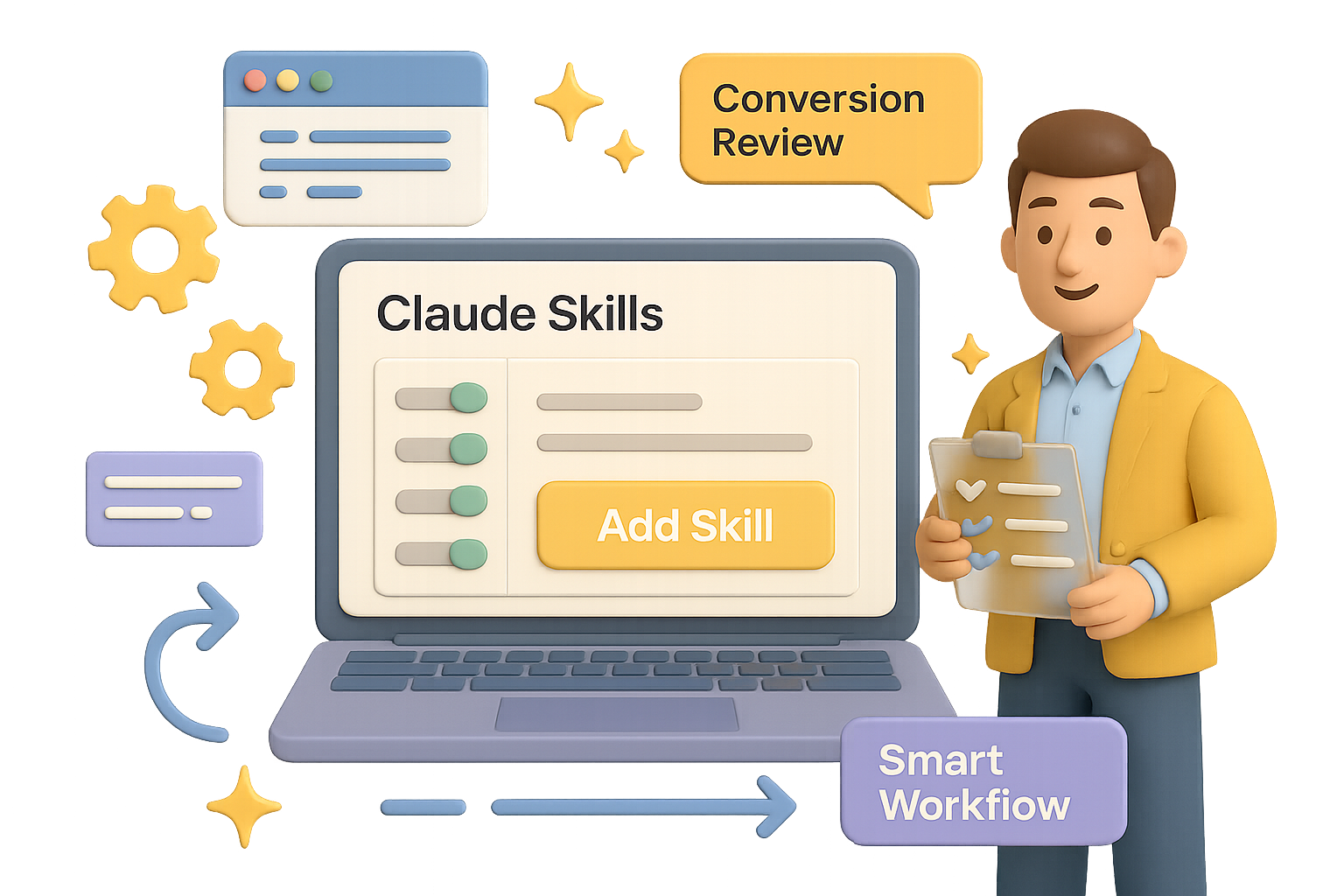
    Claude Skills let you turn Anthropic’s Claude into a reliable virtual teammate. With just a few instructions, you can train Claude to deliver sharp, consistent output on demand—no retyping, no guesswork. Think of Skills as your AI playbook: once it’s set, it just works.

    This guide shows you how to build your first custom Skill—from setup to a conversion-boosting use case—plus a few power moves to make it world-class.

    Let’s get into it.


    illustration

    Turn On Skills

    Before anything else, flip the switch:

    1. Open Claude (web or Mac).
    2. Hit Settings → Capabilities.
    3. Scroll to Skills (Preview) and toggle it on.

    Done. You’ll now see Add Skill in the sidebar. That’s your home base for building.


    illustration

    Three Ways to Build a Skill

    Claude gives you options:

    • Create With Claude – a mini interview that builds the skill for you (best for beginners).
    • Write Instructions – paste clean Markdown if you know what you want.
    • Upload a Skill – perfect if you’ve got a .zip from another project.

    Start with the first method. It’s like onboarding an intern… who never sleeps.


    illustration

    Example Build: A Conversion Copy Review Skill

    Let’s say you run a design agency cranking out SaaS sites and mobile apps. You want Claude to:

    • Review headlines, hero sections, or full pricing pages.
    • Score each part for clarity and conversion potential.
    • Suggest “before & after” rewrites, ranked by impact.
    • Work with chunks of text, screenshots, or Figma links.

    Here’s how you make it real:

    1. Click Add Skill → Create With Claude.
    2. When prompted, describe the task exactly like you would to a new copywriter. Be clear about the inputs (App Store screenshots, URLs, Figma), and what you expect back (scorecards, rewrites, priority levels).
    3. Claude walks through follow-ups—then hands you a ready-to-run skill that includes:
      • skill.md – your high-level workflow, scoring guide, and output format.
      • conversion_frameworks.md – AIDA, PAS, value prop templates, that good stuff.
      • element_guidelines.md – tips for headlines, CTAs, pricing copy, and more.
    4. Hit Copy to My Skills and you’re done.

    Next time you run that conversation? Claude’s pre-loaded with your game plan.


    How to Run It Like a Pro

    Start a fresh chat. Say: “Please use the Conversion Copy Review skill on these screenshots and the copy at https://example.com.”

    Claude pulls frameworks from the skill, scores each part (Critical, High, Medium, Low) and suggests clearer, more persuasive alternatives—usually with a breakdown of why it works better.

    Because your instructions are built-in, Claude won’t wobble between sessions. It thinks like your team. And writes like it’s been in your Slack channel for six months.


    illustration

    Skills vs. Projects

    This part trips folks up:

    • Projects are short sprints—great for a Valentine’s Day campaign or quarterly roadmap.
    • Skills are forever. They’re reusable playbooks you can plug into any conversation.

    Projects are tasks. Skills are teammates.


    illustration

    Make Your Skills Dangerously Good

    Your first Skill is a win. But what takes it from “meh” to “magic” is iteration.

    Use this loop:

    1. Start with the outcome – what’s your real win? (More signups? Better UX?)
    2. Throw it at real inputs – no hand-holding. See where it stumbles.
    3. Deep dive research – study what pros do in that domain.
    4. Boil it down – don’t paste articles; extract rules and principles.
    5. Write the Skill – clear workflows, labeled outputs, and simple guides.
    6. Critique with a cold eye – if a contractor sent this, would you accept it?
    7. Tighten it – cut fluff, fix edge cases, name everything clearly.
    8. Field test it – real examples, real time. Get feedback and polish.
    9. Streamline structure – no filler, no bloat.
    10. Maintain regularly – markets shift and so should your skill.

    Pro tip: frame your instructions like tools, not to-do lists. Claude doesn’t need hand-holding—but context is everything.


    illustration

    What to Do Next

    • Go build a simple Skill. Even a 10-minute one pays compounding dividends.
    • Schedule a monthly Skill audit. Refine. Retire. Recharge.
    • Once comfy? Explore Claude Code or hit the API to scale your workflows further.

    Want more bite-sized, beginner-friendly AI tutorials just like this?
    Check out Tixu—the easiest place to level up your AI skills without drowning in jargon.

    See you there.

  • 11 AI Tools That Will 10x Your Productivity by 2026

    11 AI Tools That Will 10x Your Productivity by 2026

    14 AI Tools That Actually Save You Time

    Drowning in a sea of AI tools that promise the world but leave you with a lighter wallet and more tabs open than ever? You’re not alone. After hands-on testing with over 100 of them, we’ve narrowed it down to 14 standout apps that go beyond the hype—and actually deliver.

    Even better? They stack. You can link them into a workflow that compounds your output instead of piling on subscriptions.


    illustration

    Power Up with These Language Models

    1. ChatGPT (OpenAI)

    Your default starting point. It handles drafts, quick code snippets, and brainstorming like a pro—even on the free plan. Only upgrade when you hit limits or need top-tier GPT-4 horsepower.

    2. Claude (Anthropic)

    Prefer thoughtful, nuanced answers—especially for writing or finance? Claude nails it. Huge context window + more “human” tone than most. It’s a top pick for deep thinkers on a budget (hello, free plan!).

    3. Gemini (Google)

    Living in Gmail or Google Drive? Gemini lives there too. Think: summarizing email threads, drafting replies and scheduling meetings—without leaving your inbox.

    4. Perplexity AI

    Less chatbot, more research wizard. Perplexity digs through the web, cites its sources, and stays fresh. Create topic hubs like “health” or “competitive intel” and it builds ongoing research threads for each.


    illustration

    Automate the Internet Itself

    5. AI Browsers (Arc, Perplexity’s Comet, Atlas)

    Imagine your browser doesn’t just show pages—it acts on them. You say “buy a white five-star hotel-grade tablecloth,” and it just… does. Add school events from Gmail to a shared calendar? Done. Feels like cheating—but it’s just smart design meets AI hustle.


    illustration

    Boost Your Creator Stack

    6. Pop.store

    The Swiss Army knife for creators. Sell coaching, downloads, subscriptions—even run a community—all in one spot. The “Avatar Me” tool lets you make slick, branded content without lifting a camera. Fans can clone your vibe, and yeah, you get paid for that.


    illustration

    Let Ops Run on Autopilot

    7. Notion + Built-in AI

    Notion isn’t just for notes. Used right, it becomes your business command center. Approve an idea, and it can instantly:

    • Create a task in Slack or Telegram
    • Set deadline reminders
    • Attach the right briefs and SOPs

    One click. No bottlenecks.

    8. Zapier & n8n

    These tools are the duct tape of automation.

    • Zapier: Easy, fast, huge library. Best for non-tech folks.
    • n8n: Open-source and endlessly flexible. If workflows need “if this, then that, but only on Tuesdays”—this is it. And yes, AI can now write most of those logic steps for you.

    illustration

    Meet Less, Ship More

    9. Otter.ai

    Otter joins your calls, transcribes them in real time, pulls key takeaways, and lists action items. You skim the five-minute recap instead of re-living that hour-long meeting.

    10. Gamma

    Build presentations in minutes. Gamma uses AI to design slides that adapt to screens—from desktops to phones. Pitch decks, onboarding packs, course content—you’re covered. Viewers won’t even need to pinch your slides to zoom.

    11. Replit + Ghostwriter

    Anyone can build an app now. Type your idea to ChatGPT or Claude, paste the prompt in Replit, and let it scaffold a real project. Built-in testing flags issues early, so you go from “just an idea” to “shippable MVP” before lunch.


    illustration

    Scale Voice, Images & Video

    12. ElevenLabs

    Clone your voice in minutes. Once trained, your AI twin reads scripts while you sleep. Spot-on intonation, adjustable tone. Use it for training, support voiceovers, narration—anywhere your brand needs to speak.

    13. Nana Banana (AI Image Editing)

    Make studio-quality images with plain English. Remove objects, change colors, generate variants, or swap backgrounds—without mastering Photoshop. Great for A/B testing thumbnails or whipping up fast promo shots.

    14. HeyGen

    Talking-head videos, no camera required. Enter a script, pick an avatar (or upload your own), and HeyGen turns it into a polished video. Supports multiple languages too—perfect for demos, product walkthroughs, or customer onboarding.


    Build a System That Works While You Sleep

    AI tools are cool. But workflows are cooler.

    Here’s how you’d chain a few of these together:

    • Research in Perplexity → send notes to a Notion project
    • Approve the idea → Zapier briefs the creatives
    • Gamma builds the deck → Otter summarizes team call
    • ElevenLabs voices the script → HeyGen generates video
    • Pop.store publishes and monetizes
    • Meanwhile, your AI browser is filing invoices and booking travel

    Take a breath. That’s the compound effect in motion.

    You stay focused on the high-leverage thinking. The machines? They handle the rinse-and-repeat.


    Try this next:
    Pick just one AI tool that fits a task you hate. Automate it. Then hook it to the next step in your workflow.

    Momentum starts with one systemized win.

    Want guided help building this kind of setup—from tool zero to workflow hero? Check out Tixu. It’s an AI learning platform that’s actually beginner-friendly—and built to help you start using AI, not just read about it.

  • Master 2026 AI: 6 Trends to Act On Now

    Master 2026 AI: 6 Trends to Act On Now

    AI in 2026: Six Trends to Get Ahead Of—Now

    AI isn’t slowing down—it’s shifting gears. If 2023 was the test drive, 2026 is the highway. And staying in the game means adjusting your strategy before autopilot shows up at your desk, uninvited.

    The good news? You’re not behind. You’re right on time to capitalize.

    Here’s what’s changing, why it matters, and how you can actually use it.

    illustration

    The Model Wars Are Ending—Apps Win

    Remember the model leaderboard debates after every OpenAI or Anthropic release? Those days are winding down.

    Performance is leveling out. Recent benchmarks (Stanford, Artificial Analysis) show that open models like Llama 3 and DeepSeek are hot on GPT-4 and Gemini’s heels.

    What that means for you:

    • Power is everywhere—costs are crashing, models are converging.
    • NVIDIA’s latest chips cut energy-per-token by 100,000x vs a decade ago.
    • Models become commodities. The real edge? Tools that connect to your workflow.

    Do this next:

    • Choose tools based on integration, not IQ tests. Got your files in Google Drive? Gemini might be your best bet—even if “Technically Smarter Model X” is trending on Threads.
    • Ask every AI vendor: “How does this play with my stack?” Not just “How smart is it?”
    illustration

    Workflows Beat Autonomous Agents

    The hype? AI agents will run your whole job while you sip oat lattes.

    The reality? Only 10% of enterprises have hit scale with agent-style automation. But 20% already use AI inside defined workflows—think Zapier steps, custom GPTs, and Gemini code blocks.

    Why this works:

    • Narrow AI = higher ROI. Like… way higher.
    • Pharma slashed clinical prep time by 60% when AI helped sort data. Utilities cut call-center costs in half.

    Start like this:

    1. Pick a task you repeat weekly (reporting, inbox triage, content audits).
    2. Break it into steps.
    3. Automate the routine ones.
    4. Save it as a template.

    Boom. You just built a high-value, low-ego agent workflow.

    illustration

    The Technical Divide Is Shrinking—Fast

    Old rule: Need automation? Ask an engineer.

    New rule: Build it yourself with AI as your co-pilot.

    OpenAI data shows 75% of users complete tasks they couldn’t pre-AI. Python prompts from marketers? Up 36% in six months.

    Big shift here:

    • Technical bottlenecks are cracking. That “one dashboard guy”? Optional.
    • Domain specialists are writing code and shipping tools—on their own.

    Your move:

    Try something “out of reach.” Clean a messy dataset, automate a form, generate performance charts from raw logs. Let Gemini Advanced or ChatGPT 4o fill the gaps.

    Don’t aim for perfect. Aim to break the illusion that you can’t.

    illustration

    Context Now Beats Clever Prompts

    Still fine-tuning mega prompts? You’re not wrong—but you might be missing the bigger win.

    Today’s models understand blurry language better than ever. What they don’t know is your company’s goals, voice, or context—unless you feed it in.

    Here’s what flips:

    • The models are smart, but blind. Your files = their brains.
    • If you’re deep in Google, Notion or Microsoft ecosystems, your assistant learns fast—and gets sticky.

    Want sharper output?

    • Structure your digital life: use standard folders, clean naming, shared taxonomies.
    • Unify knowledge. If your job notes are scattered across Drive, Notion, Slack and napkins… your AI can’t help you.
    • Before you tweak a prompt, ask: “Did I even give it enough to work with?”
    illustration

    Ads Are Coming—And It’s Fine

    Get ready for ChatGPT and Gemini to go ad-supported (at least on free tiers). Between developer leaks and common sense, this one’s a wrap by 2026.

    Not the end of the world:

    • No one’s expecting sponsored answers. That’d kill trust.
    • More likely? Sidebar banners, à la Gmail or YouTube.
    • Bonus: ad revenue helps keep frontier models free for nonprofits, students, and casual users.

    What to prep for:

    • Decide early—pay for ad-free or trade eyeballs for access.
    • If you’re building apps on top of AI APIs, check the small print around monetization early.
    illustration

    Software Is Breaking Into Hardware

    AI’s moving off the screen—into robots, tractors, cars.

    Take this in:

    • Waymo’s AI-driven cars? 100M+ autonomous miles with 96% fewer crashes than humans.
    • Amazon’s robo-warehouses sliced ship time by 78%.
    • China now runs more industrial robots than anyone else… combined.

    Why you should care:

    • Physical assets become digital platforms. Over-the-air updates in forklifts? Yep.
    • Humanoid robots are still sci-fi. Vertical bots (logistics, warehouse, healthcare)? Scaling now.

    Watch the signs:

    • Look one industry sideways. If your neighbor’s job just got robo-optimized… you’re next.
    • Don’t just learn prompt-wrangling. Explore AI ops, hardware interfaces, and human-in-the-loop design.

    illustration

    What This All Adds Up To

    According to Wharton prof Ethan Mollick, we’re in a “jagged frontier” moment. Expertise is unstable. The winners? Folks building faster than they can be outbuilt.

    So here’s your playbook:

    • Build one narrow AI workflow.
    • Organize your context so systems see you.
    • Tackle a task you thought was “too technical.”

    Want somewhere low-risk to try? Start free at Tixu.ai—a beginner-friendly AI learning platform that helps you go from consumer to creator.

    Ready when you are.

  • Build Unlimited Custom AI Videos in 4 Easy Steps

    Build Unlimited Custom AI Videos in 4 Easy Steps

    Stop Paying for Stock Animations: Generate Them Yourself with AI-Written Code

    Let’s get real—stock animations are eating your budget. $20 here, “just another $49” there… and suddenly you’re hundreds deep into assets that still don’t quite match your brand or vibe.

    But here’s the good news: you don’t need to settle for templated meh. Instead of hunting animations, you can generate custom ones—for free—using AI that writes the code for you. Yep, production-ready video code, no creative cap, and no ongoing costs.

    In ten minutes, you’ll be set up to crank out slick animations like clockwork. Let’s flip the script.


    illustration

    You + AI = Unlimited Custom Animations

    Once you’re plugged in, here’s what you unlock:

    • Watermark-free videos in any style you can describe
    • Clean, editable source code you actually own
    • Creative control, down to pixel-level customization
    • Zero subscription fees—ever

    You’ll walk away knowing:

    • How to set up your local animation engine (one-time)
    • Where to get free access to top-tier AI coders
    • How to generate, tweak, and export your own videos—on repeat

    Ready? Let’s light this thing up.


    illustration

    Setup Once, Generate Forever (10-Minute Install)

    Before you can start creating, you need to build the engine that cranks out your videos.

    1. Install Node.js

    • Go to the Node.js website and download the LTS version (green button).
    • Run the installer → Next → Next → Finish.
    • Open your terminal and type:
    node -v

    If you see a version number, you’re golden.

    2. Grab the Starter Pack

    • Download the starter project from our link (look for video-studio.zip).
    • Unzip it anywhere.
    • Go inside the folder, shift-click the Explorer address bar, type cmd, and hit Enter. (Mac/Linux? Open Terminal and cd into the folder.)
    • Run:
    npm install

    That pulls in Remotion (the engine), React, and everything else you’ll need to generate videos.


    Use AI to Write the Entire Video Code

    You don’t need to learn React or TypeScript. The AI handles all of it. You’re just the director now.

    Go to Chatbot Arena by LMSYS. It pairs you with bleeding-edge models like GPT-4 or Claude—for free. They compete, you benefit.

    Here’s How to Prompt Like a Pro:

    1. Click “Battle” → then “Direct Chat”
    2. Enable code formatting by toggling the </> icon
    3. Choose a top performer (Claude is a WebDev beast)
    4. Paste this starter prompt:
    Generate Remotion code only (no explanation), in TypeScript. Create a <duration> animation at 1920x1080 using these visuals: <your concept here>.

    Example input:

    Create a 5-second 1920×1080 animation. Black background. A neon-blue subscribe button slides in from the left, bounces once, then stays centered.

    Few seconds later? You get clean, ready-to-run code. No fluff. No guesswork.


    A graphic illustrating a step-by-step process with four elements: 1) a clipboard with coding symbols, 2) a yellow folder, 3) a computer window, and 4) a file with a play button, connected by arrows.

    Build and Export in 4 Copy-Paste Moves

    Let’s make this thing real:

    1. Copy the pure code block only—omit any comments or “Here’s your code” text
    2. Paste into myVideo.tsx in the video-studio/src folder (replace existing code)
    3. Run npm run build in your terminal
    4. Open the out/ folder—there’s your MP4, ready to rock

    Rinse and repeat for every new animation. No limits, no credits, no stress.


    illustration

    Ideas: What You Can Create

    Here’s where things get spicy. With AI and code on your side, try animations like:

    • Channel Assets: Subscribe buttons, end screens, logo stings
    • Data Explainers: Bar-racing charts, animated KPIs, visual slides for class or work
    • Wipe Transitions: Glitch effects, cinematic cuts, page flips
    • Overlay CTAs: “Only 3 left!” bursts, breaking-news tickers, sale pings
    • Branded Backdrops: Looping patterns in your colors—great for Zoom or live streams

    And every part is tweakable. Want the same animation but red instead of blue? Longer timing? Faster bounce? Just ask the AI. Paste, build, done.


    illustration

    Common Hiccups

    You’ll be up and running fast, but here’s how to sidestep common snags:

    • Animation missing? You probably left “Here’s your code:” in—delete that when copying
    • “npm not found”? Node.js didn’t fully install. Re-run the installer
    • MP4 not saving? Each new build overwrites the last. Move your files before the next run
    • Preview without exporting? Run npm start instead of npm run build to test in-browser
    • Need content ideas or research prompts? Try BrowserAct. It’s a no-code web-scraper with built-in automation (and it’s got a lifetime AppSumo deal while it lasts)

    illustration

    Your Move: Build Your Prompt Pack

    Here’s the next play:

    • Save your best-performing prompts in a Notes doc
    • Grab our 40-prompt starter pack (linked in the main guide)
    • Cycle through Claude, GPT-4, Mixtral or Gemini-Pro depending on availability
    • Challenge yourself: recreate famous motion graphics with just one prompt and an edit

    Animations used to take hours. Now? They take copy-paste.

    Skip the fees. Skip the watermarks. Spin up your own video factory and start creating without friction.


    Want AI that speaks your language—even if you don’t code (yet)?
    👉 Start learning the easy way at Tixu. It’s built for curious beginners who want less fluff, more action.