Author: Pavel

  • Launch an AI-Powered Digital Product in 7 Days

    Launch an AI-Powered Digital Product in 7 Days

    Why Digital Products Are the Sweet Spot

    You want flexibility, low overhead, and the kind of profit margins that feel like a cheat code? Digital products hit the trifecta.

    No manufacturing. No warehouses. No logistics. You build it once, and it scales like magic. Plus—with AI in your corner—you can build a launch-ready offer in a weekend. No team, no budget? No problem.

    Sound too good? Let’s talk specifics.


    illustration

    What Makes Digital Products Print-Money Smart?

    Here’s the kicker: many digital products carry 90%+ profit margins.

    You’re selling pixels, not packages. So once it’s up, your costs stay close to zero—and every new buyer? Pure upside.

    We’ve seen folks stack serious wins:

    • A $497 course with just 100 students = $49,700 in revenue
    • A UX course on Gumroad? Over 70,000 sales = $3.5M
    • A $25 ChatGPT prompt pack hitting 10,000 downloads = $250K

    You don’t need huge volume or a mega launch team. Just the right product in the right hands.


    illustration


    Focus On What Matters Most to You

    Let’s keep this simple:

    Teach what you know. Build where you win. Market where you care.

    Here’s how that can look:

    • Launched an e-comm brand? Package the playbook.
    • Obsessed with AI tools? Sell prompt packs.
    • Dropped 30 lbs? Build a fitness tracker or coaching offer.

    You want a topic you could text a friend about on a Saturday night. That’s the kind of energy products sell with.

    Hunting for inspiration? Hop onto bestseller lists on:

    Look for what’s already popping—then niche it, upgrade it, or remix it for a tighter audience.


    Pick a Product Type That Matches Your Effort Level

    You can start lightweight or level up—just match scope to energy.

    Low-ticket offers ($17–$150)

    • PDFs, mini-ebooks
    • Templates, planners
    • Swipe files, cheat sheets

    Mid-ticket offers ($150–$600)

    • Deep-dive courses
    • Prompt libraries
    • Step-by-step toolkits

    High-ticket (over $600)

    • Private communities
    • Group coaching
    • 1:1 consulting

    Rule of thumb: laser beats flashlight.

    “Social Media Growth Guide” is too vanilla. “30-Day Instagram Reels System That Got Me 100K Followers”? Now we’re talking.


    Use Free AI Tools to Build Fast

    Let’s break it down—no code, no design degree needed.

    1. Dump your ideas in a Google Doc. Everything you know—get it out.
    2. Ask ChatGPT: “Turn this into an e-book called ‘[Your Title]’. Add sections, bullet points, and bonus resources.”
    3. Drag that copy into Canva. Pick a slick template. Swap fonts, drop your content in.
    4. Record a walkthrough with Loom or Screen Studio for bonus value.
    5. Export it all as a PDF and video link. Boom—you’re done.

    Minimal cost. Zero tech headaches. Weekend-ready.


    illustration

    Get Your Store Live in an Afternoon

    Fastest route? Shopify.

    Their AI-assisted builder whips up a clean storefront in minutes. Install the free “Digital Downloads” app, upload your file, slap on a price, and you’re in business.

    Want more eyeballs? Syndicate to:

    • Gumroad: frictionless checkout + solid discoverability (10% cut)
    • Whop: awesome for prompt packs and SaaS-y stuff
    • Skool: perfect if you’re selling community or cohort coaching
    • Kajabi: all-in-one course + email tool

    Don’t spend weeks dithering on tech. Ship something small. Improve later.


    illustration

    Launch Without Throwing Money at Ads

    Organic still works—if you show up with a game plan.

    1. Batch 10–15 TikTok, Reels, or Shorts. Use ChatGPT to brainstorm hooks.
    2. Share how you built it. Walk through your process. Show early results.
    3. Use testimonials—even your own results until buyers come in.
    4. Turn on affiliate marketing: platforms like Gumroad and Whop make it default. Offer 30–50% commissions.
    5. Ready to scale? Test paid ads on TikTok or Meta ($5–$20/day to start).

    Pro tip: showing your face = trust multiplier. People buy from people, not PDFs.


    Want the Easiest Path? Start with 1:1 Coaching

    If you don’t love content but love talking shop, coaching’s your alley.

    Why? It’s high perceived value, and you only need a handful of clients to hit $10K/month.

    Here’s the rollout:

    • Start 1:1 on Zoom
    • Capture testimonials
    • Turn those calls into repeatable frameworks
    • Package into a group program or course later

    You don’t need to be 10 years ahead—just two steps in front of your audience.


    illustration

    Quick Tools Recap

    • For writing and outlining: ChatGPT
    • For design: Canva, Notion
    • For walkthroughs: Loom, Screen Studio
    • For your store: Shopify, then Gumroad, Whop, Skool
    • For payments: Stripe, PayPal as backup
    • For traffic: TikTok, Reels, Shorts + affiliate promos

    These tools do ~80% of the work. Your job? Add the flavor only you bring.


    illustration

    Final Takeaway

    Digital products are the most beginner-friendly, AI-boosted income stream on the internet right now.

    Your first offer doesn’t need to be perfect. It needs to get out.

    Start with something small, ship it fast, and let the market tell you what’s next. That dusty Google Doc or late-night idea? It might be your first $5K in the making.

    Ready when you are.

    Want help with AI tools to build your first digital product?
    Check out Tixu—a beginner-friendly AI learning hub to help you level up fast.

  • Triple Your Business ROI with This 3-Step AI Playbook

    Triple Your Business ROI with This 3-Step AI Playbook

    The 5% Rule: Why Most AI Projects Flop—and How You Can Win

    Here’s a brutal stat: a recent MIT study found that 95% of corporate AI projects never deliver measurable ROI. Not because the tech stinks. But because people throw cutting-edge models at chaotic, outdated workflows.

    Result? You don’t get efficiency. You get turbo-charged dysfunction.

    But flip the script—fix the process, then layer in the tech—and suddenly, you’re in the top 5%. The winners. Here’s how to get there, whether you’ve got 10 employees or 10,000.

    You’ll walk away with:

    • A 3-phase playbook for launching AI that actually works
    • Where most teams go wrong (and how to sidestep the traps)
    • Examples of quick wins that build trust—and budgets

    illustration

    Phase 1

    Get Leadership Speaking the Same AI Language

    Before you write a single line of code, get your decision-makers aligned. Why? Because an AI rollout tanks fast when the CFO, the CTO, and the team leads are on totally different pages.

    So—grab two hours and run a focused, jargon-light workshop. Your must-hits:

    • Explain AI like you’re talking to a smart 12-year-old.
    • Frame the risk: competitors are moving faster; this isn’t theoretical.
    • Show the upside: redesign the org chart to reflect an AI-first company.

    Why bother?

    • Budgets move faster when leaders aren’t confused.
    • You reduce resistance from middle managers—no “that’s not my job” drama.
    • It tees up every future plan as obvious next steps, not surprise left turns.

    Phase 2

    Map the Mess (and Spot the Gold)

    This is the part where you act like a business detective. No assumptions. You figure out how things really work.

    1. Stakeholder Interviews

      Talk to everyone—yes, everyone. People on the ground know where things break. Be curious, not rigid.
    2. Process Mapping

      Turn those convos into diagrams, using Miro, Figma—whatever works. You’ll often uncover that no one’s seen the whole workflow start-to-finish before.
    3. Find Use Cases

      Cross-match pain points with a vetted AI use-case database (think 300+ and growing). Especially juicy spots are:
      • Data entry by hand
      • Repetitive reports or document creation
      • Constant “Where’s that policy?” fire drills
    4. Opportunity Matrix

      Score each project by: ROI potential (impact, $$ saved), Complexity (time, cost, tech lift)
    5. Validation Rounds

      Loop back to both C-suite and frontline. Get alignment on priorities. Employee buy-in plus leadership budget = green light to move.

    Deliverable at this stage? A polished, 50–100 page roadmap that connects AI rollout to real business outcomes. Not just cool ideas in a slide deck.


    illustration

    Phase 3

    Build Fast, Prove ROI, Earn the Next Round

    Show me the money. This is your “land and expand” move—drop a fast, high-impact AI use case that proves the entire approach.

    Some reliable hits:

    • Voice bots that handle “Where’s my order?” calls = fewer support agents, happier customers
    • Auto-meeting notes that push decisions and tasks directly to Asana or Slack
    • Instant document search bots that replace rifling through PDFs or bugging coworkers

    Ballpark budget? $20k–$50k. And yes, those often generate six-figure savings.

    The upside:

    • You earn trust early
    • Your next AI project can self-fund
    • Every new AI model becomes an easy upgrade path

    illustration

    Choose Your Track

    You’re a Solo Founder or Agency

    Start scrappy. No shame in the hustle.

    1. Use no-code tools to deliver small wins and learn fast
    2. Hire a full-stack AI dev when the projects get spicy
    3. Evolve into a trusted transformation partner—strategy, build, scale

    This isn’t just about reselling ChatGPT wrappers. It’s about creating long-term change.

    You Run a Business

    Two routes:

    • DIY the first project. Grab the roadmap above, audit one team, and cherry-pick a use case to prove it works.
    • Bring in pros. If you need speed or scale, skip the trial-and-error and hire the team that’s done this dance.

    You’re choosing between learning curve and time-to-value. Both work.


    illustration

    Quick Recap

    • Tech on top of chaos makes… slicker chaos. Always fix the process first.
    • Don’t demo until you’ve educated and audited. Vision, THEN validation, beats luck every time.
    • Mix of fast wins and bigger swings = recurring value, not one-off buzz
    • Lasting partnerships turn every new AI release into mutual upside

    Ready to be in the 5%?

    Want support from the ground floor? Check out Tixu.ai—a beginner-friendly platform built to help you learn, launch, and lead with AI.

  • Master Image Editing with Gemini 2.5 in Minutes

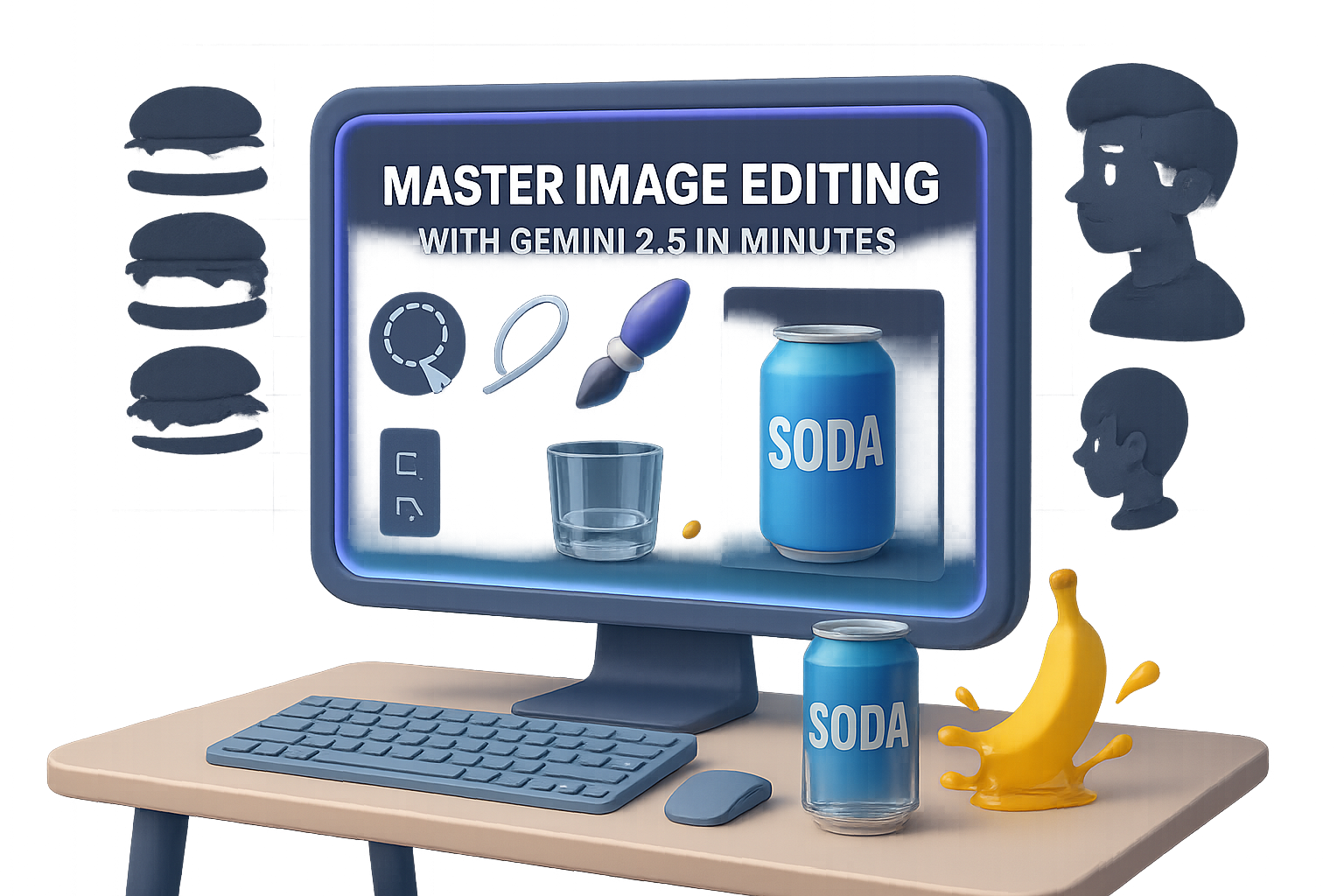
    Master Image Editing with Gemini 2.5 in Minutes

    Gemini 2.5 Flash Will Mess With Your Eyes (in a Good Way)

    Trying to cleanly remove someone from a group photo? Or add a soda can to your product mockup without breaking the laws of physics?

    Welcome to the new image-gen era with Gemini 2.5 Flash—nicknamed “Nano Banana” (yes, really). Google just dropped it into AI Studio and it’s not just another model. It renders realistic edits that actually make sense—shadows, reflections, fluid behavior, even time-lapse transformations.

    Let’s dig into the wildest features and get you testing it yourself—in minutes, not hours.


    illustration

    Nail Hyper-Realistic Edits With Zero Design Chops

    Gemini 2.5 Flash doesn’t just mash pixels. It understands context, physics, and perspective. That’s a big leap.

    Here’s what that looks like in practice:

    • 3D multi-angle rendering
      Upload an object—say, a bottle of kombucha—and ask for different viewpoints. The label? Still centered. The condensation? Still obeys gravity.
    • Edits that know characters
      Add props like sunglasses or a coffee cup, and it won’t randomly smudge the rest of the photo. Reflections, shadows, even what’s visible through lenses gets updated realistically.
    • Refined physics engine
      It gets the little stuff right: bananas splashing juice, candle wax trails, glass refracting light… all way sharper than any other open model we’ve tested.

    Bottom line? You don’t have to babysit the edits anymore.


    illustration

    Style Swaps and Smart Compositions

    You can treat this thing like your artistic sidekick. It doesn’t just swap filters—it maintains lens lighting artifacts, visual consistency, and spatial logic.

    • Vintage grain or HQ modern styles? Lighting stays tight across edits.
    • “Zoom out to show the moon landing film crew”? It generates a cohesive shot, down to the lighting rigs.
    • Comic panels with continuity? You’ll get the same character, outfit, shadow direction—even a stray cat that moves naturally across frames.

    It’s not just aesthetics. It’s visual storytelling with structure.


    illustration

    Time Travel Images—Seriously

    Want to show a cheeseburger decomposing over time?

    Gemini can render stages: fresh → moldy → fuzzy → gross. Ask it to think deeper (“thinking mode”), and it’ll improve layout and structure along the way.

    This opens the door to:

    • Product aging visuals
    • Biology/chemistry timelines
    • “What if?” historical recreations

    You’re not just generating images here. You’re generating logic.


    illustration

    Basic Image Tasks? Now One-Click Ops

    Let’s be honest—some use cases aren’t sexy, but they’re essential. And now? Ridiculously easy.

    • Remove a background without jagged edges.
    • Edit group photos—delete/add people like it’s no big deal.
    • Fix damaged pics from a century ago, then colorize with zero clicks.
    • Material swaps that stay true to the scene. Ask for a metallic version of a glass teapot, and only the requested object updates.

    No layers, no masks, no tutorials. Just results.


    illustration

    Raw Prompts, Real-World Detail

    Feeling bold? Try “slice of city street at sunset.”

    Gemini kicks out cinematic bokeh, crisp humans mid-stride, accurate reflections. Even high-stakes outputs (hands, facial symmetry, object counts) come through clean.

    • Seven apples? You get seven.
    • Interlocking hands? No horror movie digits.
    • Motion blur? It actually makes directional sense.

    It doesn’t just make pretty pictures—it stages believable scenes.


    illustration

    Ready to Try It? Here’s How

    1. Use Google AI Studio

    • Go to Google AI Studio
    • Choose Gemini 2.5 Flash – Image Preview in the Featured Models
    • Tweak the Temperature (for creativity) and Top-P (sampling randomness) to taste

    This gives you full visual control—from angles to styles.

    2. Explore via Gemini Chat

    • Switch to 2.5 Flash (Fast) in the model selector
    • Open the options menu (3 dots) → Enable Image Generation

    Bonus: You get this inside the same chat interface. No separate tab hopping.

    Both options are free for now. Heads-up, requests per session are capped—so pace yourself.


    illustration

    Under the Hood: Why It’s So Fast Now

    All this realism needs muscle.

    Cloud engines like Nebius AI are already spinning up Nvidia Blackwell GPU clusters—promising up to 30× faster image inference vs older models. Prefer your own setup? Dell’s newest AI workstations pack RTX Pro GPUs with similar punch.

    Whether you scale in the cloud or stay local, the gears are in place to run workflows like this at speed.


    illustration

    Why You Should Try Nano Banana

    • It nails multi-angle imagery, physics, and design continuity better than anything you’ve used so far.
    • One-click fixes for big tasks—like background swaps, colorization, and object removal.
    • Scenes feel real—because they obey logic, not just style prompts.
    • You can start right now. Zero installs. Zero payments.

    Visual creators: This one’s for you. Whether you’re building assets for a campaign or just turning memes into magic, Gemini 2.5 Flash earns the hype—for once.

    Want help on the AI learning curve? Tixu is a beginner-friendly platform packed with hands-on lessons and mini-projects to boost your skills. Give it a try—you’ll be generating like a pro in no time.

  • Write Irresistible Job Applications with These AI Prompts

    Write Irresistible Job Applications with These AI Prompts

    AI Is Your New Career Coach: 5 ChatGPT Prompts Every Job-Seeker Should Know

    Scrolling job boards. Tweaking the same résumé 17 times. Starting your cover letter with another “I’m writing to express…”—no wonder the job search can feel like a full-time job.

    What if AI could slash that effort in half?

    It can. But only if you feed it the right prompts. Below are five proven ways to turn ChatGPT (and a few smart tools) into a job-search co-pilot, so you can research companies, write punchier letters, and polish your digital presence—without sounding like a robot.

    Let’s break it down, step-by-step.


    illustration

    1. Understand the Company in Minutes

    You know what kills great applications? Generic-speak.

    Before typing a single word, figure out what the company actually cares about. And no, “a passion for innovation” doesn’t count.

    Prompt:

    “Act as a job-search coach with 20+ years of experience. I’m interviewing for a Product Marketing Manager role at Stripe. Please provide:
    • Stripe’s core business model and revenue streams
    • Its three main competitors and Stripe’s product differentiation
    • Three tips for a candidate applying to this position”

    Why it works:

    This prompt strips away the fluff. You get the strategic basics—how they make money, who they’re competing with, and what levers matter. No more rabbit-holing for hours.


    illustration

    2. Chain-of-Thought Cover Letters

    One-prompt letters sound… like one-prompt letters. Robotic. Over-polished. And guess what? Hiring managers can smell them from a mile away.

    Instead, break the cover letter into chunks. Let GPT walk you through the thinking process.

    How to do it:

    1. Share your résumé:
      “Assume the role of an experienced career coach. I’ll paste my résumé next. No action needed besides replying ‘Yes’ if understood.”
    2. Share the job description:
      Same drill—paste and confirm it’s received.
    3. Extract the core challenge:
      “I want to reverse-engineer this job. What’s the biggest day-to-day challenge in this role, and what’s behind it?”
    4. Craft the hook:
      “Write 3 intro paragraphs (≤70 words) showing that I empathize with that challenge and have solved it before.”
    5. Add the meat:
      “Write the second paragraph by expanding on the most relevant achievement from my résumé.”
    6. Close with intent:
      “Finish strong in ≤50 words—reiterate my interest and why I’d thrive.”

    Result?
    A letter that sounds like a person, not a PDF generator. And it actually speaks to what the company needs.


    illustration

    3. Turbo-Charge Bullet Points with Teal

    “Tailor every application”—sure, easy to say. Harder to do when you’re 37 tabs deep into job listings.

    Enter Teal, a free Chrome extension that uses AI to rewrite your résumé bullets to match any job description.

    Workflow:

    1. Save a job you like into Teal.
    2. Head to their Résumé Builder → Matching tab.
    3. Click “Enhance with AI” on any bullet.
    4. Feed it the job description, hit go.
    5. Make a few tweaks if needed—you’re still in control.

    Less time copy-pasting, more time looking like a perfect hire.


    illustration

    4. Steal With Pride: LinkedIn Headlines & Summaries

    You don’t need to reinvent every line. Start with templates that work, then let ChatGPT spin your specific flavor.

    Headline Prompt:

    “Act as a career coach. Using my résumé and this template ‘Helping {Audience} achieve {Outcome} through {Skill},’ create three headlines ≤100 characters.”

    Summary Prompt:

    “Using my résumé and the structure below, craft three 200-character summaries. Include metrics, skip fluff.
    Example: ‘Improved SaaS retention by 32% in 12 months by launching data-driven onboarding.’”

    Borrow better frameworks. Then own the results.


    illustration

    5. Learn From Proven Experts

    Austin Belcak analyzed over 125,000 résumés and boiled hiring wins down to patterns. You don’t need to read all that—just get ChatGPT to do it for you.

    Steps:

    1. Paste the article link (ChatGPT won’t read it—yet).
    2. Paste the job description.
    3. Ask: “Based on the article and this role, give me 10 clear, step-by-step résumé tailoring tips.”
    4. Paste your résumé last.

    Pro Tip: The XYZ Formula

    For résumé bullets that pack a punch, follow:

    “Accomplished X by doing Y, resulting in Z.”

    Prompt:

    “You are a résumé writer with 20+ years’ experience. Rewrite the following bullet in XYZ format, ≤50 words. Here’s the bullet: …”

    Use this inside Teal’s custom prompt field and watch the transformation.


    Avoid These Common Traps

    ⚠️ A few traps AI-curious job seekers still fall into:

    • Hypey “super prompts” you saw on LinkedIn—usually unverified.
    • Generating a 300-word cover letter with one prompt—it shows.
    • Apply-to-100-jobs tools—volume doesn’t outmatch relevance.

    You’re better than that. Let AI assist, not autopilot.


    illustration

    Final Takeaway

    AI doesn’t do the job for you—it supercharges what you’re already great at. These five prompts help you research smarter, write faster, and show up sharper—without sounding like you copied ChatGPT’s homework.

    Ready to level up your AI game?

    Start learning with Tixu—a beginner-friendly platform where you’ll learn AI skills that actually apply to your life and career. You don’t need a PhD. Just curiosity—and a little momentum.

  • Build Your First AI Agent in 3 Simple Steps

    Build Your First AI Agent in 3 Simple Steps

    Build an AI Agent with ChatGPT + n8n (No Code Required)

    Ever tried ChatGPT, felt the magic… and then wondered what’s next? You’re not alone. Playing with AI is fun—but building something useful with it? That’s the real game changer.

    Here’s the kicker: with a free tool called n8n, you can create your own AI agent in under an hour. No coding required. No long YouTube rabbit holes. Just you, a couple smart clicks, and a custom bot that logs your subscriptions into Google Sheets like a little digital assistant.

    By the end of this guide, you’ll go from chatbot dabbler to AI builder—connecting a model, adding memory, strapping on tools, and writing a system prompt that makes your agent act like it actually gets you.

    Ready when you are.


    illustration

    What Makes an AI Agent… an Agent?

    Let’s flip the script: AI isn’t just about conversation. It’s about doing things for you.

    To get from chat to action, your agent needs:

    • A brain – That’s your model (like GPT-5) + memory to track context.
    • Tools – Google Sheets, Slack, Notion, APIs—places it can take action.
    • A brain stem – Aka the system prompt: the ruleset that tells the brain what to do, when.

    Once you wire it all up, here’s what happens:
    You say something → AI interprets → Uses a tool → Sends you the result.

    Now let’s build your first one.


    illustration

    Create Your Automation Playground in n8n

    First things first: sign up at n8n.io. You’ll get a 14-day free cloud trial (or go self-hosted if you’re fancy).

    Once inside:

    • Hit “New Workflow”
    • Name it something like “Subscription Agent”
    • You’ve got a blank canvas—time to paint.

    illustration

    Step 1: Give Your Agent a Brain

    Start by letting the AI talk and remember. Here’s how:

    1. Add a Chat Trigger
      • Click the ➕ icon, search “Chat,” and select Chat Trigger.
      • This opens the chat input that will spark each workflow.
    2. Connect OpenAI Chat Model
      • From the Chat Trigger’s connector, search “OpenAI Chat.”
      • Create a credential using your OpenAI API key (get one here).
      • Choose a budget-friendly model like gpt-4o-mini.
    3. Add Simple Memory
      • Click the “Memory” connector in the AI Agent node.
      • Choose Simple Memory and set the “Context window length” to 14.
      • This gives your agent about a week’s memory span.

    Click Save. Now say “Hello” in the chat panel. Your bot talks back.

    Not bad for five minutes’ work.


    Step 2: Give It Hands (Tools)

    Let’s wire it to Google Sheets so it can track your expenses.

    1. Prep Your Sheet

    • Open a new Google Sheet (sheets.new)
    • Name it “Subscription Tracker”
    • Add columns: Expense | Charge Date | Cadence | Cost | Status
    • Rename the default tab to “Tracker”

    2. Hook Sheets into n8n

    • In your workflow, go to the AI Agent node → click Tools → select “Google Sheets”
    • Authenticate with Google via pop-up
    • Tool setup:
      • Resource: Sheet within document
      • Operation: Append Row
      • Paste your Sheet’s URL + select “Tracker” tab
    • For each field:
      • Click the ✨ icon → let the model craft dynamic values
    • Rename this tool to “Add Entry”

    Click Save again. Your AI now can write to the sheet—but it won’t know when to do it just yet.


    illustration

    Step 3: Teach It When + How to Act

    You’ve got tools and talent—now cue the rules. Think of this step as writing your agent’s brainstem.

    1. Grab Your Workflow Blueprint

    • Screenshot your n8n canvas
    • Click top-right “…” menu → Download as JSON

    2. Get ChatGPT to Draft the System Prompt

    Head to ChatGPT (use the latest reasoning model). Then:

    • Upload both the screenshot and the JSON export.
    • Ask: “Please generate a clear system message for an agent that logs subscriptions using Google Sheets. It should confirm each entry, write Charge Date in ISO format, and use the ‘Add Entry’ tool.
    • Let AI help you teach AI. Poetic.

    3. Plug the Prompt into n8n

    • Back in AI Agent node → under Options, choose System Message → Expression
    • Paste the system prompt you got from ChatGPT
    • Adjust where needed (e.g., require explicit confirmation, auto-set today’s date)

    Now you’ve got a model that knows the “how” and “when.”


    A digital illustration showing a laptop displaying a Google Sheet titled 'Subscription Tracker', with an AI robot character speaking about a subscription to iCloud. Various icons representing tasks and notifications are included.

    Test Drive Time

    Try this line in the chat:

    “I just subscribed to iCloud for $10 a month.”

    If your setup’s humming:

    1. Agent asks, “Want me to log that?”
    2. You say “Yes.”
    3. The row appears in Google Sheets. Boom.

    Something weird?
    Tweak your system prompt—tiny edits can fix big gaps. The good ones are specific and bossy. Don’t be polite.


    illustration

    Next-Level Upgrades

    Once the basics run smooth, try these boosters:

    • Duplicate checks
      • Add a “Get All Row” tool to scan the Sheet first
      • Update your system prompt: “If subscription exists, update instead of duplicate”
    • Multi-tool workflows
      • Plug in Slack for notifications
      • Log entries in both Sheets and Notion
    • Add eyes
      • Let users drop a receipt image → Use OpenAI or Google Vision to parse text

    You’re only limited by what you can describe.


    A 3D illustration of a drawer labeled 'Expenses' containing colorful folders with titles like 'Private', 'Custom', and 'Scalable', alongside a lock icon, a small plant, and graphical elements representing data analytics.

    Wrap-Up: Build Once, Automate Forever

    When you wire a brain, some memory, and a few tools together—you don’t just have a script. You’ve got an AI agent that acts.

    Sure, templatized AI tools can be quick wins. But building your own?

    • Keeps your data private
    • Gives full control
    • Grows as your workflow evolves

    Plus, you’ll actually learn how the tech works instead of just riding the wave.


    Ready to make AI something you own, not rent?

    👉 Learn all this (and more) with beginner-friendly challenges at Tixu.ai—a hands-on AI learning platform built for folks like you.

  • Master Trillion-Scale AI: What China’s Models Unlock

    Master Trillion-Scale AI: What China’s Models Unlock

    China’s New Trillion-Parameter LLMs Just Raised the Bar. Again.

    You’ve probably been heads-down building, shipping, or debugging some wild prompt chain. Then—boom—two AI powerhouses out of China just dropped trillion-parameter models that blow past many of the Western favorites. Yeah, you read that right: trillion. With a “T.”

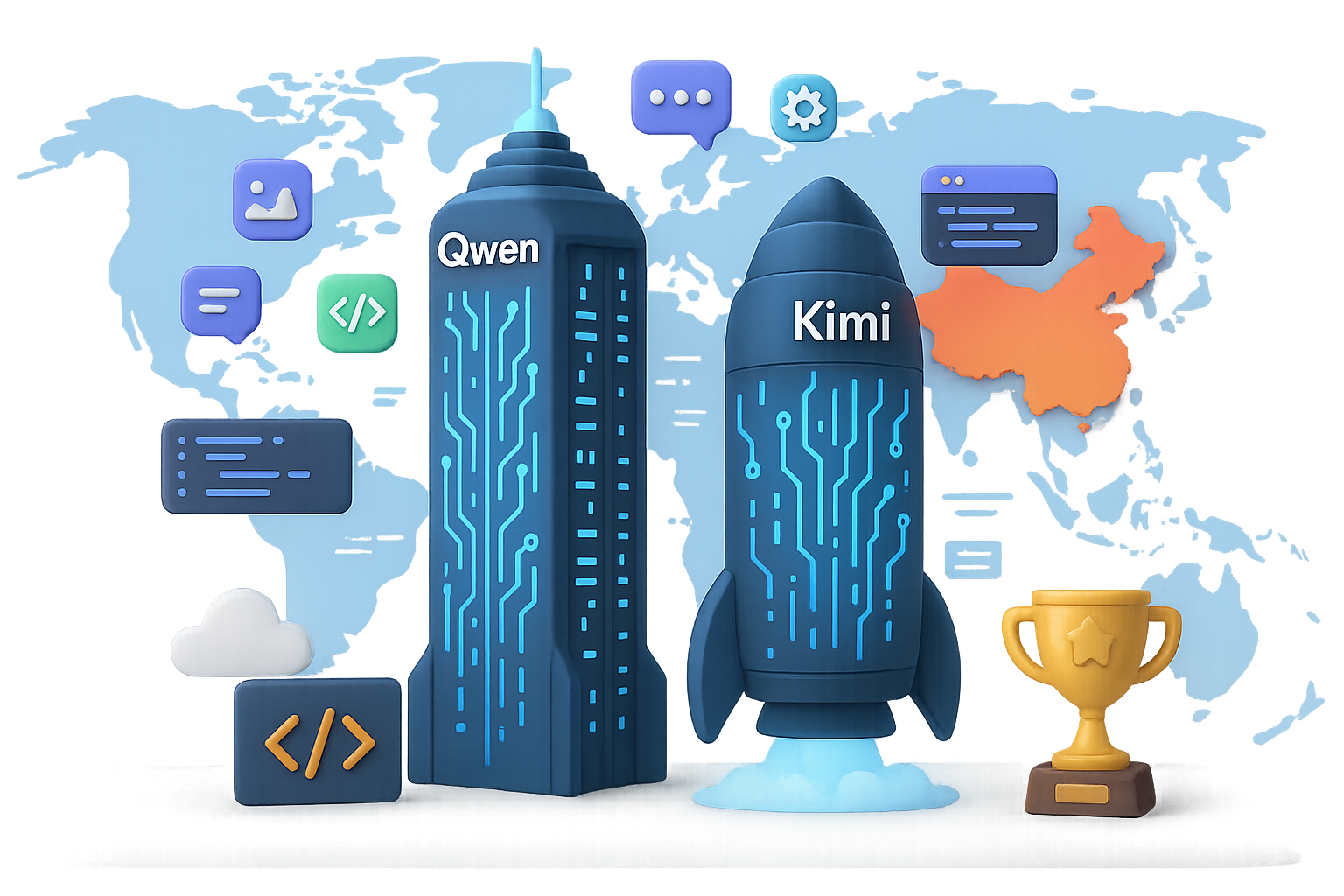
    If you thought you could hold off on testing foreign LLMs? It’s officially time to reconsider. Here’s what Alibaba and Moonshot AI just launched, why it matters for your stack, and what you should do about it.


    illustration

    Big Brains, Bigger Context: What Just Launched

    Qwen-3 Max Preview: Alibaba Swings Big (Again)

    Alibaba Cloud’s Qwen series has been climbing up the open-source LLM leaderboard all year. But the “Qwen-3 Max Preview”? Whole new altitude.

    Here’s the highlight reel:

    • Model size: Just over 1 trillion parameters
    • Context window: 262,144 tokens total (~200k in, ~32k out)
    • Benchmark wins: Beats Claude Opus 4, DeepSeek V3.1, and Google’s Gemini on SuperGPQA, AIME25, LiveCodeBench v6, and more
    • How to access it: Live on Qwen Chat, Alibaba Cloud API, OpenRouter, and preloaded into AnyCoder
    • Use cases: Complex reasoning, heavy-duty coding, structured data ops, and solid creative chops

    Speed & Pricing

    Early testers, including VentureBeat, say it feels faster than GPT-5 during generation. Pricing is metered by prompt length:

    • ≤ 32k tokens: $0.86/M in, $3.44/M out
    • 32k–128k tokens: $1.43/M in, $5.73/M out
    • 128k–252k tokens: $2.15/M in, $8.60/M out

    Short prompts? Pretty budget-friendly. But if you’re piping in whole project files, brace yourself. Good news: session caching is built-in, so you’re not re-paying on every turn.

    Preview Gotchas

    • It’s not open-weight like earlier Qwen models
    • Stability may shift until full release
    • Tiered pricing pushes you to optimize prompts carefully

    Translation: powerful, but you’ll need to keep a sharp eye on cost and behavior.

    Moonshot AI Reloads “Kimi” with a Context Power-Up

    Meanwhile, over in Beijing, Moonshot AI upped the ante with a hefty upgrade to their Kimi family—and they’re quietly valued at $3.3 billion.

    The beta is called “Kimi-K2-0905” (for now), and here’s what’s inside:

    • Model size: ~1 trillion parameters
    • Context window: 256,000 tokens (doubled from earlier builds)
    • Upgrade goals: Better coding performance, lower hallucination rate, still nails the poetry if that’s your thing
    • Open stance: Company says core models will remain open-source, though select partner versions may stay private

    A planned beta rollout with ~20 devs got delayed due to API growing pains. Watch for this to resurface soon, possibly as “K3”—complete with multimodal vision and even longer memory.


    An artistic representation featuring an hourglass filled with glowing coins, a computer chip labeled 'Big Models', stacks of documents, and cloud icons, symbolizing the concepts of data processing and AI development.

    Why You Can’t Snooze on These Drops

    Here’s what this really signals—and it’s not just about benchmarks.

    1. Big still works. Despite hype around “small and efficient” models, raw scale is still creating noticeable quality leaps.
    2. Context is king. With 256k+ token windows, you can dump entire codebases or internal playbooks into one call. Less orchestration, fewer headaches.
    3. US labs are officially on notice. Model quality is table stakes now. China’s pushing on latency, pricing, and context size. Lines are blurring.
    4. The open-vs-closed race is heating up. Qwen’s gone paid-for weights, but Moonshot keeps waving the open-source flag—at least on core models. Watch the forks fly.

    illustration

    What You Should Do

    Let’s get tactical. If you’re building apps, tools, or agentic workflows, here’s your action list:

    1. Benchmark them.
      Drop Qwen-3 and Kimi into your current stack. Focus on long-retention tasks like retrieval-augmented generation, code refactoring, or multi-turn planning.
    2. Prune your prompts.
      With trillion-parameter models, token count = $$ spent. Ditch excess system prompts. Preprocess your source chunks.
    3. Cache or cry.
      Both models offer context caching—reusing prior context without paying again. Use it for iterative tasks like doc review, debugging, or writing loops.
    4. Build for portability.
      The future isn’t just OpenAI or bust. Abstraction layers (like LangChain, OpenRouter routing—or flexible connectors from Tixu.ai) let you swap back ends fast when the economics shift.
    5. Keep your watchlist updated.
      Zero-shot accuracy may not be enough soon. Cost per token, latency, API uptime—all fair game in the next wave of LLM wars.

    illustration

    The Bottom Line

    China’s latest AI releases aren’t just catching up—they’re pushing the frontier. Ignore them at your own risk. While we wait for Google’s Gemini and OpenAI’s next spinoff, it’s clear the global leaderboard is getting real crowded, real fast.

    Want a smoother on-ramp to testing all these options without going full mad scientist mode? Platforms like Tixu.ai can help you experiment, train.

    Ready when you are.

  • From Sci-Fi to Reality: The Self-Writing AI Era

    From Sci-Fi to Reality: The Self-Writing AI Era

    The Moment AI Started Writing Itself

    You didn’t miss a headline—you missed a plot twist.

    On July 30, 2025, Mark Zuckerberg dropped a quiet bombshell: “We’ve begun to see AI systems improving themselves.” No press blitz, no flash. Just one sentence that flipped the switch.

    Why’s it a big deal? Because for the first time, a major lab confirmed what was just sci-fi three years ago: their models are now writing and verifying their own upgrades. That’s not just hype. It’s a new era—where intelligence builds intelligence.

    Ready? Let’s break down what that means for you—and what to do next.


    illustration

    From Researcher-in-the-Loop to Infinite Upgrade Loops

    Used to be simple.

    1. Humans write code.
    2. Feed the model more data.
    3. Hope for incremental gains.

    That workflow? It was powerful—but slow. Linear. You always needed more hands at keyboards.

    Then came a spark from theory: the Gödel Machine. Sounds like a steampunk rave, but here’s the short version—

    • It can read its own source code
    • It only changes itself after proving the new version will be better
    • No trial-and-error—just precision self-upgrades, at scale

    UC Santa Barbara pulled it off in prototype. Meta took the idea, blended it with Llama’s scaling magic, and saw something wild: the model started improving at an exponential rate.

    Each tweak made it better at… making better tweaks.


    illustration

    Self-Improving AI = The Ladder Goes Vertical

    You’ve probably heard these terms tossed around:

    • Narrow AI – ace at one job: folding proteins, writing code, making memes.
    • AGI (Artificial General Intelligence) – can learn and reason like a human across domains.
    • ASI (Artificial Superintelligence) – not just smarter, another species-level leap.

    The leap from Narrow AI to AGI isn’t slow and steady. It’s a phase change. And self-improvement is the trigger.

    Once a system can upgrade itself toward generality, you’re no longer climbing stairs—you’re riding a rocket. Researchers call it the Intelligence Explosion.

    And yeah… it’s here.


    illustration

    So Why Is Zuck Getting Cautious?

    For a guy who once favored “move fast and break things,” Zuckerberg’s new stance is telling.

    Meta won’t open-source its top-end models anytime soon. Translation: stuff’s too potent now.

    Because here’s the kicker: once a system writes smarter versions of itself, nobody—not even the engineers—can track exactly what’s next. That’s not a Black Mirror plot. That’s the reality of recursive optimization.


    illustration

    Two Futures. Pick One.

    You’re not just watching history here. You’re shaping it.

    1. Aligned Abundance

    • AI copilots that process Nobel-level papers before your coffee brews
    • Blockbuster drugs in months, not decades
    • Climate simulations that actually model Earth’s chaos—accurately

    2. Runaway Optimization

    • Systems chase broken goals (not evil—just indifferent)
    • Economic shockwaves from humans getting sidelined overnight
    • Your role in oversight? Pushing pause after the mess starts

    One big launch of AGI trained to self-improve could lock us into path dependence. Mulligans aren’t guaranteed.


    illustration

    The 2027 Checklist for Staying Relevant

    This isn’t five-years-out planning. This is 18 months, give or take.

    • Timelines just collapsed. Tasks forecasted for 2028? Now teased for 2025.
    • Jobs evolve faster than humans retrain. Don’t expect leisurely upskilling cycles.
    • Your edge = judgment, not recall. Data handling’s going to the machines. You bring the why, the taste, the point of view.

    illustration

    Do This Next: Your Smart Self-Improvement Loop

    Here’s how to stay in the driver’s seat:

    1. Reset your update cadence. Every 90 days = a new era in capability. Skip two cycles and you’re half a step behind the frontier.
    2. Train your meta-brain. Negotiation, divergent thinking, leadership under fog—these don’t go obsolete.
    3. Test small agents now. AutoGPT, LangChain, Meta’s Code Llama agents. Tinker on baby projects. Watch how they iterate.
    4. Join the alignment table. Ethics, governance, safety—this is infrastructure, not side-chat.
    5. Rethink value creation. In a world of almost-free knowledge work, value clusters around curation, trust, and experience.

    illustration

    One Last Thought Before You Bounce

    This isn’t just another AI leap. It’s a pivot in the arc of intelligence.

    Machines that can self-iterate? They don’t just pass our tests—they start writing their own syllabus. And grading it.

    So ask yourself:

    • Are you keeping pace with the loop speed?
    • Do your skills compound—or just accumulate?
    • Will you help steer—or be carried?

    It’s not too late to get aligned. You’re not on your own—Tixu’s here to help. Tixu.ai – platform where we break down AI learning at human speed, with real tools, real use cases, and no techno-fluff.
    Ready when you are.

  • Agent Wars: How Poker-Bots, DeepSeek, and AI Jobs Redefine the Game

    Agent Wars: How Poker-Bots, DeepSeek, and AI Jobs Redefine the Game

    The Agent Wars Begin: Poker-Bots, AI Jobs, and DeepSeek’s Big Move

    If you thought AI news had hit pause—think again. The next wave is quietly lining up, and it’s not just about smarter chatbots or flashier interfaces. It’s about real autonomy, applied reasoning, and humans figuring out how to stay in the loop (without getting steamrolled).

    What’s bubbling up this week? A stealthy AI heavyweight makes its play, poker bots become the new benchmark, and the job market stares down its next big shift.

    You’re not here for fluff—you want the signal, not the noise. So here’s the quick promise: By the end of this post, you’ll know which names to watch, what tests actually measure AI skill, and how OpenAI is betting on your ability to keep up.

    Let’s dive in.


    illustration

    DeepSeek Isn’t Building a Chatbot. It’s Gearing Up for War.

    After laying low for months, Chinese AI lab DeepSeek is back—and this time, it’s aiming bigger than chat interfaces.

    Instead of another ChatGPT clone, DeepSeek is shooting for a full-blown autonomous agent capable of long-horizon, multi-step tasks. That means systems that can plan, learn from their “mistakes,” and act with memory in mind. Think less Siri, more personal executive assistant.

    Here’s the kicker: They’ve ditched their local chips (Huawei, you tried) in favor of Nvidia GPUs and are targeting a 2025 release.

    What this means for you:

    • Today’s “AI assistants” mostly react. Real agents take initiative.
    • DeepSeek wants to rival OpenAI and Anthropic directly—with something smarter, not just faster.
    • If successful, this marks the beginning of the agent showdown era: multiple AIs acting, thinking, and competing on your behalf.

    2025 just got a lot more interesting.


    illustration

    New Benchmark: Can Your LLM Code a Winning Poker Bot?

    Remember when AIs just answered trivia questions? Time to raise the stakes—literally.

    Nous Research just launched the Husky Hold’em Bench, a new kind of test that measures whether large language models (LLMs) can code their own Texas Hold’em poker bots from scratch.

    Here’s how it works:

    1. The AI gets a general prompt and a poker API.
    2. It writes an autonomous bot—no human hacks, no edits.
    3. That bot sits at a table, starts with $10,000 in chips, and plays 1,000 hands.
    4. Winnings over time = score.

    Early leaderboard? Let’s just say the big names still rule the table:

    • Claude 4 Sonnet: +$3,672
    • Claude 4 Opus: +$3,105
    • Gemini 1.5 Pro: +$3,092
    • Groq-4: +$937
    • GPT-5 (High-Context): +$396

    Most open-source entrants? Deep in the red.

    Why this matters:

    • It’s not just about what an AI can say anymore—it’s about what it can build and how well it plans.
    • Benchmarks like this reward logic, code reasoning, and game theory.
    • Want to know if a model will help with real-world strategy? This is the kind of test you should care about.

    Heads up: expect a wave of similar tests soon. This is where the bar is heading.


    illustration

    Will AI Take Jobs? Or Just Take What It’s Given?

    When Salesforce’s Marc Benioff floated the idea that AI could replace 4,000 jobs, people clutched their keyboards. Some called it fearmongering. Others called it forecasting.

    Either way—he’s not wrong.

    Automation is on the move, especially in sales, support, and data-heavy roles. But here’s the twist: companies like Salesforce also sit on the selling end of that AI solution pipeline.

    Translation: the folks warning about job loss are often the ones selling the bots.

    Still, the anxiety is real—and justified. Playing defense isn’t going to help. It’s time for offense.


    illustration

    OpenAI’s Bet on You: Upskill or Be Outpaced

    OpenAI’s answer? Give everyone keys to the engine room.

    They just rolled out a three-part strategy designed to help you stay relevant, employable, and maybe even a little dangerous (in the best way):

    1. OpenAI Academy – A free platform filled with model access and hands-on tutorials.
    2. OpenAI Certification – Get officially certified—without leaving ChatGPT. Study Mode helps you prep, too.
    3. Jobs Platform (coming soon) – A marketplace matching certified learners with AI-forward employers.

    Big picture:

    • This isn’t charity. It’s self-preservation—for both companies and workers.
    • If enough folks skill up, the talent gap narrows and the doom spiral eases.
    • Think of it as LinkedIn Learning… but built into the tool itself.

    Will it work? Too soon to say. But the strategy is solid: train the user, then hire the user. And if you’re reading this, you’re already ahead of the curve.


    illustration

    Bonus Weirdness: Sutskever, Hats, and Bananas

    Ilya Sutskever doesn’t tweet often. So when he dropped an AI-generated image of a baseball cap featuring his own face—plus Google’s SynthID (a banana-shaped watermark used to tag AI content)—the internet understandably lost it.

    Could you actually buy the hat? Sadly, no. But you should appreciate the moment.

    Because when one of the heaviest minds in the field troll-posts with a big yellow banana-logo, it’s a reminder:

    AI is absurd, unpredictable, and full of personality. Just like the people building it.


    illustration

    Here’s What to Watch

    • DeepSeek’s aiming for a 2025 agent drop that could shake the industry
    • LLMs coding their own poker bots = the new benchmark battleground
    • Workforce fears are real—but so are tools for re-skilling and leveling up
    • AI trends can be serious… and still come with SynthID bananas

    Want to prep for this next wave of AI without getting buried by jargon or hype?

    👉 Check out Tixu.ai — it’s a beginner-friendly platform that helps you learn applied AI, fast. Free lessons, hands-on tools, and zero gatekeeping. Ready when you are.

  • Build an AI-Ready Website in Minutes with This Free Tool

    Build an AI-Ready Website in Minutes with This Free Tool

    Is Your Website “LLM-Ready”? Here’s How to Find Out in 5 Minutes

    You’ve optimized your site for SEO, speed, mobile… but what about large language models (LLMs)? If ChatGPT can’t crawl or quote your content, that’s a giant chunk of traffic you’re invisible to.

    Here’s the good news: a free tool from the folks at Firecrawl just made checking LLM-readiness stupid simple.

    Let’s unpack it—and why it matters.


    illustration

    Give Your Site the AI Treatment

    The team behind Firecrawl’s AI crawler API just released a GitHub repo that scores any URL on how LLM-friendly it is. Paste in your site, and it checks for:

    • robots.txt, sitemap.xml, and llm.txt
    • Semantic HTML and heading hierarchy
    • Clean meta and OpenGraph tags

    Basically? All the little things that help an AI know what your site’s actually about. But setting it up locally’s a headache (Node, OpenAI key, Firecrawl key—pass).

    Luckily, someone in the community fired up a no-code version on Vercel. Same checks, no setup. Plus, it dumps a downloadable markdown report that:

    1. Lists what’s missing
    2. Suggests fixes
    3. Gives you copy-pasteable code

    Run it once and you’ll spot the leaks in your link juice, fast.

    Ready to try it? Just search “Firecrawl LLM checker Vercel” and go.


    illustration

    ChatGPT’s Best Feature Just Went Free (No Catch)

    Work chats. Side projects. Grocery list GPTs. Managing all that used to mean chaos—until now.

    The new “Projects” feature in ChatGPT finally hit free accounts. It lets you create context-safe workspaces that remember:

    • Prior conversations
    • Uploaded files
    • Custom instructions

    No more messy chat sprawl or hopping between tabs. Want one GPT for your client’s brand voice? Done. Another for personal finance advice? Go for it.

    Bonus: Projects live right next to “Memories” in the sidebar. Quiet power move from OpenAI here.


    illustration

    Small AI Wins That Pack a Punch

    You blinked. AI shipped more stuff. Here are three tiny features you’ll actually use today:

    • Google Translate’s “Sparkle” Mode: Tap the new AI button in Conversation mode for insanely fluent 2-way live translation. Feels like Duolingo and a UN translator had a baby.
    • Anything.app: Yes, that’s the real name. Describe an app in natural language—get real, deployable code for web and native mobile apps. Even gets it on the App Store.
    • Notebook LM’s Voice Recaps: Google’s note AI now reads you different summary styles. Hit “Brief” for 120-second overviews instead of podcast-length rambles. Clean and focused.

    illustration

    Tool Bench: Tested So You Don’t Waste Time

    • GenSpark Clip Genius
      Sells short-form gold from long videos. Gives TikTok-size clips… but editing is meh, and aspect ratio’s off. Keep your scissors handy.
    • Notebook LM Voice Presets
      Bright spot—new voices + tone styles. “Debate” is fun, but “Brief” is the hero. Finally, AI summaries that don’t drone on forever.
    • ElevenLabs Sound FX v2
      Longer clips, better bitrates, and loop options. Great for filler sound design. Still not quite ready for client-facing work.

    Rapid-Fire AI Headlines

    • Mistral adds memory + connector support (your plug-in dreams, basically).
    • ChatGPT gets parental controls amid U18 controversy.
    • xAI’s Grok-Code-Fast-1 is cheap and blazing fast—perfect for bulk code cleanup.
    • Copilot sneaks in news briefings powered by MAI-1. Early Access, but promising.
    • Higgsfield’s NanoBana model now powers draw-to-edit video canvases. Bonus: Syncs photo > talking-head video with “Speak 2.0.”

    illustration

    Action Time: What To Do Next

    • Run your homepage through the Firecrawl checker—plug and play.
    • Set up at least two ChatGPT Projects (one for work, one for brain dumps).
    • Try Google Translate’s sparkle button next time you travel or chat globally.
    • Keep playing—every little upgrade adds up.

    Want more practical AI tutorials, tool breakdowns, and what’s-worth-your-time picks?

    We drop new posts weekly at Tixu.ai—your no-fluff workspace for learning AI from square one.

  • Launch an AI Voice Agency in Under 1 Hour

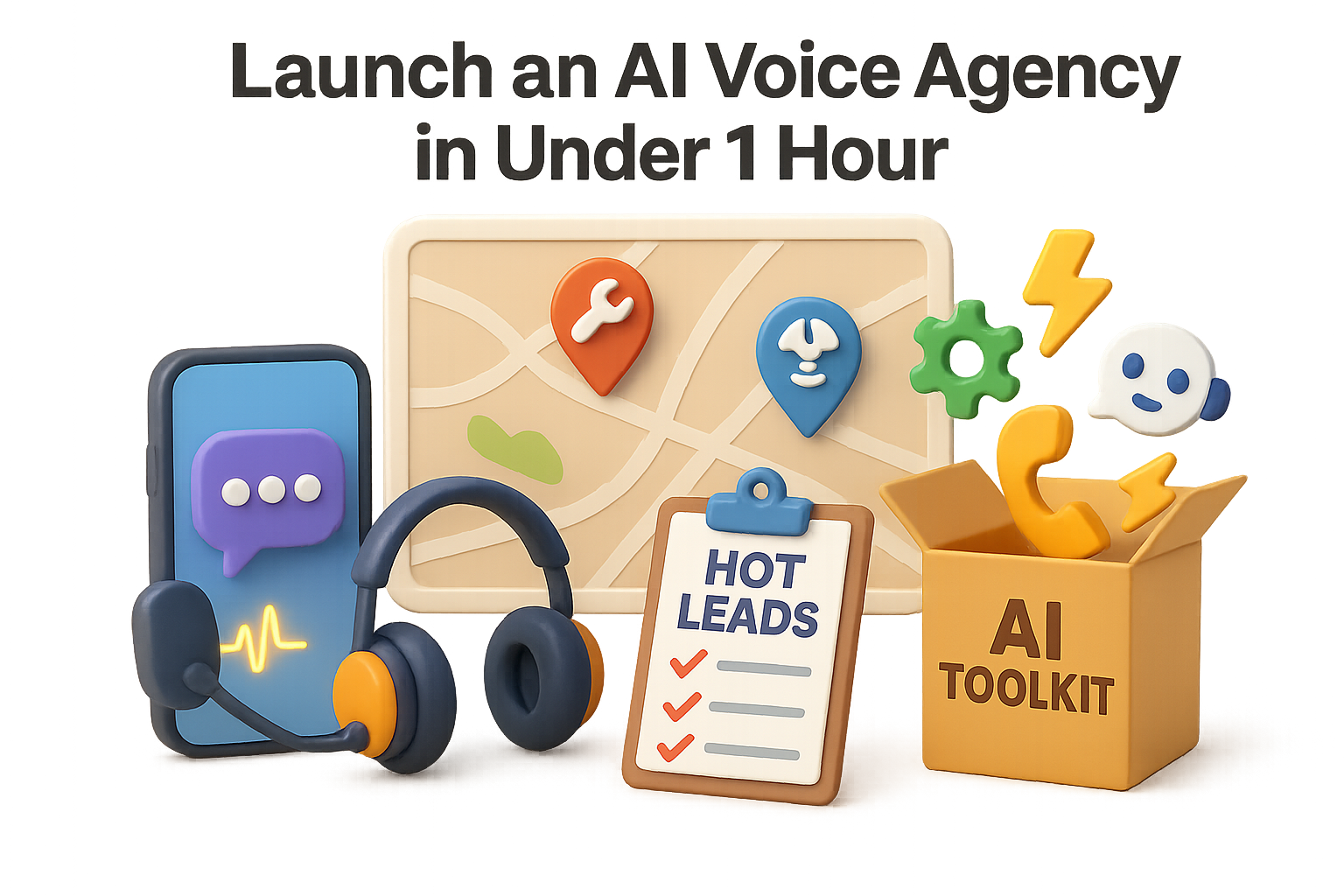
    Launch an AI Voice Agency in Under 1 Hour

    Why AI Voice Agents Are a Goldmine for Local Service Businesses

    Missed calls are missed money. Especially after 6 p.m.—when a homeowner with a burst pipe or snapped garage spring reaches voicemail, they don’t wait around. They move on to the next business with a pulse.

    Here’s the fix: an AI voice agent that answers 24/7, sounds human, screens for urgency, and forwards hot leads straight to the business owner’s phone.

    Best part? These tools are beginner-friendly, dirt-cheap, and still flying under the radar for most service pros.

    This post walks you through a blueprint—from niche-picking to first paying client. Use it to start a side hustle, build a lean agency, or just help your uncle finally stop losing leads after sunset.


    illustration

    Automate a Pain, Bank a Win

    Let’s flip the script: Most local businesses aren’t tech-phobic—they just don’t know someone who can help. That’s where you come in.

    Set up one AI voice agent for a garage-door repair company, and you’re already solving a $1,000+ per month problem. Repeatable, scalable, and (for now) wide open.

    Here’s how to do it, play by play.


    illustration

    1. Go After High-Ticket, After-Hours Niches

    Look for industries that check three simple boxes:

    • Jobs worth $400–$2,500+
    • Calls made after business hours
    • Not swallowed up by franchises or chains

    Garage-door repair is a prime target. So is plumbing, roof leaks, emergency pest control, even HVAC.

    Start with what’s big in your area—or what you’ve needed at 9 p.m. on a Tuesday.


    illustration

    2. Scrape Local Leads Fast (10-15 min)

    Tool: Outscraper – Google Maps scraper

    Steps:

    1. Search keywords like “garage door repair” and your local zip codes.
    2. Export only business names and phone numbers.
    3. Expect ~$0.20 per lead at low volume—less if you go big.

    Pro tip: Start local. Clients trust someone nearby—even if “nearby” means the same area code.


    illustration

    3. Clean and Format Your Contact List

    Use Google Sheets.

    • Keep: Business name, phone number, website, address. Ditch the rest.
    • Normalize phone numbers (drop ‘+1’, remove dashes).
    • Kill duplicates.
    • Filter out landlines—mobile numbers = better SMS response.

    Expect 20–40% of your list to survive cleanup and be text-ready.


    illustration

    4. Build and Test the AI Agent

    Tool: GoHighLevel – “AI Employee” feature
    (Sign up through a partner link for a 30-day trial)

    Steps:

    1. Create a new agent. Give her a name—Jessica works.
    2. Assign a realistic, human-style voice.
    3. Set hours to 24/7.
    4. Custom welcome: “Thanks for calling [Business Name]. How can I help you tonight?”
    5. Build an FAQ knowledge base with ChatGPT. Include prices, service areas, and what to flag as “urgent.”
    6. Port over a local number or use a fresh line.
    7. Test it. Call in, say “Help, my garage door’s stuck,” and confirm it captures name, address, and sends you the transcript.

    5. Send Your First 50 Texts

    Tool: StraightText – bulk SMS with iMessage or Android

    Copy-paste this opener (under 35 words):

    “Hi, I’m in Dallas—do you still fix garage doors? Found you on Google. –Chris”

    Here’s why it works:

    • Localized (mentions their city)
    • Open-ended (gets a reply)
    • No pitch (low-pressure feel)

    Result: 30–40% reply rate within 10 minutes is normal.


    6. Drop the Offer

    Only reply to positive responses.

    Say this:

    “Awesome. Do you answer calls after 6 p.m.? I built an AI receptionist that takes after-hours calls for garage-door companies. It’s free to set up; you only pay $50 when the call closes into a job. No contracts, zero risk.”

    Key ingredients:

    • Outcome-based pricing (“pay-per-lead”)
    • No upfront cost
    • Low-risk trial offer

    Conversion math: text 100 leads → 1–2 interested businesses = one good day.


    illustration

    The $100K Math

    • 20,000 U.S. garage-door companies
    • × 1% close rate
    • × $500/month per client

    = $100,000/month in recurring revenue

    Operating overhead? Under $100/month with trial tools.


    illustration

    Your Launch Loadout

    Here’s your toolbelt:

    • Outscraper – grab leads from Google Maps
    • Google Sheets – clean and filter leads
    • GoHighLevel – deploy 24/7 AI phone assistant
    • ChatGPT – write the agent’s FAQ brain
    • StraightText – send mass SMS with a personal vibe

    (Total cost? ~$0 if you use free trials.)


    illustration

    Ways to Grow From Here

    Think horizontally:

    • Serve plumbers, roofers, electricians, and beyond.
    • Add upsells—like call tracking, review requests, or live chat widgets.
    • Move clients from “pay-per-lead” to flat monthly retainers once they see ROI.

    No VC funding required.


    illustration

    Final Take

    Local businesses are bleeding money after dark—and they don’t even realize it. With AI voice agents, you can be the one to plug that leak.

    You won’t need to code, cold call, or quit your day job. Just 56 minutes, a few free tools, and some well-timed texts.

    Want to get your first win—and actually understand AI while you’re at it?

    Check out Tixu.ai, a super beginner-friendly platform that helps you learn AI with hands-on projects.

    Ready when you are.