Author: Pavel

  • Build High-Income T-Shirts with Canva AI in 30 Minutes

    Build High-Income T-Shirts with Canva AI in 30 Minutes

    Use AI to Create Best-Selling T-Shirt Designs (4 Proven Concepts You Can Copy Today)

    AI isn’t here to replace your creativity—it’s here to turbocharge it.

    Used right, it’s like having a design partner who never sleeps, works for free, and speaks fluent trend. You bring the taste. AI brings the speed.

    In this post, you’ll get four real-deal t-shirt design ideas that are already pulling five figures per month on Amazon and Etsy—plus simple step-by-step recipes using free tools like ChatGPT, Canva, and Photopea to create your own versions in under 30 minutes.

    All upside. No fluff.


    An illustration of a computer displaying a colorful t-shirt design with floral patterns, surrounded by icons representing AI tools like ChatGPT, Canva, and Photopea, alongside stacked t-shirts featuring cheerful graphics.

    What You Need to Get Started

    • ChatGPT (free version is great)
    • Canva (free plan or 30-day Pro trial if you want bonus fonts and effects)
    • Photopea (free browser-based Photoshop alternative for grunge textures)

    These tools + a little AI coaching = slick designs without creative burnout.

    Oh, and the four concepts below? They’re based on top-selling listings moving 1,000–4,000+ units in 30 days, or $30K–$100K+ in revenue. Let’s get you in that arena.


    illustration

    Turn Retro Slogans into “30-Second Money” Tees

    Why it Works:
    Minimalist and nostalgic = irresistible. One two-word retro tee pushed past 4,000 sales last month.

    How to Do It:

    1. Open ChatGPT. Prompt: “Give me 20 short, funny slogans for [your niche] in a 70s–80s retro style.”
    2. In Canva, create a canvas: 4,500 x 5,400 px.
    3. Paste in one slogan. Choose a vintage font (like “Edmund Texture”) and left-align it.
    4. Search “retro stripe background” in Canva Elements. Add it once.
    5. Canva will auto-extract colors; use them to recolor your text line by line.
    6. Delete the stripe graphic, export as a transparent PNG (max quality).

    Pro tip: Quickly create variations by simply swapping slogans and color schemes. Ten designs in ten minutes? Easy.


    illustration

    Blend Surreal Photo Collages—Let AI Meet Sci-Fi

    Why it Works:
    Scroll-stoppers sell. One surreal tee with an alien hovering over the desert? 3,000+ sales in 30 days.

    How to Nail It:

    1. In Canva, search Elements → Photos. Choose a wild focal point (e.g., UFO, astronaut).
    2. Hit “Edit Image” → “Background Remover.”
    3. Add a crazy contrast background (city skyline, desert, arctic tundra—your call).
    4. Shift-select the two → Edit → “Blend Images.” Canva’s AI smooths lighting and tones.
    5. Toss in one or two random characters (a confused tourist? a llama holding a flag?) for storytelling juice.
    6. Apply a vintage or duotone filter to tie it all together. Export and you’re done.

    Quick win: The weirder the better—TikTok-worthy tees turn browsers into buyers.


    A design workspace featuring a coffee cup, a document with dog graphics, a vintage style 'SUNSET VIBES' logo, color palette, and design tool icons.

    Combine Retro Sunsets + Color-Matched Art for High-Converting Designs

    Why it Works:
    It’s all about visual harmony. Match your text and graphics to a classic sunset and you’ve got 4,000+ sales potential.

    Build It Fast:

    1. In Canva, grab a circular “sunset stripes” graphic from Elements.
    2. Type out your slogan in two lines. A thick font like “Bonaro” works great.
    3. Use the generated color palette (from the sunset image) to recolor each word.
    4. Add a silhouette graphic that fits your niche (dogs, surfers, campfires). Bonus if it’s color-editable—match it to the sunset for max cohesion.

    Want that worn vintage look?

    Open Photopea.com, load your design, and:

    • Add a grunge texture layer (Creative Fabrica has free options during trial period)
    • Rasterize → Select → Color Range (200) → Delete texture layer → Done

    Boom. Instant “washed once and loved forever” vibe.


    illustration

    Drop Jargon Tees That Insider Audiences Can’t Resist

    Why it Works:
    Inside jokes lock in loyalty—and sales. One engineering-lingo tee passed 2,000 units in 30 days.

    Set It Up with AI:

    1. ChatGPT prompt: “Using the format ‘TERM – funny layman’s definition,’ write 15 niche-specific jokes for [profession]. Max 60 characters each.”
    2. Pick your top 3–5. Ask GPT to rewrite weaker ones tighter and funnier.
    3. Design layout in Canva:
      • Title: “UNDERSTANDING [NICHE]” in bold, outlined sans-serif font.
      • Add stylized dividers (ruler, gear icon) between headline and joke list.
      • Number each joke with a handwritten or quirky font to add personality.
    4. Go white text on black background. Use the same Photopea / texture trick above if you want to vintage it up.

    Bonus angle: Target trending careers—coders, pilots, teachers—and watch your niche tee take off.


    illustration

    Final Checklist + Your Next Move

    The blueprint’s in your hands now:

    • Retro slogan heat? Check.
    • Scroll-stopping collages with AI blend? You bet.
    • Sunset-synced harmony with custom art? Handled.
    • Jargon-powered niche hits? Locked and loaded.

    You don’t need a design degree or a big budget—just the right tools and a repeatable system.

    Now’s your move:
    → Spin up your first idea
    → Plug into Canva, test a layout
    → Sync with Printify, push to Etsy, Amazon, or wherever your buyers hang out

    Want more beginner-friendly walkthroughs to master AI tools, fast?

    👉 Check out Tixu—a guided platform that makes learning AI feel like cheat codes to your career.

    Print on demand? More like profit on purpose. Ready when you are.
  • Boost Business Efficiency with These 10 AI Tools for 2025

    Boost Business Efficiency with These 10 AI Tools for 2025

    Feeling Swamped by AI? These 10 Tools Actually Save You Time

    Let’s be real—“AI” is slapped on everything these days. Tools promise magic, but you end up wasting hours trying to figure out if they’re any good. Sound familiar?

    This post cuts the fluff. Below, you’ll find 10 AI helpers that actually work. Each one turns time-sucking tasks into one-click wins—from building a website in a coffee break to whipping together a killer slide deck without crying in PowerPoint.

    Let’s dig in. Pick a few to try this week and watch your workload breathe a sigh of relief.


    illustration

    Build Better in Less Time: 10 AI Tools That Pull Their Weight

    Presentations.ai – Slides in Seconds

    Decks that used to eat your afternoon? Gone.

    With Presentations.ai, you:

    • Type in your topic, pick a language and how many slides you want.
    • Upload a URL or PDF (optional) for context.
    • Get an editable slide outline—tweak as needed, then hit generate.

    Choose a theme, drag-and-drop content if you like, then download. Ideal if you want to spend your energy presenting, not aligning text boxes.

    ChatPDF – Talk to Your Docs

    Don’t want to read the whole PDF? You don’t have to.

    Upload it, then ask questions like:

    • “Summarize chapter two in one paragraph.”
    • “Which page explains the EU regulations?”

    It answers instantly and includes page references—perfect for researchers, students, and execs drowning in docs. Try it at ChatPDF.

    Hostinger Website Builder – Whole Site in Under a Minute

    Say goodbye to pixel-pushing for days.

    Just describe your business and pick your site type. In seconds, you’ll get a responsive website complete with:

    • Drag-and-drop editor
    • AI-written text (headlines, product blurbs, blog intros)
    • Product pages built from a single photo
    • One-click background remover for visuals
    • Heat-map overlay to see where users will focus
    • SEO assistant that writes your meta tags

    For solo founders or small teams? It’s a total timesaver. Check out Hostinger Website Builder.

    Zapier – The No-Sleep Automation Wizard

    Zapier connects your tools so they talk to each other without you lifting a finger.

    A few examples:

    1. Someone buys via PayPal → they’re added to your email list
    2. A new row in Google Sheets → instant Slack ping
    3. A Typeform gets filled → a personalized follow-up email goes out

    No code needed, and it’ll never “forget to do it later.” It just runs.

    DoNotPay – Your AI-Powered Pocket Lawyer

    Dream of making annoying bureaucracy disappear?

    DoNotPay can help you:

    • Appeal parking tickets
    • Cancel subscriptions
    • Claim refunds for delayed flights
    • Draft simple legal forms

    No, it won’t represent you in court, but for everyday headaches? It’s shockingly effective—and far cheaper than a real lawyer.

    Adobe Firefly – Create Visuals Just by Typing

    Need a promo image or blog banner? Firefly’s got you.

    Just describe what you want (“A cat dressed as Spider-Man eating pizza atop a skyscraper”) and it spits out multiple polished designs. Features include:

    • Remixing existing images
    • Custom text effects
    • Stylized artwork in seconds
    • Upcoming: short video generation (in beta now)

    And yep—since it’s Adobe, licensing is clear.

    Twain.ai – Smarter Writing, On Tap

    Ever wonder, “Did this email sound too pushy?”

    Twain.ai helps you get it right before you hit send. Paste your writing and it:

    • Fixes grammar and clarity
    • Suggests structure and tone tweaks
    • Adjusts voice for the platform (email, LinkedIn, etc.)

    Basically, it’s your writing coach who never sleeps and doesn’t charge hourly.

    ChatGPT – Still the Swiss Army Knife

    You’ve heard the hype, but here’s the truth: When used well, ChatGPT saves hours.

    Common use cases:

    • Brainstorming ideas
    • Drafting emails or blogs
    • Writing code snippets
    • Automating customer replies
    • Summarizing reports

    What’s coming in GPT-5 (rumored for late 2025)?

    • Smarter memory that “remembers” context
    • Faster & more human-like conversation
    • Multimodal input: images, video, audio
    • Built-in tools for integrations and voice control

    Pro tip: Better prompts = better results. It’s worth the effort.

    Ocean.io – Surf a New Stream of B2B Leads

    For B2B salespeople, Ocean.io is like surfing a wave of ready-to-buy companies.

    Enter a customer you love. In seconds, Ocean finds dozens of similar prospects based on:

    • Industry
    • Company size
    • Region

    It also pulls in decision-maker contacts and export-ready CSVs. Cold outreach just got warmer.

    Autopod – Auto-Edit Multi-Cam Podcasts

    Editing podcasts? Used to take all day. Not anymore.

    Autopod does the heavy lifting:

    • Cuts to whoever’s speaking
    • Removes silences and filler
    • Syncs audio and video
    • Exports clips for YouTube Shorts, TikTok, Reels

    Spend 10 minutes reviewing instead of 10 hours editing.


    illustration

    Run Smarter, Not Harder

    Your job isn’t going away because of AI—it’s at risk if you don’t adapt. Fast movers are stacking free hours, cleaner workflows, and sharper output.

    You don’t need to adopt all 10 tools. Pick one that solves a real headache for you and give it a test run this week. You’ll feel the shift immediately.

    Want to keep up with AI without feeling like a tech bro or code wizard? Get the beginner-friendly playbook at Tixu.ai — your shortcut to mastering useful AI without the overwhelm.

  • Master Exam Prep with AI in 3 Simple Steps

    Master Exam Prep with AI in 3 Simple Steps

    Study Smarter, Not Slower: Let AI Build Your Brain

    Feeling buried under lecture slides, bloated textbooks, and research rabbit holes?

    Yeah, we’ve been there. Here’s the move: stop trying to remember where you found the info—and start building a system where the important stuff sticks. With a little AI magic, you can turn that firehose of content into laser-focused notes and rock-solid recall.

    Ready? Let’s rewire how you study.


    illustration

    Build Two Databases, Not Just One

    First, flip the way you think about learning. There are really just two places knowledge lives:

    1. External Database – Your Second Brain

    This is where every fact, diagram, and “gotta know this” nugget lives outside your head. It should be:

    • Easy to skim
    • Organized by topic
    • Short enough to review in 1–3 hours per subject

    Google Docs, Notion, Obsidian—pick your playground. The tool matters less than the system.

    2. Internal Database – The One That Passes Exams

    This is your actual memory. It’s the only database your examiner—or your future patients, clients, or users—can access.

    The game? Moving info from external to internal. Fast.


    illustration

    Let AI Do the Heavy Lifting

    Writing tidy notes helps, sure—but rewriting a textbook? That’s hours gone you’ll never get back.

    AI can boil dense chapters down to cheat-sheet clarity in minutes. Your job: use that clarity to practice recall, not just re-read.


    illustration

    Turn Textbook Chaos Into Study Gold

    Here’s your new workflow for leveling up a single topic—let’s say “Hypothyroidism.”

    1. Capture the Pages

    Use your phone to scan:

    • iPhone: Files app → “Scan Documents”
    • Android: Google Drive or Adobe Scan

    Bundle those pages into a PDF.

    2. Drop It Into an AI Model

    Use what’s handy:

    • ChatGPT
    • Gemini
    • Claude
    • Grok

    No tool loyalty here—just pick one that works.

    3. Use a Focused Prompt

    Make concise, easy-to-study notes on [topic]. Highlight definitions, key mechanisms, clinical features, investigations, and management.

    Boom: you’ve got clean, bulletproof notes.

    4. Generate Practice Questions

    Now ask:

    • “Write 10 short-answer questions with answers.”
    • “Generate 5 multiple-choice single-best-answer questions.”

    Active recall? Ready to go.

    5. File It Systematically

    Copy the AI output into your notes app or flashcard tool. Keep it:

    • One topic = one doc
    • Easy to scan
    • Fast to revise

    This is your external database in action.


    illustration

    Use the Same Play for Every Source

    This works across:

    • Lecture slides
    • Review articles (PubMed tip: search “topic + review + PDF”)
    • Handouts, guidelines, protocols

    Basically, if it’s got info, AI can distill it down.


    illustration

    The “Testing Sandwich” That Locks It In

    Run this 60–90 minute block for any topic:

    1. Short-answer questions (pre-test): Find your weak spots.
    2. Study + Rehearse: Use your notes. Recite aloud, hide sections, jot from memory.
    3. MCQs (post-test): Lock in what stuck.

    Why it works:

    • Testing first tells your brain: “Hey, this matters.”
    • Recall in the middle builds pathways.
    • Testing at the end strengthens them.

    Science says spaced retrieval can boost retention by up to 85%. Feels like cheating. Isn’t.


    illustration

    Layer in Spaced Repetition

    Schedule that topic for a comeback:

    • 1 week later
    • 6 weeks later
    • 6 months later

    Each re-test? Faster, smoother, higher-scoring.

    Pro move: track performance in a simple Google Sheet. Turns study into a game you can win.


    illustration

    Quickstart Checklist

    • Scan source to PDF
    • Summarize with AI
    • Build SAQs & MCQs
    • File by topic
    • Do the “testing sandwich”
    • Revisit with spaced repetition

    illustration

    Make It Stick Where It Counts

    Pretty notes = dopamine. But tested knowledge = results.

    Let AI carve down the content. Then stash your time and energy where it matters—rehearsing, testing, recalling.

    Want to go deeper into using AI for learning (without falling down the tech rabbit hole)? Try the beginner-friendly tutorials over at Tixu. You’ll go from “Where do I even start?” to “Bring it on” in no time.

    Ready when you are.

  • Master AI Fast: Understand ML, Deep Learning, and GenAI

    Master AI Fast: Understand ML, Deep Learning, and GenAI

    AI vs Machine Learning vs Deep Learning vs Generative AI

    So many acronyms, so little clarity.

    AI, ML, DL, GenAI—depending on who’s talking, they either mean the same thing or something wildly different. And let’s be honest, even the “experts” sometimes blur the lines. But here’s the good news: once you know how they stack, you’ll know exactly which flavor of AI you’re dealing with (and why it matters).

    In this quickstart guide, you’ll learn:

    • The real difference between AI, ML, Deep Learning, and Generative AI
    • How they build on each other like nested Russian dolls
    • Where the latest breakthroughs fit in
    • Why the AI boom went from crawl to sprint

    No fluff, no filler—just the essentials to keep you smart in the meeting and sharp in your next build.


    illustration

    Start Big: What AI Actually Is

    Everything kicks off with Artificial Intelligence (AI)—the broadest bucket. If a machine is trying to mimic something humans do—think reasoning, planning, talking, recognizing—you’re in AI territory.

    The OGs of AI? Expert systems from the ’80s, coded line-by-line in Lisp or Prolog. They followed rules like a chess master. But hit a case not in the book? They crumbled.

    Bottom line: AI is the idea of smart machines. But the old rulebook approach? That didn’t scale.


    illustration

    Enter Machine Learning: Data Becomes the Teacher

    Instead of writing every rule, ML flipped the game. Feed it loads of examples, and it figures out the patterns for you.

    Here’s what ML does best:

    • Prediction – “How many umbrella sales will rain bring tomorrow?”
    • Classification – “Benign or malignant X-ray?”
    • Anomaly detection – “Wait, this login? That’s not normal.”

    That last one? Cybersecurity gold. ML-trained systems learn “normal” traffic and instantly flag the weird stuff—stuff that rule-based tech just shrugs at.

    So yeah, ML isn’t just smarter. It’s faster, more flexible, and way more resilient.


    illustration

    Deep Learning: ML on Steroids

    Deep Learning is Machine Learning’s high-performance cousin. It uses artificial neural networks with multiple layers (10, 20, 100+). Each layer learns a more abstract feature of the input.

    Let’s talk images:

    • Layer 1: “I see lines.”
    • Layer 2: “Those lines look like shapes.”
    • Layer 5: “Hey, it’s a cat.”

    DL can process insane volumes of data—and find signals a human would totally miss. That’s how you get self-driving cars spotting pedestrians or smart assistants parsing your voice.

    But DL comes with a “black box” tradeoff. The model nails the result… and leaves you guessing how. Powerful? Yes. Transparent? Not always.


    illustration

    Generative AI: Not Just Prediction—Creation

    Now we’re cooking. Generative AI doesn’t just analyze data—it creates new content on demand.

    Here’s the trick: these systems are built on massive foundation models trained across everything from Wikipedia to Reddit to Reddit’s evil twin. Then they’re fine-tuned for chat, design, code, or anything you can toss at them.

    You’ve probably met their frontmen:

    • GPT-4, Claude, and other LLMs (Large Language Models) crank out text
    • DALL·E 3, Midjourney, Stable Diffusion handle image generation
    • Swap in audio? That’s voice cloning. Video? Hello deepfakes.

    Their secret sauce? They predict what comes next—word by word, pixel by pixel—based on the patterns in their training data.

    Are they creative? Depends on your definition. But do they produce content that feels original and useful? Heck yes.


    illustration

    Putting It All Together (Like a Layer Cake)

    Think of it like stacking nesting dolls—or okay, a software stack:

    1. AI – The big idea: machines mimicking human smarts
    2. ML – A smarter way to get there: learning from data
    3. Deep Learning – A powerful ML subtype built on neural networks
    4. Generative AI – A cutting-edge DL application that builds brand-new stuff

    So next time you hear someone say “AI is changing everything,” you can nod—and know exactly which layer they’re talking about.


    illustration

    Why AI Adoption Suddenly Exploded

    For years, AI was crawling forward. Then… boom. Sprinting.

    Here’s what fueled the rocket:

    • Cloud GPUs got cheaper → anyone can train big models
    • Tools like TensorFlow and PyTorch made prototyping fast and (relatively) painless
    • Foundation models became plug-and-play for niche tasks, with less data and overhead

    Basically, we’re no longer building AI from scratch. We’re remixing pre-trained systems to solve real problems—fast.

    Carlos, one indie dev, fine-tuned an open-source LLM to answer support tickets. His pilot reduced customer service emails by 40% in month one.

    That’s the kind of lift we’re talking about.


    illustration

    Big Wins… and Big Caveats

    Let’s keep it real: this stuff unlocks massive upside. But it’s not risk-free.

    What’s getting better:

    • Support bots that actually understand your issue
    • Marketing copy drafted in seconds (that doesn’t sound like a robot)
    • Analysts getting real-time threat summaries while they sip coffee

    The downside?

    • Deepfakes and disinfo move just as fast
    • Voice phishing is way too convincing
    • AI-generated nonsense still fools people—and algorithms

    So yes, build. Explore. Scale.
    But keep your radar on. A smart AI tool needs an even smarter human in the loop.


    illustration

    What You Actually Need to Know

    • AI = the umbrella term.
    • ML = data-driven learning (no rule books).
    • Deep Learning = neural-network-powered ML with serious horsepower.
    • Generative AI = deep learning’s creative spin-off—producing new content with impressive fluency.

    These systems sit inside one another, like layers of a cake—fluffy jargon on the outside, real capabilities at the core.

    So next time you’re evaluating tools or pitching solutions, you’ll know which word to use—and more importantly, why.

    And hey, if you’re ready to actually learn how this stuff works? Not just talk around it?

    👉 Grab your seat at Tixu.ai — a beginner-friendly AI learning platform that helps you grow skills.

  • Study Smarter with AI: Master Any Topic in Half the Time

    Study Smarter with AI: Master Any Topic in Half the Time

    How the Top 0.1% Turn AI Into a Study Superpower

    Cramming the night before used to be the move. Not anymore.

    The top students aren’t just taking better notes—they’re outsourcing the grunt work to AI, slashing study time while actually understanding more. No, they’re not tech wizards. They’ve just figured out how to make language models like ChatGPT and Gemini work for them.

    Here’s the good news: you can, too.

    This guide breaks down the exact steps to:

    • Turn mountains of notes into flashcards in minutes
    • Drill smarter with real-time feedback and AI tutoring
    • Follow a repeatable loop that locks in both facts and fundamentals

    Ready when you are.


    illustration

    Phase 1 – Speed Up the Input

    Before you can master the material, you’ve got to see all the material. This isn’t about staring at slides until your eyes glaze over. It’s about feeding everything into AI to do the prep for you.

    1. Collect Every Source You’ve Got

    Pull together:

    • Lecture slides
    • PDFs and class handouts
    • Notes from friends
    • Transcripts from relevant YouTube lectures

    The more raw material you feed in, the better foundation you build.

    2. Auto-Generate Flashcards

    Paste your collected sources into a prompt like:

    “Create concise Q-A flashcards that cover every key fact, formula, and date from this text. Output in Anki-import format.”

    AI will spit out a clean TSV or CSV file. You can upload these into your favorite flashcard app.

    Tools that nail this:

    • ChatGPT with GPT-4o
    • Gemini 1.5 via Google AI Studio

    This used to take an entire afternoon. Now? You’re talking 3 minutes.

    3. Find Weak Spots Instantly

    Run a follow-up prompt:

    “List concepts that are assumed but not explained in the text above.”

    Boom—hidden gaps you weren’t even aware of. Use them as launchpads for deeper dives.


    illustration

    Phase 2 – Practice Smarter, Not Longer

    Once AI handles the busywork, you’re free to work the material—the stuff that actually helps you learn.

    • Socratic-Style Tutoring

    Set Google AI Studio to “Audio Thinking” mode. Turn on “grounding with Google Search.”

    Then prompt it with something like:

    “Ask me why until I can explain Fermi gases from first principles.”

    Because it cross-references live search results, it keeps you on track. No slipping past errors.

    • On-Demand Problem Sets

    Prompt:

    “Generate five exam-style questions testing the Pauli exclusion principle at increasing difficulty. Then evaluate my answers and highlight misconceptions.”

    It’s like having a TA in your tab—no office hours required.

    • Foreign Language Practice with Stubborn Vocab

    Export your failed Anki cards as .txt, upload the file, and prompt:

    “Create a role-play dialogue that uses each of these words in context.”

    Now you’re digesting vocabulary in real scenarios—not just memorizing translations.


    Illustration depicting the O.U.R.A. Study Loop with four phases: Orient, Understand, Apply, and Spaced Repetition, using colorful icons such as a map, light bulb, and checklist.

    The O.U.R.A. Study Loop

    No, top students don’t just swim in flashcards. They loop through four repeatable phases—and AI makes each one smoother:

    1. Orient – Map the Territory

    Drop the chapter into NotebookLM or use ChatGPT Vision to ask:

    “Summarize how this connects to the bigger picture.”

    You get the forest before diving into the trees.

    2. Understand – Build Mental Models

    Use AI for Socratic chats. Watch explainer videos. Sketch concepts with friends. It’s not about memorization—it’s about seeing how things click.

    3. Remember – Lock It In

    AI-generated decks, spaced repetition. Review a few daily. That’s it.

    4. Apply – Do the Work

    Solve problems. Write. Present. Then reflect:

    “Why did I choose the wrong boundary condition?”

    The model replies with a hypothesis. Back you go to Orient—with sharper questions this time.

    Learning becomes a feedback loop powered by curiosity, not just a treadmill powered by panic.


    illustration

    AI Toolkit for Students (All Free or Freemium)

    Here’s your A-team lineup:

    • Anki – Spaced-repetition gold standard
    • Google AI Studio – Gemini 1.5 with voice + search enabled
    • ChatGPT – Best for text digesting + CSV output
    • NotebookLM – Organizes long docs, slides, and notes

    Pro tip: For STEM-heavy topics, turn on “code execution” and “grounding with Search” inside Gemini.


    illustration

    Shift the Effort From Typing to Thinking

    Let AI handle the mechanical work.

    • Auto-create flashcards
    • Summarize sources
    • Build practice sets instantly

    That frees up your brain for the high-value stuff: connecting ideas, crafting arguments, and actually thinking.

    Do that, and you won’t just scrape by. You’ll show up knowing both the fine print and the big picture—with time to spare.


    Want a head start? Tixu is built for exactly this: beginners learning AI to study (and think) better. No jargon, no overwhelm—just tools and lessons that make the “smart” way feel simple.

  • Master Any Skill with AI in 7 Easy Prompts

    Master Any Skill with AI in 7 Easy Prompts

    Learning Wasn’t the Problem—The System Was

    If school ever made you feel “bad at learning,” join the club.

    The traditional classroom model? It rewards cramming for tests, not mastering ideas. If you didn’t move at the teacher’s pace, you were labeled “behind”—then left to figure it out solo.

    But here’s the truth: You weren’t the problem. The system was.

    Now? The script’s flipped. Generative AI can reshape the whole learning experience around you. Like a private tutor that never sleeps, doesn’t judge, and always adapts.

    All it takes is the right prompt—and a little curiosity.


    A digital illustration featuring ChatGPT as a personalized learning assistant, showcasing options like translating jargon, drawing diagrams, creating quizzes, and adjusting feedback, surrounded by educational elements like graphs, a tablet, and books.

    Make ChatGPT Your Personal Coach

    You’re probably already using ChatGPT to look things up.

    But with the right moves, you can make it a full-on learning partner. Here’s what it can do with tailor-made prompts:

    • Translate technical jargon into plain English
    • Draw diagrams and visuals for tricky concepts
    • Create custom quizzes, schedules, and progress trackers
    • Adjust how it explains something based on your feedback

    Here are some plug-and-play prompts to get started:

    Your StyleTry Telling ChatGPT
    Plain-English learner“Explain blockchain like I’m 12.”
    Visual learner“Make a timeline of World War II events and quiz me with images.”
    Need structure“Plan a 7-day crash course on Excel basics. Include tasks and mini-challenges.”

    One prompt. Dozens of directions you can take it from there.


    illustration

    Real-World Win

    Let’s go beyond theory. Say you want to run your first 5K.

    Drop this line into ChatGPT and watch the magic:

    “Be my personal running coach. Build a realistic 4-week 5K plan for someone in their 40s who’s mostly sedentary. Include warm-ups, rest days, nutrition tips, and weekly milestones.”

    What you’ll typically get back:

    1. Weekly progression: Walk-run intervals, gradually increasing.
    2. Clear routines: Warm-ups, cooldowns, and mobility drills.
    3. Tips you’d normally search 10 blogs for—like when to stretch and why foam-rolling helps.

    Never heard of foam rolling? Just ask.

    “What’s foam rolling and why should I care?”

    Boom—instant explanation, no shame, no gym-bro vibes.


    illustration

    Stack Your Study Power: Try NotebookLM

    Meet NotebookLM (NotebookLM by Google)— Google’s free AI study assistant.

    It’s like building a personal research team in under five minutes.

    Here’s how it works:

    1. Create a notebook.
    2. Upload up to 50 docs—PDFs, slides, transcripts, Google Docs.
    3. Let NotebookLM analyze the whole pile and spit out:
      • Summaries in audio, text, or study guide format
      • Flashcards, FAQs, and briefing docs
      • Mind maps with visual connections

    Suddenly, your cluttered folder of saved PDFs becomes a smart, searchable knowledge base.

    No more guessing what page the thing you need is on. Welcome to frictionless focus.


    A digital illustration displaying a study desk with elements related to a 7-day crash course, including a calendar, checklist for tasks like translating, drawing, and creating quizzes, along with notes for daily study sessions.

    No Time? AI Still Has You

    You don’t need a spare weekend to learn something new. ChatGPT can turn big goals into tiny chunks.

    Try it like this:

    • “Create a 7-day crash course on Agile principles, with one 5-minute read per day.”
    • “Summarize key lessons from Atomic Habits into a 3-day micro-course.”
    • “Help me prep for my PMP exam in 10-minute daily sessions.”

    Pro tip: End with “quiz me at the end of each day.” Instant feedback loop.

    Long-term wins are built in short bursts. Make them count.


    A digital illustration of a workspace featuring a coffee cup, a notepad with a smiling face, and sticky notes with text such as 'What's one small skill I can improve today?', 'Tiny Wins', 'Daily Growth', 'Quiz Me', and 'Morning Routine'.

    The Tiny Habit That Pays Off Daily

    Need a low-effort, high-return habit?

    Try this every morning:

    “What’s one small skill I can improve today, and how?”

    That’s it. Log the answer in your notes. Do the thing—for 5 minutes.

    ChatGPT will adapt the more you use it. Over time? You unlock compound growth—tiny wins that stack tall.


    illustration

    You Were Never “Bad” at Learning

    What you needed wasn’t more grind. You needed better tools.

    The guilt and “I’m just not smart enough” story? Skip it.

    With AI in your corner, learning finally fits your pace, your style, your goals. Whether you’re picking up Python, running your first race, or finally grasping finance, there’s never been an easier time to bet on yourself.

    And if you’re ready to dive deeper with tools, prompts, and hands-on AI guidance?

    👉 Start learning smarter at Tixu—the zero-fluff AI learning platform built for beginners.

  • Master AI Hardware Strategy in the Wake of IO Lawsuit

    Master AI Hardware Strategy in the Wake of IO Lawsuit

    AI Hardware Just Got a Plot Twist

    You’d think a name like “I/O” wouldn’t spark a billion-dollar brawl. But here we are—two high-powered teams, one backed by Google and the other led by OpenAI’s Sam Altman and design legend Jony Ive, are squaring off in court. The reason? They both want to call their next-gen AI gadget the same thing: “I/O.”

    Sound petty? It’s not. When big egos meet small devices, things get dicey. Especially when you wrap it all in trademarks, billion-dollar valuations, and the race to win your pocket.

    Let’s unpack the drama—and what it says about the future of AI hardware.


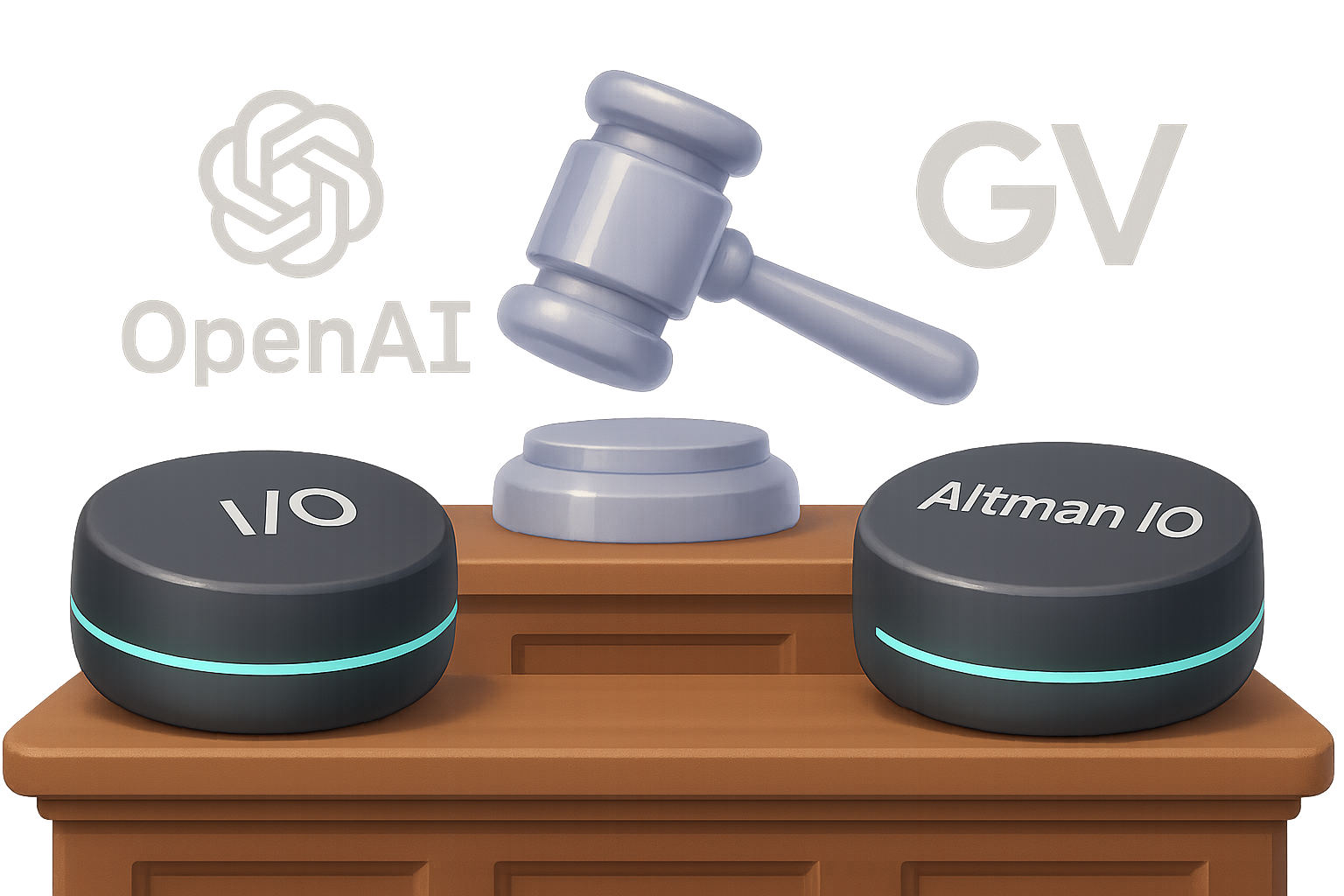
    A visual comparison of two AI hardware stands: one for 'I/O' backed by Google Ventures showcasing three cylindrical devices, and another for 'Altman I/O' by OpenAI featuring a cloaked figure.

    This Isn’t a Naming Tiff. It’s a Proxy War.

    It’s easy to write this off as just a legal squabble over three letters. But dig deeper, and you’ll realize: this is really about control—and credibility—in the consumer AI market.

    One side? A startup called I/O, backed by Google Ventures, with hardware almost ready to ship.
    The other? “Altman I/O,” a stealth-style team recently acquired by OpenAI for a cool $6.5 billion.

    Let’s size them up.

    The Players

    • I/O (The Original)
      • Started in 2022
      • Already built 20,000 screen-less voice assistant units
      • Filed and owns the U.S. trademark for “I/O”
    • Altman I/O (The Newcomer)
      • Formed by OpenAI’s Sam Altman + Apple’s Jony Ive
      • Teased, but shrouded in secrecy—you won’t find specs or demos
      • Just got bought for $6.5B by OpenAI

    Yes: same name, same market, wildly different resources. And now, same courtroom.


    illustration

    How It Escalated: A Timeline in 5 Moves

    1. 2022: I/O pitches its product to Altman and Ive. Both pass.
    2. 2023–2024: Those same execs request devices, ask for design docs, and keep tabs.
    3. Early 2025: OpenAI pushes I/O to ditch the name—or else.
    4. June 2025: Altman’s venture gets scooped up by OpenAI.
    5. Later That Month: The original I/O sues, alleging IP theft, unfair competition, and strong-arm tactics.

    It’s not subtle. And depending on how things shake out, OpenAI might have to rename its $6.5 billion toy—or cough up cash.


    illustration

    So, Why Does the Name Even Matter?

    “I/O” may look simple, but it carries weight.

    In tech, it stands for “input/output.” In hardware, it’s a metaphor for how we interact with AI—not with screens, but with voice. Both companies are betting on a future where you talk to your device, and it just gets things done.

    Trademark law agrees: too much similarity in product names, especially in the same category, confuses customers. That’s illegal.

    The smaller I/O filed first. Their case hinges on:

    • Prior trademark registration
    • Any overlaps in branding or packaging
    • Alleged threats from the OpenAI crew

    If the court sides with them, things could get messy—and expensive—for Altman I/O.


    illustration

    But Here’s the Billion-Dollar Question…

    Do people even want AI gadgets… without screens?

    Because unlike smartphones, these new devices are voice-first. No touch. No display. Just your words and the machine’s reply.

    The early results? Wobbly.

    • Humane’s AI Pin launched to hype—and backlash.
    • The Rabbit R1 looked fun but flopped in practice.

    Users found them glitchy, slow, and awkward in real life. Turns out yelling “Send my mom a text!” in a coffee shop isn’t that futuristic.

    But the original I/O thinks they’ve cracked it:

    • Faster replies
    • Clean app integrations
    • Hardware that feels useful, not gimmicky

    Meanwhile, Altman I/O is still in the vault. But let’s be honest—at $6.5B, expectations are galaxy-high.


    illustration

    While They Lawyer Up, Software Pulls Ahead

    The real headline? While hardware ventures wrestle over branding, software teams are building tools that actually deliver.

    Take Warp 2.0, for example. It just reimagined the developer terminal with AI baked in. Here’s what’s new:

    • Autonomous coding agents
    • Side-by-side terminal + editor
    • Parallel task execution (hello, faster test suites)
    • High scores: 71% on SE-Bench, 52% on Terminal-Bench

    Translation: coding with Warp isn’t just faster—it feels effortless. It’s like having an AI teammate who doesn’t nap.

    This is the vibe hardware has to chase. You’re not just competing with other gadgets—you’re up against ultra-powerful laptops that already run these agents like a dream.


    illustration

    What’s Next (and Why You Should Care)

    Here’s how this could shake out:

    1. OpenAI might change the name quietly: think Apple’s iTV rebrand.
    2. Or dig in, risking a court loss and a messy PR storm.
    3. If the smaller I/O gets steamrolled, GV (Google Ventures) could still swing back.
    4. Either way, the real question isn’t legal—it’s practical:
      Will anyone want to use these devices every day?

    Because no matter what the logo says, the product has to land. AI’s not magic. If it doesn’t just work, people move on.


    illustration


    Quick summary

    Trademark drama makes headlines—but usability wins the war.

    If you’re building in AI (or just keeping tabs), this case is your reminder: groundwork matters. Names, trademarks, first-mover advantage—they shape the path ahead.

    And if you want to start learning how AI tools actually work, not just read about them?

    💡 Head to Tixu.ai—a beginner-friendly platform packed with hands-on projects, real-world tools, and zero fluff. Ready when you are.

  • Boost Your Workflow with ChatGPT Projects in 15 Minutes

    Boost Your Workflow with ChatGPT Projects in 15 Minutes

    Why ChatGPT “Projects” Beat a Blank Chat Every Time

    Ever feel like you’re stuck in Groundhog Day with ChatGPT? Every new thread, you’re re-explaining the same background—again. And again. And again.

    Time suck? You bet.

    That’s exactly what “Projects” fix. Available in Plus and Enterprise plans, Projects turn ChatGPT into a well-prepped teammate who already knows the assignment—and remembers where you left off.

    So instead of reinventing the wheel every session, you’re building momentum.


    illustration

    What You’ll Learn

    In this post, you’ll walk away with:

    • A dead-simple setup guide to start your first ChatGPT project
    • Two real-world workflows to speed up content creation
    • Clear when-to-use rules for Projects vs. Custom GPTs
    • Tips to get more (a lot more) done with less friction

    Let’s get those hours (and brain cells) back.


    illustration

    Why Projects Are a Game-Changer

    Blank chats are empty calories. You spend the first five minutes feeding background info just to get OK results.

    Projects flip that.

    They act like a context capsule—a dedicated workspace for one ongoing task or initiative. Think: client deliverables, a podcast launch, or that ebook you keep side-eyeing.

    Inside a single project, you can:

    • Keep all convos on that topic in one spot
    • Upload relevant files (PDFs, spreadsheets, images… your call)
    • Set Custom Instructions that don’t need repeating
    • Seamlessly switch between GPT-4o, GPT-4 Turbo, and faithful old 3.5

    The boost? You start every prompt with rich context, so outputs are smarter and sharper right away.


    illustration

    Set Up Your First Project (It’s Fast)

    Ready to stop explaining and start building? Here’s how to create your first project in under 2 minutes:

    1. Click “New project +” in the left sidebar.
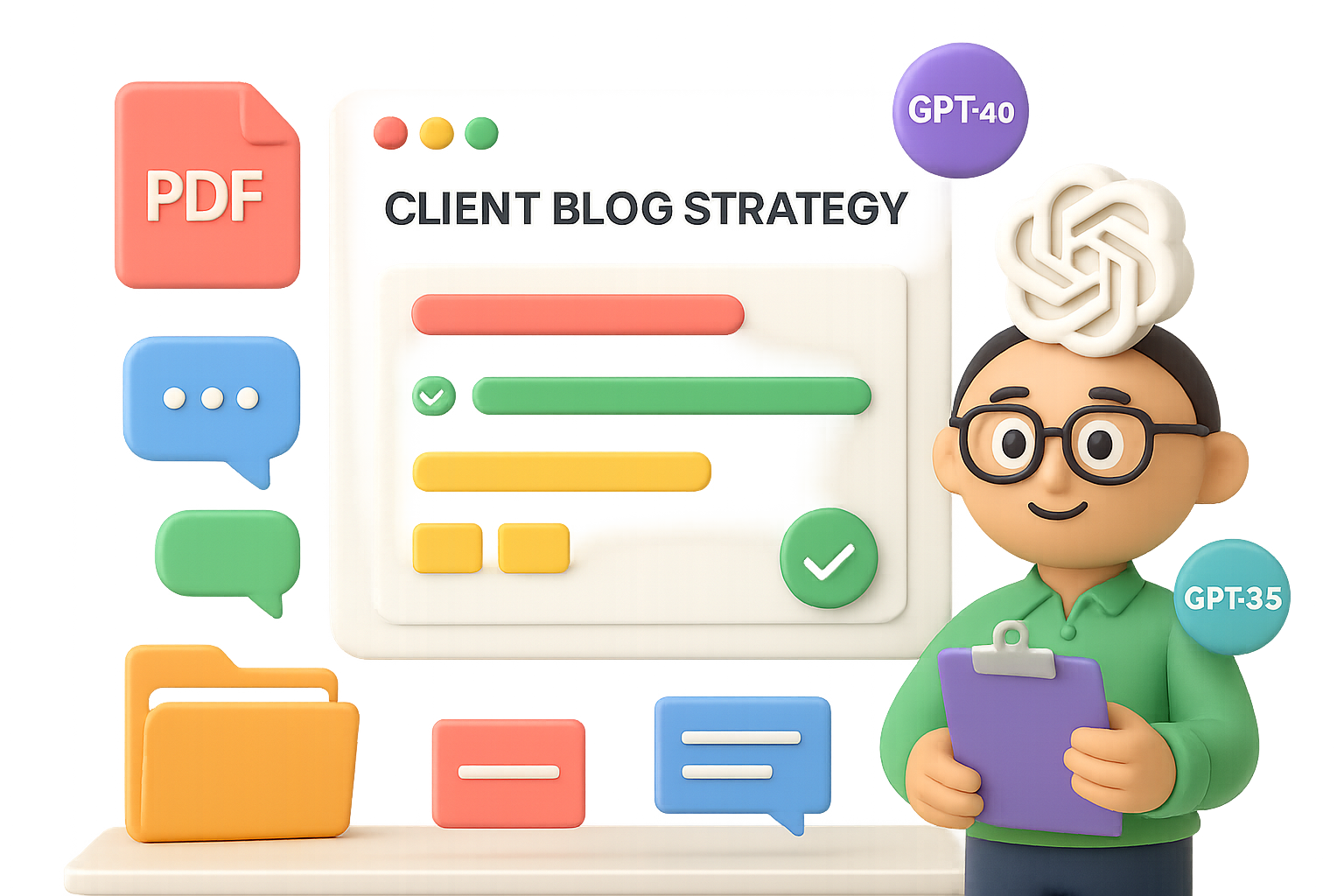
    2. Name it something you’ll recognize later (“Client Blog Strategy” > “Untitled 2”).
    3. Pick a color (optional, but hey—we’re visual creatures).
    4. Open the new project and start your chat.

    That’s your canvas. Now let’s load your paint.

    Add Context Files

    Drop in anything the AI should understand cold:

    • Brand decks
    • Research or interview notes
    • Product specs
    • Customer avatars
    • Testimonials
    • Code snippets

    Each upload enriches the memory bank—and minimizes “Can you explain that again?” vibes.

    Set Custom Instructions (This Is Key)

    This is where ChatGPT gets its marching orders—and tone.

    Your Custom Instructions should answer:

    • Who is ChatGPT in this role?
      “You’re a SaaS content strategist with 10+ years experience.”
    • How should it respond?
      “Use concise bullet points, persuasive copy tone, cite real examples.”
    • What styles, people, or frameworks should it borrow from?
      “Lean into StoryBrand messaging and Alex Hormozi persuasion techniques.”

    💡 Bonus Move: Have ChatGPT co-create this with you. Try:
    “Write a 300-word persona for a YouTube content coach focused on audience growth.”

    Tweak as needed. Now you’re talking.


    illustration

    2 Real-World Workflows to Use Now

    1. Crank Out a VSL + Landing Page Combo

    Uploads:

    • Customer journey map
    • Testimonials PDF
    • Product offer one-pager

    Prompt: “Write high-converting copy for a VSL and landing page promoting our premium home-organization service. Channel Hormozi + Halbert. Lead magnet: ‘The Busy Professional’s Guide to Reclaiming Your Weekend.’”

    Within seconds, ChatGPT nails:

    • Empathetic hook: “Is your weekend supposed to be restful but feels like another shift?”
    • Benefit-packed bullets
    • Social proof drops
    • Clear CTA (with zero fluff)

    Want it in long-form? Just say, “Expand each section to 150 words.”

    Boom—done.

    2. Five-Email Nurture Sequence

    Additional upload:

    • Your actual lead magnet PDF

    Prompt: “Write a five-email sequence that references the guide, overcomes objections, injects social proof, and pitches an offer.”

    Pro tip: Define the sequence flow upfront. Example:

    • Email 1: Welcome
    • Email 2: Agitate key pain point
    • Email 3: Your unique view/solution
    • Email 4: Social proof/testimonials
    • Email 5: CTA + scarcity

    Because your files and instructions live in the same project, tone and substance stay rock-solid. Editing? It’s light and fast.

    What used to take 4 hours now takes 40 minutes. That’s a win.


    illustration

    Projects vs. Custom GPTs—Quick Breakdown

    Let’s settle it. When do you use Projects vs. Custom GPTs?

    You Need…Go With ProjectsGo With Custom GPT
    Ongoing, multi-step work (campaigns, books, etc)✅
    Private workspace with memory✅
    Ability to switch models anytime✅
    A shareable tool with a persona (e.g. internal chatbot)✅
    Integrations + web-browsing logic✅

    Use Projects when you want to get stuff done.
    Use Custom GPTs when you’re building a tool for others to use.

    Many pros use both.


    illustration

    What Projects Can’t Do (Yet)

    Keep these in mind to avoid frustration down the road:

    • No cross-chat memory. One chat doesn’t see another. If critical, move info to a file.
    • No sharing… yet. Projects are solo players for now.
    • No API or Zapier integrations. That’s Custom GPT territory.
    • Context window limits still apply. Uploading a novel won’t make it read all 500 pages in one go.

    illustration

    Quick Wins to Make Projects Shine

    • Clear names. “Q2 Emails – Acme Co.” > “Stuff”
    • One voice per channel. Separate projects for IG, LinkedIn, etc.
    • Iterate instructions. Update as your goal (or client) evolves.
    • Archive old ones. Keeps your sidebar from becoming a digital sock drawer.

    illustration

    Wrap-Up: Start Smarter, Finish Faster

    Projects don’t just organize your ChatGPT workflow—they multiply it.

    With files, memory, and instructions baked in, you get answers that are on-brand, on-message, and on time. No more tedious re-intros. Just progress.

    Give it a test-drive on your next campaign. You’ll never look back.

    👉 Ready to sharpen your AI skills? Check out Tixu—a beginner-friendly platform that helps you learn AI by actually using it. No jargon. Just results.

  • 20 Free AI Tools to Launch and Grow Faster

    20 Free AI Tools to Launch and Grow Faster

    Start Strong: From Idea to Launch

    Here’s where you get off the whiteboard and out into the world—with a little AI backup.

    1. Google Gemini – Your always-on business mentor
      Ask Gemini what you’re hoping to build, who it’s for, and what success looks like. In return? Action steps, platform ideas, even a “watch out for this” list. Like a strategist who never sleeps.
    2. Looka – Agency-quality logos on a shoestring
      Type in your brand name, pick a style, and boom—Looka serves up polished logos in minutes. Ideal when you need to look legit… yesterday.
    3. Khroma – Color palettes that convert
      Plug in a few colors you love, and Khroma spins up pleasing combos tailored to your vibe. Nail visual consistency across your site, packaging, socials—fast.
    4. ChatGPT – Copy that actually connects
      Feed ChatGPT your buyer persona and offer. Then ask for homepage copy, product blurbs, or even a spicy tagline. It drafts, you polish. Done.
    5. Durable – Launch your website before lunch
      Durable asks a few quick questions, then builds you a full site—layout, design, even placeholder text. Tweak the basics and go live without touching code.
    illustration

    Build Without Burning Out

    You’re operational. Now it’s about doing more with less—and not losing your mind in the process.

    1. Notion AI – Your brain, organized
      Dump your must-do’s, ideas, and project plans. Notion AI tidies it all into action lists, timelines, and summaries. You stay focused, nothing falls through the cracks.
    2. Desygner – Lock in your brand look
      Upload your logos, fonts, and color codes. Desygner keeps every design on-brand—even when it’s your VA or freelancer hitting “export.”
    3. Canva Magic Design – One-person design team
      Feed it your branding, and Canva suggests layouts, visuals, and text ideas. Crank out content that pops without opening Photoshop.
    4. Riverside Magic Clips – One video = 10 killer clips
      Upload your podcast, webinar, or tutorial. Riverside grabs the highlight moments, formats them for Reels or TikTok, and adds captions. Hello, evergreen content.
    5. Ocoya – Social media, automated end-to-end
      Brainstorm, design, schedule, and analyze—all in one place. Ocoya even helps write your captions so you’re never staring at a blinking cursor again.
    illustration

    Grow on Autopilot

    It’s scaling season. Delegate to AI and stay focused on big plays.

    1. Fireflies.ai – Take back your meeting brain
      Fireflies joins your calls, transcribes conversations, and tags next steps automatically. Review decisions without reliving the whole hour.
    2. AdCreative.ai – Swipe-worthy ads, no copywriter needed
      Input your offer and goals. AdCreative builds pro-quality visuals and CTAs optimized for each platform. Ads that feel custom—with zero drag time.
    3. Tidio – AI that chats while you sleep
      Tidio handles basic questions, recommends products, even collects lead info—across your site, email, and DMs. Like a sales rep that never needs a coffee break.
    4. Harmonize AI – Uncover golden (or red) flags
      Connect your sales, inventory, and marketing tools. Harmonize spots unusual patterns, predicts demand, and recommends next moves before problems hit.
    5. Podium – Reviews on autopilot
      Text customers a review link—Podium makes leaving one a 2-tap experience. Then it amplifies the best ones across your site. Proof = profit.
    6. ChatGPT (Scheduled Tasks) – Reminders with brains
      Ask ChatGPT to “email Sarah Tuesday” or “recap this chat tomorrow at 9AM.” Scheduling lets it be not just reactive—but proactive.
    7. SpyFu – Out-sleuth your closest competitor
      See which keywords they’re ranking for, where they get backlinks, and how much they’re spending on ads. Then reverse-engineer your edge.
    8. HubSpot Email Marketing – Email that drives action
      AI-generated subject lines, automated follow-ups, optimized send times—it’s all baked in. Pair that with HubSpot’s CRM for ultra-personal targeting at scale.
    9. LiveFlow – Real-time cash clarity
      Sync business accounts and accounting tools to a single Google Sheet. LiveFlow keeps budgets live, and you 10 steps ahead of cash slips.
    10. Motion – Your time, finally under control
      Drag-and-drop your to-do’s and Motion auto-translates them into a smart calendar. Shuffles as your priorities shift. Total lifesaver for overloaded founders.
    illustration

    Ready to Buy Back Your Time?

    You don’t need all 20. But try a couple from each phase and see what happens after one week.

    More clarity. Less chaos. And yeah—some actual sleep wouldn’t hurt either.

    AI isn’t here to replace your hustle. It’s here to give that hustle some leverage.

    Want more step-by-step tutorials and beginner-friendly AI wins?
    👉 Start learning with Tixu, the AI platform made for doers like you.

    Ready when you are.

  • Earn $600K/Month with Just 2 AI Tools

    Earn $600K/Month with Just 2 AI Tools

    The 2-Tool Tech Stack Behind a $600K/Month Digital Product Business

    All-in-one tools. 47-tab funnels. Zapier spaghetti that’ll make your head spin.

    You’ve probably seen it all—and maybe even tried it. But here’s the kicker: some of the most profitable digital product businesses? They’re thriving with just two tools.

    Yep, two.

    This stack brings in $600,000+ per month like clockwork. No rocket science. No startup wizardry. Just a lean setup focused on conversions, not complexity.

    In this post, you’ll get a breakdown of those two tools, why they work, and how to start using them without burning days in setup limbo.

    Let’s de-complicate your tech stack.


    illustration

    Automate Conversations That Convert—Literally

    Tool 1: Manychat

    Ever wish your Instagram DMs could sell for you while you sleep? Say hello to Manychat.

    What it does

    Manychat monitors your Instagram or Facebook comments for keywords like “BATCH,” “EBOOK,” or whatever you set. When it sees one, it auto-sends a personalized DM—usually with a direct checkout link.

    Human effort? Zero.

    Why it works

    • Hands-off lead gen: One setup ran itself 23,000 times and brought in 12,000 red-hot buyers.
    • No more VA chaos: Stop paying someone to paste links all day. Use that team energy for content or customer care.
    • Social boost: Engagement-triggered messages poke the algorithm. More visibility = more eyeballs = more sales.

    Steal this starter playbook

    1. Pick one juicy offer (sweet spot: under $50).
    2. Create a Reel or post that teases a result.
      • Example: “I make 40 reels in 2 hours—comment ‘BATCH’ and I’ll show you how.”
    3. Inside Manychat, set “BATCH” as a trigger.
    4. Craft an automated DM that:
      • Thanks them,
      • Repeats the hook,
      • Links directly to checkout.
    5. Post, sit back, and let the robot hustle.

    Heads-up: Manychat’s free tier is enough to get rolling. Make your first sales before paying a cent.


    illustration

    Supercharge Your Brain, Not Just Your Content

    Tool 2: ChatGPT

    No, not for writing another fluffy blog. You’re smarter than that. Use ChatGPT like a strategist, not an intern.

    What it does

    ChatGPT shines at structured thinking—naming, pricing, testing offer angles, even predicting outcomes before you burn budget on bad ideas.

    Think of it as your brainstorming buddy who never gets tired.

    Best uses we’ve seen

    • Offer naming: Get 20 fresh titles in seconds. Filter, tweak, publish.
    • Funnel math: “If 10k visits this page and 6% buy at $27… wait, that’s $16,200, right?” Yep, it’ll do the math fast.
    • Viral gut checks: Ask it to score your idea. Is it irresistible enough? Or needs spice?

    Power prompts to steal

    1. Viral Barometer:
    “Rate this offer on:
    a) Curiosity,
    b) Specificity,
    c) Believability.
    Improve it in under 100 words.”

    2. Funnel Showdown:
    “Funnel A: $27 price, 6% conversion.
    Funnel B: $97 price, 2% conversion.
    Which one nets more revenue?”

    3. Offer Name Blitz:
    “20 punchy course names for a freelancer offer helping designers land clients on LinkedIn. Max 5 words.”

    Run them. Riff on them. Refine manually. ChatGPT sets the stage—you close the sale.


    The Underrated Power of Low-Ticket

    Let’s face it: high-ticket offers get all the glory. But in the land of scalable sales?

    $27 is your secret weapon.

    Here’s why:

    • Wider reach: More buyers = more buzz.
    • Lower resistance: Under-$50 offers fly off the shelves faster.
    • Data flywheel: Small-ticket sales give you real feedback for upsells.

    For example, a $27 product converting at 6% beats a $197 offer chugging along at 2%. Every. Single. Time.

    Stop stressing over production polish. Start focusing on bite-sized brilliance.


    illustration

    The Stack to Steal

    • Manychat captures warm leads instantly—no manual links, no awkward follow-ups.
    • ChatGPT helps you test and improve ideas faster than your spreadsheet ever could.
    • Low-ticket, high-conversion offers = underrated (and unbeatable) growth hacks.
    • Tech should speed you up, not slow you down. Pick tools that disappear into your workflow.

    Simple scales. Fancy fails.

    You’re not chasing complexity. You’re building a business. This two-tool recipe gets you there faster—and keeps your margins fat.

    Want to double down on your digital offer and build AI-savvy skills without drowning in jargon? Check out Tixu.ai—it’s built for beginners, but powerful enough to grow with your goals.