Author: Pavel

  • Pick the Right GPT Model to Save Time and Boost Accuracy

    Pick the Right GPT Model to Save Time and Boost Accuracy

    Choose the Right ChatGPT Model and Watch Your Results Skyrocket

    Still picking “whatever’s at the top” in the ChatGPT dropdown? That’s how you end up paying steak prices for fast food answers.

    OpenAI offers a power-packed lineup of models—each built for different strengths. Want deep research? There’s a model for that. Need to crank through code or craft the perfect campaign tagline? Covered.

    Once you know who does what best, you’ll spend less, wait less, and get sharper, smarter outcomes. Let’s make sure you’re not leaving performance (or dollars) on the table.

    Here’s your straight-up guide to choosing the right ChatGPT model—built for beginners, battle-tested for builders.


    illustration

    Automate the Grunt Work with the Right Tool

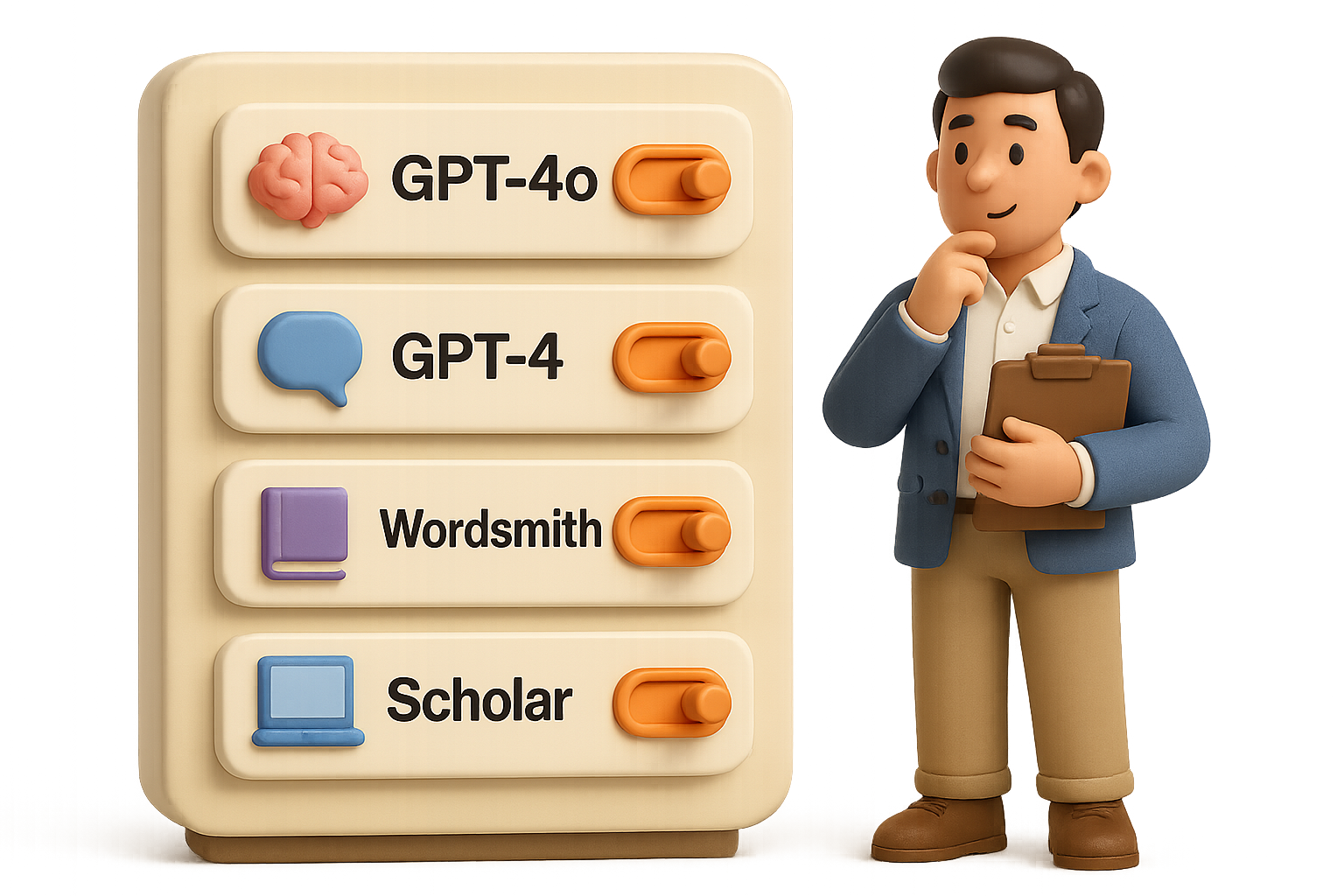
    If you don’t pick the right model, you’re either overpaying or underperforming. Here’s your lineup:

    GPT-4o — “The Generalist”

    • Fast and cheap—your go-to for brainstorming, summaries, and light chatbot convos.
    • Solid for surface stuff, but don’t ask it to solve your strategy doc or legal disclaimers.
    • Use it for 40–50% of daily prompts. It’s great until you need real precision.

    GPT-4 — “The Professor”

    • Slower, smarter—and worth the pause when accuracy matters.
    • Ideal for business strategy, technical writing, legal queries, and analyzing big data chunks.
    • Tip: Start drafts in 4o. Then polish in GPT-4 for depth and citations.

    Deep Research Mode — “The Scholar”

    • Think “GPT-4 + Web.” It disappears for a few minutes and comes back with linked sources and expert-level analysis.
    • Perfect for white papers, pitch decks, or investor briefs.
    • Use it when Google just won’t cut it.

    illustration

    Sharpen the Style When Words Matter Most

    GPT-4.5 Preview — “The Wordsmith”

    • Master of tone and storytelling. Not great with numbers, but gold for marketing copy and brand voice.
    • Scriptwriting, punchy social posts, emotive blogs? This is your model.
    • It’s not permanent (yet)—but when it’s here, lean in for finesse and flow.

    illustration

    Crush Code with Long-Context Power

    GPT-4o-1M — “The Coder”

    • Handles 1 million tokens via API. That’s novel-length, repo-sized brainpower.
    • Best at following sequential instructions—dev workflows, technical QA, long-form edits.
    • Plug it into toolkits like:
      • Genei.ai — upload docs, chat instantly
      • Make.com or n8n — automate workflows, no code needed
      • Cursor, Replit Chat — live code with AI in your IDE
      • LangChain — full-stack AI dev

    GPT-4o Mini — “The Intern”

    • Same huge context limit, lighter compute. Great for fast batch jobs.
    • Use it for draft refactors, CSV wrangling, or customer service dialogs.
    • Think of it like a junior dev—quick, capable, and cheap. But double-check the output.

    illustration

    When Logic Has to Be Laser-Sharp

    GPT-4o Mini High — “The Mathematician”

    • Same model as Mini, just more compute per output. It thinks deeper and faster.
    • Your pick for STEM projects, finance modeling, algorithms, or technical troubleshooting.

    GPT-4o Pro — “The Oracle”

    • Maxed-out GPT-4 with extra compute muscle.
    • Expensive. Slow. Frighteningly accurate.
    • Use it when everything else has failed and you need the right answer.

    illustration

    Zoom Out: Speed, Cost, Accuracy

    ModelAccuracySpeedPrice (API)Best For
    GPT-4o●●○●●●●○○Chat, ideation, light tasks
    GPT-4●●●●○○●●○Deep research, logic, citations
    Deep Research●●●○○○●●●Academic-style sourcing
    GPT-4.5●●○●○○PreviewStorytelling and brand tone
    4o-1M●●○●●○●○○Long codebases, big docs
    4o Mini●○○●●●○○○Bulk jobs, cheap bots
    4o Mini High●●○●●○●○○STEM accuracy on a budget
    4o Pro●●●○○○●●●Audits, proofs, critical edge

    (● = good, ○ = meh)


    A cartoon character in an orange cap and glasses reviews a 'Workflow Blueprint' while holding a magnifying glass, surrounded by various tools labeled 'brain,' 'magnifying glass,' 'tool,' 'pen,' and 'calculator,' with a sign that reads 'USE THE RIGHT TOOL FOR THE JOB.'

    Pro Move: Combine Models for Better Output

    Mixing models is where the real magic happens. Build your own pipeline:

    Draft Fast, Polish Deep

    1. Outline ideas in GPT-4o.
    2. Rewrite and fact-check in GPT-4.
    3. Language-tune with GPT-4.5 for vibe.

    Long-Context Coding

    1. Toss your codebase into GPT-4o-1M for bird’s-eye insights.
    2. Generate PRs or revisions in Mini.
    3. Hands-on QA in Mini High or GPT-4.

    Research That Feels Bulletproof

    1. Activate Deep Research Mode to fetch sources.
    2. Summarize findings in GPT-4o.
    3. Have GPT-4.5 add intro/outro flavor for executive review.

    illustration

    Your Output Is Only as Good as Your Prompt

    Even the smartest model fumbles a lazy input. If you’re stuck on what to write, grab HubSpot’s free prompt engineering guide. It teaches the ROSES method—Role, Objective, Scenario, Expected output, Steps. Game-changer for precision prompts.


    In a Nutshell

    • Stop defaulting. The right model can double accuracy—or cut your API bill in half.
    • Work smarter. Generalist for chat, Professor for logic, Wordsmith for emotion, Coder for big tasks.
    • The API unlocks serious power. Millions of tokens. Faster performance. Custom prompts.
    • Stack models like a workflow. Think of it less like a tool, more like a team.

    We’ll say it again: don’t use a screwdriver when the job calls for a torque wrench.

    For tutorials, fast-start guides, and non-boring AI lessons—it pays to learn the ropes. Head to Tixu.ai and start leveling up today.

  • Build a Profitable AI Business with ChatGPT-4o in 4 Steps

    Build a Profitable AI Business with ChatGPT-4o in 4 Steps

    4 Cash-Flow Ideas You Can Start Today with ChatGPT-4o (No Tech Degree Needed)

    Feeling like you’re late to the AI gold rush? Good news: you’re not. The latest update to ChatGPT—version 4o—just unlocked a whole toolkit that savvy creators are already using to build actual income streams. Fast.

    No design chops? No budget? No problem. Below are four low-barrier, high-upside ways to put ChatGPT-4o to work—complete with real steps, creative angles, and monetization checks.

    Let’s dig in.

    illustration

    1. Launch a Faceless YouTube Channel (No Camera, Just Content)

    Yep, YouTube still prints money. And no, you don’t have to be on camera or even show your face.

    Here’s the play:

    • Generate visuals – Ask ChatGPT-4o to create still images or short video loops with its built-in image generator.
    • Add voice-over – Drop your script into ElevenLabs (or a similar AI voice tool) to get studio-quality narration.
    • Edit easily – Use CapCut for simple, polished edits without needing motion design skills.

    Make content that runs for hours
    Think background-friendly formats:

    • Relaxing storytime (bedtime tales, relaxing myths)
    • Niche explainers (“Black history for toddlers” or “Nature facts to sleep”)
    • Calming, loopable visuals with soft narration

    Once you’ve got ~30 minutes of visuals, here’s a trick: cut to a black screen with just voice-over. Cuts your workload in half, and viewers stay.

    Monetization ideas:

    • Ad revenue from watch time
    • Digital product upsells (like matching printable kits—see Idea 2)
    • Sponsors once you hit consistent views
    illustration

    2. Sell Printable Bundles for Parents (Low Lift, High ROI)

    Parents are goldmine customers—and they love download-and-go learning tools.

    We’re talking:

    • Alphabet posters
    • Daily routine charts
    • Counting flashcards
    • Holiday activity kits

    Step-by-step game plan:

    1. Validate it – Use a tool like EverBee (free Etsy stats plugin) and search things like “toddler worksheets” or “language flashcards.” You’ll see products moving 100s of units a month—sometimes 4 figures in revenue.
    2. Create with AI – Drop this into ChatGPT-4o:“Design a colorful watercolor chart with vegetables labeled in a kid-friendly font. Carrot, tomato, kale. Preschool classroom vibe.”
    3. Package & sell – Combine pages into a downloadable PDF. Now choose your storefront:
      • Start your own site – Use Shopify’s free trial or Hostinger’s AI Builder. Add a clean .store domain for trust points (e.g., brainysprouts.store).
      • List on Etsy – Add exposure + search traffic.

    Scale it with a club model
    Offer a monthly membership: 100+ themed printables for $7. Just 100 parents = $700 MRR. Not bad for a side hustle.

    illustration

    3. Sell AI-Crafted Custom Portraits (Your Artsy Side… Just Smarter)

    Think of this as custom art with robot hands lending a brush.

    AI-generated portraits are flying off digital shelves—and you can jump in now with almost zero overhead.

    How to do it:

    1. Ask your client for a photo (could be a pet, family, or couple).
    2. Upload photo + style prompt to ChatGPT-4o: “Turn this into a Pixar-style portrait. Retain likeness and key facial features.”
    3. Export the result. Touch up if needed.
    4. Deliver as digital file. Optionally upsell print versions via print partners like Printify.

    Show me the money:
    Top Etsy sellers with only 15–20 portrait styles often pull in $10k–$25k/month. With ~90% margins.

    You don’t need to be an artist—just master the AI brief.

    A digital illustration featuring a bear saying 'Hello' and waving on a computer screen, surrounded by children's books and educational materials like a checklist and an adorable bunny figure labeled 'Ages 4-6.'

    4. Write and Publish Your Own Children’s Books (Really)

    No more waiting for a publisher to “discover” your bedtime story.

    ChatGPT-4o turns your story idea into a polished, fully illustrated book—all in under a day. Here’s how.

    Your children’s book stack:

    • Generate the story –
      “Write a 12-page story for ages 4–6 about kindness. Simple, fun, rhyming.”
    • Plan the visuals – Ask for a page-by-page image breakdown:
      “Page 1: A smiling bear waves from the edge of a forest clearing.”
    • Create the art – Feed back each visual phrase to ChatGPT-4o’s image tool. Make sure the characters stay consistent.
    • Put it together – Use Canva to align text + images. Export as a print-ready PDF.

    Where to sell:

    • Amazon KDP – They print the book as orders come in.
    • Etsy – Sell the digital version as a PDF download.
    • Your own site – Higher profit + email capture.

    Pro tip: Launch a character series like “Max & Nia Go Exploring” and turn one book into five. Readers love sequels—and you just multiplied your shelf.

    illustration

    Final Take: Tools Are Cheap, Time’s the Catch

    ChatGPT-4o is more than a novelty—it’s your creative co-pilot. It handles visuals, voice, storyboarding, and production work in minutes. You bring the strategy.

    Pick one idea. Start small. Ship something.

    Because soon, the floodgates open—and you’ll be the one with the head start.

    👉 Ready to build your AI skill stack from zero? Learn AI tools without the jargon at Tixu.ai.

  • Build a $1M Business with 5 AI Agents

    Build a $1M Business with 5 AI Agents

    5 AI Agents That Scale You to 7 Figures—Without Hiring

    You want to grow big—but not bloated. More revenue, less overhead. It sounds like a dream… until it’s not. The secret? Specialized AI agents that do the grind work you shouldn’t touch.

    Let’s break down five types of agents you can start using today—plus the specific tasks they should own from Day 1. Spoiler: this isn’t about replacing people. It’s about freeing them (and you) up to do real work—not routine chores.


    illustration

    Close More Deals (Without More Sales Reps)

    You don’t need a bigger sales team. You need better prep, faster follow-up, and qualified leads that actually want what you sell.

    Meet your first teammate: The Closer Agent.

    This one pays for itself fast—because strong revenue covers every other experiment.

    • Lead intelligence
      Scraping, scoring, enriching—none of this needs your team’s brainpower. An AI agent can cross-check tools like LinkedIn, Apollo, score each lead, and push only the good ones into your CRM. No filler.
    • Closing support
      Before calls, it reviews past convos, flags buying signals, and suggests custom follow-ups. Your team shows up like they spent an hour prepping—without touching their inbox.
    • Voice-based qualification
      Missed call? No problem. Tools like Breezy answer instantly, ask a few smart questions (“What’s your budget?”), and schedule only the legit leads. Your rep steps in when it counts.

    Start here if: Your pipeline is full but conversion rates are meh.


    illustration

    Reclaim 10+ Hours a Week (And Your Sanity)

    Here’s the tough truth: if you don’t have an assistant, you are the assistant.

    Cue the Assistant Agent. Pair it with your human EA, and suddenly 90% of tactical noise disappears.

    • Email triage
      Finance threads go straight to accounting. Quick responses are drafted. Only the emails that matter bubble up. Inbox zero without burning your focus.
    • Calendar control
      The agent reschedules meetings, formats pre-read materials, and even takes notes. When your schedule is tight, discipline equals revenue.
    • Automated bookings
      Flights. Hotels. Team dinners. AI finds the best routes, holds reservations, and hands your EA back hours to juggle hiring and team support.

    Start here if: You’re stuck in reactive mode all day.


    Three cartoon-style robots representing different roles: a System-Creator, an Office-Manager, and a Customer Support agent, with a checklist and a bookshelf in the background.

    Build Self-Improving Systems

    Business owners love to quote: “Let systems run the business and people run the systems.” Cool. Now let those systems evolve themselves.

    The Workflow Agent makes that real.

    • System-creator bot
      Record a walkthrough once. Drop it into Trainual. SOPs and checklists appear like magic. As workflows change, the doc updates. Bye, tribal knowledge.
    • Office-manager bot
      Need to order office snacks? Book team massages? It’s a chat command away. Everything gets tracked in one place—no more “Hey, quick question…” taps on the shoulder.
    • Customer-support bot
      Feed it past support tickets. The AI starts crafting instant, specific responses (helpful, not robotic), and even suggests upsells. Support becomes a revenue line.

    Start here if: Team members constantly reinvent the wheel or answer the same questions twice.


    illustration

    Multiply Your Marketing (Without Burning Out)

    Staring at a blank doc while deadlines loom? We’ve all been there. But publishing consistently shouldn’t require caffeine and tears.

    That’s where the Amplifier Agent steps in.

    • Content analysis
      Drop in your top 5 emails and bottom 5. AI distills exactly what worked—and what flopped—so you stop guessing and start scaling.
    • Voice-and-tone checker
      Your A+ content sets the baseline. From there, the AI flags any off-brand drafts and fixes them. Ideal for teams bringing on new writers.
    • Multichannel creation
      One video? Now it’s short clips, emails, quote cards, and tweets—each tailored to its platform. Marketing, multiplied.

    Start here if: You’ve got content ideas, but your output doesn’t match your ambition.


    illustration

    Control Cash Flow Before It Controls You

    Fast-growing companies don’t fail because of slow sales. They fail because they run out of cash without even realizing it.

    The Money Agent keeps your financial vision 20/20—before things go sideways.

    • Cash-flow bot
      Pulls live data from Stripe, QuickBooks, or Xero. Projects burn rate. Flags sketchy patterns—all before your accountant does.
    • Payments bot
      That invoice Slack’d to you? Automatically scanned, matched, routed, and scheduled for payment. You didn’t even touch a spreadsheet.
    • Fraud-watch bot
      Plug-ins like Syft catch weird transactions: odd-hour purchases, duplicate vendors, and surprise wire transfers. You get alerts, not surprises.

    Start here if: Your growing revenue is hiding sneaky expenses.


    illustration

    The Real ROI? Better Work, Not Just Faster Work

    Every wave of automation brings fear about job loss. But history shows the same thing again and again: We don’t lose jobs. We get better ones.

    When AI takes care of repetition, you get time to create, lead, and connect. You build a business that feels less like a machine, and more like a movement.

    Here’s your playbook:

    1. Start with the agent that removes your current bottleneck. (Usually sales or admin.)
    2. Reinvest the time and wins into the next agent.
    3. Stack all five—and watch your systems think, deliver, and scale on autopilot.

    Want a hand getting started?
    Check out Tixu—a beginner-friendly AI learning platform that walks you through tools like these, step by step. Plug in, level up, and let the agents do their thing.

    Ready when you are.

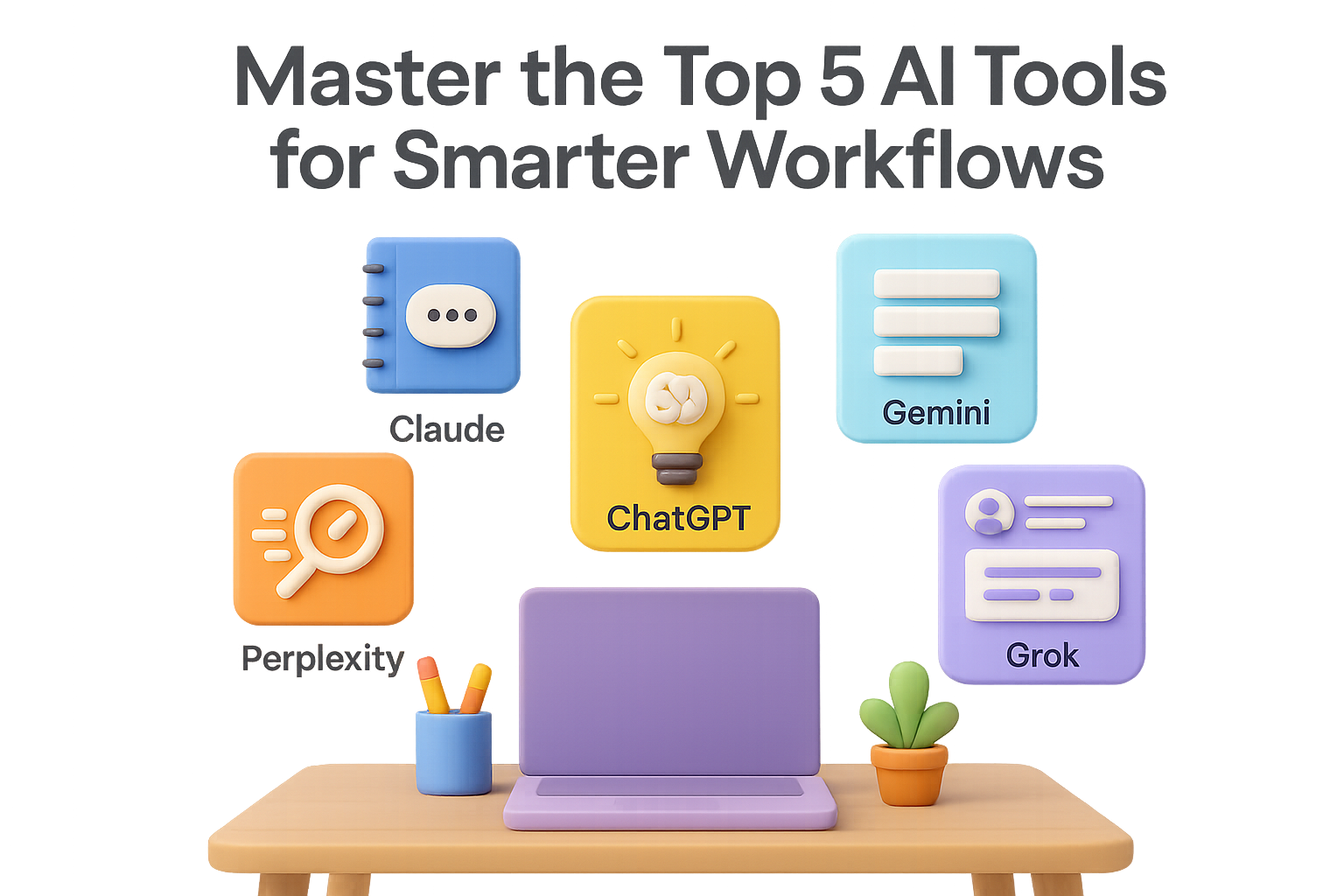
  • Master the Top 5 AI Tools for Smarter Workflows

    Master the Top 5 AI Tools for Smarter Workflows

    How to Decide Which AI Subscription Deserves Your Budget

    You’ve got tabs open, deadlines looming, and a dozen AI tools whispering “Pick me!” into your browser. From ChatGPT to Claude, Gemini to Grok—everyone’s promising next-level productivity. But here’s the real question: which one actually earns a spot on your monthly paid stack?

    Let’s break down where each one shines, when the free plan isn’t enough, and how to build a setup that supports your workflow—not your headaches.

    By the end of this guide, you’ll know which AI tool fits your day-to-day (and which ones can wait).


    illustration

    ChatGPT (OpenAI)

    The reliable sidekick with range

    Where it delivers

    • Brainstorming, outlining, rewriting—you name it
    • Analyzing PDFs and docs in seconds
    • Debugging and code explanations
    • Solid image generation using DALL·E 3
    • Expands or simplifies content while keeping your tone

    Where it falls short

    • Free tier struggles with big documents
    • Hallucinates facts (always double-check)
    • Limited messages if you’re not paying

    Privacy snapshot
    Your chats help train OpenAI models—unless you opt out.
    Do this:

    1. Disable “Chat History & Training” in Settings
    2. Or use “Temporary Chat” for sensitive sessions

    Free plan caps

    • Just GPT-3.5, with brief bursts of GPT-4o
    • Max 10 prompts per three hours
    • Limited image/voice features
    • No access to custom GPTs

    Is Plus worth it?
    At $20/month, you get GPT-4o (with 128k token context), voice mode, file uploads, image tools, and custom GPTs. If ChatGPT is already glued to your workflow, upgrading is a no-brainer.


    illustration

    Claude (Anthropic)

    The privacy-first tool for thoughtful work

    Where it delivers

    • Long-form content with subtle tone and style
    • In-depth coding help
    • Reasoned takes on ethics and policy
    • Handles massive files (up to 200k tokens!)
    • Syncs with Google Drive, Gmail, Dropbox (Pro only)

    Where it falls short

    • No native image generation
    • Context window smaller than GPT-4o’s 1 million tokens
    • Free usage caps hit fast

    Privacy snapshot
    Claude doesn’t use your chats to train by default. That makes it a top pick for client-sensitive work. Connected services like Google and GitHub follow their own rules.

    Free plan caps

    • Access to Claude 3 Sonnet only
    • Daily limits on messages and uploads
    • No access to “Projects” or integrations

    Is Pro worth it?
    Writers, devs, researchers—anyone running into limits—will get solid value at $20/month. If your focus is quick asks, or you rely on visuals, you’re safe staying free.


    Illustration of a computer screen displaying various Google Workspace elements, including Gmail, Google Sheets, and a privacy hub related to Gemini, with visual icons for apps activity and token limits.

    Google Gemini

    The document-hungry workhorse inside Google Workspace

    Where it delivers

    • 1 million-token context window = handles encyclopedic input
    • Understands text, images, spreadsheets, videos
    • Integrated smart features across Docs, Sheets, Gmail (paid users)
    • Great at Google Cloud development help

    Where it falls short

    • Tone can be bland unless steered
    • Confidently wrong answers—keep your critical eye sharp
    • Not as strong for brand copy or storytelling

    Privacy snapshot
    Your input trains Gemini unless you switch off “Apps Activity.” Full details live in the Gemini Privacy Hub.

    Free plan caps

    • Gemini 1.5 Flash only
    • Limits on uploads, research capacity
    • Workspace integration locked behind certain plans

    Is Advanced worth it?
    If you’re deep in Docs/Sheets and wrangle multi-format data daily, yes. Otherwise, stack it up vs. ChatGPT-Plus and decide from there.


    Graphic representation of the Perplexity.ai interface showcasing search options for News, Blogs, and Social, along with AI model selections and search logs.

    Perplexity.ai

    The speed demon built for research

    Where it delivers

    • Fast answers with real citations
    • Pulls updates from news, blogs, social media
    • “Focus” mode lets you choose underlying AI models (Pro perk)
    • Comes with browser extension + mobile apps

    Where it falls short

    • Not great for complex or creative writing
    • Can be repetitive
    • Limited depth compared to full-on LLMs

    Privacy snapshot
    Logs search queries by default, but you can turn off tracking in Settings. Email and calendar data isn’t used to train models.

    Free plan caps

    • Just a handful of rich searches per day
    • Fewer sources crawled
    • No access to top-tier models (Gemini, GPT-4o, Claude Opus)

    Is Pro worth it?
    At $20/month, Pro unlocks unlimited searching across Reddit, X, Stack Overflow, and more. If your job is 50% Googling and 50% organizing what you find—this one pays dividends.


    illustration

    Grok (xAI)

    The snarky insider for X users

    Where it delivers

    • Real-time insight into what’s trending on X
    • Tight pulse on news, memes and cultural chatter
    • Personality: sarcastic, casual, sometimes hilarious

    Where it falls short

    • Weak outside the X ecosystem
    • Meh at long-form writing or dev work
    • Accuracy? Let’s just say…be alert

    Privacy snapshot
    By default, you help train Grok by using it. Option to opt out via X settings or toggle “Private Chat” when needed.

    Free plan caps

    • Around 12 prompts every 2 hours
    • Limited deep-dives
    • No model customisation

    Is Premium+ worth it?
    If you’re already paying $30/month for X Premium and thrive on tweet-speed insights, Grok’s a sweet bonus. But as your go-to AI tool? Other models bring more muscle.


    illustration

    So…Which Should You Pay For?

    Here’s the quick-match cheat sheet:

    • Need a writing/coding workhorse? Go with ChatGPT Plus
    • Worried about privacy? Claude Pro is your safe bet
    • Run your digital life in Docs and Sheets? Try Gemini Advanced
    • Always researching everything? Perplexity Pro is your turbo Google
    • Living on X? Grok adds flavor, not depth

    Honestly? Most folks pair 2–3 tools:

    • One “main” model (ChatGPT or Claude)
    • One research engine (Perplexity)
    • One for niche tasks (Grok or Gemini)

    Start with free tiers, pay only when the friction hits. Because paying for AIs you barely use? That’s the oldest subscription trap in the book.


    Ready to level up your AI game without the overwhelm?

    Dip into free tools, and when you’re hungry for more, build a stack that fuels your momentum—not your FOMO.

    And if you’re still figuring out how to use these tools in your workflow, you’ll want to check out Tixu.ai—the beginner-friendly AI learning platform built to help you get tactical, fast.

  • Build a $1,000/Day AI Side Hustle in 8 Steps

    Build a $1,000/Day AI Side Hustle in 8 Steps

    This Beginner-Friendly AI Hustle Is Booming—Here’s How to Get In

    Building an online income stream used to look like a second job: awkward tech, weeks of tinkering, and zero traction. Not anymore.

    Thanks to ChatGPT and a handful of free tools, people just like you—yes, even total beginners—are spinning up sleek affiliate funnels in a weekend. It’s not “push a button, make it rain.” But with a focused game plan, you can whip together:

    • A ready-to-share guide in a niche people trust you for
    • Over 100 quote graphics that attract clicks like bees to honey
    • A single affiliate link that tracks your traffic and earns every time it converts

    Let’s break it down, step by doable step.

    illustration

    Write a Beginner’s Guide with ChatGPT—Fast

    Before you make a dime, you’ve got to build trust. And few things do that like a helpful, beginner-friendly guide.

    Here’s how to create one in under an hour:

    1. Head to ChatGPT .
    2. Prompt:
      “Give me 10 evergreen niches where people actively look for advice.”
    3. Pick your favorite—say, Love & Relationship Advice.
    4. Now prompt:
      “Write a beginner-friendly, 1,500-word guide on [your chosen niche]. Organize it with headings, bullet points, and practical tips.”
    5. Polish the output in Google Docs and title it something that pops (try: “The Newbie’s Guide to Healthy Relationships”).

    You’ll walk away with a well-organized PDF worth giving away—and full of subtle upsell ops.

    illustration

    Add Affiliate Links That Actually Get Clicked

    A good guide is helpful. A good guide that pays? That’s the point.

    Here’s how to monetize without turning readers off:

    • ClickBank – Free to join, full of digital products with commissions as high as 75 %.
    • Audible Affiliate Program – Pays about $5 per signup, even for a free trial.

    Example: Add a sentence like “Want to improve your communication? Grab this free audiobook: [Title]”—with your affiliate link inside.

    Bonus move: use Bitly to shorten long URLs and track clicks like a pro.

    A digital illustration featuring a friendly robot interacting with a laptop and a large monitor displaying organized content, alongside colorful icons representing files, tasks, and a coffee cup.

    Generate 100+ Social Posts from a Single Prompt

    Traffic doesn’t magically appear—so fire up the quote machine.

    1. Ask ChatGPT: “Give me 100 short, inspiring quotes about [your niche]. Keep each under 15 words.”
    2. Go to Canva and search for “Instagram Quote” templates.
    3. In Canva’s left menu: Apps → Bulk Create → Enter your 100 quotes.
    4. Connect the quotes to your design, click Generate, and you’ve got a month’s worth of posts.
    5. Export as PNG or JPG. Done.

    You’ve just created eye-catching, scroll-stopping content that leads back to your freebie guide.

    illustration

    Set It and (Almost) Forget It

    Now that you’ve got content—publish smart.

    Use tools like Later.com (yes, there’s a solid free plan) to auto-post your 100+ visuals over the next month on:

    • Instagram
    • Pinterest
    • Facebook

    For Pinterest (a dark horse traffic driver):

    1. Go to Pinterest → Create Pin
    2. Upload your image, paste your short link, and use a ChatGPT-created title + description
    3. Publish—and let search bring in the clicks

    Pinterest may surprise you with faster gains than Instagram, especially for fresh accounts.

    illustration

    Pour Fuel on the Fire with Faceless Videos

    Graphics are steady. Videos go viral.

    No need to show your face. Instead:

    • Use Canva or CapCut to stitch royalty-free clips with text overlays
    • Record yourself reading quotes (or use a natural-sounding AI voice)
    • Drop them as YouTube Shorts, TikToks, and Reels

    One faceless clip can pull in 300,000+ views. Pin your affiliate link in the comments, drop it in the video description, and let your guide—and offer—do the rest.

    Illustration of a workspace featuring a computer displaying 'Side Hustle -> Scaled Stream,' surrounded by colorful icons representing quotes, templates, a planner, and a friendly robot.

    Level Up: From Side Hustle to Scaled Stream

    Want those $1k+ days? Here’s the scaling roadmap:

    1. Double down: If a quote post about “trust” goes viral? Build out a blog post, video series, or checklist around it.
    2. Start collecting emails through a simple landing page (ConvertKit, Beehiiv—they all do the trick).
    3. Layer in your own products like mini courses, planners, or templates to raise your income ceiling.

    Data-backed upgrades, not random windmills.

    Quick Wins and Final Wisdom

    • Go deep, not wide. One killer guide beats five forgettable freebies.
    • Use the numbers. Bitly shows clicks. Later and Canva reveal post reach. Let the data decide what’s next.
    • Be transparent. Always disclose affiliate links. Builds trust and keeps you per platform rules.

    You don’t need a marketing degree or a huge following. Just a few powerful tools, a beginner-friendly strategy, and a willingness to show up for an hour a day.

    Want the AI tools and templates that make this even easier?

    👉 Check out Tixu.ai—a no-fluff platform built to help new creators learn smart AI skills, fast. Ready when you are.

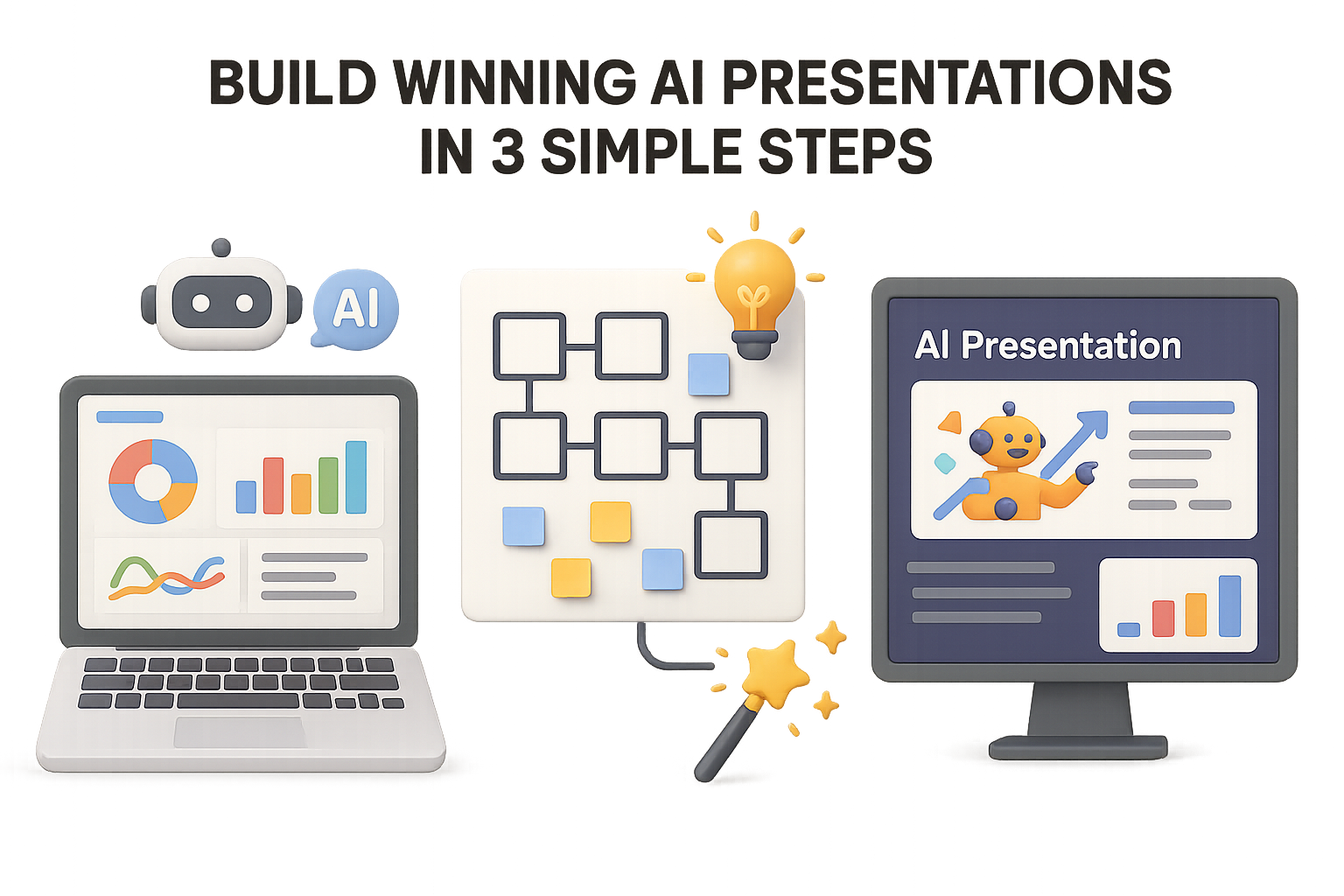
  • Build Winning AI Presentations in 3 Simple Steps

    Build Winning AI Presentations in 3 Simple Steps

    From Fluffy Decks to Executive-Ready: How to Actually Use AI for Presentations

    Let’s be real—those slick AI-generated decks might look the part, but when it’s showtime? They land like a soggy toast. Eye-catching slides, zero persuasion. You’ve seen it. Maybe you’ve even made one. No judgment.

    The problem: most AI tools focus on churning out pretty slides fast. But without sound research and structure, you’re dressing up nothing in gradients and icons.

    This 3-step workflow flips that. You’ll combine AI speed with human insight to create decks that actually persuade. Ready when you are.


    illustration

    1. Dig Up Gold with Deep AI Research

    Skip the guessing. If you’re pitching a new market, don’t start with your gut—start with data.

    Fire up a smart research-capable AI like ChatGPT with Browsing or Google Gemini. These tools go beyond generic responses and actually pull from the latest sources online.

    Here’s what to ask:

    • Objective: “Create a market-entry report for a budget skincare brand targeting males aged 25–35.”
    • Markets: Japan, Indonesia, United Kingdom
    • Framework: “Analyze each country using Porter’s Five Forces.”
    • Output:
      • Executive summary
      • Key data (stats, citations, trends)
      • Ranked market scorecard—pick a winner

    Seven minutes in, you’ll have more than pretty charts—you’ll have why Indonesia outpaces the UK, or how Japan’s distribution channels shape the opportunity.

    💡 Shortcut: Use a custom GPT or browser extension to auto-expand basic prompts into full research queries. Save time and sanity.


    illustration

    2. Shape Your Story (Before You Touch a Slide)

    A pile of stats doesn’t sell strategy. That’s your job—and AI’s assist.

    In the same AI chat (but with web access off), prompt it to transform your findings into a C-suite deck outline.

    Try this:

    • Audience: “CMO of a budget skincare company”
    • Recommendation: “Indonesia as first-entry market”
    • Format: “Use SCQA framework. Dedicate one slide to ‘why not UK/Japan.’”

    What you’ll get back:

    1. Why Indonesia
    2. Market size & growth
    3. Consumer behavior
    4. Entry strategy
    5. Risks & mitigations
    6. Next steps
    7. Japan & UK comparison
    8. Summary slide

    Structure done. You just saved 2 hours of fiddling in PowerPoint.


    A digital illustration of a computer screen displaying a presentation creation interface, featuring options like 'Condense', 'Detailed', and 'Illustrations', along with a friendly robot character and various design elements such as charts and documents.

    3. Make It Shine in Gamma

    Now comes the fun part.

    Take your outline → paste it into Gamma.app → select “Create Presentation.” Even the free plan gives you plenty to work with.

    Best starting settings:

    • Text: “Condense” — the meat’s already there.
    • Length: “Detailed” — you can always trim later.
    • Images: “Illustrations” or stock—whichever suits your vibe.
    • Theme: Use your brand or pick a minimal one with pop.

    Bonus tricks:

    • Use “Edit with AI” to upgrade basic slide titles into punchier hooks.
    • Add charts: Paste the data, right-click → “Add card with AI.”
    • Test readability in Present Mode with Spotlight—it dims the slide until you click the point you want to highlight.

    Caution: Gamma’s free plan still watermarks exports. You’ll also need to nudge spacing if exporting to Google Slides.


    illustration

    Slide-Building Can Be Smart, Not Soul-Crushing

    Let’s recap. Three tools, three distinct purposes:

    • Web-connected AI (ChatGPT + Browsing): Real-time research that pulls relevant data
    • Plain LLMs (no browsing): Turn insights into structured narratives
    • Gamma.app: Turn text into slides that won’t get laughed out of the boardroom

    This isn’t AI replacing your brain—it’s AI amplifying your speed. You stay in control of the strategy, flow, and storytelling. The machine just handles the format and fetch.


    illustration

    Here’s What You Now Know:

    • Start with evidence. AI can dig deeper, faster—if you ask the right questions
    • Think story-first. Use the SCQA method to map out logic before layout
    • Inject human judgment. Weak slides fail not from bad fonts, but from missing insight

    Use this workflow and you’ll spend less time formatting… and more time making decisions that move the needle.

    Want to learn more smart ways to team up with AI—even if you’re just getting started?

    👉 Check out Tixu—a beginner-friendly platform that teaches you to learn, prompt, and build with AI (without needing to be a dev).

  • Master the Top 7 AI Trends Poised to Dominate 2025

    Master the Top 7 AI Trends Poised to Dominate 2025

    Forecasting AI: 7 Trends to Watch in 2025

    AI isn’t just moving fast—it’s changing the rules in real time. If you’re building with it, managing it, or even just trying to keep up, you’ve got a front row seat to a tech revolution. But with so much noise out there, which shifts actually matter in the year ahead?

    Good news: we’ve cut through the buzzwords for you. Based on field experiments, market signals, and a generous helping of nerdy joy here at Tixu, these are the 7 trends you’ll want on your radar as we roll into 2025.

    Let’s break them down—and help you get a step ahead.


    illustration

    1. Agentic AI Gets to Work

    Yes, agents have been the cool kids at the AI science fair for a while. But until now? Mostly flash, little follow-through.

    2025 changes that.

    Imagine giving an AI a goal—and it runs with it. Breaks the task down. Gets the right tools. Double-checks the output. Maybe even books the meeting room.

    That’s what agentic AI promises, and we finally have the foundation to make it happen: better long-context models, improved multi-step planning circuits, and plug-and-play “tool aisles” for agents to grab what they need.

    Ready when you are.


    illustration

    2. Smarter Thinking at Inference-Time

    Models used to train hard, then coast. Now, they’re learning to think on the spot.

    Welcome to Inference-Time Compute (ITC)—aka, a permission slip for your model to pause, reason, and use just enough brainpower for each task.

    Why you should care:

    • Upgrade quality without retraining. Fine-tune behavior on the fly instead of firing up another billion-dollar training run.
    • Make agents reliable. Complex workflows finally get the attention they need to avoid silly failures.

    This is how we build systems that adapt, not just predict.


    illustration

    3. Supersize Me: The Era of Very Large Models

    1T was cute. 50T is coming.

    From OpenAI, DeepMind, and the rest of the frontier crew, expect models in the tens of trillions of parameters. These juggernauts bring:

    • Sharper reasoning. Less guesswork, more insight.
    • Language fluidity across dialects and domains.
    • Seismic infrastructure demands. (You’ll want newer, faster hardware—or a fat API credit.)

    For most teams, though, the move will be to hosted access. Like leasing a Ferrari, not parking it in your garage.


    illustration

    4. Don’t Blink: Small Models Catch Up

    Not every use case needs a Godzilla-sized model. In fact, some work better with smaller, faster, more focused AI.

    Models in the 1B–5B parameter range (IBM’s 2B Granite series) now run smoothly on your laptop, your phone—heck, even your fridge if you’re creative.

    Why go mini?

    • Privacy perks—no cloud round-trips.
    • Lightning-fast responses, even offline.
    • Custom fits—think vertical AI for legal, security, HR, etc.

    2025 will be hybrid: big brains on the cloud, laser-focused workers at the edge.


    illustration

    5. Enterprises Level Up Expectations

    Last year, most companies used AI to route tickets, run simple chatbots, or automate help desk scripts.

    Next year? They want more. Much more.

    The wish list includes:

    • Real customer support, not just button-clicking scripts.
    • Self-healing networks that fix themselves overnight.
    • AI-driven cyber defense that catches zero-days before humans blink.

    It’s not sci-fi anymore—it’s a reflection of better models, human-in-the-loop design, and more confidence at the C-level.

    Oh, and budgets to match.


    illustration

    6. Infinite Memory, Infinite Possibility

    Remember the days when 4,096 tokens felt luxurious?

    Now we’re working with hundreds of thousands—and early designs pushing into the millions.

    What that actually means:

    • Chatbots that remember your life story (and your Starbucks order).
    • Knowledge agents that keep entire wikis in reference—no more “upload this again?”
    • Fluid conversations that evolve over time, not restart every time.

    But with great memory comes great responsibility: data governance matters more than ever. If your AI never forgets, compliance better not sleep.


    illustration

    7. Human-in-the-Loop, Rebooted

    Slapping AI into a workflow doesn’t guarantee better outcomes. Don’t believe us? One study showed that doctors + LLMs performed worse than the LLM alone.

    2025’s Human-in-the-Loop 2.0 will be smarter about collaboration:

    • UI that explains model choices, so humans can spot-check on a dime.
    • Feedback that actually trains the model, without waiting for the ML team.
    • Built-in domain knowledge, so your legal AI speaks contract, not generic internet-speak.

    It’s not humans vs AI. It’s humans + AI… done right.


    illustration

    8. Your Turn: What Did We Miss?

    We’ve painted 7 of the strongest strokes—but you’ve probably got ideas we didn’t cover.

    Synthetic data marketplaces? AI-designed chips? Autonomous legal advisors?

    Let’s build a smarter, tighter AI future—together.


    2025’s AI landscape is shifting fast—toward smarter agents, bigger brains, smaller deployables, and more collaborative workflows. If you’re not just keeping up but actively building, let these seven trends guide your playbook.

    👉 Want to go from reading trends to building with them? Dive into tools, tutorials, and hands-on projects at Tixu.ai—the friendliest corner of the internet to start learning AI from scratch.

  • Unlock 10 Powerful Ways to Use ChatGPT Mobile

    Unlock 10 Powerful Ways to Use ChatGPT Mobile

    Unlock ChatGPT’s Superpowers—Right from Your Pocket

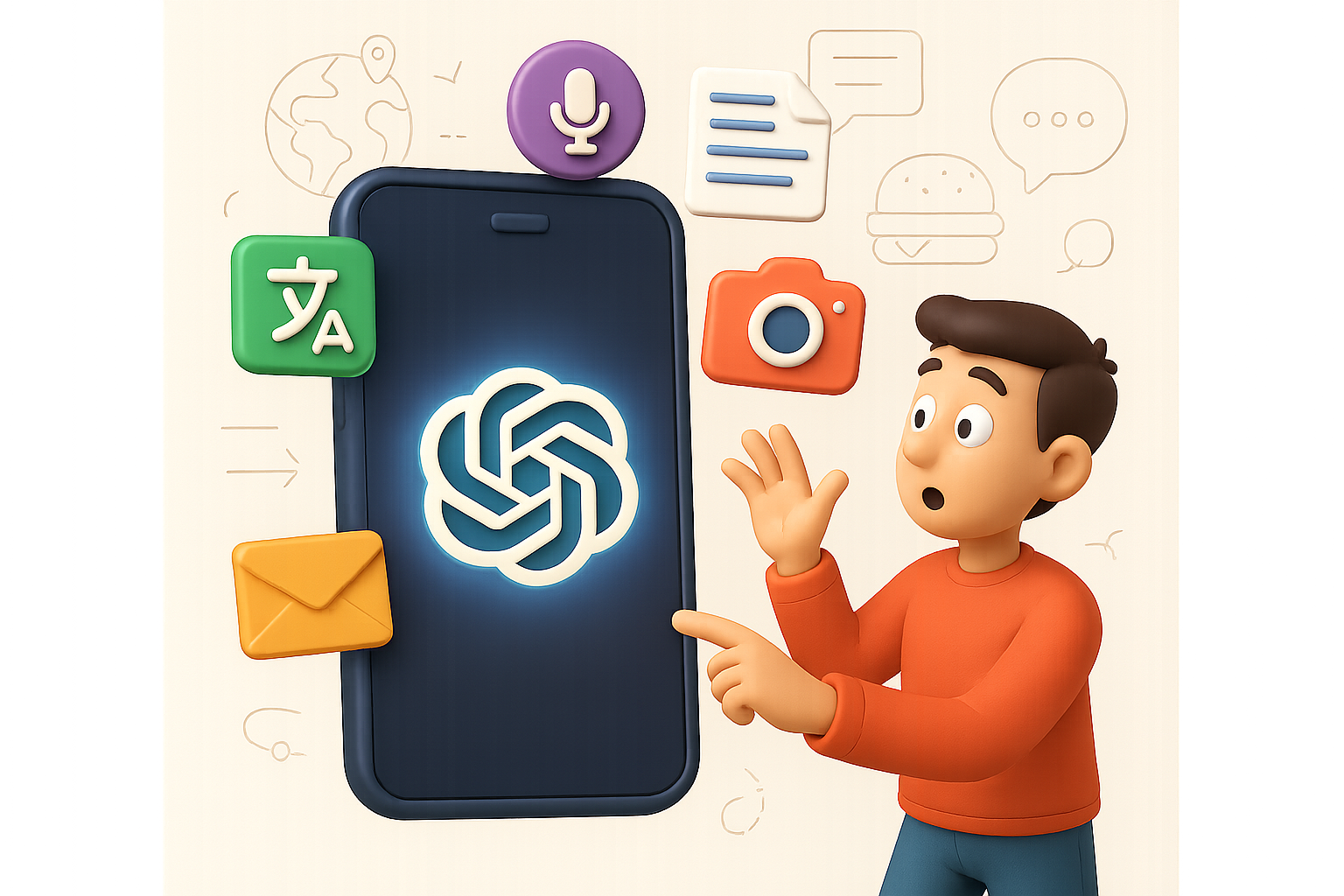
    You know that moment when you’re stuck in a foreign country, staring at a menu in another language, and just winging it with the chicken? Yeah, those days are numbered. The official ChatGPT mobile app isn’t just a downsized desktop version—it’s an all-terrain AI sidekick that fits right in your front pocket.

    No browser tabs. No third-party knockoffs. Just fast, direct access to OpenAI’s tools—plus a few clever tricks you might not expect.

    In this guide, you’ll learn:

    • 10 insanely useful things ChatGPT’s app can do today
    • How to streamline your daily tasks, travel smarter, and sound like a pro with your files and emails
    • A 5-step setup checklist to hit the ground running

    Ready when you are.


    A digital illustration of a smartphone displaying text, surrounded by various icons such as a question mark, speech bubble, and a coffee cup, creating an organized workspace atmosphere.

    1. See the World, Literally

    Menu looking like a crossword puzzle? Street sign a total mystery?

    Open ChatGPT’s camera mode, point it at the scene, and ask:

    • “What’s number 22 on this menu?”
    • “Does this product have sulfates?”

    Boom—instant translation, ingredient breakdown, or description. It’s like Google Lens, but with actual conversation.

    illustration

    2. Speak Any Language, Smoothly

    Meeting someone halfway across the globe?

    Just press the voice button. Say something in English, and ChatGPT replies in their language—and vice versa. This isn’t clunky text-to-speech. It’s real-time, two-way translation with your response shown on screen.

    Bonus points: you pick up new phrases as you use it.

    illustration

    3. Pick Your Voice, Go Hands-Free

    Inside Settings → Voice Mode, you’ll find voices like “Bright,” “Maple,” or “Warm.” Choose the one that vibes with you.

    Flip on “Background Conversations” and ChatGPT keeps talking—even when your phone locks. Perfect for hands-busy moments like driving or cooking.

    illustration

    4. Dictate Emails Like a Pro (No Thumbs Needed)

    Stuck in a checkout line with a reply to send? Tap the mic and say:

    “Write a friendly response confirming the order and asking for delivery details.”

    ChatGPT gives you a polished email you can copy, tweak, and send—all faster than typing “hi.”

    illustration

    5. Add AI to Your Selfies

    Snap a selfie ➝ type (or dictate):
    “Add a giant dinosaur chasing me.”

    In seconds, you’ve got surreal, social-ready images. No filters. No Photoshop. Just creativity, distilled.

    illustration

    6. Skip the Scroll, Get Straight Answers

    Got a stain on your shirt? A cooking question mid-meal prep?

    Ask directly:
    “How do I remove a chocolate stain from cotton?”

    No need to scroll forums—ChatGPT gives you a clear, step-by-step answer. From mystery to solution in under 30 seconds.

    illustration

    7. Tame That Massive PDF

    Commuters and students—you’ll love this.

    Tap the plus sign ➝ Upload File ➝ Choose any PDF or doc. Then ask:

    “Summarise this and give me the key takeaways.”

    Suddenly that 94-page research doc? A readable bulleted list. More insights, less skull sweat.

    An illustration depicting a laptop and two smartphones displaying user interfaces, alongside a friendly robot character and a coffee cup, set against a backdrop of cloud storage icons and communication symbols.

    8. Switch Across Devices—Flawlessly

    Start a blog outline on your laptop. Tweak the intro on your phone while waiting for coffee. Come back to it later on your iPad.

    All chats sync to the cloud, so you never lose the thread. It’s like your ideas finally got a memory.

    illustration

    9. GPT-4o: The Deep-Thinking Upgrade (For Plus Users)

    Subscribed to ChatGPT Plus? You get access to GPT-4o.

    Think:

    • Sharper reasoning
    • Cleaner citations
    • Faster responses

    Ask it:
    “I’m launching a cookie brand. What are five development steps and a YouTube strategy?”

    You’ll get structured guidance—product R&D, launch messaging, influencer ideas—all backed by data. It’s like having a strategist in your pocket for $20/month.

    illustration

    10. Free to Start, Fun to Explore

    Everything above is free to try—except GPT-4o.

    Translation, vision, voice, sync, doc summaries—it’s all on deck, no payment required. Upgrade if you want faster, deeper brainpower. Otherwise? You’re already unstoppable.


    illustration

    Getting Started in Under 5 Minutes

    • Download “ChatGPT” from the App Store or Google Play
    • Sign in or create your OpenAI account
    • Familiarize yourself with voice, camera, and file upload features
    • Test out sync by opening a chat on multiple devices
    • Optional: Tap the top bar to upgrade and try GPT-4o

    The Bottom Line

    This isn’t a chatbot. It’s a pocket-sized productivity tool, creativity booster, and travel buddy—all powered by AI.

    Whether you’re decoding foreign labels, translating on the fly, drafting faster emails, or turning documents into digestibles—ChatGPT’s mobile app helps you do more, faster.

    Want to go from curious beginner to confident creator?

    👋 Start learning AI the friendly way with Tixu—the platform that makes AI click for beginners.

  • Master Any Subject Faster with AI Tutoring Tricks

    Master Any Subject Faster with AI Tutoring Tricks

    Use AI as a Coach, Not a Crutch

    You’re not here to be spoon-fed. You’re here to learn faster, retain more, and maybe even enjoy the ride.

    The smartest learners aren’t letting AI do the thinking for them—they’re using it to stretch their thinking. Oxford University calls it “trainer, not answer-machine” mode. You’re in the ring doing the
    repetitions. The chatbot? It’s holding the mitts and throwing curveballs.

    Let’s flip the script:
    AI isn’t your shortcut—it’s your sparring partner.


    illustration

    What You’ll Walk Away With

    By the end of this post, you’ll know how to:

    • Use AI to quiz, coach, and clarify—without dulling your own edge.
    • Turn everyday study time into a mini boot camp.
    • Avoid the classic “AI told me so” trap that leaves your brain in passive mode.

    Ready when you are.


    illustration

    Before You Even Start, Set the Rules

    This isn’t a trust fall with a machine.

    Three must-dos before using AI to study:

    • Stay skeptical. Large language models (LLMs) do make things up. (No, the Gulf of Mexico isn’t getting renamed.)
    • Cite or verify sources. If it matters—get the paper, check the book, read the dataset. Always.
    • Protect your data. Don’t paste anything sensitive or copyrighted unless you’ve cleared it.

    This isn’t paranoia—it’s protocol.


    illustration

    Automate the Quizzing, Not the Learning

    Retrieval practice doesn’t just work—it crushes.
    Studies show actively recalling info can boost long-term retention by as much as 50%.

    Here’s how to use AI to test you—not just talk at you.

    Prompt:

    “Act as a Socratic tutor. Ask me one question at a time about the conservation of momentum. Wait for my answer, evaluate it, then pose the next question.”

    Why it clicks:

    • Forces recall, which cements memory.
    • Immediate feedback = clarity.
    • You’ll see gaps before they snowball into exam panic.

    illustration

    Move Up the Thinking Ladder

    Bloom’s Taxonomy isn’t just for teachers with clipboards.

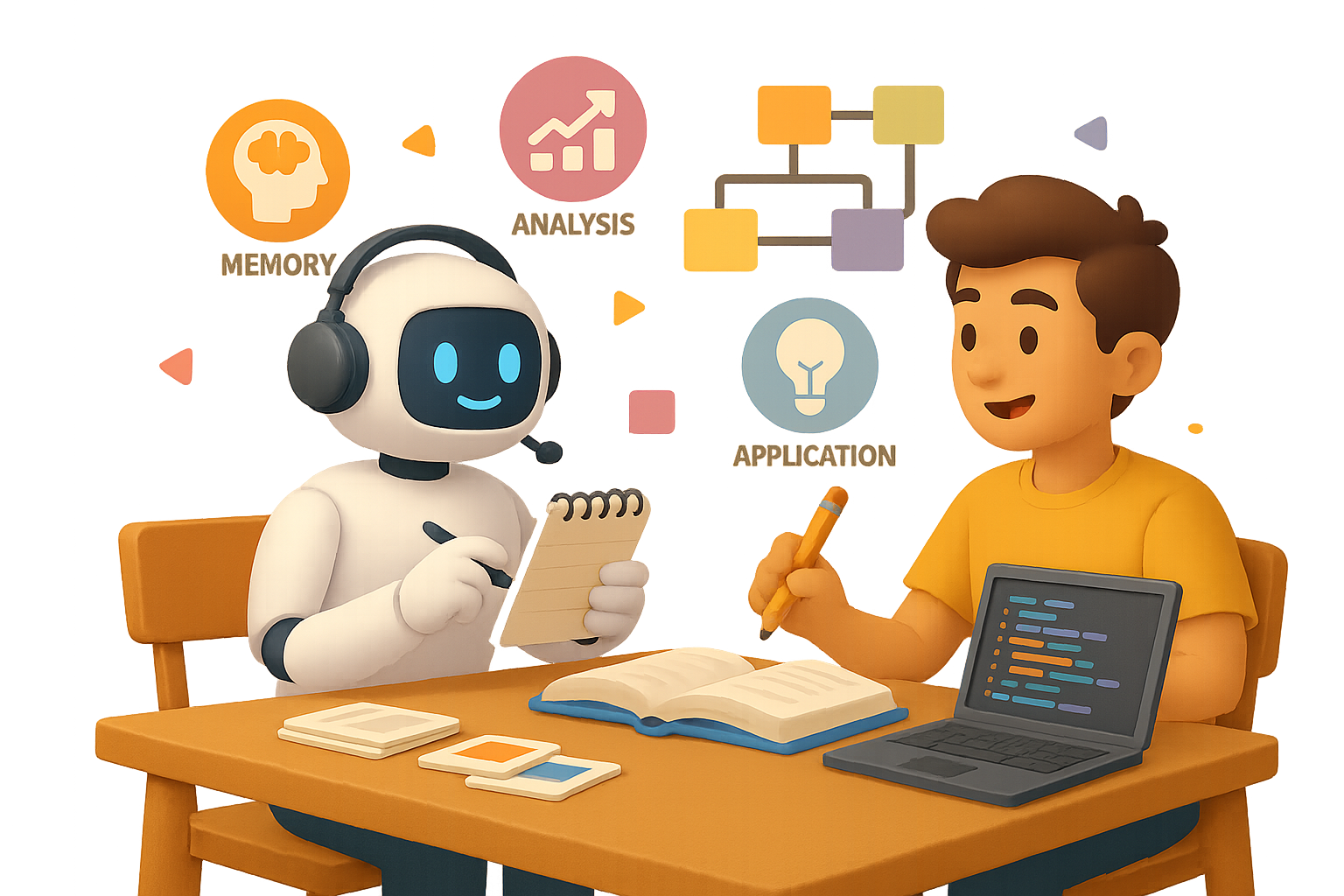
    It’s an ironclad way to level up your mental reps—starting from memory recall, up through creativity and critique.

    Prompt:

    “Create a study plan on photosynthesis with tasks at each Bloom level. After each task, quiz me and give targeted feedback.”

    You’re not just remembering stuff. You’re applying, analyzing, and rewriting it in your own words—then letting the model play coach.


    illustration

    Layer Your Explanations

    Stuck on a tricky topic? Use explanation layering to build clarity from the ground up.

    Try this sequence:

    1. “Explain quantum entanglement to a 10-year-old.”
    2. “Now explain it to a high school senior.”
    3. “Finally, give me a graduate-level summary with citations.”
    4. “I’ll write my own—please critique clarity and accuracy.”

    By the end? You don’t just “get” it. You can teach it.


    illustration

    Read First. Then Summarize. Then Compare.

    AI summaries are handy. But relying on them alone is like asking your treadmill to run for you.

    Here’s how to turn reading into a feedback loop:

    Step 1 — You first:
    Summarize the article in 150 words. List 3 claims and 2 questions you’ve got.

    Step 2 — AI second:
    Ask the model to do the same.

    Step 3 — Compare:
    See what you missed. Where your focus drifted. Which questions dig deeper.

    Want to go even further?

    Prompt (for research-heavy papers):

    “Extract 20 key terms from this paper and group them into five thematic categories.”

    Then follow up with:

    “Map relationships using ‘X is a type of Y’, ‘A causes B’, ‘C explains D’—organize it in a three-column table.”

    Suddenly, dense academic jargon becomes a clean, personalized concept map.


    illustration

    You Can’t Look Stupid in Front of a Bot

    Let’s be real: sometimes you nod in a lecture while secretly Googling “what are eigenvectors” under the desk.

    An AI tutor doesn’t judge.
    It’ll explain the same thing 10 ways. With pizza metaphors. With code analogies. In reverse if you ask nicely.

    The only wrong move? Quitting before it clicks.


    illustration

    Practice Over Passive = Real Progress

    Boot.dev gets it. Their RPG-style coding quests force you to learn by doing. No watching someone else type for hours.

    Why it matters?
    Because the median U.S. salary for backend devs hit $109,000 in 2023. That’s real ROI—but only if you’re the one writing the code.

    Same deal whether it’s machine learning or Latin grammar.

    Muscle is built through repetitions.


    A stylized illustration depicting an AI study routine setup, featuring a laptop displaying a quiz interface, a cute robot character, notes, and books labeled with study-related terms such as 'Evaluate' and 'Apply'. A timer is also visible.

    Daily Routine: Your AI-Study Checklist

    Slam this workflow into your study sessions:

    1. Choose today’s learning goal.
    2. Write 5–10 retrieval-style questions for yourself.
    3. Ask an AI to quiz you Socratically—one question at a time.
    4. Scale Bloom’s ladder: Apply → Analyze → Evaluate.
    5. Draft your own explanation; get targeted AI critique.
    6. Summarize an article, then compare with AI’s take.
    7. Capture key ideas in spaced-rep tools.
    8. Repeat tomorrow.

    Consistency > perfection.


    illustration

    Want to Get a Head Start?

    If you’re new to AI-powered learning and want tools that don’t make you feel like you need a PhD to get started, there’s a platform built with you in mind.

    👉 Try Tixu—AI learning made beginner-friendly

    Clear tools. Clean feedback.


    One final note?
    AI doesn’t make you smarter. It just makes your effort go further.

    Use it right—and your learning curve won’t just bend. It’ll rocket upward.

  • Turn ChatGPT Into a Smart Assistant for Your Business

    Turn ChatGPT Into a Smart Assistant for Your Business

    ChatGPT Just Learned How to Read Your Company’s Mind

    Here’s the old AI headache: ChatGPT could write a killer blog post or explain quantum physics like a TED speaker… but it had zero clue what’s happening in your business.

    Deals in HubSpot? Crickets. A hot client thread in MS Teams? Ghosted. That brilliant strategy doc buried in Dropbox? As good as invisible.

    Not anymore.

    OpenAI just dropped Connections and the developer-ready Model Context Protocol (MCP)—and suddenly, ChatGPT has eyes on your actual work world.

    Let’s break down what this means, what you can do, and how to get started. You’re about to get way more out of the AI you already use.


    illustration

    Automate the Scavenger Hunt

    Think of Connections like lenses you slot into ChatGPT’s “Deep Research” mode (that’s the new name for its web + docs retrieval combo).

    Here’s how it works:

    1. Open the Sources panel.
    2. Flip on services—like Gmail, HubSpot, Outlook, Dropbox, SharePoint, GitHub, and more.
    3. Ask your question.

    ChatGPT sweeps your enabled tools, cross-references everything, and spits out a single, copilot-ready response—with citations for every data point.

    In one live demo, it:

    • Pulled open deals from HubSpot
    • Linked them with Teams and Outlook
      conversations
    • Analyzed docs in SharePoint
    • Ranked Q3 opportunities in a single table, complete with revenue projections and discussion links

    Less CTRL + F, more “OMG I didn’t even know that.”


    illustration

    Skip the Generic. Get Contextual Instead.

    Here’s why this flips the script:

    • Real business context – ChatGPT stops guessing from the outside and starts answering from the inside.
    • Cross-app search – No more bouncing between dashboards like you’re on a scavenger hunt.
    • Secure by default – It respects your platform’s permissions. If you can’t see the file, neither can the bot.
    • Source transparency – Every insight includes clickable links so you’re never wondering, “Where did this come from?”

    85% of AI errors come from hallucinations. This kills that number, fast.


    A colorful 3D illustration showing a friendly AI character on a computer screen surrounded by various icons representing CRM, security, documents, and communication tools.

    Got Weird Tools? Meet MCP.

    You’ve probably got at least one “not on the list” system—a custom CRM, an ancient database, or a niche PM tool. That’s what Model Context Protocol (MCP) is for.

    • Developers can build custom connectors to plug in any data source with an API.
    • Admins can publish to the whole
      organization.
    • Even individual Pro users can install their own.

    Quick flex: the HubSpot integration shown at launch wasn’t even built by OpenAI—it came from HubSpot’s team using MCP. Drop the mic.

    Translation? If it talks to anything with an API, it can talk to ChatGPT now.


    illustration

    What You Can Do Today (and What’s Coming)

    You can already…

    • Ask layered, data-rich questions:
      • “Which churn-risk clients emailed about pricing last month?”
      • “What blockers from GitHub and Linear are slowing our shipping schedule?”
    • Get enriched reports with charts, rankings, and source links.

    But you can’t (yet):

    • Push actions from ChatGPT—like creating a deal in HubSpot or opening a ticket in Jira.

    The good news: write access is on OpenAI’s roadmap. Once security and audit tools are locked in, action time begins.


    illustration

    Zapier & Co. Aren’t Ready…Yet

    Tried popping in your go-to automation platforms like Zapier or n8n?

    Yeah… MCP says no.

    Most existing automation hubs fail the compliance handshake—for now. But these platforms move fast, so updates are a safe bet.

    If you need a solution today:

    • Stick to read-only workflows in ChatGPT, or
    • Spin up a lightweight MCP connector internally. (Bonus: no 3rd-party tool limits.)

    illustration

    How to Turn Connections On

    If you’re on ChatGPT Team, Enterprise, Education—or a Plus/Pro user in supported areas—it’s a quick setup.

    Here’s the play-by-play:

    1. Open ChatGPT and switch to Deep Research.
    2. Click Sources → Manage Connections.
    3. Authenticate tools (OAuth or API key).
    4. Start prompting.

    No Zapier hacks. No dev lift. Just plug, play, and streamline.


    illustration

    The Bottom Line: Personalized AI Is Here

    ChatGPT used to be a general expert. Now, it’s starting to remember stuff specific to you. And soon—it won’t just analyze your pipeline delays or flag slackers in Jira. It’ll nudge your team, draft the email, maybe even close the loop.

    Here’s what’s coming:

    • Faster reporting – decision-ready insights in minutes, not months
    • Less tool-hopping – one chat window instead of five dashboards
    • Custom everything – integrations built around your stack, not bolted on top

    Connections and MCP start simple, but they’re foundational. The companies that lean in now? They’re going to move faster than the ones still asking ChatGPT for generic templates.

    Time to give your AI some actual context—and let it work where you work.

    Ready when you are.


    Want to learn how to bend tools like ChatGPT to your business workflow—even if you’re brand new to AI?

    Check out Tixu.ai — it’s the friendliest place for beginners to start building real skills with AI, fast.