
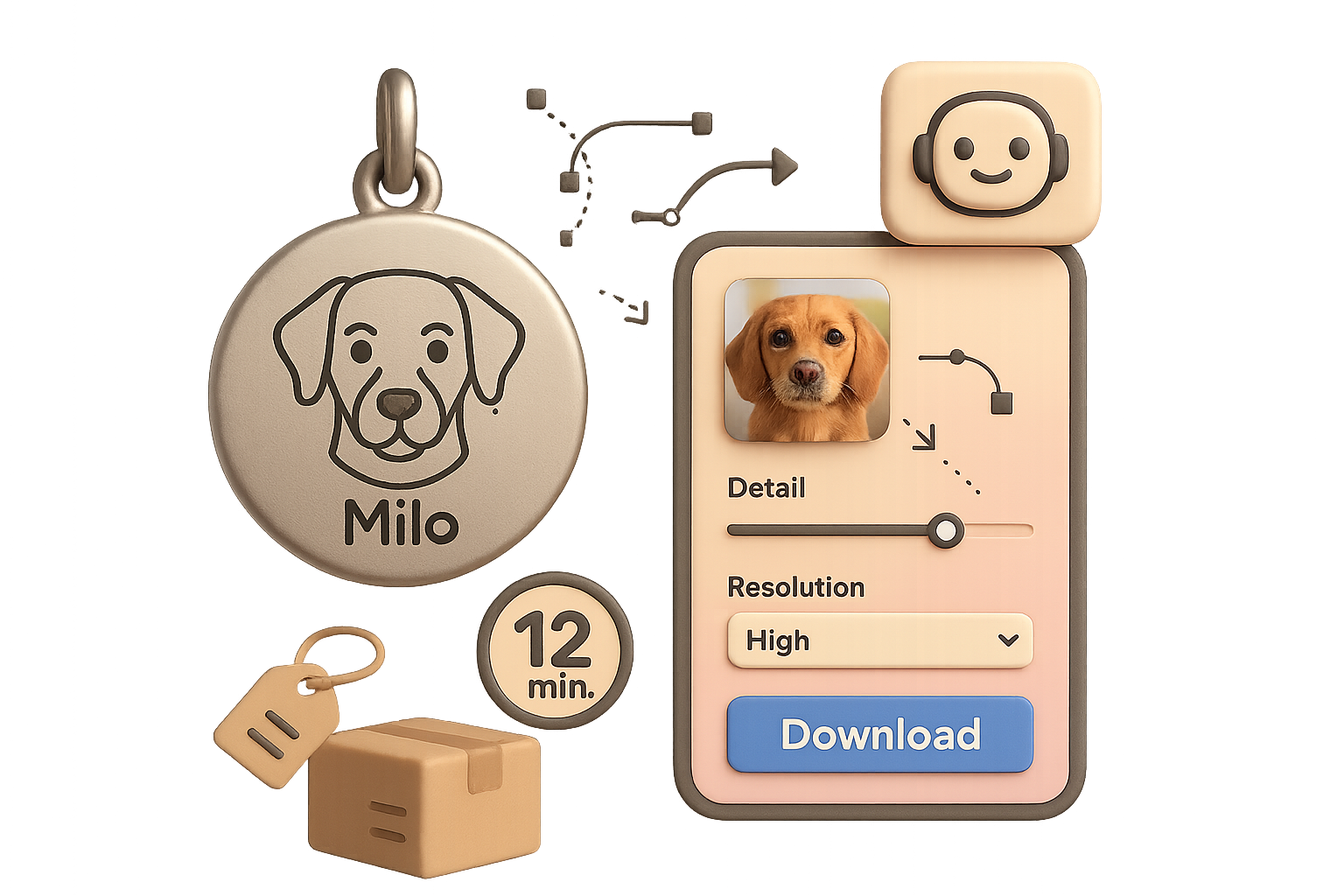
Your next micro-business: personalised engraved jewellery, ready to launch this afternoon

Why pet-portrait necklaces keep winning
Open any marketplace and search “pet face necklace.” You’ll see thousands of recent sales. One Etsy shop that engraves pet headshots and names on round pendants pulls roughly $9,000 per month. Similar bar necklaces bring $7,000+. Full shops built around these pieces easily top $20,000 monthly.
Why? Three reasons:
- They’re emotional keepsakes people love to show off.
- They’re light and cheap to ship. No sizing headaches.
- They’re perfect for gifting: birthdays, memorials, holidays.
Until recently, two hard limits stopped most sellers:
- You needed engraving hardware or an expensive fulfilment partner.
- Every order required manual photo prep—background removal, line reduction, vector conversion.
The hardware problem is solved, and the file-prep headache disappears. Seriously.

What you’ll walk away with
By the end of this post you’ll have a clear, zero-code process to turn any pet photo into engraver-ready art. You’ll learn:
- the free tools to use, and why they matter;
- the exact build steps to make your image-to-vector app;
- a simple launch checklist that gets you live today.
Build this stack and you can launch a listing this afternoon. Ready when you are.

Sell emotional keepsakes that customers show off
Pet-portrait necklaces sell because they hit feelings and impulse at once. That’s marketing gold. You don’t need massive inventory. You need a fast, reliable way to turn uploads into engraver files.

Launch personalised engraved jewellery with a zero-code stack
Here’s the simple stack that removes the heavy lifting:
- Google AI Studio — builds a tiny web app that turns photos into single-colour vector files.
- Claude AI — improves your prompts and adds features like name fields.
- Printify — manufactures and ships engraved jewellery on demand.
Optional extras:
- Freepik — prettier mock-up templates.
- Photopea — browser Photoshop clone for quick mock-ups.
10-minute build — from photo to engraver-ready art
Yes, really: ten minutes. Follow these steps.
- Open Google AI Studio and create a new project.
- Click Build. In the prompt box paste this spec: “Create a tool that accepts a user image, removes the background, converts the subject to a thin-line vector suitable for laser engraving, then outputs PNG/SVG at user-selected resolutions.”
- Add an image-to-vector connector. Pick the best-quality model so fur detail survives.
- Choose Gemini 1.5 Pro (or the latest Pro model) and hit Build.
In two or three minutes AI Studio assembles a working UI with:
- an image uploader;
- a detail slider to control line density;
- a resolution dropdown;
- a download button.
Smarter prompting with Claude
Want name fields, automatic size presets, or font toggles? Paste your initial idea into Claude AI. Ask it to expand the spec with UI copy, field validation, and export options. Copy Claude’s upgraded prompt back into AI Studio and rebuild. Now users can type “Milo,” position the name, and toggle fonts — no coding required.
End-to-end workflow
- Customer uploads Fluffy’s selfie on Etsy or TikTok Shop.
- You drop that file into your AI Studio app, tweak detail, click Download.
- Upload the SVG/PNG to Printify’s round pendant product (base cost ≈ $12 + $4.50 shipping).
- Hit Publish. Printify engraves, packs, and mails the necklace.
- Sell for $29 and pocket about $12.50 per piece. Fast and repeatable.
Better mock-ups boost conversion
Printify previews work, but lifestyle shots convert higher. Do this:
- Search Freepik for “engraved necklace mock-up.”
- Open the PSD in Photopea. Replace the smart object with your AI vector.
- Export JPEGs and upload to your listing.
One good mock-up raises perceived value. That nudges buyers into checkout.

Launch checklist
- Pick one or two pendant styles in Printify (round disk + bar).
- Build and test your image-to-vector app in Google AI Studio.
- Order a sample ($16 well spent) for photos and QC.
- Create listings on Etsy and TikTok Shop with polished mock-ups.
- Offer two SKUs: “image only” and “image + name” to upsell.
- Run marketplace ads when organic reach plateaus.

Quick tips that matter
- Keep copy emotional and concise. People buy feelings fast.
- Use clear size and font previews. Let buyers see exactly what they get.
- Respond fast. Customer service converts repeat buyers.

You can launch personalised engraved jewellery this afternoon with no hardware and almost no tech fuss.
Do this next: build the simple app and test one product. If you’re new to the AI side, learn the basics that power this stack at tixu.ai — beginner-friendly courses and hands-on labs make the setup faster.

Leave a Reply