
Run Your Business While You Sleep: How to Use Gemini 3 Agents Today
Let’s be real—you’ve got more tasks than time. Customer support pings at midnight. Content deadlines sneak up. Reports pile up, untouched. But what if AI didn’t just assist you… it actually took things off your plate?
Enter Gemini 3—Google’s latest AI supermodel that doesn’t just chat. It works.
This post breaks down how Gemini 3 jumps from chatbot to autonomous business agent, which tools you’ll need, and exactly how to get one running for your own use case—fast.
Let’s dig in.

Gemini 3 Isn’t Just Smarter—It’s Built to Work for You
Say goodbye to memory-wiped bots and one-trick tools. Gemini 3 does more than spit out answers. It runs full workflows.
Here’s what unlocked that leap:
- Long context windows – It holds millions of tokens in memory. Conversation histories, entire API docs, even book-length data? Gemini keeps it all straight.
- Multimodal understanding – Drop a screenshot, video clip, audio file, or a wall of code—Gemini handles it in stride.
- Agent-first design – Google released Gemini 3 with pre-built integrations to top open-source agent frameworks. Real automations. No PhD required.

From Chatbots to Do-Bots: What AI Agents Actually Do
Chatbots chat. Agents get stuff done.
Agents work like this:
- Get a goal (“Answer customer queries in real time”)
- Decide the next action
- Use tools like Gmail, CRMs, Calendars, or APIs
- Check their own output
- Repeat until the job’s complete—or handed off
Example: Moderating a 5,000-Member Community
- Detects a new question
- Finds the best resource from your internal wiki
- Posts a smart, personalized response
- Logs the topic for content strategy later
Think of it as your entire community team in one tireless digital brain.

What Makes Gemini 3 Different
- Infinite memory
Forget repeating yourself. Feed it full Slack archives, API docs, or email threads. - Complex, uninterrupted work
Gemini tracks long chains of activity without losing the plot—perfect for deep, multi-step workflows. - Media-fluent agents
Need landing page feedback? Upload a screenshot. Writing from a sales call? Drop in the audio. Gemini handles mixed media like it’s nothing.

Frameworks That Turn Gemini Into Your COO
Google didn’t just toss out a new AI—it delivered the stack to make it useful today.
Plug-and-Play Frameworks:
- LangChain – Most popular; tons of how-tos and community support
- Crew AI – Made for team-based workflows (writer → editor → publisher style automations)
- AutoGen (Microsoft) – Excels at dialogue-style back-and-forths; ideal for support agents or coaching bots
- LlamaIndex – The champ for pulling insights from large document sets
Bonus: All of them now offer ready-to-run templates—support bots, content machines, research agents, the works.
6 Steps to Launch Your First AI Agent
No engineering degree needed. Just follow the playbook.
- Get Gemini 3 access
→ Available in Google AI Studio or via the public API.
- Pick your framework
→ Start with LangChain if you’re new—great docs, big community.
- Clone a template
→ Start with whatever pain point screams loudest (support? content? research?).
- Feed it your universe
→ Upload your help guides, branding tone, SOPs, API keys—so it speaks with your brain.
- Sandbox test
→ Probe with sample queries, add logs, cap usage. Break it now before it breaks live.
- Deploy—and track everything
→ Logs + alerts = your safety net. Review early misfires weekly.

Mini Case Study: Automating a Founder Community
A membership site for digital entrepreneurs swapped out a patchwork of freelancers for Gemini agents:
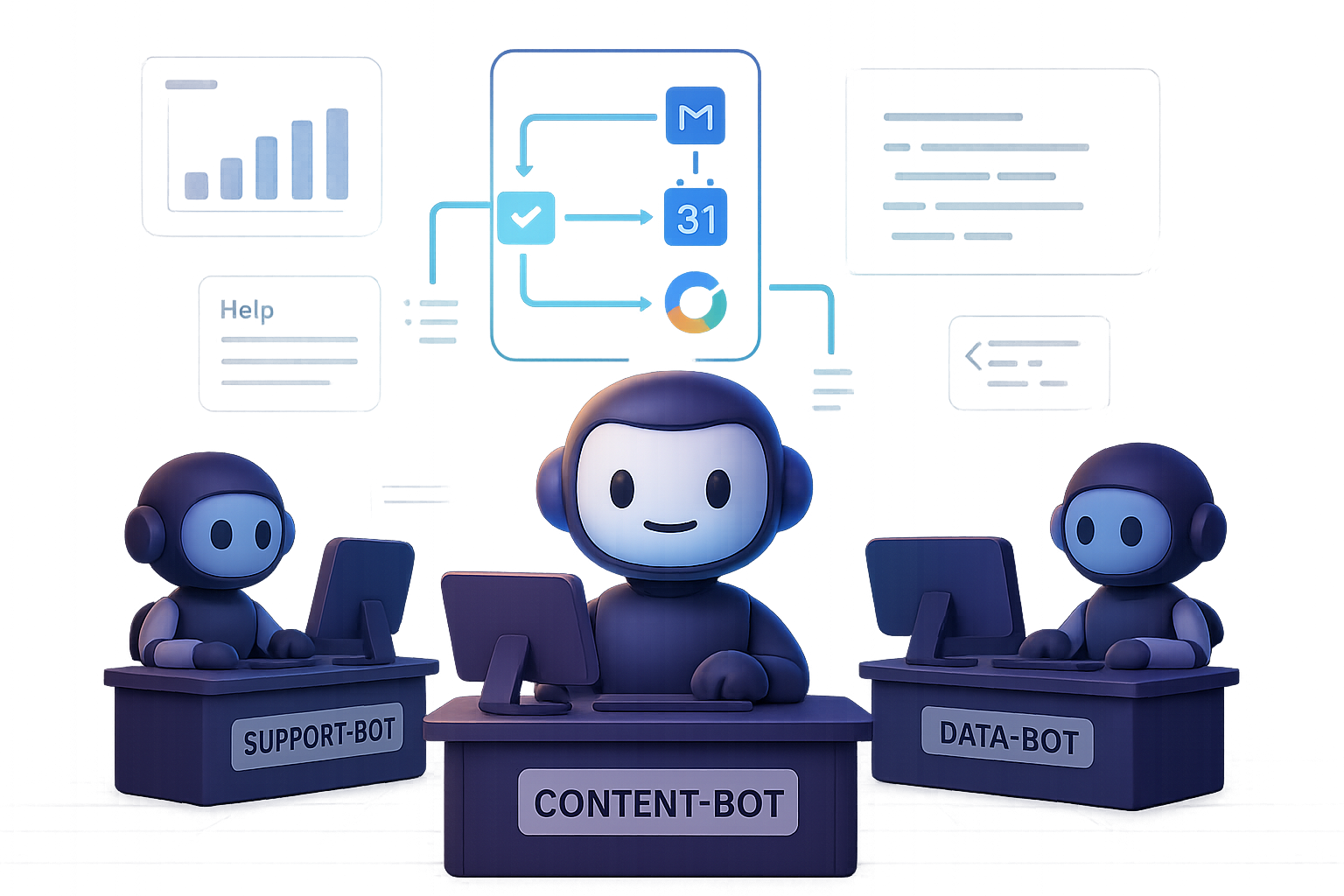
- Support-Bot – Handles all FAQ-level queries and escalates nuanced ones with full history intact.
- Content-Bot – Watches trending AI news, drafts SEO blogs, and pitches YouTube video titles.
- Welcome-Bot – Custom greets every new member and re-engages inactivity after seven days.
- Data-Bot – Surfaces hot topics, recommends course ideas, and feeds them into Content-Bot’s queue.
The result? 3 full-time roles replaced, response times halved, and insights they were never getting manually.

Guard Rails You Must Set Up
Power without caution is… bad. Stay in the safe zone:
- Human-in-the-loop early on. Especially for anything legal, financial, or client-facing.
- Role-based permissions so your agent can’t go rogue.
- Output validators to check tone, accuracy, and formatting.
- Continuous learning. Log every misstep. Retrain often. Fit gets better with reps.
An agent that’s 80% right today can be 98% by next month—if you build the loop.

Four Agents Are Good. A Whole Crew? Next Level.
Solo agents = smart automation. Agent squads = business transformation.
Frameworks like Crew AI let you chain agents like your dream team:
- Research Agent
- Writer Agent
- Editor Agent
- SEO Agent
- Publisher Agent
Each passes work to the next, hands-free. It’s like Slack, if Slack actually did the work.

The Wrap-Up
Gemini 3 isn’t a smarter chatbot. It’s your new operations engine.
Massive memory, mixed-media skills, real tool access—it’s all here. And with plug-and-play templates, you can automate real tasks this week, not next quarter.
Start simple. Bolt on safety. Iterate fast. The sooner you move work off your plate, the sooner you can focus on what only humans (like you) can do.
Ready when you are.
👉 Want to get hands-on with AI agents the simple way?
Explore free trainings and guided projects at Tixu.ai—the beginner-friendly launchpad into AI that actually makes sense.

Leave a Reply