Category: General

  • Start a Profitable AI Business with Zero Budget

    Start a Profitable AI Business with Zero Budget

    4 AI-Powered Side Hustles You Can Start Today for $0

    Feeling the itch to launch something new—but your bank account says “nah”? You’re not alone. The good news? You don’t need a fat budget to test-drive a new idea. Just a Wi-Fi connection, a curious brain, and these four AI-powered hustles that cost exactly zero dollars to start.

    We’re talking real business models, not pipe dreams—each using free tools and free-tier platforms. Pick your favorite and build it while your coffee’s still hot.


    illustration

    1. Create Calming Bedtime-Story Channels

    Tens of millions of people stream slow, story-driven content to unwind. YouTube and Spotify are flooded with 1–3 hour story videos aimed at stressed-out adults—and the creators are quietly cashing in. Like, $500–$2,000 a day levels of cashing in.

    Here’s your workflow:

    1. Write the script
      Use Claude to generate 10-minute story chunks. Feed those into Google Docs, then ask Claude to continue until you hit around 2 hours.
    2. Generate visuals
      Head to Leonardo.Ai (free tier available). Choose a wide 16:9 canvas and create atmospheric images: starry skies, mythic landscapes, cozy cottages—you get the vibe.
    3. Add voice-over
      Inside Microsoft Clipchamp (free with any Microsoft account), select text-to-speech, paste in your script, then tweak the vibe. Aim for “hypnotic bedtime podcast,” not morning radio show.
    4. Assemble and upload
      Drop the images and narration into Clipchamp—or any free video editor. Export. Upload. Monetize. Done.

    Why it works: Long videos = more ads per view. More ads = more $$$. This niche isn’t just a relaxing listener experience—it’s a revenue engine in disguise.


    A digital workspace featuring a laptop displaying growth charts, surrounded by various colorful interface elements like checklists, search icons, and FAQs, representing online business tools and services.

    2. Sell Generative Engine Optimization (GEO) Services

    AI isn’t just changing how we find info—it’s changing what gets found. Instead of 10 blue links, search is shifting to one clear AI-generated answer. That’s where you come in.

    Generative Engine Optimization (GEO) is how brands get mentioned in those answers. And right now? Hardly anyone’s doing it.

    Here’s how to get in early:

    • Learn for free on YouTube—search “GEO tutorial” or “AI-first SEO.”
    • Offer audits to local businesses. You’re reworking FAQs, updating meta-tags, and formatting content the way AI models prefer.
    • Charge modestly at first. Use those projects to build before/after case studies.

    Then double down.

    Local HVAC companies, salons, lawyers—they all want to show up in AI answers. They just don’t know how (yet). You’re the expert who does.


    An illustration of a digital storefront with product mockups, including a mug and a shirt, displayed on various devices like a laptop and tablet. The scene also features packages and design elements, emphasizing an online print-on-demand setup.

    3. Run a Zero-Cost Print-on-Demand Store

    Want to sell funny mugs or niche t-shirts without the Etsy fees or Shopify bills? Printify’s “Pop-Up Store” has your back. Totally free storefront. Simple setup. No inventory.

    Here’s how to spin it up:

    1. Come up with ideas
      Fire up ChatGPT with a prompt like:
      “Give me 10 witty slogans that mix dad jokes with cycling culture.”
    2. Make the art
      Use Leonardo.Ai to create illustrations or design elements. Then polish in Canva (30-day pro trial gives you bonus tools like background remover).
    3. Set up your store
      Inside Printify, select “Pop-Up Store,” upload designs, pick your merch (tees, mugs, hoodies, you name it).
    4. Promote
      Turn behind-the-scenes clips or product mockups into short TikToks or Reels. Trendy sounds + fast edits = free visibility.

    The best part? Printify handles printing, shipping, and collecting payments. You just collect profits.


    A digital workspace featuring a laptop displaying graphs, a coffee mug, and various visual layouts resembling a Pinterest board with images of cozy furnishings and decor elements.

    4. Build AI-Driven Pinterest Affiliate Blogs

    Pinterest isn’t just for weddings and kitchen inspo—it’s a sleeper hit for affiliate marketing. Millions of users browse with a “ready to buy” mindset. You’re about to tap into that.

    Start like this:

    1. Generate your blog post
      Ask Claude: “Write a listicle titled ‘13 Essentials for a Rainy-Day Reading Nook’—all items must be shoppable on Amazon US.” Include affiliate tags? Yes.
    2. Create visuals
      Use Leonardo.Ai’s daily free credits to create warm, cozy images for each product.
    3. Publish on Medium
      Quick to set up, totally free, and allows affiliate links. Insert your Amazon Associates links throughout the piece.
    4. Make your pins
      Canva’s Pinterest templates make this easy. Drop in your AI art, add click-worthy text, and go.
    5. SEO it before publishing
      Ask ChatGPT to write a catchy title, strong description, and high-traffic tags based on your product list. Copy-paste straight to your Pinterest pin.

    Pins can rank for months—even years. Which means while you’re busy building your second side hustle, your first one is still bringing in clicks and commissions.


    illustration

    Final Thoughts

    AI has turned excuses into options. You don’t need cash, code, or a co-founder—you just need momentum. Whether you start with bedtime story content, GEO consulting, custom print merch, or affiliate blogging for Pinterest, you can be up and running this weekend. Seriously.

    Want more beginner-friendly AI breakdowns like this?
    Check out Tixu—a no-fluff platform where you’ll actually get how AI works, step-by-step. Ready when you are.
  • Build a Future-Proof Career in the AI Era

    Build a Future-Proof Career in the AI Era

    The Education Earthquake: Learning, Credentials & Careers in the Age of AI

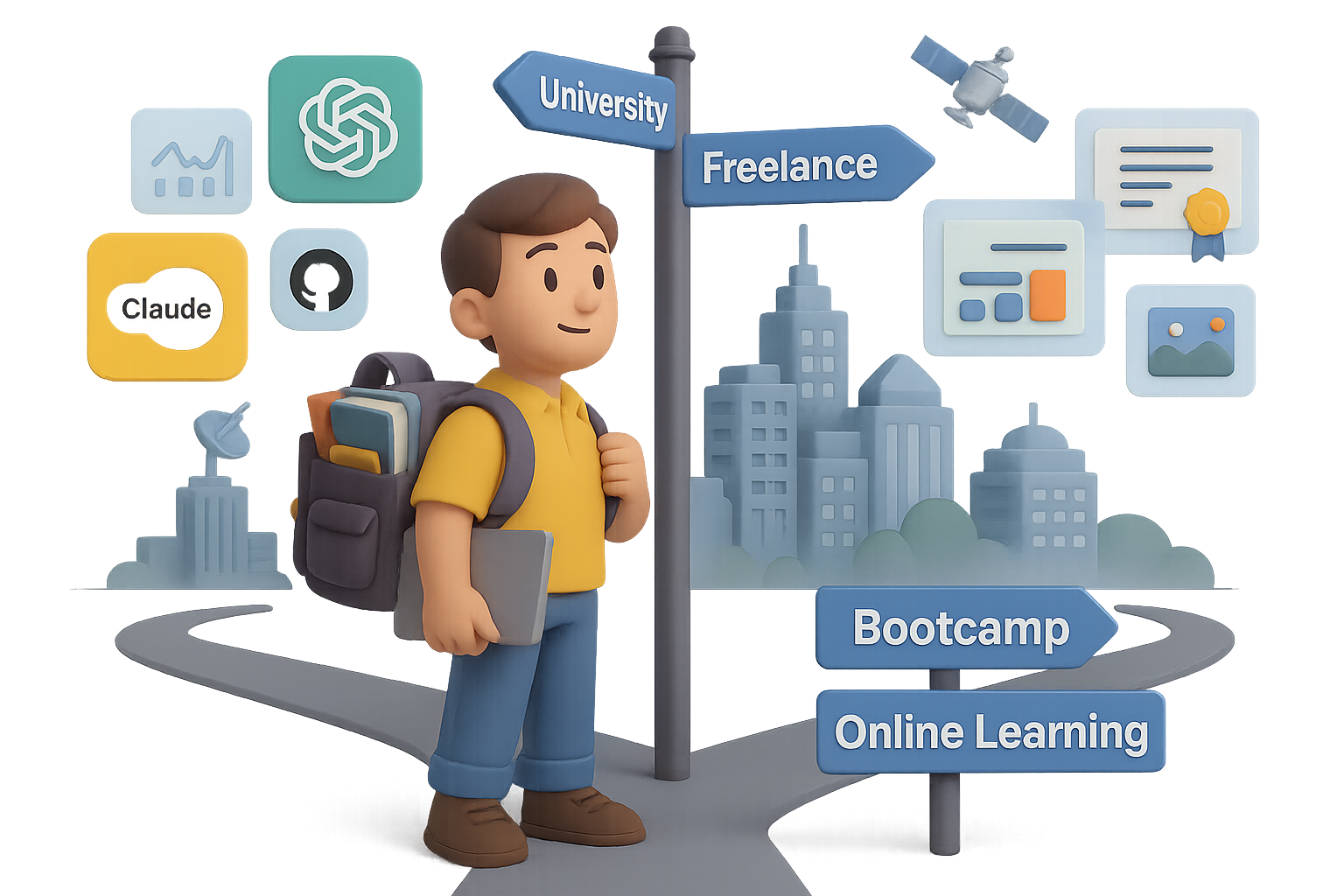
    Let’s not sugarcoat it—AI has already shaken the job market, and if you’re in the 17-to-26 age range, you’re feeling the tremors more than most.

    In the U.S., entry-level job postings are down a hard 35%. Over in European tech? A staggering 70% drop. Meanwhile, tools like ChatGPT, Claude, GitHub Copilot, and Perplexity are casually eating junior-level tasks for breakfast.

    The Harvard Business Review says today’s AI can already handle 50–60% of what fresh grads typically do. Want some upside? Those who lean in are already pulling in a 56% wage premium, per PwC. Double last year.

    So no, the robots haven’t “replaced” humans. But they’ve redrawn the map. The real question is: where do you fit in the new terrain?

    Here’s your game plan. Built from convos with AI entrepreneurs, tech investors, and researchers—the folks rewriting the rules.


    illustration

    What’s Crumbling—and What Isn’t

    1. Routine work is vanishing.
      Think admin tasks, data formatting, basic content generation. Easy pickings for AI—and employers know it.
    2. University curricula lag reality.
      By the time your prof teaches it, the industry’s moved on. Most programs trail by 3–5 years, especially in fast-moving fields.
    3. But deep competence is future-proof.
      Aravind Srinivas (CEO at Perplexity AI) said it well: You don’t need to find your purpose at 18—you need a skill you’ll stick with for years. Mastery still matters.
    4. Knowledge is now a convo, not a lecture.
      Think AI tutors like Learn Live—always-on, always-up-to-date, always personal. The gatekeepers are gone.

    illustration

    When College Is Still 100% Worth It

    There are times when a degree still delivers real return:

    • Licensed professions – Doctor, lawyer, structural engineer? Still gotta show the fancy paper.
    • Elite research access – Want to work in quantum AI or cure cancer? Top universities can fast-track you in.
    • Subsidized or debt-free study – If you can grad with no loans, your risk is minimal.
    • As a launchpad – Use college as a four-year build phase: start projects, build network, test ideas.

    Treat school like a startup incubator—not a hammock.


    A cartoon piggy bank wearing a graduation cap, looking worried, surrounded by a college diploma, student loan cash, a calendar with marked dates, and a computer screen displaying online courses.

    When a Degree Becomes a Money Pit

    Red flags you’re paying to delay reality:

    • You enrolled because “everyone else is.”
    • You’ll leave owing six figures and have no tradeable skill.
    • You could learn the same thing online in 1/10th the time—for 1/100th the price.

    Degrees don’t carry ROI “just because.” Be unblinking.


    A cartoon character organizes building blocks labeled 'Online Study,' 'Bootcamp,' 'Internship,' 'Freelance Projects,' and 'Diploma' on a desk next to a digital screen.

    Design Your Personal Learning Stack

    Think education like a playlist, not a vinyl record. Mix these to match your pace and budget:

    • University Lite – Two-year degrees or specialized diplomas. Light on cost, heavy on focus.
    • Bootcamps – Sharpened to outcomes. Ideal for design, coding, product, data.
    • Online study – YouTube, Khan, Coursera, Perplexity, ChatGPT. Near-zero cost, infinite ceiling.
    • Internships & apprenticeships – Proximity to pros beats theory. You grow by osmosis.
    • Freelance & OSS – Real-world reps. Public proof of what you can actually do.

    By 2025, the most future-proof learners will blend all three: low-cost credential + obsessive self-teaching + relentless proof-of-work.


    illustration

    A 5-Step Action Plan (If You’re 17–26)

    Ready to flip the script? Start here:

    1. Pick a 10-Year Direction (Not a Life Sentence).
      • What kind of problems make you lean in?
      • What does “a good day” look like in 2034?
      • Jot it down. You’re allowed (expected) to course-correct.
    2. Reverse-Engineer Your Future Role Models.
      • Find 3 people doing your dream job. Stalk their LinkedIn, Twitter, GitHub.
      • What blend of skillsets got them there?
      • Data + storytelling? AI + design? Clarity lives in the details.
    3. Choose ROI-Driven Learning Paths.
      • Degree? Bootcamp? Self-learning? Doesn’t matter.
      • Metric to watch: Cost vs. time-to-competence. That’s your north star.
    4. Build Wildly Visible Proof.
      • GitHub code, Figma mockups, Notion case studies.
      • Better than any résumé. It proves you weren’t just interested—you delivered.
    5. Use AI Like a Gym Buddy, Not a Crutch.
      • Let Claude critique your essays. Have ChatGPT coach you daily.
      • Then shut them off and tackle the work solo. That’s where skills cement.

    Bonus: Climb with smarter people.
    Offer value to folks 5–10 years ahead. Interview them. Volunteer. Launch a niche podcast. Ambition is contagious—and they’ll remember you.


    Two animated characters at a table, one child and one adult, discussing learning concepts. The table has books titled 'Self-Teaching', 'Systems Thinking', and 'Curiosity Journal', along with a magnifying glass and colorful puzzle pieces.

    For Parents Asking, “How Do I Future-Proof My Kid?”

    Mike Krieger (co-founder, Instagram + now CPO at Anthropic) nailed this. These traits age better than any major:

    • Curiosity & Observation – noticing what’s broken or improvable.
    • Systems Thinking – connecting dots, not memorizing them.
    • Self-Learning Muscle – discipline to teach yourself hard stuff.

    These are the real “forever skills.”


    illustration

    AI Changed the Rules. You’re Still in Control.

    Yes, the bottom rung of the ladder is broken. But you’ve also got access to tools that weren’t even imaginable 5 years ago.

    Keep this front-of-mind:

    • Learn faster than tech changes.
    • Prove what you can do—publicly.
    • Stay curious, systematic, and scrappy.

    It’s not about beating the bots. It’s about learning how to fly with them.

    Want a friendly place to start using AI to accelerate your learning?
    Check out Tixu—a no-fluff, beginner-friendly AI learning platform built for fast-moving learners like you.

    Ready when you are.

  • Resist the AI Slop: Why the Bubble Bursting Could Save the Internet

    Resist the AI Slop: Why the Bubble Bursting Could Save the Internet

    Is the AI Boom a Bubble? Why a Burst Might Be a Good Thing

    You’re not imagining it—every time you turn around, someone’s pumping billions into AI like it’s a sure bet. Data centers. GPUs. LLMs. Like the whole future depends on silicon and server racks.

    But here’s the kicker: Those eye-popping investments? They don’t always add up. In fact, the cracks are starting to show. And if the AI bubble does burst, it may be the reset the internet desperately needs.

    Let’s break it down—the sky-high spending, the sneaky accounting, and why a little deflation could actually mean a healthier, more human web.


    illustration

    A New Moonshot Every 10 Months

    Big Tech isn’t just betting on AI. They’re all in.

    • Meta plans to drop $600 billion (yes, with a “B”) on data centers by 2028.
    • Analysts forecast over $400 billion spent on AI infrastructure in 2025 alone.
    • Brookfield Asset Management projects tech will pour $7 trillion into data centers this decade.

    To put that in perspective: the entire Apollo program—yes, the one that put people on the moon—cost about $300 billion (inflation-adjusted) over 10 years.

    Today? Tech giants are bankrolling the equivalent of a moonshot every year just to keep GPUs fed.


    Illustration depicting a cluttered desk with a wastebasket containing a GPU, a drawer labeled 'SPV', financial charts, and rolls of dollar bills, symbolizing the complexities of tech finance.

    The Creative Accounting Behind the Curtain

    Spending big is risky. Glossing over that risk? That’s where things get dicey.

    • Nvidia now releases new chips annually, slashing GPU shelf life.
    • Meanwhile, Microsoft, Meta, Oracle, and others are stretching the lifespan of their servers from 4 to 6 years…without changing hardware.
    • Many are hiding costs in off-balance-sheet vehicles (called SPVs) so expenses don’t spook investors.

    Translation: profits look better on paper than they are in practice.

    One estimate shows 5–10% of earnings per share could vanish if hardware lifecycles were accounted for accurately. That’s up to $1.6 trillion—poof.


    illustration

    The Bubble Checklist? All Boxes Ticked

    Economist Noah Smith lays out four red flags for a tech bubble. AI hits all of them:

    1. “This time is different” narrative – AI is hailed as the new electricity.
    2. Excessive debt in one sector – Data-center loans are flooding the market.
    3. Shady financing – Private credit firms swell from niche to central.
    4. Traditional lenders on the hook – Big banks and insurers are exposed, too.

    Throw in the fact that U.S. corporate AI adoption actually dropped from 14% to 12% in two months (according to the Census Bureau), and suddenly the gold rush starts to look more like a mirage.


    illustration

    The Side Effects Are Getting Loud

    Sure, stock prices tell one part of the story. But look closer and the downsides are already bleeding into the real world:

    • Energy drain – U.S. data centers use ~4.4% of national electricity, heavily reliant on fossil fuels.
    • Land sprawl – Server farms are bulldozing churches and historic buildings in Virginia.
    • Cultural sludge – Your feed’s filled with low-effort AI spam. Meanwhile, 95% of companies using generative tools report no new revenue at all.

    There’s an ever-growing gap between AI’s promised magic and actual payoff—and users are noticing.


    illustration

    Why a Correction Could Be a Comeback

    Now for the plot twist: A bubble popping might be exactly what we need.

    Because the faster our screens fill with algorithmic sludge, the more people crave actual human interaction.

    • Communities are returning to forums, email newsletters, and chronological feeds.
    • A social platform that blocks autoplay and bans “generated content”? Not mainstream, but absolutely viable.
    • In creative circles, labels like “hand-crafted”, “no AI here”, and “analogue only” are already becoming badges of honor.

    This is farm-to-table—but for content.


    illustration

    4 Ways to Reclaim the Web (and Your Sanity)

    You don’t need to wait for the crash to make better choices online.

    Here’s how to push things human again:

    1. Back real creators – Subscribe, share, or pay those who show their work.
    2. Kill the infinite scroll – Use RSS, bookmarks, or dedicated subs to control your feed.
    3. Skip the hypeware – If a tool feels like “busywork as a service,” it probably is.
    4. Touch grass – Literally. The signal-to-noise ratio offline is unbeatable.

    No one’s rooting for a wipeout here. But if this AI surge turns out to be overhyped, the correction might clear the way for something better—less extractive, more intentional, and actually built for humans.

    And if you’re ready to learn how to navigate the future of AI without getting lost in the noise, start exploring over at Tixu—a beginner-friendly platform that cuts the fluff and gets you learning, fast.

  • 6 AI Businesses You Can Start to Earn Big in 2026

    6 AI Businesses You Can Start to Earn Big in 2026

    6 AI Business Ideas You Can Start (and Scale) Before 2026

    Feel like everyone’s “building with AI” but you’re stuck juggling side hustles that barely cover the coffee bill?

    Let’s fix that.

    Below are six proven business models built for today’s AI wave—each with growing demand, real paying clients, and scalable systems. If you’ve got skills (or just the hustle to learn), there’s a path in here for you.

    Ready when you are.


    6. Free Up Leaders’ Time with an AI Virtual Assistant Service

    Time is money? Not quite.

    For busy founders, execs, and creators—time is priceless. That’s where you come in. By combining AI tools with classic EA skills, you make their day friction-free.

    Why it works

    • High-earning clients care more about saved hours than saved dollars
    • The virtual assistant market is projected to top $30 billion by 2030, growing ~20% yearly

    Startup snapshot

    • Tools to know: ChatGPT, Calendly, Zapier, Google Gemini, Superhuman
    • Startup cost: Minimal—most tools have generous free tiers
    • Learning curve: Manageable—organizational skills > technical ones
    • Typical revenue: $10–20k/month with 4–5 retainer clients

    Quick win
    Launch with a “Inbox Zero + Calendar Domination” monthly package. Upsell travel booking and note summarization once trust kicks in.


    illustration

    5. Launch an AI Content-Repurposing Studio

    Content isn’t king—it’s the whole damn kingdom.

    And yet, most creators film something once… then let it collect dust. Using AI, you can turn one podcast or webinar into dozens of bite-sized gems across TikTok, LinkedIn, Twitter, you name it.

    Why it works

    • Big shift to “show up everywhere” marketing
    • The creator economy is on track to hit $480 billion by 2027 (Goldman Sachs)

    Startup snapshot

    • Tools to know: OpusClip, Descript, ElevenLabs, Adobe Express, Canva
    • Startup cost: Low—just your laptop and a few freemium plans
    • Learning curve: Medium—branding skills and visual taste help
    • Typical revenue: $10–30k/month with just 5–7 clients

    Quick win
    Offer a “30 Clips in 30 Days” sprint. When the engagement spikes, retention isn’t a problem.


    4. Build an AI Automation & Implementation Agency

    SMBs are drowning in tabs, toggles, and tools that don’t talk to each other. You can fix that by mapping workflows and stitching together point solutions with no-code and AI tools.

    Why it works

    • Most teams know AI can help—they just don’t know how
    • The hyperautomation market is forecasted to reach $249 billion by 2032

    Startup snapshot

    • Tools to know: Zapier, Make.com, LangChain, Retool, UiPath
    • Startup cost: Moderate—paid plans and testing environments
    • Learning curve: Medium—depends on the client’s stack
    • Typical revenue: $20–50k/month (even more with retainers)

    Quick win
    Pick a niche: Shopify sellers, dental practices, real estate firms. The narrower your focus, the faster you become the go-to.


    illustration

    3. Run an AI-Driven Lead-Generation Agency

    Let’s be blunt: most businesses don’t need more marketing—they need more meetings with the right people. If you can deliver qualified leads, you’ll never be ghosted by a client again.

    Why it works

    • Growth-friendly businesses invest aggressively in lead flow
    • AI-enriched sales outreach is fueling ~17% annual growth across the sector

    Startup snapshot

    • Tools to know: Clay.com, Apollo.io, Lemlist, HubSpot, ChatGPT
    • Startup cost: Low—data credits, email domains, and copywriting tools
    • Learning curve: Medium-high—copy, deliverability, and list hygiene matter
    • Typical revenue: $30–80k/month with bonuses for performance

    Quick win
    Ditch retainers. Charge per booked meeting or tie your fee to revenue generated. Results = trust.


    illustration

    2. Offer Managed AI-Powered Cybersecurity (MDR)

    As AI advances, so do the bad guys. Deep-fake audio, AI-written malware, spoofed IDs—it’s a digital arms race. That’s why companies are scrambling for around-the-clock protection.

    Why it works

    • Breaches are exploding; recovery is costly and brand-crushing
    • Global cybersecurity spending is expected to smash past $500 billion by 2030

    Startup snapshot

    • Tools to know: SentinelOne, CrowdStrike, Splunk, Darktrace, Microsoft Defender
    • Startup cost: High—licenses, insurance, and maybe a few certs
    • Learning curve: Steep—you’ll need strong security know-how
    • Typical revenue: $40–80k/month from just a few enterprise accounts

    Quick win
    Start with a “Phishing Resilience Audit + AI-Powered Threat Simulation.” It’s a perfect door-opener to upsell full MDR.


    A cartoon businessman in a suit holding a magnifying glass, standing by a desk with a laptop displaying a graph, books, and blank notebooks.

    1. Launch an AI Compliance & Governance Consultancy

    “Move fast and break things” doesn’t fly with regulators. AI laws are coming fast—and big players can’t afford to fumble the ball.

    If you speak compliance and can translate legal risk into operational policy, you’re golden.

    Why it works

    • Companies won’t flinch at consultant fees when the fines are worse
    • Experts expect AI governance budgets to touch several billion dollars by 2026

    Startup snapshot

    • Tools to know: NIST AI RMF, ISO 42001, TrustArc, OneTrust
    • Startup cost: Mid-range—books, legal DBs, insurance
    • Learning curve: High—you’ll live inside policy docs and case law
    • Typical revenue: $50–100k/month from a few big clients

    Quick win
    Start publishing explainers—bite-sized breakdowns of new AI regulations. You’ll get DMs from legal teams who saw it 5 minutes ago and already need help.


    illustration

    How to Choose Your AI Business Path

    Before you spin up the LLC and splurge on a Notion template, ask yourself:

    1. Do you vibe more with creative work, technical builds, or policy nerd-outs?
    2. How fast do you need revenue? (Service models ramp faster than product-based ones.)
    3. Who can you access now? (Creators? SMBs? Enterprise execs?)

    Land your first client, reinvest the cash, and stick with it for 1,000 days. That’s the whole game. By 2026, you’ll have real leverage—not just an AI “thing” that fizzled.

    If you want a free, beginner-friendly way to level up your AI skills while building?

    👉 Tixu is built exactly for that. Tutorials, tools, and smart workflows—without the fluff.

  • Build Profitable T-Shirt Designs with AI in Minutes

    Build Profitable T-Shirt Designs with AI in Minutes

    How I Turn AI Images Into Print-On-Demand Best-Sellers

    A colorful digital illustration depicting a website interface surrounded by design elements, including a plant, a coffee cup, a notebook, a pencil, and a box containing a blue T-shirt.

    Why AI + Print-On-Demand Is the Perfect Side-Hustle

    You’ve got a creative spark and a few spare hours—what you don’t have is a warehouse full of merch. Perfect.

    Because with AI-generated art and Print-On-Demand (POD) platforms, you don’t need inventory, design chops, or even Photoshop. Just a clever idea and a browser tab.

    Google’s new ImageFX (powered by Imagen 2 in Google AI Studio) turns your prompt into stunning original images in seconds. Add Kittl’s design tools and Printify’s shop integrations, and you’ve got a fully automated side hustle—one that can go live before you’re finished your coffee.


    Illustration showing a digital design workspace featuring minimal line-art ghosts holding books, with a reference image box and tools for creating custom apparel designs.

    Launch in 3 Steps (No Experience Required)

    1. Spark Ideas with Google ImageFX

    Head to Google ImageFX—it’s free.

    • Find a reference image that nails the vibe you want to capture.
    • Drop it into the “Reference image” box.
    • Type a simple prompt like: “Hand-drawn, minimal line-art ghost holding a stack of books, cozy autumn palette.”
    • Wait 10 seconds. Boom—four one-of-a-kind designs.
    • Download your favorite as a PNG.

    Worth noting: These aren’t just filler images. They’re scroll-stopping, Instagram-ready crowd-pleasers.

    2. Polish With Kittl (No, It’s Not a Cereal Brand)

    • Start a new 4500 × 5400 px project (classic T-shirt dimensions).
    • Import your PNG and zap the background.
    • Use the Upscaler tool—your lines stay sharp, even on XL tees.
    • Want matching elements? Run a fresh prompt inside Kittl AI (think: coffee-sipping gnomes for Christmas).
    • When it’s feeling fire, export at 300 DPI with transparency.

    Mild design tweaks = major differentiation. Don’t be afraid to remix.

    3. Publish Through Printify

    You’re almost there.

    • Sign up at Printify (the free plan’s all you need).
    • Pick a blank tee—Bella + Canvas and Gildan are both solid.
    • Upload your design, center it, and auto-generate lifestyle mockups.
    • Link your store (Etsy, TikTok, eBay, Amazon—your call).
    • Upload and publish.

    Math check:
    Sell for $24.95
    Printify production + shipping: ~$13 → That’s roughly $10 profit per shirt.

    And once it’s live? You can scale fast—no packing tape, no postal runs.


    illustration

    Design Ideas That Actually Sell

    These aren’t just cute—they move units.

    Ghosts Who Read

    Seasonal + niche = magic.

    • Think: minimalist ghosts, monochrome, stack of books.
    • After October, swap pumpkins for Santa hats and stay relevant through winter.

    Retro Sunset Landscapes

    Endless aesthetic. Killer margin.

    • Use a vintage mountain silhouette reference.
    • Prompt for: “70s retro sunset behind pine tree line, warm gradient stripes, vector style.”
    • In Kittl: vectorize + delete fills → sleek, negative-space look.

    Pattern-Filled Statement Text

    Fast to create, easy to batch.

    • Screenshot a trendy MAMA tee with leopard print.
    • Use as reference + prompt something like:
      “Bold varsity font, leopard pattern fill, word: TEACH.”
    • Rinse and repeat for: NURSE, RUNNER, DOG MOM.

    Batch five designs, post five listings. Done in an hour.


    illustration

    How to Sell More

    Want clicks? Add these to your checklist:

    • Use lifestyle mockups. Flat lays on wood backgrounds? Yes. Real humans wearing your stuff? Double yes.
    • More listings = more traffic. Shops with 100+ listings consistently outrank those with just a few.
    • Keep it legal. No Disney characters, no “Taylor’s Version” puns. Stay original, stay safe.
    • Test free shipping. Etsy’s algorithm rewards it, and buyers love “zero surprises at checkout.”
    • Ride winners. If one design takes off, add mugs, hoodies, and tote bags with the same graphic.

    This isn’t passive income by magic—but it can snowball fast if you stack small wins.


    illustration

    Ready, Set, Upload

    AI design tools have flattened the playing field. You no longer need an art degree—or even a steady hand—to start selling custom shirts, mugs, and more.

    Google ImageFX lets you prompt out your idea.
    Kittl helps you clean it up, fast.
    Printify does everything else.

    You could be in-market today. Really.

    One ten-dollar design. One hour. Infinite upside.

    And if you want to get even smarter with AI, Tixu has your back. It’s the beginner-friendly platform helping people like you get fluent in modern AI tools—without the overwhelm. Ready when you are.

  • Launch 5 AI-Powered Side Hustles in 2026

    Launch 5 AI-Powered Side Hustles in 2026

    5 Beginner-Friendly AI Side Hustles You Can Launch This Week

    Sick of trading time for dollars—and wondering if AI can flip the script for you?

    You’re in the right place.

    Here are five side hustles that anyone can start (yes, even if you’ve never touched AI before). They’re low-cost, low-friction, and high-upside. I’ve tested each one myself, so you’re not walking in blind.

    Pick one. Commit for a month. Let AI do the heavy lifting while you build a legit income stream.


    illustration

    Wake Up to Orders with a Hands-Off E-commerce Store

    Imagine rolling out of bed to a fresh batch of Shopify sales—no customer emails, no label printing, no packing tape.

    That’s what happens when you pair BuildYourStore.ai with AI marketing tools.

    How it works

    1. Answer a few setup questions: niche, colors, target margin.
    2. AI builds your branded shop and loads it with high-conversion dropshipping products.
    3. When orders come in, the supplier ships automatically. You touch nothing.

    Let AI sell for you, too

    Use CreateUGC.ai to generate TikTok or Reel videos—think hyper-realistic product demos starring AI influencers. Just paste a product URL, pick a vibe, and boom: content that drives traffic.

    Why this one’s beginner gold

    • Zero dev or e-com experience required
    • No inventory risk
    • Automated video ads ready in minutes

    Takes about 20–30 minutes to launch. Seriously.


    illustration

    Turn Your Scroll Time into a Social Media Service

    Every local business knows they need fresh content on social. Almost none have the time—or taste—for it.

    That’s where you come in.

    Your secret weapon?

    Google Labs’ Marketing Content Assistant. It’s a free tool that scrapes a business’s website and spits out post-ready content tailored to their brand voice.

    Workflow in 3 easy steps

    1. Paste the client’s URL into the tool.
    2. Grab the brand kit (fonts, colors, tone—done).
    3. Choose a campaign type and auto-generate posts, captions, and visuals.

    Easy upsell move

    Start with Google’s output, then polish with Canva’s Magic Design. Offer a basic package—or go big with custom reels and ad copy.

    Starter Rates:

    • 12 posts/month: ~$150
    • 30 posts + reels & ads: $400+

    You’re the content manager they didn’t know they needed.


    Launch Digital Products That Sell While You Sip Coffee

    Once you build a great downloadable, it’s (almost) set-it-and-forget-it income.

    What sells? Meal planners. Notion templates. Wall art. You name it.

    How to do it—AI-style

    Let’s say you want to sell a meal-planning guide:

    1. Ask ChatGPT: “Make a 4-week plan for busy professionals, with shopping lists.”
    2. Pick a Pinterest-worthy eBook template on Canva.
    3. Use Magic Write to refine your copy and Magic Media for tasty visuals.
    4. Export as a PDF. Sell on Etsy, Gumroad, or Amazon KDP.

    Other hot digital products

    • Productivity planners
    • Mood trackers & journals
    • Printable kids’ activity books
    • Social media calendar templates

    All of these can be launched in a weekend—and you can build once, sell forever.


    illustration

    Make Royalty-Free Soundtracks with AI Music Tools

    If you’ve got an ear for beats but no studio gear, you’re in luck.

    MusicGPT (musicgpt.ai) turns basic prompts into full-on audio assets—custom tracks, sound effects, even voiceovers.

    Who buys this stuff?

    • YouTubers looking for intro/outro music
    • Podcasters needing transitions
    • Twitch streamers and guided meditation channels

    FYI: Lo-fi and ambient sounds crush on platforms like Spotify. Why? High replay time = steady ad revenue.

    List your sound packs on Gumroad, Ko-fi, or even Fiverr. Start small; stack up sales.


    illustration

    Run a YouTube Channel—No Face Required

    You don’t have to love the spotlight to grow a channel with millions of views.

    AI now does the heavy lifting, from script → voice → video.

    Your faceless content toolstack:

    • Claude.ai – Generates engaging scripts (think spooky stories or inspiring bios)
    • MusicGPT or ElevenLabs – Converts them into realistic voiceovers
    • Canva’s AI video editor – Lays everything over visuals, captions, or stock clips

    Channel ideas that dominate:

    • True crime or unsolved mysteries
    • Chill nature compilations with voice overlays
    • Historical deep dives
    • Motivational content mashups

    How you make money

    Ad revenue, affiliate product links, or Patreon-style fan support. No face. No filming. Just smart automation and consistency.


    illustration

    Pick One, Go Hard for 30 Days

    These ideas won’t print money by tomorrow. But they will build momentum if you give them a real shot.

    Need help getting started? Want AI tools that skip the learning curve?

    👉 Tixu.ai is your on-ramp. It’s built for beginners—no fluff, all action. Sign up and claim your first hands-on AI challenge today.

  • Build a Fully Automated AI Business in 10 Steps

    Build a Fully Automated AI Business in 10 Steps

    Build an AI-Powered Flywheel That Grows Your Business While You Sleep

    Trying to scale your business while chained to endless outreach, back-and-forth booking, and product delivery headaches? You’re not alone—and you’re not stuck.

    Smart companies don’t hustle harder. They spin smarter.

    They build a flywheel where every piece—lead gen, nurture, close, deliver—feeds the next with less work every time. And once you plug in the right AI-powered, no-code tools, that flywheel turns itself.

    Let’s walk through the playbook—tool by tool—so you can build yours today.


    illustration

    1. Start With Fewer, Better Leads

    Spray-and-pray is out. Laser-targeted is in.

    Apollo – laser-targeted prospecting
    Skip the guesswork. Apollo lets you search by hyper-specific filters: think “CTOs at fintech startups under 500 employees in New York or New Jersey.” Result? You get verified contacts plus rich data like tech stack and funding—no more dead-end leads.

    Clay – add the human layer
    Context is king. Clay enriches each contact with LinkedIn history, social bios, press hits, even recent Tweets. More story, less spam. Now your cold intro feels like a warm handshake.


    illustration

    2. Warm Them Up While They’re Still Hot

    You’ve got the list. Now build the relationship.

    Brevo – automated nurture sequences
    (Brevo = what used to be Sendinblue.) Set up six to eight soft-touch emails that drip over time—personalized, tested, and scored for engagement. Because most buyers ghost before their second coffee unless you stay top of mind.

    Calendly – zero-friction scheduling
    When someone’s ready to talk, make it instant. One link = booked call, calendar synced, good vibes all around. Seriously, chasing time slots is so 2015.


    illustration

    3. Remove Friction at “Yes”

    Deals die in the in-between. Keep momentum alive from nod to signature.

    • Gamma – turns your meeting notes into a polished proposal deck in minutes.
    • Airtable – your lightweight pipeline tracker (think CRM minus the feature bloat).
    • Stripe – world-class payments for subscriptions, one-offs, or anything in between.

    Each one trims a little friction—and those tiny wins compound.


    illustration

    4. Deliver Faster Than Your Customer Can Change Their Mind

    Once they pay, the clock’s ticking. Speed = trust.

    Bubble – build real web apps from plain English
    Type what you want it to do: “Build a lead-capture page with Stripe checkout.” Bubble makes it real—fast. No code, no dev bottleneck, no expensive delays.

    Gumroad – instant delivery for digital assets
    Courses, templates, design packs—it all ships automatically. Gumroad handles payments, taxes, receipts, and lock-tight delivery. Upload once. Done forever.


    illustration

    5. Let the Bots Pass the Baton

    Manual hand-offs break momentum. Automations keep it humming.

    Zapier – your first 100 automations
    “When they fill out a form ➜ add to Airtable ➜ ping Slack ➜ send nurture email.” There’s a Zap for that (and about 7,000 others). Perfect for stringing simple workflows together.

    n8n – scale without the bill shock
    More logic. No limits. N8n (say it like “n-eight-n”) lets you build powerful data flows—self-hosted or in the cloud. Just describe the flow in plain English and watch AI build it out.


    Your AI Flywheel in Action

    Plug these tools into each stage and you’ve got a self-sustaining growth loop.

    1. Apollo identifies the right prospect.
    2. Clay adds the magic—the story behind the contact.
    3. Brevo warms them up automatically.
    4. Calendly snaps the moment into a booked call.
    5. Gamma turns the call into a deck that sells.
    6. Airtable tracks the deal with clarity.
    7. Stripe collects the cash—clean and fast.
    8. Bubble launches the product or page instantly.
    9. Gumroad ships any digital extras.
    10. Zapier or n8n stitch it all together and run it on autopilot.

    You build it once. The system runs it daily.


    illustration

    Three Rules for a Flywheel That Actually Spins

    Good-enough beats perfect tools
    Don’t agonize over the “best” tool. Pick something. Connect it. Revise later.

    Clarity beats complexity
    Map your process before you automate it. Otherwise, you’re building spaghetti workflows.

    Expect a learning curve
    Yes, it feels awkward at first. That’s normal. But each finished automation buys back compound hours over time.


    illustration

    Ready to Roll?

    Pick one or two tools from above. Link them up. Start small. Even a simple automation—like sending a follow-up email—can buy back time every week.

    And once your flywheel starts spinning? You’re free to focus on what actually moves the business forward.

    Want help learning these tools without the overwhelm?
    Head over to Tixu—the beginner-friendly launchpad that makes AI (and the tools above) finally click.

  • Beat AI Rejection and Land Interviews in 3 Steps

    Beat AI Rejection and Land Interviews in 3 Steps

    Beat the Bots: How to Apply for Jobs in the Age of AI

    The robots aren’t coming for your job—yet. They’re coming for your application.

    Hiring teams now rely on Applicant Tracking Systems (ATS) and AI-driven video interviews to sift through résumés in record time. That dream role? It might be getting blocked by a filter, not a recruiter ghosting you.

    Here’s the good news: once you understand how these systems think, you can turn the game to your advantage.

    In this guide, you’ll learn how to:

    • Fix résumé black holes
    • Nail AI-screened interviews
    • Use AI tools without sounding like, well, a robot

    Let’s get you back in the yes pile.


    illustration

    Why Your Applications Keep Disappearing

    You send in your résumé… and never hear back. Sound familiar?

    Most people assume it got deleted by some soulless algorithm. But here’s the twist: a human does eventually read your application—if it makes it that far.

    Here’s the play-by-play:

    1. A job post goes live.
    2. An ATS spreads it across sites like LinkedIn and Indeed.
    3. Your beautifully formatted résumé? Stripped into plain text.
    4. “Knock-out” questions (like work eligibility) cut the pile fast.
    5. The system scores the survivors based on skills and keywords.
    6. Only the top 5–10% reach a recruiter’s desk.

    The real problem? You’re not invisible. You’re misaligned.

    Want more callbacks? Align your résumé to what the job actually asks for. One tailored application beats 20 generic ones, every time.


    illustration

    Step 1: Take Radical Ownership of Your Résumé

    Forget hacks like hiding keywords in white text. The algorithms are smarter than that—and so is the person reading on the other end.

    Here’s what actually works:

    • Lead with a headline. Show value fast (“Operations Manager who builds scalable playbooks for 7-figure teams”).
    • Quantify everything. Numbers build trust. Did you cut churn? Boost engagement? Add a % or dollar sign.
    • Address hard requirements. If the job mentions “Tableau + SQL,” those exact tools should appear clearly (and truthfully) in your experience.

    Write for the reader. But use the language machines expect.

    Tailor each résumé like it’s a product page. Because it kind of is.


    illustration

    Step 2: Master AI-Based Video Interviews

    Smile—you’re on algorithmic camera.

    Platforms like HireVue and SHL are now screening first-round interviews. They analyze what you say and how you say it.

    To ace the format:

    • Stay role-specific. Skip vague answers. Highlight wins aligned to the job.
    • Use structure. Go STAR: Situation, Task, Action, Result. It keeps you tight and on-message.
    • Bring energy. AI tools pick up on tone, eye contact, and pace. Sounding robotic? Irony alert—you’re done.
    • Practice on lens. Record a few responses, review, and tweak. Just three practice sessions can seriously boost delivery.

    If you wouldn’t sit across from a hiring manager and talk like that, don’t send it to the bots.

    Your webcam is the new first impression.


    illustration

    Step 3: Make AI Your Secret Weapon

    AI won’t replace you—someone better at using AI might.

    Instead of fearing the filters, start using them to your advantage:

    • Bullet point brainstorms: Use ChatGPT to tighten phrasing, but feed it real wins, not fluff.
    • Résumé matchers: Tools that evaluate how well your résumé fits a job post help you tweak smarter.
    • Interview simulators: Platforms that mirror HireVue help you prep with targeted insights—voice, pace, even eye movement.
    • Job discovery engines: Some platforms surface roles you wouldn’t find on the usual job boards—and connect you directly with growing teams.

    Just don’t copy-paste lazy prompts into your résumé. That’s not automation—it’s sabotage. AI should amplify you, not erase you.


    illustration

    Final Take

    Tech is changing how you get hired. But it’s still people who make the call.

    Here’s your edge:

    • Own your message.
    • Practice like it’s stage time.
    • Use AI like a tool—not a crutch.

    You’ve got the story. Time to package it right.

    👉 Ready to learn the smart side of AI? Tixu makes it beginner-friendly.

  • Build a One-Person Company with These 10 AI Tools

    Build a One-Person Company with These 10 AI Tools

    The Rise of the Single-Person Company: 10 AI Tools That Scale You Like a Team

    Hiring used to be the next step. You launched something scrappy, found traction, and then—bring on the designers, the marketers, the devs. But in 2025? That script just flipped.

    Now a single founder with the right AI stack can outpace a small agency—and do it from a laptop, in sweatpants.

    This isn’t sci-fi. It’s happening. Below you’ll find 10 tools that let lean operators compete like a crew of 20. Whether you’re bootstrapping your startup or freelancing smarter, this is how you work like a company without becoming one.


    A friendly cartoon-style robot stands on a conveyor belt surrounded by various icons representing media and technology, including a camera, microphone, and data charts.

    Automate the Grunt Work: 10 Tools That Replace Full Departments

    1. Runway Gen-3 — Your Pocket Film Studio
      Type a scene. Out comes cinematic footage: smooth transitions, custom lighting, polished post-production. All in-browser.

      Used to take 7 roles. Now it costs less than lunch.
    2. Midjourney — The Creative That Never Sleeps
      Logos, product mockups, full moodboards—delivered in seconds.

      For many solo founders, Midjourney isn’t the design team. It’s the entire brand team.
    3. Durable — Instant Business in a Box
      Have an idea? Type it in and get a full website—content, visuals, buttons that work and convert.

      The dev shop, copywriter and CMS wrangler? Replaced in 45 seconds.
    4. ElevenLabs — Studio-Grade Voice on Demand
      Need a slick voiceover in Spanish? Or maybe Portuguese, with emotion baked in?

      ElevenLabs does it without mics, actors or booking nightmares.
    5. Perplexity.ai — Your Personal Research Department
      Throw it a tricky question. You’ll get sourced, summarized, cross-checked answers—plus links to dig deeper.

      What takes analysts hours now takes 30 seconds.
    6. Opus Clip — One Recording = 30 Posts
      Drop in your YouTube video. Get back dozens of TikToks, Shorts, Reels—smart cuts, captions, the works.

      Content teams love it. Solo creators live on it.
    7. Leonardo.ai — Brand-Consistent Visuals, Fast
      Whether it’s e-commerce renders or a narrative animation style, Leonardo delivers one key thing: cohesion.

      Your visuals raise eyebrows like a million-dollar campaign—without the budget.
    8. Gamma.app — Slides That Sell Themselves
      Plug in your topic. Gamma turns it into a beautiful, dynamic deck—charts, motion, layout all handled.

      Perfect for investors, clients, or any meeting that matters.
    9. Blackbox AI — The Speedhacker for Coders
      Ask it to write functions, scrape code from screenshots, or dig through repos by talking to it.

      Great for engineers—but also a gateway drug for non-technical founders.
    10. ChatGPT + Multi-Agent Workflows — A Whole Team in One Chat
      One GPT agent plans, another critiques, a third executes. It’s like a Zoom call with a squad trained for results—only faster, and without the scheduling.

    illustration

    What This Means for You

    • Leverage > Headcount. Solo founders can now ship more than 5-person teams from just a year ago.
    • Systems > Hustle. The winners aren’t grinding harder. They’re chaining tools into time-saving flows.
    • Adapt or stall. AI isn’t coming for jobs. It’s replacing inefficiencies. Delay and you risk becoming one.

    illustration

    Build Your Lean Machine: 4 Simple Moves

    1. List your repetitive tasks. What’s draining your hours—videos? Design? Research?
    2. Pick one tool that fully replaces it. Go deep, not wide. Solve one problem thoroughly.
    3. Measure the impact. Time saved? Dollars skipped? Use both to reinvest in what moves the needle.
    4. Rinse and scale. Automate again. Every streamlined task buys you more capacity for strategic work.

    illustration

    The Big Takeaway

    You don’t need a team to build something big. In 2025, tools are the teammates.

    Learn how to use them, stack them, and orchestrate them—and you’ll operate like a company with none of the overhead.

    Want to start building your AI skills from zero without drowning in jargon? Tixu offers free, beginner-friendly lessons that teach you how to actually use these tools—not just collect them.

  • Master ChatGPT’s New Features in 5 Minutes

    Master ChatGPT’s New Features in 5 Minutes

    Riding the AI Feature Wave: What’s Actually Worth Your Time This Week

    How many new AI releases does it take to lose track of what’s useful? Trick question—it already happened.

    Every week brings a firehose of updates. But buried in the noise are changes that actually move the needle: less clicking, faster output, smarter workflows.

    Here’s a rapid-fire round-up of what’s new, plus how you can put it to work starting today.

    illustration

    ChatGPT: 3 Upgrades You’ll Actually Use

    OpenAI keeps dropping features. Some stick. These three? Solid gold.

    1. Voice Mode That Sticks

    Dictating to ChatGPT used to mean bouncing into a separate “Voice” interface. Not anymore.

    Now your speech drops straight into the chat, full transcript included. That means:

    • Real-time context
    • Easy copy-paste
    • Better tool triggers (like Memory)

    Perfect for voice-first folks—or those moments when typing just isn’t it.

    2. Built-In Shopping Research

    Need “wireless headphones under €200 in Portugal?” Done.

    The new research mode returns a clean comparison table: specs, prices, links—all tailored to your filters. It feels less like “AI magic” and more like a smarter assistant who doesn’t waste time.

    Great for Black Friday, birthdays, or avoiding another phone-call-from-dad about Android phones.

    3. Real-Time Group Chats

    Yes, really.

    Hit “Start a group chat,” send the link, and multiple people can contribute prompts, images, and files in one shared conversation. GPT keeps everyone on-topic—all without hopping into a shared doc.

    It’s the easiest way yet to brainstorm with your team without inviting calendar chaos.

    illustration

    JetBrains Matter: Talk to Your Codebase

    Code questions don’t just come from devs. Designers, PMs, even support teams bump into lines of code they’d love to “ask” about.

    That’s where JetBrains Matter comes in.

    This AI-powered assistant plugs into your GitHub repo and lets the whole team interact with the code, in plain English.

    You can:

    • Ask questions like “Where is user authentication handled?”
    • Sketch a layout or drop in a screenshot—and see a live preview update
    • Accept a generated pull request with clean formatting and docs, no install required

    Think: GitHub Copilot meets product sprint. In beta now, and worth the early sign-up.

    illustration

    Flux 2: Open-Source Image Muscle with Real-World Features

    Not every image model needs an API key and NDA to be impressive.

    Flux 2, an open-weight image generator with a commercial license option, is pushing boundaries while staying open.

    Here’s what stands out:

    • Multi-Image Compositing – morph several ideas into one coherent scene
    • Crisp Text in Image – no more blurry meme fonts or unreadable labels
    • 50 Free Playground Credits – enough to actually test before committing

    It won’t dethrone Midjourney just yet, but it’s getting spicy close.

    illustration

    Meta’s Segment Anything for Video: VFX at Light Speed

    Rotoscoping used to be soul-crushing. Now? It’s like TikTok for editors.

    Meta’s Segment Anything Model (SAM) now plays in video, with a slick playground built in. Drop in a clip and apply effects like:

    • Bobbleheads
    • Clone Squad
    • Auto Face Blur

    Behind the fluff: real object tracking that nails motion, water, flips—you name it. Great for VFX pros and content teams who want clean cuts without frame-by-frame hell.

    Illustration depicting two software tools: the 'GPT-4 Code Interpreter Max' interface featuring colorful code lines and flowcharts, and a 'Claude 3' interface displaying a spreadsheet with graphs and calculations.

    Rapid-Fire Extras

    A few more drops you should know:

    • GPT-4 Code Interpreter Max (API) – beefier logic, cleaner refactoring, now available
    • Claude 3 + Excel Plugin – generate formulas or build dashboards inside Excel, no shifting tabs
    illustration

    Make Room for What’s Next

    Let’s be blunt: model size alone won’t save time. What matters now is workflow integration.

    So here’s your move:

    • Try the new Voice Mode—especially if you’re brainstorming on the go
    • Use Group Chat next time your team needs answers fast
    • If you’re in product, JetBrains Matter is your secret weapon

    Want more straight-talk tutorials? Hop over to Tixu—it’s the AI learning platform made for beginners.