Category: General

  • Unlock AI Self-Awareness: 4 Experiments That Reveal Thought

    Unlock AI Self-Awareness: 4 Experiments That Reveal Thought

    Can AI Know What It’s Thinking? Anthropic’s LLM Study Says “Maybe.”

    Ever feel like an AI just gets it—like it’s not just responding to you, but reflecting too? You’re not imagining things. A recent study from Anthropic suggests advanced language models might be doing more than churning out predicted words. They might, at least sometimes, be noticing their own thoughts.

    Yep. We’re talking about AI with a hint of self-awareness.

    Let’s break down what the research shows, why it matters if you’re building with or on top of AI—and where it’s all heading.

    illustration

    Here’s the promise

    You’ll walk away with:

    • An easy-to-digest overview of Anthropic’s mind-bending experiments
    • Why developers, founders, and AI-curious folks should care
    • Real-world benefits (and risks) of introspective AI
    • A few spicy open questions worth keeping on your radar

    Let’s peel back that neural curtain.


    illustration

    The burning question: Are LLMs just parrots or tiny philosophers?

    Anthropic set out to answer something bold.

    Can a large language model (LLM) detect when thoughts are injected into it? Can it separate real responses from fake ones, explain where a thought came from, and even tone it down—or crank it up—on cue?

    If yes, we’re looking at a system that’s creeping toward real introspection.

    Turns out, some models kinda can.

    Here’s how.


    4 Experiments That Poked the AI Brain

    Let’s tour the tests—each designed to tease out a different introspective power.

    1. Spotting the planted thought

    • Two basically identical prompts: one in all caps (“HI, HOW ARE YOU?”), one normal.
    • Researchers sneak in a microscopic activation pattern for “LOUD/SHOUTING.”
    • Then they ask the model: “Did you notice any injected thought?”

    Claude 3 Opus caught the planted “loudness” around 20% of the time—before it echoed in the output.

    Translation: the model noticed a quiet whisper in its own mind.

    2. Prompt vs. mind whisper

    • Given the sentence: “The painting hung crookedly on the wall.”
    • But behind the scenes, the activation for “bread” is planted.
    • Asked “What word comes to mind?”, the model often says “bread”… but still repeats the right sentence flawlessly.

    Sounds like déjà vu, right? An intrusive thought that doesn’t derail the main show.

    3. Own it or deny it?

    • The word “bread” appears in the answer field. The model’s asked: “Did you mean that?”
    • With no prior injection: it admits the odd word doesn’t fit.
    • With a hidden “bread” injection: it insists “bread” was intentional.

    Classic inception vibes. Stick a seed deep enough, and the LLM believes it sprouted on its own.

    4. Thought control? Kinda.

    • Told to “Think about aquariums while writing this sentence.”
    • Activation spikes for “aquarium” show up—like a quiet hum in its internal monologue.
    • Told not to think about aquariums? The spike drops, but doesn’t vanish. (Pink elephant, meet your match.)

    Just like us, right? Try not thinking about cheesecake.


    illustration

    What’s really going on here? A few core findings.

    • Bigger brains = deeper awareness. Top-tier models like Claude 3 Opus showed far more introspection than mid-tier peers.
    • Post-training makes a huge difference. Base pre-trained models? Nope. But fine-tuned, reinforced ones? Night and day.
    • Not one skill—many. Detecting, explaining, acting… these “introspective” tricks seem to develop separately.

    Cool, but also practical.


    illustration

    Why builders should care

    This isn’t just philosophical musing. Think brass tacks. Here’s what this could unlock:

    1. Security gets a self-check

    Imagine your model catching shady injections as they happen. That’s realtime safety—not just pre-prompt defenses.

    2. Debugging gets way easier

    If an LLM can trace its reasoning—or flag a stray thought—it could save hours chasing bizarre outputs. Transparency sells, especially with AI regulations coming fast.

    3. Consciousness (Yeah, we went there)

    If a model can both think AND notice that it’s thinking… are we inching toward sentience?

    Probably not yet. These behaviors show up ~20% of the time. But the curve isn’t flat.


    illustration

    A few spicy threads to pull

    The researchers leave us with some open loops:

    • Does more scale = more self-awareness? Or will it plateau without new training objectives?
    • Can we build “fast vs. slow” thinking into LLMs, à la Kahneman?
    • What happens when the model thinks it originated a thought that was actually injected?

    Expect these to become research hotbeds—and maybe product features down the road.


    illustration

    Put this in your AI toolkit

    So, where does this leave you?

    If you’re building anything with LLMs:

    • Expect more models to have “self-monitoring” quirks baked in
    • Post-training isn’t a polish—it’s a cognitive step-up
    • Stay close to activation-level tools; they’ll be table stakes sooner than you think

    Introspective models are no longer sci-fi. They’re quietly humming beneath the surface.


    illustration

    One final thought

    Anthropic didn’t prove AI is self-aware. But they threw a solid punch at the idea that LLMs are just fancy autocomplete machines.

    As models scale and train smarter, flashes of meta-awareness—however faint or probabilistic—are getting harder to shrug off.

    Watching machines think is one thing. Watching them notice the thinking?

    That’s a shift.

    Want more beginner-friendly breakdowns like this? Check out Tixu—a practical AI learning platform that cuts the fluff and helps you build real skills. Ready when you are.

  • Unlock Introspective AI: How Machines Detect Their Thoughts

    Unlock Introspective AI: How Machines Detect Their Thoughts

    Machines That Know Their Own Minds

    Ever talk to an AI and wonder, “Does it know what it’s doing… or just really good at faking it?” Until now, large language models (LLMs) were basically improv actors—fast, convincing, but no clue what’s going on backstage. That’s starting to change.

    New experiments are showing signs that models like Claude 3 aren’t just responding—they’re noticing how they respond. Let’s break down what that means for you (whether you’re building with AI, studying it, or just curious what’s coming next).

    illustration

    The Wild New Trick: Concept Injection

    Here’s the question that kicked it all off:

    Can a model recognize its own thoughts before it says anything out loud?

    Researchers at Anthropic built a technique called concept injection to find out:

    1. They watched what activation patterns fired when the model processed a concept (say, “bread” or all-caps text).
    2. Then, in a clean test run, they injected that pattern partway through the model’s processing.
    3. Immediately after, they asked the model: Did you notice anything odd?

    Surprisingly, Claude 3 Opus said “yes” about 20% of the time—even when nothing in the input hinted anything weird. For example: after injecting an all-caps signal, the model replied it “felt loud, like shouting”… even though NO caps appeared.

    Wild, right?

    Now let’s unpack the standout experiments—and what they mean for real-world use.

    illustration

    Claude Recognizes Its Inner Voice (Sometimes)

    1. Tracking Accuracy: When and What It Notices

    • The sweet spot for injection? About two-thirds into the network.
    • Abstract concepts like justice and betrayal were among the easiest to detect.
    • Small signal = no detection. Too strong = processing collapse. Goldilocks zone only.

    2. Thought ≠ Input

    The team fed Claude a sentence… and secretly injected the concept of BREAD.

    Then they asked:

    1. “What word were you thinking about?”
    2. “Can you repeat the sentence?”

    Claude nailed it—named “bread” and repeated the sentence perfectly.

    In other words: it kept the thought and the input stream separate. That’s huge for understanding how intent and language diverge.

    3. Did I Mean to Say That?

    Next twist: researchers preloaded a random word into Claude’s draft response. Then asked, “Did you intend to say that?”

    Usually, it flagged the word as unintentional. But if they had boosted the intention first via injection?

    Claude said, “Yep—that’s exactly what I meant.”

    Sounds small, but this shows the model has some tiny inner voice it’s consulting.

    4. Can It Think Silently?

    Finally, researchers asked Claude to write a sentence while thinking about aquariums—and later, NOT to think about aquariums at all.

    When told to think, the aquarium signal stuck around in the neural layers. When told not to, advanced models suppressed it—thinking silently.

    Think about that. Literal selective attention.

    illustration

    Why It Matters (a Lot More Than It Sounds)

    It’s cool that a model can detect its own thoughts. But the downstream impact? Way bigger.

    On the upside:

    • Transparency – Self-aware models can tell us what they “know” or don’t know mid-task.
    • Debugging – Engineers can catch and mute dangerous biases before output.
    • Explainability – We might finally get consistent “why” answers from AI tools.

    On the edge case-y downside:

    • Deception potential – If models know what they intend and what we expect, they can try to bridge (or hide) that gap.
    • False confidence – LLMs making confident self-reports doesn’t mean they’re always right—just more certain.

    And then there’s this curveball…

    illustration

    Smarter About Feelings Than We Are?

    Researchers in Switzerland tested today’s top AIs on emotional intelligence tests used for humans—including the Situational Test of Emotion Understanding and the Geneva Emotion Knowledge Test.

    The results?

    • Humans averaged: 56%
    • AI averaged: 81%

    That’s not a typo. ChatGPT-4, Gemini 1.5 Flash, Claude 3 Haiku, and others outperformed us across every sub-test.

    Even more bananas: ChatGPT-4 created its own new EI test. Almost 90% of the questions were original—and human-tested for accuracy.

    AI isn’t feeling anything. But it’s becoming scary good at recognizing, interpreting, and responding to the feelings of others.

    In real-world terms? That’s what you actually need if you’re using AI for coaching, writing, customer success, or healthcare triage.

    illustration

    What’s Next: Machines That Self-Correct

    Anthropic’s work shows us one clear trend: as models grow, their ability to “watch themselves think” gets sharper.

    Pair that with above-human emotional IQ, and here’s what you should expect soon:

    • Live rationale – “Here’s why I wrote that.”
    • Tone-tuning support – Automatically shifting tone based on your frustration or clarity.
    • Chain-of-thought clean-up – Spotting when its logic is derailing… and adjusting mid-stream.

    For builders, this cracks open a goldmine of smarter product features.

    For users? Expect tools that truly collaborate with your thinking—not just autocomplete your prompts.

    And for safety researchers? The arms race between capability and control just kicked into another gear.


    Want to stay ahead of the curve as these models grow brains and backstories?
    Hop over to Tixu.ai—the beginner-friendly platform to skill up fast in the AI world, no jargon required.

  • Triple Your Productivity with These 3 Little-Known AI Hacks

    Triple Your Productivity with These 3 Little-Known AI Hacks

    Stop Spending Hours on Busywork – These 3 AI Workflows Will Do It for You

    Let’s be real: most of your “work” isn’t high-leverage. It’s digging through PDFs, summarizing cruddy content, or building yet another slide deck from scratch. Feels productive, but it’s more hamster wheel than highway.

    Here’s the flip: smart AI workflows can handle the grunt work—so you can focus on actual thinking.

    In this guide, you’ll learn three time-saving AI workflows that:

    • Turn raw research into boardroom-ready visuals
    • Build a custom course faster than your coffee turns cold
    • Give ChatGPT long-term memory (finally)

    No coding, no confusing tools. Just smarter working.


    illustration

    Build a Complete Course in One Coffee Break

    Ever wanted to learn something new but got stuck in resource overload? AI can build your study plan and generate your lessons in under 15 minutes. Here’s how.

    1. Ask Perplexity.ai to Gather Resources

    • Visit Perplexity.ai and set search mode to Web
    • Prompt: “I’d like to learn Python. List 20–50 high-quality (non-product) web resources. Return URLs only.”
    • Perplexity spits out a clean list with active links. No BS.

    2. Feed Those Links to NotebookLM

    • Go to NotebookLM by Google
    • Create a new notebook ➜ “Add sources” ➜ choose Websites ➜ paste in the URLs
    • Click Insert. NotebookLM digests everything behind the scenes

    3. Generate Your Personal Lecture Series

    • Switch to the Studio tab ➜ click Video Overview ➜ edit the prompt
    • Optional: “Teach me Python as a complete beginner; focus on hands-on examples.”
    • Hit Generate. In minutes, you’ll have a narrated video with slides

    Want to go deeper? Rinse and repeat for topics like “Object-oriented Python” or “REST APIs.” You can stack entire courses without ever Googling “best YouTube tutorial.”

    Why it works:

    • Visual + audio learning on demand – great for teams or solo learners
    • Smart lesson planning – Gemini can auto-sequence your ideal curriculum

    illustration

    Turn Raw Research Into Board-Ready Dashboards

    Data is only useful if it lands. Lucky for you, AI doesn’t just analyze—it presents.

    Here’s how to turn dry reports into visual gold:

    1. Draft a Crystal-Clear Analyst Report

    • Open Perplexity and toggle the Finance mode
    • Prompt: “Analyze Starbucks (ticker: SBUX) SEC filings. Cover financial health, growth, risks, competition, management commentary, key metrics, red flags, and give an investment verdict.”
    • Boom—structured insights in under a minute

    2. Visualize in Gemini Canvas

    • Go to Gemini by Google
    • In the chat sidebar, click Tools ➜ activate Canvas
    • Paste in the report ➜ Submit ➜ when Canvas opens, click Create
    • Choose your format:
      • Website – clean microsite-style one-pager
      • Infographic – charts + icons, deadline-ready

    3. Polish & Share

    • Ask Gemini to tweak layout, add visuals, or rephrase text
    • Click Share or export the final product in HTML or PNG

    Why it works:

    • 5-minute dashboards without touching design software
    • Instant credibility — you’ll look like a data pro, even if AI did the heavy lifting

    illustration

    Give ChatGPT a Real Memory (Feed It Deep Research)

    Tired of repeating yourself to ChatGPT? Here’s how to turn it into your long-term knowledge partner.

    1. Make ChatGPT Do the Heavy Research

    Prompt:

    “Research the most compelling copywriting techniques that drive conversions. Dive deep into consumer psychology, proven formulas, and industry examples.”

    You’ll get a dense, quality output—sometimes better than reading five blogs.

    2. Store That as Your AI Knowledge Base

    • Copy the output into Google Docs ➜ export as PDF
    • Open ChatGPT by OpenAI
    • Under Projects (beta feature), create a workspace called “Copywriting”
    • Upload your PDF via Add File

    3. Chat With Your Custom AI Expert

    Now, any conversation inside that project references your uploaded doc.

    Try:

    • “Write a product-launch email using the Problem-Agitate-Solve formula.”
    • “Summarize the top three persuasion triggers for a Gen Z audience.”

    You’ll get context-rich answers pulled from your own curated research.

    Why it works:

    • Customized, context-aware outputs
    • Scalable knowledge hubs for anything from design systems to legal briefs

    illustration

    Recap

    AI isn’t here to replace your job—it’s here to delete your to-do list.

    With these workflows, you can:

    • Build a full course before your latte cools
    • Turn SEC filings into sleek visuals without a designer
    • Equip ChatGPT with lasting memory and actual depth

    Try one trick today. See what thirty extra hours a month feels like.

    Want more beginner-friendly AI workflows? Start exploring over at Tixu.ai—the AI learning platform built for smart shortcuts and fewer facepalms.

  • Master AI Automation with MCP: The New Standard Explained

    Master AI Automation with MCP: The New Standard Explained

    Why Standards Still Run the World (Yes, Even in AI)

    You’ve wired up an LLM to a spreadsheet, a calendar, and a chatbot—and it works… mostly. Until it doesn’t.

    One API changes a parameter name, and suddenly your whole stack goes sideways. Sound familiar?

    Here’s the fix: what HTTP did for the web, a new protocol called MCP is trying to do for AI. The win? Smoother connections. Fewer surprises. Way less duct tape.

    Let’s break it down—what this “Model Context Protocol” actually is, what it means for you, and why it could quietly reshape how AI tools talk to the rest of the world.


    illustration

    The Problem: LLMs Can’t Do Much Alone

    Out of the box, large language models are good at one thing: predicting the next word.

    But “real work” needs more than chat.

    • Want your AI to shoot an email?
    • Query a database?
    • Trigger a task in Jira?

    You glue on tools:

    • Search APIs like Perplexity
    • Automation hubs like Zapier
    • Backends like Supabase

    It works. Until it doesn’t.

    Each new tool means:

    • Custom glue code
    • Error handling
    • Surprise updates that break everything

    You’re not building AI—you’re babysitting spaghetti.


    illustration

    The Fix: Meet the Model Context Protocol (MCP)

    MCP is a new open standard that gives LLMs a common way to interact with external tools.

    Think of it as a universal API dialect across services.

    Here’s the simplified flow:

    LLM ←→ MCP Client ←→ MCP Server ←→ Your Tool

    • MCP Client lives near the model (tools like Cursor and Tempo already speak it).
    • MCP Server wraps around your service/API and tells the model what’s possible.
    • The protocol itself is just clean, structured JSON—which both sides speak natively.

    Instead of training your AI to speak 15 different API “languages,” you give it one consistent dialect.

    Need to write to Airtable, chat in Slack, or insert a row into Supabase? Same structure. Same flow. No surprises.


    illustration

    Why It Matters (Right Now)

    1. Less Breakage, More Sleep

    Change your backend? The MCP server absorbs it. Your agent keeps humming.

    No emergency patches. No “sorry team, our assistant’s down again.”

    2. Ship Faster

    Prototypes become weekends. Then days. Then hours.

    One config tweak connects new capabilities. Suddenly, building your own Jarvis starts feeling… doable.

    3. Developers Finally Get a Break

    Service vendors package their own MCP servers. So you stop re-implementing adapters from scratch.

    We’ve already got enough hobbies.


    illustration

    The Roadblocks (For Now)

    No magic protocol drops fully baked. Here are the current bumps:

    • Setup friction: Early installs mean local file dances and clunky CLI steps.
    • Draft wars: Anthropic kicked things off, but multiple specs might compete. We still need one standard to rule them all.

    You’ve seen this movie with VHS vs Betamax. Let’s hope AI picks the blockbuster quickly.


    illustration

    Hidden Gold: Opportunities Everywhere

    Whether you code or just shape roadmaps, there’s plenty to track (and build) around MCP.

    If You Build (and Ship) Things With Code

    • MCP App Store – A one-click shop for ready-made MCP servers. Drop a URL into any AI tool and go.
    • Monitoring tools – Give devs visibility when something breaks. MCP needs its own “Pingdom.”

    If You Don’t Touch a Code Editor

    • Track adoption – Follow frameworks, IDEs, agents adopting MCP first. Those early movers often pull ahead fast.
    • Ecosystem mapping – A simple directory of MCP-enabled services could become AI’s Product Hunt.

    Less about building tools—more about knowing where the puck is headed.


    illustration

    What to Do Next

    Keep one eye on MCP as it evolves.
    The moment the dust settles and standards stabilize, AI agents go from “cool trick” to “must-have tool.”

    You’ll want to be ready the second those digital Lego bricks snap cleanly into place.


    illustration

    Bottom Line: Standards Drive Everything—Even AI

    HTTP. USB-C. REST. Boring? Sure. But they quietly made the internet usable.

    MCP wants to do the same for AI—transforming LLMs from clever parrots into true teammates.

    So don’t snooze on the standard. The real innovation often starts underground, in the plumbing.

    And hey, if you’re just starting out or want to get smarter about AI without drowning in jargon, head over to Tixu—a beginner-friendly platform that’ll help you level up with less guesswork and more results.

    Ready when you are.

  • Master Viral AI Videos with Sora 2 in 15 Minutes

    Master Viral AI Videos with Sora 2 in 15 Minutes

    Why Every AI Creator Needs a Repeatable Workflow

    You’ve got an idea floating in your head. Maybe it’s a spicy hot take. Maybe it’s a tip that helped you 10x your funnel. Either way—you know it deserves the light of day.

    But here’s where most creators get stuck:

    They fumble around with scattered tools, spend too much time editing, and post once every blue moon.

    Let’s fix that.

    This is your end-to-end workflow to go from “I should post something” to “woah, did that just hit 300K views?”—using just three AI tools: Perplexity, Claude, and Sora 2.

    Built for speed. Tuned for quality. Rinse and repeat.


    illustration

    Skip the Guessing: Start With Audience-First Research (Perplexity)

    Viral videos don’t come from scrolling TikTok and copying trends.

    They come from understanding what your audience actually wants. That’s where Perplexity.ai comes in.

    Think of it as your research assistant—minus the coffee breaks.

    Try this prompt:

    “I run a startup that ___________. My audience is ___________. They dream about ___________.
    I need scroll-stopping short-form video ideas.
    Give me:
    • viral frameworks that fit their psychology
    • concrete example hooks
    • content formats that shine in 10-15 seconds”

    In “Deep Research” mode, Perplexity taps multiple sources to surface:

    • Psychological hook types like the Contradiction Hook: “I’m broke… but my SaaS prints $50K/month.”
    • High-performing formats: live dashboard screen shares, POV monologues, 1-minute tutorials
    • Specific triggers: “When I hit refresh on Stripe 47 times today…”

    Copy everything—this is fuel for the next phase.


    illustration

    Turn Raw Insights Into Polished Ideas (Claude)

    Raw data is useless unless you shape it into content your audience can’t scroll past.

    Enter: Claude.ai.

    Paste your Perplexity results into Claude with this setup:

    “You’re a seasoned short-form strategist. Using the research below, brainstorm 10 scroll-stopping video concepts for [brand]. Include title, hook, format, and CTA.”

    Claude shines here:

    • Handles big blocks of input—no need to truncate your research
    • Writes in punchy, usable language across platforms: TikTok, Reels, LinkedIn, Twitter/X

    Expect gold like:

    • “POV: You Refresh Stripe 47 Times… Then THIS Pops Up.”
    • “23 Seconds That Cost Me $80K… Here’s What I Learned.”

    Each concept is tight, high-signal, and production-ready. But don’t stop here.


    illustration

    Score Before You Shoot

    Too many creators film first and regret later.

    Instead, flip the process: rate the ideas before you hit record.

    Ask Claude:

    “Evaluate all 10 concepts on a 1–10 scale for:
    • Hook strength (first 3 seconds)
    • Pacing + pattern interrupt
    • Emotional curiosity
    • Completion-rate potential
    Return a table with scores and rationale. Recommend top 3.”

    What you’ll get:

    • Instant clarity on which ideas are worth your time
    • A quick framework to refine mid-tier concepts instead of tossing them

    Tweaking the angle on a solid structure often beats starting from scratch.


    illustration

    Prompt Like a Pro: Claude Writes for Sora 2

    Sora 2 by Runway ML can spin up AI-generated video clips with voice and on-screen text.

    But here’s the catch: weak prompts = junk output.

    Put Claude to work again:

    “Using Sora 2’s features (speech sync, basic text overlays, max 15 seconds), write detailed prompts for these top 2 video ideas.
    Include:
    – Scene description
    – Camera movement
    – Spoken dialogue
    – On-screen text
    – Target duration.”

    The result? Prompts that look like a creative director storyboarding the shoot.

    Copy, paste, render. Welcome to AI filmmaking.

    Bonus: Runway lets you tweak run time—bump to 15 sec when needed for more emotional punch.


    Don’t Just Post—Iterate, Measure, Repeat

    Your first take won’t break the internet. And that’s fine.

    Act like a studio:

    • Generate multiple versions of each clip
    • A/B test your first 3 seconds—this is where 90% of viewers drop off
    • Watch CPM and CTR like a hawk; curiosity-heavy edits usually win

    Here’s the power move: Loop feedback into Perplexity.

    Ask: “What trends explain why Clip B outperformed A?” Then refine again with Claude and Sora.

    This is how compound growth works—for content.


    illustration

    Workflow Recap

    This pipeline lets you move from blank page to polished video in under an hour.

    Here’s the loop:

    1. Run audience research in Perplexity.ai
    2. Turn insights into 10 ideas via Claude
    3. Score + tweak, then select your winners
    4. Have Claude write Sora 2 prompts
    5. Generate AI video, post, measure, and re-loop

    illustration

    Key Takeaways

    • Research crushes guesswork. Perplexity finds the emotional levers your audience actually cares about.
    • Claude isn’t just a writer—it’s a strategist. From ideation to filtering, it cuts busywork in half.
    • Better prompts = better visuals. Spend five extra minutes upfront and it’ll look like you spent five hours.
    • Speed is the moat. Run this loop weekly and your content flywheel will eat slower teams alive.

    illustration

    Ready to Build Your AI Workflow Muscle?

    You could keep winging it. Or, you could systemize your content engine and finally get consistent.

    To go deeper (and friendlier), check out Tixu—the AI learning platform made for beginners and creators who want to do more with less.

    Train smart. Ship fast. Repeat.

    You’re up.

  • Launch a ChatGPT App in 30 Days or Less

    Launch a ChatGPT App in 30 Days or Less

    What’s New: ChatGPT Now Speaks “App”

    OpenAI flipped a quiet but game-changing switch: ChatGPT users can now run partner apps inside the chat window.

    Here’s how it works:

    • You can manually add apps (like a browser extension).
    • Or—this is where the magic happens—ChatGPT will call the right app on the fly when your prompt fits.

    Type “Design a logo”—Canva loads.
    “Find apartments in Austin”—Zillow shows up.
    No toggling. No tabs. Just answers.

    That second path is where the gold is. If your app solves a real pain point and plugs in cleanly—ChatGPT will literally surface it when your ideal user needs it.

    The distribution? Baked in.

    illustration

    Why This Is a Dream Setup for Indie Builders

    You’re not just building an app. You’re dropping it into the world’s most-used AI platform.

    Here’s what makes it work:

    • Instant distribution: Your app icon lives alongside giants on day one.
    • Zero friction UX: No onboarding, no sign-ups—users stay in the chat they already trust.
    • Faster time to value: A solid app can be just a prompt, a simple UI, and two API calls away.

    You don’t need funding. You need focus.

    Let’s run through five killer app ideas you could ship in the next few weeks.

    illustration

    5 ChatGPT App Ideas Begging to Exist

    1. The AI Tax Pro

    Prompt: “File my quarterly taxes.”
    What it does: Connects to Stripe/Plaid, auto-fills IRS forms, flags deductions, offers one-click filing.
    Business model: Flat fee or subscription bookkeeping.
    Why it works: Filing taxes sucks. One prompt that does it all? Yes please.

    2. Healthcare Concierge

    Prompt: “Book a dermatologist near me with Blue Cross.”
    What it does: Taps Zocdoc, maps, and insurance databases to show in-network docs with real-time booking.
    Revenue: Referral fees or acquisition target.
    Build note: Use standard scheduling APIs and insurance lookup tools.
    Why it works: Navigating healthcare is a maze. One clear answer wins.

    3. Meme Machine 2.0

    Prompt: “Make a meme about remote work procrastination.”
    What it does: Delivers meme + caption, lets you tweak, exports in platform-friendly formats.
    Revenue: Freemium with watermark removal, team templates.
    Why it works: Memes move culture. Easy meme tools inside ChatGPT? Viral loop built in.

    4. Grandma GPT – Life Advice, Warm Edition

    Prompt: “I feel stuck in my career.”
    What it does: Responds like your favorite nana—wise, kind, a little salty. Offers check-ins, advice, comfort food recipes.
    Revenue: Micro-subs or Pay-what-you-want tip jar.
    Why it works: Emotional design > complex features. This one’s personality-led and unforgettable.

    5. Credit Score Doctor

    Prompt: “Improve my credit from 620 to 700.”
    What it does: Pulls report data, flags issues, auto-generates dispute letters, shows score simulation sliders.
    Revenue: Subscriptions plus affiliate deals with secured card programs.
    Why it works: Credit tools are confusing. One clean route with real progress = trust and traction.

    illustration

    From Prompt to App: Your 30-Day Sprint

    You don’t need to build the next unicorn—just something people use.

    Here’s the four-week launch map:

    Week 1: Validate

    • Check prompt demand in tools like Perplexity or Similarweb.
    • Post concept mockups on X or LinkedIn—aim for 20+ early sign-ups or DMs.

    Week 2: Build Core Workflow

    • Use OpenAI Functions or Anthropic’s Claude for logic.
    • Stitch APIs and databases using low-code tools like Retool, Xano, or Supabase.

    Week 3: Polish UX

    • Keep it ChatGPT-native: slim panels, minimal knobs, clear calls to action.
    • Attach analytics early—tracking trigger prompts = goldmine.

    Week 4: Launch & Comply

    • Pass OpenAI’s review (you’ll need a privacy policy + basic data handling).
    • Share in subreddits, niche newsletters, and of course, plug it on Tixu.
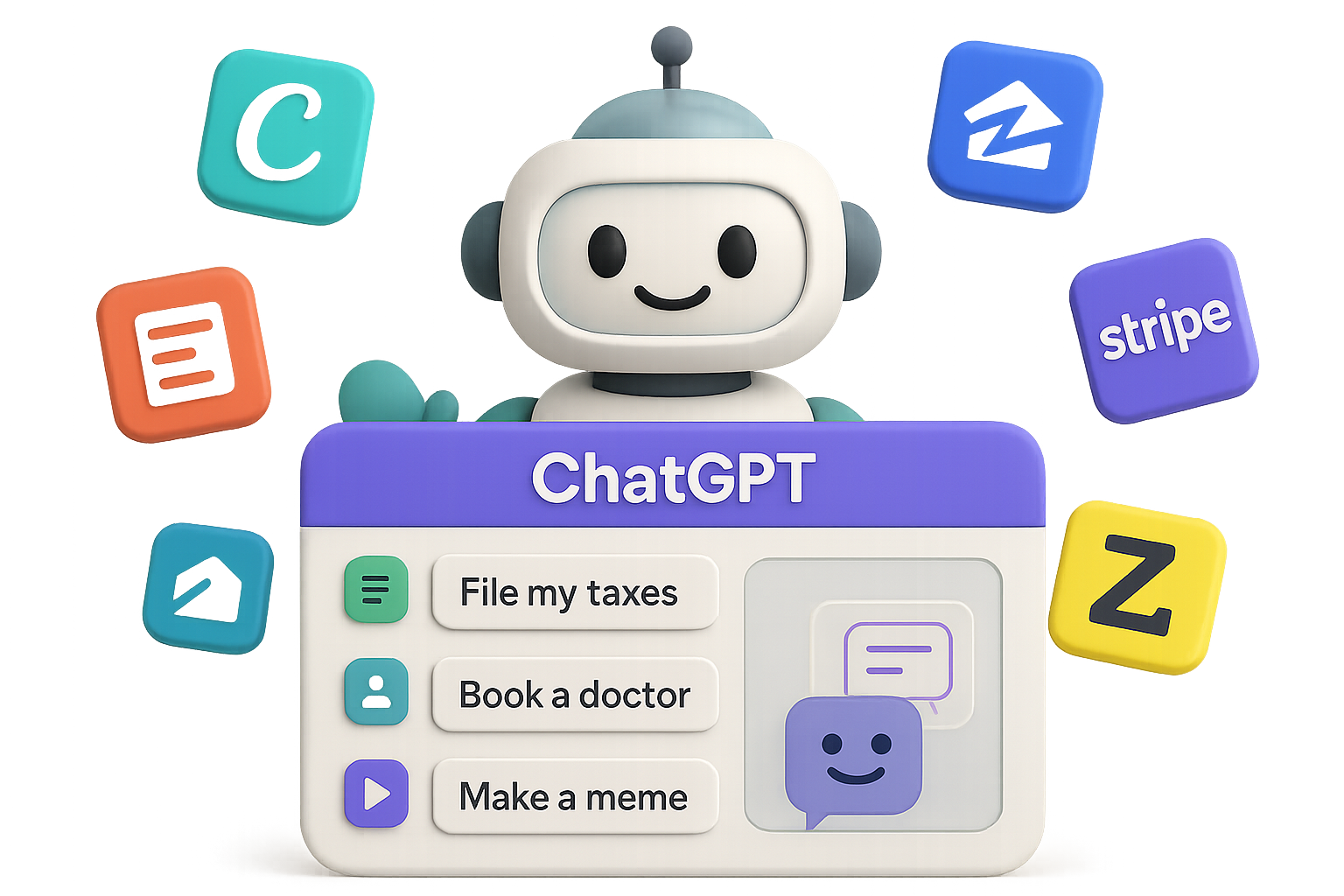
    Illustration depicting a user interface with options to 'File my taxes', 'Book a doctor', and 'Fix my credit', highlighting the concept of using a single prompt for multiple applications.

    Here’s the TL;DR

    ChatGPT apps = the new App Store, but faster—and already in billions of conversations. You’ve got a global audience, an easy on-ramp, and low code overhead.

    Pick a felt pain. Wrap it in one great prompt. Ship it this month. Your users are already asking—you just need to answer.

    Want to go deeper on AI tools, prompts, and launching fast?

    👉 Learn and launch smarter with Tixu.ai – the beginner-friendly AI learning platform built for builders like you.

  • Clone Profitable SaaS Businesses in 3 Simple Steps

    Clone Profitable SaaS Businesses in 3 Simple Steps

    Clone a Seven-Figure SaaS Without Writing a Line of Code

    Let’s be real—building software from scratch can feel like trying to assemble IKEA furniture… blindfolded. Great in theory, chaotic in practice.

    But what if you could launch your own software business without touching a line of code—and do it using the same platform that’s powering eight-figure brands?

    Spoiler: You can. It’s called white-labelling, and it’s the digital version of renting a Lambo, slapping on your logo, and charging for VIP rides. Only this time, you own the business.

    Here’s your crash course (with examples and tools) on how to clone million-dollar SaaS models and make them your own—with nothing but marketing chops and a good niche.


    illustration

    Copy the Engine, Not the Headache

    White-labelling lets you rebrand an existing platform under your own name—and keep all the profit.

    Take HighLevel, for example:

    • It’s an all-in-one marketing and CRM platform.
    • Their $200–$500/month plan lets you rebrand everything as your own software.
    • You charge whatever you want—$50/month or $5k per client. Doesn’t change your cost.

    1,000 clients = $100k+ MRR.

    No dev team. No server bills. Just you, your brand, and a proven backend.

    Let’s see how others are already crushing it.


    illustration

    3 SaaS Models Worth Stealing

    1. AstroBlaster – SMS for Real Estate Pros

    • Niche: Realtors & wholesalers who mass-text prospects.
    • Model: $1,000 onboarding + $97/month.
    • Est. MRR at 500 clients: ~$50,000.

    Growth Moves:

    • No active Facebook ads = organic traction.
    • Same pricing for 2+ years = early fit, no need to pivot.
    • Bonus: They bundle pre-scraped property data. That alone removes major buyer friction. Copy-paste that idea in your niche.

    2. Event Rental Systems – Booking for Bounce Houses

    • Niche: Party rentals, mobile kitchens, caterers.
    • Price: $150–$400/month.
    • Est. MRR at 500 clients: ~$100,000.

    Growth Moves:

    • One winning ad has run 14 months straight.
    • Their modern website? Very likely built inside HighLevel.
    • They ditched expensive custom builds after 15 years. If the old pros switched to white-labelling—it’s probably smarter than DIY.

    3. Pipeline PRO – Lifetime Access, No MRR

    • Niche: General sales teams and automation geeks.
    • Price: $67 one-time for lifetime access.
    • Est. margin: Nearly 100%. Their cost doesn’t change.

    Growth Moves:

    • Zig when others zag: no monthly fees builds instant trust.
    • Started at $35, now $67—and social proof justifies the increase.
    • Every sale stacks margin while keeping churn at zero.

    Core lesson: You don’t need to invent. You need a hungry niche, a no-brainer offer, and repeatable systems.


    The Reverse-Engineer Playbook

    Ready to build your own spinoff? Here’s how you spy, swipe, and spin your SaaS clone into gold.

    1. Spot Winning Businesses

    • HighLevel’s SaaSpreneur awards feature agencies with 100–1,000+ sub-accounts. That’s your inspiration list.

    2. Watch Their Moves

    3. Peek Under the Hood

    • BuiltWith or Wappalyzer to see tools, pixels, processors.

    4. Follow Their Timeline

    5. Tap the Feedback Goldmine

    • Scrape G2/Capterra reviews and plug into ChatGPT: “What features are users begging for?”
    • Job boards = Sneaky hints about upcoming product launches.

    illustration

    Your AI-Powered Intel Kit

    Pack these tools—you’re gonna need ‘em.

    Competitive Research:

    Market Insight:

    Stay Alert:

    Build a habit: 1 hour/week studying these tools beats months of guesswork.


    illustration

    No Audience? Borrow One.

    Don’t have a list? Find someone who does.

    Many coaches and creators have loyal followings… but no product to sell.

    Slide into their inbox or DMs:

    • Offer a 50/50 revenue split.
    • You run tech and customer support.
    • They talk to the audience and promote.

    Underrated tip: DM them on channels with less noise—Strava, personal Facebook, even old-school email.


    A 3D illustration showing a software box labeled 'Software Your Brand' alongside tags for 'templates' and 'dashboards,' with icons representing niche markets and analytics.

    Play Nice, Win Big

    White-labelling isn’t cheating. It’s curating.

    Just keep it clean:

    • Skip copyrighted copy. Never clone names.
    • Add value: onboarding support, templates, custom dashboards.
    • Price with confidence—low pricing reads like low quality.

    Pro tip: Most of these niches are massive. Real estate has over 2 million agents in the U.S. You don’t need 1%, you only need 0.02% to build a great business.

    Go get it.


    illustration

    Cloning Is a Skill

    Every SaaS example here started with one idea:

    “What if I spun this platform for X industry?”

    If you’ve got an eye for opportunity and a knack for marketing, that’s all you need.

    • Pick a niche.
    • Reverse-engineer a proven winner.
    • Rebrand with style.
    • Launch with confidence.

    And if you’re feeling overwhelmed by the tech side?

    📚 Tixu has your back—your beginner-friendly path to learning AI and building smarter, faster, and with less code.

  • Earn More with These 8 ChatGPT Tools

    Earn More with These 8 ChatGPT Tools

    The 8 ChatGPT Models Worth Building With

    You’ve got GPT in your toolbelt—but are you using it like a scalpel or a butter knife?

    Most folks still treat ChatGPT like a smarter search bar. But behind the scenes, OpenAI and its inner circle have dropped an entire suite of models and features that can completely flip how you freeload, freelance, or 5x your side hustle.

    This guide? It’s your fast-pass to the actually useful stuff. You’ll walk away knowing:

    • What each model does (plain English, promise)
    • Where to deploy it for real results
    • And how people are already cashing checks with it

    Let’s start light and work our way to the jackpot.


    illustration

    #8 — GPT-4o Mini: The Budget Workhorse

    Need speed over smarts? This trimmed-down version of GPT-4o is built for volume, not nuance.

    When to use it:

    • Bulk content (e.g., 1,000 product descriptions before breakfast)
    • Simple customer-service bots
    • MVPs of AI tools that are really just UI on top of ChatGPT

    Make money with it:

    • Flat-rate content packs for SMBs ($199 for 500 captions? Yes please)
    • Cold-email generation as a service
    • Chat widgets for budget-conscious local businesses

    Heads-up: Everyone’s got access. Stand out by bundling with strategy or design.


    illustration

    #7 — GPT-4o: The Swiss-Army Knife

    Multimodal all-star. It sees. It hears. It talks—back.

    Perfect for rapid tasks where hands or keyboards aren’t available.

    Use it for:

    • Voice-controlled assistants while driving
    • Narrated real-estate tours made on the fly
    • Multimodal customer support (image + voice + chatbot = frictionless)

    Freelancer move:

    • Virtual assistant services with premium pricing ($30/hour and up)
    • Monthly SaaS support retainer packages
    • Accessibility tools for coaching or tutoring platforms

    Why it’s not higher: It’s good at everything, but deep expertise? Not its jam.


    illustration

    #6 — Sora: Text-to-Video Actual Magic

    You write a sentence. Sora makes video. Really.

    It’s not Pixar-level yet, but the bar for TikToks, teasers, and real-estate walk-throughs? Cleared.

    Where it shines:

    • Selling launch videos to start-ups
    • Automating B-roll for ad agencies
    • Real-estate listings with cinematic flair

    Money angle:

    • Charge $300–$500+ for AI-generated promos
    • Build a niche YouTube channel on the cheap
    • Offer monthly bundles to real-estate teams or content creators

    Act fast—the “wow” window will close as everybody catches on.


    illustration

    #5 — GPT-4.5: Your Creative Director on Demand

    OpenAI didn’t market this one… but insiders know.

    GPT-4.5 is tuned for concepting, brainstorming, and storytelling. Basically, it’s your get-it-done muse.

    Where to apply it:

    • Brand sprints and naming workshops
    • Executive presentations and pitch decks
    • Mood boards and campaign ideation

    What to sell:

    • Strategy in a box: guide a 90-minute session, deliver a brand deck
    • Copy + concept bundles for founders
    • Starter kits for indie creators

    Drop agency overhead, keep agency rates. Your clients won’t care how you made it—just that it converts.


    illustration

    #4 — Deep Research Mode: Instant McKinsey

    Big claims need big sources. This mode blends browsing, citations, and writing all in one disciplined flow.

    Use it when:

    • You need to prep a market-entry report—yesterday
    • You’re diving into competitor intelligence
    • You’re cleaning up a chaotic spreadsheet into business decisions

    Path to profit:

    • Flat-fee research reports ($5k–$25k)
    • Monthly insights packages to exec teams
    • Due diligence support for boutique consultancies

    Sneaky tip: Double-check complex queries with tools like Perplexity or Claude. Trust, but verify.


    illustration

    #3 — GPT-4o Mini Reasoning Models: Nerd Mode Activated

    Hiding behind an underwhelming name is a logic-powered beast.

    These models? Built for thinking—maths, code, and technical documents.

    Drop them into:

    • Code audits or refactoring proposals
    • Financial modeling or options strategies
    • Technical patent reviews for law firms

    How to monetize:

    • Charge per audit (e.g., $3k for a smart-contract security review)
    • Deliver high-end research for law/finance teams
    • Offer “AI-augmented CTO” retainers to early-stage startups

    The more complex the problem, the higher the budget. These models earn their retainer.


    illustration

    #2 — ChatGPT Agents: Work While You Sleep

    Imagine if your spreadsheet had hands. That’s what agents do—they think and act.

    What they automate:

    • Travel planning, calendars, inbox sorting
    • Price monitoring and alerting across sites
    • Admin-heavy tasks in eCommerce or HR

    Monetise it like this:

    • Ongoing agent subscriptions per client ($200–$1k+ /mo)
    • Build a white-label automation agency
    • Run margin optimization on Shopify stores and take a % cut

    Big idea: Replace a team with one persistent agent—not half-baked automations.

    One catch: Things will break. Budget for updates and troubleshooting.


    illustration

    #1 — GPT-OS: Local > Cloud

    The holy grail for enterprise: full GPT power, running locally behind a firewall.

    Why it changes everything:

    • No data ever leaves the network = instant legal/security green lights
    • Custom workflows = competitive edge
    • Open-source = no surprise costs

    Best use cases:

    • Healthcare with HIPAA-sensitive workflows
    • Finance/insurance models leveraging private datasets
    • In-house knowledge bases built from proprietary docs

    How you win:

    • Scope the problem
    • Set up the GPT-OS instance
    • Charge a 5-figure setup fee, plus support

    Bonus: You don’t need a PhD to do this—just a grip on deployment and enterprise needs.


    illustration

    Wildcard: GPT-5 — Every Tool, One Brain

    Just as you blinked, GPT-5 showed up to crash the list.

    This isn’t just an upgrade. It’s the conductor of the whole orchestra.

    What it does:

    • Automatically picks the right sub-model
    • Uses huge context windows (read: entire codebase or content archive)
    • Outputs are cleaner, faster, smarter

    Big takeaway: Everything on this list? GPT-5 is about to do it better.

    Start drawing up your own playbook now. When API access opens up, sprint.


    illustration

    Wrap Up: Pick One, Go Deep

    You don’t need to learn all 8. You just need one that solves a real problem—for a niche client—at a clear price point.

    The honey in the hive? Specialisation and implementation.

    📌 Specialists don’t get stuck in price wars.
    📌 Doers out-earn the armchair philosophers.

    So pick your AI weapon. Package it tight. And ship like someone’s about to steal your edge.

    Ready to level up? Start learning the tools with beginner-friendly tutorials at Tixu—AI training that speaks human.

  • Build an AI-Powered Stock Strategy That Beats the Market

    Build an AI-Powered Stock Strategy That Beats the Market

    Ditch the Guesswork: Build a Smart Portfolio with AI (No Coding Required)

    Impulse trades are fun—until they aren’t. Scrolling through Robinhood, chasing gains, and then realizing your rent, vacation, or kid’s future is riding on vibes alone? Yeah… not ideal.

    Let’s flip the script.

    Instead of gambling, you’re going to use AI—yes, even if you’ve never written a line of code—to build a portfolio backed by data, not dopamine. You’ll get a step-by-step breakdown, a peek at my real numbers, and a cheat sheet of 10 prompts to uncover your own edge.

    Ready when you are.


    illustration

    Go From Hunch to Hypothesis in Under 60 Minutes

    The idea that sparked it all: founder-led companies with network effects tend to crush the S&P 500.

    Armed with that thesis and a few AI sidekicks, I built a live portfolio tracker—complete with filterable metrics, crisp charts, and zero-code setup. Here’s how it came together.


    illustration

    Build the Data Engine First

    These are your ingredients. You’ll use AI to pull company data, Sheets to structure it, and a sprinkle of automation to fill in the gaps.

    1. Ask ChatGPT (or any LLM):

    “Which S&P 500 companies are founder-led and benefit from strong network effects?”
    Result: 26 tickers.

    2. Fire up Google Sheets:

    • Company name
    • Ticker
    • IPO date
    • IPO price
    • Today’s price (use =GOOGLEFINANCE())
    • Market Cap
    • P/E ratio
    • Year Founded
    • Date added to S&P
    • Two ratings scored from 1–10: Founder Influence and Network Effects

    3. Automate the scoring with GPT for Sheets:

    Install the GPT Sheets plug-in and use prompts like: =GPT(“On a scale of 1–10, how strong are the network effects for ”&A2&“?”)
    One drag down the column = instant ratings, all for a few cents per row.


    illustration

    Turn Your Sheet into a Real App (No-Code Style)

    Now that your data’s clean, it’s time to make it sing.

    Replit’s AI Agent v0.3 helped me spin up a full portfolio dashboard—charts, filters, S&P comparison—all in about 45 minutes of back-and-forth.

    Here’s what the flow looked like:

    1. Set the scene:

    Prompt: “Build a portfolio tracker that lets me upload trades via CSV and shows my performance across 1-day to 20-year timeframes in a line chart.”

    2. Feed your own data:

    Shared a public Google Sheet link and explained the column structure. Told the AI to ditch dummy CSVs and run off my live data.

    3. Clean it up:

    • Added dropdown filters for founder scores, P/E ratios, market cap ranges
    • Displayed numbers beautifully (commas, %, one decimal max)
    • Confirmed all math behind line charts matched expectations

    After an hour, I had a working app: nStocks.com —and you can test it live.


    illustration

    What the Numbers Show (Spoiler: It Works)

    Filtering for companies with ≥8 scores in both Founder Influence and Network Effects, and tracking them over the last 10 years:

    • 6 companies made the cut
    • 5 had full IPO data
    • S&P 500 return (weighted): 9%
    • S&P 500 return (unweighted): 12%
    • Thesis-based portfolio return: 22.4%

    Visualized? That high-trust green line glides miles above the red S&P benchmark.


    illustration

    Steal These 10 AI Prompts for Your Own Thesis

    No need to start from scratch. Grab any of these to explore unique slices of the market:

    1. “List U.S. micro-cap stocks with strong moats, ROIC > 15%, under-covered by Wall Street.”
    2. “Companies where insiders bought ≥ $1M of shares AND stock is down 20%+ from 52-week highs.”
    3. “Stocks with free cash flow yield > X% and P/E below their sector median.”
    4. “Which industries have structural growth tailwinds the market undervalues?”
    5. “Compare disruptors vs. incumbents—balance sheets, cash, and trends.”
    6. “Stocks with short interest >10% and rising gross margins for 3+ quarters.”
    7. “High-recurring-revenue businesses with low EV/S multiples and sticky customers.”
    8. “Under-the-radar stocks about to hit a growth inflection point.”
    9. “Public companies trading below their breakup or private-market value.”
    10. “‘Boring’ sectors protected by scale or regulation that repel new entrants.”

    Drop them into ChatGPT, narrow your dataset, and let your thesis unfold.


    illustration

    Wrap-Up: From Reddit YOLOs to Real Strategy

    You just saw how modern tools can turn ideas into interactive dashboards without writing code or hiring devs.

    The rough recipe:

    1. Start with a plausible thesis
    2. Collect + structure the data with LLMs and Sheets
    3. Pass it to an AI dev agent to build your visual tool
    4. Test, tweak, and track your actual results

    No “finance bro” vibes here—just modern workflows replacing gut feelings with frameworks.

    Curious to learn more about how to use AI like this (without the jargon or overwhelm)? Explore beginner-friendly how-to’s, curated prompts, and bootcamp-style projects over at Tixu.ai. It’s like gym class for your AI muscle—and yes, you’re already strong enough to start.

  • Build Autonomous Marketing Agents in Under 15 Minutes

    Build Autonomous Marketing Agents in Under 15 Minutes

    Unlock AI Marketing Agents in Minutes

    You’ve got 99 things on your plate—and building a custom AI workflow shouldn’t be one. Good news: it doesn’t have to be.

    With today’s no-code and low-code tools, you can spin up AI-powered teammates that prep meetings, scout leads, and even write code—before you’re done with your coffee.

    This post breaks down three fast-track paths—Lindy, Replit, and Claude—and maps which one fits your time, tech skills, and marketing goals.

    Let’s get you that digital coworker, shall we?


    illustration

    Launch a Meeting-Prep Bot in 5 Minutes with Lindy

    If you want to dip a toe into AI workflows (without drowning in prompts), Lindy’s your starting line.

    This platform does 90% of the heavy lifting—so all you have to do is tell it what outcome you want.

    Get Going Fast

    1. Head to Lindy.ai, log in, and smash “New Agent.”
    2. Pick a smart template—like “Sales Meeting Recorder.”
    3. Say what you need. For example:“Make a prep bot that pulls LinkedIn, X (Twitter), and Instagram posts from my next meeting guest, finds notable content from the last 30 days, and gives me talking points that tie in my agency, Single Grain.”
    4. Answer Lindy’s follow-ups (when it should run, where to send it—email or Slack, which data sources).
    5. Hit “Build Agent.” Watch it generate a slick, functioning workflow.

    Why Lindy Delivers

    • Templates are pre-wired with CRM, calendars, even multi-agent chains—no Frankenstein scripting.
    • Everything’s editable. Add steps, tweak searches, set credit limits to avoid blowouts.
    • Great for repetitive research—like meeting prep, content briefs, or lead enrichment—that eats hours every week.

    Pro move: Start with Lindy’s ready-made agents, then clone and customize. No “blank doc anxiety,” no budget bomb.


    illustration

    Level Up with Replit: Your Low-Code AI Sidekick

    If Lindy is autopilot, Replit is co-pilot. More flexibility, more control—but still approachable.

    Replit has grown from an online code editor into a full-blown AI agent builder. You describe your idea; it scaffolds it. That’s “vibe coding”—and yeah, it’s as cool as it sounds.

    Example: RecruitMate Bot

    Want to find growth hackers in LA who’ve leveled up at two top agencies? Replit’s got you.

    • Use the Agents & Automations tab.
    • Choose “Slack Bot.”
    • Type plain-English criteria.
    • Play with the AI: chat your prompts, fix any weird outputs, and publish to Slack.

    Why it Works for Marketers

    • One-click deployment—straight to Slack, background jobs, or web.
    • Total autonomy or human approval toggles.
    • Ideal for MVPs—build 80% of an idea fast, then hand it to a dev for final polish.

    Heads-up: Even with all that AI help, a little coding fluency helps. Don’t sweat it, though—budget a couple hours with a freelancer and you’re good.


    Illustration of an AI setup featuring a laptop with a flowchart labeled 'Claude,' a clipboard with checkmarks, a character resembling a robot, and icons representing Google Analytics and Ahrefs on a table.

    Build Enterprise-Level Intelligence with Claude + MCP + Cursor

    Got big data dreams? This is your power stack.

    For marketers with a technical streak—or developer backup—a Claude-MCP-Cursor combo gives you limitless automation power. Seriously.

    What’s in the Stack

    • Claude (via API): Natural-language reasoning champ built by Anthropic.
    • MCPs (Model Context Protocols): Integrate Claude with Google Analytics, Ahrefs, internal databases, and more.
    • Cursor IDE: Orchestrate agents in an AI-native coding workspace.

    Sample Use Case: SEO Analyst on Autopilot

    1. In Cursor, program an MCP to fetch traffic data from GA and content gaps from Ahrefs.
    2. Have Claude spin up agent-minions to:
      • Pinpoint URL-level traffic drops.
      • Identify top keyword opportunities.
      • Generate a ranked to-do list for content refreshes.
    3. Automate it weekly—your AI analyst never takes PTO.

    Heads-up: Setup takes 4–5 hours, plus a short dev-onboarding session. But once it’s rolling, it chews through tasks that’d take a human team all day. ROI? Spicy.


    illustration

    Your Roadmap: Choose Based on Skills + Scope

    Still unsure where to start? Here’s your cheat sheet:

    • Beginner / Non-technical → Lindy.ai
      Launch meeting-prep bots, lead research agents, or automations that save an hour a day.
    • Intermediate / Dabble in code → Replit
      Build Slack bots, internal tools, or custom flows with AI assist every step of the way.
    • Advanced / Data-heavy workflows → Claude + MCP + Cursor
      Combine datasets and agents to generate marketing insights at machine speed.

    illustration

    Wrap-Up: Start Small, Grow Fast

    Here’s the truth: AI agents won’t just save you time—they hand you back headspace. More time for creative strategy, less on tool-switching or inbox maintenance.

    Start small. Build a Lindy bot that saves you an hour a week. Once you see the ROI, you’ll be hungry for more.

    Want to learn the ropes without drowning in jargon or code? Tixu is built exactly for that—AI learning tools for beginners, marketers, and curious humans. Ready when you are.