Category: General

  • Build a Profitable AI Dropshipping Store in 24 Days

    Build a Profitable AI Dropshipping Store in 24 Days

    Why AI-Powered Dropshipping Should Be Your First Online Business

    Let’s be real: starting an online business used to feel like climbing Everest in flip-flops. You needed cash, connections, and way too much tech overhead.

    Not anymore.

    Today, you can launch a sleek, data-driven dropshipping store with just your laptop, a weekend, and the right AI tools. One-click storefronts. Instant ad creatives. Smart product suggestions fed straight from the algorithm firehose.

    The game’s changed. And if you’re still on the sidelines, this post is your call-up.

    illustration

    What You’ll Learn

    You’re about to get a clear, five-step playbook to build your first profitable dropshipping store—no coding, no guesswork, no fluff. Inside:

    • The fastest way to launch a store with AI
    • Tools to find winning products before they saturate
    • How to generate short-form video ads in minutes
    • Smart fulfilment that runs itself
    • Email flows that turn browsers into buyers

    Let’s build your first online revenue stream—the smart way.


    illustration

    Launch a Shop in 2 Minutes with AI Store Builder

    Forget fiddling with themes or bribing a designer for a halfway-decent logo. AI’s got you.

    Here’s the move:

    • Sign up for Shopify (first 3 months = $1)
    • Use their built-in AI Store Builder app
    • Answer a few prompts (your niche, colors, tone)
    • Hit “Generate”

    Boom. You’ve got:

    • A responsive homepage with product grids and social proof
    • Legal pages, checkout flow, nav—all wired up
    • Plug-and-play copy blocks you can polish with ChatGPT

    Tweak your top bar to something like “Free shipping over $50” to boost conversions from day one.


    illustration

    Find Products That Are Already Moving

    You don’t need the next fidget spinner. What you need is validation—products that already sell, but haven’t reached saturation.

    That’s where AutoDS comes in.

    Hop into the “Hand-Picked” tab and you’ll get:

    • Direct links to TikTok and Facebook ads already running
    • Engagement metrics to spot if interest is up or flatlining
    • A market saturation score (green = go)
    • Demographic data to guide your targeting

    Hit “Import” and AutoDS handles the rest—title, copy, SEO tags, even a matching product description that sounds like you wrote it (but better).


    illustration

    Generate Scroll-Stopping Ads in Minutes

    You’ve got the products. Now you need attention.

    With Creatify.ai, you don’t need a ring light or editing skills. Paste in your product link and it builds a full short-form ad—fast:

    • AI-generated scripts in different tones (quirky, serious, FOMO-inducing)
    • Raw B-roll and trending visuals auto-curated
    • Fonts, captions, cuts, + royalty-free sounds baked in
    • Bonus: Add AI-generated avatars or voiceovers to boost engagement

    Export vertically, pump to TikTok/Reels/Shorts, test with $10/day. Scale what works. Kill what doesn’t. Simple.


    illustration

    Partner with an AI-Savvy Supplier

    Speed wins in e-commerce. Late packages = refunds, bad reviews, and rage DMs.

    Enter TeamDrop.

    It uses AI to match you with the best supplier + fulfilment combo based on your product’s specs. You also get a dedicated agent for:

    • Real-time stock checks you’d otherwise have to email five people about
    • Photo verification before shipping (no surprises)
    • Automated tracking updates combined into one dashboard

    It’s like having a supply chain manager… without actually hiring one.


    Automate Follow-ups to Lock In Lifetime Value

    Selling once is fine. Selling twice is where the margins live.

    Omnisend does the heavy lifting with plug-and-play automations like:

    • A welcome series (no boring “Thanks for signing up” stuff—think discounts, brand story, early access)
    • Abandoned cart flows (three emails: nudge, offer, close)
    • Browse abandonment (dynamic content based on their activity)

    Set it up once. Every visitor becomes a potential repeat buyer on autopilot.

    Want ROI? Omnisend users average $68 in revenue for every $1 spent. That’s not marketing talk—that’s receipts.


    illustration

    Your Lazy-Smart Action Plan

    Here’s how you go from “thinking about it” to live and earning—minimum effort, max leverage:

    1. Create a Shopify account (first 3 months = $1)
    2. Launch your store with the AI Store Builder
    3. Use AutoDS to import 3–5 capital-P “Proven” products
    4. Fire up Creatify to make three ad variants per item
    5. Run $10/day tests on TikTok & Reels
    6. Fulfil through TeamDrop to guarantee fast delivery
    7. Activate Omnisend flows to convert more, repeatedly

    Weekend build, lifetime revenue.


    An illustration of a friendly robot holding a coffee cup, alongside colorful icons representing an online store, marketing, packages, and email, arranged in a flowchart format.

    TL;DR

    AI won’t just save you time—it can build your entire e-commerce business for you. You focus on big decisions. Let the machines handle the rest.

    Want to go deeper into AI-powered business tools (without falling into YouTube rabbit holes)?
    Check out Tixu — the beginner-friendly platform that teaches you to master AI for online income, one bite-sized win at a time.

  • Automate Your Workflow with These 6 Free Gemini Tools

    Automate Your Workflow with These 6 Free Gemini Tools

    Harnessing Gemini: 6 Free Superpowers Hiding in Google’s New AI Assistant

    Feeling swamped by endless tabs, data sets, or student-level explainers that still feel like rocket science? You’re not alone—and you’re also not out of options.

    Enter: Google Gemini.

    It’s sleek, surprisingly smart for a free tool, and ready to tag-team some of your digital workload. Whether you’re building a personal brand, wrangling biz ops in Sheets, or trying to finally understand that AI acronym everyone’s throwing around—Gemini’s got hidden powers worth unlocking.

    Here are six game-changers you can try today—without upgrading your plan or touching a line of code.


    illustration

    1. Skip Spreadsheets. Get Dashboards.

    Manually organizing data? That’s so early 2020s.

    Gemini can take a file—PDF, CSV, Google Sheet—and turn it into a clean, interactive dashboard in seconds.

    How to start:

    • Open a Gemini chat
    • Upload your file
    • Ask: “Summarize this data and create an interactive dashboard.”

    You’ll see hoverable charts, filters, and one-click sharing. Need to drop it in a deck? Export directly to Google Slides.


    illustration

    2. Research With None of the Rabbit Holes

    Typing your question into Google = 27 tabs and 2 hours later… maybe you get what you need.

    With Gemini’s Research mode, you get one sharp summary sourced from dozens of credible corners of the web.

    Why it hits different:

    • Pulls insights from 30+ articles, blogs, and videos—instantly
    • Outputs a clear table of contents so you can scan, then dive
    • Sends results to Google Docs—or morphs them into flashcards, quizzes, even podcasts

    Pro tip: Free accounts get ~5 Research runs/month. Use them wisely (but don’t worry, it’ll warn you before you hit the cap).


    illustration

    3. Personalized Lessons That Learn You

    You don’t need a tutor or a class pass.

    Just head to Tools → Guided Learning, and type something like: “Teach me how generative AI works—like I’m 10.”

    Gemini delivers a simple breakdown, follows up with questions, and adjusts based on your pace and responses.

    When to use it:

    • Cracking into a new skill (mid-career reskillers, we see you)
    • Reviewing for exams
    • Replacing your fifth attempt at decoding a confusing YouTube tutorial

    illustration

    4. Build Your Own AI Helpers with “Gems”

    Think of these as mini-assistants you design once—and lean on forever.

    Inside the Explore Gems tab, you’ll find templates like “Email Polisher” or “Storyboard Helper.” Want your own? Hit “Create new gem” and train it in a few clicks.

    Ideas to try:

    • Upload your team’s SOPs → build an onboarding answer bot
    • Feed it your social post archive → get bespoke headlines
    • Make a bedtime-story engine for your kids that includes illustrations and sound

    Flip the script: You don’t need to code. You just need context. Let Gemini handle the logic.


    illustration

    5. Pro-Quality Images Without Paying a Cent

    What’s powering Gemini’s image tool? That would be Imagen 2—Google’s crisp, stable image generator.

    Use it to create, tweak, or remix photos and illustrations. It keeps things realistic where it counts. Lighting, facial features, and proportions stay intact.

    Try this quick demo:

    • Drag in a photo
    • Ask: “Add a Toronto Blue Jays cap”

    No wonky ears. No extra fingers. Just clean, believable edits.


    illustration

    6. Get Gemini Working in Gmail, Docs & Drive

    Because it’s built by Google, Gemini slides right into your Workspace apps with zero friction.

    Turn it on: Settings → Connected Apps → Toggle Gmail, Drive, Docs, etc.

    Then say things like:

    • “Summarize unread emails from the last two days”
    • “Draft a response to this client based on the attached PDF”
    • “Find gaps in my calendar for deep work this week”
    • “Watch this 45-minute YouTube and list key takeaways”

    Time-saver: Inbox zero becomes a two-minute job.


    illustration

    Is the Free Tier Enough?

    Short answer: Yes—if you’re a student, creator, freelancer, or any regular knowledge worker.

    You can:

    • Summarize data
    • Learn anything
    • Build helpful bots
    • Make great visuals
    • Automate your workspace

    All with zero spend.

    Need more high-volume horsepower later? The paid option is there—but don’t pay until free stops delivering.


    illustration

    Your Move

    Pick one feature and try it today. Gemini won’t bite (but it just might blow your mind).

    And if you’re curious about harnessing more of AI’s potential—from writing smart prompts to building full workflows—check out Tixu: the beginner-friendly learning space built just for you.

    Ready when you are.

  • Master AI Prompting in 15 Minutes with 10 Proven Techniques

    Master AI Prompting in 15 Minutes with 10 Proven Techniques

    The Absolute Best AI Prompt Techniques in 2025

    You’ve got AI in your toolbox—but it still spits out “meh” answers. Generic content, vague advice, missing the mark more often than not?

    That’s not an AI problem. That’s a prompt problem.

    With a few small tweaks in how you talk to your favorite model—ChatGPT, Claude, Gemini, Perplexity—you can unlock seriously strategic answers. We’re talking solutions that sound like a $200/hour consultant just pulled an all-nighter for your project.

    Below are 10 next-gen prompt techniques to level-up your AI chops. Use one, get better results. Use all ten? That’s when things get unfair (in a good way).


    illustration

    1. Get CRISP-E with Your Prompts
    (Context → Role → Instruction → Specification → Performance → Example)

    Most folks type something like: “Write landing page copy for my SaaS.” Result? A beige blob of buzzwords.

    Here’s the CRISP-E upgrade:

    • Context: “We sell AI-powered invoicing software to freelancers.”
    • Role: “You are a senior conversion copywriter.”
    • Instruction: “Craft a headline, sub-headline, and three benefit bullets.”
    • Specification: “150–180 words total, conversational tone.”
    • Performance: “Copy must score 40+ on the Hemingway Grade.”
    • Example: “Mirror the punchy style of Basecamp.com’s hero section.”

    Same model. 10x better output.


    illustration

    2. Stack Context Like a Pro (The Context Multiplier)

    Most users give the AI one sentence. Top performers give five layers of background:

    1. Brief business overview
    2. Ideal audience persona
    3. Key competitors
    4. Project limitations (budget, timeline, goals)
    5. Formatting or style preferences

    Then they drop the ask. Think of it like giving your AI a headset and seat at the monthly strategy call. Outputs become smarter because the inputs got sharper.


    illustration

    3. Think Beyond “Step-by-Step”
    Use Chain-of-Thought Prompting 2.0

    Old way: “Think step-by-step.”
    New way: “Before answering, walk through your assumptions, reasoning, risks, and alternate scenarios. Conclude with a confidence score.”

    That phrase alone has upgraded decision-making for hundreds of product teams. You don’t get answers—you get frameworks.


    illustration

    4. Flip Failure Into Gold
    Reverse the ask with the Failure-First Method

    Prompt:
    “Give me three bad email subject lines for a productivity-app launch. Explain why they fail—and what psychology they miss.”

    Now follow up with:
    “Give me three winning versions based on what we learned.”

    Understanding what doesn’t work sharpens what does. Fast.


    illustration

    5. Run a Boardroom Simulation
    Use the Expert Panel Prompt

    Prompt:
    “Analyze our product roadmap from three angles:

    • A CFO laser-focused on ROI
    • A growth hacker thinking scale
    • A CS head measuring retention

    Summarize the contradictions and synthesize a hybrid plan.”

    No meetings required. Just insight from every viewpoint.


    illustration

    6. Swipe the Structure, Not the Story
    Use the Viral Structure Hijacker

    Prompt idea:
    “Analyze this viral newsletter (paste it in). Extract the structure: hook, beats, CTA, emotion. Rebuild it for my topic: ‘eco-friendly meal prep.’”

    It’s not stealing—it’s learning from what already works.


    7. Add Constraints—Then Watch Creativity Kick In
    The Creative Constraint System

    Weird but true: Boundaries boost breakthroughs.

    Prompt:
    “Write a 4-sentence Instagram Reel script. Include a stat, a micro-story, and end with: ‘Save this post.’ Tone: chill, smart, confident. Target: 28–35 y/o startup founders. Keep it under 60 seconds.”

    AI + constraints = spicy originality.


    illustration

    8. Iterate Like the Pros Do
    Use Draft-to-Genius Iteration

    1. Round 1 – “Draft a blog outline on remote team onboarding.”
    2. Round 2 – “Now tailor it to SaaS startups.”
    3. Round 3 – “Add emotionally-resonant examples.”
    4. Round 4 – “Optimize it for lead conversions. Add urgency.”

    The magic is in the repetitions. One-shot prompts are rookie mode.


    illustration

    9. Keep the Context—Update the Data
    Use Dynamic Context Injection

    Midway through a project and your CFO slashes the budget in half? Instead of rerunning the prompt from scratch, try:

    “New info: our budget is now 50% lower. Re-analyze your last plan with this in mind.”

    The AI keeps its memory and adapts. Just like your best team members.


    illustration

    10. Let AI Critique Your Prompts
    Use the Prompt-Doctor Technique

    Prompt:
    “Act as a senior prompt engineer. Grade this prompt: ‘Help me write better social media content.’ Rate clarity, specificity, and completeness. Then rewrite it as a 10/10 prompt.”

    Result = Better prompt, better understanding, better next time. Win-win.


    48-Hour Skill-Up Challenge

    Ready to test drive these? Here’s how:

    1. Grab your most-used work prompt.
    2. Run it through CRISP-E.
    3. Add the Context Multiplier.
    4. Iterate using Draft-to-Genius.

    Snapshot the before and after. Your coworkers will assume you outsourced it to a ghostwriter.


    Build Your Personal Prompt Library

    Don’t let a great prompt disappear into the chat void.

    • Keep a running doc.
    • Every time a structure hits, save it.
    • Tag by use (copy, strategy, story, analysis).

    In 20 days, you’ll have a self-made prompt stack that gives you unfair leverage in every meeting, brainstorm, or build sprint.


    You already have access to the same tools as everyone else.
    The difference? You now know how to ask better questions.

    Want a fast, beginner-friendly way to go deeper with AI skills like this?
    Check out Tixu — it’s where practical AI learning actually sticks.

    Ready when you are.

  • Automate Your Entire Workflow While You Sleep

    Automate Your Entire Workflow While You Sleep

    From Assistant to Autopilot: Meet the AI That Works While You Sleep

    Imagine waking up to find your to-do list… done. Not nudged forward, not half-sketched. Done-done. Inbox zeroed. Reports drafted. Site deployed. That’s life at the edge of the automation cliff—where agents don’t just assist, they take over entire workflows while you’re dreaming about cold brew.

    Most AI tools still play it safe. They help you bang out a headline or suggest a meeting time. Handy? Sure. But DeepAgent goes full send.

    It doesn’t just support you—it replaces entire swaths of your daily grind.

    In this post, you’ll walk away understanding:

    • What makes DeepAgent a serious leap forward
    • Five real use cases that are live—and lethal
    • How to start delegating to autonomous agents now (no PhD required)

    Let’s flip the switch.

    illustration

    Welcome to the Automation Cliff

    You know the drill. Exotic AI demo here, vague “coming soon” there. Tools promise ease, but your workload stays… stubbornly 100% yours.

    DeepAgent breaks that loop.

    Built by Abacus.AI, this isn’t another suggestion box disguised as software. It’s an autonomous workhorse that gets stuff done—clicks, keystrokes, and all. Picture a specialist team that never sleeps and doesn’t need onboarding. Yeah, that.

    illustration

    What Makes DeepAgent Different?

    Here’s what separates DeepAgent from the LLM crowd:

    • End-to-end autonomy – It doesn’t stop at draft one. Give it a clear outcome, and it works ‘til the job’s done.
    • Real software control – The agent navigates your apps like a power user—mouse clicks, keyboard inputs, everything.
    • Swarm smarts – DeepAgent runs a team of purpose-built skills working together (or debating each other) to find the best approach.
    • Instant tool integrations – From Slack to Stripe to your custom Postgres setup, it plugs straight in and takes over the ops glue work.

    No hacky Zapier chains. Just real work, handled.

    illustration

    What Can It Actually Do? (Today, Not “Soon”)

    Here’s a real look under the hood:

    • Launch an MVP SaaS in one go
      Complete product — frontend, backend, auth, payments, hosting — deployed in one command.
    • Run your brand’s social ops
      Posts, replies, lead gen on LinkedIn/X. It goes beyond scheduling by building legit rapport.
    • Custom dashboards & CRMs
      Pulls from Airtable, Notion, Jira—or your own API—and builds views that highlight project bottlenecks at a glance.
    • Research and presentations
      Sources intel, cross-checks facts, and assembles decks with visuals, citations, and polish. No more late-night Googling.
    • Code like an elite dev
      Benchmarks show DeepAgent outperforms GPT-4 Turbo and Claude-Code. Fast, clean, production-grade responses.
    • Multimedia sorcery
      Syncs video lips, remixes content, scales a brand’s design/dev flow in ways solo creators could only dream of last year.
    illustration

    Affordable Enough to Feel Slightly Illegal

    • ChatLLM Base – $10/month for 3 full-agent tasks
    • Pro Plans – $20–30/month for ~25+ tasks

    That’s less than one Uber Eats delivery for a team that works 24/7—and never ghosts on your DMs. If you’re measuring ROI per minute saved, this pricing is ridiculous (in the good way).

    illustration

    The Bigger Shift: From “Assist” to “Autonomous”

    Here’s the real headline: AI isn’t just smart—it’s taking initiative.

    Humans used to nudge tools toward tasks. Now agents choose actions, coordinate sub-tasks, and learn from each job. DeepAgent is one of the clearest examples yet.

    And it’s still early.

    The capabilities you try this week will seem quaint in a month. This is exponential territory.

    illustration

    Three Moves You Can Make Right Now

    Want to stop spectating and start steering? Try these:

    1. Offload one tedious workflow
      Pick that one weekly task you dread—manual reports, cold emails, QA checks—and toss it to DeepAgent. You’ll never want it back.
    2. Prototype your “what-if” idea
      Think up the SaaS or internal tool you wish existed. Describe it. Let the agent build it while you binge Netflix. Wake up to an actual app.
    3. Learn prompt orchestration
      Knowing how to write a great prompt is now table stakes. Managing agents? That’s the leadership skill of the AI era. Define targets, not steps. Think output-first.
    illustration

    Where to Start

    You can try DeepAgent for free inside Abacus.AI’s ChatLLM plan. Hop in, test a few tasks, and see what it’s like when your tools don’t ask what to do next—they just do it.

    And if you’re curious but not quite sure where to begin?

    Tixu makes it simple. It’s a beginner-friendly platform that helps you level up fast on AI tools like this one—without the jargon, gatekeeping, or forehead sweat.

    Because this shift is happening with or without you.

    Might as well lead it.

  • Create a Digital Product with AI in 15 Minutes

    Create a Digital Product with AI in 15 Minutes

    Turn Your Idea Into a Sell-Ready Digital Product in 15 Minutes With Gamma AI

    Drowning in ideas but can’t seem to get that dang first product out the door?

    You’re not alone. Blank pages are intimidating—and building something “worth selling” feels like it takes weeks (and a second brain). But here’s the truth: with the right AI tools, you can go from concept to polished, designed, and export-ready guide in the time it takes to sip a latte.

    Enter: Gamma.app—your new co-creator. It drafts, designs, and illustrates your digital product for you… in real-time. By the end of this quick-start guide, you’ll know exactly how to pull it off—and how to turn that fresh PDF into profit faster than you thought possible.


    illustration

    Make It Simple, Make It Sell

    Before we dive into tech steps, let’s get clear on why minimalist guides or checklists are the perfect starting point:

    • They solve one clear problem, fast.
    • No complex tech—just text + visuals.
    • Easy pricing flexibility: $5–$29 works great.
    • You can always expand it into a course later.

    Translation? You get leverage without the overwhelm.


    illustration

    Build Your First Digital Guide in Minutes With Gamma

    Here’s your plug-and-play walkthrough. Ready when you are.

    1. Create a Free Account

    Head to Gamma.app. No credit card needed. The free tier is more than enough to get your first offer out the door.

    2. Hit “Create New” → Choose “Generate”

    You can feed it notes, but let’s go full AI first. “Generate” builds the content from scratch based on your prompt.

    3. Choose “Document” Format

    You’ll see options like “Presentation” or “Webpage,” but “Document” will give you the PDF-style deliverable that’s easiest to sell or share.

    4. Set Basics (Keep It Lean)

    • Pages: start with 3–7 “cards” (pages). Clean and digestible.
    • Size: pick “Letter” for pro-looking layouts.
    • Language: English, unless you’ve got a niche in another tongue.

    5. Drop a One-Liner Prompt

    Be specific—vague inputs = meh outputs. Try something like: “Beginner’s guide to rooftop gardening in small city spaces.”

    Don’t overthink it! Gamma expands short prompts into full outlines with chapter ideas, bullet points, and tips.

    6. Review the Table of Contents

    In seconds, you’ll get a draft outline. Double-check for accuracy or fluff. You’re still the expert—just with a robot assistant now.

    7. Customize Theme + Visuals

    • Pick a palette that fits your vibe.
    • Choose “AI Generated Images” → fully unique illustrations from Gamma.
    • Match image style to your niche—photo, flat icon, watercolor, even manga. Go wild (but maybe not too wild).

    8. Open “Advanced Mode” to Add Flavor

    • Tone: Conversational keeps it friendly and relatable.
    • Grade Level: Set to 8th for max readability.
    • Add keywords for SEO juice later (think: affiliate gardening tools or productivity hacks).

    9. Click “Generate”

    Gamma now pulls it all together—a decked-out PDF guide with visuals, headers, and structure. It’s like watching content manifest itself in real time.

    10. Use AI Agent to Optimize

    Want to tweak a section? Highlight it and type:

    • “Make this more actionable.”
    • “Add a mini checklist.”

    Done. Gamma edits live, no weird formatting mess.

    11. Export as PDF

    Three dots up top → Export → PDF. Boom. You’re now the proud parent of a fresh, fully designed info product.


    illustration

    What Now? Monetize (or Magnetize)

    You just made something valuable. Let’s put it to use.

    Option 1: Direct Sales

    • Upload to Gumroad, Lemon Squeezy, or your site.
    • Share on IG Reels, niche Pinterest boards, or Facebook groups.
    • Start small—$7–$15 is gold for impulse buys.
    • Once you’ve got buyer feedback or testimonials, raise prices.

    Option 2: Free Lead Magnet

    Sometimes free = more payoff. Here’s how to make it work:

    1. Add an email opt-in box to your site (any host or Notion works).
    2. Deliver the product via your email tool (ConvertKit, MailerLite, whatever).
    3. Send weekly tips, soft-pitch other offers—coaching, mini-paid courses, affiliate links.

    Over time, one little guide can build a list that prints money.

    Pro tip: Some creators earn four-figure months from “free” lead magnets just by working the back-end offers.


    illustration

    Quick Wins & Pitfalls to Dodge

    • Know your stuff. AI assists—but you’re still the brain behind the promise.
    • Solve one thing. Don’t teach all of productivity; just help people stop procrastinating.
    • CTA everything. End your PDF with next steps—book a call, join a list, buy something else.
    • Rinse & repurpose. Did something change? Edit a page, re-export it, and keep the offer fresh.

    illustration

    You’re 15 Minutes (or Less) From Launch

    Let’s retire the myth that building products takes a whole weekend—or a whole team.

    You’ve got an idea, Gamma’s got the horsepower, and now you’ve got the steps.

    • Draft a unique, value-packed guide.
    • Export as PDF in minutes.
    • Flex it as a product or list magnet.

    No excuses. Your first digital product is closer than you think.

    Want more step-by-step breakdowns, beginner-friendly AI tutorials, or tips that actually get results?

    👉 Grab more free tools & AI walkthroughs at Tixu.ai — built for creators who want to move fast without the fluff.

  • Build a $373/Day AI Business With No Team

    Build a $373/Day AI Business With No Team

    3 AI-Powered Solo Businesses You Can Start Right Now

    You’ve seen the headlines—AI is eating the world. But here’s the twist no one’s shouting: You don’t need a team, a co-founder, or even a new laptop to ride this wave. With the right tools and strategy, you can spin up a one-person AI-powered business that earns real money—fast.

    This post breaks down three proven business models solo founders are launching today—with no hype, just honest potential and the stats to back it up.

    Let’s get your smart hustle moving.


    illustration

    1. Automate the Grunt Work: The AI Automation Agency

    Imagine walking into a business, pointing to every task sucking time and sanity from the team—and replacing it with a clean, always-on AI workflow.

    That’s the AI Automation Agency model.

    What You Actually Do

    You dive into a company’s process spaghetti and untangle it using tools like Zapier, Make, and custom GPT-powered bots. Everything plugs into what they already use—Salesforce, Slack, HubSpot, you name it.

    You’re the system whisperer that makes the chaos… click.

    Why Clients Throw Money at This

    You’re saving them payroll dollars and headaches—forever. Automations never sleep, never forget, and report for duty 24/7. That’s why monthly retainers between $3,000–$10,000 are a regular thing.

    Scorecard

    • Difficulty: Hard – APIs, webhooks, CRMs… if those don’t spook you, you’re golden.
    • Time intensity: High – Every setup’s custom. Breaks happen. You’ll get that 11 PM Slack ping now and then.
    • Scalability: Moderate – Great margins until you hit client capacity—and need to clone yourself with hires.
    • Income potential: High – One fat retainer can replace your day job.
    • Stress level: High – When automations break, it’s your fire to put out.

    Best for

    Tech-savvy pros and no-code nerds who get a thrill from watching green checkmarks in a Zapier dashboard.


    A digital illustration of a person working on video editing, featuring a computer screen displaying video editing tools and platforms like Opus Clip, Descript, and Canva. The individual is wearing headphones and holding a mug, with various video icons surrounding the setup.

    2. Turn Long Videos Into Mini Money Machines: The AI Content Agency

    Creators are drowning in content backlog. You toss them a life vest… shaped like a viral short.

    What You Actually Do

    Clients send you hour-long podcasts or webinars. You cut those into punchy, viral-style video clips using tools like Opus Clip, Descript, or Wisecut. AI handles 70 % of the editing. You add the sparkle.

    With Canva Magic Design or Midjourney, thumbnails are a breeze. Schedule it all to post with tools like Buffer or Later, and boom—content machine, activated.

    Why Clients Pay

    Short-form video is king in 2025. Brands crave reach, but don’t want to spend hours clicking through timelines. If you can deliver 60–90 slick clips a month, you make yourself irreplaceable.

    Scorecard

    • Difficulty: Moderate – AI helps, but human instinct still wins the scroll war.
    • Time intensity: Moderate – Editing gets fast. Feedback cycles… not so much.
    • Scalability: Moderate – Templates and SOPs get you to $10k/month. Growth beyond that eats margin.
    • Income potential: Moderate – $2,000–$5,000/client/month depending on quality and volume.
    • Stress level: Moderate – No fire drills, but complaints like “This font’s too aggressive” will happen.

    Best for

    Creative operators who get a buzz from storytelling, subtle pacing, and the thrill of a well-timed cut.


    3. Skip the Cold Calls: Become an AI Shadow Operator

    This one’s all leverage and zero prospecting.

    You partner with creators (10–50k followers) who have audience but no product. You handle the launch—from idea to checkout page—and split the profits.

    Think of it like “Shark Tank,” but you’re the silent operator behind the scenes.

    What You Actually Do

    • Use tools like ChatGPT Advanced or PromptLayer to map funnels and emails
    • Write launch copy with Writesonic or Jasper
    • Build storefronts on Whop, Lemon Squeezy, or Gumroad

    You don’t build the course or coach anyone. You just make it rain sales.

    Why It Prints Money

    A creator with 50k followers only needs 100 buyers for a $500 product to hit $50,000. If you split 70/30, your first launch can net $15k—and you keep earning as the product sells over time.

    Rinse and repeat = stacking unreasonably passive income.

    Scorecard

    • Difficulty: Low – AI does the heavy lifting. You just nudge it in the right direction.
    • Time intensity: Low – Ship the launch, rinse your hands.
    • Scalability: High – One creator becomes five, then ten. Earnings stack while your hours don’t.
    • Income potential: High (very) – One six-figure launch isn’t rare. Some operators pull in seven.
    • Stress level: Low – No retainers, no scope creep. You’re not a contractor—you’re a partner.

    Best for

    Deal-makers, marketers, or anyone tired of billing by the hour.


    illustration

    Don’t Overthink—Choose and Build

    Let’s cut the fluff. You’re not choosing a forever job. You’re picking a 6–12 month tactical move.

    Start by asking yourself:

    1. Which skill sounds fun to master this year?
    2. Do I love fast feedback—or prefer async flows?
    3. Do I want lockstep retainers or high-upside rev share?

    Got your answers? Cool. Scroll back, match your mindset to the scorecards, and pick what fits. The sooner you start, the faster you go from “curious” to cash-flowing.

    One last thing: AI doesn’t build businesses—you do. But the right platform makes that first step 10x easier.

    If you’re looking to skill up with AI (without needing a computer science degree), check out Tixu—a beginner-friendly launchpad for modern AI operators.

    Ready when you are.

  • Dominate AI Search in 2026 with These 5 Shifts

    Dominate AI Search in 2026 with These 5 Shifts

    AI Search Is Here to Eat Your SEO Game. Here’s How to Stay on Top.

    Traffic is changing. Fast. By 2026, your old SEO moves—keyword stuffing, backlink-chasing, community-forum dives—will feel like loading AOL over dial-up. What’s actually working now? AI-powered search. And if you play it right, your brand won’t just survive the shift—you’ll dominate.

    This post breaks down:

    • 6 big trends reshaping search right now
    • What’s no longer working (and why)
    • Simple action steps to ride the AI wave—not wipe out under it

    illustration

    Build Authority Without the Backlink Obsession

    For decades, SEO lived and died by backlinks. Not anymore.

    Large language models (LLMs) don’t count links—they assess mentions. What matters is how your name shows up across the web.

    LLMs ask:

    1. Is the source that mentioned you reputable—like Forbes, not “fivestarsseo.biz”?
    2. Does your domain look trustworthy: age, consistency, accuracy?
    3. Are you portrayed as a go-to or just another face in the crowd?

    According to Semrush’s 2024 SEO Branding Report, brand citations and sentiment now outweigh links in ranking influence.

    Do this next:

    • Shift from backlinks to brand mentions. Contribute expert quotes, pitch research to journalists, get included in quality roundups.
    • Track AI visibility. Tools like Ubersuggest can spot where your name pops up in ChatGPT and Google’s AI Overviews.
    • Fix your reputation leaks. LLMs chew through Reddit, Trustpilot, Glassdoor, and your Google reviews. Be impressive everywhere.

    illustration

    Stop Banking on Comment Karma

    Used to be, dropping clever answers on Reddit, Quora, or forums could nudge you up the ranks. But those days are fading—fast.

    LLMs now favor verified experts over anonymous posters. Bots, noise, and regurgitated fluff? Ignored.

    Do this next:

    • Retire forum commenting from your core strategy.
    • Publish on respected platforms in your field—trade publications, peer-reviewed outlets, trusted newsletters.
    • Show your credentials. Add bios, certifications, and structured author metadata (“about the author” schema) to every post.

    illustration

    Meet AI: Your New Checkout Page

    Here’s a twist—AI isn’t just surfacing recommendations. It’s closing the sale too.

    Stripe and OpenAI already let users shop inside ChatGPT. Ask for “a sturdy leather backpack,” see a few picks, buy it right there. Zero traditional traffic involved.

    Do this next:

    • Treat AI platforms like new storefronts. Not just search engines, but commerce layers.
    • Plug into native integrations (Stripe for ChatGPT, Google Pay for AI Overviews, Bing’s Shopping APIs, etc.).
    • Track AI-native conversions. Most analytics channels miss these—set up tags and dashboards that don’t.

    illustration

    Ads Are Coming for the Chat Window

    Remember when Google was 10 blue links… until paid ads shoved organic content out of view?

    We’re heading back there—on steroids. OpenAI is hiring ad platform engineers right now. Pay-to-play results are only a release away.

    Do this next:

    • Invest in trust, now. The more your brand is seen as a leader before ads flood in, the more equity you’ll keep.
    • Test early ad inventory. Allocate 10–15% of your paid media budget to conversational interfaces the moment they launch.
    • Experiment with Google’s AI-powered Search ads. They’re already live and feeding metrics that early movers can bank on.

    illustration

    Voice Search = Winner-Take-All

    Here’s the brutal truth:
    In voice search, only one answer gets read out loud. No scroll. No “view more.” Either you win—or you’re invisible.

    Alexa, Siri, and even your car’s assistant won’t pull five options. They’ll name one.

    Do this next:

    • Speak like your customer. Optimize content for FAQ-style, natural-language questions.
    • Own your niche. Go narrow, go deep, and make your brand the clearest, most authoritative source in your category.
    • Stress test it. Ask devices and AI tools the exact questions your leads type. If someone else gets named? You’ve got work to do.

    illustration

    Topics > Keywords. Forever.

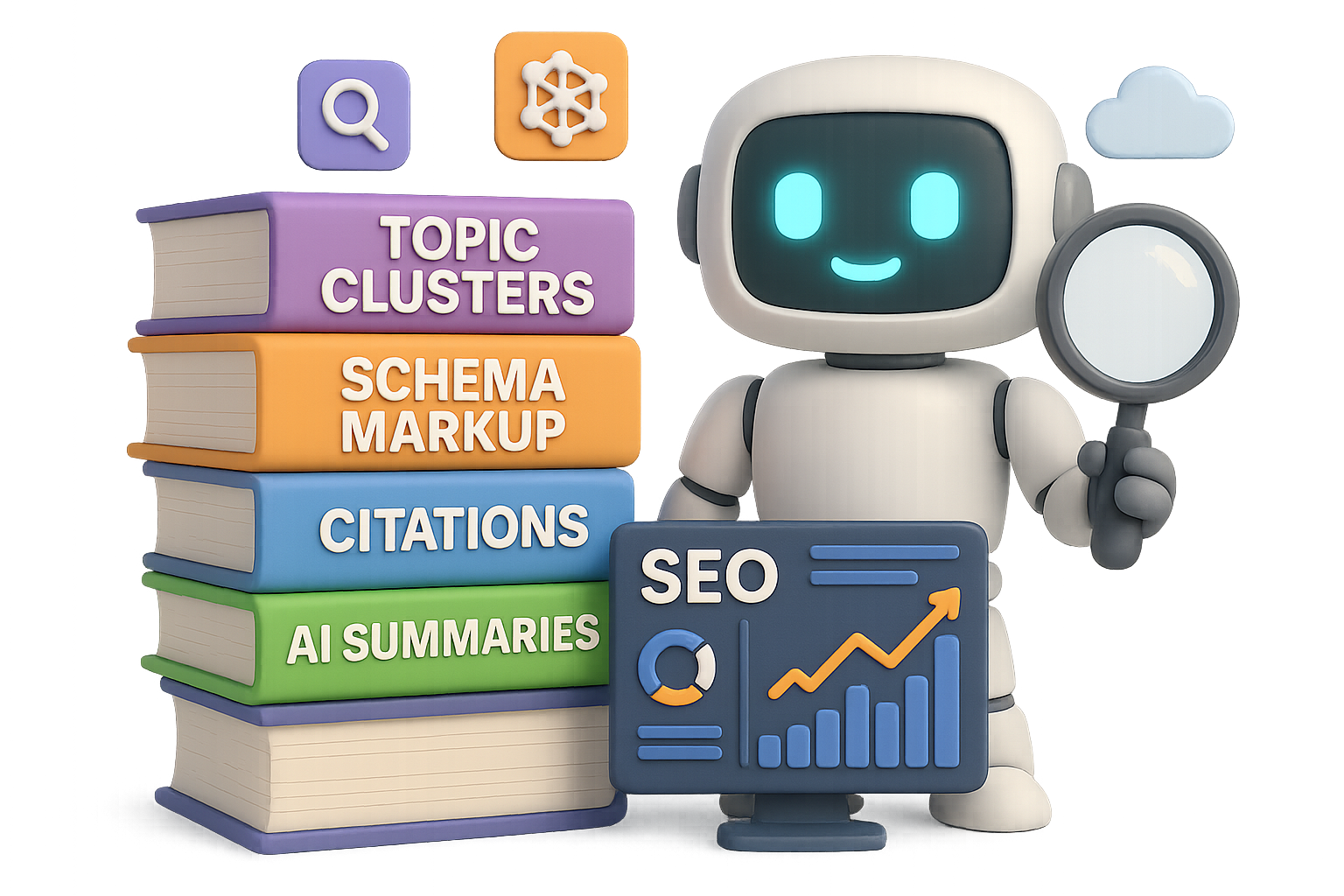
    You can stop sprinkling “email marketing” across every subhead like SEO salt. LLMs assess topic clusters, context, and completeness—not raw density.

    They understand that “email deliverability,” “sender score,” and “list segmentation” are all part of the same universe.

    Do this next:

    • Audit for topic depth. Use tools to spot content gaps inside your existing pages.
    • Build topic hubs. One killer pillar page + sub-articles = the signal boost AI wants.
    • Use clean structure. Headings, schema, meta descriptions—the easier it is to map, the higher you’ll surface.

    illustration

    Ready When You Are

    AI search isn’t coming. It’s already rerouting buyers, answers, and conversions faster than most sites can refresh their keyword plans. The winners?

    Brands that show up strong, show up smart, and show up first.

    Whip your citations into shape. Claim those AI shopping spots. Lead with authority instead of hoping bots notice your clever forum replies. And make your content the answer, not an also-ran.

    Looking to future-proof your skills (or your team’s)? Learn AI for marketers, SEO pros, founders, and freelancers—without the tech jargon. Start free at Tixu.ai.

  • 12 AI Tools That Will Explode Your Business Growth

    12 AI Tools That Will Explode Your Business Growth

    12 AI Tools to Automate Smarter, Move Faster, and Stay Lean

    Swamped with repeatable tasks, scattered data, or leads going cold before you can blink? You’re not alone—and you’re not stuck. Here’s your shortcut: 12 AI tools that automate the grind, sharpen your edge, and scale without hiring a small army.

    Pick one, block an hour and a half this week, and ship something that saves you time or makes you money. That’s how momentum starts.

    Let’s make your workflow work.


    illustration

    Turn Conversations Into a Searchable Brain

    Granola.ai – private, searchable meeting notes

    Still inviting bots to your Zoom calls? You can skip the awkward ever-present notetaker.

    Granola records your calls locally (read: private), merges them with your notes, and spits out one smart summary. Then, ask it: “Where did we talk about pricing last quarter?” Boom—instant, time-stamped snippets.

    Conversations shouldn’t disappear. Granola makes them assets you can search.


    A colorful 3D illustration of a conveyor belt displaying various icons representing elements of automation in a business workflow, including payment processing, CRM, forms, invitations, incomplete tasks, and slide decks.

    Automate an Entire Onboarding Flow (Without Writing Code)

    n8n.io – the pro’s choice for no-code automation

    Zapier is great, but n8n turns automations into super-flows—complete with AI decision nodes and deep SaaS integrations.

    Too spicy? Try Make.com for a softer learning curve, or Zapier for the classics.

    Want to automate customer onboarding? Here’s a plug-and-play stack:

    1. Payment received → create CRM record
    2. Trigger AI-personalized welcome email
    3. Auto-collect intake info (via form or voice)
    4. Send Slack/community invites
    5. Flag incomplete steps
    6. Auto-schedule kickoff call
    7. Generate custom pitch deck

    Set it up once. Impress every time.


    illustration

    Build an App From a Sentence

    lovable.dev – speak your app into existence

    Tell it what you want—literally. “Build a landing page for dog trainers in Seattle with Stripe.”

    lovable.dev generates code you can ship, then lets you refine it in conversation. (“Make it blue.” Done.)

    From idea to MVP before lunch. No dev debt. No standups. No waiting.


    Never Miss a Lead (Literally)

    YourAtlas.com – AI that calls every lead instantly

    Forms get filled. Leads get cold. Atlas fixes that.

    When someone hits submit, Atlas calls instantly, qualifies them, answers objections, and books meetings on your behalf. 24/7. No burnout. No delay.

    Speed-to-lead can 2–10X conversions. Atlas means you’re always first in line.


    illustration

    Clone Your Voice for Infinite Scale

    ElevenLabs.io – lifelike AI voice models

    Record a few minutes of clean audio. ElevenLabs gives you a synthesized voice twin.

    Drop it into product videos, support how-tos, podcast pick-ups or TikToks while you sip your coffee. Speak once, scale forever.


    illustration

    Be On-Camera Without Actually Being On-Camera

    HeyGen.com – photo-real video avatars

    Pair your ElevenLabs voice with a HeyGen avatar, pick your language, paste your script (thanks ChatGPT), and render.

    You now star in daily walkthroughs, tutorials, or multilingual explainers—without shooting a frame or hiring a team.


    illustration

    Strategy Session, Meet Walk in the Park

    ChatGPT Voice Mode – hands-free brainstorming

    Pop in your earbuds. Press the mic icon. Talk.

    Tell it: “Act like a COO. Challenge my plan using the Theory of Constraints. Here’s the data.” You’ll get pushback, tradeoffs, and clarity—all during your morning walk.

    Suddenly, you don’t need a whiteboard or a Zoom link to iterate strategy.


    Your KPI report. No dashboards, no fluff.

    Precision.co – clarity in one Slack ping

    Precision connects to your CRM, ad accounts, billing platform—then distills chaos into one clean update:

    • Key metrics from yesterday
    • One suggestion to move the needle

    It’s what you’d ask your data team for—without paying five figures.


    An illustrated workstation featuring a computer with a microphone icon, a coffee cup, a 'Booking Confirmed' note, a 'Meeting Prep' folder, and documents titled 'Weekly Digest' with checklists.

    An Operations Assistant That Never Needs PTO

    Fyxer.ai – handle logistics while you lead

    Upload your SOPs. Connect your email and calendar. Fyxer triages the day: books travel, preps meetings, follows up.

    You just get a weekly digest and the edge cases worth your time.

    Hire your first EA without hiring anyone.


    illustration

    PowerPoint, Meet Your Upgrade

    Gamma.app – words-to-wow presentations

    Drop in messy notes. Hit “Generate.” Gamma turns chaos into clean visuals and interactive docs worth sharing in the boardroom and the group chat.

    Strategy gets buy-in faster when it looks sharp.


    Clone Your Brain (So Clients Don’t Need Yours by the Hour)

    BuddyPro.ai – turn your content into a smart assistant

    Upload videos, emails, your founder FAQ—all of it.

    BuddyPro builds a chatbot that speaks your frameworks, teaches your clients, and answers FAQs without you hopping on a call. It’s like productizing your playbook.

    Now you scale without diluting the insight.


    Voice-First Bots for Sales & Support

    Vapi.ai – phone bots that talk like you

    With Vapi, you can build phone agents that qualify leads, solve support tickets or negotiate pricing—all over voice.

    Start simple: have it answer inbound support calls and route exceptions to you. Then train it until escalations are rare.

    It’s voice-first CX, without holding anyone’s hand.


    illustration

    How to Actually Start This Week

    Nobody ships all 12 tools overnight. But you don’t need to.

    Here’s how to move, fast:

    1. Pick your biggest pain point right now.
    2. Choose the ONE tool that helps.
    3. Block 90 minutes this week to ship a working version.
    4. Improve it. Stack another next week.

    Momentum is the plan.


    AI won’t replace you, but founders who leverage it are already pulling ahead. Every 60 days, the “default” level of operational speed ratchets up.

    The next version of your business is leaner, smarter, and 10x faster.

    You just have to build it—one tool at a time.

    👉 Ready to go from curious to confident with AI? Start learning at Tixu.ai — it’s beginner friendly, jargon-light, and built to get you shipping fast.

  • Build a Niche AI SaaS Without Writing Code

    Build a Niche AI SaaS Without Writing Code

    Stop Chasing the Next “ChatGPT Wrapper”: Build Something Delightfully Small

    Tired of fighting over the same AI playground? You’re not alone.

    Everyone’s racing to launch another ChatGPT knockoff, wrapped in a slick UI and a few default prompts. But padding in “Chat With My Contracts!” or “Summarize My Emails!” won’t get you far anymore. The good news? You don’t have to go big to win—you just have to go specific.

    Here’s your move: Solve a narrow problem better than anyone else. Especially one you’ve felt yourself.


    illustration

    The Pain That Pays

    Let’s say you make video content. Lots of it. Talking-head style is your jam—but you’re over stock footage. The corny clips, the weird lighting, the same six diverse-office workers smiling at laptops.

    Shooting custom B-roll? Forget it. Studio time + gear = expensive. Time-suck. No thanks.

    What you really want: to type “Me walking through a busy co-working space at golden hour” and instantly get a 10-second clip, starring someone who actually looks like you.

    That need is tiny. Niche. But it’s real—and highly monetizable. When you solve a precise pain for a passionate group, people will pay.


    illustration

    Flip the Script: Tiny Ideas, Big Margins

    Let others chase mass appeal.

    You? You’ll serve a micro-audience that loves you for it.

    This is the blueprint —with no hand-coded backend, no custom infra, and nearly no stress.

    Let’s break it down.


    illustration

    Build the Stack in Layers, Not Loops

    1. Front-end: Instant UX with Lovable.dev

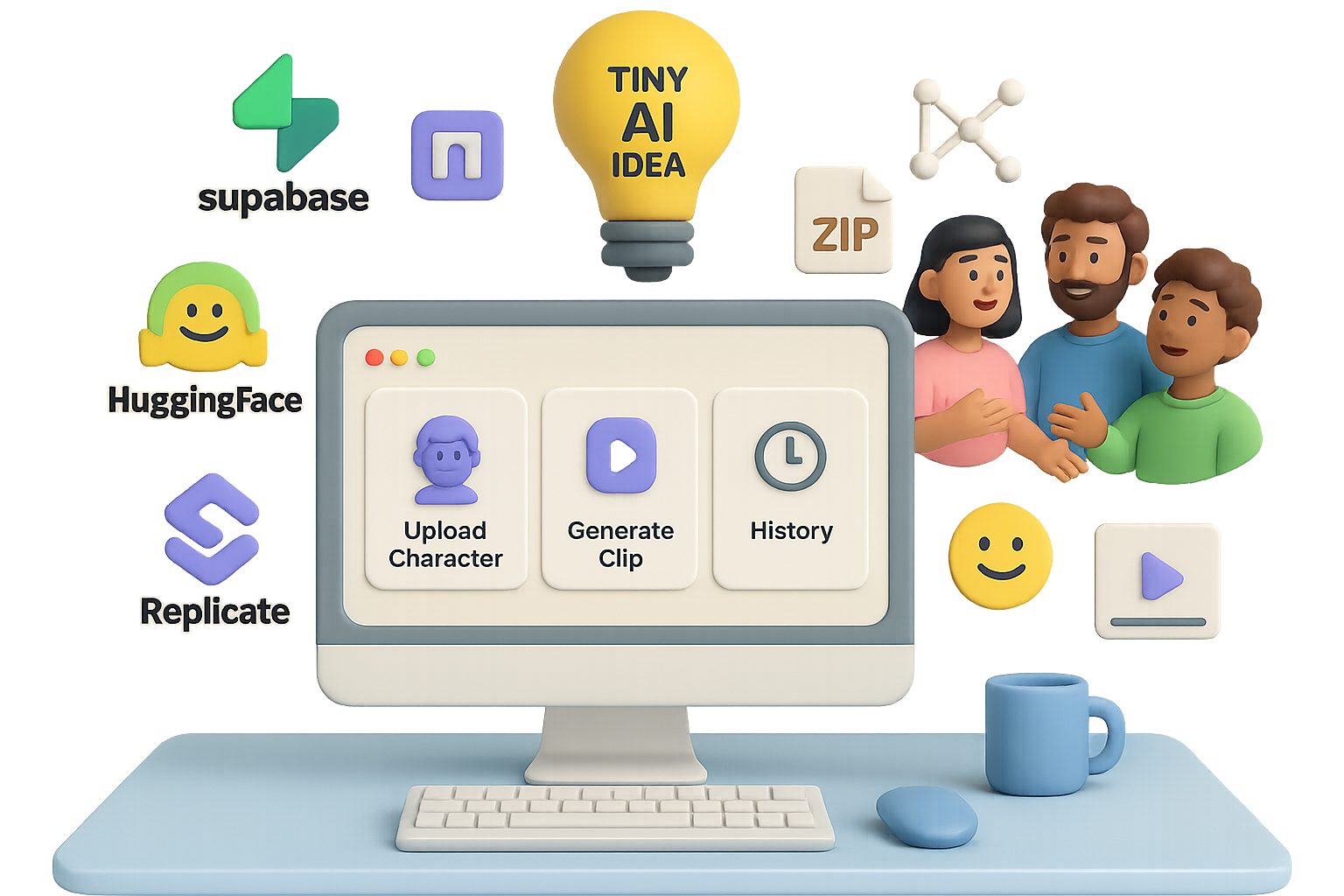
    • Use Lovable.dev to build your interface with prompts like:“Dashboard with three screens—Upload Character, Generate Clip, History.”
    • It spits out full UI/React logic, styled and functional. You accept or tweak on the fly.

    2. Back-end: Supabase, Fast and Secure

    • Supabase gives you a Postgres DB, user auth, and file storage, ready in minutes.
    • Lovable’s Cloud tool connects directly—auto-generates tables, security rules, and APIs.

    3. AI engine: All Gas, No CUDA

    • Replicate is your hosted model playground.
      • Model 1: “Fast LoRA Trainer” fine-tunes an image avatar from a zip file.
      • Model 2: “Kling v2.1” turns an image into a 16:9 video.
    • Hugging Face extends your reach—millions of models when you need something niche.

    illustration

    Step-by-Step: Shipping the “AI B-Roll Generator”

    You’ll be surprised how fast this comes together.

    1. Create the UI Skeleton

    • Prompt: “Dashboard with three screens—Upload Character, Generate Clip, History.”
    • Lovable generates the layout and underlying code automatically.

    2. Switch on Your Cloud Back-End

    • One-click connect to Supabase.
    • Auto-provisioned: DB tables, auth policies, object storage.

    3. Handle Character Uploads

    • Prompt Lovable: “Form that accepts a .zip of user photos. Store zip in Supabase. Add file path to table ‘characters’.”
    • Use “Mock User” for speedy prototyping. Toggle real auth later.

    4. Train the Image Model

    • Add your Replicate credentials to Lovable Secrets.
    • Ask Lovable: “When new character record is made, call /trainings on Replicate using model ‘fast-lora-trainer’, dataset={{zipPath}}, steps=800…”
    • Lovable handles status updates, polling, and error handling.

    5. Generate the Clip

    • Tweak prompts in Replicate’s Playground.
    • Then in Lovable: “Form for prompt, style, duration. Generate image → send to Kling v2.1 → poll for video → save result in ‘clips’ table.”

    6. Build the History View

    • Prompt: “Show all clips for current user, sort by newest, with thumbnails + download button.”
    • Lovable adds pagination, loading spinners, and toast alerts automatically.

    illustration

    Lock It Down & Level It Up

    Here’s how to go from proof to product.

    Strengthen Security

    • Ditch “Mock User.” Turn on Supabase Magic-Link Auth.
    • Activate RLS (Row-Level Security): user_id = auth.uid()
    • Keep your API keys safe—move them server-side.

    Add Superpowers

    • Prompt-Enhancer: Send user input through GPT-5 to smooth the style, lighting, and camera instructions.
    • 4K Upscaling: Use an open-source model for high-res delivery.
    • Stripe Credits System: Supabase logs + serverless Stripe = usage-based billing in under a day.

    Why This Strategy Wins

    Building niche AI tools gives you:

    1. Efficient marketing

    You know who you serve—from Discord groups to Reddit threads. No spray and pray.

    2. Faster R&D loops

    Forget training billion-parameter models. Just string together battle-tested ones with one simple API call each.

    3. Durable edges

    Anyone could copy your stack. But will they spend months to serve 1,000 videographers with very specific needs? Unlikely.


    illustration

    Wrap-Up: The Beauty of Small

    • Big exits often start with tiny audiences.
    • The no/low-code stack—Lovable.dev, Supabase, Replicate—shrinks time-to-launch to literal hours.
    • When in doubt, niche down even harder. Hugging Face has 2M+ models; you can always get more specific.

    So, skip the hunt for the next ChatGPT flavor-of-the-week.

    Build something tiny, useful, and fun—and let it grow.

    Ready to go from AI-curious to AI-capable?
    Friendly tools + hand-holding included at Tixu.ai

  • Master AI SEO in 2026 with 5 Winning Strategies

    Master AI SEO in 2026 with 5 Winning Strategies

    The Search Game Has Changed — Here’s How to Win in 2026

    Let’s be real: those days of stuffing keywords, snagging backlinks, and watching rankings rise? Fading fast.

    By 2026, large language models (LLMs) like ChatGPT and Gemini will answer most search queries before a human ever clicks your link. But don’t panic—this isn’t the death of SEO. It’s a major upgrade.

    The brands that adapt now? They’ll lead the pack later.

    In this post, you’ll learn five practical, data-backed moves to future-proof your visibility, traffic, and revenue in an AI-first search landscape.


    illustration

    1. Think in Topics, Not Just Keywords

    Say goodbye to chasing exact-match phrases. Search engines (and AIs) now look for depth, not density.

    Here’s how you stay relevant:

    • Build pillar pages. Think: “Complete Guide to Running Shoes.”
    • Link related sub-topics. Pages like “Trail Shoes,” “Overpronation Support,” and “Cushioning Myths” create a content cluster.
    • Go semantically rich. Use tools like Surfer SEO or Google Natural Language API to find and weave in relevant terms—brands, biomechanics, surface types. No stuffing, just variety.

    Why it matters: Google wants to see a full picture, not a single snapshot. Detailed, interlinked content tells algorithms, “Hey, I know this subject cold.”


    illustration

    2. Boost Your Authority—With Real Proof

    Search engines are picky about who they quote. Great info helps, but trust? That’s what gets you featured.

    Build your E-E-A-T (Experience, Expertise, Authority, Trust):

    • Add author bios. Highlight credentials, experience, and a few war stories. Real faces > ghostwritten blurbs.
    • Get cited. Appear on podcasts, write for respected blogs, get mentioned in news stories. Even unlinked callouts help your visibility.
    • Stay consistent. Use the same name, photo, and tone across your blog, YouTube, LinkedIn, and more. That repetition trains the algorithms to recognize, remember, and recommend you.

    Flip the script: it’s not who says it best—it’s who they trust to say it at all.


    illustration

    3. Write Content That AI Wants to Quote

    AI search doesn’t scroll. It scans for summaries—and it loves content that gets to the point.

    Want to be the answer, not just on page 7?

    • Lead with the question, then pop the answer right after.
      Example: “What’s the best SEO tool for beginners? Try Ahrefs, SEMrush, Ubersuggest, or Google Search Console.”
    • Use short paragraphs, bullet lists, and clear sub-heads.
      They help both humans and LLMs get what they need, fast.
    • Mine the “People Also Ask” box.
      Many of those Qs feed right into AI models.
    • Include hard facts and comparisons.
      AI rewards clarity.

    In one controlled test? Under 1% of users came from AI excerpt links—but they generated nearly 10% of total online revenue. Quality beats volume.


    illustration

    4. Make Your Pages Machine-Ready

    You wouldn’t email your resume as a wall of text. So why do that with your blog?

    LLMs read fast and skip faster. If your structure’s sloppy, you’re invisible.

    Get your formatting game tight:

    • Add schema markup: FAQ, How-To, Review—use it so AI knows what’s what.
    • Go multimodal: visuals like tables, videos, and side-by-side comparisons win citations.
    • Present data cleanly: numbered lists, stats in bold, clear comparisons. Lose the fluff.

    This stuff isn’t busywork. Structured pages get more clicks, more quotes, and longer time-on-site. Everyone wins.


    illustration

    5. Build an SEO Workflow That’s Actually AI-First

    Still relying on keyword tracking alone? You’re flying blind.

    To compete in the LLM era, measure what really matters:

    1. Track citations.
      Use tools like Ubersuggest’s AI Visibility report to see how often your content shows up in AI-generated answers.
    2. Stress-test your content.
      Drop drafts into ChatGPT or Perplexity. Ask for a summary. If your message gets muddled? Time to clean it up.
    3. Develop signature formats.
      Think frameworks, branded terms, or unique visuals that AI can latch onto and reuse.
    4. Publish consistently.
      Across all AI Overviews, from Google to OpenAI, blogs dominate citation share. And while traffic looks lower, conversion rates outperform—big time.

    Carlos, a solo content creator with under 20K monthly sessions, added $1.2K in monthly revenue in 4 weeks by leaning into AI-friendly summaries. Small reach, smarter strategy.


    Your Next Moves

    AI isn’t replacing search. It’s reshaping it.

    To win, you need:

    • Topic depth, not just keyword density
    • Authority that’s visible and consistent
    • Fast, clear answers that AI wants to quote
    • Machine-readable structure
    • Tools that measure real visibility—not just rankings

    🚀 Want to level up your AI search skills—without drowning in theory?
    Check out Tixu—a beginner-friendly platform that teaches you how to master AI tools, train smarter prompts, and build workflows the modern web actually uses.

    You’re not getting left behind. You’re just getting started.