Category: General

  • 20 Free AI Tools to Launch and Grow Faster

    20 Free AI Tools to Launch and Grow Faster

    Start Strong: From Idea to Launch

    Here’s where you get off the whiteboard and out into the world—with a little AI backup.

    1. Google Gemini – Your always-on business mentor
      Ask Gemini what you’re hoping to build, who it’s for, and what success looks like. In return? Action steps, platform ideas, even a “watch out for this” list. Like a strategist who never sleeps.
    2. Looka – Agency-quality logos on a shoestring
      Type in your brand name, pick a style, and boom—Looka serves up polished logos in minutes. Ideal when you need to look legit… yesterday.
    3. Khroma – Color palettes that convert
      Plug in a few colors you love, and Khroma spins up pleasing combos tailored to your vibe. Nail visual consistency across your site, packaging, socials—fast.
    4. ChatGPT – Copy that actually connects
      Feed ChatGPT your buyer persona and offer. Then ask for homepage copy, product blurbs, or even a spicy tagline. It drafts, you polish. Done.
    5. Durable – Launch your website before lunch
      Durable asks a few quick questions, then builds you a full site—layout, design, even placeholder text. Tweak the basics and go live without touching code.
    illustration

    Build Without Burning Out

    You’re operational. Now it’s about doing more with less—and not losing your mind in the process.

    1. Notion AI – Your brain, organized
      Dump your must-do’s, ideas, and project plans. Notion AI tidies it all into action lists, timelines, and summaries. You stay focused, nothing falls through the cracks.
    2. Desygner – Lock in your brand look
      Upload your logos, fonts, and color codes. Desygner keeps every design on-brand—even when it’s your VA or freelancer hitting “export.”
    3. Canva Magic Design – One-person design team
      Feed it your branding, and Canva suggests layouts, visuals, and text ideas. Crank out content that pops without opening Photoshop.
    4. Riverside Magic Clips – One video = 10 killer clips
      Upload your podcast, webinar, or tutorial. Riverside grabs the highlight moments, formats them for Reels or TikTok, and adds captions. Hello, evergreen content.
    5. Ocoya – Social media, automated end-to-end
      Brainstorm, design, schedule, and analyze—all in one place. Ocoya even helps write your captions so you’re never staring at a blinking cursor again.
    illustration

    Grow on Autopilot

    It’s scaling season. Delegate to AI and stay focused on big plays.

    1. Fireflies.ai – Take back your meeting brain
      Fireflies joins your calls, transcribes conversations, and tags next steps automatically. Review decisions without reliving the whole hour.
    2. AdCreative.ai – Swipe-worthy ads, no copywriter needed
      Input your offer and goals. AdCreative builds pro-quality visuals and CTAs optimized for each platform. Ads that feel custom—with zero drag time.
    3. Tidio – AI that chats while you sleep
      Tidio handles basic questions, recommends products, even collects lead info—across your site, email, and DMs. Like a sales rep that never needs a coffee break.
    4. Harmonize AI – Uncover golden (or red) flags
      Connect your sales, inventory, and marketing tools. Harmonize spots unusual patterns, predicts demand, and recommends next moves before problems hit.
    5. Podium – Reviews on autopilot
      Text customers a review link—Podium makes leaving one a 2-tap experience. Then it amplifies the best ones across your site. Proof = profit.
    6. ChatGPT (Scheduled Tasks) – Reminders with brains
      Ask ChatGPT to “email Sarah Tuesday” or “recap this chat tomorrow at 9AM.” Scheduling lets it be not just reactive—but proactive.
    7. SpyFu – Out-sleuth your closest competitor
      See which keywords they’re ranking for, where they get backlinks, and how much they’re spending on ads. Then reverse-engineer your edge.
    8. HubSpot Email Marketing – Email that drives action
      AI-generated subject lines, automated follow-ups, optimized send times—it’s all baked in. Pair that with HubSpot’s CRM for ultra-personal targeting at scale.
    9. LiveFlow – Real-time cash clarity
      Sync business accounts and accounting tools to a single Google Sheet. LiveFlow keeps budgets live, and you 10 steps ahead of cash slips.
    10. Motion – Your time, finally under control
      Drag-and-drop your to-do’s and Motion auto-translates them into a smart calendar. Shuffles as your priorities shift. Total lifesaver for overloaded founders.
    illustration

    Ready to Buy Back Your Time?

    You don’t need all 20. But try a couple from each phase and see what happens after one week.

    More clarity. Less chaos. And yeah—some actual sleep wouldn’t hurt either.

    AI isn’t here to replace your hustle. It’s here to give that hustle some leverage.

    Want more step-by-step tutorials and beginner-friendly AI wins?
    👉 Start learning with Tixu, the AI platform made for doers like you.

    Ready when you are.

  • Earn $600K/Month with Just 2 AI Tools

    Earn $600K/Month with Just 2 AI Tools

    The 2-Tool Tech Stack Behind a $600K/Month Digital Product Business

    All-in-one tools. 47-tab funnels. Zapier spaghetti that’ll make your head spin.

    You’ve probably seen it all—and maybe even tried it. But here’s the kicker: some of the most profitable digital product businesses? They’re thriving with just two tools.

    Yep, two.

    This stack brings in $600,000+ per month like clockwork. No rocket science. No startup wizardry. Just a lean setup focused on conversions, not complexity.

    In this post, you’ll get a breakdown of those two tools, why they work, and how to start using them without burning days in setup limbo.

    Let’s de-complicate your tech stack.


    illustration

    Automate Conversations That Convert—Literally

    Tool 1: Manychat

    Ever wish your Instagram DMs could sell for you while you sleep? Say hello to Manychat.

    What it does

    Manychat monitors your Instagram or Facebook comments for keywords like “BATCH,” “EBOOK,” or whatever you set. When it sees one, it auto-sends a personalized DM—usually with a direct checkout link.

    Human effort? Zero.

    Why it works

    • Hands-off lead gen: One setup ran itself 23,000 times and brought in 12,000 red-hot buyers.
    • No more VA chaos: Stop paying someone to paste links all day. Use that team energy for content or customer care.
    • Social boost: Engagement-triggered messages poke the algorithm. More visibility = more eyeballs = more sales.

    Steal this starter playbook

    1. Pick one juicy offer (sweet spot: under $50).
    2. Create a Reel or post that teases a result.
      • Example: “I make 40 reels in 2 hours—comment ‘BATCH’ and I’ll show you how.”
    3. Inside Manychat, set “BATCH” as a trigger.
    4. Craft an automated DM that:
      • Thanks them,
      • Repeats the hook,
      • Links directly to checkout.
    5. Post, sit back, and let the robot hustle.

    Heads-up: Manychat’s free tier is enough to get rolling. Make your first sales before paying a cent.


    illustration

    Supercharge Your Brain, Not Just Your Content

    Tool 2: ChatGPT

    No, not for writing another fluffy blog. You’re smarter than that. Use ChatGPT like a strategist, not an intern.

    What it does

    ChatGPT shines at structured thinking—naming, pricing, testing offer angles, even predicting outcomes before you burn budget on bad ideas.

    Think of it as your brainstorming buddy who never gets tired.

    Best uses we’ve seen

    • Offer naming: Get 20 fresh titles in seconds. Filter, tweak, publish.
    • Funnel math: “If 10k visits this page and 6% buy at $27… wait, that’s $16,200, right?” Yep, it’ll do the math fast.
    • Viral gut checks: Ask it to score your idea. Is it irresistible enough? Or needs spice?

    Power prompts to steal

    1. Viral Barometer:
    “Rate this offer on:
    a) Curiosity,
    b) Specificity,
    c) Believability.
    Improve it in under 100 words.”

    2. Funnel Showdown:
    “Funnel A: $27 price, 6% conversion.
    Funnel B: $97 price, 2% conversion.
    Which one nets more revenue?”

    3. Offer Name Blitz:
    “20 punchy course names for a freelancer offer helping designers land clients on LinkedIn. Max 5 words.”

    Run them. Riff on them. Refine manually. ChatGPT sets the stage—you close the sale.


    The Underrated Power of Low-Ticket

    Let’s face it: high-ticket offers get all the glory. But in the land of scalable sales?

    $27 is your secret weapon.

    Here’s why:

    • Wider reach: More buyers = more buzz.
    • Lower resistance: Under-$50 offers fly off the shelves faster.
    • Data flywheel: Small-ticket sales give you real feedback for upsells.

    For example, a $27 product converting at 6% beats a $197 offer chugging along at 2%. Every. Single. Time.

    Stop stressing over production polish. Start focusing on bite-sized brilliance.


    illustration

    The Stack to Steal

    • Manychat captures warm leads instantly—no manual links, no awkward follow-ups.
    • ChatGPT helps you test and improve ideas faster than your spreadsheet ever could.
    • Low-ticket, high-conversion offers = underrated (and unbeatable) growth hacks.
    • Tech should speed you up, not slow you down. Pick tools that disappear into your workflow.

    Simple scales. Fancy fails.

    You’re not chasing complexity. You’re building a business. This two-tool recipe gets you there faster—and keeps your margins fat.

    Want to double down on your digital offer and build AI-savvy skills without drowning in jargon? Check out Tixu.ai—it’s built for beginners, but powerful enough to grow with your goals.

  • 10 AI Tools to Automate and Grow Your Business

    10 AI Tools to Automate and Grow Your Business

    10 AI Tools That Can Save You Hours (and Maybe Make You Money)

    Ever feel like you’re doing the digital equivalent of folding laundry while blindfolded? All the small, time-sucking tasks add up—slowing your progress, draining your energy, and stealing time from the stuff that actually matters.

    Here’s the flip: AI isn’t just for coders or sci-fi movies. It’s your new productivity leverage point—and it’s already saving people hours a week across content creation, automation, SEO, and more.

    You’re about to discover 10 smart tools, split into 3 categories: Grow, Automate, and Create. Each one earns its place by doing one simple thing—buying you back time.


    illustration

    GROW: AI That Brings More Traffic & Money In the Door

    1. Byword + SEO.ai — Programmatic SEO Without the Migraine

    • Generate thousands of long-tail blog posts fast—think “Is oat milk better than almond?” vibes.
    • Nail down informational search traffic at scale.
    • Pro tip: Use manual edits to avoid Google side-eye on fluff.

    2. DoNotPay — The Original Robo-Lawyer

    • Cancel subscriptions, contest parking tickets, and even auto-negotiate bills.
    • It’s like having a lawyer buddy who works for pizza money.
    • Just don’t try it in court—this isn’t Suits.

    illustration

    AUTOMATE: AI That Handles the Busywork

    3. Zapier — Connect Everything to Everything

    • Type “When a lead comes in, send an email,” and Zapier builds the automation.
    • Popular uses: auto-draft cover letters, tweet new blog content, summarize Slack chaos.
    • Their TikTok is a rabbit hole of productivity recipes.

    4. Descript — Your Voice, Only Smoother

    • Record once, edit like a doc. Then let “Overdub” re-speak it in your cloned voice.
    • Say goodbye to awkward re-records and script stumbles.
    • Upload 30 minutes of clean audio to get started.

    5. Autopod — Video Editing on Easy Mode

    • Works inside Adobe Premiere Pro.
    • It detects who’s talking and cuts camera angles automatically.
    • Say goodbye to scrubbing through hours of interview footage while caffeinated.

    illustration

    CREATE: AI That Makes You Look (and Sound) Like a Genius

    6. Runway — Infinite Image

    • “Uncrop” or expand images with written prompts.
    • Finally fix that awkwardly narrow hero image on your homepage.
    • Bonus: It’s great for social visuals or concept mockups.

    7. Adobe Firefly — Designer Superpowers in a Browser

    • Type “add sunglasses” or “change shirt to flannel,” and voilà—instant wardrobe change.
    • Handy for last-minute client decks or punchy ad designs.
    • Still in beta—early birds may catch the design worm.

    8. Captions — Look Into the Camera, Effortlessly

    • AI locks your eyes to the lens, even while reading a script off screen.
    • Autogenerates captions with one tap.
    • More trust, more views, less teleprompter struggle.

    9. Undetectable AI — ChatGPT, But More Human

    • Paste your AI draft, hit “humanize,” and it rewrites to sound more… well, you.
    • Ideal for academia, editorial, or anti-AI-detection vibes.
    • Always proof once—sometimes “human” still sounds a little weird uncle on Facebook.

    10. FutureTools.io — The AI Buffet

    • A sortable directory of hundreds of AI tools across categories.
    • Bookmark it for those “There’s gotta be a tool for this…” moments.
    • Think of it like the App Store—but smarter, scrappier, and built for speed.

    illustration

    How to Put This List to Work

    • Start where the pain is. Hate editing? Go Autopod. Dread social posts? Zapier’s your move.
    • Experiment small. Many tools—like Runway, Captions, and Descript—offer solid free tiers. Test-drive before you commit.
    • Stack your tools for max ROI. Record interview → Autopod edits → Captions adds subtitles → Byword spins quotes into SEO gold. Chef’s kiss.
    • Let AI handle grunt work, not brainwork. Strategy, storytelling, and empathy still win. You’re the boss—these tools just carry the clipboard.

    Every hour you save is one you can reinvest—but only if you start. Try a tool or two this week. Make it part of your workflow. Before you know it, you’re shipping faster, writing smarter, and building momentum.

    Want an even easier on-ramp into the AI world?

    👉 Check out Tixu—a beginner-friendly AI learning platform that makes leveling up your skills fun, fast, and hands-on. Perfect if you’re curious where to start.

  • Unlock 7 Game-Changing AI Tools You Can Use Today

    Unlock 7 Game-Changing AI Tools You Can Use Today

    AI Moves Fast—Here’s What You Missed (And Why It Matters)

    Looking away for even a day can leave you feeling behind in AI land. But hey—you don’t need to ride the algorithm firehose to stay sharp. This weekly recap squeezes the biggest drops and jaw-dropping moments into a tidy scroll. Spend five minutes here, walk away smarter.

    From legal drama to zero-deploy apps, here’s the good stuff. Let’s dive.


    An illustration showing a person using a computer to create a project on a screen labeled 'Artifacts'. The interface displays coding prompts and design elements, with a 'Publish' button highlighted, along with a coffee cup and a pizza box on the table.

    Spin Up Mini-Apps Right Inside Claude

    Can you build a chatbot or dashboard in 60 seconds—without writing a single line of boilerplate?

    Thanks to Claude’s new Artifacts tab, now you can.

    • Write your prompt → get instant code in a split-screen interface
    • Test your creation live in-browser (zero installs, zero hosting)
    • Hit Publish → Copy link and share your project instantly

    It’s live on claude.ai for both free and paid users. Whether you’re building little games, data dashboards, or prototypes, this is your no-setup sandbox.

    And yes, community apps are already rolling in like pizzas on game night.


    illustration

    ElevenLabs Isn’t Just Voices Anymore

    The voice AI studio just leveled up into a full voice assistant with ElevenLabs AI (11labs.io).

    Here’s what’s new:

    • Talk to it live through a real-time server connection
    • Quick hookups to tools like Asana, Notion, Slack, Google Calendar, Perplexity
    • Use preset voices or clone your own (AI-you can now talk back)

    There’s also a lightweight mobile app if you want to go full Tony Stark on the move.

    Still early days—but it’s speaking volumes already.


    illustration

    ChatGPT Subscribers Get Superpowers

    If you’re on a paid tier, two big features just landed:

    1. Cloud Connectors
      Link your Google Drive, Dropbox, Box, or SharePoint. Ask ChatGPT questions, and it’ll pull from your docs directly.
    2. Record Mode
      The desktop app now listens in silently on calls (Zoom, Meet, Teams) and turns them into summaries + To-Dos.

      All without the awkward “this meeting is being recorded” popup.

    Translation: AI is now your quiet project manager.


    An illustration featuring the Higgsfield SOUL logo with a stylized character taking a selfie, alongside a music editing interface labeled Udio Sessions displaying sections for chorus and verse, accompanied by headphones, a coffee cup, and a speaker.

    Generative Media Just Got a Glow-Up

    Some eye—and ear—candy updates worth your time:

    • Higgsfield SOUL (higgsfield.ai)
      A new text-to-image tool dialed in for photorealism with style presets like elevator mirror selfies. Weirdly specific, impressively realistic.
    • Udio Sessions (udio.com)
      Think: Auto-song rewrites made simple. The interface finds chorus/verse/bridge on its own, so you can tweak specific song parts with ease.

    Fast edits, fewer vibes lost.


    illustration

    Google’s Doppel Is Your Virtual Closet

    Pretend it’s 2005 and PaperdollMe is back—but actually useful.

    Doppel, an experimental Google app, lets you upload one selfie and try on outfits on a hyper-realistic 3D you. Want a spin-around video to see those pants flow? Tap. Done.

    Surprisingly good. Unless you’re trying to preview armor for your T-Rex. Still working on that.


    illustration

    The Drama Is Real 🤯

    The AI world isn’t all code pushes and polish—sometimes it gets spicy:

    • Startup IYO claims OpenAI + Jony Ive cloned their smart-earbud idea after a demo. Lawsuit filed.
    • Sam Altman showed up on NYT’s “Hard Fork” podcast while… NYT is actively suing OpenAI. Awkward vibes all around.

    The gossip is juicier, but you’re here for smarter—not messy.


    An illustration depicting a legal theme in AI featuring a gavel, a scale of justice, books labeled 'Anthropic' and 'Meta (Llama)', a computer screen displaying status indicators, and a coffee cup. The image conveys the concept of legal discussions surrounding data usage and AI.

    Courts Finally Start Drawing the Lines

    This week, legal wins and losses started carving the fair-use battlefield:

    1. Anthropic – Okay to train on lawfully purchased books
    2. Meta (Llama) – Cleared because no direct copy-paste evidence
    3. Getty vs Stability AI – Getty backed off part of its lawsuit after seeing others win

    Nothing’s crystal clear yet, but courts are leaning toward “if you bought the data, you’re probably in the clear.” Scraping? Still messy.


    illustration

    Google’s Research Engine Is in Overdrive

    Big launches from Mountain View:

    • Gemini CLI – Run Gemini Pro 1.5 from your terminal. Devs get 60 free requests/min and love how it handles codegen + debugging
    • AlphaGenome – Reads 1M DNA letters at once to predict mutations. Think: AI-assisted precision genomics
    • Gemini Robotics (on-device) – Teaches robots new skills without ever touching the cloud

    Whoa, right? Time to double-check if your toaster’s acting a little too smart.


    illustration

    Quick Bytes to Make You Feel Caught Up

    • Ring cameras now say things like “Two people walking a white dog” instead of “Motion detected”
    • A draft US rule threatens to withhold broadband funds from states that regulate AI. Lawmakers on both sides are side-eyeing it.
    • Berlin’s CrossN model hit 99% accuracy diagnosing over 170 brain-tumor types—straight from fluid samples. No surgery needed. Clinical testing next.

    illustration

    Fast-Paced? Yes. Overwhelming? Not Anymore.

    With AI shaking up industries weekly—from music to medicine to legal frameworks—it’s easy to feel like you’re falling behind.

    But tools like Claude and ElevenLabs are making it easier to build. The courts are starting to clarify what’s fair game. And the updates? Pretty exciting when you zoom out.

    So keep dabbling. Experiment. Break things (safely). And if you want a beginner-friendly space to really level up with AI?

    👉 Check out Tixu—a hands-on learning hub built for curious minds like yours.

  • Build Profitable Etsy Bundles with AI in 4 Hours

    Build Profitable Etsy Bundles with AI in 4 Hours

    How to Sell AI-Generated Design Bundles on Etsy (Even If You’re Starting from Scratch)

    No email list. No ads. No expensive tools. Just you, a free ChatGPT account, Leonardo .ai, Google Drive, and Etsy… and a Saturday afternoon.

    If you’re looking to build passive income streams without doing a full pivot or burning out, this one’s for you. Design bundles are hot sellers, and AI just made them easier—and faster—than ever to create.

    Let’s turn free tools into new revenue. You’ve got the gear. Let’s make it pay.


    illustration

    Create Design Bundles That Actually Sell

    Digital planners? Oversaturated.
    Quotes on coffee mugs? Still useful—but tired.

    Here’s the smart play: simple “graphic bundles” like SVGs, PNGs, clip-art packs, and icons. These files are gold for print-on-demand shops, crafters, and tiny businesses who need quality visuals but don’t have time (or talent) to make them from scratch.

    Your job? Provide high-demand, drag-and-drop ready art. No fluff, just files.


    illustration

    1. Let ChatGPT Sniff Out Profitable Ideas

    Most Etsy sellers wing it with guesswork. You won’t.

    You’ve got ChatGPT— a robot librarian with the memory of the internet. Tell it to scan the landscape and hand you evergreen, buyer-backed ideas.

    Do this:

    1. Open ChatGPT (free is totally fine).
    2. Prompt it with: “Give me 20 design concepts in the COFFEE niche that crafters, POD sellers, and small businesses would want to buy for commercial use. Each should be specific enough for an AI art generator.”
    3. Then juice it: “Give me 10 visual variations of each design concept above.”

    You just unlocked 200+ hyper-relevant design prompts. Your brain’s max daily capacity? A lot less than that.

    Examples of high-performing niches:

    • Motivational & inspirational quotes
    • Faith-based and spiritual design themes
    • Sarcastic & funny sayings
    • Holiday & seasonal bundles
    • Small biz graphics (shop signs, packaging icons, banners)

    You’re now miles ahead of sellers still “brainstorming” over coffee.


    An illustration depicting various design and branding elements related to AI-generated art for selling on Etsy, including a cup of coffee, a digital tablet displaying coffee cup designs, and color-coded folders labeled with design styles like 'Retro' and 'Watercolor'.

    2. Use Leonardo.ai to Turn Ideas into Art (Free)

    Leonardo .ai gives you around 150 generation credits daily on their free tier—which translates into dozens of polished visuals.

    Here’s how to make art Etsy loves:

    • No text. AI still bro-sciences its way into misspelled words. Add text later in Canva if you must.
    • Be specific. Use visuals-first language: “Minimalist line-art coffee cup, black & white, no background, vector style.”
    • Batch for volume. Run the prompt 3–4 times. Each batch = 4 visuals. That’s 12–16 options per design.
    • Tweak adjectives to go wide. Think: boho, retro, kawaii, modern flat, watercolor…

    In 1–2 hours of batching? You’ll have multiple folders of use-ready digital art. You’re not just filling a listing—you’re stocking a shelf.


    illustration

    3. Package Everything with Google Drive

    Etsy has file size limits and no built-in file hosting. But smart sellers work around it.

    Set it up in minutes:

    1. Create a Google Drive folder for your bundle.
    2. Drop in all your files. Neat is good; use subfolders if needed.
    3. Share → change access to “Anyone with the link.”
    4. Create a 1-pager in Canva or Google Docs: “Thanks for your purchase! Click the link below to access your bundle.” Link the Drive folder, save as PDF.
    5. Upload that lightweight PDF as the Etsy product file.

    Boom—instant delivery, zero shipping, zero customer support DMs asking “Where’s my file?”


    illustration

    4. Write Listings That Actually Convert

    You’ve got the goods. Now your listing needs to hand Etsy’s algorithm a compass.

    Title formula: “[Niche] SVG & PNG Bundle | 50 Designs | Commercial Use | Instant Download”

    Use all 13 tags. Try this mix:

    • File types: svg bundle, png graphics, vector icons
    • Usage: commercial use, craft supplies, sublimation designs
    • Niches: coffee clipart, caffeine svg, latte art png
    • Audience: small business owners, crafters, POD designers

    Mock-ups are your hook.

    • Image 1: grid of all bundle files (or a tidy mix). Show breadth upfront.
    • Image 2: real-life use case—a mug, shirt, tote, sign.

    Great design + slick mockup wins over low pricing every time.

    Set smart prices:

    • 50–100 files = $5–$10
    • 100–300 = $10–$20
    • 300+ = $20–$100+

    Start with value, not rock-bottom pricing. Buyers want assets, not bargains.


    illustration

    5. Multiply Listings Without Burning Out

    This isn’t a “make one bundle and pray” model.

    Etsy doubles down on active sellers. The more quality listings, the more algorithm love (and buyer eyeballs) you get.

    Next move:

    • Spin your theme. If Coffee works, try Tea, Bakery, Morning Routines, Cafe Quotes.
    • Keep prompts similar; just change the niche.
    • Launch 3–5 bundles up front. Rinse and reinvest.

    Once you get a hit? Clone it—holiday versions, color updates, mega editions. Evolve your winners and double the shelf space.

    You’re not selling art. You’re building a catalog.


    illustration

    Your First Bundle Could Be Selling Today

    The barrier isn’t ideas. Or skills. Or tools.

    It’s clicking “Upload.”

    AI has stripped away every hurdle—design, market research, even file delivery. And platforms like Etsy are already full of buyers searching “svg clip-art bundle commercial use.” They’re hungry. Be the one feeding them.

    Want more beginner-friendly AI income playbooks like this one?

    👉 Head to Tixu.ai — your always-on workshop for smart, simple ways to use AI without getting overwhelmed. Ready when you are.

  • Master Academic Research with ChatGPT and Perplexity AI

    Master Academic Research with ChatGPT and Perplexity AI

    Which AI Should You Trust With Your Research?

    A hands-on showdown: Perplexity AI vs ChatGPT

    Let’s be real. When your deadline’s in 48 hours and your lit review looks like a blank Google Doc, you don’t have time to fumble around. AI tools promise to speed up the grunt work—summarizing papers, analyzing data, even rewriting your paragraphs. The question is: which one actually delivers?

    Right now, two top contenders are battling for your browser tab—Perplexity AI and ChatGPT. Both are smart. Both save you hours. But they don’t play the same game.

    We threw four common research tasks at them—think grad-student-in-crunch-mode level—and the results surprised us.

    Here’s how they compare, what each does best, and when to pick one over the other.


    Illustration comparing ChatGPT and Perplexity AI for recommending peer-reviewed papers, featuring icons like a book, magnifying glass, and trophy.

    1. Hunt Down the Right Literature—Fast

    Prompt: “I’m starting a research project on hydrogen production via catalysts. Recommend the best peer-reviewed papers.”

    ChatGPT

    • Gave a clear bullet list of five legit papers.
    • Included titles, authors, and where they were published.
    • Solid starting point—but a bit thin.

    Perplexity AI

    • Switched to Academic mode with one click.
    • Delivered 20+ papers, sorted by subtopic.
    • Picked a couple standout reviews to get you started.

    Verdict: Perplexity AI wins. It’s basically a smarter, less frustrating Google Scholar.


    illustration

    2. Get a User-Friendly Paper Summary

    Prompt: “Explain the key points of this uploaded manuscript.”

    ChatGPT

    • Broke things up by section: intro, methods, results, etc.
    • Gave a high-level summary—useful, but felt templated.

    Perplexity AI

    • Reorganized insights around ideas, not sections.
    • Pulled in themes from similar papers.
    • Felt more like a TA walking you through the paper.

    Verdict: Perplexity AI wins again. It’s more intuitive, less robotic.


    A laptop displaying code and a graphical plot, surrounded by a calculator, a note with voltage data, a magnifying glass, and a coffee mug labeled 'AI Lab Partner'.

    3. Crunch Some Data with Code & Visuals

    Prompt: “Here’s raw IV data from a solar cell test—plot the IV curve and calculate device efficiency.”

    ChatGPT

    • Generated Python code, fixed bugs on the spot.
    • Plotted an interactive graph right in the chat.
    • Nailed the efficiency calc—even caught zero output.

    Perplexity AI

    • Offered basic MATLAB and Python code (no visual output).
    • Pulled estimated results from metadata—no math.

    Verdict: ChatGPT wins hands down. For data tasks, it’s like having a code-savvy lab partner.


    illustration

    4. Polish Your Academic Writing

    Prompt: “Rewrite this paragraph to be suitable for peer review.”

    ChatGPT

    • Cleaned up the tone, improved clarity, kept your citations intact.
    • No fluff, just solid editing.

    Perplexity AI

    • Rewrote the paragraph and tried to insert new references.
    • The problem? Most didn’t match your content—or even your field.

    Verdict: ChatGPT wins. You want cleaner writing, not citation roulette.


    illustration

    Final Scoreboard

    TaskWinner
    Literature ReviewPerplexity AI
    Paper SummarizationPerplexity AI
    Data & PlottingChatGPT
    Academic WritingChatGPT

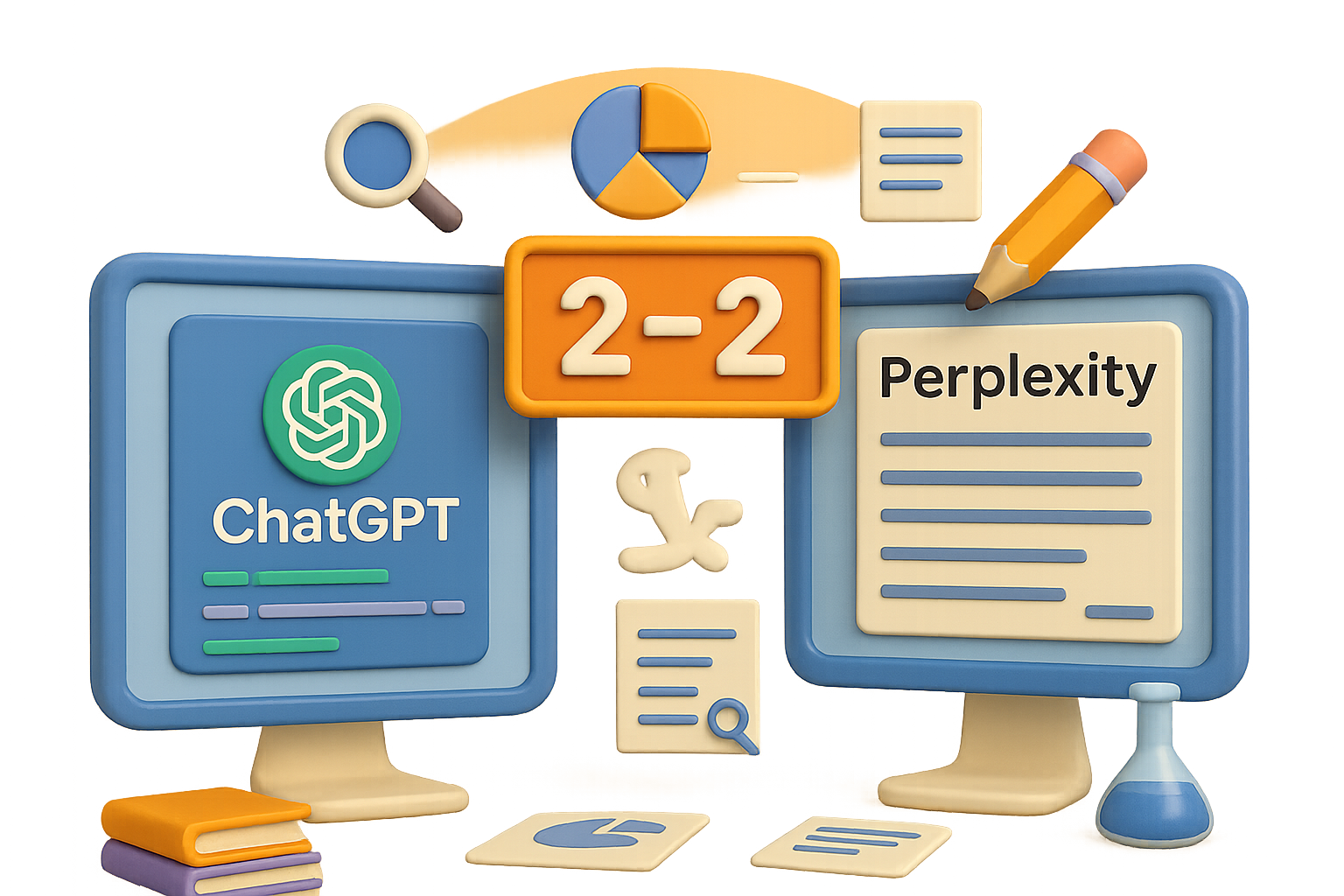
    Result: 2–2 draw
    But the real win? Knowing when to use which.


    illustration

    Choose Your (AI) Fighter

    Use Perplexity AI when you want:

    • Literature overviews with depth and structure
    • Context-rich paper summaries
    • A “start here” shortcut when diving into a new field

    Use ChatGPT when you need:

    • Interactive debugging, data plots, or code explanations
    • On-demand editing that sounds actually academic
    • Consistent follow-up without the side quests


    In short: open both. Perplexity maps your research landscape, ChatGPT helps you build within it.


    Whatever you’re digging into—from solar cells to protein folding—AI isn’t just a shortcut. It’s your research assistant on demand. Give each tool a sharp question, check its work, and let it do the heavy lifting.

    Ready to learn AI skills that stick (not just chatbot hacks)? Get hands-on, beginner-friendly training at Tixu—your go-to platform to build real projects and level up with practical AI.

    Let the research roll.

  • Master These 9 AI Skills to 10x Your Income

    Master These 9 AI Skills to 10x Your Income

    9 AI-Powered Skills That Can 10x Your Income by 2025 (No Coding Degree Required)

    If your goal is to earn like the top 1% in the next 12–18 months, here’s a cold truth: “Learn to code” isn’t the golden ticket anymore. What is? Learning to collaborate with AI so efficiently that businesses pay you not just to work—but to win.

    Below, you’ll find nine income-sparking skills that blend everyday creativity with AI leverage. Whether you’re starting from scratch or looking to level up, there’s something in here with your name on it.

    Let’s break them down—fast, lean, and ranked by impact.


    Graphic illustrating prompt engineering concepts for AI usage, featuring text and icons related to marketing and task organization.

    Skill 1: Prompt Engineering

    Typical rate: $50–$100/hour

    Garbage in, garbage out. You’ve heard it before. But with AI, how you ask matters more than ever.

    Prompt engineering is the art (and science) of getting large language models (LLMs) like ChatGPT to do exactly what you want—not just sorta what you meant.

    Here’s a 4-step framework that works like magic:

    1. Define the role – “Act as a B2B SaaS marketer…”
    2. Give context & examples – paste real copy, past wins, voice guidelines.
    3. Make your ask – specific commands beat vague wishes.
    4. Choose the format – bullets, tables, outlines, whatever you need.

    Nail those four and you’ll instantly outperform ~90% of users fumbling with ChatGPT.


    illustration

    Skill 2: AI-Assisted Software Development

    Typical rate: $100–$200/hour

    You don’t have to write perfect code. You just need to guide the AI that does.

    With tools like Replit, Cursor, and Retool, non-devs are whipping up MVPs in a single weekend.

    Here’s your fast-start formula:

    • Let AI teach you – prompt: “Build me a step-by-step tutorial for [insert app idea] in Replit.”
    • Solve a real need – have 3 convos with small business owners, then co-create their solution.
    • Prototype quickly – no fluff, just ship. Done beats polished when you’re testing ideas.

    An illustration featuring various design tools and concepts related to AI, including a light bulb, sliders, color palettes, and icons associated with design software.

    Skill 3: AI-Powered Design

    Typical rate: $100–$200/hour

    Six-fingered Picasso nightmares? History. AI-generated art is now drop-dead gorgeous—and commercially viable.

    Here’s how people are cashing in:

    • Ad visuals and merch art – Midjourney or DALL·E 3 whip these up in minutes.
    • AI photo editing – upscaling & object cleanup with Photoshop’s Generative Fill or Topaz.
    • No-code web design – combine Figma AI or Reloom to spin up jaw-dropping sites—no devs needed.

    illustration

    Skill 4: AI Video Editing

    Typical rate: $100–$200/hour

    Editing used to be 80% technical, 20% creative. AI flipped that on its head.

    Now your job is taste, not timelines. Here’s where to start:

    • Auto edits – trim silences and bloopers with FireCut or OpusClip.
    • Talking head videos – create AI avatars that look and sound human (Synthesia).
    • B-roll finder – let AI auto-tag footage, or even generate it from script-to-screen.

    Less Adobe headaches, more money clips.


    illustration

    Skill 5: AI Writing & Content Extraction

    Typical rate: $100–$200/hour

    Good news: Writers aren’t going extinct. They’re getting upgraded.

    Here’s how writers are using AI to triple productivity (and fees):

    • Pull gold from raw – extract quotes and stories from client transcripts in seconds.
    • Spin endless ideas – feed best-performing posts into a GPT and ask for 20 new riffs.
    • Match voice perfectly – train a model on client emails/blogs and create tone-fit drafts instantly.

    It’s ghostwriting—with a jetpack.


    illustration

    Skill 6: AI Content Marketing Engines

    Typical rate: $200–$300/hour

    Take Skills 1–5. Stack them. Automate them. That’s an AI content engine.

    Imagine: your client talks for 20 minutes into a mic. Three days later, they’ve got a video, a newsletter, and 17 social clips. All done with AI.

    You can build this for them.

    • Define output – e.g. “2 newsletters, 5 reels a week.”
    • Record longform once – podcast, monologue, webinar—whatever fits.
    • Slice & multiply – use AI for captions, thumbnails, tweets, voice cloning… the whole nine.

    You’re not just a marketer—you’re an army now.


    illustration

    Skill 7: No-Code AI Automation

    Typical rate: $300–$400/hour

    This is where it gets spicy.

    With Make.com, Zapier, and n8n, you can stitch AI into any workflow. Like digital duct tape that earns you $300/hour.

    Build AI automations that:

    • Streamline sales – auto-score leads based on tone, quotes, and objections.
    • Audit documents – use LLMs to review contracts or flag compliance issues.
    • Support ops – AI flags invoices, generates emails, books meetings.

    Each automation saves a company time = money. And that equals your payday.


    illustration

    Skill 8: AI Data Analysis & Enrichment

    Typical rate: $300–$400/hour

    Every business dreams of being “data-driven.” Most can’t even find last month’s numbers.

    That’s where you step in:

    • Centralize chaos – pull messy spreadsheets into one clean warehouse (use BigQuery or Snowflake).
    • Fill the gaps – enhance leads and records with APIs like 6sense or FullContact.
    • Get insights on demand – hand the AI your clean data and get smart suggestions in return.

    Feels technical. Pays like gold.


    illustration

    Skill 9: No-Code AI Agent Development

    Typical rate: $400–$500/hour

    This is the boss level. AI agents are like virtual employees that run 24/7 without PTO or passive-aggressive Slack messages.

    Want in? Here’s how pros build them:

    1. Define the job – e.g., qualify leads or onboard customers.
    2. Feed the model knowledge – SOPs, transcripts, Slack threads—teach it how you do the job.
    3. Deploy & improve – score its outputs, retrain it using real corrections.

    These agents become part of the team. You become their architect. That’s high-leverage value.


    illustration

    The Bottom Line

    AI isn’t taking your job—it’s posting it on Upwork. Your move? Become the one who designs, builds, and commands smarter systems.

    Start with one skill. Stack it. And keep going.

    Beginner or pro, if you’re ready to actually learn how to use AI, we built a playground for you:
    👉 Tixu.ai – Learn AI skills by doing

  • Train Smarter AI Models with Tiny Teachers

    Train Smarter AI Models with Tiny Teachers

    Reinforcement Learning Just Got Smarter—Thanks to the Teachers

    You’re used to reinforcement learning (RL) working like a classroom: the model guesses an answer, and we reward or punish it based on the result. Virtual sticker for a right answer, silent frown for a wrong one.

    But here’s the problem—this old-school setup is slow, costly, and not particularly clever. Like cramming without ever learning to think.

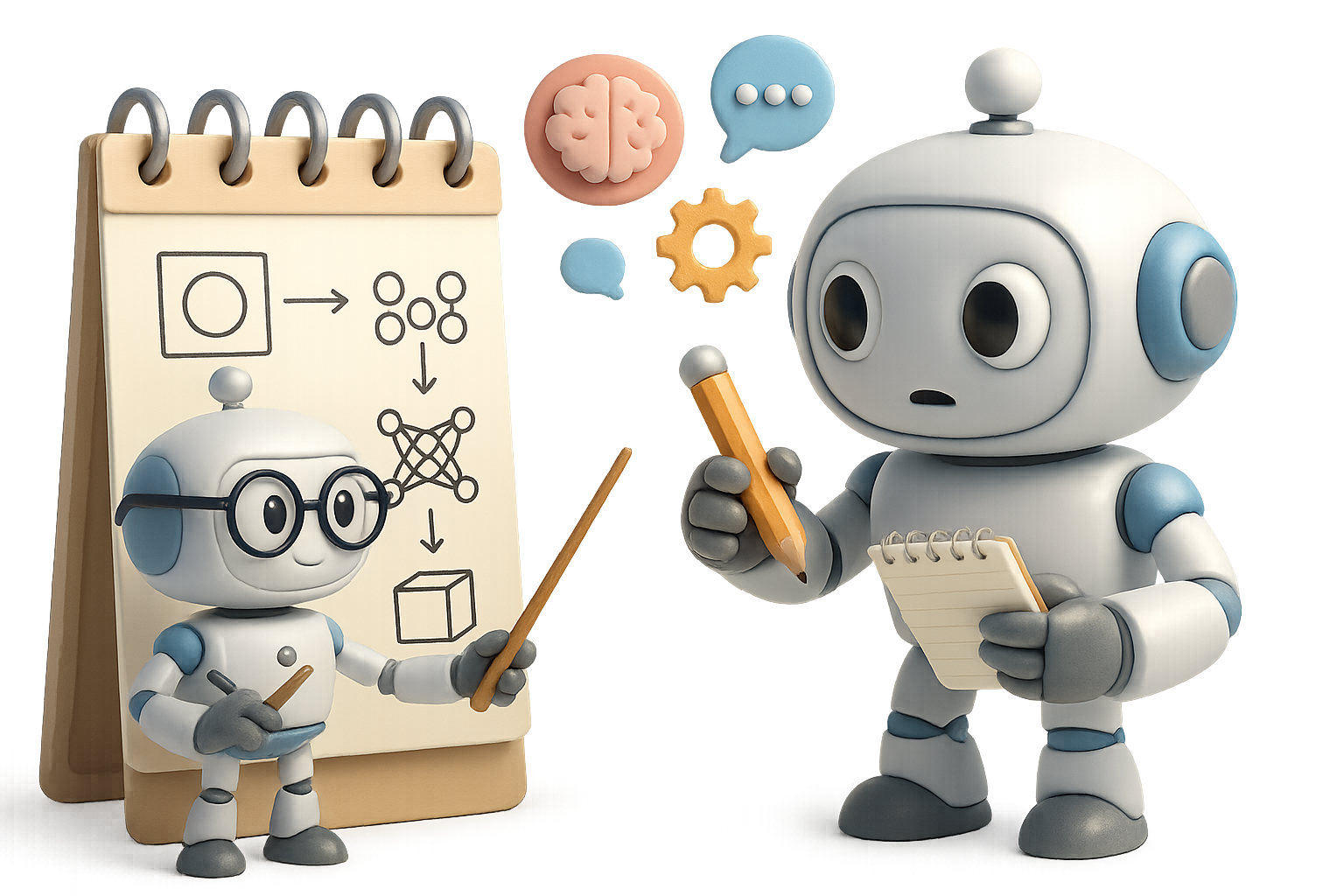
    Now, a twist from Sakana AI is flipping the script. What if we stopped grading the student—and started grading the teacher instead?

    illustration

    Train the Teacher, Not Just the Student

    Sakana AI’s new take on RL is called “learning-to-teach.” And it’s as practical as it is clever.

    Here’s how it works:

    1. Grab a compact language model (they’re talking 7 billion parameters).
    2. Feed it questions + correct answers.
    3. Its job? Create a clear, logical explanation—not the answer, just the roadmap.
    4. A separate “student” model reads that explanation and attempts the question.
    5. If the student improves, the teacher earns a reward. Otherwise? A gentle slap on the wrist.

    In short: they’re training models not to solve problems—but to explain them so well that others can.

    And those explanations? Once polished, they’re distilled straight into a new student model. No grading curve required.

    illustration

    Why This Changes the Game

    This method isn’t just a gimmick—it’s a rocket booster. Here’s what the numbers show:

    • Speed: A 7B teacher trained a 32B student in under 24 hours on a single node. Traditional RL setups take weeks or months (and way more hardware).
    • Cost: Four-figure compute budgets instead of six. That’s a zero you’re happily not paying.
    • Performance: On beefy benchmarks like AIMath and GPQA, a 7B student hit 49.5% accuracy—beating a 671B model built the old way (which only managed 46.6%).
    • Access: You can run this on a well-configured personal GPU. Real talk: this puts cutting-edge RL into the hands of solo hackers and lean labs.
    A flat lay illustration of various educational elements including a chalkboard with math equations, a light bulb, a notebook with crossed-out mistakes, and various shapes and a magnifying glass, emphasizing concepts related to learning and teaching.

    Why Small Teachers Outperform the Giants

    Old-school “learn-to-solve” models brute-force their way to answers. The steps in between? Often messy, redundant, or flat-out confusing.

    “Learning-to-teach” flips the goal: reward clarity, logic, and brevity. You get explanations worthy of a stellar TA—unflashy but deeply effective.

    In some ways, it’s like tutoring: your teacher doesn’t invent math—they just make the proof finally click.

    A colorful 3D illustration depicting a robot character pointing at a computer screen with GitHub logo, surrounded by tools, papers, and labeled boxes for 'Teach' and 'Scale'. The scene suggests concepts related to AI and training models.

    The Road Ahead Looks Recursive

    Remember Sakana’s Darwin project—the one where an agent iteratively upgraded its own coding toolkit?

    Now imagine that layered with this teaching model. You’re looking at a self-feeding feedback loop: models that teach themselves, back and forth, refining as they go.

    No humans in the middle. Just smarter, faster iterations—and potentially exponential growth in reasoning skills.

    illustration

    What This Means for Everyone

    • Fast cycles → More breakthroughs in less time.
    • Democratized research → Small teams can punch way above their weight.
    • Broader reach → RL starts making waves in hard science, strategy, and engineering domains.
    illustration


    Too Long; Didn’t Read

    Great explanations make great models.

    Sakana AI’s “learning-to-teach” approach looks obvious in hindsight—but it delivers impressive gains, fast training, and a dramatically cheaper path to quality.

    It’s time to stop forcing LLMs to guess and start helping them think out loud.

    There’s a new kind of teacher in town.


    Want to learn how these concepts work under the hood—not just read the headlines? Tixu breaks down AI ideas for curious beginners and builders. No jargon, no gatekeeping—just hands-on learning from zero to confident. Ready when you are.

  • Build Stunning Websites with AI Using These 3 Proven Methods

    Build Stunning Websites with AI Using These 3 Proven Methods

    Stop Hoping — Start Guiding Your AI Designer

    Telling an AI “make it beautiful” is like telling a barista “make something caffeinated.” You’ll get a result—but not one that earns compliments.

    If you’re using Cursor or any code-savvy assistant to build UIs, there’s a better way: guide it like a creative teammate, not a psychic. The trick? Feed it clear visual rules and workflows. In return, you’ll get shockingly solid outputs—consistent, styled, and clean enough for production.

    In this post, you’ll get:

    • 3 proven methods to turn AI into your design sidekick
    • Tools that streamline your design-to-code flow
    • Tips that add the pro-finish most builds lack

    Ready to level up from “meh” to “made-that?!”


    illustration

    Clone a Design Pixel-Perfectly

    Sometimes, you know exactly what you want. It’s that dashboard from Dribbble. Or a brilliant onboarding flow you bookmarked last month.

    Here’s how to recreate it—down to the radius on buttons:

    1. Pick your reference UI: dashboard, mobile app, landing—you name it.
    2. Ask your AI (Claude, GPT-4, etc.) to extract all visual tokens:
      • Colors
      • Fonts
      • Spacing & layout grids
      • Radii, shadows, icon styles
    3. Have it return a clean JSON file of that design system.
    4. Paste it into Cursor and prompt:

      Build the app in HTML/CSS/JS using design.json for all styling.

    That last part is key. You’re not crossing your fingers—it’s marching orders.

    The result? Cursor generates components that look eerily similar to your source. Think of it like neural style transfer… for websites.

    ⚡ Carlos rebuilt a pricing page in 25 minutes using this trick—it matched the style so well, his co-founder didn’t notice it was AI-generated.


    illustration

    Build a Theme from Scratch (Sans Figma)

    Don’t have a reference? No problem. Use tweak.shadcn.com to craft your own vibe from the ground up. It’s a theming playground for shadcn/ui—a slick React component library.

    What you can tweak:

    • Colors: Set brand hues, cards, surface layers
    • Typography: Swap font pairings until the mood fits
    • Radii/Shadows: From flat and sharp to soft with depth
    • Light/Dark Mode: Preview both effortlessly

    Once it feels “you,” copy the generated CSS (from the Code tab) and drop it into your project (usually src/index.css).

    Then prompt Cursor:
    Build the dashboard using styles defined in index.css.

    Boom—on-brand UI in minutes. No design degree required.


    illustration

    Upgrade Layouts with Premium React Components

    Your MVP buttons? Fine. But if you want scroll-stopping polish, you need stronger ingredients.

    Here’s your toolbox:

    • React-Bits – motion-rich components like 3D cards, sliders, hero banners
    • Aceternity UI – slick, ready-made layouts; great for SaaS, portfolios, more
    • Framer Motion – not a UI kit, but the animation engine behind many modern UIs

    The flow:

    1. Copy a component (say, <TintedCard />)
    2. In Cursor, specify where it goes:
      Replace cards in `/components/Features.tsx` with this one.
    3. Prompt it to install any dependencies:
      npm install framer-motion
    4. Make small fixes with follow-up prompts:
      Remove unused props or Swap placeholder image

    Now you’ve got UI that feels built—not bought from a template shelf.


    A digital illustration showcasing various UI design elements such as buttons, a color contrast checker, and typography settings related to the 'Manrope' font, arranged on a light-colored surface.

    Finishing Touches That Actually Matter

    Small things separate amateur hacks from “Did you hire a designer?” Here’s what to check.

    ✔ Animation Restraint
    Micro-interactions win. Ask for:
    Subtle x-axis fade-in on scroll for the hero image.
    Skip: “Animations everywhere!” Nobody’s impressed.

    ✔ Typography with Purpose
    From Inter to Playfair, fonts carry your voice. Try:
    Import ‘Manrope’ from Google Fonts and apply to `.hero-title` only.

    ✔ Explicit Responsive Layouts
    Be precise. Cursor gets it:
    Create a 4-card grid that stacks to one column under 768 px.

    ✔ Unified Icon Style
    Stick to one pack—like Lucide or Tabler. Give Cursor the package and let it handle setup.

    ✔ Color Contrast That Passes
    Drop your palette into a11y checkers like web.dev Color Contrast Checker. Then tell Cursor:
    Fix any text/background combos that fail WCAG AA.


    Your Turn

    Stop hoping the AI reads your mind. Start training it with style, structure, and a clear ask.

    Pick one workflow:

    • Clone a reference layout
    • Theme from scratch
    • Drop in high-end components

    Then guide your AI step by step.

    More clarity in → more beauty out.

    Want to sharpen your AI design skills even more? Try a hands-on track at Tixu — the beginner-friendly platform for learning AI workflows, fast.

    Ready when you are.

  • Master AI in Your 40s: 3 Steps to Stay Relevant

    Master AI in Your 40s: 3 Steps to Stay Relevant

    Stop Freezing—Start Delegating: Why Now Is the Time to Try AI

    Still “waiting to see” how AI shakes out?

    Here’s the hard truth: you’re not waiting—you’re falling behind. The tech isn’t slowing down, and every minute you delay, someone else is using AI to work faster, smarter, and with way less stress.

    But the good news? You don’t need to know how it works under the hood. You just need to know how to drive it.

    In this post, you’ll learn:

    • Why mindset—not software—wins in the AI era
    • Simple, no-mess ways to get started today
    • A 7-day challenge to build your AI chops without overwhelm

    Let’s get you unstuck.


    illustration

    Forget the Tools. Flip Your Mindset.

    You were probably trained to “do the work.” The AI era? It rewards managers—people who break down goals into clear steps and get others (human or not) to execute.

    AI isn’t magic, and it’s definitely not a single app. Think of it like hiring the world’s most eager assistant: zero ego, runs 24/7, and costs less than your lunch.

    So instead of asking, “Which tool should I learn?” shift the question to:

    “What can I delegate?”

    That’s where the power kicks in.


    Meet Your New Team: The Brain and the Body

    You only need to manage two moving parts:

    • LLMs (Large Language Models): These are your brains. ChatGPT, Claude, Gemini, Copilot—big names, simple job. You feed them text; they return smart responses, summaries, code, images—you name it.
    • AI Agents: The body. Tools like AutoGPT or AI-powered web browsers follow instructions, complete tasks, schedule meetings, even make calls. Imagine Siri graduated with honors and drinks espresso.

    Your job is to be the boss—give clear, step-by-step instructions. The better your guidance, the better your results.


    illustration

    How to Talk to AI Like a Pro

    Skip vague prompts like “Write a good email.”

    Try this instead:

    “I need a warm, professional follow-up email to a potential client I met yesterday. Keep it under 120 words and add one sentence about our shared love of Chicago-style hot dogs.”

    Why it works: You give the AI structure.

    • What you want
    • Who it’s for
    • How it should sound
    • A specific, human detail

    AI is like a sous-chef—it can’t plan the party, but it excels at execution when you hand over the recipe.


    A colorful and playful digital illustration showing a desk with various icons related to productivity and communication, including a clipboard with organized tasks, a pencil, a calendar, and speech bubbles, along with a microphone, all labeled with the phrase 'Zero Pressure'.

    3 Fun, Low-Stakes Ways to Start

    Zero pressure. Just pick one.

    1. Email rewrites
      Paste something clunky and prompt: “Make this clearer and more confident.”
    2. Brainstorming help
      Need podcast titles or baby shower themes? Ask for a list, then say: “Improve #3 and #6 by making them punchier.”
    3. Meeting prep
      Try: “I’m meeting a new vendor tomorrow. Give me 8 smart questions to assess reliability.”

    Bonus move: Use the mic icon in ChatGPT (mobile or desktop) and talk. Your voice adds nuance that typing often skips.


    AI Doesn’t Judge. Ask What You’ve Been Afraid to.

    No eye rolls. No know-it-alls.

    AI doesn’t care if you don’t know what “zero-trust networking” means or if APR still confuses the heck out of you. Ask away. It explains patiently, every time.

    It’s the safest space to look “dumb” and get exponentially smarter.


    illustration

    Two Rules You Gotta Respect

    1. Keep your private info private
      If you wouldn’t email it to someone you barely know, don’t paste it into AI. Use enterprise plans if you need privacy guarantees.
    2. Trust, but verify
      AI still makes stuff up sometimes—confident nonsense in a crisp tone. Think of its output like a bright intern’s draft: helpful, but not final.

    illustration

    Your 7-Day AI Kickstart

    Want quick wins without the overwhelm? Try this week-long mini challenge.

    Choose one AI platform: ChatGPT, Claude, Gemini, Perplexity, or Copilot.

    Then, do these:

    1. Rewrite one email.
    2. Brainstorm one list.
    3. Prep for one call or meeting.
    4. Use manager-style prompts for clarity.
    5. Review every output and ask, “How could this be 10% better?”

    By this time next week, you’ll stop staring at that blinking cursor—and start collaborating like a boss.


    The Bottom Line

    You’re not too late. You’re early—if you start now.

    AI doesn’t replace your experience. It makes it go further, faster, and with less brain drain.

    So delegate the grunt work. Ask the “dumb” questions. Build your AI muscle, one prompt at a time.

    Need a push?
    Tixu breaks down AI basics into bite-sized daily wins—no jargon, just real-life skills. Try Tixu and stop waiting on a future that’s already here.