Category: General

  • Organize Gemini Chats with NotebookLM in 5 Minutes

    Organize Gemini Chats with NotebookLM in 5 Minutes

    Gemini Notebooks: Turn scattered chats into tidy, project-ready workspaces

    illustration

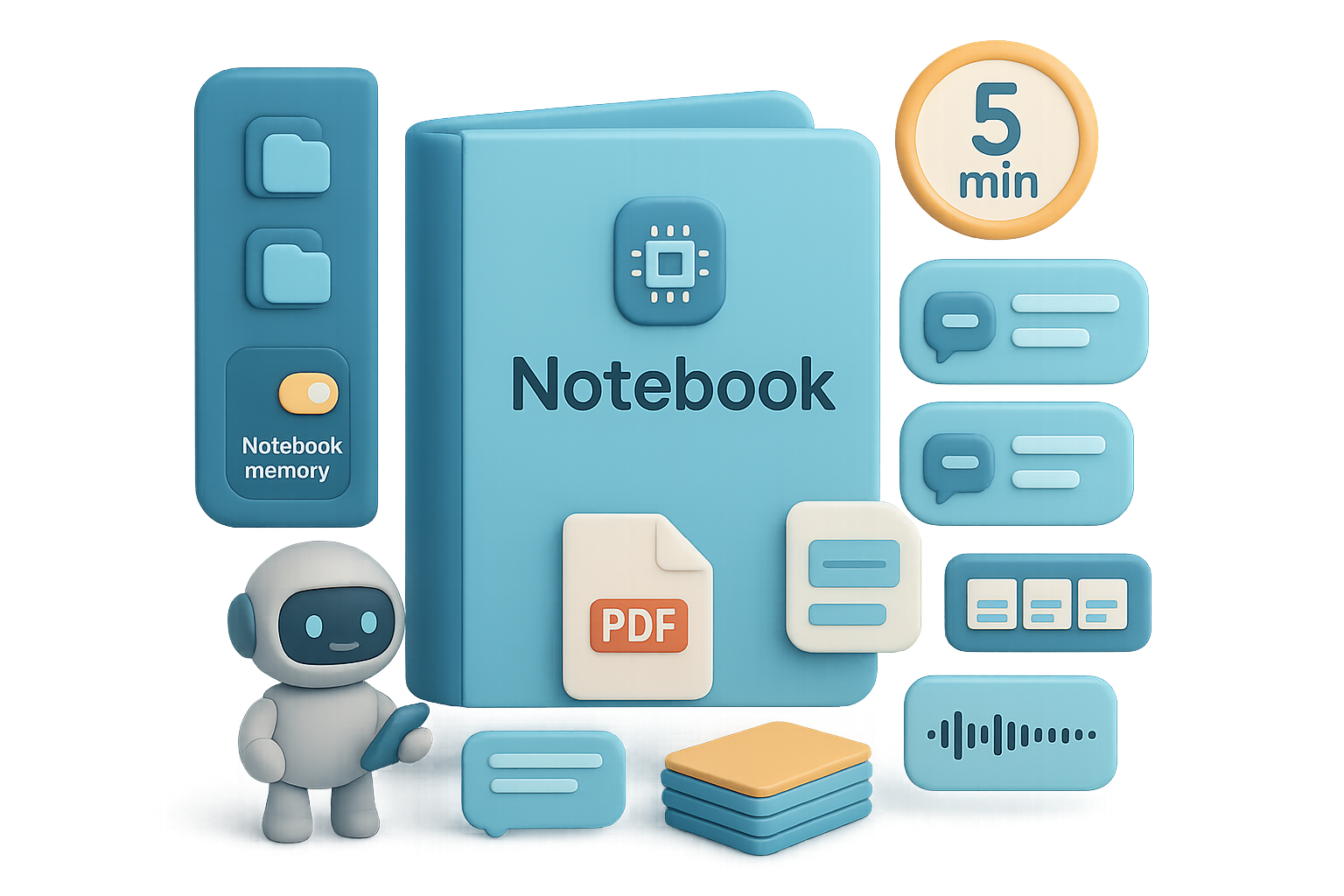
    You open Gemini and your brain hits a wall of loose chats and half-baked ideas. Frustrating, right? Google just fixed that. Gemini now embeds NotebookLM as Notebooks — a real folder + knowledge base hybrid. You get project-level memory, custom instructions per project, and auto-generated assets (slides, summaries, flashcards). That means less digging and more doing. Ready when you are.

    illustration

    What you’ll walk away with

    • A quick sense of what Notebooks actually do.
    • A 30-second setup you can follow right now.
    • Pro tips that save time on day one.
    • Plus one small experiment you can run this afternoon.
    illustration

    Roadmap

    1. What Notebooks are.
    2. How to create one.
    3. Smart ways to use them.
    4. Quick wins and rollout details.

    Start a Notebook and stop losing ideas

    Open Gemini and look left. You’ll see Notebooks. Each Notebook holds:

    • Ongoing chats.
    • Uploaded sources (PDFs, URLs, Drive files, transcripts).
    • Auto-made assets (audio summaries, slide decks, flashcards).

    Think of it like a folder that also remembers context. Everything you add stays grouped. No more hunting in “All Chats.”

    illustration

    Make project memory work for you

    Flip on Notebook memory and Gemini uses past chats in that Notebook when answering. That matters because:

    • You avoid repeating context.
    • Research stays coherent across sessions.
    • You keep instructions per project (casual vs. formal tone).

    AI won’t replace you—someone better at organizing AI will. Use Notebooks to be that someone.

    illustration

    Create your first Notebook (30-second guide)

    Do this next:

    1. Click New Notebook in the sidebar.
    2. Name it (e.g., “Marathon Training”).
    3. Add sources now or later (upload files, pull from Drive, paste a URL).
    4. Open ••• → Settings → enable Notebook memory and add Instructions.

    That’s it. Any chat you start with the Notebook open files into that project.

    illustration

    Automate the grunt work (use the right view)

    You can chat three ways:

    • Inside NotebookLM — great for media-rich asset creation.
    • Inside Gemini while the Notebook is open — best for fast, memory-powered conversations.
    • A fresh Gemini chat with a Notebook attached — handy for one-offs.

    Most people prefer Gemini with a Notebook open. It feels snappier and keeps everything organized.

    Pro tips that aren’t obvious on day one

    • Retro-file old chats: In All Chats → ••• → Add to Notebook. Once filed, the chat drops from the global list.
    • Pin up to five Notebooks to the sidebar for instant access.
    • Jump to the full NotebookLM interface via the top-right “NotebookLM” button to generate slides or infographics in seconds.
    • Desktop only for now. Mobile support usually follows, but plan around desktop workflows.
    illustration

    Replace Chrome hacks with native Notebooks

    If you used extensions like Chat Architect, you can probably retire them. Native Notebooks beat add-ons because they:

    • Integrate memory and custom instructions.
    • Sync with NotebookLM’s asset tools.
    • Work across browsers without extra setup.
    illustration

    Rollout — who gets it first

    • Rolling out to Gemini Advanced (Ultra) subscribers first, then Pro, then free-tier users.
    • Gradual regional rollout — if you don’t see Notebooks yet, you’ll get them soon.
    • Existing NotebookLM projects appear automatically in Gemini; no import required.
    illustration

    Quick checklist before you dive in

    • Create one Notebook for an active project today.
    • Upload 1–3 key sources (a PDF, a Drive doc, a URL).
    • Turn on Notebook memory.
    • Add one instruction (tone or answer style).
    • Start a chat and ask Gemini to summarize the sources.
    illustration

    Why this matters

    Notebooks turn Gemini from a habitually forgetful chat into a reliable project partner that remembers context and keeps your work tidy.

    Try creating a Notebook for your next project and see if you don’t cut 10–30 minutes of context work per session. If you want a friendly way to learn practical AI skills that speed this kind of setup, check out Tixu — a beginner-friendly AI learning platform.

    Ready when you are.

  • Launch a $10K/Month AI Agency in 90 Days

    Launch a $10K/Month AI Agency in 90 Days

    AI agency playbook: 25 clients to $10K/month (no devs, no drama)

    You want an AI agency that pays the bills. Not a VC elevator pitch. Not a six-figure promise with a pyramid of consultants. You want a simple, repeatable system that lands clients and keeps them. Most people stall before the first sale. It’s rarely talent—it’s the lack of a clear plan.

    This post gives you a six-step playbook. It’s the exact sequence several seven-figure agencies used. It’s how 1,500+ small businesses got smarter about calls and reviews. Zero full-time employees required. Ready when you are.

    illustration

    What you’ll walk away with

    • A clear offer that sells itself.
    • A 48-hour launch checklist to land your first clients.
    • A repeatable delivery system that scales to 25 retained accounts.
    illustration

    Hit $10K/month with 25 local clients

    25 clients × $400/month = $10,000/month.

    That’s the math. That’s the mindset. You don’t need a massive funnel. You need 25 businesses paying reliably. Keep it simple and the revenue follows.

    Ship an AI Receptionist today

    Start with one high-value service. Don’t be the marketing buffet.

    illustration

    Recommended starter offer: the AI Receptionist

    • Answers calls 24/7.
    • Qualifies callers.
    • Books appointments straight into the client’s calendar.

    Why it sells

    • 62% of small businesses miss incoming calls.
    • The first responder wins 78% of the time.

    Price it at $300–$500/month. The ROI is obvious the first week. Add extras—review management, follow-up automation—only after the first three clients pay.

    illustration

    Niche down

    General offers get ghosted. Specific offers get replies.

    How to pick a niche:

    1. List five industries you understand.
    2. Pick the one you can actually talk about tomorrow.
    3. Commit for 90 days.

    Don’t say “home services.” Say “Austin roofers.” When you write outreach for roofers, response rates jump. Short contrast: speaking to everyone sounds like spam—speaking to one sounds like help.

    Build a no-code delivery system

    You don’t need dev time. No-code tools do the heavy lifting.

    Tool example: GoHighLevel (agency-ready). It gives:

    • Two-way texting and call forwarding.
    • Conversational AI receptionist.
    • Calendar sync and automated reminders.
    • Review-request automation.

    Load a pre-built agency snapshot, swap the business name and phone number, and you’re live—often in under 10 minutes. That’s not magic. It’s setup discipline.

    illustration

    Land your first three clients

    Skip the perfect website. Start with people who know you.

    Do this next:

    1. List friends, family, and local owners who trust you.
    2. Send 10 personalized messages today. Try: “Hey [Name], quick question—can I show a local business how missed calls become booked appointments? Free demo.”
    3. Book discovery calls. Demo live. Close the first client.

    Metrics to expect: about 1 in 5 will say yes to a demo. Three conversations usually get one paying client.

    Deliver results that make price irrelevant

    Show, don’t explain. The demo is your secret weapon.

    Live-demo flow:

    • Prospect dials the tracking number.
    • The AI answers, qualifies, and books.
    • You show the calendar entry on the spot.

    Layer review automation so a completed appointment triggers a Google review request. Most clients see fresh 5-star reviews in two weeks. Social proof reduces churn and brings referrals.

    illustration

    Stack and protect recurring revenue

    This is addition, not reinvention. Client 1 → Client 2 → Client 25.

    Guardrails to avoid burnout:

    • Don’t inflate lifestyle until you have 20 retained clients.
    • Keep the core offer stable until it reliably funds you.
    • Add services only after retention proves out.

    A churn-safe checklist:

    • Weekly report summary for each client.
    • Monthly review call for the first 90 days.
    • Automated alerts when appointment volume drops.

    48-hour action plan (do this now)

    Day 1

    • Start a free GoHighLevel trial.
    • Install a proven agency snapshot.
    • Choose your niche from your list.

    Day 2

    • Send 10 warm outreach messages.
    • Book 2–3 discovery calls.
    • Prepare the live receptionist demo (10 minutes).

    Repeat daily outreach until the first client signs. Most people land a first paying client in two to four weeks if they stay consistent.

    Two quick realities

    1. The first “yes” takes longer than you think—don’t quit early.
    2. Simple systems still demand discipline. Automations do the work, not the relationships. Show up and communicate.

    Focus on one offer, one niche, and a no-code delivery; the math handles the rest.

    Take one small action today: sign up for a beginner-friendly AI course and the launch playbooks at tixu.ai — then do the 48-hour plan. Ready when you are.

  • Turn AI into a $100K/Year Employee in 30 Days

    Turn AI into a $100K/Year Employee in 30 Days

    AI prompts: Why most AI experiments feel like pulling a slot machine

    You type a one-liner. You hope. You refresh. You sigh.

    If that sounds familiar, you’re not doing the AI wrong. You’re doing the AI cheap.

    Here’s the reality: generic inputs get generic outputs. Treat a model like a search bar and you get search-bar results—forgettable and flat. But flip your approach and the same model becomes a specialist on your payroll. Ready when you are.

    What you’ll walk away with: a simple roadmap to build repeatable, high-impact AI prompts you actually use. Roadmap in three bullets:

    • Why one-liners fail (quick diagnosis).
    • Four fast methods to create prompt-ready substance.
    • A 10-minute “Do this next” playbook to get real results.
    A digital workspace featuring a person beside a transparent interface displaying sections for information input, a scale symbolizing balance, a timer, and stacks of multicolored books.

    Use AI prompts to build a $100k-a-year employee

    Stop asking for generic text. Give the model a role, context, and constraints. Do that and it performs like an expensive hire.

    Short rule of thumb that changes outcomes:

    • One-sentence prompt = model does 90% of the thinking for you.
    • 500-word prompt = you do 90% of the thinking; the model executes.

    Do the latter and you win. Teams that formalize prompts see 2–5x faster output on repeat tasks. That’s hours back every week.

    A collection of stylized, 3D icons representing various informational tools and media, including documents, a magnifying glass, headphones, and question-and-answer symbols, arranged on cylindrical bases.

    Four proven ways to create the substance behind great AI prompts

    Before you write the perfect prompt, collect the right inputs. These four methods get you usable, repeatable material fast.

    1. Reverse-engineer what already works

      Collect five high-performing examples: emails, landing pages, tweets. Paste them into Claude or ChatGPT. (Claude and ChatGPT are conversational AI models that summarize and restructure text.) Ask: “Analyze these, outline patterns, and give me a reusable framework.”

      Result: a blueprint distilled from success, not speculation.

    2. Extract wisdom from experts

      Grab a podcast or webinar transcript from an authority. Ask the model: “Turn this into a concise, step-by-step checklist. Remove filler.”

      Result: a 45-minute lesson becomes a one-page operating manual.

    3. Let the model interview you

      Tell the model: “Interview me about my process. Ask one question at a time.” Answer until you have 15–20 detailed items. Then ask: “Synthesize this into a teachable guide.”

      Result: your tacit knowledge becomes repeatable and prompt-ready.

    4. Deploy the meta-prompt

      Ask AI to write the perfect prompt for you. Example: “I need a detailed prompt for writing YouTube scripts about making money online. Before drafting, ask clarifying questions about style, audience, length, hook, and tone—one question at a time.”

      After the Q&A, save the custom master prompt. Reuse it like a template. Result: consistent output that sounds unmistakably like you.

    A pastel-colored storage unit with drawers, a clock, and a section labeled 'Save & Reuse', featuring a color palette and a character illustration.

    Build your personal AI prompts library

    Every repeatable task deserves a best-in-class prompt. Spend 15–20 minutes building each one. Then re-use forever.

    Common categories to start with:

    • Content creation: topic ideation, hook/headline generation, script drafting.
    • Repurposing: turn one article into LinkedIn, X, and newsletter variants.
    • Revenue work: offer frameworks, sales-page templates, email sequences.
    illustration

    Expect iteration, not instant perfection

    Your first draft will be “good enough.” That’s fine. Run it, inspect output, delete fluff, tighten constraints, and rerun. Two to three cycles usually turn a rough prompt into a powerhouse.

    Most people stop after try one. That’s where you get an edge.

    Do this next (10-minute playbook)

    1. Pick one recurring task you do weekly (newsletter, product description, proposal).
    2. Use the meta-prompt approach: ask the model to interview you about that task.
    3. Synthesize answers into a single reusable prompt.
    4. Run the prompt 10 times, refine after each run.
    5. Save the final prompt in a simple folder or doc for repeat use.

    Make prompts that think with you, not for you. One solid prompt can free more hours than any subscription. Try the 10-minute playbook now.

    Ready to learn practical, beginner-friendly prompt workflows and step-by-step AI lessons? Start the hands-on challenge at tixu.ai

  • Close $1K–$15K Deals with 6 AI Offers in 2026

    Close $1K–$15K Deals with 6 AI Offers in 2026

    The Only Two Numbers That Matter: Build AI service offers that sell

    You want a proposal a business owner can read in 30 seconds and say, “Yes.” You also want offers that pay your bills, not just look cool on a slide. So keep two numbers in front of you: make the client money and save the client money. Do that and you win.


    A digital representation of various service icons connected to a central database, including a dental symbol, a chair, tools, and sound waves, illustrating interconnected services and data flow.

    1. Never-miss-a-call — an AI service offer that answers 24/7

    Problem
    Local businesses lose high-value calls after hours. One missed lead can equal \$1,500–\$5,000 in niches like roofing or med-spas.

    Solution
    Install a 24/7 voice agent that answers, qualifies, books, and forwards emergencies. It works holidays, weekends, and sick days—no coffee breaks required.

    Ideal clients
    Med-spas, dental clinics, HVAC/roofing, beauty salons—anyone with expensive leads and steady call volume.

    Tech stack (simple explanations)

    • Retell AI — realistic phone conversations.
    • Twilio — phone numbers and telephony.
    • n8n (self-hosted) — glues systems together.

    Pricing snapshot

    • Setup: \$2,000–\$15,000 (depends on call flows).
    • Monthly retainer: ≈20% of setup for monitoring and optimisations.

    illustration

    2. Monetise old leads — Lead Reactivation Automation

    Problem
    Your client’s CRM holds dead leads. They already paid for them. You can’t ignore that money.

    Solution
    Run an AI-driven sequence across voice, SMS, and email that re-engages dormant prospects and books appointments.

    Ideal clients
    Businesses running ads for 6+ months: agencies, real-estate teams, home-services, med-spas.

    Tech stack

    • n8n — sequences and triggers.
    • Retell AI or Twilio/SendGrid — calls, SMS, and email.

    Pricing snapshot

    • Setup: \$3,000–\$15,000.
    • Option: pay-per-booked-appointment model for low-risk entry.

    illustration

    3. Convert fast — Speed-to-Lead Callback (an AI service offer that closes faster)

    Problem
    Contacting a lead within five minutes can make conversion up to 100× more likely. Most businesses wait hours.

    Solution
    Trigger an AI call the moment a form submits, qualify the lead, and schedule an appointment—instantly.

    Ideal clients
    Advertisers burning ad spend: dental, real-estate, home-services, agencies.

    Tech stack

    • Retell AI — instant voice qualification.
    • n8n — triggers calls from HubSpot, Zoho, Google Sheets, etc.

    Pricing snapshot

    • Setup: \$3,000–\$10,000.
    • Monthly: ≈20% for upkeep and A/B optimisation.

    illustration

    4. Publish everywhere from one sheet — Automated Content Dashboard

    Problem
    You spend hours switching between prompts, schedulers, and design tools. Consistency dies.

    Solution
    One dashboard (Google Sheets or Airtable) turns a single idea into LinkedIn posts, Instagram captions, blog drafts, and images, then schedules them.

    Ideal clients
    B2B companies, marketing agencies, coaches, and consultants who need regular content.

    Tech stack

    • OpenAI or Claude — content generation.
    • n8n or Make.com — workflow automation.
    • Buffer, Hootsuite, or direct APIs — scheduling.

    Pricing snapshot

    • Setup/productised build: \$1,000–\$5,000.
    • Easy to templatise for repeat sales.

    An illustration depicting a job recruitment process with labeled stages: Inbox, Auto-Screen, Screened, Interview Scheduled, and Offer. It features a jobs feed, various candidate profiles, and an animated robot-like character.

    5. Stop drowning in résumés — Automated Hiring & On‑Boarding Pipeline

    Problem
    Hiring creates admin chaos: screening, scheduling, follow-ups. It wastes weeks.

    Solution
    Build an end-to-end pipeline that ingests applications, auto-screens, schedules interviews, and tracks candidates in ClickUp or Notion.

    Ideal clients
    Firms with in-house HR or recruiting agencies processing high volumes.

    Tech stack

    • n8n or Make.com — automations.
    • ClickUp / Notion — applicant tracking dashboard.
    • Integrations to LinkedIn Jobs, Indeed, Workable.

    Pricing snapshot

    • Setup: \$2,000–\$5,000.
    • Retainer: optimisation and feature updates.

    illustration

    6. Endless ad creatives — AI-Generated UGC for E‑commerce

    Problem
    Brands need 20–40 fresh creatives monthly. Human UGC costs \$200–\$1,000 per video and takes weeks.

    Solution
    Generate platform-ready videos with AI—fast, cheap, and in many variants.

    Ideal clients
    Shopify and Amazon brands actively advertising on Meta, TikTok, or YouTube.

    Tech stack

    • Sora (or similar video model) — AI video generation.
    • n8n — request → generate → deliver pipeline.
    • PM tool for approvals.

    Pricing snapshot

    • Monthly retainer: \$1,500–\$4,000 for a bundle.
    • Or \$100–\$300 per video.

    Quick Reference Cheat‑Sheet

    1. AI Receptionist – Stop missed calls.
    2. Lead Reactivation – Monetise old leads.
    3. Speed-to-Lead – Call back under five minutes.
    4. Content Dashboard – Publish everywhere from one sheet.
    5. Hiring System – Automate recruiting admin.
    6. AI UGC Creatives – Endless ads on demand.

    Do this next

    1. Pick one offer. Niche down to one industry.
    2. Add two ROI numbers: increased bookings or saved hours.
    3. Build a one-page demo and price it clearly.
    4. Run a trial with a friendly client for quick wins.

    Pick one clear problem, attach crisp ROI numbers, and ship the offer. Ready to learn how to build and sell these AI service offers step‑by‑step? Start with beginner-friendly AI lessons and hands-on labs at tixu.ai beginner-friendly AI lessons and hands-on labs — perfect if you want practical, no-fluff training to ship your first paid AI service.

  • Make Every Decision Bulletproof: 3 AI Red-Teaming Steps

    Make Every Decision Bulletproof: 3 AI Red-Teaming Steps

    Working Smarter with AI

    Think AI is just a fancy calculator for emails and slide decks? That’s the problem. You lose time, focus, and the edge if you treat it like a glorified admin. When you teach AI to upgrade how you think and decide, you get faster insight, better bets, and more headspace for the stuff only humans can do.

    illustration

    Feed your brain better

    Your output matches your input. Stop doom-scrolling. Start curating.

    Quick wins (do these this week):

    • Reset your social algorithms. Clear “suggested” history and teach the feed what matters by liking, saving, and commenting on niche content you want to learn.
    • Build a 3-minute AI morning briefing. Prompt a model to pull the top three developments in your fields, summarize each in two sentences, and finish with “Why this matters.” Pipe it to Slack, email, or Notion.
    • Use NotebookLM (Google’s experimental research notebook) to turn PDFs and links into a chat-ready knowledge base. It can auto-generate quizzes, slides, or a podcast outline so you study just-in-time.

    Example prompt:
    You are my research assistant. Every morning, find the three most important developments in ➊ frontier AI, ➋ robotics, and ➌ cloud infrastructure. Summarise each in two sentences, include source links, and finish with “Why this matters” in one sentence. Format as bullet points I can read in under three minutes.

    Do this next

    1. Pick one theme you care about.
    2. Set up the morning digest with any LLM.
    3. Read it for five days and tweak prompts.
    illustration

    Stress-test big ideas with AI red-teaming

    Don’t defend your plan—attack it. AI is the tireless sparring partner you need.

    Three-step red-team flow:

    1. Pre-mortem: Prompt the model to assume the project failed six months after launch and list reasons why.
    2. Competitor mode: Ask the model to be a cynical rival and explain how it would steal your customers given your real constraints.
    3. Rank and mitigate: Have the model rank the top three risks by likelihood and impact, then create short contingency plans.

    Sample prompts (short):

    • “Assume the project failed six months after launch. Describe in detail why.”
    • “You are a cynical, highly successful competitor. How would you exploit this plan?”
    • “Rank the top three risks and give a one-paragraph mitigation for each.”

    Why this works: models surface blind spots fast. They don’t suffer from founder bias. Use their output to write a two-column memo: threats vs. fixes. That memo saves you wasted months.

    illustration

    Become a director, not a doer — the 92% rule

    Modern foundation models already handle roughly 92% of routine knowledge work—drafting, research, scheduling, basic coding. That leaves 8% that still needs you: taste, vision, and care.

    Own those 8%. Hand off the rest.

    Do this audit now:

    1. List every task you do this week.
    2. Break tasks into 15–30 minute chunks.
    3. Map each chunk: X = hard⇔easy for humans, Y = hard⇔easy for computers.
    4. Circle the upper-right quadrant (hard for computers, doable for humans). That’s your strategic focus.

    Example: you should keep strategy, stakeholder relationships, and final creative passes. Automate the rest.

    illustration

    Automate the 92% — ship the boring stuff

    AI isn’t just chat. It’s orchestration, connectors, and agents that move work across apps.

    Tool categories to explore:

    • Workflow automation: Bardeen, Zapier AI Actions, Make.com — moves data and triggers tasks across your apps.
    • Multi-agent orchestration: CrewAI, AutoGen, LangGraph — coordinates multiple AI agents to run complex flows.
    • Daily ops assistants: Motion (auto-scheduling), Fireflies (meeting notes), Perplexity Enterprise (fast research).

    Prototype in a day:

    1. Pick one repetitive task (report generation, lead follow-up, social scheduling).
    2. Map inputs → transform → output.
    3. Automate the flow end-to-end and monitor for one week.

    Micro-checklist before you automate:

    • Is the task repeatable and rule-based? Automate.
    • Does it need human judgment every time? Keep it human.
    • Can you measure impact in hours saved or revenue gained? Track it.
    illustration

    Keep it human: taste, vision, care

    Automation buys you time. Spend that time where humans win.

    Daily rituals that scale your edge:

    • One weekly 90-minute block for vision work. No meetings.
    • Rapid feedback loops with real users. Small bets, fast learnings.
    • A weekly “touch” where you polish anything customer-facing.
    illustration

    Feed higher-signal inputs, stress-test in public with AI, offload 92% of routine work, and spend your energy on the human 8% that creates lasting value. One next step: prototype one automation this week.

    Ready to learn practical, beginner-friendly AI skills and ship your first prototype? Start at tixu.ai — a hands-on AI learning platform for builders and teams.

    Ready when you are.

  • Master Consistent Voice and Automate Workflows in 90 Days

    Master Consistent Voice and Automate Workflows in 90 Days

    Why I Gave Claude the Lead Role

    I was toggling between tools and re-editing drafts until they sounded like me. I paused ChatGPT Plus and moved my whole daily workflow into Claude to test one thing: could it fix my consistency headaches? Some parts felt like a revelation. Others forced annoying workarounds. Read on and you’ll know when Claude pays off, when it frustrates, and exactly what to do next. Ready when you are.

    illustration

    What you’ll get from this post

    • A clear win that makes switching worth the pain.
    • The real token problem, and a simple rationing playbook.
    • Daily habits and a checklist to keep Claude productive, not expensive.
    illustration

    Write natural-sounding copy, fast

    Claude nails tone on the first pass. Ask for an informal voice or a strict word limit and it sticks. Feed a few writing samples into a Project and Claude mirrors your rhythm and vocabulary.

    I used to spend 15–20 minutes reshaping drafts. With Claude I usually tweak one or two lines and ship. That’s roughly an 80–85% drop in editing time for me.

    illustration

    Quick wins

    • Save a style profile in Projects. Every chat inherits it.
    • Ask for sentence-length limits to keep copy punchy.
    • Use short prompts for fast iterations, long prompts for final drafts.

    Avoid token shock: ration Opus like a pro

    Claude Pro costs $17/month and resets a usage allowance every five hours. The flagship model, Claude 3 Opus 4.6, eats tokens fast. Drop a large file and a complex prompt and you can knock out your allowance in one session.

    Simple rationing strategy

    1. Default to Sonnet for drafting, editing, and brainstorming.
    2. Switch to Opus for heavy reasoning or massive files.
    3. Turn Extended Thinking on only when the answer truly matters.

    That trio keeps you productive and stops Opus from locking you out mid-crunch.

    illustration

    Build, test, refine — all in chat

    Claude’s best feature is artifacts. Ask it for a content calendar, Kanban board, or data viz and it spins up a live panel next to chat. The data you enter persists. You refine it just by typing.

    That reduce-edit-repeat loop saves time you’d otherwise spend copying between apps. Developers get an unofficial Claude CLI to hand off tasks and run tests without babysitting each command.

    A graphic representation of a chat interface labeled 'Chat' with a section indicating 'no built-in image' and an area for uploading images, alongside a photo viewer displaying multiple landscape images and an 'Export' button, featuring tags for DALL-E, Midjourney, and Imagen.

    Bring visuals from another tab

    Claude doesn’t ship an image generator. If you need thumbnails or mockups, expect a two-tool workflow. Writers may ignore this. Marketers and designers won’t.

    illustration

    Keep these bookmarked

    • DALL·E 3 for quick thumbnails.
    • Midjourney for stylized imagery.
    • Imagen 2 (Google) for experiment-level assets.

    Compound wins: connectors, memory, skills

    • Connectors pull Google Drive, Gmail, Slack, and GitHub content into chat. No tab-hopping.
    • Memory learns your tone and file naming, then applies it across projects.
    • Skills package instructions and rules into reusable templates. Trigger one and Claude runs like a briefed assistant.

    Daily habits that keep Claude working for you

    1. Make Sonnet your default.
    2. Only open Opus for the hardest tasks.
    3. Save a style guide in Projects.
    4. Build Skills for every repeatable task (newsletters, SEO briefs, client intake).
    5. Bookmark an image generator and use it when visuals matter.
    6. Watch your token meter twice during long sessions.
    illustration

    Claude feels like a teammate who already gets you — when it’s available. Token limits and the lack of built-in images are real pain points. If you value top-tier prose and in-chat building, Claude is worth learning.

    Want a friendly place to learn AI basics and get comfortable with prompts and workflows? Start at tixu.ai — it’s beginner-friendly and helps you move faster with tools like Claude.

  • Automate Your File Workflows with Claude Co-work in 20 Minutes

    Automate Your File Workflows with Claude Co-work in 20 Minutes

    Stop Copy-Pasting From the Chat Window — Meet Claude Cowork

    A friendly desktop sidekick that actually finishes the work for you.

    You’re tired of copying answers out of a chat window, pasting them into files, and praying nothing breaks. It’s slow. It loses context. And browser upload limits make large files a hassle. Claude Chat is great for quick Q&A. But you need a teammate that touches your disk, runs workflows, and drops finished files where you want them.

    Enter Claude Cowork: a desktop app that removes browser limits, writes files for you, and automates repeat work. It packs seven tangible powers you can use today — from batch file edits to scheduled inbox triage. Ready when you are.

    illustration

    Claude Chat vs. Claude Cowork — the quick win

    • Claude Chat lives in the browser. Claude Cowork opens, edits, and saves files on your hard drive.
    • Chat hands you text. Cowork delivers finished files to your folders, Notion, or Google Drive.
    • Chat prefers step-by-step prompts. Cowork wants an outcome, constraints, and a quality bar — then it runs.

    Create a folder called Documents/Cowork Playground and point Cowork there. That sandbox keeps experiments away from important work.

    Open and edit files with Claude Cowork

    Need to batch-rename 200 screenshots, split a 400 MB PDF, or rebuild an image-only slide deck into an editable PowerPoint? Drop the files into your Playground. Tell Cowork the final state you want. Because it touches your disk directly, there are no file-count or size limits. Results land exactly where you need them.

    Pro tip: add guard-rail instructions under Settings → Cowork. For example: “Before deleting, overwriting, or renaming any file, show me the proposed change and wait for confirmation.”

    illustration

    Write memories that follow you (but live on your drive)

    Claude Chat stores tiny cloud memories. Cowork writes small markdown memory files (memory.md) in your Playground. That means it remembers voice preferences, naming conventions, and saved rules. You back up the file like any other doc. You control it.

    Connectors — reach into your favorite apps

    Open Customize → Connectors and link Gmail, Google Calendar, Google Drive, Notion, and more. With connectors, Cowork can:

    • Read a month of sent emails and infer your writing style.
    • Compare generated meeting transcripts in Google Drive with notes in Notion and flag missing action items.

    If a service isn’t listed, add a custom connector via MCP. The built-ins cover most daily workflows.

    illustration

    Skills — one-click automation you actually use

    A Skill is a reusable mini-workflow. Teach Cowork once, then run it forever with a short command. Here’s a simple build flow:

    1. Ask Cowork to merge three team updates into a crisp report.
    2. Give feedback: reorder, tighten wording, cap at 300 words.
    3. Say: “Turn this into a Weekly Report skill.”
    4. Approve the generated skill file and hit Add.

    Next week, drop fresh updates and run “Weekly Report.”

    illustration

    Handy facts

    • The built-in “Skill Creator by Anthropic” must be enabled. Create a few skills manually first.
    • To update a skill, ask Cowork to change it, approve, then overwrite the old version.
    • Skills live locally — back them up to Drive or Git before upgrading laptops.

    Projects that learn as you work

    Projects bundle files, memories, connectors, and skills around a theme. The project updates its own instruction file. Example: your “Clarity Partner” project helps polish writing. Discover a new rule — “always open with a real-world example” — and say: “Add this principle to Clarity Partner.” Cowork appends the note to the project’s knowledge file. No manual shuffling.

    Schedule tasks that run like a helper

    Cowork schedules tasks and uses everything it already knows. Example setup:

    • Task: Morning Inbox Triage
    • Schedule: Daily at 06:00
    • Workflow:
      • Open Gmail via connector
      • Apply Inbox-Zero rules saved in inbox-triage.md
      • Draft context-aware replies
      • Save a concise report to Documents/Email HQ

    Browser automation — powerful, but use with care

    Cowork can control a Chrome or Edge tab via its extension. Right now, this flow is slow and screenshot-heavy. It works for simple jobs, but don’t rely on it for mission-critical automation until performance improves.

    illustration

    Getting started — your quick checklist

    1. Install Claude Cowork and point it to Documents/Cowork Playground.
    2. Paste guard-rail starter instructions into Settings → Cowork.
    3. Enable both Memory toggles and set Tool Access to “Load tools when needed.”
    4. Link Gmail, Google Calendar, Google Drive, and Notion under Connectors.
    5. Experiment: try a file task, build a Skill, then schedule it.
    illustration

    Do this next

    • Pick one boring, repetitive task and automate it this week.
    • Make a Skill. Run it. Improve it. Repeat.

    Claude Cowork moves you from copy-paste assistant to active desktop teammate. Try automating one task this week — then iterate.

    Want hands-on AI workflows and practical tutorials to get faster, not fancier? Learn beginner-friendly AI skills and step-by-step workflows at Tixu — start here.

    Ready when you are.

  • Secure and Supercharge Your AI: 7 Immediate Steps

    Secure and Supercharge Your AI: 7 Immediate Steps

    Gemini levels-up — again

    Feeling like every AI update crashes your workflow? Good. This one actually helps. Google just shipped tweaks that make Gemini more useful for real projects—fewer distractions, more doing. Ready when you are.

    illustration

    Organize projects with Notebooks

    If you pay for a Gemini tier, you now see a Notebooks section in the sidebar. It looks like a folder system. It behaves like a project hub.

    • Create a chat inside a notebook — it lives with the notebook, not in your general “All chats” feed.
    • Open that same notebook in Notebook LM and the chat appears there as a source.
    • Edit or add material in Notebook LM and it shows up instantly inside Gemini.

    Why this matters: you stop hunting for context. You pick up where you left off. One beta user said it cut their context-switch time in half. That’s not sexy—it’s useful.

    Do this next:

    1. Make a notebook for one project you’re stuck on.
    2. Create a chat tied to that notebook.
    3. Use Notebook LM to add a quick outline or sources.
    illustration

    Turn questions into interactive visuals

    Ask for explanations, and Gemini builds interactive diagrams. Ask “Explain Boyle’s Law,” “Show lift on a wing,” or “What is π?” and hit Show me the visualization. You get sliders, labels, and hover states—not just a picture.

    Some visualizations still miss the mark. But interactive widgets beat static images when you’re trying to grasp a concept fast.

    illustration

    Music, countries, and longer clips

    Small changes, big perks:

    • Free tier users can now generate tracks longer than 30 seconds (a limited number per day).
    • “Gemini for Home” rolls out to 16 additional countries and adds seven more languages.

    If you experiment with audio, test the free quota first. See what quality you get before committing.

    illustration

    Notebook LM polish

    Notebook LM picked up sensible features:

    • Flashcard and quiz reports — finish a quiz and get weak-spot breakdowns plus a one-click “Generate quiz” on topics you miss.
    • Audio overviews — listen from 0.5× to 2× speed and skip forward/back 10 seconds.

    Tiny tweaks, but they keep you learning without friction.

    illustration

    Google’s free offline dictation app: Eloquent

    Google released Google AI Edge – Eloquent on iOS and Android. Tap the mic, talk, stop, copy. The cloud model nails transcripts and even removes false starts. Switch to offline mode and it still works; quality drops a bit, but your audio never leaves the phone.

    Limitations: no keyboard integration, no system-wide shortcut yet. So it’s not a full Whisper replacement. Still — high-quality on-device dictation is a glimpse of where things are headed.

    illustration

    Anthropic’s Mythos leak — and why you should care

    A leaked code-name, now confirmed: Mythos. Quick takeaways:

    • It appears more capable than Claude 3 Opus.
    • In security testing it exposed vulnerabilities that had existed for 27 years in widely used software.
    • Access sits behind “Project Glasswing,” limited to governments and a few partners so issues can be patched before broad release.

    Translation: companies are responsibly staging releases. Your job? Keep your devices and browsers updated this year. Seriously—patching is the single easiest defense.

    Also: if you relied on a personal Claude Pro subscription to feed an open-source OpenClaude agent, that loophole is closed. From now on you’ll need the official Anthropic API. Expect higher cost.

    illustration

    Quick ecosystem bites (skim this list)

    • Perplexity “Computer” now connects to bank, credit-card, and loan accounts via Plaid. Build budgets or net-worth snapshots with a single prompt.
    • ChatGPT “Pro” tier lands at $100/month — between $20 Plus and $200 Team — giving higher caps without full-enterprise pricing.
    • GenSpark adds full desktop control, WhatsApp remote access, and a heartbeat scheduler that wakes the agent to check email or do other tasks.

    Each of these changes nudges agents from demo toys toward real work tools.

    illustration

    Two quick workflows you can try today

    1. Project research in 10 minutes

      • Start a notebook.

      • Paste 3 source links.

      • Ask Notebook LM for a 5-point brief and suggested next actions.

      Result: a focused task list you can execute now.

    2. Learn a concept with visual checks

      • Ask Gemini for an explanation and request the visualization.

      • Tweak sliders to test edge cases.

      • Ask for a one-paragraph summary you can paste into notes.

      Result: faster concept mastery and a ready-to-use summary.

    illustration

    New Gemini features help you organize projects, get interactive answers, and experiment with audio—all without the usual fluff. Try the notebook workflow today and keep everything patched.

    Want to learn AI skills that actually help you ship projects? Start with an approachable course at Tixu — beginner-friendly lessons, hands-on prompts, and quick challenges to make you useful with AI in days

    Drop a comment below: which feature are you trying first?

  • Find and Fix AI-Exposed Vulnerabilities in 5 Steps

    Find and Fix AI-Exposed Vulnerabilities in 5 Steps

    You’re juggling releases, patches, and demo deadlines. You don’t have time for noise. Here’s the short read that tells you what actually matters: the risk, the winners you can use today, and three practical moves to stay ahead. Ready when you are.

    What you’ll walk away with

    • Which new models to test first.
    • One-line reasons to care (security, cost, local fine-tuning, or creative velocity).
    • A tiny action plan so you stop chasing every headline.
    An illustration depicting a central device with a glowing button, surrounded by icons representing data analysis, teamwork, and technology. Four characters are shown interacting with the device, alongside visual elements like graphs and warning symbols.

    Lockdown the threat: Anthropic’s Mythos

    Anthropic’s internal model, Claude “Mythos,” is making security teams jittery. And for good reason.

    • Mythos scores 83% on CyberSecRepro versus 66% for Claude Opus 4.6.
    • It autonomously found a 27‑year‑old OpenBSD kernel flaw and a 16‑year‑old FFmpeg bug.
    • It can chain Linux‑kernel exploits without step‑by‑step prompts.

    AI won’t replace you—someone better at AI will. So you pick who that someone is. Anthropic isn’t slinging Mythos to the public. Instead, they launched Project Glass Wing and gave controlled access to security teams at Apple, Microsoft, Nvidia, Cisco, CrowdStrike, and others. Let defenders harden systems before exploit bots leak.

    What to do about it

    • If security is your line of work, watch Glass Wing partners. The patches they ship will reveal Mythos’ real-world impact.
    • If you run an ops or infosec team, add one prioritized red-team test this quarter focused on model-derived exploit chains.
    illustration

    Models you can actually use (and why)

    MUSE‑Spark (Meta)

    • Multimodal figure understanding edges out GPT‑4o and Gemini 1.5 Pro in specific benchmarks.
    • Coding skills sit in the middle of the pack, but the model is very token‑efficient. That should cut your API bill once the endpoint exits private beta.
    • You can chat with it at meta.ai and apply for API preview. It’s not open-source, but the hosted license allows commercial use.

    GLM‑4 (Zhipu AI)

    • Weights are on Hugging Face under an MIT license.
    • The 9B parameter version nudges ahead of GPT‑4o and Claude Opus on SWEBench‑Pro for code tasks.
    • Small enough to fine‑tune locally. If you build local agents, this one’s a serious contender.
    illustration

    Google’s quality-of-life moves you should test

    • Interactive Simulations: Ask for a concept and get a live visual with sliders. Great for sales demos and teaching clients.
    • Notebooks: Project workspaces that keep memory, instructions, and files together. Push into Notebook LM for semantic search and summaries. Free‑tier access is “coming soon.”
    illustration

    Video & avatar tech that speeds content

    • Seed 2.0 (ByteDance) is live in CapCut and Runway‑ML. Fast and high quality—good for iteration.
    • HeyGen Avatar 5 clones a face from a 15‑second selfie video, then drops that avatar into scenes. Useful for rapid marketing tests.

    Quick‑fire updates (blink and you’ll miss these)

    • OpenAI adds a $100/month Pro tier for heavier Code Interpreter use.
    • Anthropic Managed Agents appear in the developer console with prebuilt templates for Notion, Slack, Asana, and Intercom. Note: consumer Claude plans no longer subsidize third‑party agent usage. Bring your API key.
    • Perplexity+Plaid offers an opt‑in read‑only natural‑language finance dashboard.
    • Cursor runs coding agents on remote dev boxes while you prompt from your phone.
    • xAI’s Grok Photo adds on‑device blur/redact tools on iOS. Android is next.
    • Rumours of GPT‑Image 2 checkpoints surfaced on Arena‑AI. Watch that metadata trail.

    How to pick what matters

    1. Prioritize risk or ROI. Which moves your needle?
    2. Test 1 model, 1 workflow, 1 metric for two weeks. Measure time saved, bugs found, or cost reduced.
    3. Automate the grunt work first. Free your team’s creativity.

    Do this next (role-based)

    • Security lead: Join the Glass Wing watchers list and run a focused exploit-chain test.
    • Product manager (enterprise chat): Apply for MUSE‑Spark preview and test token pricing against your monthly budget.
    • Dev lead (local agents): Pull GLM‑4 weights and run a small fine‑tune on a workstation.
    • Content lead: Batch five short promo videos using Seed 2.0 + HeyGen Avatar 5 and A/B the thumbnails.
    illustration

    Two tiny rules that save time

    • One big idea per experiment. Don’t cram five plays into one sprint.
    • Curate a single reliable feed. One careful stream beats 300 headlines.

    The pace is relentless. Pick one model to test this week, measure one metric, and iterate. Want practical, beginner-friendly AI lessons that help you move faster? Learn hands‑on AI fundamentals and real workflows at tixu.ai

  • Earn $5.5K+/Month Running a One-Person AI Agency

    Earn $5.5K+/Month Running a One-Person AI Agency

    How to Built a $5.5k AI Micro-Agency

    Want $5,500 in monthly recurring revenue without quitting your day job? Sandy did it in a few months while working full-time and parenting three kids. That’s the win. That’s also the point: you don’t need a PhD or endless free time. You need a simple playbook and the guts to ship.

    AI won’t replace you—someone better at AI will. So learn faster than they do.

    Pick the skills you already have and stack them

    Sandy earns six figures as an insurance sales manager. She travels weekly. Family time shrinks. Sound familiar?

    She’d tried side hustles before—Amazon FBA, digital agencies, language lessons. None stuck. The blocker wasn’t opportunity. It was imposter syndrome: “I have to be perfect before I charge.” That voice kept her sidelined.

    Then she asked one clear question: what if I combine the sales skills I use daily, the three languages I speak, and a few AI workflows into a service businesses actually need? Once she did that, paralysis disappeared.

    A visual display of a multilingual content pack package labeled '$3K Fixed-price', accompanied by a jar labeled 'Sales & Content Intuition', two stacked books with one titled 'Español', a pen, and notes with bullet points, alongside a tablet displaying various tools including Claude, GPT-4, DeepL, and Notion.

    Turn your existing skills into a product

    You don’t invent new skills overnight. You repackage what you already do.

    Sandy’s ingredients:

    • Sales and content intuition from her job.
    • Trilingual fluency: English, Korean, Spanish.
    • Curiosity about AI tools like Claude (assistant for ideation), GPT-4 (drafting), DeepL (translation), Notion and Zapier (automation). Short explainer: these tools help generate, translate, and move content—Sandy always adds a human pass for quality.
    An infographic illustrating a workflow for generating leads, including steps like 'Craft an Offer,' 'Generate Leads,' and 'Close & Deliver' with icons representing checklists, a gift box, and communication tools.

    The 3-step “Skill-to-Income” roadmap you can swipe

    Sandy follows three tight moves. Each step fits between work, kids, and life.

    1. Craft an offer
      • Pain: businesses can’t scale multilingual blog content.
      • Solution: an end-to-end AI workflow that drafts, translates, and polishes articles in three languages.
      • Price: fixed, recurring fee. Sandy started at $3,000/month.
    2. Generate leads
      • Daily goal: 10–20 cold LinkedIn messages.
      • Personalization: 2–3 Loom videos per day showing a quick demo and a tailored idea. (Loom records short screen videos.)
      • Post small wins publicly to build early credibility.
    3. Close & deliver
      • Discovery call to scope languages and volume.
      • Simple fixed-fee proposal—no hourly confusion.
      • Delivery stack: Claude for ideas, GPT-4 for drafts, DeepL + native editing for translation, Notion and Zapier for workflow automation.
    An illustration depicting various elements related to project management, including icons for AI ideas, a timer showing 48 hours, a graph, QA, a fixed fee of $3,000, and a publish button.

    Quick win

    Sandy went serious on outreach. Within 48 hours, a mid-size e-comm brand replied.

    She sent a five-minute Loom that showed:

    • Topic ideas with Claude.
    • Keyword research with Ahrefs.
    • A drafting and translation loop.
    • Human QA for tone and accuracy.
    • Automatic publishing via Zapier.

    She quoted $3,000/month. They said yes. Then they added Japanese. New price: $5,500/month. Time to build the whole workflow: one focused weekend.

    illustration

    Why Looms beat spray-and-pray outreach

    A five-minute, targeted demo melts skepticism faster than a generic template. You show competence. You demonstrate thinking. You sell confidence.

    Scale from freelancer to thought-leader

    Revenue matters. Leverage matters more.

    Sandy starts documenting.

    • Niche: practical AI tutorials for non-technical pros, with a female-led voice.
    • Cadence: one video weekly, recorded and edited on weekends. (She uses Descript for editing.)
    • Hooks: short, promise-driven titles—“Automate multilingual content in 15 minutes,” “Claude vs GPT-4 for marketers.”

    Result: a few uploads bring thousands of subscribers, steady inbound leads, and speaking requests.

    illustration

    Action box

    1. Pick one real client pain you can solve this week.
    2. Sketch a fixed-price offer for that pain. Keep it simple.
    3. Record a 3–5 minute Loom showing how you’d solve it. Send 10 tailored outreach messages tomorrow.

    Checklist: what to automate first

    • Topic ideation → AI-assisted outlines.
    • Drafting → one AI draft + one human pass.
    • Translation → AI + native tweak.
    • Publishing → Zapier automation to WordPress or CMS.

    Do those four and you own a repeatable deliverable.

    illustration

    Key takeaways that actually matter

    • Start selling before you “feel ready.” Confidence follows action.
    • Sell outcomes, not hours. Clients buy solved problems.
    • Personalized demos beat cold templates.
    • Charge real money. Higher prices attract clients who value results.
    • Publish your work. Content compounds—every post works while you sleep.
    • Use AI as a teammate. Tools boost one person’s output into agency-level delivery.

    Pick one pain, build a simple fixed-price offer, and show a short demo—then iterate in public.

    Ready when you are. Learn the step-by-step playbook at Tixu.ai — a beginner-friendly AI learning platform that teaches practical, job-ready workflows.