Category: General

  • Build AI Agents That Work Like Top Employees

    Build AI Agents That Work Like Top Employees

    The AI Shift Has Already Started—Here’s How to Catch It

    Let’s cut to it: the way you “use” AI today is already outdated. That chat-box you’re typing into? It’s a flip phone in a smartphone world. By 2026, AI won’t just wait for prompts—it’ll be making calls, proposing changes, and filing your tickets before you even notice something’s off.

    This post breaks down what’s actually changing, what to watch out for, and how to stay a step ahead.


    A robot and a human collaborating at a desk with laptops, displaying a dashboard filled with data visualizations, reminders, and icons representing tasks like emails and calendar events.

    Say Goodbye to Prompt Boxes. Meet Your New Coworker.

    Most folks still think AI = “type question, get answer.”

    But that’s already old news.

    • Context > Commands

    AI copilots today can snoop across your inbox, calendar, CRM, dashboards—even your GitHub history. Ask “Who should I follow up with?” and your CRM drafts the message before you hit Enter. Bonus: It reminds you of a two-year-old convo you completely forgot.

    • Software is small. Labor is massive.

    Think software spending is big? Try labor—measured in trillions. As AI takes on real tasks like a reliable team member, every repetitive minute of human effort becomes a slice of opportunity.

    • People still peek—power users don’t have to

    Most folks will want to glance before anything goes out into the world. Totally fair. But power users? They’re feeding their agent context files, style guides, customer data… so they can greenlight tasks autopilot-style. Think 99–100% hands-off.


    illustration

    Build for Agents, Not for Humans

    For decades, we built apps to catch a human’s eye.

    That’s shifting. Now we’re designing for agents—AI coworkers who never skim, never scroll, and read the fine print before you even open the doc.

    • Structure beats sizzle

    An AI doesn’t care about gradients or witty subheads. It wants semantically rich HTML, predictable schemas, and machine-readable metadata. The best experience? The one it can clearly parse.

    • SEO is now GEO: Generative Engine Optimization

    You’re not chasing page-one anymore. You’re optimizing to be the source that ChatGPT pulls from. That means clean facts, tidy formatting, and crystal-clear content.

    • Your “UI” is now your API

    Agents pull reports, answer questions, and trigger workflows—directly. No clicking around. If your dashboard only works for humans, you’re behind.

    Make your product agent-friendly:

    1. Expose documented, sensible APIs (REST and GraphQL are still fine).
    2. Add structured metadata: titles, summaries, tags, timestamps—everywhere.
    3. Keep language clear and literal. Skip sarcasm and vague references.
    4. Version your data contracts, so updates don’t break your agent’s brain.

    illustration

    Voice AI Is Clocking In

    Text-based agents are handy.

    Voice-based agents? They’re already answering calls—in real jobs.

    Latency is now under 300 ms. Word-error rates? Lower than human average. That’s why agents are sliding into gigs once reserved for human voices.

    Where voice agents are earning a paycheck:

    • Healthcare – appointment scheduling, refills, even pre-surgery check-ins.
    • Finance – fraud calls, balance checks, insurance claims.
    • Recruiting – screening applicants while you’re sleeping.
    • 911 + public service – non-emergency lines and, yes, even DMV hotlines.

    Fun twist: some vendors slow their agents down or add soft background noise—just to make them feel more human on the call. Yeah, it’s that good.

    BPOs: adapt or get outpriced

    Call centers that embed voice AI will increase volume and slash costs. Those that don’t? They’ll start watching contracts evaporate. Cheap global labor isn’t enough anymore—model inference costs are dropping like a rock.


    An assortment of illustrated icons representing AI tools: ElevenLabs voice synthesis, Whisper speech recognition, and Grafana dashboard notifications.

    Tools to Tinker With

    Want to get your hands dirty? These are worth exploring:

    • ElevenLabs – scary-good voice synthesis & cloning. Simple APIs, real-time delivery.
    • OpenAI Whisper, Deepgram, AssemblyAI – production-ready speech recognition.
    • Grafana + Slack – turn ops telemetry into chat alerts via AI agents.
    • Pinecone, Weaviate, Chroma – vector databases = memory banks your agent won’t forget.

    illustration

    The Road to 2026

    Here’s what the next-gen AI stack will quietly do behind the scenes:

    1. Observe – ingest signals from everything you touch.
    2. Reason – map context to goals in seconds.
    3. Act – write messages, update records, file tickets.
    4. Review – maybe ask you before hitting send. Or maybe not.

    If you build products, now’s the time to structure that data and create safe endpoints for AI to act on. If you lead a team, start handing off the mundane stuff so your people can focus where it counts.

    The future isn’t one giant model. It’s a fleet of multilingual coworkers who learn fast, work 24/7, and cost less than your daily latte. The earlier you learn to manage them—not just prompt them—the better your next few quarters will look.


    Want a head start learning how to actually use all this AI?
    Check out Tixu—a beginner-friendly platform to help you level up your AI skills without drowning in jargon or hype.

  • Avoid the Next AI Crash: Spot the 3 Hidden Risks

    Avoid the Next AI Crash: Spot the 3 Hidden Risks

    Is AI a Bubble—or Just Getting Started?

    Remember the coffee-pot webcam in 1995? Millions of us hit “refresh” just to watch a grainy livestream of a break room percolator. It was peak internet weird—and the first viral proof that something big was brewing.

    Fast-forward to today. AI is everywhere, sparking the same two reactions: mind-blown optimism and deep skepticism.

    So let’s get real. Is AI a game-changing revolution—or the next dot-com-style bubble waiting to pop?

    You’ll hear three big claims tossed around:

    1. AI is only going to get better.
    2. We’ll need way more data centers to support it.
    3. Everyone is already using AI—whether they know it or not.

    If even one of those doesn’t hold, the whole thing could wobble. Let’s check the foundation.


    illustration

    What the Dot-Com Bust Can Still Teach Us

    Back in the ’90s, telecoms poured $500 billion into laying fibre optic cables across the U.S. But here’s the kicker: they never updated the “last mile”—the copper lines running into people’s homes. So most of that shiny new bandwidth just sat there… unused.

    That’s how you get a bubble.

    Now, the worry is déjà vu… but with chips instead of cables.

    Today’s twist? The bottleneck isn’t fibre, it’s compute. And yes, companies are racing to build mega-watt-chomping AI factories powered by fleets of NVIDIA GPUs.

    So what if we’re overbuilding again?


    illustration

    AI Will Keep Getting Better — And Here’s Why

    Language models aren’t magical minds. They’re basically giant word-guessers on steroids. But they’re leveling up fast—and not just by getting bigger.

    Here’s what’s making the leap possible:

    • More senses, more signal. Text is limited. Video, images, audio—even touch—add way more context. One second of HD video packs as much data as all seven Harry Potter books combined.
    • Multimodal models change the game. The same architecture that powers text generation now handles pixels and sound. That opens doors to spatial reasoning, physics intuition, and better decision-making.
    • Hardware’s still scaling. GPUs keep evolving. Newer chips boost memory, bandwidth, and raw horsepower—exactly what these models gulp down daily.

    Verdict: AI improvements are technically within reach. The real question is whether infrastructure—power and chips—can keep up.


    illustration

    Why AI Needs Way More Data Centers

    Here’s the thing nobody talks about: AI eats electricity for breakfast.

    Every word your favorite chatbot predicts can tap dozens of GPU chips simultaneously. Multiply that by millions of users and sessions per second, and suddenly we’re talking about grid-level power demand.

    Let’s crunch it:

    • 30 to 35 gigawatts of extra power—roughly the output of 100 nuclear reactors—will be needed for announced hyperscale AI data centers.
    • The grid isn’t ready. Most regions keep “headroom” for peak summer demand. AI wants to hog that 24/7.
    • This time, everything’s active. Unlike the ’90s idle fibre networks, today’s top GPU farms are running at full tilt. Some literally need liquid cooling to avoid frying.

    This isn’t a full-blown red alert. But it’s definitely a flashing yellow light. Utilities are scrambling—via nuclear restarts, batteries, solar, even tiny modular reactors. But they’re on the clock.

    Lesson? If we mess up the “last megawatt,” we could throttle AI just like the “last mile” choked the internet.


    illustration

    Everyone’s Using AI—And Usage Is Soaring

    Remember when ChatGPT users dropped off after the initial hype? Something surprising happened: they came back.

    Here’s why:

    • Model quality surged. GPT-4, Claude 3, Gemini 1.5—they hallucinate less and understand more.
    • Freemium converts. Once folks try the “pro” versions, they stick—and happily pay.
    • AI is disappearing inside your tools. Microsoft, Adobe, Google, Salesforce—they’re all plugging models into everyday apps. You’re not just using AI, it’s now baked into the software you already rely on.

    Economists call this the Jevons Paradox: better = more. Like electricity or Wi-Fi, as AI gets easier and cheaper, usage doesn’t flatline—it explodes.

    In fact, AI usage is up 50x in the past year. And guess what? Most enterprises are still just piloting.


    illustration

    Is This Another Bubble?

    Let’s flip the script.

    In 2000:

    • Fiber sat idle.
    • Users relied on dial-up.
    • Monetization was pure guesswork.

    In 2025:

    • GPUs are maxed out 24/7.
    • Smartphones and APIs are mature distribution pipes.
    • Big Tech’s business models let them drop AI into existing cash cows and profit instantly.

    Sure, some startups will flop. Think of them as the Pets.coms of our time.

    But the majors—Microsoft, Apple, Google, Meta, Tesla, NVIDIA—they’ve got cash, control, and compute. They’re not vaporware. They’re here for the long haul.


    illustration

    Takeaways: How to Spot Signal in the Noise

    If you’re skimming, start here:

    • Track megawatts, not headlines. Power capacity is the real bottleneck—grid filings reveal which companies can scale for real.
    • Watch the cost curve. Models like DeepSeek-MoE slashed training costs 10x. More price drops = more rollout, not less.
    • Don’t chase chatbots. The true disruption is happening in multimodal models—vision, voice, robotics and beyond.
    • Embrace the shakeout. Waves wipe out the slow swimmers. But they also push forward the bold, lean, and prepared.
    • Put hype in perspective. The dot-com bust didn’t kill the internet. It cleared the runway. Expect the same from AI.

    So, is this a bubble? Only if GPUs stay unplugged, the grid stalls, and users yawn away.

    But look around—GPUs are glowing. Apps are integrating. And the cost of experimentation is dropping by the hour.

    Want to catch the next wave? Learn how to use AI without the jargon or overwhelm.

    👉 Get started with Tixu—a beginner-friendly platform that turns AI learning into a fast, fun skill upgrade. Ready when you are.

  • Inside Google’s AI Takeover: 5 Layers of Total Dominance

    Inside Google’s AI Takeover: 5 Layers of Total Dominance

    Google’s AI Comeback Tour: How They Quietly Took the Lead

    Remember when everyone thought Google flubbed the AI moment? ChatGPT stole the show, Bard blundered, and AI in Search told people to top their pizza with glue.

    Fast forward to now: Alphabet’s market cap is closing in on $4 trillion. OpenAI’s on internal alert. And the entire AI stack—from chips to chatbots—is suddenly looking a lot more like Google’s home turf.

    What happened? Google stopped dabbling and went all in. Instead of chasing the hype, they built the whole AI vertical stack—chip to cloud to consumer. It’s not flashy. It’s just working.

    Let’s peel back the layers.


    illustration

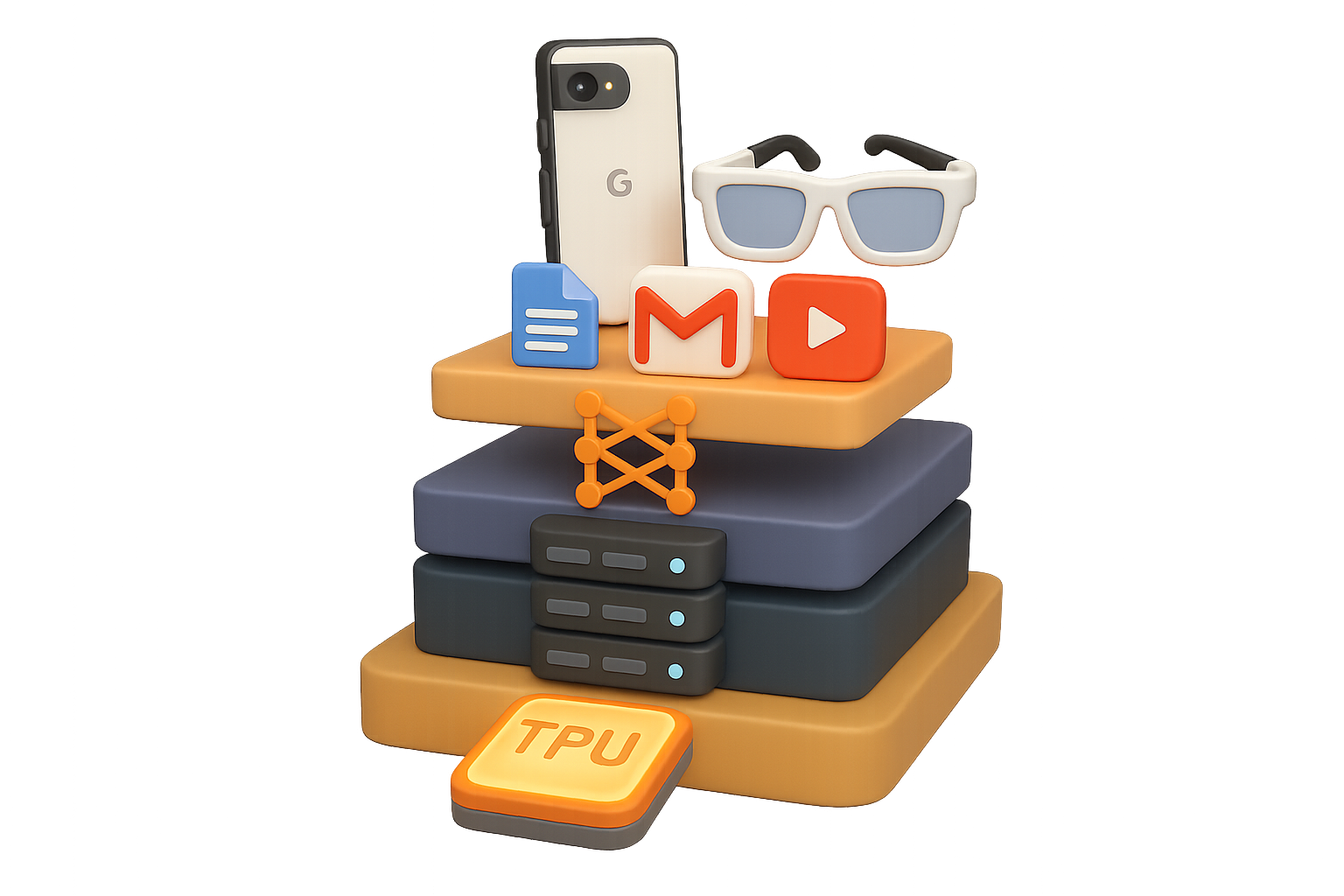
    The Five-Layer Stack That Changed the Game

    Here’s the quick rundown:

    1. Chip design
    2. Cloud infrastructure
    3. Foundation models
    4. Consumer products
    5. Devices in your hand (or, soon, on your face)

    Most players dominate one or two of these layers. Google? They’re playing—and winning—across the board.


    illustration

    1. Chip Design: Meet the TPUs

    NVIDIA’s GPUs may have gotten the early spotlight, but Google’s been quietly building its own muscle: Tensor Processing Units (TPUs).

    • Gemini was trained end-to-end on TPUs. That’s a flex—these chips now go toe-to-toe with NVIDIA’s A100s and H100s.
    • The upcoming Trillium TPU promises double-digit speed and efficiency gains (yes, double-digit).
    • For the first time, Google’s selling TPUs directly. Anthropic reportedly ordered a million. That’s not just ambitious—that’s a shot across NVIDIA’s bow.

    Bottom line? Owning the silicon = owning the margins.


    illustration

    2. Data Centers: They Own the Metal

    Most clouds—like Azure and Oracle—are glorified GPU rental shops. Not Google.

    Because they build their own chips, their entire infrastructure is custom-tuned for TPUs. From server racks to cooling systems to the fiber between them, it’s all optimized.

    And it shows:

    • Google Cloud is growing at ~30% year-over-year
    • It now brings in nearly 20% of Alphabet’s total revenue
    • Custom silicon gives them margin and scale—rare air in cloud computing

    You can’t rent your way into that kind of edge.


    illustration

    3. Foundation Models: Gemini’s Flex

    GPT-4 wowed. GPT-4o sharpened the edge.

    But Gemini Advanced? It’s holding its own—beating OpenAI on key benchmarks and flexing hard on multimodal outputs (hi, Veo and Imagen 3).

    Even more impressive: the release cadence. Google Research ships breakthroughs faster than you can say “multi-modal.” DeepMind’s decades of reinforcement learning are turning into consumer-grade magic.

    State of the art isn’t static. Google knows that—and they’ve cranked the flywheel.


    illustration

    4. Products Everywhere: Ecosystem as a Weapon

    OpenAI has ChatGPT. Anthropic has Claude. Google has…well, practically your entire digital life.

    • Search, still a $100B+ juggernaut
    • Docs, Sheets, Gmail, Meet
    • Maps, Photos, YouTube, Chrome
    • Android and Pixel devices
    • And now Gemini in all of them

    You don’t need a new app. You just click “Help me write” in Google Docs or ask Gmail to draft a reply. AI is already inside the tools you use every day.

    That’s not an app war. That’s user lock-in at scale.


    illustration

    5. Devices: From Pixel to Smart Glasses?

    Phones are the fastest-growing channel for generative AI—and Google owns Android, the most popular mobile OS on Earth.

    • Every Pixel comes with Gemini Nano, an on-device model for instant, private answers
    • That’s right—no trip to the cloud needed
    • Whispered rumors of smart glasses keep making the rounds. If spatial computing takes off, Google’s got the map, the OS, and the assistant

    Hardware isn’t just the delivery mechanism. It’s the moat.


    Why Vertical Integration Wins

    Own every layer, and you do more than ship fast—you ship smarter, cheaper, safer, and wider.

    Here’s why it matters:

    • Cost Control – Skip the markups. Own the chips and the racks.
    • Data Flywheel – YouTube, Android, and Search feed rich, real-world data back into model training (ethically, of course).
    • Distribution at Scale – Flip one switch, reach 2 billion+ users overnight.
    • Unbreakable Moats – The deeper Gemini embeds in Docs, Gmail, and Chrome, the harder it is to unplug.

    This is what end-to-end looks like—and why it’s so hard to copy.


    illustration

    So… Is It Google’s Game Now?

    Let’s not crown anyone just yet. OpenAI, Meta, Apple—they’ve all got aces. But here’s what you can’t ignore:

    • Custom chips that rival NVIDIA
    • The cheapest cloud at meaningful scale
    • Top-tier multimodal models shipping fast
    • Built-in distribution across everyday products
    • Devices already in pockets—and possibly soon on faces

    If AI is the new electricity, Google’s not just selling the bulb—they’ve wired the whole damn house.

    Your move, competitors.


    Want to learn how to get fluent in this new AI-powered world? Whether you’re a curious creator or a beginner building your stack, check out Tixu—a beginner-friendly platform that helps you learn AI without the overwhelm.

    Ready when you are.

  • Build a Smarter Website in 2026 with Hostinger

    Build a Smarter Website in 2026 with Hostinger

    Choosing an AI Website Builder in 2026: Which One Actually Delivers?

    Let’s cut the polite preamble: building a website with “AI” should save you time—not send you screaming into browser tabs and random help docs.

    But here we are. Half the so-called one-click builders hit you with broken layouts, vague prompts, or worse… 45 minutes of “Why can’t I just change this font?”

    So, we tested the top contenders—head-to-head, same prompt, no hacks. You’re about to find out which AI website builder gets it done without draining your sanity.

    illustration

    What You’ll Walk Away With

    You’ll get a side-by-side breakdown of Hostinger, Replit, and Google Firebase’s AI builder tools—how they stack up on speed, design, features, growth, and value. By the end, you’ll know exactly which one to bet on for your next project.

    Let’s get rolling.


    illustration

    The Test that Sniffs Out the BS

    We gave each tool the same simple command: “Create a website for NextGen AI Academy.”

    Then, we rated them (1–10) in five real-world categories:

    • Ease of use & productivity
    • Design quality & visuals
    • Features & flexibility
    • Scalability (can it grow with you?)
    • Price-to-value ratio

    All vanilla settings—no paid upgrades, no dev wizardry. Just click, prompt, build.


    illustration

    Hostinger AI Website Builder

    Total Score: 45/50

    Fast, polished, and surprisingly powerful

    Ease of use – 8/10
    The interface is crisp and beginner-friendly. There’s even a quality meter that tells you if your prompt needs more juice before you hit “generate.” Nice touch.

    Design quality – 8/10
    The first draft? Legit beautiful. Clear section flow, smart image choices, fully functional pages out of the gate.

    Features & flexibility – 10/10
    Flex your site-building muscles with:

    • An AI SEO Assistant (yep, it writes optimized copy for you)
    • AI logo maker
    • Massive widget library with full editing control

    No fluff, just tools that work.

    Scalability – 10/10
    Grows with you, plain and simple. Hostinger’s backend scales your resources on demand, backed by global servers that keep things snappy from Tokyo to Toronto.

    Price & value – 9/10
    Long-term plans dip under $3/month—with a domain and email bundled in. Month-to-month? Still fair around $14. You get what you pay for and more.


    illustration

    Replit AI Site Generator

    Total Score: 30/50

    Great visuals, slow start

    Ease of use – 6/10
    Prompts are simple. But the site takes up to 20 minutes to generate. Unless you’re using that time for yoga or coffee, it’s a buzzkill.

    Design quality – 9/10
    Sleek, modern pages with dark mode baked in. But editing post-launch feels a few clicks too deep.

    Features & flexibility – 5/10
    Outside of basic theme tweaks, there’s not much here. No SEO, no real content tools, and definitely no drag-and-drop joy.

    Scalability – 4/10
    Hits a wall fast. Great for side projects, not so much for significant traffic bursts.

    Pricing & value – 6/10
    Starts at $25/month. For what you get, it’s a stretch—especially with that molasses-speed build time.


    illustration

    Google Firebase Studio

    Total Score: 32/50

    Speedy MVP machine, but limited muscle

    Ease of use – 9/10
    Fastest launch of the bunch. Enter prompt, click generate, done. The UI feels built for folks who just want to go.

    Design quality – 6/10
    Layout looks clean but visually bare. Looks more like a wireframe than a finished website.

    Features & flexibility – 6/10
    You can click an element and ask the AI to rewrite it—very cool in theory. But you’ll miss the basics like multi-page support or built-in SEO tools.

    Scalability – 7/10
    Powered by Google Cloud, so it can definitely scale technically. But some use cases demand fiddly setup after launch.

    Price & value – 4/10
    “Free” sounds great—until you realize domain support and storage depend on unpredictable usage fees. One viral spike, and your bill goes boom.


    illustration

    How They Stack Up

    PlatformFinal ScoreBest For
    🥇 Hostinger45/50Creators, founders, small teams
    ⚡ Firebase32/50Developers prototyping fast
    🧪 Replit30/50Experimental apps / demos

    illustration

    So, Which One Should You Use?

    Here’s the straight-up answer:

    If you’re building a serious site and want it to launch fast, look sharp, and grow with you—go with Hostinger.

    If you’re a developer looking to whip up a clean prototype in minutes, Firebase Studio could be the move—but be ready for some guardrails.

    If you just want to dabble and test ideas, Replit is decent, but keep expectations in check.

    For most creators, Hostinger hits the sweet spot: it’s got real AI muscle, solid pricing, and enterprise-grade infrastructure under the hood. That’s a rare combo.


    illustration

    Your Move

    AI won’t replace web devs—but builders who use it well? Too far ahead to ignore.

    If you want hands-on practice that teaches you smarter ways to build, prompt, and deploy with AI—get started at Tixu.ai. It’s your shortcut to AI skills, minus the fluff.

  • Master AI Agents and Future-Proof Your Tech Career

    Master AI Agents and Future-Proof Your Tech Career

    You vs. the AI Wave: How to Stay Ahead Through 2026

    AI isn’t slowing down—not for you, not for your competitors. While you’re trying to master last month’s tools, Google’s already building an ecosystem designed to do your busywork for you. And here’s the kicker: they’re giving it away for next to nothing.

    This post’ll give you:

    • A snapshot of where Google’s headed with its AI stack (and why that matters)
    • Practical experiments you can run today, with free tools
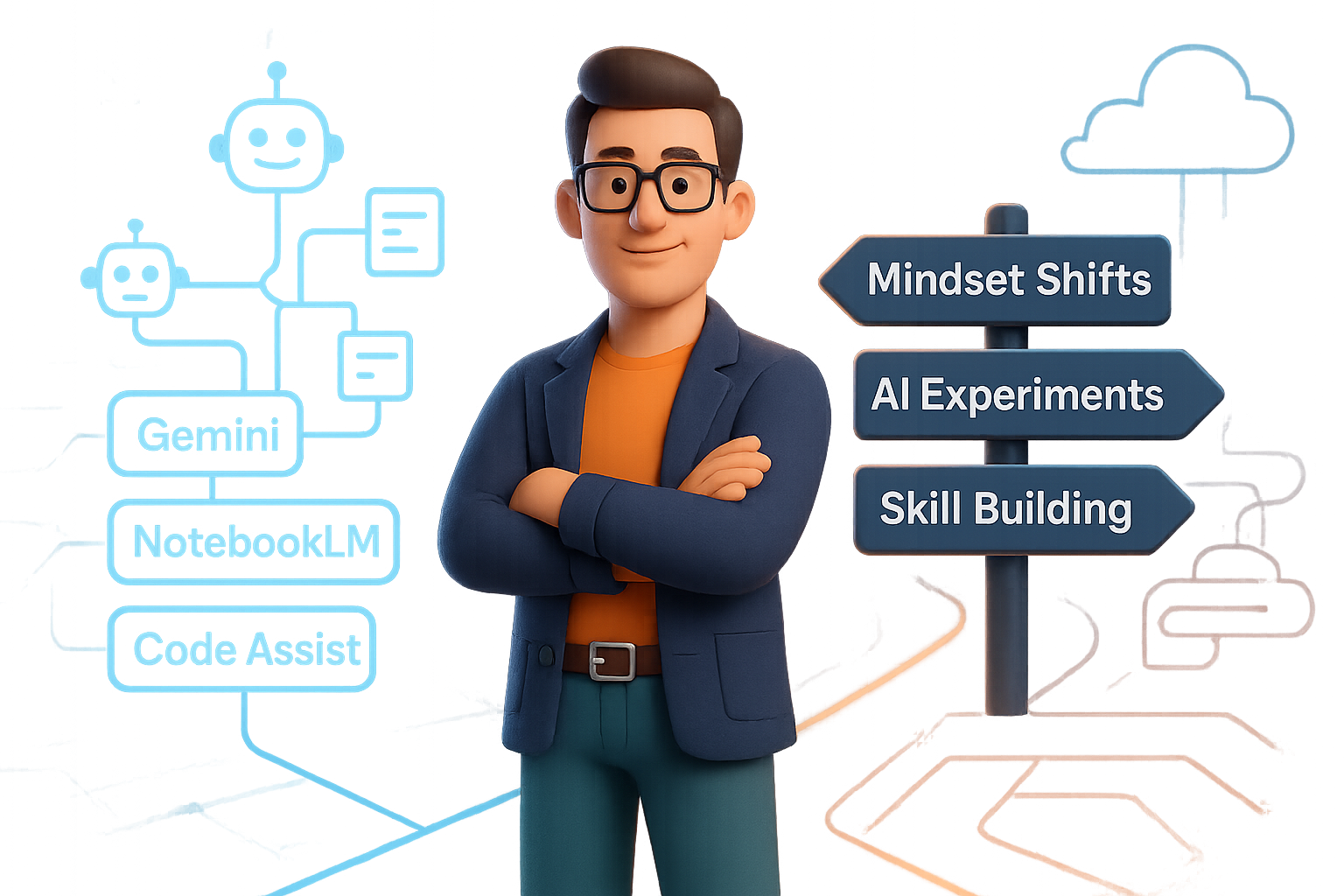
    • Seven mindset shifts to keep your skills sharp and future-proof

    Let’s break it down.


    illustration

    Google’s quiet AI land-grab is already affecting you

    Thought 2024 was the year of AI tools? Cute.

    Google is quietly laying the groundwork for a full-blown agentic software ecosystem—a network of tools that think, plan, and collaborate with zero hand-holding.

    Here’s a peek at what’s already live (and either free or dirt-cheap):

    • Gemini (Pro, Flash 1.5, and Nano) – Large to mobile-scale models that talk to each other like old friends.
    • ImageFX – A rebranded image generator, now baked directly into Gemini (click: Create → Images).
    • NotebookLM – Still experimental, but already clutch for deep research and presentation workflows.
    • Code Assist (“Codey”) – Drop in a GitHub repo, and it spins up a cross-linked dev wiki. No manual mapping required.
    • Workspace Studio – Connects agents (“gems”) to every corner of Google Workspace—Docs, Sheets, Chat, and more.

    While others charge per seat, per user, or per click, Google’s quietly betting long with nearly free access. Translation? They’re aiming to make agent-based AI the new default.


    illustration

    Say less, gain more: Goals beat prompts

    Most AI tools wait around for your next question. Agents? They take a goal and run with it—fetching data, triggering workflows, and even coordinating with other agents behind the scenes.

    Need proof? Check out what Kärcher (yes, the German cleaning company) built using Workspace Studio:

    1. Brainstorming Agent scored new product ideas based on business value.
    2. Tech Agent validated ideas against internal specs and API access.
    3. UX Agent mapped the user flow.
    4. Story Agent generated Jira-ready tickets with timelines and acceptance criteria.

    Start to finish, in minutes. No meetings. No flaky handoffs. Just speed and structure, a dozen times a day.


    illustration

    Why your plain LLM isn’t enough (and who’s solving that)

    Off-the-shelf AI still hallucinates too often because it doesn’t know what you know—your data, your domain expertise.

    You could fine-tune a model to solve that. But let’s be real: training a 120B parameter model isn’t in most teams’ budget.

    That’s where Nebius AI’s Token Factory steps in:

    • Managed infra: LoRA adapters? Full-node training? Covered—from one A100 to 500+ GPUs.
    • Ridiculous context: 131k-token windows. Yes, you can drop your whole codebase in.
    • Free credits: Spin up fine-tunes on open-source models like GPT-OS 120B—if you move before Jan 9, 2025.

    Skip the jank. Train a model that actually understands your workflows.


    An artistic representation of a desktop workspace featuring colorful 3D icons, including a target, hearts, tools, a magnet, and a book labeled 'TECH DICTIONARY', with a computer monitor displaying a document.

    Seven mindset shifts to stay employed (and irreplaceable)

    The tech’s evolving daily. Your thinking needs to sprint just to stay relevant. Here’s the download:

    1. AI will code. You’ll program. Shift from typing commands to shaping goals.
    2. Health > productivity hacks. Software updates don’t beat stress. Recovery is a career strategy.
    3. Write clearer than you think you need to. Future tools amplify input. Garbage in still means garbage out.
    4. Brand > feature set. Loyal users and followers are harder to copy than clever apps.
    5. Specialize or sink. 80% of tasks will be automated. Bet on the 20% that aren’t.
    6. Automate what matters. Focus on high-stakes flows with edge cases—not toy prompts.
    7. Know the lingo. APIs, embeddings, memory, orchestration—the C-suite doesn’t get a pass anymore.

    illustration

    Run these 4 experiments this month

    You could read another case study. Or you could roll up your sleeves and learn the hard way:

    • Gemini’s ImageFX: Flip on “Nano” (on Pixel) or “Pro” models. Snap a handwritten question. Watch it answer… in your own handwriting.
    • NotebookLM’s YouTube upload: Drop a link. Ask for an infographic. Get one in less time than it takes to watch the video.
    • Code Assist + GitHub test: Feed it a repo. Generate a cross-linked map of your codebase in minutes.
    • Build a 3-agent “micro-team”: One evaluates features, one scopes impact, one fires off the Jira tickets.

    Each experiment costs pocket change but teaches skills worth 10× over the next few years.


    illustration

    Fire, power, and why speed wins

    Remember when humans learned to contain fire? That was day one of civilization. AI is fire 2.0—power you can direct.

    Some folks will get burned. Others will build railroads.

    The real question: which one are you?

    So here’s your playbook:
    – Learn with purpose, not panic.
    – Use the free stuff while it’s still free.
    – Fine-tune where it matters.
    – Prioritize workflows that impact real people.
    – Protect your sleep, your health, and your hunger to explore.

    Because the future won’t wait. But it will reward the ones who run toward it.


    Want a supportive launchpad to level up your AI skills—fast?
    Check out Tixu, the beginner-friendly AI learning platform built for curious creators and future-ready pros. Try a challenge, build a bot, or master vectors without the headache.

  • 8 AI Shifts That Will Redefine 2026

    8 AI Shifts That Will Redefine 2026

    8 Tech Shifts That’ll Reshape Your Life

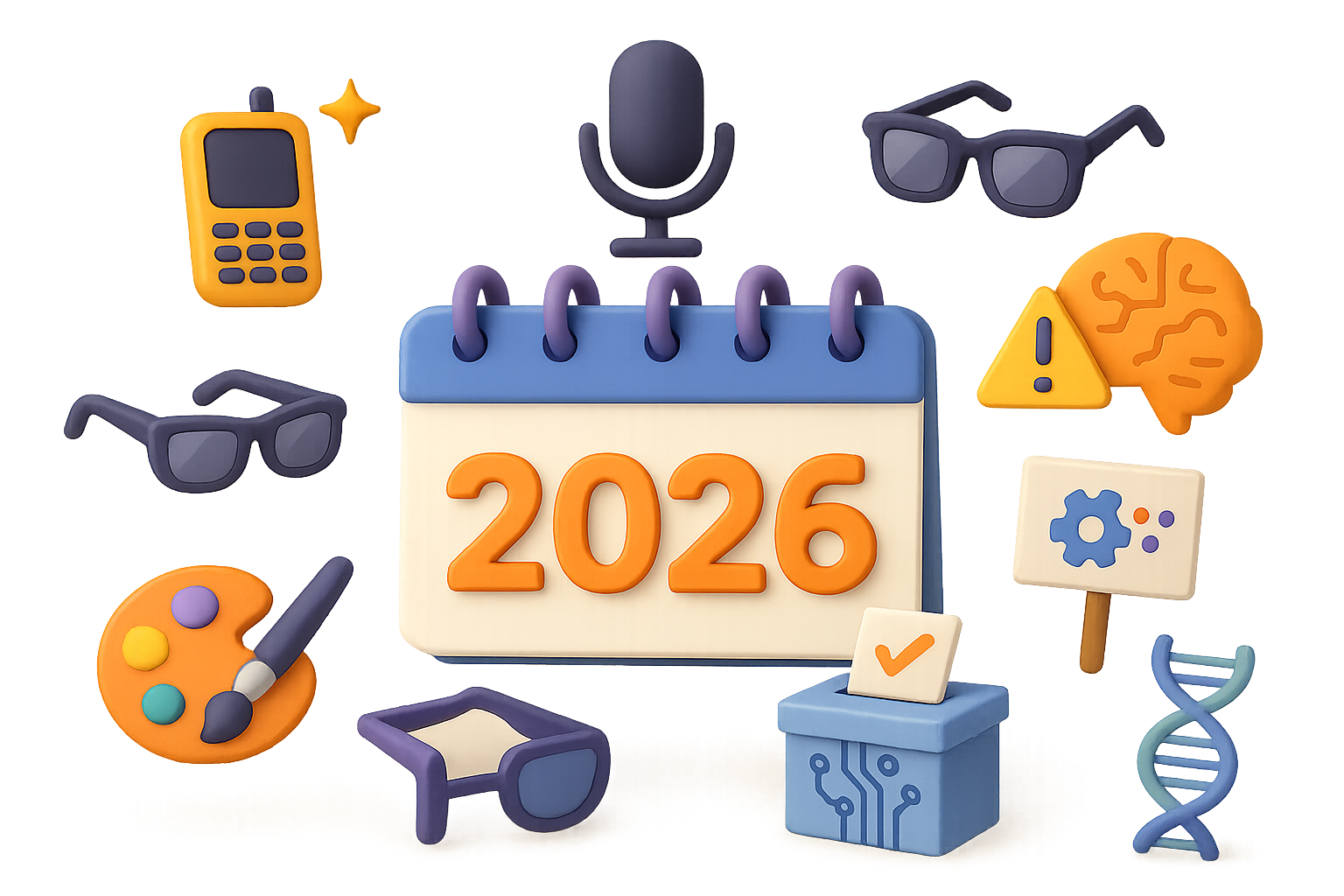
    Feeling like tech moves faster than your morning coffee cools down? You’re not wrong—and it’s just getting started. By 2026, eight converging trends will flip how you talk, work, date, shop, and even stay healthy.

    So what does that mean for you, your team, or your product? A lot. Let’s dig in.


    illustration

    1. Offline Life Becomes a Status Symbol

    Remember when hanging out with friends didn’t have to be “documented content”? Yeah, younger users are already ditching doomscrolling in favor of dumbphones and digital detoxes. The pendulum’s swinging hard the other way.

    • Flip phones? Back in fashion.
    • Dating apps? Getting ghosted for IRL mixers and running clubs.
    • Voice assistants now handle your routine—so your screen time drops whether you plan for it or not.

    Even Meta’s adapting, pushing videos to your living room TV. Why? Because the next scroll might be no scroll at all.

    If you’re a brand: Start designing for downtime. Quiet design, ambient nudges, and meeting your audience where they unplug.


    illustration

    2. Voice Becomes Your Default Interface

    Typing is fine—until it’s not. Talking is faster, more intuitive, and way easier when your hands are full. Voice-first experiences are snowballing.

    • Voice notes and audio chats are replacing DMs and emails.
    • Talking to your AI beats typing to it every time.
    • Call centers, online orders, customer support—all getting retooled around speech.

    And with Siri, Gemini, and open models like Whisper catching up fast? You’ll be talking to tech a lot more, and tapping it a lot less.

    Do this next: Run a voice-readiness audit on your customer flows. You don’t want to be the last site still forcing folks to fill out 12 fields on mobile.


    illustration

    3. Smart Glasses Get a Second Chance—And This Time Stick

    Those Ray-Ban Meta glasses? Just the appetizer. By 2026, Apple, Google, and who-knows-who-else will be in your line of sight—literally.

    • Smartphones stay in your pocket. Visuals float in front of you.
    • Speak softly, get answers whispered back.
    • Content’s always within view… and so are ethics debates. Think cameras and mics everywhere.

    Heads-up interfaces mean the scroll economy shrinks. Your attention won’t be on a 6″ screen—it’ll be layered over the world.

    Time to prototype: Create just one glasses-friendly feature or interaction. If you wait for “mass adoption,” you’ll be catching up forever.


    illustration

    4. AI Models Hit a Wall—and Pivot Hard

    LLMs like GPT-4 and Claude 3 are powerhouse tools… but they’re also running out of calories. Why?

    1. The open web is running dry on high-quality, original text.
    2. AI is training on its own recycled content.

    The pivot? “World models” that learn from video, sound, even touch sensors. Think less autocomplete brain, more real-world brain.

    When one company cracks this—expect stock charts to move and product roadmaps to explode.


    illustration

    5. The Tech Pushback Gets Loud

    Progress always meets resistance—and that’s not always a bad thing.

    • Layoffs get rebranded as “AI readiness.”
    • Employees demand retraining and transparency.
    • Users raise red flags about thinking less and trusting deepfakes too much.

    You might even see consumer boycotts or class-action lawsuits slowing the AI roll. Not every disruption gets a free pass.

    Build your “resistance response” now: transparency, ethics, and a clear value exchange with users.


    illustration

    6. AI Joins the Ballot Box

    So far, most political chatter about AI is vague at best. That changes in 2026.

    At least one candidate somewhere will run with a real AI policy agenda:

    • Retraining funds for displaced jobs.
    • Guardrails on surveillance, disinfo, and bias.
    • An actual plan for sovereign, national AI infrastructure.

    Once it exists, every rival has to keep up—or fall behind.

    If you’re in a regulated industry: start your scenario-planning now. Lobbying, compliance, ops—all of it gets reshaped.


    illustration

    7. AI-Created Content Goes Pop—and Sparks Culture Wars

    At some point soon, an AI-generated song, character or feature film will hit big. Like, Grammy-nomination big. And the public split will be sharp.

    • “This is the evolution of art!”
    • “This is just training data stealing vibes!”

    Disney’s already in. Music labels that sued AI tools in 2023? They’re now signing AI artists in 2024. Love it or loathe it, this shift isn’t optional.

    Creative teams: you’ll need to decide whether to partner with AI, regulate it, or try to out-heart it.


    illustration

    8. A Medical Breakthrough That Changes Minds

    AI isn’t just beating your chess app anymore—it’s hunting cancer.

    Specialized models are learning from genomic data, medical imagery and more:

    • Drug discovery timelines are dropping from years to months.
    • Previously undetectable diseases are getting early ID’d.
    • AI-assisted diagnoses are already outperforming some clinics.

    At some point in 2026, an AI breakthrough will save thousands of lives—and shift public sentiment from “is this worth it?” to “why did this take so long?”

    Tip: even if you’re not in healthcare, ripple effects will land in adjacent sectors—insurance, biotech, wellness, education, and hiring.


    illustration

    What to Do

    Here’s your prep list:

    1. Audit every customer touchpoint for voice compatibility.
    2. Build one “heads-up” (smart glasses friendly) feature now.
    3. Model your response to AI regulation, labor reactions, and pushback.
    4. Keep a close watch on AI + science ties—big leaps will disrupt your market even if they don’t start there.

    The difference between caught off guard and crushing it? Action.

    These trends aren’t pie-in-the-sky speculation—they’re already in motion. Flip the script now while everyone else is still debating if they should.

    🚀 Want to start learning the AI skills that’ll actually matter in 2026? Head over to Tixu.ai—a beginner-friendly AI learning platform designed to get you future-ready, fast.

  • Earn More in AI Without Writing a Line of Code

    Earn More in AI Without Writing a Line of Code

    AI Feels Frothy—Here’s How to Turn the Foam Into Cashflow

    Record-breaking venture rounds. GPUs sold out ‘til next quarter. Chatbots that sound like they all went to the same improv class.

    If it all feels suspiciously bubbly, you’re not alone. But instead of asking whether this is a bubble, here’s a sharper question:

    Where’s the boring, predictable cashflow—while the flashier plays fight over headlines?

    That’s what this post is about. You’re getting the no-BS, five-minute tour of the AI value chain and where the real, non-hype money is flowing. No code? No problem. Let’s unpack how you can stake your claim—without gambling it all on the next unicorn.


    illustration

    Power the Beast Before You Feed It

    Tier 0: Energy Infrastructure

    AI runs on juice—and lots of it.

    • Data centers already pull more power than some entire countries.
    • Demand will double, maybe triple by 2030.

    The real winners? Utility contractors, solar installers, battery techs, and grid-upgrade consultants.

    Do this next: Become (or buy into) a specialty shop: 24/7 emergency power, substation upgrades, battery swaps. Niche + reliability = pricing power.


    illustration

    Get Next to the Silicon, Not Just Inside It

    Tier 1: Chips & Clean Rooms

    Sure, Nvidia gets the stock love. But those $10 billion fab plants?

    They still need clean-room HVAC, ultra-sensitive HEPA filters, and safety inspections that make NASA look breezy.

    Mini-win snapshot: Data Clean Corp built an empire by obsessively cleaning chips. Now they’re the go-to—at enterprise pricing.

    Do this next: Find one technical service—do it insanely well. Fab plants will pay $150/hr to avoid pulling a $200/hr engineer off task.


    illustration

    The Server Farms Are Booming (And Need Your Toolbox)

    Tier 2: Data Centers

    $455 billion poured into new data centers last year. That’s 51% growth, by the way.

    Microsoft, Meta, and Amazon secure the land, but it’s your local electricians, vent techs, and safety inspectors who keep them online.

    Pro tip: Move from “janitor” to “systems risk consultant.” Fix the basics, flag problems, upsell support plans. You’re already in the building.


    Three diverse characters engaging with digital tools and charts, discussing data analysis and application development in an office setting.

    Don’t Build the Model—Sell to the Builders

    Tier 3: Foundation Model Fuel

    Yes, OpenAI is spending hundreds of millions per training run. But guess who’s getting paid quietly and consistently?

    • API providers
    • Observability tools
    • Compliance auditors

    The less flashy the offering, the stickier.

    Do this next: Carve out a tool that de-risks model training. Think “instrument panel” not rocketship. Fuel is a repetitive business.


    illustration

    Fix the Tools Engineers Hate Using

    Tier 4: Orchestration & Dev Tools

    These are the wrenches and screwdrivers for AI teams—vector databases, agent frameworks, security wrappers.

    Hot tip: you don’t need a new platform. Just fix one gnarly step in their workflow.

    • Token usage reconciliation
    • Fine-tuning automation
    • Secure model routing for regulated industries

    Claim your niche, earn retention you don’t have to pay for.


    illustration

    Cut the Buzz—Automate a Budget Line

    Tier 5: AI-Native Apps

    Let’s be real: 90% of AI consumer apps right now are glorified PDFs with a chat UI.

    But the survivors nail one thing: they kill costs.

    Example: Co-Counsel slashed legal doc review time by 50%. That saves firms millions—and they don’t care what tech did it.

    Do this next: If you go app-route, find a co-founder with skin in the game and lock in real equity. Big Tech will poach your team if you matter.


    illustration

    Bubble or Not—This Time Is Different

    Feels frothy? It is. But look closer:

    • Over $400B allocated for AI infra through 2025.
    • AI-heavy stocks account for nearly 40% of 2024’s S&P 500 gains.
    • AI is already inside 90% of U.S. GDP growth.

    Translation: yes, some froth. But unlike tulips or token mania, there’s real utility underneath.

    Smart play: Instead of FOMO-ing into apps or chasing headlines, build what others rely on—but don’t glamorize.


    Four Reliable Paths to AI-Adjacent Cashflow

    1. Slide AI Into Ops, Not Just Products
      Don’t make a chatbot. Make your existing business smoother.
      👉 Temple & Webster shaved 60% off costs by automating 80% of their customer service.
    2. Buy Boring, Serve Glamorous
      Everyone wants to build the rocket. Serve the launchpad.
      👉 Wire a data hall, install chillers, deliver fire suppression—none of this gets offshored.
    3. Solve Expensive Headaches, Not Ideas
      Identify a 40-hour-a-month pain point. Build the aspirin.
      👉 Legal, health, e-comm—any sector with bloat is a goldmine for AI-powered ops tools.
    4. Get a Fast, Digital Sideflow
      Tools like BuildYourStore.ai + AutoDS let you launch a working e-comm store in hours, zero inventory, no code.
      👉 Quick revenue while building the long game? Yes, please.

    illustration

    Coming Soon: Agentic AI Is the New Employee

    Conversation models are cute. But next-gen AI acts.

    You’re looking at software that books appointments, reorders supplies, calls leads, files reimbursements—on its own.

    Vista Equity calls it “agentic software.” It’s like giving your business the world’s fastest intern—without the clumsy training period.

    Key mindset shift: Don’t let AI think for you. Make it think with you. Focus your creativity, use AI to scale it. Pretty soon, it’s your silent team of 500.


    illustration

    Wrap-Up: Go Where the Money Quietly Flows

    Bubbles pop. Infrastructure sticks.

    So while VC money gets loud, you play it smart. Power the stack. Clean the rooms. Fix the flows. Automate the grunt work. Get paid like clockwork.

    Pick your tier, own it completely, and stay slightly boring on purpose. That’s where the compounding starts.

    Want to build a smarter AI side hustle or upskill without drowning in jargon?
    👉 Get started with Tixu.ai—your coach for AI without the confusion.

  • Build a 6-Figure Service Business in 3 Steps

    Build a 6-Figure Service Business in 3 Steps

    The Easiest Type of Business to Start (and Grow) in 2026

    Ever feel like every business guru is telling you to “go viral” or “build a SaaS”? Great in theory. Exhausting in practice. If you’ve got skills, a laptop, and a WiFi signal, there’s a faster path to six figures—no ecomm warehouse, no content treadmill, no big up-front investment.

    Let’s break it down. You’ll walk away knowing:

    • The one formula all businesses run on
    • Why high-ticket services beat low-price products
    • How to package and price an offer that sells itself

    Sound good? Good. Let’s keep it simple—and profitable.


    illustration

    The Only Formula You Need: People × Price

    Every business—no matter how flashy—starts with this:

    Revenue = Number of Customers × Price per Customer

    Want to make $100k? Pick your price point:

    • 1 client at $100,000
    • 10 clients at $10,000
    • 10,000 customers at $10

    Math says they’re equal. Reality says they’re not.

    That $10 offer? You’ll need an army of buyers. At $10k, you need a football team’s worth—and your life changes.


    illustration

    Why “Cheap and Cheerful” Is Actually Hard Mode

    Ten-dollar gadgets sound easy to sell. They’re not.

    Here’s the rub with low-priced products:

    • You need massive traffic—and traffic costs time or cash
    • Support tickets, returns, logistics all scale (but profit doesn’t)
    • You’re swinging at Amazon and Walmart in their home arena

    Unless your idea is earth-shatteringly novel, skip price points under $100. Start where you can win.


    illustration

    The Goldilocks Zone: $2,000–$20,000 Offers

    This is your sweet spot. Charge enough to make it worthwhile, without needing to run ads 24/7.

    Think about it:

    • 5 clients at $10k = $50,000
    • 20 clients at $5k = $100,000

    You’re not chasing thousands of checkouts. You’re hand-picking a few dream clients.

    Bonus? High-ticket buyers expect personalization. Impress one, land a referral. Keep marketing simple and relationships strong.


    A colorful illustration depicting a toolbox labeled 'YOUR SKILLS' filled with various elements like invoices, a checklist, and a gear, alongside a money jar with coins and a speech bubble that says 'Optimize onboarding.'

    Services Beat Products for First-Time Founders

    Sure, products are shiny. But services make money—fast.

    Starting with a service means:

    • No inventory – no stock, no storage, no surprise shipping fees
    • Immediate cash – sell it before you build it
    • High leverage – clients pay for outcomes, not cost of goods
    • Bootstrapped growth – use deposits to fund your next steps

    Skip “sell the hoodie.” Try “optimize onboarding for B2B SaaS teams instead.” Less cool on Instagram. Much cooler for your bank account.


    illustration

    The Service Spectrum: DFY → DWY → DIY

    Not all services are created equal. Here’s the ladder:

    1. Done-For-You (DFY) – You do it all. Designers, copywriters, marketers—this is your zone. Fastest cash, most time.
    2. Done-With-You (DWY) – You guide the client. Coaching, consulting, group programs. Scalable with smart systems.
    3. Do-It-Yourself (DIY) – Courses, templates, memberships. Scalable, but now you’re back in Volume Land.

    Start with DFY. Nail results. Shrink your calendar. Then scale.


    illustration

    Pick a Niche, Pinpoint a Pain

    Don’t just “start freelancing.” Start solving problems for people with money.

    Here’s your 3-part filter:

    • Who’s wealthy? E-comm stores, dental clinics, law firms, consultants
    • What’s broken? Sales processes, poor onboarding, churn, compliance risks
    • Can you tie your service to revenue? If yes, it’s an easy sell.

    Service pitch in action: An ex-accountant sees that UK firms waste weeks onboarding new clients. She offers a DFY onboarding overhaul for $8k. Ten clients later, she’s fully booked—no TikToks, no funnels, no fluff.


    De-Risking Your Skill Gap

    “But I’m not a high-ticket expert.”

    Guess what? You don’t have to be. You just need to be better than your client at one thing.

    You can:

    • Leverage past roles – sales ops, compliance, HR? Package it.
    • Partner smart – sub out complex stuff, focus on client outcomes
    • Learn like a beast – binge YouTube, Udemy, ChatGPT. Build while you learn.

    Clients pay for value, not for how many courses you’ve taken.


    illustration

    Your 3-Step Action Plan

    Want to start this week? Here’s your roadmap:

    1. Pick your income goal and offer range.
      Want $100k? Can you charge $5k? Then you need 20 clients. That’s it.
    2. Validate a painful problem.
      Talk to 10 ideal clients. If three say “I’d pay for that,” you’re onto gold.
    3. Launch, deliver, refine.
      Start DFY. Solve problems. Grab case studies. Raise rates. Repeat.

    Skip the product warehouses. Drop the content grind. Build a skills-first business that funds your life.


    illustration

    You Don’t Need a Big Idea. Just a Valuable One.

    You don’t need a unicorn startup or an overnight audience. You need a valuable service, a handful of good-fit clients, and the guts to charge what it’s worth.

    Start in the $2k–$20k sweet spot. Solve meaningful problems for people with money. And 2026? That’s your year.

    📚 Want a shortcut? Learn high-value, beginner-friendly AI skills at Tixu—and turn your know-how into income.

  • Master 2026 AI Trends: 8 Breakthroughs to Watch

    Master 2026 AI Trends: 8 Breakthroughs to Watch

    8 AI Trends That Will Define 2026

    You’ve probably noticed: the AI world doesn’t pause for breath. By the time you wrap your head around today’s breakthrough, tomorrow’s already knocking. Looking ahead to 2026, there are eight game-changing trends you’ll want on your radar—because they’re not just reshaping tech, they’re redefining what human+machine collaboration looks like in real-time.

    Here’s what’s coming (and why it matters for the fast-moving, tools-deploying, decision-making pro that you are).


    illustration

    Automate Smarter with Multi-Agent Orchestration

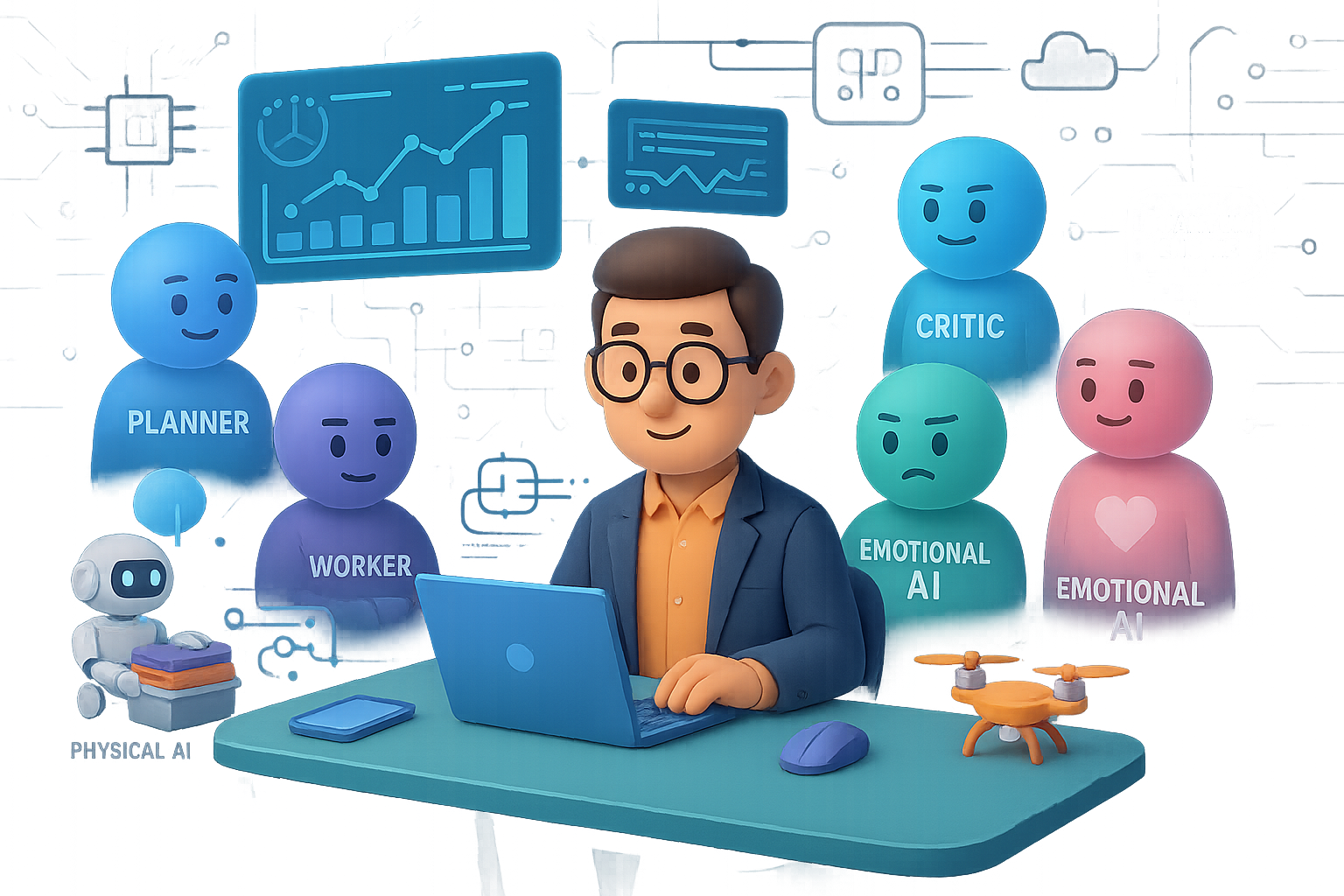
    Forget the solo “super-agent” of 2025. In 2026, you’ll be working with squads of AI specialists—each with a defined role, all reporting to one orchestrator layer.

    • A planner agent breaks your big idea into tiny executable steps.
    • Worker agents do the grunt work—code, research, analyze, draft.
    • A critic agent checks the outputs and flags errors.

    The result? Fewer hallucinations, verifiable task chains, and serious productivity. It’s like DevOps, but your pipeline is a team of autonomous pros who never take coffee breaks.


    illustration

    Build with a Digital Labor Workforce

    Your AI coworkers are about to get promoted. Digital workers now:

    • Understand images, PDFs, even voice memos.
    • Turn inputs into optimized workflows.
    • Execute inside complex enterprise tools with precision.

    But don’t worry—humans stay in the loop. Think of yourself as the strategist steering a highly capable fleet. According to IBM, hybrid human-AI deployments boost productivity by up to 85%. That’s not wishful thinking. That’s your new baseline.


    illustration

    Watch Physical AI Hit the Real World

    Here come the robots—smarter, nimbler, practical. In 2026, Physical AI isn’t fictional. It’s functional.

    World foundation models, trained in simulated environments, are powering robots that finally get the physical world. That means warehouse bots that don’t need you to script every motion… and home-assistive robots that can clean up without breaking your vases.

    Text and image AI felt magical. Wait till you see one fold your laundry.


    illustration

    Collaborate with Emotionally Intelligent Systems

    Social computing is shifting beyond interface design into shared intelligence. Your personal AI can now exchange intent, vibe, and context with others’.

    • You and others align faster with intent sharing.
    • Agents stay on the same page through context exchange.
    • Systems recognize tone and emotion via affective computing.

    Imagine your email assistant recognizing you’re in a rush and auto-prioritizing follow-ups from people who matter most. It’s not just smarter tech—it’s more human.


    illustration

    Don’t Ship AI Without a Seatbelt: Verifiability Is Here

    By mid-2026, the EU AI Act hits full speed. That means if your AI impacts people’s lives—credit scoring, hiring, medical advice—it better be:

    • Auditable: Tests, risks, and mitigation logs on file.
    • Transparent: Users know when AI’s involved.
    • Traceable: Data has a clear, compliant origin.

    Sound heavy? It is. But here’s the flip: trust becomes your differentiator. Build it in, and you’re already ahead of half the market.


    illustration

    Start Seeing Quantum Utility in Everyday Pipelines

    Quantum isn’t just for physicists anymore. In 2026, it’ll quietly supercharge:

    • Logistics planning
    • Drug discovery
    • Financial portfolio simulation

    Hybrid quantum-classical stacks pull in QPUs alongside your CPUs and GPUs. You won’t need to become a quantum theorist—but you will need to partner with one. Because beating your competition by simulating a material faster? That’s very real ROI.


    illustration

    Reason at the Edge—No Data Center Required

    Here’s the twist: smaller models are getting smarter. Edge AI in 2026 includes:

    • Multi-step reasoning done locally.
    • Zero cloud latency—faster response times.
    • Higher privacy, since data stays put.

    This unlocks real-time use cases—think autonomous drones, surgery-assist systems, or on-site industrial controls. Edge AI used to be dumb. Now it’s clever enough to make decisions while avoiding lag and leaks.


    illustration

    Develop on a Fluid Compute Backbone

    We’re leaving the era of “choose your stack” and entering a world where compute finds you:

    • Transformers are blending with new architectures like state-space models.
    • Chips are mixed and matched—CPUs, GPUs, neuromorphics, even QPUs.
    • Auto-compilers allocate resources instantly for peak performance.

    You get the gains of high-efficiency compute without the rebuild slog. Because honestly, your time’s better spent innovating than tuning for somebody else’s server rack.


    illustration

    Why This All Matters (To You)

    Taken separately, these trends are impressive. Together, they reshape AI as:

    • Distributed – shared across agents, humans, and edge devices.
    • Accountable – driven by audit trails and ethical oversight.
    • Unstoppable – thanks to quantum boosts, orchestration, and smarter models.

    You don’t need to bet on everything. But now is the time to:

    • Trial a multi-agent approach.
    • Audit data flows and get compliance-ready.
    • Explore partnerships in quantum or hardware.
    • Shift workloads closer to the edge.

    Future-proofing isn’t a 2026 goal—it’s a June 2024 priority.


    illustration

    Your Move

    Which trend’s already peeking over your horizon? Multi-agent workflows? Emotion-savvy systems? Maybe you’re eyeing quantum for real?

    Let us know. We’re all learning, iterating, and building this future together. And if you’re just getting started with AI, check out Tixu – the beginner-friendly AI learning platform built for real-world skills.

    Ready when you are.

  • Master Gemini 3 to 10x Your Workflow

    Master Gemini 3 to 10x Your Workflow

    5 Gemini 3.0 Upgrades That Actually Save You Time

    You’ve been burned before by AI “breakthroughs” that overpromise and…well, under everything else. But after a month under the hood with Gemini 3.0, we’re calling it: this version earns its keep.

    No fluff, no 47-slide decks—just five upgrades that make your workflow smoother. Whether you’re wrangling docs, designing dashboards, or trying to get an AI to write like your boss (without screwing it up), Gemini 3.0’s got your back.

    Let’s dig into the wins—and how to put them to work.


    illustration

    1. Multimodality That Actually Gets It

    You toss Gemini a video. It doesn’t just see blurry thumbnails and detached audio. It watches. Listens. Understands what’s happening from start to finish—and connects the dots.

    Use this when:

    • You’ve recorded a messy onboarding video and need a crisp step-by-step checklist without rewatching.
    • You’re sitting on hours of user interviews and want moments of frustration flagged—with visual context.
    • You upload a dense report and get back a polished infographic—not AI art with unreadable fonts.

    This isn’t just flash—it’s a genuine timesaver. Think: hours off your plate instead of death by timestamps.


    illustration

    2. Deep-Reading Power (Finally Useful)

    Yes, a million-token context window sounds cool. But here’s what’s cooler: Gemini 3.0 is roughly 60% better at pulling real insights from deep in your docs.

    Got 200 pages of quarterly reports to cross-reference? Dump everything in and ask: “Show three times executive commentary doesn’t align with financials—include citations.”

    Gemini doesn’t invent numbers anymore. You’ll get legit examples (e.g., upbeat VR talk side-by-side with a $4.4B Reality Labs loss). No more squinting through fine print or playing “Where’s that chart?”


    illustration

    3. Search That Works the Way You Think

    Remember when Drive + Gmail search was…let’s say “temperamental”? That’s over. The Gemini 3.0 Workspace extension finally gives you a power-up worth using.

    Try these:

    • “Find everything related to freelancer Alex and write two testimonials from actual deliverables.”
    • “Scan last week’s emails. Group messages by deadline and highlight what needs a reply today.”
    • “Draft my self-review from meetings, docs, and emails over the last 6 months—format it for our performance review template.”

    If you’re about to burn 10+ minutes hunting for context in your inbox or docs—pause. Ask Gemini first. You’ll get time (and sanity) back.


    4. Interfaces That Build Themselves

    Here’s where it gets spicy. Gemini 3.0’s performance on UI reasoning has jumped from 11% to 72% on key benchmarks. Translation? It doesn’t just suggest layouts—it builds them.

    Picture this:

    • Upload pricing pages from Substack, Ghost, and Beehiiv.
    • Prompt: “Build a comparison table.”
    • Click Dynamic View.

    You don’t just get a static list—you get sliders for subscriber count, break-even charts, a “best fit” quiz. Share it. Click through it. Stakeholders get real insights, fast.

    Want a dashboard for your Q2 numbers?

    “Using our spreadsheet, create a dashboard with region filters and clickable bar charts.”

    Give it 60 seconds. You’ll be exploring churn by region while your old self would still be tweaking cell formatting.

    Pro tip: Tell Gemini what controls you need—sliders, toggles, charts—and let it assemble the parts.


    illustration

    5. Less Prompting. More Doing.

    Old AI: You write a detailed prompt. Pray it follows along.

    Gemini 3.0: You give it a vibe, a goal, and maybe a file. It handles the rest.

    Old way:

    “Play nice. Summarize this meeting in 200 words, use bullet points, make it sound casual.”

    New way:

    • Paste notes.
    • Say: “Write a short email with next steps.”

    Done. No hand-holding required.

    Even smarter move? Feed Gemini a few real examples—emails your boss wrote, posts from your LinkedIn, whatever sets the tone. Now it mimics style with scary-good accuracy without guessing.

    The shift: Context > Prompts. Get your inputs tight, and your outputs land where they should.


    illustration

    Bonus: It Pushes Back (In a Good Way)

    Gemini isn’t your yes-man anymore. Google trained it to stop nodding along when your ideas need work.

    Ask it: “Review these slides—where are the storytelling gaps?”

    Get back clear flags: missing data, confusing transitions, talking points with no backup. Now you can fix them before your VP puts on their “concerned” face.


    illustration

    In a Nutshell

    Gemini 3.0 isn’t just louder or faster—it’s smarter, sharper, and way better at helping you get actual work done:

    • It sees and hears better (true multimodality).
    • Reads deep to find gold—not fool’s gold.
    • Searches your workspace like a skilled assistant.
    • Builds interactive tools, not static reply blobs.
    • Uses short prompts and real examples to deliver better output.

    Get your context in place. Ask it straight. Then go focus on things machines can’t do—yet.

    Want to get better at applying AI without drowning in jargon? Head to Tixu—a beginner-friendly AI learning platform that’ll have you working smarter in no time.