Category: General

  • Build Custom Claude AI Skills in 15 Minutes

    Build Custom Claude AI Skills in 15 Minutes

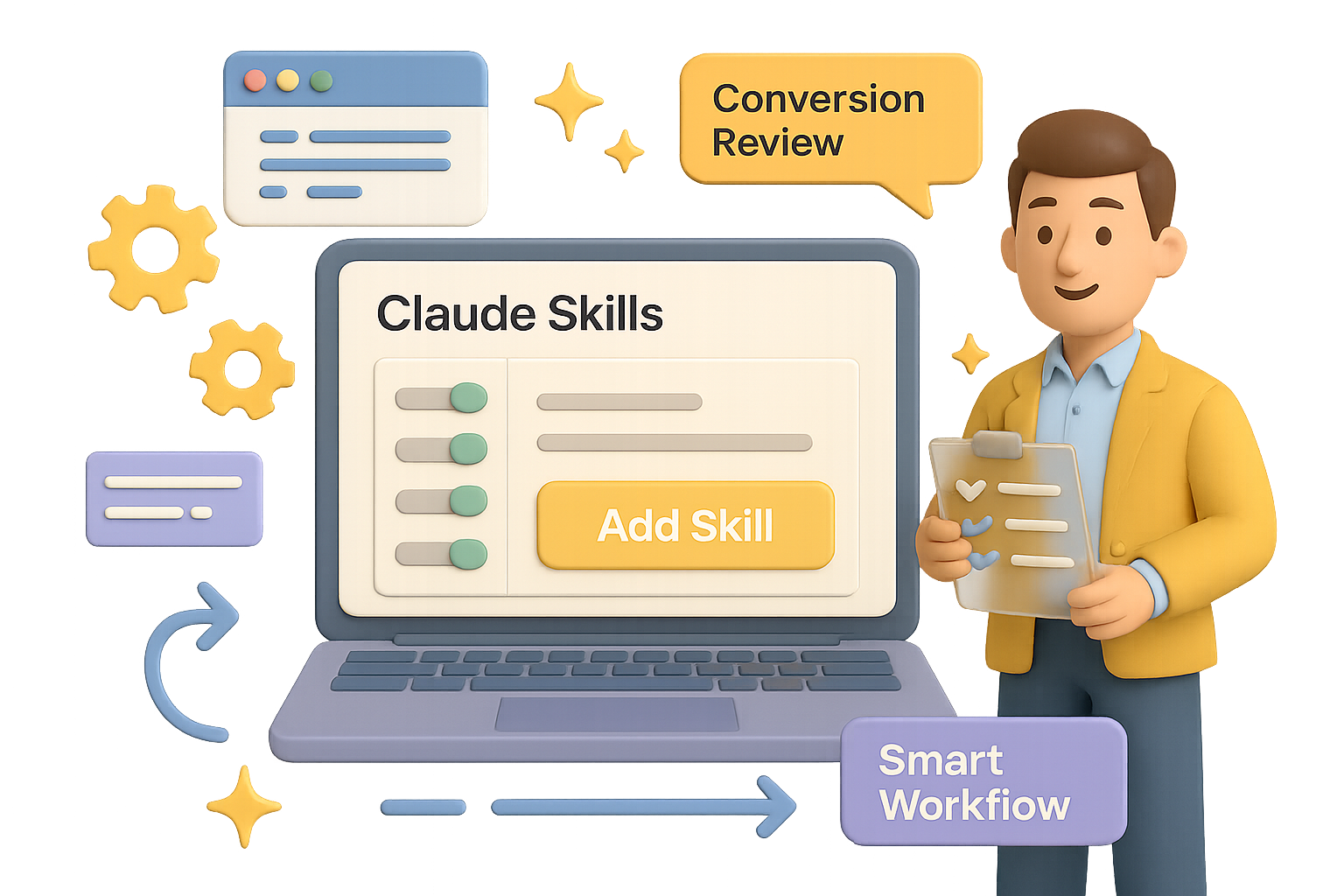
    Build Smarter Workflows with Claude Skills

    Still repeating the same prompts every week? Manually juggling screenshots, links, and half-baked AI requests?

    Yeah—there’s a better way.

    Claude Skills let you turn Anthropic’s Claude into a reliable virtual teammate. With just a few instructions, you can train Claude to deliver sharp, consistent output on demand—no retyping, no guesswork. Think of Skills as your AI playbook: once it’s set, it just works.

    This guide shows you how to build your first custom Skill—from setup to a conversion-boosting use case—plus a few power moves to make it world-class.

    Let’s get into it.


    illustration

    Turn On Skills

    Before anything else, flip the switch:

    1. Open Claude (web or Mac).
    2. Hit Settings → Capabilities.
    3. Scroll to Skills (Preview) and toggle it on.

    Done. You’ll now see Add Skill in the sidebar. That’s your home base for building.


    illustration

    Three Ways to Build a Skill

    Claude gives you options:

    • Create With Claude – a mini interview that builds the skill for you (best for beginners).
    • Write Instructions – paste clean Markdown if you know what you want.
    • Upload a Skill – perfect if you’ve got a .zip from another project.

    Start with the first method. It’s like onboarding an intern… who never sleeps.


    illustration

    Example Build: A Conversion Copy Review Skill

    Let’s say you run a design agency cranking out SaaS sites and mobile apps. You want Claude to:

    • Review headlines, hero sections, or full pricing pages.
    • Score each part for clarity and conversion potential.
    • Suggest “before & after” rewrites, ranked by impact.
    • Work with chunks of text, screenshots, or Figma links.

    Here’s how you make it real:

    1. Click Add Skill → Create With Claude.
    2. When prompted, describe the task exactly like you would to a new copywriter. Be clear about the inputs (App Store screenshots, URLs, Figma), and what you expect back (scorecards, rewrites, priority levels).
    3. Claude walks through follow-ups—then hands you a ready-to-run skill that includes:
      • skill.md – your high-level workflow, scoring guide, and output format.
      • conversion_frameworks.md – AIDA, PAS, value prop templates, that good stuff.
      • element_guidelines.md – tips for headlines, CTAs, pricing copy, and more.
    4. Hit Copy to My Skills and you’re done.

    Next time you run that conversation? Claude’s pre-loaded with your game plan.


    How to Run It Like a Pro

    Start a fresh chat. Say: “Please use the Conversion Copy Review skill on these screenshots and the copy at https://example.com.”

    Claude pulls frameworks from the skill, scores each part (Critical, High, Medium, Low) and suggests clearer, more persuasive alternatives—usually with a breakdown of why it works better.

    Because your instructions are built-in, Claude won’t wobble between sessions. It thinks like your team. And writes like it’s been in your Slack channel for six months.


    illustration

    Skills vs. Projects

    This part trips folks up:

    • Projects are short sprints—great for a Valentine’s Day campaign or quarterly roadmap.
    • Skills are forever. They’re reusable playbooks you can plug into any conversation.

    Projects are tasks. Skills are teammates.


    illustration

    Make Your Skills Dangerously Good

    Your first Skill is a win. But what takes it from “meh” to “magic” is iteration.

    Use this loop:

    1. Start with the outcome – what’s your real win? (More signups? Better UX?)
    2. Throw it at real inputs – no hand-holding. See where it stumbles.
    3. Deep dive research – study what pros do in that domain.
    4. Boil it down – don’t paste articles; extract rules and principles.
    5. Write the Skill – clear workflows, labeled outputs, and simple guides.
    6. Critique with a cold eye – if a contractor sent this, would you accept it?
    7. Tighten it – cut fluff, fix edge cases, name everything clearly.
    8. Field test it – real examples, real time. Get feedback and polish.
    9. Streamline structure – no filler, no bloat.
    10. Maintain regularly – markets shift and so should your skill.

    Pro tip: frame your instructions like tools, not to-do lists. Claude doesn’t need hand-holding—but context is everything.


    illustration

    What to Do Next

    • Go build a simple Skill. Even a 10-minute one pays compounding dividends.
    • Schedule a monthly Skill audit. Refine. Retire. Recharge.
    • Once comfy? Explore Claude Code or hit the API to scale your workflows further.

    Want more bite-sized, beginner-friendly AI tutorials just like this?
    Check out Tixu—the easiest place to level up your AI skills without drowning in jargon.

    See you there.
  • 11 AI Tools That Will 10x Your Productivity by 2026

    11 AI Tools That Will 10x Your Productivity by 2026

    14 AI Tools That Actually Save You Time

    Drowning in a sea of AI tools that promise the world but leave you with a lighter wallet and more tabs open than ever? You’re not alone. After hands-on testing with over 100 of them, we’ve narrowed it down to 14 standout apps that go beyond the hype—and actually deliver.

    Even better? They stack. You can link them into a workflow that compounds your output instead of piling on subscriptions.


    illustration

    Power Up with These Language Models

    1. ChatGPT (OpenAI)

    Your default starting point. It handles drafts, quick code snippets, and brainstorming like a pro—even on the free plan. Only upgrade when you hit limits or need top-tier GPT-4 horsepower.

    2. Claude (Anthropic)

    Prefer thoughtful, nuanced answers—especially for writing or finance? Claude nails it. Huge context window + more “human” tone than most. It’s a top pick for deep thinkers on a budget (hello, free plan!).

    3. Gemini (Google)

    Living in Gmail or Google Drive? Gemini lives there too. Think: summarizing email threads, drafting replies and scheduling meetings—without leaving your inbox.

    4. Perplexity AI

    Less chatbot, more research wizard. Perplexity digs through the web, cites its sources, and stays fresh. Create topic hubs like “health” or “competitive intel” and it builds ongoing research threads for each.


    illustration

    Automate the Internet Itself

    5. AI Browsers (Arc, Perplexity’s Comet, Atlas)

    Imagine your browser doesn’t just show pages—it acts on them. You say “buy a white five-star hotel-grade tablecloth,” and it just… does. Add school events from Gmail to a shared calendar? Done. Feels like cheating—but it’s just smart design meets AI hustle.


    illustration

    Boost Your Creator Stack

    6. Pop.store

    The Swiss Army knife for creators. Sell coaching, downloads, subscriptions—even run a community—all in one spot. The “Avatar Me” tool lets you make slick, branded content without lifting a camera. Fans can clone your vibe, and yeah, you get paid for that.


    illustration

    Let Ops Run on Autopilot

    7. Notion + Built-in AI

    Notion isn’t just for notes. Used right, it becomes your business command center. Approve an idea, and it can instantly:

    • Create a task in Slack or Telegram
    • Set deadline reminders
    • Attach the right briefs and SOPs

    One click. No bottlenecks.

    8. Zapier & n8n

    These tools are the duct tape of automation.

    • Zapier: Easy, fast, huge library. Best for non-tech folks.
    • n8n: Open-source and endlessly flexible. If workflows need “if this, then that, but only on Tuesdays”—this is it. And yes, AI can now write most of those logic steps for you.

    illustration

    Meet Less, Ship More

    9. Otter.ai

    Otter joins your calls, transcribes them in real time, pulls key takeaways, and lists action items. You skim the five-minute recap instead of re-living that hour-long meeting.

    10. Gamma

    Build presentations in minutes. Gamma uses AI to design slides that adapt to screens—from desktops to phones. Pitch decks, onboarding packs, course content—you’re covered. Viewers won’t even need to pinch your slides to zoom.

    11. Replit + Ghostwriter

    Anyone can build an app now. Type your idea to ChatGPT or Claude, paste the prompt in Replit, and let it scaffold a real project. Built-in testing flags issues early, so you go from “just an idea” to “shippable MVP” before lunch.


    illustration

    Scale Voice, Images & Video

    12. ElevenLabs

    Clone your voice in minutes. Once trained, your AI twin reads scripts while you sleep. Spot-on intonation, adjustable tone. Use it for training, support voiceovers, narration—anywhere your brand needs to speak.

    13. Nana Banana (AI Image Editing)

    Make studio-quality images with plain English. Remove objects, change colors, generate variants, or swap backgrounds—without mastering Photoshop. Great for A/B testing thumbnails or whipping up fast promo shots.

    14. HeyGen

    Talking-head videos, no camera required. Enter a script, pick an avatar (or upload your own), and HeyGen turns it into a polished video. Supports multiple languages too—perfect for demos, product walkthroughs, or customer onboarding.


    Build a System That Works While You Sleep

    AI tools are cool. But workflows are cooler.

    Here’s how you’d chain a few of these together:

    • Research in Perplexity → send notes to a Notion project
    • Approve the idea → Zapier briefs the creatives
    • Gamma builds the deck → Otter summarizes team call
    • ElevenLabs voices the script → HeyGen generates video
    • Pop.store publishes and monetizes
    • Meanwhile, your AI browser is filing invoices and booking travel

    Take a breath. That’s the compound effect in motion.

    You stay focused on the high-leverage thinking. The machines? They handle the rinse-and-repeat.


    Try this next:
    Pick just one AI tool that fits a task you hate. Automate it. Then hook it to the next step in your workflow.

    Momentum starts with one systemized win.

    Want guided help building this kind of setup—from tool zero to workflow hero? Check out Tixu. It’s an AI learning platform that’s actually beginner-friendly—and built to help you start using AI, not just read about it.

  • Master 2026 AI: 6 Trends to Act On Now

    Master 2026 AI: 6 Trends to Act On Now

    AI in 2026: Six Trends to Get Ahead Of—Now

    AI isn’t slowing down—it’s shifting gears. If 2023 was the test drive, 2026 is the highway. And staying in the game means adjusting your strategy before autopilot shows up at your desk, uninvited.

    The good news? You’re not behind. You’re right on time to capitalize.

    Here’s what’s changing, why it matters, and how you can actually use it.

    illustration

    The Model Wars Are Ending—Apps Win

    Remember the model leaderboard debates after every OpenAI or Anthropic release? Those days are winding down.

    Performance is leveling out. Recent benchmarks (Stanford, Artificial Analysis) show that open models like Llama 3 and DeepSeek are hot on GPT-4 and Gemini’s heels.

    What that means for you:

    • Power is everywhere—costs are crashing, models are converging.
    • NVIDIA’s latest chips cut energy-per-token by 100,000x vs a decade ago.
    • Models become commodities. The real edge? Tools that connect to your workflow.

    Do this next:

    • Choose tools based on integration, not IQ tests. Got your files in Google Drive? Gemini might be your best bet—even if “Technically Smarter Model X” is trending on Threads.
    • Ask every AI vendor: “How does this play with my stack?” Not just “How smart is it?”
    illustration

    Workflows Beat Autonomous Agents

    The hype? AI agents will run your whole job while you sip oat lattes.

    The reality? Only 10% of enterprises have hit scale with agent-style automation. But 20% already use AI inside defined workflows—think Zapier steps, custom GPTs, and Gemini code blocks.

    Why this works:

    • Narrow AI = higher ROI. Like… way higher.
    • Pharma slashed clinical prep time by 60% when AI helped sort data. Utilities cut call-center costs in half.

    Start like this:

    1. Pick a task you repeat weekly (reporting, inbox triage, content audits).
    2. Break it into steps.
    3. Automate the routine ones.
    4. Save it as a template.

    Boom. You just built a high-value, low-ego agent workflow.

    illustration

    The Technical Divide Is Shrinking—Fast

    Old rule: Need automation? Ask an engineer.

    New rule: Build it yourself with AI as your co-pilot.

    OpenAI data shows 75% of users complete tasks they couldn’t pre-AI. Python prompts from marketers? Up 36% in six months.

    Big shift here:

    • Technical bottlenecks are cracking. That “one dashboard guy”? Optional.
    • Domain specialists are writing code and shipping tools—on their own.

    Your move:

    Try something “out of reach.” Clean a messy dataset, automate a form, generate performance charts from raw logs. Let Gemini Advanced or ChatGPT 4o fill the gaps.

    Don’t aim for perfect. Aim to break the illusion that you can’t.

    illustration

    Context Now Beats Clever Prompts

    Still fine-tuning mega prompts? You’re not wrong—but you might be missing the bigger win.

    Today’s models understand blurry language better than ever. What they don’t know is your company’s goals, voice, or context—unless you feed it in.

    Here’s what flips:

    • The models are smart, but blind. Your files = their brains.
    • If you’re deep in Google, Notion or Microsoft ecosystems, your assistant learns fast—and gets sticky.

    Want sharper output?

    • Structure your digital life: use standard folders, clean naming, shared taxonomies.
    • Unify knowledge. If your job notes are scattered across Drive, Notion, Slack and napkins… your AI can’t help you.
    • Before you tweak a prompt, ask: “Did I even give it enough to work with?”
    illustration

    Ads Are Coming—And It’s Fine

    Get ready for ChatGPT and Gemini to go ad-supported (at least on free tiers). Between developer leaks and common sense, this one’s a wrap by 2026.

    Not the end of the world:

    • No one’s expecting sponsored answers. That’d kill trust.
    • More likely? Sidebar banners, à la Gmail or YouTube.
    • Bonus: ad revenue helps keep frontier models free for nonprofits, students, and casual users.

    What to prep for:

    • Decide early—pay for ad-free or trade eyeballs for access.
    • If you’re building apps on top of AI APIs, check the small print around monetization early.
    illustration

    Software Is Breaking Into Hardware

    AI’s moving off the screen—into robots, tractors, cars.

    Take this in:

    • Waymo’s AI-driven cars? 100M+ autonomous miles with 96% fewer crashes than humans.
    • Amazon’s robo-warehouses sliced ship time by 78%.
    • China now runs more industrial robots than anyone else… combined.

    Why you should care:

    • Physical assets become digital platforms. Over-the-air updates in forklifts? Yep.
    • Humanoid robots are still sci-fi. Vertical bots (logistics, warehouse, healthcare)? Scaling now.

    Watch the signs:

    • Look one industry sideways. If your neighbor’s job just got robo-optimized… you’re next.
    • Don’t just learn prompt-wrangling. Explore AI ops, hardware interfaces, and human-in-the-loop design.

    illustration

    What This All Adds Up To

    According to Wharton prof Ethan Mollick, we’re in a “jagged frontier” moment. Expertise is unstable. The winners? Folks building faster than they can be outbuilt.

    So here’s your playbook:

    • Build one narrow AI workflow.
    • Organize your context so systems see you.
    • Tackle a task you thought was “too technical.”

    Want somewhere low-risk to try? Start free at Tixu.ai—a beginner-friendly AI learning platform that helps you go from consumer to creator.

    Ready when you are.

  • Build Unlimited Custom AI Videos in 4 Easy Steps

    Build Unlimited Custom AI Videos in 4 Easy Steps

    Stop Paying for Stock Animations: Generate Them Yourself with AI-Written Code

    Let’s get real—stock animations are eating your budget. $20 here, “just another $49” there… and suddenly you’re hundreds deep into assets that still don’t quite match your brand or vibe.

    But here’s the good news: you don’t need to settle for templated meh. Instead of hunting animations, you can generate custom ones—for free—using AI that writes the code for you. Yep, production-ready video code, no creative cap, and no ongoing costs.

    In ten minutes, you’ll be set up to crank out slick animations like clockwork. Let’s flip the script.


    illustration

    You + AI = Unlimited Custom Animations

    Once you’re plugged in, here’s what you unlock:

    • Watermark-free videos in any style you can describe
    • Clean, editable source code you actually own
    • Creative control, down to pixel-level customization
    • Zero subscription fees—ever

    You’ll walk away knowing:

    • How to set up your local animation engine (one-time)
    • Where to get free access to top-tier AI coders
    • How to generate, tweak, and export your own videos—on repeat

    Ready? Let’s light this thing up.


    illustration

    Setup Once, Generate Forever (10-Minute Install)

    Before you can start creating, you need to build the engine that cranks out your videos.

    1. Install Node.js

    • Go to the Node.js website and download the LTS version (green button).
    • Run the installer → Next → Next → Finish.
    • Open your terminal and type:
    node -v

    If you see a version number, you’re golden.

    2. Grab the Starter Pack

    • Download the starter project from our link (look for video-studio.zip).
    • Unzip it anywhere.
    • Go inside the folder, shift-click the Explorer address bar, type cmd, and hit Enter. (Mac/Linux? Open Terminal and cd into the folder.)
    • Run:
    npm install

    That pulls in Remotion (the engine), React, and everything else you’ll need to generate videos.


    Use AI to Write the Entire Video Code

    You don’t need to learn React or TypeScript. The AI handles all of it. You’re just the director now.

    Go to Chatbot Arena by LMSYS. It pairs you with bleeding-edge models like GPT-4 or Claude—for free. They compete, you benefit.

    Here’s How to Prompt Like a Pro:

    1. Click “Battle” → then “Direct Chat”
    2. Enable code formatting by toggling the </> icon
    3. Choose a top performer (Claude is a WebDev beast)
    4. Paste this starter prompt:
    Generate Remotion code only (no explanation), in TypeScript. Create a <duration> animation at 1920x1080 using these visuals: <your concept here>.

    Example input:

    Create a 5-second 1920×1080 animation. Black background. A neon-blue subscribe button slides in from the left, bounces once, then stays centered.

    Few seconds later? You get clean, ready-to-run code. No fluff. No guesswork.


    A graphic illustrating a step-by-step process with four elements: 1) a clipboard with coding symbols, 2) a yellow folder, 3) a computer window, and 4) a file with a play button, connected by arrows.

    Build and Export in 4 Copy-Paste Moves

    Let’s make this thing real:

    1. Copy the pure code block only—omit any comments or “Here’s your code” text
    2. Paste into myVideo.tsx in the video-studio/src folder (replace existing code)
    3. Run npm run build in your terminal
    4. Open the out/ folder—there’s your MP4, ready to rock

    Rinse and repeat for every new animation. No limits, no credits, no stress.


    illustration

    Ideas: What You Can Create

    Here’s where things get spicy. With AI and code on your side, try animations like:

    • Channel Assets: Subscribe buttons, end screens, logo stings
    • Data Explainers: Bar-racing charts, animated KPIs, visual slides for class or work
    • Wipe Transitions: Glitch effects, cinematic cuts, page flips
    • Overlay CTAs: “Only 3 left!” bursts, breaking-news tickers, sale pings
    • Branded Backdrops: Looping patterns in your colors—great for Zoom or live streams

    And every part is tweakable. Want the same animation but red instead of blue? Longer timing? Faster bounce? Just ask the AI. Paste, build, done.


    illustration

    Common Hiccups

    You’ll be up and running fast, but here’s how to sidestep common snags:

    • Animation missing? You probably left “Here’s your code:” in—delete that when copying
    • “npm not found”? Node.js didn’t fully install. Re-run the installer
    • MP4 not saving? Each new build overwrites the last. Move your files before the next run
    • Preview without exporting? Run npm start instead of npm run build to test in-browser
    • Need content ideas or research prompts? Try BrowserAct. It’s a no-code web-scraper with built-in automation (and it’s got a lifetime AppSumo deal while it lasts)

    illustration

    Your Move: Build Your Prompt Pack

    Here’s the next play:

    • Save your best-performing prompts in a Notes doc
    • Grab our 40-prompt starter pack (linked in the main guide)
    • Cycle through Claude, GPT-4, Mixtral or Gemini-Pro depending on availability
    • Challenge yourself: recreate famous motion graphics with just one prompt and an edit

    Animations used to take hours. Now? They take copy-paste.

    Skip the fees. Skip the watermarks. Spin up your own video factory and start creating without friction.


    Want AI that speaks your language—even if you don’t code (yet)?
    👉 Start learning the easy way at Tixu. It’s built for curious beginners who want less fluff, more action.

  • Create Unlimited Pro-Level Videos with These 3 Free AIs

    Create Unlimited Pro-Level Videos with These 3 Free AIs

    How to Create Cinematic AI Videos—for $0

    Sick of clunky editors and paywalls blocking your creative flow? Yeah, we see you. If you’ve been hunting for a way to turn ideas into scroll-stopping content—without blowing your budget—this one’s for you.

    This guide walks you through three AI video generators that crank out pro-level results totally free. Whether you’re storytelling for your brand or just looking to flex your creative muscle, you’ll walk away ready to produce magic on a shoestring.

    Let’s plug you into the good stuff.


    illustration

    Breathe Life into Stills — with Meta Imagine

    Meta’s upgraded Imagine tool might be flying under the radar, but it’s quietly become your new secret weapon. It converts images to slick 5–10 second videos—with no credits, no daily limits, nada.

    Get Started in 5 Steps

    1. Hit up Meta Imagine and click the Create tab.
    2. Choose your canvas: square, vertical, or horizontal.
    3. Prompt an image (yes, start with an image first). You’ll get four visuals—pick your fave.
    4. Click Animate. Want more control? Try Custom Animate and describe the movement yourself.
    5. Tap Extend if it feels too short. Each click tacks on a few seconds, analyzing the last frame to keep it fluid.

    Stay Smooth With These Settings

    • Variety: 40
    • Weirdness: 0 (unless you like chaos)
    • Stylization: 180

    Pro move: Use Restyle before animating to lock in a visual signature. Helps every frame feel on-brand without extra effort.


    illustration

    Go Full Narrator Mode — with CapCut Instant AI Video

    Forget TikTok gimmicks. CapCut’s new AI Creator suite can crank out full-fledged, voice-over videos up to 10 minutes long—perfect for explainers, promos, even doc-style content.

    How to Launch a Long-Form Story

    1. Go to CapCut Instant AI Video, click Instant AI Video.
    2. Pick a theme like “Epic Fantasy.”
    3. Either:
      • Drop in a quick idea and let CapCut script it, or
      • Paste your full script if you want pixel-perfect control.
    4. Select a voice (shield icons = higher quality).
    5. Set your video length (1–10 mins) and press Create.

    You’ll land in a built-in timeline editor where you can:

    • Tweak the script line by line
    • Swap stock B-roll or upload your own
    • Apply effects, transitions, even custom fonts

    When it’s ready? Export in crisp 1080p. Ready for YouTube, LinkedIn—wherever your audience lives.


    A colorful 3D rendering interface featuring a phoenix rising from flames, with controls labeled 'Render', 'Orbit', and a playback slider indicating '5s-24fps'.

    Call the Shots, Literally — with PixVerse

    Want cinematic camera motion without touching 3D software? PixVerse has your back. It separates animation prompts from camera moves, giving you next-level control over every shot.

    Here’s How It Goes Down

    1. Upload or generate an image on PixVerse.
    2. Add an Animation Prompt (e.g., “phoenix bursts from lava”).
    3. In the Camera Prompt, describe your move: “slow dolly in,” “orbit 45 degrees.”
    4. Recommended render settings for the free tier:
      • Length: 5s
      • FPS: 24–25
      • Resolution: 768 × 768
      • Mode: Quality
    5. Hit Generate and watch the scene play out like a trailer moment.

    Because each shot is short and sweet (5 seconds), you can chain several together or extend them using Meta’s Extend tool for longer narratives.


    Assemble Your Studio Stack (Still Free)

    Here’s how to mix and match for Hollywood vibes on a Friday coffee budget:

    • Design aesthetic → Meta Imagine
    • Voice + structure → CapCut AI Video
    • Signature shots → PixVerse

    Build like this:

    1. Start with a moodboard image in Meta. Animate fragments for visual anchors.
    2. Use CapCut to generate a full-script video skeleton (voiceover, captions, timing).
    3. Drop in PixVerse shots where you need drama—title sequences, product reveals, etc.

    You’re not just saving money—you’re reducing friction. This stack lets you concept, animate, direct, and edit—all before your second meeting of the day.


    illustration

    High-Quality AI Video Is Now Free

    No subscriptions. No gatekeeping. Just tools that let you make cinematic content without limits.

    One last thing—ready to learn AI step-by-step, and actually enjoy it? Try Tixu—a beginner-friendly platform built for hands-on learners like you. No fluff, just real skills.

  • AI Promised Disruption—It Delivered Denial and Delay

    AI Promised Disruption—It Delivered Denial and Delay

    AI Didn’t Take Your Job. Fear Did.

    Remember back in 2023 when it felt like AI might steal everyone’s job by lunch? Headlines screamed doom, execs made bold calls, and you may have wondered if your résumé belonged on a hard drive or in a museum.

    Fast-forward to 2026. GenAI is here, but the reality? A lot less Terminator, a lot more tired middle manager asking if you’ve tried prompting ChatGPT better.

    Let’s cut through the noise. Here’s a no-BS look at what really happened, where AI actually made a dent, and how you can keep yourself not just employed—but indispensable.


    illustration

    First Came the Bold Claims

    You weren’t imagining it. The top players bet big—and loud—on AI reshaping work fast:

    • Meta boasted that AI engineers would write most of the app code by 2025.
    • Sam Altman (OpenAI): “We know how to build AGI”—not someday, but this year.
    • A think tank of safety researchers predicted personal AI assistants by 2025, full coding automation by 2027, and possible human extinction by 2030.
    • Dario Amodei (Anthropic) forecasted that AI might wipe out half of all entry-level white-collar jobs.

    Spoiler: none of this came from anonymous forum users. These were leaders inside the AI labs. So how did it go?


    The Numbers Called Their Bluff

    Turns out, reality had a different script.

    • In 2025, U.S. companies laid off 1.17 million workers—the most since COVID. Only ~55,000 layoffs (under 5%) were attributed to AI, according to Challenger, Gray & Christmas.
    • Klarna bragged that one customer-service bot replaced 700 agents. Soon after, it started re-hiring humans—customer satisfaction had cratered.
    • Salesforce hyped up AI “doing 30–50% of the work.” What actually happened? A few role reshuffles. No robot uprising.
    • MIT’s 2025 study found that 95% of AI initiatives had “little to no measurable impact.”
    • Deloitte’s executive survey? Sure, 60% of companies tried AI agents. But only 10% saw a big ROI.

    So why didn’t the apocalypse arrive? Because AI implementation is messy, business politics are stickier than code, and pilots rarely scale without people steering the ship.


    illustration

    Enter: AI-Washing

    You’ve been marketed to. A lot.

    When companies over-hired during the 2020–2022 boom and reality hit, “Oops, our bad planning” didn’t land well with investors.

    But saying “We’re pivoting to an AI-first strategy”? That hits the vision quota.

    AI-washing means crediting AI for anything and everything—from innovation to layoffs—even when it’s just a smokescreen. Here’s how it plays out:

    1. Hiring freezes
    2. Quiet attrition (jobs just… disappear)
    3. Offshoring under the AI banner

    Analyst firm Forrester expects half of AI-related layoffs to be replaced by cheaper labor abroad. So who’s really being replaced?


    Why You Might Still Feel Stuck

    Here’s the catch: jobs aren’t vanishing en masse, but entry points are.

    Companies now require teams to prove why an AI couldn’t do the role before opening it up. Promotions stall. Job descriptions balloon.

    The New York Fed reports:

    • 5.8% unemployment for new grads (age 22–27)
    • 41.8% working jobs that don’t require a degree

    That’s not just frustrating—it’s dangerous. A talent pipeline without juniors eventually runs dry. Innovation slows, mentorship dries up, institutional memory fades.


    illustration

    Inside the AI FOMO Loop

    C-suite logic lately has gone something like this:

    1. CEOs warn: AI will change everything.
    2. Boards greenlight sky-high AI budgets—can’t afford to be left behind.
    3. First projects flop or get stuck in “pilot purgatory.”
    4. Leadership doubles down: we need more AI.

    It’s a hype hamster wheel. And because no one likes admitting they bought into over-promises, AI becomes the catch-all excuse for both disruption and dysfunction.


    illustration

    Okay, So What Can You Actually Do?

    The good news: there’s no robot overlord. The better news—there’s plenty you can do to stay professionally future-proof.

    Here’s your playbook:

    1. Use the damn tools
      Get hands-on with ChatGPT, Copilot, Midjourney—whatever fits your role. Even if they don’t replace you, they can extend you. Think of them as interns that never sleep.
    2. Learn the domain, not just the tech
      LLMs can summarize a supply chain. They can’t run one without real-world context. That deep understanding? Still your edge.
    3. Talk better
      Prompting is communication. Communication drives teams. Want influence? Become the person who translates between messy business goals and clean execution.
    4. Document like a teacher, think like a mentor
      As junior hire pipelines dry up, the folks who can teach and share scale themselves and their value.
    5. Build income buffers
      Side hustle. Contract gig. Startup equity. Even a few add-ons reduce your reliance on a single org’s mood swings.

    illustration

    Your Real Competition? A Better-Adapted You

    AI didn’t take your job—buy-side FOMO and some creative storytelling almost did. The real risk isn’t automation—it’s stagnation.

    Here’s the mindset shift:
    AI won’t replace you. But someone good at using AI might.

    So get good.

    You don’t need to pivot into prompt engineering overnight. Instead, layer AI fluency on top of your existing skills, keep learning, and stay loud with your value.

    Need help getting started with AI?
    Try Tixu—a beginner-friendly, no-jargon platform to help you build hands-on AI skills without drowning in theory.

    Ready when you are.

  • Build an AI Business for $10 in 2026

    Build an AI Business for $10 in 2026

    Why 2026 Is Your Shot to Ship

    Remember when building software meant late nights, stacks of VC cash, and praying for a technical co-founder? That era’s toast.

    In 2026, the gates swing wide open. AI coding agents have slashed launch costs to about $10 a month—the same as your Netflix bill. No more waiting on dev teams or pitching slide decks. If you’ve got a problem worth solving and a laptop, you’re already halfway there.

    Let’s talk about what’s changed, what you can build right now, and how to make the leap—even if you haven’t written a line of code since MySpace.


    illustration

    The Developer Seat Just Became a Shared Ride

    Six months ago, shipping your own product required:

    • A technical co-founder
    • $50k in capital
    • Half a year (minimum) of build time

    Today, you need:

    • A clear pain point
    • Decent Wi-Fi
    • And an AI coding agent like Abacus AI or DeepAgent CLI

    These aren’t just smarter autocomplete tools. On the open-source benchmark TerminalBench, Abacus AI outperforms models like Claude and GPT-4o. That’s impressive—but it’s what they do that matters.

    They now:

    • Scaffold entire web apps
    • Initialize databases
    • Integrate payments (Stripe onboarding is basically a one-liner)
    • Set up auth flows and even deploy your app, all without you touching a terminal

    illustration

    What You Can Build This Weekend

    Let’s say you carve out a few hours Saturday morning. Here’s what’s on the table:

    1. Real-time data products
    Pull live market trends, track pricing fluctuations, or monitor social media chatter—then auto-format the insights. Think “Bloomberg Lite” for niche sectors happy to pay $99/month for an edge.

    2. Full SaaS platforms
    Yes, really. Users are shipping tools with roles, permissions, dashboards, relational databases… all from a prompt. Whether it’s a film production hub or dentist CRM, AI handles the wiring. You name the blueprint.

    3. Instant payment flows
    Stripe integration takes minutes. Share the link and boom: your side project now accepts payments. Weekend to revenue? That’s not a fantasy anymore.


    3 Business Models That Already Work

    The Micro-SaaS Portfolio

    Launch 5–10 hyper-focused tools. Example:

    • Scheduling tool for orthodontists
    • Inventory system for Etsy sellers

    Charge $20–50/month. With low churn and automation, that adds up to $5–10k MRR while you sleep.

    The AI-Boosted Agency

    Have a service biz—marketing, finance, operations? AI agents now handle 80% of the grunt work. Keep your fees steady, reduce delivery time to hours, and fatten your margins. Clients stay happy; you scale smarter.

    The Intelligence Subscription

    Aggregate tricky-to-find content (think: regulations, competitor moves, niche data). Wrap it in a slick dashboard and offer it as a monthly insight product. Set it once, update it in seconds.


    illustration

    It’s Not the Tech—It’s the Mindset

    Still thinking you need to know how to code?

    That’s the old script talking.

    AI handles syntax. Your role is strategy:

    • Identify problems people pay to solve
    • Describe the end result clearly enough for the agent to build it

    If you’ve managed a team, organized a class trip, or hacked together a spreadsheet for your kid’s soccer league—you’re way more qualified than you think.


    illustration

    Your Quick-Start Launch Plan

    Here’s how you go from “idea” to “app”—fast:

    1. Zero in on a pain point
      Find a small, high-frustration problem you know inside and out.
    2. Subscribe to a coding agent
      Abacus AI’s Desktop plan is just $10/month—again, less than Thai takeout.
    3. Get that MVP live, ugly and all
      Don’t aim for pixel-perfect. Function wins.
    4. Hand it to 10 users
      Watch them stumble. Their confusion = your product roadmap.
    5. Iterate, integrate Stripe, and launch
      If you land 10 customers? You’ve got traction. If not, pivot. No drama—just reps.

    illustration

    Move Now, While the Field Is Still Green

    Here’s the wild part: adoption is still slow. Builders like you are just starting to realize what’s possible. That won’t last.

    Remember the early iOS devs in 2008? The YouTubers in 2014? The Shopify wave of 2017? They didn’t win because they were better—they won because they were early.

    Same story here.


    Software Belongs to Everyone Now

    Doctors are building patient tools. Educators are shipping edtech. Parents are filling childcare gaps. You don’t need Silicon Valley or a CS degree—just the will to ship.

    You’ve got the insight. AI gives you the keys.


    illustration

    What’s Stopping You?

    The tools are ready. The cost is hilariously low. All that’s left is you, a solid idea, and the decision to press “go.”

    So pick a problem. Fire up an agent. And give yourself 48 hours.

    Because yeah—it really can start this weekend.

    Want the friendliest launchpad to learn AI tools, even if you’re brand new? Head over to Tixu—the AI learning platform.

  • Build and Sell Digital Products with Claude in 1 Hour

    Build and Sell Digital Products with Claude in 1 Hour

    Build Digital Products with Claude AI (Without Writing a Line of Code)

    Stuck staring at a blank page with zero design skills and no clue how to launch a product? You’re not alone—and you’re definitely not out of options.

    You’ve probably used Claude AI for some quick brainstorming or tidy summaries. Cool stuff. But here’s the real kicker: Claude isn’t just a chatbot—it’s a secret weapon for building full-blown digital products in minutes. No dev degree required. No big budget. Just smart prompting, a few free tools, and a bit of boldness.

    What you’ll walk away with in this guide:

    • 3 easy-to-start product ideas that Claude can build with you
    • Tools to polish and sell your creations (without tech headaches)
    • A checklist to actually ship something this weekend

    Let’s rebuild the idea of “passive income”—only this time, AI does the heavy lifting.


    illustration

    Sell-Ready Spreadsheets in a Snap

    Spreadsheets might sound… low-key boring. But they crush on marketplaces like Etsy. Think budget planners, habit trackers, or freelance income logs.

    With Claude? You can reverse-engineer templates that already sell—and spin them into your own, branded versions.

    1. Spot what’s selling

    • Search Etsy or Gumroad for “Google Sheets templates” or “Excel downloads.”
    • Screenshot layouts you like (Claude reads screenshots).

    2. Rebuild with Claude

    • Fire up Claude in a fresh chat.
    • Upload your screenshot and prompt: Generate a Google Sheets template similar to this layout. Include formulas and sample charts.
    • Claude returns a full working file. Pop into Excel or Google Sheets to check formulas and swap placeholder data.

    3. Polish + package it

    • Add your color palette, rename tabs, and lock key cells to keep it tidy.
    • Export two versions: .xlsx for Excel folks, .csv for the basics.

    4. Make a pro-level cover image

    • Go to Google Labs Flow and hit “Create with Flow.”
    • Use this prompt: Spreadsheet mock-up on an iMac in a clean workspace, daylight tones, 4K render.
    • Download your best image—that’s your product hero shot.

    illustration

    Create a Beginner-Friendly Ebook in Under an Hour

    Think ebooks are too much work? Claude laughs at “too much.” Long context windows mean it can crank out entire guides in a single prompt.

    1. Draft it, fast

    Prompt Claude with: Write a 10-chapter beginner’s guide on [your topic]. Format it for export as a PDF.
    You’ll get a 30–40 page draft in minutes. Wild.

    2. Edit like a human

    • Fact-check key parts.
    • Add personal examples (AI’s smart, but it doesn’t know your story).
    • Ask follow-ups to improve weak chapters.

    3. Export

    • Copy the final into Google Docs or Word.
    • Go: File > Export > PDF. Done.

    4. Design a great cover

    • Back in Flow: Ebook hardback mock-up on a desk, modern sans font, title ‘[Your Title]’, cinematic lighting.

    Now you’ve got a real, leveragable asset—without ghostwriting fees or layout hell.


    illustration

    Embed a Free Calculator for Evergreen SEO

    This one’s not for fun—it’s for long-term web traffic. Build a tool that solves real problems, show up in search, and add subtle CTAs to your product or newsletter.

    1. Find a winning idea

    Prompt Claude: Suggest 10 high-search beginner finance calculators I could build.

    Look for things like:

    • Compound interest calculator
    • Budget ratio planner
    • Retirement savings estimator

    2. Code the whole thing

    Choose one idea and ask: Create fully responsive HTML, CSS, vanilla JS for a [Calculator Name] with output summary and chart.
    Claude delivers a ready-to-deploy code block.

    3. Embed it

    • In your Hostinger site editor, add a new page.
    • Drop in an “Embed code” block and paste Claude’s work.
    • Preview with test data to confirm it works flawlessly.

    4. Boost with SEO

    • Use Hostinger’s onboard AI SEO tool.
    • Supply core keywords like “compound interest calculator.”
    • Let the AI optimize titles, slugs, and meta descriptions.

    You now own a free tool pulling organic traffic on autopilot.


    illustration

    Build Your Storefront—No Developer Needed

    All roads lead to selling. That’s where Hostinger’s AI-powered builder comes in. No code. No tears.

    Setup in under 5 minutes

    1. Pick the “Business Website Builder” (free domain included).
    2. Enter your brand name + 1–2 line blurb. Tick “Add online store.”
    3. Boom. Prebuilt store, ready to customize.
    4. Delete dummy listings → Add digital products → Upload your spreadsheet or PDF
    5. Plug in your Flow image as the visual → Set price → Done.

    Rinse, repeat. You’ve got a shop.


    illustration

    Launch Checklist

    Before you brag on Twitter:

    • Spreadsheet template uploaded
    • One polished ebook added
    • At least one calculator live and indexed
    • Flow hero images in place
    • Stripe or PayPal integrated
    • Completed a test checkout

    Now that’s a launch.


    illustration

    Bonus Moves for Serious Growth

    Want to go from “side hustle” to “steady income stream”? Try these:

    • Upsell bundles—package a sheet + ebook combo
    • Offer a mini freebie in exchange for emails
    • Drop calculator snippets in Reddit/Quora threads with a back-link
    • Ask Claude to draft blog content around niche keywords

    Little nudges can snowball into huge reach—especially when AI handles 80% of the grind.


    illustration

    Wrap-Up: How Far Can You Take This?

    Claude writes. Claude codes. Claude plans better than most interns.

    When you pair it with image generators like Flow and a build-free store platform like Hostinger, the excuses are gone. You can launch products in afternoons instead of months—and they don’t have to be perfect to sell.

    Start simple. Tweak what works. Then let AI help you scale.

    Want to sharpen your Claude skills for real?
    Get started at Tixu.ai—a beginner-friendly AI learning platform that shows you how to turn tools like Claude into income.

  • Build a Profitable AI-Powered Digital Product Business in 7 Steps

    Build a Profitable AI-Powered Digital Product Business in 7 Steps

    How to Build a One-Person Product Empire with Google’s New AI Tools

    Ever feel like you’ve got big ideas—but zero time, budget, or headcount to make them real? Yeah, that stops here. Google’s rolling out a suite of AI tools that solo creators are already using to research faster, market smarter, and even build full-blown web apps without touching a line of code.

    Everything below is 100% free to try and beginner-friendly. You don’t need a dev degree or a design portfolio—just an idea you’re ready to test.

    Let’s turn your “one day” into day one.


    illustration

    Start Smart with Notebook LM—Your New Research Co-Pilot

    This one’s your unfair advantage at Notebook LM. Notebook LM is like the research intern you always wanted—if that intern stayed laser-focused, remembered everything, and answered complex questions without going off on tangents.

    Why Notebook LM is a solo creator’s dream:

    • Context stays controlled. It starts with the content you give it (PDFs, web pages, your own notes). That means fewer hallucinations, more trust.
    • Concrete project plans. Feed it a fuzzy idea like “an investing ebook for beginners” and get back a full checklist, timeline, and promo roadmap.
    • It keeps the thread. Ask, “what’s next?” and get continued suggestions instead of a brand-new response every time.

    Pro move: When you prompt it, be specific. Who’s the audience? What’s your goal? Any deadlines or vibes you’re aiming for? The more you give, the better it returns.


    illustration

    Save Serious Hours: Pair Gemini with Notebook LM

    Gemini’s not just a chatbot anymore. At Gemini, you’ll find two stealthy power-ups that change how you build content.

    The good stuff:

    1. Upload full LM notebooks into Gemini. Now it “gets” your project instantly—with zero re-prompting.
    2. Create your own Gems. These are reusable, specialized assistants you train once, then call up anytime.

    Here’s a fast-track example:

    1. Upload your Notebook LM plan for your digital product.
    2. Create a Gem called “Promo Email Calendar.”
    3. Prompt it: “Act as my launch strategist. Pull from the notebook and create 3 weekly emails (Mon/Wed/Fri) with subject lines + calls-to-action.”
    4. Hit Tools → Canvas and boom—a full calendar view of done-for-you emails.

    That’s your marketing calendar done while you sip your coffee.


    illustration

    Make Scroll-Stopping Creatives with ImageFX

    Head to labs.google.com/flow for access to ImageFX. It’s Google’s latest image-generation playground, powered by Imagen 2.

    What makes it pop:

    • Multi-input magic. Upload a screenshot of an old ad + your product mock-up and tell ImageFX to remix them into something new.
    • High-res output. Export in 1K, 2K, or 4K—ideal for social, email banners, or paid ads.
    • Fast tweaks. Rewrite your prompt and regenerate in seconds—no redownloading Photoshop trial #4.

    Try this prompt after uploading your visuals: “Keep this Facebook ad layout, but swap the spreadsheet image with my attached stock-tracker screenshot. Use a dark blue minimalist theme.”

    Suddenly, you’re not just making ads. You’re crafting campaigns.


    illustration

    Auto-Build Social Content with Pomelli.ai

    Pomelli is the low-key MVP of on-brand social content.

    How it works, step by step:

    1. Paste your website URL. Pomelli scans your brand’s fonts, colors, slogans—like a vibe-check that knows CSS.
    2. Pick your campaign focus (launch, discount, evergreen).
    3. Boom! You get pre-made visuals for stories, reels, and posts.
    4. Hit Animate anytime and get eye-catching motion clips—scrolls, blinks, moving text—custom to your brand.

    Forget stock templates. These are made just for you, not pulled from someone else’s Canva shelf.


    illustration

    Want a Web App? Google AI Studio Can Build One for You

    No, seriously. You don’t even need to know what “React” is.

    At ai.google.dev, click “Try Google AI Studio,” and you’re three minutes away from something real.

    A (real) example:

    Prompt: “Create a white-and-blue web app called ‘Stock Tax Estimator’ where users enter their annual gains, number of trades, and holding period. Return estimated taxes with a bar chart breakdown.”

    What you get:

    • HTML + CSS + JavaScript
    • Functional UI + dynamic charts
    • Ready to paste into your site

    Why bother with an app?

    • SEO goldmine. Useful tools naturally get backlinks and shares.
    • Add value fast. Visitors stay for the calculator, stick around for the premium product.
    • Built-in upsells. You can follow up with “Want the full tax worksheet? Download it here.”

    That’s a lead magnet and thought leadership in one.


    illustration

    Your Five-Tool Solo Stack

    With just these free tools, here’s what you can pull off:

    • Shape and validate your idea → Notebook LM
    • Generate all launch content → Gemini Gems
    • Design thumb-stopping visuals → ImageFX
    • Auto-create animated posts → Pomelli
    • Ship a companion tool → Google AI Studio

    Not bad for one person—especially when you don’t pay a dime.


    illustration

    Do This Next

    • Set aside 60 minutes this week.
    • Pick the one idea that’s been sitting in Google Docs for way too long.
    • Walk it through this five-tool workflow.
    • Launch fast, learn faster.

    You don’t need a marketing team or a custom dev shop to make something real. Just smart tools, a good idea, and a willingness to hit “publish” before you feel ready.

    And if AI still feels like a black box? Don’t worry, Tixu’s got your back. Learn the ropes fast with hands-on, beginner-proof tutorials—from your first prompt to your first launch.

    👉 Get started at Tixu

  • Build a One-Person AI Store That Sells Itself

    Build a One-Person AI Store That Sells Itself

    The Tiny-Yet-Mighty AI-Powered Clothing Store

    Running an online store used to mean late-night inventory panic and customer complaints over lost packages. These days? You can run an entire Etsy shop—designs, marketing, fulfillment, and all—from your laptop over coffee. No team. No tech stress. Just a smart setup and a few AI tools doing the heavy lifting.

    This post walks you through the real-life workflow behind a one-person, 100% automated print-on-demand (POD) shop. We’re talking zero employees, near-zero overhead, and income that can grow on autopilot.

    Oh, and everything below is either free or comes with a 30-day trial. Ready when you are.


    illustration

    1. Watch the Cash Flow

    In under 60 seconds, here’s how the whole system works:

    1. Design – AI generates art and catchy slogans.
    2. Product – Printify or Printful slaps those onto tees, hoodies, mugs—your pick.
    3. Listing – AI helps with SEO titles, descriptions, and tags that actually convert.
    4. Fulfillment – POD partner prints, packs, and ships every order.
    5. Profit – You keep the markup. Just show up for customer messages (maybe).

    Total daily time: 15–20 minutes.


    illustration

    2. Find Designs That Actually Sell

    Spot hot trends with Gemini

    Open Google’s Gemini, flip on “Advanced Research,” and paste a viral product URL—say, a TikTok-famous shirt featuring a sad raccoon.

    Then ask: “What sub-niches love this theme? And give me five visual styles that worked with it.”

    Gemini sifts Reddit, TikTok, Pinterest, and drops you a niche goldmine: frog parents, dark academia fans, cottagecore lovers. Pure, print-on-demand signal.

    Extract keywords with Perplexity

    No need for hours of SEO guesswork.

    Open Perplexity.ai and run: Analyze bestselling Etsy shirts in [niche]. Export their main keywords.”

    Boom. You get an instant CSV packed with actual revenue-generating terms. Save it—you’ll need this for listings.


    illustration

    3. Brainstorm + Generate Designs in Minutes

    1. ChatGPT (GPT-4o) – Feed it your niche spreadsheet and a few product screenshots. Prompt for catchy slogans and fresh design ideas. (Think: “Frogs doing yoga” or “Too tired for world domination.”)
    2. Imagen in Gemini – Google’s AI image tool kicks out clean, transparent art that’s tailor-made for shirts, mugs, or tote bags.
      • Try:“Dramatic hedgehog in sunglasses, neon vaporwave style, transparent background.”
      • Want edits? Say, “Make the shades bigger” or “Try Sailor Moon colors.”

    No design degree needed—you’re just the creative director calling the shots.


    illustration

    4. Polish It Up in Canva Pro

    AI gives you the raw clay. Canva makes it print-ready.

    • Upload & Crop – Center characters, trim dead space.
    • AI Upscale – “Magic Resize” ensures sharp print quality.
    • Auto Adjust – One click = vibrant, balanced colors.
    • Text Layers – Add killer slogans with drag-n-drop fonts.
    • Export Settings – PNG, transparent background, 300 DPI. Print-shop perfect.

    You’ll feel like a creative wizard. No wand required.


    illustration

    5. Win the Algorithm Game: SEO + GEO

    We’re playing chess on two boards: search engines (SEO) and AI discoverability (GEO).

    Here’s how to win both:

    1. Perplexity – Pull converters: top keywords Etsy buyers are already typing.
    2. ChatGPT – Give it your image and keyword list. Ask for three optimized sets of titles, descriptions, and tags.
    3. Claude 3 – Use Claude to rewrite your listing text in a natural, human tone—without losing keyword impact.

    Result? Your product pops in classic Etsy search—and in the new ChatGPT shopping feed.

    Bonus: Early adopters of GEO optimization have seen up to 42% more daily store visits.


    illustration

    6. Automate the Strategy Layer

    Don’t just automate the busywork. Let AI help you think bigger.

    Predict your sales with Gemini

    • Upload your monthly revenue file.
    • Then prompt: “Forecast next year’s demand. Compare to industry growth trends.”

    You get projected highs and lows—plus suggestions for niches worth branching into.

    Make your own AI Assistant in Notebook LM

    This beast imports your data or Gemini’s reports, then:

    • Generates visuals → think dashboards and at-a-glance metrics.
    • Builds you a chatbot that answers questions about your own business.
    • Converts your data into a podcast-style breakdown you can stream while running errands.

    You’re no longer just the founder—you’re the strategist, on speed-dial with your own AI analyst.


    illustration

    7. Your 15-Minute Daily Routine

    Want consistency without burnout? Here’s the playbook:

    • Check new messages.
    • Review Gemini + Notebook LM dashboard.
    • Ask ChatGPT for one new slogan or trend spin.
    • Generate design → Canva touch-ups → upload to Etsy.
    • Done and done.

    It’s not passive income—it’s leveraged income.


    illustration

    Recap + Next Step

    You don’t need a design degree or warehouse lease to launch a standout Etsy shop. Just a smart AI stack and a few sips of coffee a day.

    Want a head start? Check out Tixu—a beginner-friendly platform to learn AI without drowning in tech jargon. You’ll be automating like a pro by the end of week one.