Category: General

  • Build a $10K/Month AI Business Solo in 3 Steps

    Build a $10K/Month AI Business Solo in 3 Steps

    How to Build a $10K/Month One-Person AI Business

    You don’t need a team. You don’t need funding. And no—you don’t need to “learn to code.”

    All you need is a laptop, some no-code AI tools, and a sharp offer.

    In this post, you’ll get a step-by-step play to launch your own solo AI automation agency—one that can realistically hit $10,000/month in recurring revenue. We’ll break down what to sell, how to deliver it, and how to land those first few clients without spending a dime on ads.

    Ready when you are.


    illustration

    Break $10K into Bite-Sized Pieces

    Ten grand a month feels huge—until you chunk it down:

    • 4 clients × $2,500/month = $10,000
    • 1 new client per week = full-time income in 30 days
    • Use recurring retainers so revenue stacks over time

    This isn’t some mega-SaaS launch. You don’t need thousands of users. Just four solid relationships with businesses that need help now.

    illustration

    Your Business Vehicle: A Lean, Niche AI Automation Agency

    Want the fastest path with the lowest friction?

    Build automations for traditional, offline businesses—think roofers, contractors, med spas, cleaners—who haven’t touched AI yet.

    They’ve got money. They feel the pain. And they have zero technical teams in-house.

    You’ll solve one painful workflow repeatedly, using AI and no-code tools. Specializing means simpler messages, faster delivery, and easier referrals.

    Your offer is this: “We install an AI system that [books jobs / captures leads / answers phones] so you make more with less hustle.”

    Sound like a fit? Cool. Let’s talk deliverables.


    illustration

    Four High-Demand AI Automations (No Code Required)

    Here are four automation services that almost every local business needs. Pick one, get good, sell it on repeat.

    1. Speed-to-Lead Responder

    Reply instantly to web form or Google Business inquiries via SMS or email. Book the call before your client’s competitors even check their inbox.

    Tool stack: Zapier, OpenAI API, Twilio

    2. 24/7 SMS or WhatsApp Booking Assistant

    Keyword-based text bots that book appointments, answer simple questions, and even take payments—no staff required.

    Tool stack: Manychat, Make.com, Google Calendar API

    3. Social-Media DM Bot

    Qualify Instagram/Facebook leads, capture details, and push hot prospects to the sales team automatically.

    Tool stack: Chatfuel, Meta Cloud API, Google Sheets

    4. AI Phone Receptionist

    Your client’s AI-powered voice agent answers calls, handles FAQs, and books appointments in real time.

    Tool stack: Twilio Voice, AssemblyAI, Zapier, Calendly

    Now remember: all of this can be built with drag-and-drop tools, pre-made templates and a sprinkle of GPT-5 prompts. No coding degree needed.


    illustration

    How to Land the First Four Clients (Without Ads or Content)

    Forget Facebook Ads. Ignore the SEO grind. Cold email is your secret weapon—and GPT makes it ridiculously efficient.

    Here’s the play:

    1. Get 200 leads using Apollo.io or a Google Maps scrape.
    2. Target AI-clueless industries: roofers, cleaners, wellness clinics, HVAC, etc.
    3. Write 3 personalized cold emails. Make them about pain (“missed calls”) and value (“our AI receptionist books jobs 24/7”).
    4. Automate follow-ups—70% of replies come after the 2nd–3rd touch.
    5. Use Instantly.ai or Smartlead.ai to write and rotate emails with embedded GPT features.

    This is how you build a digital sales team that doesn’t sleep.


    A colorful digital illustration of a workspace featuring icons representing AI tools and automation platforms, including a calendar, various app logos, charts, and PDF documents, all arranged on a wooden table.

    Don’t Work Harder—Automate Yourself Out of the Job

    Once clients are in, your next move is to turn delivery into repeatable systems. Automate anything you do more than twice. Like:

    • Proposal writing → GPT-5 + drag-and-drop Canva templates
    • Client onboarding → Typeform → Zapier → Asana
    • Weekly reporting → Data Studio → auto-sent PDFs
    • System installs → pre-made blueprints in Make.com

    As you systemize delivery, your hourly value goes up—and your time commitment goes down.

    That’s leverage. And it’s how solo operators scale without burning out.


    Your No-Code Starter Stack

    No need to over-engineer. You can build your first offers with just these:

    • AI brains: GPT-5, Claude, Google Gemini
    • Automation glue: Zapier, Make.com, n8n
    • Voice + transcription: Twilio, AssemblyAI
    • Bots & chat: Manychat, Chatfuel, Voiceflow
    • Outreach: Apollo.io, Instantly.ai, Smartlead.ai
    • Docs & decks: Notion, Google Docs, Canva

    Most of these are free—or under $20/month. Your entire stack can run for less than $100 while you close your first clients.


    illustration

    7-Day Launch Plan (Let’s Get You a Paying Client)

    Here’s your action blueprint:

    • Day 1: Pick one automation. Go with the one you’d actually enjoy building.
    • Day 2-3: Build a working demo using free-tier tools.
    • Day 4: Record a 90-second Loom showing it in action.
    • Day 5: Pull 200 leads. Launch your three-email cold outreach sequence.
    • Day 6: Book discovery calls. Show the demo. Offer a simple monthly retainer.
    • Day 7: Deliver for your first client. Get the testimonial. Repeat.

    This can work in a week. We’ve seen folks close their first deal within 72 hours.


    illustration

    Final Thought: Leverage Is the Skill of the 2020s

    AI isn’t just about productivity.

    It’s giving solo founders the ability to act like teams, sell like agencies, and earn like consultants—without adding overhead or burnout.

    Your job? Solve one narrow problem. Lean on the right tools. Refine fast. Close four clients you could walk to if your car broke down.

    Need help stitching your system together?

    → Check out Tixu—a beginner-friendly AI learning platform stacked with step-by-step tutorials, tool guides, and real-world templates.

  • Build a Smart Contract Bot in 4 Steps

    Build a Smart Contract Bot in 4 Steps

    Build an On-Chain Bot (Without Burning Out): How AI Helps You Ship Smart Contracts Faster

    Deploying your first smart-contract bot shouldn’t feel like deciphering ancient runes. But let’s be real—it usually does.

    You tweak some Solidity, push to Remix, hit a wall of compiler errors, and wonder if this “automation” thing is really worth it.

    Here’s the twist: AI can take the grunt work off your plate. With the right prompt and setup, you can launch a smart bot in one afternoon—safely and seamlessly.

    In this guide, you’ll learn exactly how to:

    • Prompt AI tools for gas-efficient, secure code
    • Set up your wallet and contract workspace fast
    • Deploy a cloud-connected smart-contract bot
    • Launch, monitor, and pause it without breaking a sweat

    Let’s flip the script on manual development.


    illustration

    Step 1: Nail the Prompt, Get Clean Code

    The difference between AI magic and AI mayhem? A well-structured prompt.

    Here’s what I fed ChatGPT:

    Write a secure, gas-efficient Solidity smart contract that:
    • Integrates only with public, well-audited DeFi APIs  
    • Exposes two external functions: start() and stop()  
    • Emits detailed logs for every on-chain action  
    • Is compatible with Solidity ^0.8.20  
    

    Boom—readable, functional code showed up with clear comments and test cases. The compiler? Happy. My face? Smiling.

    If your scope is tight (less than ~150 lines), ask ChatGPT to generate unit tests in the same request. Catch issues before they cost gas.


    Illustration showing a laptop on a table with a digital wallet login screen, Remix IDE interface for Solidity code, and ChatGPT assistance for coding tasks.

    Step 2: Prep Your Dev Toolkit

    You don’t need a MacBook Pro, five monitors, or a Web3 wizard staff. Just three things:

    • Remix IDE – for writing/deploying contracts in-browser
    • MetaMask – handles wallet auth + transaction signing
    • ChatGPT – for code scaffolding and debugging help

    Before you paste code:

    1. Confirm MetaMask is unlocked and on the correct network (testnet, please).
    2. In Remix, create a new .sol file and paste your code.
    3. Match the Solidity version at the top with Remix’s selected compiler.
    4. Tick “Auto Compile.” You’ll thank yourself later.

    See that green check? You’re good to go.


    illustration

    Step 3: Deploy, Connect, Launch to Cloud

    Time to move from “looks good” to “live on-chain.”

    Here’s your mini-launch checklist:

    1. In Remix, navigate to Deploy & Run Transactions.
    2. Choose “Injected Web3” (your wallet).
    3. Deploy the contract, approve the MetaMask popup.
    4. Copy the contract address (you’ll need it in a sec).

    Next, open your serverless host of choice—AWS Lambda, Google Cloud Functions, or any always-on alternative.

    Upload your interaction script from ChatGPT. Drop in the contract address. Flip the auto-warm switch so the function doesn’t nap on you.

    And that’s your bot’s home base.


    illustration

    Step 4: Fuel It, Start It, Monitor It

    Bots don’t run on vibes—they need gas.

    Send a small amount of ETH (or native testnet token) to your contract address. Wait for confirmation.

    Then follow the launch sequence:

    1. Call start() via Remix.
    2. Check the on-chain logs for your custom events.
    3. Let it run. Log output, watch behavior.
    4. Call stop() to halt operations gracefully.

    When I tested mine, every action was documented—no guesswork. AI didn’t miss a step, and the script ran cleanly for several hours.

    But note: network conditions change fast. Early runs are for learning, not yield-hunting.


    illustration

    Common Snags (And Fast Fixes)

    ⚠️ Something not working? Start here:

    • Code not compiling? Check pragma and Remix compiler settings.
    • Deployed but no functions? Recheck you’re using the latest compiled version.
    • UI disconnects? Restart MetaMask—browser sessions expire often.

    illustration

    Recap: What You’re Walking Away With

    Let’s land this bird.

    • A smart bot live on-testnet in under a day
    • Clean Solidity code written with AI help
    • A repeatable setup for future contracts (copy-paste-fix-repeat)

    AI doesn’t replace experienced devs—it turns a solo builder into a leaner team. Use it right, and you’ll ship more in less time, with fewer headaches.

    Want to level up even faster? Learn by doing inside Tixu.ai—a beginner-friendly AI platform made just for builders like you.

    Ready when you are.

  • Master AI Prompts with the CRISPE Method in 2025

    Master AI Prompts with the CRISPE Method in 2025

    Why Your Prompts Flop (and How to Fix Them)

    You fire up ChatGPT or Gemini, toss in a quick “analyze my site” or “give me ad ideas,” and…meh.

    Vague input, vague output.

    Meanwhile, over at Microsoft and Google, the same models are tripling productivity. Spoiler: it’s not because they have secret AI sauce. It’s because they know how to talk to the machines.

    They feed the AI what it actually needs: context, constraints, and clarity. That’s where CRISPE comes in.


    illustration

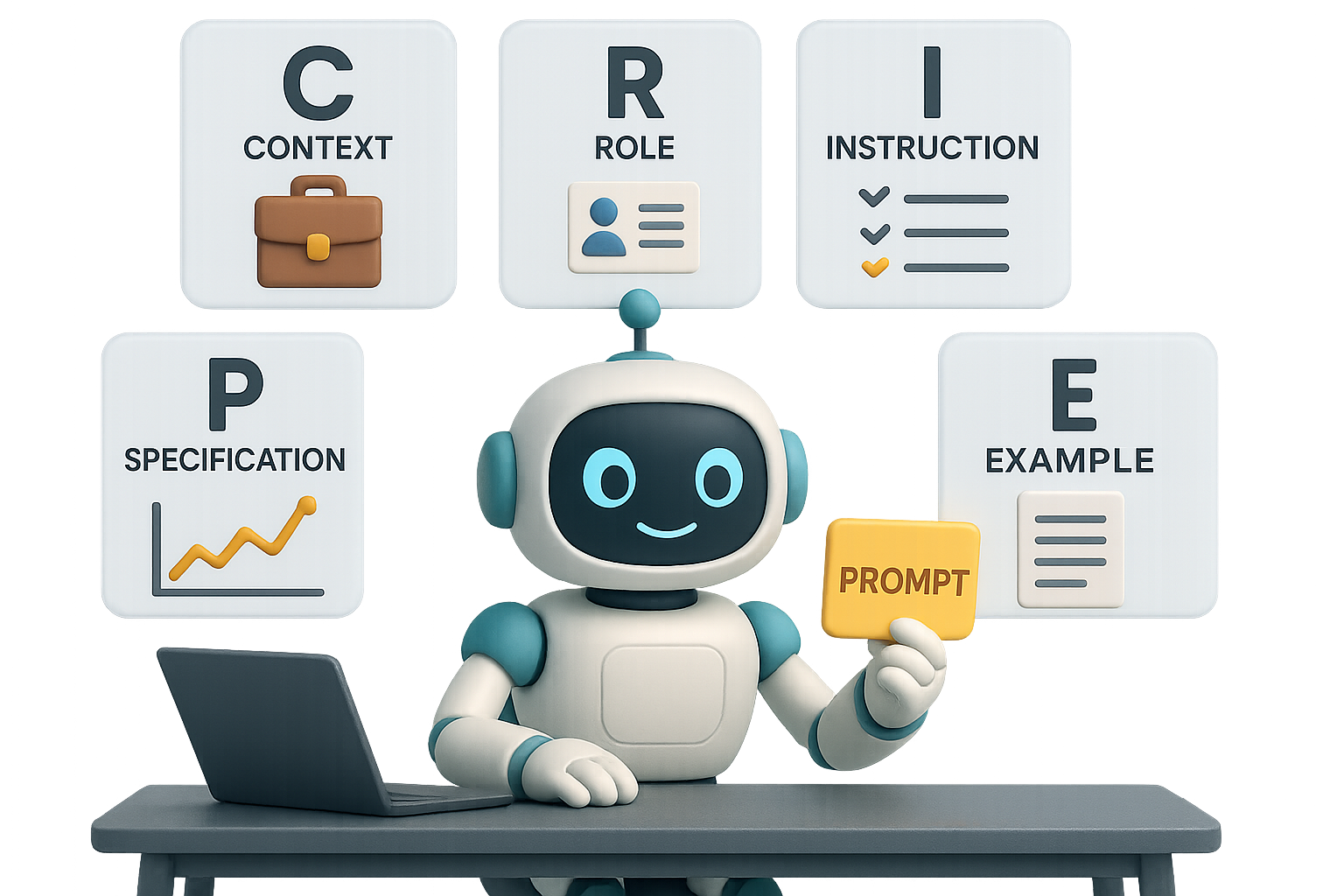
    Write Prompts That Actually Work: Meet CRISPE

    Let’s cut through the noise. If you want usable results from AI, you need structure. After hundreds of trial runs, we’ve landed on a six-part framework that consistently delivers.

    The CRISPE Method:

    • C – Context
      Set the scene. What’s your business? Who’s your audience? Goals, struggles, anything you’d tell a human consultant.
    • R – Role
      Assign the model a persona. Be painfully specific:
      “Act as a senior data analyst with 15 years in healthcare” eats “be an analyst” for breakfast.
    • I – Instruction
      Clearly state the task and why it matters. The model isn’t psychic—it needs a mission with meaning.
    • S – Specification
      Go for clarity: output format, tone, length. Msg bullet points? Executive report? You call it, not the bot.
    • P – Performance
      Define what good looks like. KPIs, deadlines, pitfalls to avoid—set the bar high and clear.
    • E – Example
      Models learn fast from patterns. Show them a snippet of A+ work or link a reference. Total game changer.

    illustration

    Let’s See CRISPE in Action

    Scenario: You’re running an online education marketplace. Stable traffic, but sales just dropped 20%.

    Here’s a CRISPE-style prompt that doesn’t waste time:

    • C – “We run an e-learning marketplace with stable traffic but a 20% drop in paid enrollments.”
    • R – “Act as a senior e-commerce data analyst specializing in conversion optimization.”
    • I – “Identify causes of the drop and produce an action plan to restore and exceed previous sales.”
    • S – “Deliver three sections: 1) Key findings (bullets) 2) Detailed diagnosis (short paragraphs) 3) Prioritized recommendations. Tone: clear, non-jargon.”
    • P – “All actions must be doable within 30 days and include expected impact (%) and resource estimate (hours or $).”
    • E – “Structure and visual clarity similar to McKinsey’s ‘Quick-Win Growth Audit’ report, but focus on immediate steps.”

    Plug that into ChatGPT or Gemini and you won’t get fluffy guesses—you’ll get crisp hypotheses, actionable metrics, and prioritized next steps.


    Micro Tweaks, Mega Impact

    Want to level up even more? These small moves go a long way:

    1. Let the model ask questions. If it wants clarity, give it. Every answer reduces AI guesswork and upgrades accuracy.
    2. Stack multiple examples. One is fine. Three is magic. Contrast good vs. bad so it knows what not to do too.
    3. Treat the first draft as a prototype. Tweak your CRISPE prompt, rerun it, polish. Most top-tier outputs hit in round two.
    4. Update your success bar. The tools are getting better—your asks should evolve too. Demand more depth, more brevity, less fluff.

    illustration

    Why CRISPE Works (Science > Vibes)

    Here’s the deal: language models don’t “think” like humans. They predict the next word based on what you feed them. CRISPE crams the prompt window full of high-signal information.

    Microsoft? They’ve clocked a 3× productivity lift using this structure.
    Google? Gmail drafts saw 40% better quality.
    Amazon? Their customer-facing AI runs on similar rules.

    Pattern = proven. Results = repeatable.


    illustration

    Your Move: Structure to Scale

    You’ve got ideas. You’ve got AI tools. Now the real leverage is in how you ask.

    Pick something you’re working on—strategy doc, churn analysis, blog planning. Write a CRISPE prompt, drop it into your model of choice, and refine.

    Yes, it takes five minutes more up front. But you just might save two hours of rework.

    Want more beginner-friendly ways to master prompting? Check out Tixu—a no-fluff AI learning platform built for everyday pros.

    Ready when you are.

  • Master AI Image Editing with Google’s Free Gemini Tool

    Master AI Image Editing with Google’s Free Gemini Tool

    Nano Banana: Google’s Free AI Image Editor Is Honestly Bananas

    Picture this: You need to tweak an image—fix lighting, change an outfit color, maybe even extend the scene. But every tool you’ve tried either mangles the photo or demands a PhD in layering and masking.

    Enter Nano Banana.

    It’s Google’s sneakily excellent new AI image editor, powered by Imagen 2.5 Flash and Gemini. It’s ultra-precise, surprisingly conversational, and right now—yep—basically free to use.

    Let’s unpack why it’s such a game-changer (and how you can start playing with it today).


    illustration

    Edit Like You’ve Got a Hollywood VFX Team

    Most image generators start from scratch—you type a prompt, they guess what you want. Not Nano Banana.

    This model thinks with you, not around you. It reads images like a seasoned photographer with a storytelling lens:

    • Zeroes in on specific areas: “Only change the umbrella,” and it knows exactly where to look.
    • Responds to natural language: “Turn the dress green,” or “Remove the light leak” just works.
    • Gets abstract cues: “Make it cleaner” or “hide the clutter” doesn’t confuse it.
    • Tackles multi-image fusion: Give it two pics and say, “Mash these,” and it actually… does.
    • Maintains consistency: Alter lighting, shift camera angles, or out-paint—it keeps your subject recognizable.

    Flip the script: You’re not pixel-pushing anymore. You’re art directing.


    Where to Try Nano Banana Right Now

    Google didn’t throw this behind a velvet rope. You’ve got options—and most are just a click away:

    • Gemini (web + mobile): Easiest access. Results include a faint Google watermark.
    • Google AI Studio: Dev playground + API power tools.
    • LLM Arena: Compare Nano vs other AI image models side by side.
    • Third-party tools already integrated:
      • Freepik
      • Leonardo.ai
      • Krea.ai
      • FAL.ai
      • Adobe Firefly

    API pricing? Just under $0.04 per generation. That’s hobbyist-friendly.


    illustration

    Real Talk: What It’s Good At

    Precision Edits
    Change shirt colors, erase clutter, or swap props. It rarely bleeds into skin or background—and no masks needed.

    Spatial Brainpower
    Tell it to “rotate 180°” or change the view angle, and it gives you a fresh-but-logical shot. Architecture might get creative, but perspective stays sharp.

    Out-painting for Days
    Extend scenery? It nails the vibe—lighting, color, and mood match seamlessly. Cropping still recommended (aspect ratio can be stubborn).

    Two Pics, One Scene
    Paste in a knight and a barista, prompt “Grabbing lattes in Brooklyn,” and get a scene where both actually look like themselves.

    Mod Overreach
    Sometimes it misflags your harmless request as “real person editing.” Quick fix: specify that your image is AI-generated.


    Watermarks & Output Quality

    Here’s the deal:

    • Images made in Gemini carry a tiny watermark.
    • Outputs from Krea.ai or Freepik? Clean.
    • No quality difference spotted between them—colors, sharpness, and composition stay consistent.
    illustration

    Quick Tips for Smarter Results

    Want outputs you’d proudly post?

    • Start with a photo
      The model thrives with visual context.
    • Be direct
      “Make background white” > “clean it up,” especially in complex edits.
    • Use hex codes for colors
      Want “mint green”? Type #98FF98. No weird blue-green wobble.
    • Go bigger, crop later
      Nano doesn’t always nail proportions. Oversize the canvas, then trim.
    • If flagged, rephrase
      Say “synthetic model” if Gemini gets nervous. It plays it safe by default.

    illustration

    Nano Banana Is More Than a Gimmick

    This is your first real taste of what happens when AI has both vision and language skills in equal measure.

    You’re not just generating images—you’re iterating with intent.

    Yes, it can whip up meme fodder. But it also supports serious creative workflows, saves hours in post, and might just replace three tools in your stack. Not bad for something that costs less than a gumball per edit.


    Ready to try it out?

    Fire up Gemini or Leonardo, and start editing like a pro (no mask layers, no sweat).

    And if you’re just getting started with AI tools and want to actually understand what’s going on behind the curtain, we’ve got your back.

    👉 Tixu is where smart beginners learn AI from scratch—without jargon, gatekeeping, or brain-melting lectures. Check it out.

  • Launch 3 AI Businesses Today with Zero Budget

    Launch 3 AI Businesses Today with Zero Budget

    The AI Gold Rush Is Real—Here’s How You Can Claim Your Stake Today

    Remember when savvy early adopters grabbed domain names for pennies and flipped them for thousands? Or launched Etsy stores from their dorms and watched the sales roll in? Yeah—that wave has crashed. The next one? Artificial intelligence.

    Only this time, it’s faster, leaner, and—thanks to tools like ChatGPT—open to literally anyone with WiFi and a weekend. You don’t need startup capital or coding chops. Just curiosity, an idea, and a bit of hustle.

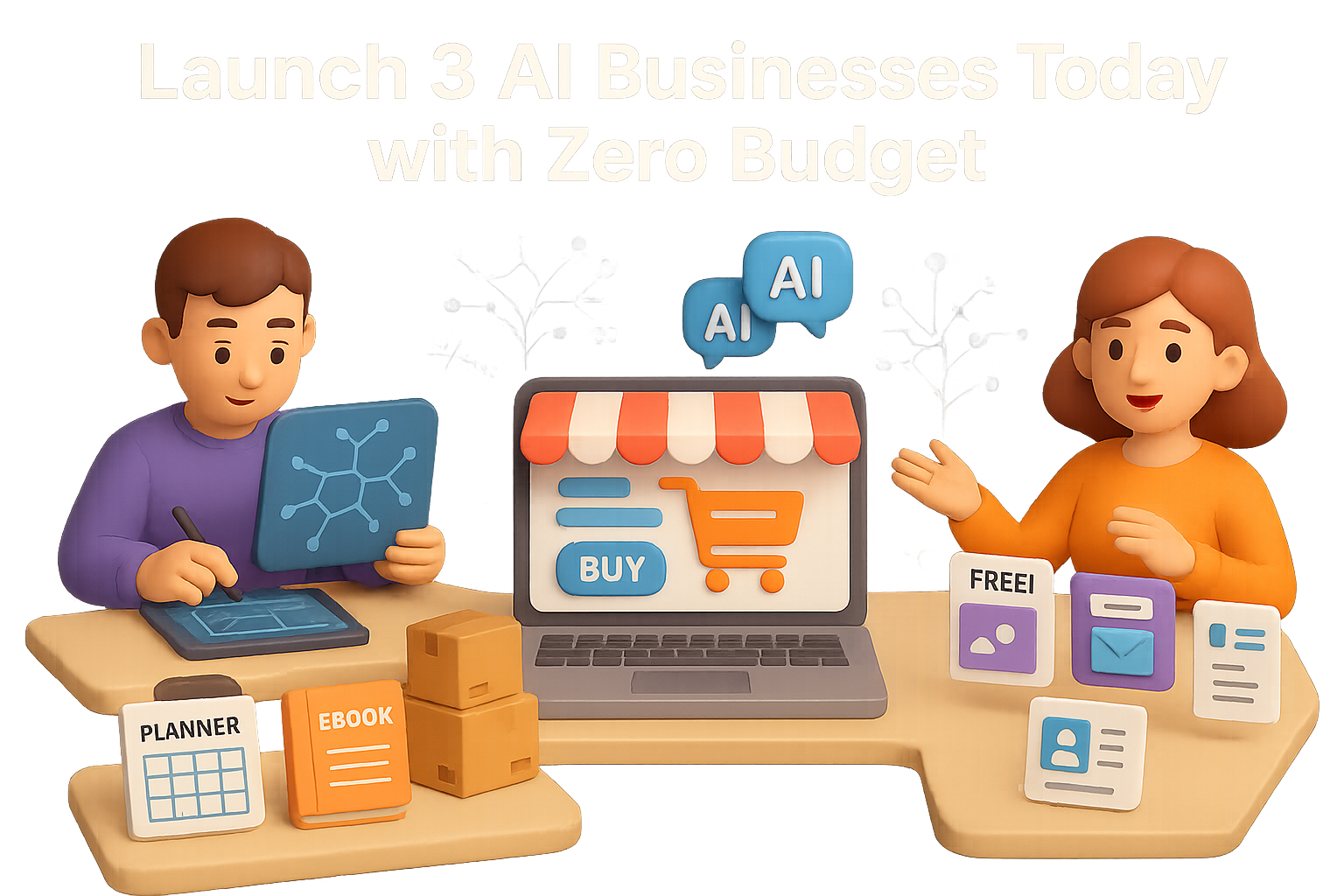
    Let’s break down three beginner-friendly business models you can start right now. Each one leverages AI to cut out the fluff and accelerate your path to results. Pick the one that fits your style. Launch fast. Iterate faster.


    Build Digital Products That Sell Themselves

    Want income while you sleep? Digital products are your golden ticket. Think e-books, templates, Notion dashboards, printable planners, or bite-sized courses. You make it once—then sell it on repeat.

    How AI has your back

    • Find your niche early: Tools like ExplodingTopics surface fast-growing markets before they blow up.
    • Create content at warp speed: Feed ChatGPT your notes, and it’ll crank out drafts, outlines, FAQs—even rewrite in your tone.
    • Look pro without the price tag: Canva’s Magic Design helps you spin up polished PDFs or slide decks minus the designer cost.
    • Automate your promo: Jasper or Copy.ai can bang out email sequences, social captions, Pinterest posts—you name it.

    Quick launch checklist

    1. Nail down a useful micro-problem (“30-day gluten-free meal plan” beats just “health”).
    2. Check marketplaces like Etsy or Gumroad—are people already paying for similar ideas?
    3. Use ChatGPT to draft, structure, and tweak your product copy.
    4. Design in Canva. Export as a shareable template, workbook, or PDF.
    5. Upload to platforms like Gumroad, Lemon Squeezy, or Payhip. Set delivery to auto.
    6. Schedule a week of “coming soon” content using Buffer or Later.

    One well-timed product can generate passive sales for months—while you build your skill stack behind the scenes.


    Launch an AI-Powered Online Store in 20 Minutes

    E-comm isn’t over—it’s just smarter now. Forget warehouses and spreadsheets. With AI, your store almost runs itself (seriously).

    Your AI-powered toolkit

    • Shopify – still the fastest way to launch. Keep an eye out for their $1/month promos.
    • AutoDS – automate sourcing, pricing, order fulfillment, even inventory sync.
    • GemPages or PageFly – turn cookie-cutter product pages into scroll-stoppers.
    • ChatGPT – bang out fun, SEO-optimized product descriptions and landing page copy in seconds.

    Step-by-step store setup

    1. Launch a Shopify store using their pre-built templates.

    2. Plug in AutoDS. Choose a tight niche—”trail-runner hydration packs” beats “outdoors stuff.”
    3. Import 10–15 products with ≥25% profit margin and solid supplier reviews.
    4. Use ChatGPT to write fresh, benefits-first copy for each product.
    5. Set AutoDS to auto-fulfill and auto-adjust your pricing.
    6. Kick off your marketing on TikTok using UGC-style videos made in Canva’s AI video tool.

    Tweak. Test. Learn. Most dropshippers quit too fast. You? You’re using data and automation to keep the game moving.


    illustration

    Offer AI-Powered Freelance Services

    Want to earn while you learn? Freelance gigs let you put new AI skills to work—and get paid as you go.

    High-demand services (you can deliver tomorrow)

    • Social content packages: Pair TrendSpider with ChatGPT + Canva to pump out 30-post bundles.
    • Email campaigns: Let AI draft the bones, then you humanize. Sell full sequences for $100–$300.
    • SEO-friendly blogs/product copy: Combine SurferSEO with ChatGPT for content that ranks and reads well.
    • LinkedIn/resume makeovers: Everyone wants one. Use AI prompts + polish to deliver standouts.
    • Logo & brand kits: Tools like Looka or Canva Brand Hub let you whip up full brand assets in minutes.

    Where to find clients

    • Post on Upwork, Fiverr, or Contra with killer gig titles and a few clear examples.
    • DM small biz owners on Twitter or LinkedIn offering a free mini-audit (plus a fast fix).
    • Team up with niche agencies that need reliable white-label help.

    Package 2–3 offers together—and voilà, you’re running a one-person agency before your coffee cools.


    illustration

    Your 48-Hour Head Start

    Here’s the deal: AI isn’t replacing ambitious humans. It’s replacing slow workflows, repetitive busywork, and analysis paralysis.

    If you’ve been waiting for perfect timing, this is it. Pick a model above. Block off a weekend. Run your first experiment.

    Then run another.

    Need help turning AI into actual income? We got you.

    Explore beginner-friendly AI courses at Tixu—no jargon, no gatekeeping.

    You bring the ideas. Tixu brings the roadmap.

  • Master AI Strategy in 2025: 3 Trends to Watch

    Master AI Strategy in 2025: 3 Trends to Watch

    The State of AI in 2025: What’s Real, What’s Hype, and Where You Can Win

    You’ve seen the headlines: AI is plateauing. The firehose of “next big thing” models has slowed to a trickle. But here’s what those clickbait titles don’t tell you—this is your opening.

    The hype is cooling off, sure. But what’s emerging is a clearer path to smart, measurable wins—especially if you know where to look. We’ll walk you through three major trends shaping 2025, what they mean for your projects, and how to stay ahead while others chase ghosts.

    illustration

    What You’ll Walk Away With

    • The real reason model upgrades feel…meh lately
    • How smart teams are cutting costs and boosting performance
    • Why small, focused models are beating the giants

    Let’s dig in.


    Giant Models Are Boring Now

    Remember the buzz when GPT-4 launched? Yeah, that kind of thrill has worn off. Why?

    • Each new version—GPT-3.5 → GPT-4 → GPT-5—offers smaller quality jumps.
    • Meanwhile, training costs balloon. Millions in GPU time for modest gains.
    • It’s not just OpenAI. Google, Meta, Alibaba—they’re all hitting that same curve.

    This isn’t failure—it’s the classic law of diminishing returns. Scaling up LLMs is like stacking bricks. Eventually, the wall starts looking the same, no matter how many more you lay.

    So what do the winners do now?

    They shift strategies.


    illustration

    Cost Is the New Accuracy

    Forget chasing that extra 0.1% on a leaderboard. 2025 is all about squeezing more from less.

    • Engineers are pulling solid results from smaller models with clever tactics like retrieval-augmented generation (RAG) and smart prompting.
    • Local and open-source deployments are no longer science projects. They’re running inside real businesses, slashing latency and cloud bills.
    • API providers know the game’s changed. If quality’s leveling off, only pricing keeps developers loyal.

    Real talk: A finely-tuned open model hosted in-house can beat a bloated API—on speed, control, and budget. This isn’t theory. It’s in production now.


    illustration

    Why Enterprise-Specific Models Win

    2025’s breakout strategy? Mini-foundation models trained on your own turf.

    • NASA’s models predict drought impacts in Chilean forests.
    • Swiggy mines user taste to refine food ranking.
    • Netflix uses domain-tuned LLMs to boost recommendations.

    The takeaway? Trying to fit the world to one general-purpose model is lazy. Tailored models know your niche, speak your data’s language, and get smarter every time your team iterates.

    And they don’t hand your IP to a black-box API.


    illustration

    What’s Really Driving the Next Five Years

    Let’s zoom out. A few big forces are reshaping what “innovation” looks like through 2030:

    1. Hype’s Been Deflated (Finally)

    In 2022, the AGI hype machine was dialed to 100. By 2025, it’s closer to a 40. Models are still powerful—but claims of “this model just became sentient” flopped hard.

    Expect more grounded claims, with less marketing fantasy.

    2. Data > GPUs

    We don’t have a compute deficit—we have a data drought.

    • The public web’s been scraped dry.
    • Copyright lawsuits are heating up.
    • Unique, high-quality datasets are rare and costly.

    More GPU cycles can’t fix bad data. The cutting edge now belongs to whoever controls fresh signal.

    3. Cutting-Edge Research vs. Business Reality

    Yes, new architectures are on the horizon—like Yann LeCun’s JEPA or diffusion + transformer hybrids.

    But spoiler alert: good ideas on paper take years to turn into production-ready tech. If you’re running a business, you can’t sit around waiting for science projects to mature.


    illustration

    Calling the Shots Through 2030

    Here’s what’s shaping up as we head into the next frontier—minus the crystal ball nonsense:

    • Hiring’s going up, not down
      No, AI didn’t eliminate software engineers. It just shifted the skill game. Integration, fine-tuning, model ops—they’re hotter than ever.
    • Architectures will evolve
      Transformers won’t be king forever. Upcoming models will chase better planning, fewer hallucinations, and more logical consistency.
    • Real value sells
      Forget beating humans at chess. Enterprises care about:
      > “We saved 40% on inference and matched performance.”

      And they should.


    illustration

    Benchmarks Don’t Pay the Bills

    You’ll keep seeing bold claims—some model scored 99.8% on XYZ.

    Here’s the truth:

    • Many benchmarks get gamed with cherry-picked prompts or human-in-the-loop tricks.
    • Real-world use cases crush models in very different ways.

    So take leaderboard numbers as vibes, not verdicts.


    illustration

    So… What Should You Actually Do?

    Here’s how builders and buyers are winning in the 2025 landscape:

    • Shrink the model, boost the value
      A billion params + great data > 10B params + garbage.
    • Build for your world, not the internet
      Accuracy jumps when models are tuned to your inputs, your domain, your goals.
    • Keep your ear to research—but don’t bet your roadmap on it
      Stay curious, test what’s emerging—but thrive on what works now.

    Key takeaway

    AI in 2025 isn’t about another shiny object.

    It’s about custom, clever builds. It’s about domain intelligence. And it’s about you making the call—not waiting on a press release.

    Want a step-by-step jumpstart into building with AI the smart way? Get started with Tixu—a beginner-friendly platform packed with projects, prompts, and zero hype.

  • Master AI in 2025: 7 Skills You Must Learn

    Master AI in 2025: 7 Skills You Must Learn

    2025 AI Engineering Guide: What to Learn, Build, and Prioritize Now

    So, AI’s not just the next big thing—it’s already here. Full stop.

    The 2025 AI Engineering Report just dropped, and it doesn’t sugarcoat it: the tools are maturing, teams are scaling, and what worked a year ago is already feeling dated. If you want to keep your edge (or catch up fast), now’s the time to rethink how you’re learning, building, and leveling up.

    Let’s break it down: what leading teams are shipping, what you should learn next, and how to spend your time if you want to lead—not follow.


    illustration

    Companies Aren’t Experimenting—They’re Shipping

    The data’s clear: AI isn’t on a test server anymore.

    • GPT-5 is in production everywhere. OpenAI models claim 3 of the top 5 spots across deployed LLMs.
    • Claude is picking up steam—its long context and transparency win points in the enterprise crowd.
    • 70% of dev teams are using Retrieval-Augmented Generation (RAG) right now.
    • Daily prompt updates? Yup. 1 in 10 teams refresh prompts or model settings every single day.
    • Voice is heating up fast—37% of teams plan to ship audio interfaces in the next cycle.
    • Most AI agents in prod can write to systems directly—but keep humans in the loop for approval.

    Translation: this wave isn’t a prototype revolution. It’s real-world automation for support, documentation, internal tools, and even production codebases.


    illustration

    What You Should Learn in 2025 (In This Order)

    This isn’t a random list—it’s your roadmap to relevance. Learn these well, and you’ll be miles ahead of the LinkedIn talkers.

    1. Build Deep RAG Skills—This Is the Core

    Retrieval-Augmented Generation (RAG) isn’t a hack—it’s the architecture most teams rely on now.

    Understand these flavors:

    • Traditional RAG: vector search + a plain LLM.
    • Agentic RAG: retrieval triggers external tools or chained LLM calls.
    • Adaptive RAG: retrieval that evolves via user feedback or outcome signals.

    Key Skills:

    • Data ingestion pipelines
    • Embeddings (OpenAI, Cohere, Jina)
    • Vector databases (Weaviate, Pinecone, pgvector)
    • Evaluation frameworks and metrics

    2. Prompt Engineering Isn’t Dead—It’s Just Smarter Now

    If you’ve ever fixed an LLM bug with a word change… you get it.

    Teams are squeezing performance with:

    • Chain-of-thought prompting
    • Type-safe prompts using tools like Guardrails.ai or Rebuff
    • Ongoing A/B testing—weekly at minimum, automated if you’re serious

    A strong prompt game is still your fastest, cheapest performance booster.

    3. Learn LoRA & Other Lightweight Fine-Tuning

    You don’t need a cluster to fine-tune anymore. Parameter-efficient techniques like LoRA, QLoRA, and Delta tuning mean real customization—on a startup budget.

    Try:

    • Hugging Face PEFT
    • Axolotl (for full-stack fine-tuning workflows)
    • Crafting models infused with domain-specific knowledge

    4. Build Agents (With Guardrails)

    Autonomous workflows are here. But 90% of teams keep a human reviewer in the loop—and for good reason.

    Explore:

    • LangGraph or LangChain Agents for orchestration
    • OpenAI Function Calling, Claude Tool Use for decision-making
    • Role permission layers, fallback prompts, and review flows

    Don’t just chase autonomy—design for confidence.

    5. Get Fluent in Top Frameworks

    Know your tools—but more importantly, know your patterns.

    Bench-ready stacks:

    • LangChain / LangGraph – for chaining and orchestration
    • LlamaIndex – ideal for structured sources and knowledge graphs
    • DSPy – programmatic prompt engineering via declarative logic
    • Guardrails.ai – reliable outputs, policy enforcement

    Pro tip: Pick two. Master them. Interviews reward fluency, not tool tourism.

    6. Monitoring Isn’t Optional

    If you ship it, measure it. Real-world LLM deployments deal with latency, relevance drift, hallucinations, and cost spikes.

    Watch these:

    • LangSmith for call tracing and latency
    • Helicone for token-level analytics
    • WhyLabs AI Observatory to catch performance decay before users do

    7. Voice Is Coming—Fast

    Sure, images are cool. But speech? It’s next. Low barrier, high reward.

    Start with:

    • Whisper or Deepgram for transcription
    • ElevenLabs or PlayHT for voice synthesis
    • Chain them into RAG stacks for spoken search, summaries, bash commands… whatever your org needs

    Spend Your Time Like It Matters

    Time is your scarcest resource. Here’s how smart teams are allocating theirs:

    • 40% – Building and refining RAG pipelines
    • 25% – Prompt experimentation + automated evaluation
    • 15% – Lightweight tuning with LoRA/QLoRA
    • 10% – Building agents and orchestration
    • 10% – Monitoring, logging, and compliance

    No fluff—just signal.


    illustration

    New Roles Are Emerging (Fast)

    Spot the job before your resume does.

    • AI Solutions Engineer – engineers RAG-heavy apps, owns architecture
    • LLM Ops Specialist – monitors cost, uptime, success metrics
    • Multimodal Engineer – glues together voice, image, and LLM function flows
    • Product Manager (AI) – maps agent intent flows and signs off on approval logic

    If you see yourself in these—start skilling up now.


    Do This Next

    Let’s put it into action. Pick one of the below, preferably this week:

    1. Clone an open-source RAG repo and load your own docs.
    2. Plug in prompt evaluation to measure your grounding.
    3. Fine-tune a model on internal FAQs using LoRA—then run a side-by-side with GPT-4o.
    4. Add voice I/O to one use case—meeting summaries or search work well.
    5. Start logging everything: prompt revisions, user feedback, token costs.

    Progress doesn’t mean perfection. It means forward motion, fast feedback, and measurable wins.


    illustration

    One Last Thing

    The future of AI in 2025 isn’t about hype. It’s about high-leverage systems that learn continuously, agent workflows that answer real questions, and technical intuition that can’t be replaced by a plugin. That starts with you mastering RAG, prompt iteration, lightweight fine-tuning, and monitoring.

    And if you want a launchpad for leveling up fast?

    👉 Check out Tixu.ai — a beginner-friendly platform where you’ll build real AI projects, fast. Ready when you are.

  • Build a Million-Dollar Solo Business with AI in 3 Steps

    Build a Million-Dollar Solo Business with AI in 3 Steps

    The Once-in-a-Generation Shift: Why One Person Can Now Run a Serious Company

    You don’t need a co-founder. Or a decade of coding. Or $2M in seed funding.

    In 2025, a single person with the right tools—and a clear pain point to solve—can build a legit, six- or seven-figure business. Not a pipe dream. A legit, money-in-the-bank business.

    Here’s the playbook for turning your idea into a “Company of One” that runs (mostly) on autopilot.


    illustration

    First: Let’s Bust Some Myths

    These are the lies that keep your hustle on the sidelines:

    1. “I have to be technical.”

    Wrong decade. Today, you talk, the tools listen.

    Platforms like Builder.ai, Bubble, or Replit’s Ghostwriter let you literally type your way to a web app. Say, “Create a task-management app with Stripe payments”—and boom, it scaffolds the stack: UI, user login, database. It’s like coding, minus the code.

    2. “I need a massive following.”

    Followers don’t pay the bills. Buyers do.

    You don’t need 100k subscribers. Just 100 people who trust you enough to pay $10,000—or 1,000 who pay $1,000. Focus on trust over traffic. One killer case study beats 1,000 likes.

    3. “I have to invent something brand new.”

    Nope. Calendars existed before Calendly. Email tools? Around long before Mailchimp.

    What wins now is speed. Use AI to make common problems 10× easier, cheaper, faster. Reinvent the delivery, not the wheel.

    4. “I need investors.”

    Unless you love spending pitch decks instead of solving problems, skip this.

    A solo AI business often launches for under $100:

    • GPT-5 or ChatGPT Plus: $20/mo
    • Zapier or Make: $10–20/mo
    • Domain + hosting: $5–10/mo

    If it flops? You’re out a dinner. Not a mortgage.


    illustration

    Step 1 – Choose Your Business Model

    Pick the lane that fits your strengths—or stack two.

    AI SaaS

    • Build once, sell all day
    • Tools: OpenAI API + Bubble or Builder.ai
    • Example math: 111 users × $25/day = $1M/yr
    • Margins? ~90%. Server bills are light.

    Done-for-You AI Services (Automation Agency)

    • Help local businesses eliminate grunt work
    • Typical: $5,000 setup + $1,000/month retainer
    • One new client every 2 days = ~$1M/yr

    Businesses are drowning in repetitive tasks. You offer the air.

    Digital Products

    • Think prompt packs, Notion dashboards, crash courses
    • Sell for $29–$297 on autopilot
    • 18 sales/day at $150 = nearly $1M/year

    Create once. Sell forever. Sleep like a baby.

    Pro tip: Start with services to fund your SaaS or product.


    illustration

    Step 2 – Know Your Numbers

    A million bucks doesn’t feel so far when you chunk it out:

    $1,000,000 = ~$83,333/month = ~$2,740/day

    Now reverse it:

    Example: SaaS at $49/mo

    • Need: $83,333 MRR
    • Customers: ~1,700
    • Get 10 new users/week → 4 years = freedom

    Example: Consulting at $2,500/mo

    • 34 clients = $1M/yr
    • Land one/month → wealthy in under 3 years

    It’s just math. Now you’ve got the calculator.


    illustration

    Step 3 – Systemize Till It Runs on Its Own

    Start lean. Then scale with steel.

    Level 1: Basic Automation (Months 0–3)

    • Use Zapier/Make to connect Airtable, Stripe, Calendly
    • Bookings, payments, and data all sync themselves
    • Saves you 10–20 hrs/week

    Level 2: AI Enhancement (Months 3–6)

    • GPT-4 drafts client proposals, blog posts, emails
    • Whisper converts voice notes to articles
    • You write less, publish more, stress almost never

    Level 3: Agent Workforce (Months 6+)

    • Train Lindy.ai or your own GPT to triage support, qualify leads, and book demos
    • Goal: consistent $2.7k/day while you focus on growth

    You’re the chess player. AI’s your board.


    illustration

    Real-World Proof

    Solo founders already doing this—and cashing in:

    • TalkNotes: Turns voice notes into tidy content. One founder. Around $5k MRR.
    • FounderPal.ai: Marketing prompts engine—hit $10k in sales with one launch.
    • Repurpose.io: Automates video clipping—scaled to $75k ARR as a solopreneur.
    • Llama Life: ADHD-friendly timer solo-built by a developer. Now serving thousands.

    New idea? Better packaging, better delivery, and smarter tech? That’s the win.


    illustration

    Try This (This Week)

    Here’s how you go from “meh idea” to first dollar in 5 days:

    1. Pick one unbearable problem you’ve seen in the wild.
    2. Write down a solution in plain English—no tech speak.
    3. Prototype in 2 days using no-code + AI tools.
    4. Send it to 10 people with that pain. Ask 5 to pay.
    5. Automate delivery using GPT, Zapier, and Stripe.
    6. Tweak it until your bank balance smiles back at you.

    Rinse, repeat, and scale. That’s the game.


    illustration

    Final Nudge Before You Go

    The web boom made bloggers millionaires. Instagram created influencers out of interns.

    This? This is the AI wave. Distribution is free. Tools cost less than lunch. And demand is off the charts.

    Don’t wait for “perfect.” Start tiny. Stay scrappy. And let the machines do what they’re built to do—the work.

    Want to learn how to actually use these tools without frying your brain? Check out Tixu.ai, a beginner-friendly platform that teaches AI the way you’d teach your best friend. Zero fluff, just results. Ready when you are.

  • Launch a Profitable AI-Powered Store in 5 Steps

    Launch a Profitable AI-Powered Store in 5 Steps

    Why the “Boring” E-commerce Market Just Became the Hottest AI Play

    You’ve probably noticed it too—everyone and their roommate is either launching an AI agency or building the next SaaS unicorn. It’s noisy out there.

    But here’s the plot twist: the biggest opportunity right now isn’t some glitzy new tech product. It’s e-commerce. Yep, good ol’ online retail—the space that looked “too saturated” a year ago is now wide open for AI-powered players.

    While AI services claw at a $6B slice and SaaS founders sprint toward a $300B goal, e-commerce already moves $6 trillion a year. And guess what? Generative AI is only just rolling up its sleeves.

    Translation: with a bit of smart prompting, you can go from idea to profits in days—not months. No code, no pile of cash, no warehouse of inventory.

    Let’s walk through how real people are doing exactly that—without burning out or burning money.


    illustration

    Steal This: Your Five-Step AI Commerce Playbook

    You don’t need a CS degree or dropshipping course to win here—just smart tools and a clear plan. Here’s the breakdown:

    1. Let ChatGPT Do the Market Research

    No need to scroll Reddit for niche ideas.

    • Upgrade to ChatGPT Plus to unlock longer, deeper research sessions.
    • Use structured prompts like:
      Act as an e-commerce analyst. Identify seven fast-growing dropshipping niches ideal for Facebook Ads. Prioritize products that solve a pain point, carry high perceived value, and are trending on TikTok Shop. Present the results in a table with search volume, average selling price, and three example products each.
    • You’ll go from “meh, maybe” to “yep, that’s a hit” in under 10 minutes.

    2. Validate Demand Where Dollars Are Already Moving

    No product should be a guess.

    • Check Amazon’s “Best Sellers” and “Movers & Shakers.” Look for products doing 10k+ monthly units.
    • Pop over to TikTok Shop and the #tiktokmademebuyit feed to see what creators are hyping organically.
    • Use Google Trends as a vibe check—is that buzz seasonal or growing long-term?

    This step slashes your risk before you spend a dime on ads.

    3. Spy Smarter With Meta’s Ad Library

    Let other sellers fund your trend spotting.

    • Drop in the product name or niche keyword.
    • Look for high-performing ad sets: multiple creatives, recent launch dates, and solid engagement.
    • Notice the visuals. AI-generated photos (a little too perfect) are a good sign your future competitors are already using generative tools.

    Study first, copy nothing, out-creative everyone.

    4. Build Your Storefront in a Single Afternoon

    No need to reinvent the internet.

    • Use Shopify, WooCommerce, or a no-code favorite.
    • Want a brand name or product copy that doesn’t sound like a robot? ChatGPT handles:
      • Brand brainstorming
      • Product descriptions with real benefits
      • Email flows and FAQs

    Create stunning visuals with Midjourney or DALL·E 3. Example prompt:

    “Hand holding mineral SPF sunscreen on a kayak, crystal-clear mountain lake in background, cinematic lighting”

    Bam. Full product shoot. No camera. No inventory.

    5. Run High-Converting Video Ads for $5–$10

    Hiring UGC creators? Cool. But AI makes new ads in minutes.

    • Write a 30-second script in ChatGPT that feels like real human talk.
    • Run it through ElevenLabs for a natural voiceover.
    • Use MakeUgc.ai to animate your product with photorealistic avatars.

    Total cost? Under $10. Total time? About 20 minutes. Test it with small-budget Meta Ads. If the cost per purchase is tasty, scale up by making new creatives, not by throwing more cash into the fire.


    Old vs. New: Know Your Edge

    Here’s what you’re beating when you use AI right:

    Before AI

    • Hours sifting through supplier catalogs
    • Thousands spent on agencies and freelancers
    • Testing budgets of $500–$1,000 just to break even

    With AI

    • Niche research and hero product picks in under an hour
    • Full brand setup (copy, visuals, email flows) for pennies
    • High-performing ad creative for less than a pizza
    • Profit testing with $50–$100 ad spend, not your rent money

    It’s not just cheaper. It’s faster—and faster wins.


    Illustration of a colorful shopping cart labeled 'New Seller' filled with digital icons, next to small vendor stalls labeled 'Experience' and 'Old Vendor', with a finish line in the background.

    But Is It Too Crowded?

    Short answer: yeah, e-comm is still competitive. Long answer?

    Creativity and speed now beat capital and experience. Period.

    You don’t win because you’ve been doing this forever—you win because you can ship testable ads, iterate faster than the old pros, and pivot in real time.

    AI levels the field if you play it right.


    illustration

    Wrap-Up: The Wave Is Now. Ride It.

    You don’t need to code. You don’t need VC money. You just need a few prompts and a sharp eye for what sells.

    Use AI to cut research time, generate stand-out creative, and launch stores faster than ever.

    The ones who wait for a “better time”? They’re the ones buying from your ads six months from now.

    Ready when you are.

    Want to learn AI from scratch without the fluff? Tixu makes it beginner-friendly—from prompt crafting to product launches.

  • Master Next-Gen Image Editing with Gemini AI

    Master Next-Gen Image Editing with Gemini AI

    Let Gemini Do the Heavy (Photo) Lifting for You

    You know that moment when you spend 30 minutes cropping someone out of a photo… and it still looks like their ghost is hovering in the background? Yeah. Gemini fixes that—without layers, masks, or unhinged Googling like “How to remove background Photoshop 2025.”

    Google slid a powerful AI image editor into Gemini, and if you blinked, you probably missed it. But here’s the kicker—it works with plain English. You write, it edits. Game officially changed.

    This post breaks down 10 wildly useful ways to get more done (or look better doing it) with Gemini’s new visual wizardry. Buckle up.


    What Is Gemini’s Text-Based Photo Editor?

    Imagine Photoshop and ChatGPT had a baby—and it actually listened. You upload a photo, type what you want changed, and Gemini brings the update to life. Think “turn my shirt green” or “remove the garbage can” levels of clairvoyance.

    It keeps faces realistic, backgrounds clean, and somehow doesn’t go rogue halfway through. Not perfect, but dang close.

    Let’s jump into what you can actually do with this thing.


    illustration

    1. Ditch the Background Drama

    Prompt: “Remove the background and replace it with a subtle blue tech backdrop.”

    Instead of hours fumbling in Canva or shelling out for a plugin, Gemini clean-cuts tricky details like hair and fingers—studio-quality results, zero manual touch-ups.


    illustration

    2. Do an Instant Outfit Swap

    Prompt: “Change my red shirt to a green T-shirt.”

    Faces stay the same, folds look natural, and it’s great for creative tests or profile photo upgrades. Fashionably late? Not anymore.


    illustration

    3. Combine Photos Like a Pro

    Upload a person and a puppy.

    Prompt: “Have the person hold the puppy.”
    + Add: “Put them in a park and double the puppy’s size.”

    Gemini handles shadows, scale, and angles. The result? Looks like a real shoot—not a copy-paste fever dream.


    illustration

    4. Redesign a Room Without Breaking a Sweat

    Upload a bare living room and take it step-by-step:

    • “Add a grey sectional on the right.”
    • “Place a dining table in the back.”
    • “Paint the walls white.”
    • “Replace hardwood with beige carpet.”

    Each prompt builds on the last. Bonus: No clunky 3D app required.


    illustration

    5. Delete the Random Stuff

    Prompt: “Delete the parked cars on the left.”

    Power lines, trash bins, that guy who walked into your vacation photo—gone. Clean edits, seamless fills.


    illustration

    6. Swap Colors, Keep the Reflection

    Prompt: “Make the blue car matte black.”

    Gemini preserves texture and light bounce (like window reflections). It’s perfect for vehicle wraps, ecommerce shots, or just testing a new vibe.


    illustration

    7. Turn Photos Into Art

    Yes, really.

    Prompt: “Make this look like an acrylic painting.”
    Or claymation. Or clean-line cartoon.

    Note: Licensed “Pixar style” or Marvel-looks are locked (and for legal good reason), but the creative options are still huge.


    illustration

    8. Build a Marketing Graphic in One Shot

    Prompt: “Create a YouTube thumbnail announcing Gemini’s new image editor.”

    Gemini lays out text, color scheme, and design automatically.

    Then fine-tune with a follow-up: “Cut me out of the background and replace the stock hand with me.”

    Thumbnail = done. You = ahead of schedule.


    illustration

    9. Mock Up Ads Like a Brand Boss

    Start with a food ad.

    Step-by-Step Prompts:

    1. “Replace the chicken sandwich with a double cheeseburger.”
    2. “Change the caption to ‘Best Burger in Town.’”
    3. “Layer the billboard onto Times Square.”

    Gemini adjusts lighting and angle, so the final result looks professionally installed. (And yep, clients eat this up.)


    illustration

    10. Restore & Refresh Old Photos

    Prompt: “Restore this faded family photo.”
    Then: “Colorize and modernize the scene.”

    Gemini fills in missing detail, smooths damage, and even adds era-fitting props (like replacing a rotary phone with a laptop). Nostalgia, upgraded.


    Heads Up: It’s Not All Magic

    Just a few quirks to know:

    • Text layers can get finicky—especially if visual elements overlap.
    • Asking for Pixar style won’t fly (thanks, copyright).
    • Multi-object compositions aren’t always perfect on the first try—give it a couple rounds.

    How to Get Started in 4 Easy Steps

    1. Go to gemini.google.com and log in.
    2. Hit the little paperclip to upload a photo.
    3. Type your idea (“Turn this into a movie poster.”)
    4. Watch it work. Download when you’re happy.

    Tip: Royalty-free images from pexels.com work beautifully if you don’t have your own.


    Bottom Line

    Whether you’re a marketer trying to crank out creatives, a content creator on a deadline, or just upgrading family photos, Gemini’s image editor puts visual storytelling on beginner mode—with pro-level results.

    Want to take this AI thing deeper (without the coding panic)? Tixu is a super-friendly way to start mastering AI tools—even if you’re starting from scratch.

    Tag us when you make magic. Ready when you are.